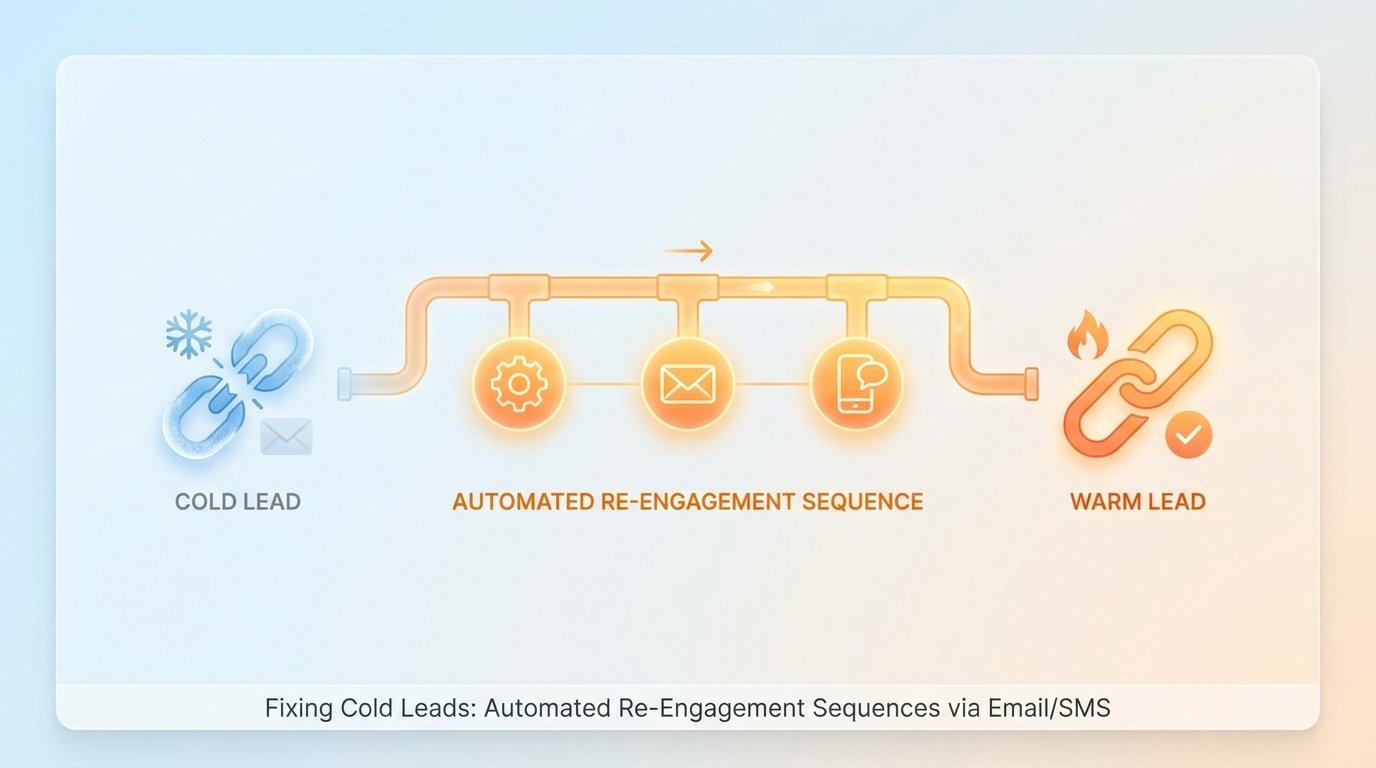
Your CRM is a data graveyard. It’s bloated with leads that haven’t been touched in months, maybe years. Standard marketing automation platforms apply a coat of paint to this problem with their “drip campaigns,” which are usually just a sequence of emails that ignore user behavior and hammer an inbox until the lead unsubscribes. This approach is lazy and ineffective.
The core failure is treating a cold lead as a marketing problem. It is an engineering problem. The data is stale, the context is lost, and the communication channel is likely wrong. We fix this not with better copy, but with better architecture. We need a system that logic-checks lead status, chooses the right channel, and reacts to events in real time, not on a pre-programmed schedule.
The Anatomy of a Cold Lead
A lead doesn’t just go cold. It decays. This decay is measurable through specific data points that most marketing platforms either ignore or can’t access. We need to define “cold” with surgical precision, moving beyond a simple `last_contacted_date`. A robust definition requires a weighted score based on multiple vectors.
- Last Seen Timestamp: The last time the user was active in your application or on your website. This is the strongest signal.
- Last Email Engagement: The timestamp of the last email open or click. Opens are notoriously unreliable, so clicks carry far more weight.
- Key Event Omission: The user signed up but never performed a critical activation event, like `project_created` or `integration_configured`.
- Support Ticket History: A history of closed or abandoned support tickets can signal waning interest or unresolved friction.
Most CRMs store this data poorly, if at all. The first step is to pipe all this event data into a central store. A customer data platform like Segment or RudderStack is built for this. Or, you can bypass the wallet-drainer CDPs and build your own event ingestion endpoint that dumps JSON blobs into a data warehouse like BigQuery or Snowflake. The tool doesn’t matter. What matters is having a unified log of user behavior to query against.
Once the data is centralized, we can write a query to flag cold leads. This isn’t a one-time list export. This query must run on a schedule, creating a dynamic cohort of users who have just crossed the “cold” threshold.
WITH user_events AS (

  SELECT

    user_id,

    MAX(CASE WHEN event_type = 'app_login' THEN event_timestamp ELSE NULL END) AS last_login,

    MAX(CASE WHEN event_type = 'email_click' THEN event_timestamp ELSE NULL END) AS last_email_click,

    COUNT(CASE WHEN event_type = 'project_created' THEN 1 ELSE NULL END) AS projects_created

  FROM

    events

  GROUP BY

    user_id

)

SELECT

  u.user_id,

  u.email,

  u.phone_number

FROM

  users u

JOIN

  user_events ue ON u.user_id = ue.user_id

WHERE

  (ue.last_login < NOW() - INTERVAL '90 days' OR ue.last_login IS NULL)
  AND (ue.last_email_click < NOW() - INTERVAL '120 days' OR ue.last_email_click IS NULL)
  AND ue.projects_created = 0;
This SQL logic is a starting point. It identifies users who haven't logged in for 90 days, haven't clicked an email in 120 days, and never created a project. This is our trigger.
Architecture of the Re-Engagement Machine
Do not build this logic inside your marketing platform. Those systems are rigid and opaque. They are designed for marketers, not engineers. We need to build a state machine using tools that give us granular control, logging, and error handling.
The stack is straightforward:
- Scheduler: A cron job or a cloud-based scheduler (like Cloud Scheduler or EventBridge) that executes our SQL query daily.
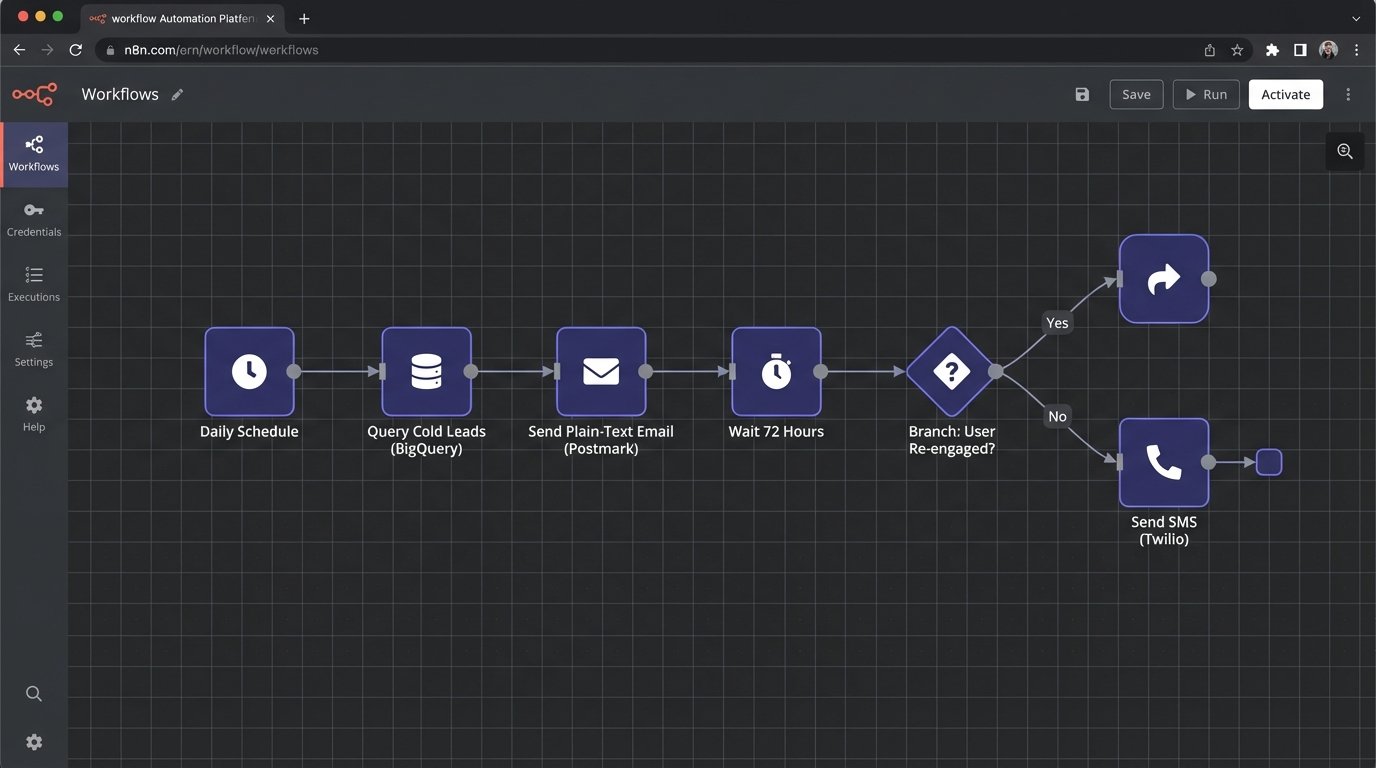
- Workflow Engine: The brain of the operation. This could be a self-hosted tool like n8n or a cloud service like Zapier or Make. It receives the list of cold leads from the scheduler.
- Email API: A transactional email service like Postmark or SendGrid. We use these for their high deliverability and simple APIs, not their campaign builders.
- SMS API: An SMS provider like Twilio or Vonage. This is our high-impact, high-cost channel.
This architecture decouples the logic from the delivery channels. The workflow engine becomes the central nervous system, processing each lead one by one. This is not about batch and blast. It is a stateful, iterative process. Trying to force this complex, conditional logic into a marketing automation tool is like shoving a firehose through a needle. It's the wrong tool for the job and will inevitably clog.
Step 1: The Initial Email Probe
The workflow engine receives a lead. The first action is to send a plain-text email. Not a glossy marketing template. It should look like it came from a real person. Subject lines like "Checking in" or "Question about your account" work far better than "We Miss You!".
The goal of this email is not just to get a click. It is to validate the inbox is still active. We must configure webhooks in Postmark or SendGrid to listen for hard bounces. If the email bounces, the workflow must immediately tag that user as `invalid_email` in our database and terminate the sequence for that user. Continuing to send to bad addresses destroys your domain reputation.
This is the first critical branch in our state machine.
Step 2: The Waiting Game and Exit Conditions
After sending the first email, the workflow must pause. This is not a `sleep(5)` command. It's a state. The workflow should wait for a set period, for instance, 72 hours. During this time, it's listening for positive signals. The most important signal is a link click in the email we sent. Another is a login event from our application.
These are our exit conditions. If the user clicks the unique, tracked link in the re-engagement email or logs into the app, they are no longer "cold." The workflow must detect this event, tag the user as `re_engaged`, and immediately terminate the sequence. Sending them another "we miss you" message after they just logged in is a rookie mistake that screams "I am a dumb robot."
Step 3: Escalating to SMS
If 72 hours pass with no positive signals and no hard bounce, we escalate. Now we use the SMS channel. SMS is intrusive and expensive. It must be used with extreme care and provide immediate value.
Before sending, the workflow must logic-check the phone number. A simple regex can filter out obviously malformed numbers. A better approach is to use a validation API like Twilio Lookup to check for carrier information and line type (mobile vs. landline). Sending an SMS to a landline is just burning money.
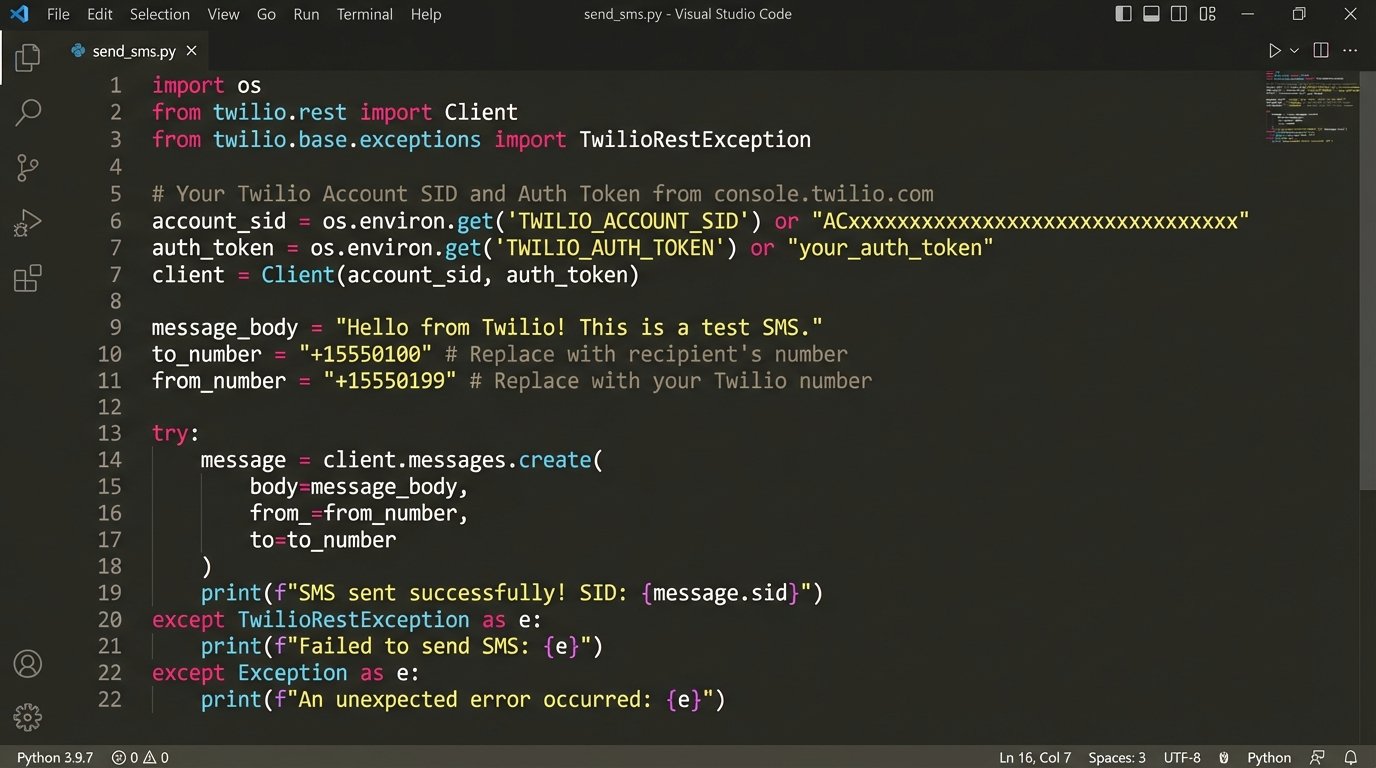
# Minimal Python example using Twilio's API

from twilio.rest import Client
# Credentials should be stored as environment variables, not hardcoded.
account_sid = 'ACxxxxxxxxxxxxxxxxxxxxxxxxxxxxx'
auth_token = 'your_auth_token'
client = Client(account_sid, auth_token)
# Before sending, you should validate the number format and possibly use Lookup API.
# This example assumes validation has already occurred.
phone_number = '+15558675309'
message_body = 'Hey [FirstName], noticed you haven't been around the app. We just shipped a new feature you asked for. Quick link to check it out: [short_url]'
try:
message = client.messages.create(
body=message_body,
from_='+15017122661', # Your Twilio number
to=phone_number
)
print(f"SMS sent to {phone_number}, SID: {message.sid}")
except Exception as e:
print(f"Failed to send SMS to {phone_number}: {e}")
# Here, you would tag the user with 'sms_failed' and investigate.
The message itself cannot be generic. It must be specific. "We have a new feature" is weak. "We just shipped the GitHub integration you requested in survey #872" is powerful. This requires joining your lead data with product feedback data, which is another reason why a centralized data warehouse is non-negotiable.
Real-World Failure Points
This system sounds clean on a whiteboard. In production, it breaks. Here’s where you need to build in resilience.
API Rate Limits
If your daily query identifies 10,000 cold leads, your workflow engine can't just dump 10,000 API calls to Twilio in a ten-second burst. You will get rate-limited, and your execution will fail. The workflow needs to be throttled. Good engines have this built-in. If not, you must manually inject delays between batches of leads. A 500-millisecond pause between each lead processed is a safe starting point. Hitting an API limit is like a circuit breaker flipping. The system needs to be designed to pause, reset, and retry, not just fail catastrophically.
Data Integrity Rot
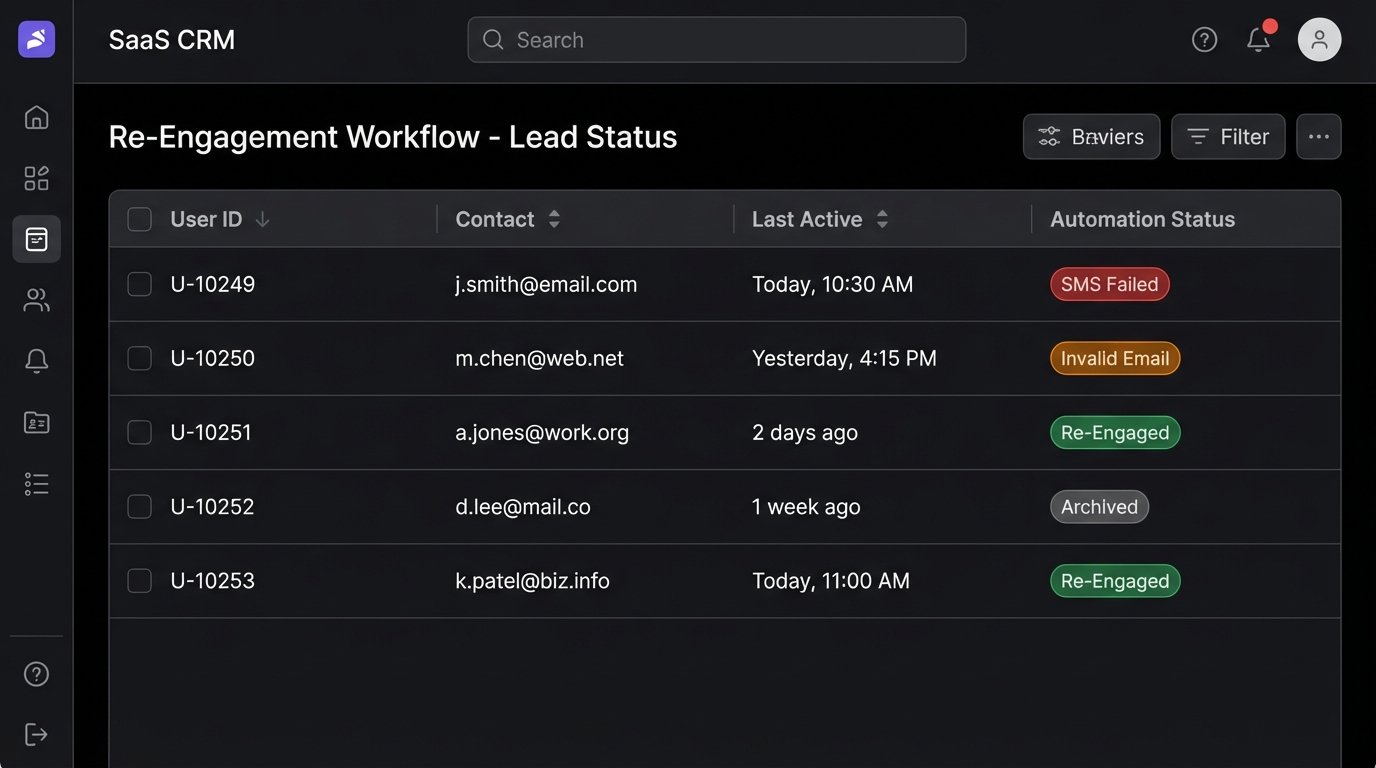
The contact information in your CRM is probably garbage. Phone numbers are missing country codes. Emails have typos. Your automation must be defensive. Every API call must be wrapped in a try-catch block. Every failed call must result in a state change for the user (`invalid_phone`, `sms_failed`). These failure states should feed a separate process for manual data cleanup. Letting failures happen silently just means your machine is spinning its wheels on bad data.
False Positives
Your definition of "cold" might be wrong. A user might be a power user of an offline component of your product or interact through a different email address. The re-engagement sequence must provide a clear, one-click way for a user to say "leave me alone" that isn't just the standard unsubscribe link. This could be a "Manage Preferences" link that confirms they are an active user who simply doesn't need email communication.
Measuring What Actually Matters
The goal is not to get high open rates on your re-engagement emails. Vanity metrics are a distraction. The only metric that matters is the "re-activation rate." This is the percentage of users who entered the sequence and then completed a key action within a defined window, like 30 days. The key action could be logging in, creating a new project, or making a purchase.
You track this by ensuring your exit conditions fire events back to your analytics store. When a user logs in after receiving a re-engagement message, that login event needs to be tagged with the campaign source. This closes the loop. It proves the system is driving behavior, not just sending messages into the void.
This entire process is a filtration system. You pour the raw, contaminated data of your cold leads into the top. The various stages of email, waiting, and SMS act as filters. Some leads will be filtered out as invalid. Some will exit early as re-engaged. A few will make it all the way through and convert. The majority will likely remain unresponsive. That is fine. They can now be confidently tagged as `archived` or `permanently_cold`, cleaning your database and focusing your resources on leads that actually show a pulse.