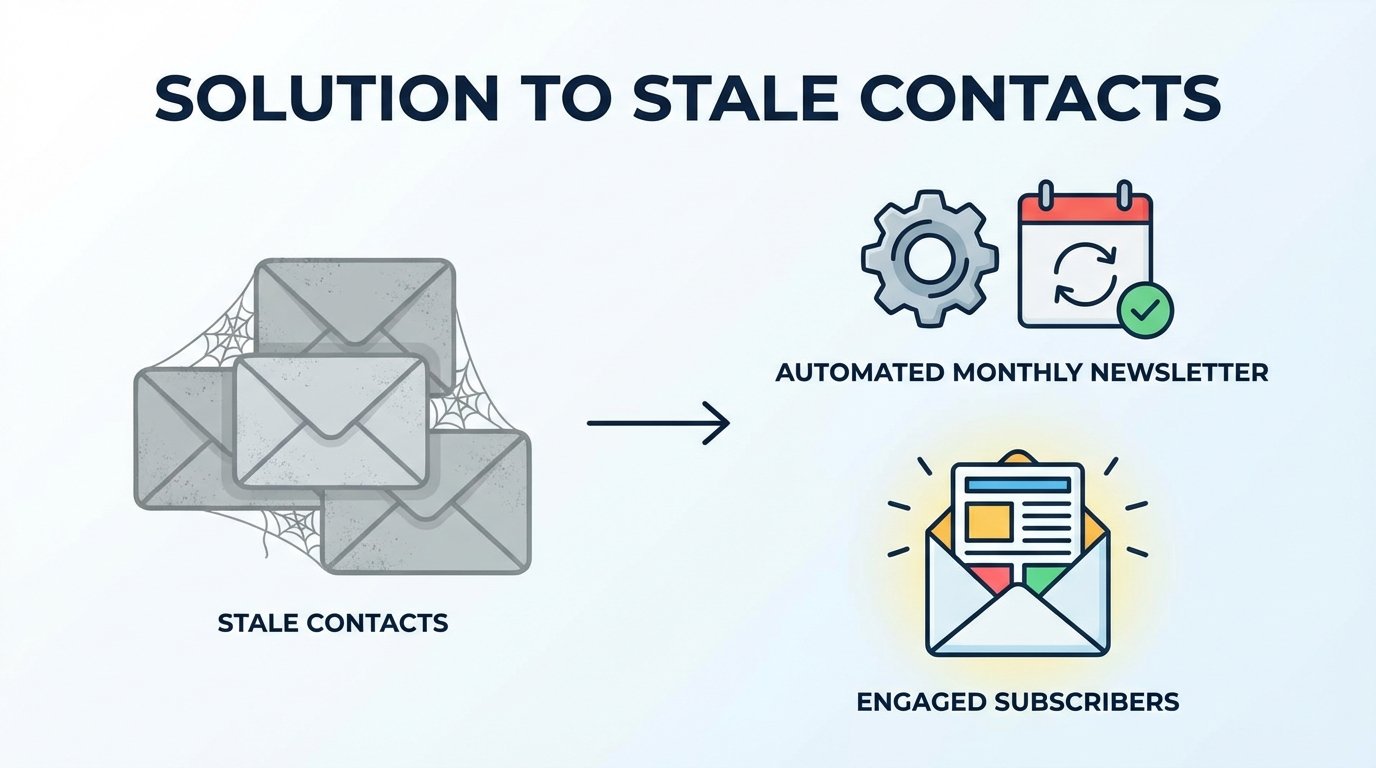
Your Email List Is Full of Dead Weight
Contact lists bloat over time. It is an operational certainty. Contacts go dormant, change jobs, or create filter rules that send your emails straight to a folder that never gets checked. This digital detritus is not benign. It actively degrades your sender reputation, poisons your engagement metrics, and inflates the monthly bill from your marketing platform.
Every email sent to an unengaged address tells mailbox providers like Gmail and Outlook that your content might not be wanted. Do this enough, and they start routing your messages to the spam folder for everyone, including your active prospects and customers. Your deliverability score gets hammered, and your campaign effectiveness plummets. You pay for the privilege of damaging your own domain authority.
The Manual Cleanup Fallacy
Most teams approach this with a one-off manual cleanup. An analyst exports a massive CSV, loads it into a spreadsheet, and tries to filter for contacts who have not opened or clicked an email in the last six months. They create a static list, send a single “Are you still there?” email, and then forget about the non-responders until the next fiscal quarter.
This process is broken by design. It is tedious, prone to human error, and inconsistent. The task is always a low priority, so the list continues to decay between these rare, half-hearted purges. It is a fundamentally reactive posture to a continuously evolving problem.
An Architecture for Automated Hygiene
The fix is to stop treating list hygiene as a periodic project and re-architect it as a perpetual, automated system. The goal is to build a machine that constantly identifies disengaged contacts, gives them a final chance to re-engage, and then systematically removes them if they fail to respond. No spreadsheets, no manual exports, no quarterly fire drills.
The system is built on four core pillars: a dynamic entry segment, a triggered workflow, specific campaign logic, and a deterministic exit path. When configured correctly, this automation acts as an immune system for your contact database, identifying and purging dead cells before they cause systemic damage.

Pillar 1: The Dynamic Entry Segment
The entire system hinges on a dynamic segment that serves as the entry point. This is not a static list. It is a set of rules that your marketing automation platform continuously evaluates. Any contact who meets the criteria is automatically pulled in, and any contact who no longer meets them is automatically removed. The logic must be precise.
A solid baseline for a “stale” contact segment looks like this:
- The contact has not clicked any email link in the last 120 days.
- AND the contact has not opened any email in the last 120 days.
- AND the contact was created more than 121 days ago (to avoid flagging brand new subscribers).
- AND the contact is not currently in the re-engagement workflow.
- AND the contact does not have a “High-Value Customer” tag.
We use clicks as the primary signal. Apple’s Mail Privacy Protection (MPP) pre-fetches email content, creating false opens for a large portion of iOS users. A click is an undeniable signal of intent. An open is just noise. Your segmentation logic must reflect this reality.
Thinking about this in database terms helps clarify the rules. The query to build this segment would resemble something like this, stripped down for clarity:
SELECT
    contact_id
FROM
    contacts
WHERE
    last_clicked_date < NOW() - INTERVAL '120 days'
    AND last_opened_date < NOW() - INTERVAL '120 days'
    AND created_date < NOW() - INTERVAL '121 days'
    AND contact_id NOT IN (SELECT contact_id FROM re_engagement_workflow)
    AND lifecycle_stage != 'Customer';
This is the gatekeeper. Get this logic wrong, and you either fail to catch stale contacts or, far worse, you start purging active leads.
Pillar 2: The Triggered Workflow
Once a contact enters the dynamic segment, a workflow must trigger immediately. This is the sequence of actions that will determine the contact’s fate. Attempting to manage this with one-off email blasts is like trying to defragment a hard drive by flipping individual bits with tweezers. You need a system.
The workflow logic should be simple and unforgiving. Here is a battle-tested structure:
- Trigger: Contact is added to the “Stale Contacts” dynamic segment.
- Add Tag: Immediately tag the contact with “In Re-Engagement”. This prevents them from receiving other marketing emails while their status is in question.
- Wait 24 Hours: A small buffer to prevent accidental sends if the segmentation logic is adjusted.
- Send Email 1: The “Pattern Interrupt” email. This should be plain text, from a person’s name, not a marketing alias. The subject line should be a direct question like “Still interested in our reports?” The goal is a single click, nothing more.
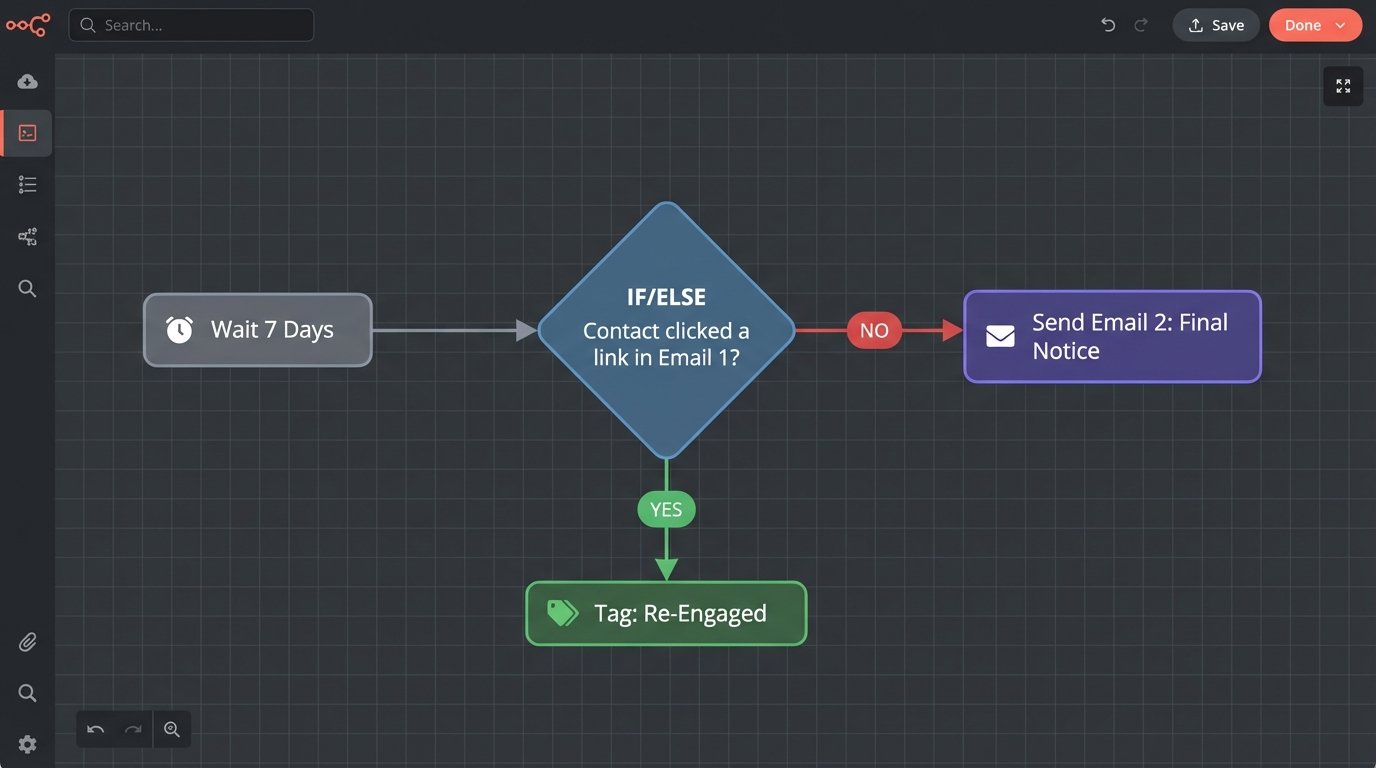
- Wait 7 Days: Give the contact a reasonable window to respond.
- Condition Check 1: Has the contact clicked a link in Email 1?
- IF YES: The contact is saved. Remove the “In Re-Engagement” tag. Add a “Re-Engaged [Month-Year]” tag for tracking. The workflow ends. The contact is automatically removed from the dynamic segment because their `last_clicked_date` is now recent.
- IF NO: Proceed.
- Send Email 2: The “Final Notice” email. This message states clearly that this is the last email they will receive unless they take an action. Reiterate the core value proposition. “Click here to keep receiving insights on X, Y, and Z.”
- Wait 7 Days: The final window.
- Condition Check 2: Has the contact clicked a link in either Email 1 or Email 2?
- IF YES: The same “saved” path as above.
- IF NO: The contact is lost. Proceed to the exit path.
This sequence provides two clear opportunities for a contact to confirm their interest before being suppressed.
Pillar 3: Unsubscribing vs. Suppressing vs. Deleting
The exit path for failed contacts requires careful technical consideration. You have three options: unsubscribe, suppress, or delete. They are not the same, and choosing the wrong one can be a costly mistake.
- Unsubscribe: This simply flips a boolean field like `is_subscribed` to false. The contact record remains in your database, and on many platforms, you continue to pay for it. This is the weakest option.
- Suppress: This adds the contact to a platform-level suppression list. The platform will block future sends to this address. It is a safer option than just unsubscribing, but the contact record often still exists and counts toward your billing tier. A classic wallet-drainer.
- Delete: This permanently removes the contact record and all associated data from the system. This is the only way to guarantee you stop paying for the contact. It is also destructive, so there is no recovery.
For most scenarios, the final step of the workflow should apply a “Ready for Deletion” tag and then trigger a system to hard-delete the contact. Relying on a simple unsubscribe is lazy and expensive. Some platforms require this deletion to be done via their API rather than through the visual workflow builder. This is a deliberate design choice to make you think twice before purging data.
A simple Python script using a platform’s API can automate the final purge. It would fetch all contacts with the “Ready for Deletion” tag and then iterate through the list, issuing a DELETE request for each one.
import requests
import time

API_KEY = 'your_platform_api_key'
API_ENDPOINT = 'https://api.yourplatform.com/v3/contacts'
HEADERS = {'Authorization': f'Bearer {API_KEY}'}

def get_contacts_to_delete():
    # This function would query for contacts with the 'Ready for Deletion' tag
    # For this example, we'll assume it returns a list of IDs
    return ['123', '456', '789']

def delete_contact(contact_id):
    delete_url = f'{API_ENDPOINT}/{contact_id}'
    response = requests.delete(delete_url, headers=HEADERS)
    if response.status_code == 204:
        print(f"Successfully deleted contact {contact_id}")
    else:
        print(f"Failed to delete contact {contact_id}: {response.text}")

contacts = get_contacts_to_delete()
for cid in contacts:
    delete_contact(cid)
    time.sleep(0.5) # Respect API rate limits
Automating the deletion forces discipline and keeps costs tethered to actual, engaged contacts.
Handling Edge Cases and High-Value Segments
This aggressive automation is not a one-size-fits-all solution. You cannot treat a paying customer who ignores newsletters the same way you treat a cold lead who downloaded a whitepaper a year ago. The architecture needs logical overrides for high-value segments.
The dynamic segment should explicitly exclude anyone with a `Lifecycle Stage` of `Customer` or any contact associated with a closed-won deal. These contacts should be routed to a separate, gentler workflow. This might involve creating a task for their account manager to check in personally instead of sending an automated “we’re deleting you” email. Force the human touch where it adds value.
The same logic applies to partners, active sales opportunities, or any other segment that has value beyond email engagement. Tag these contacts defensively and build exclusion rules into your primary stale segment. The goal is to purge disinterested leads, not to alienate paying customers who are simply busy.

The Result: A Self-Cleaning System
The upfront work to build this automation is not trivial. It requires a solid understanding of your platform’s segmentation engine, workflow builder, and potentially its API. The payoff is a system that runs 24/7, enforcing list hygiene with a consistency that no manual process can ever match.
Your overall email deliverability will improve because you stop sending signals of low engagement. Your campaign metrics will become more accurate because they will reflect the behavior of an active audience, not a bloated list of ghosts. Your platform costs will decrease. This isn’t a one-time project. It is permanent infrastructure.