The Five-Minute Lead Rot
A qualified lead submitting their contact information through a chatbot starts a timer. The value of that lead decays exponentially with every passing minute. The industry standard data suggests a five-minute window is the cutoff before the probability of conversion plummets. Yet, most chatbot implementations terminate with a “Thanks, someone will be in touch” message, triggering an email notification that sits in a support queue.
This is a systemic failure. The process dumps a high-intent digital interaction into a slow, analog workflow. You are paying for ad clicks and engineering hours to generate leads that go stale waiting for a human to check their inbox, open a new tab, check a calendar, and manually compose an email. The manual process is like trying to bucket-brigade water from a river to a fire. Most of it spills before it gets there.
This latency isn’t just a sales problem. It’s an automation architecture problem. We build these complex conversational flows but fail at the final, most critical step: bridging the gap between digital intent and a scheduled human interaction.
Deconstructing the Manual Failure Point
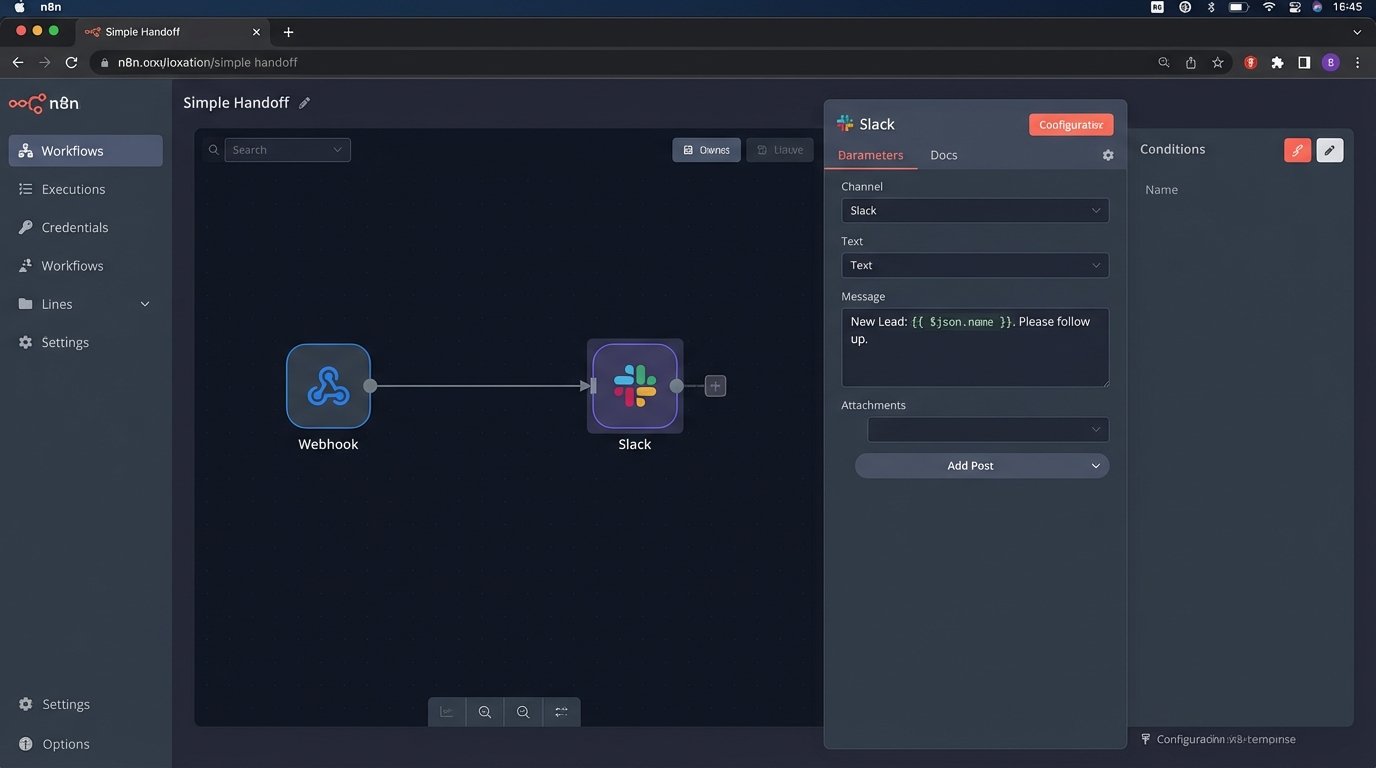
The standard chatbot-to-human handoff is fundamentally broken. A typical sequence involves the bot collecting contact information, then firing a webhook. That webhook usually triggers a notification in a tool like Slack or sends a formatted email to a distribution list. From there, a human sales representative must pick it up.
This introduces multiple points of failure and delay:
- Notification Blindness: A Slack alert is just another drop in an ocean of noise. It gets ignored, especially during peak hours.
- Context Switching Cost: The representative has to stop their current task, read the notification, parse the chat transcript, open the CRM, open their calendar, and then open their email client. This cognitive load is expensive and error-prone.
- Manual Scheduling Friction: The “back-and-forth” of finding a suitable time slot via email can take hours or even days. The lead’s initial intent has completely evaporated by this point.
Each step adds minutes, if not hours, to the follow-up time. The entire architecture is designed around human availability, which is the exact bottleneck we use automation to bypass in the first place.
The Architecture for Immediate Engagement
The fix is to remove the human from the scheduling loop entirely. The chatbot’s job is not just to qualify the lead, but to secure the follow-up appointment directly within the conversation. This requires a shift from a passive notification system to an active, API-driven scheduling engine.
The core components of this architecture are straightforward. You need an NLU model capable of detecting a specific “schedule a call” intent. You need robust entity extraction to capture names, emails, and potentially company information. The critical piece is the middleware that sits between your chatbot platform and your company’s scheduling and CRM systems. This service logic-checks the data and orchestrates the necessary API calls.
This is not a simple webhook anymore. It is a stateful service that manages the entire booking transaction.
Intent Detection and Entity Extraction
Your first job is to train the bot’s NLU to reliably identify when a user wants to speak with someone. This goes beyond simple keyword matching for “call” or “talk.” The intent model needs to understand phrases like “Can someone walk me through the pricing?” or “I want a demo.”
Once the intent is triggered, the bot’s state machine must shift into an information-gathering mode. This is where most bots feel clumsy. Do not ask for every piece of information at once. Sequentially request the name, then the email, then any other required fields. Validate each piece of input as it is provided. An invalid email format should be caught immediately, not after a failed API call.
Treating each API call as an independent event without a state machine is like building a car on an assembly line where each station has no idea what the previous one did. You will end up with a wheel bolted to the roof.
After collecting the user’s data, the next step is to present available time slots. This is the first major integration point. Your middleware must query a scheduling service API, like Calendly, SavvyCal, or a direct Google Calendar API, to pull real-time availability for the correct sales team or individual.
Middleware: The Orchestration Engine
The chatbot platform itself should not contain the business logic for scheduling. That logic belongs in a dedicated middleware service. This could be a serverless function or a small microservice. It is responsible for a strict sequence of operations.
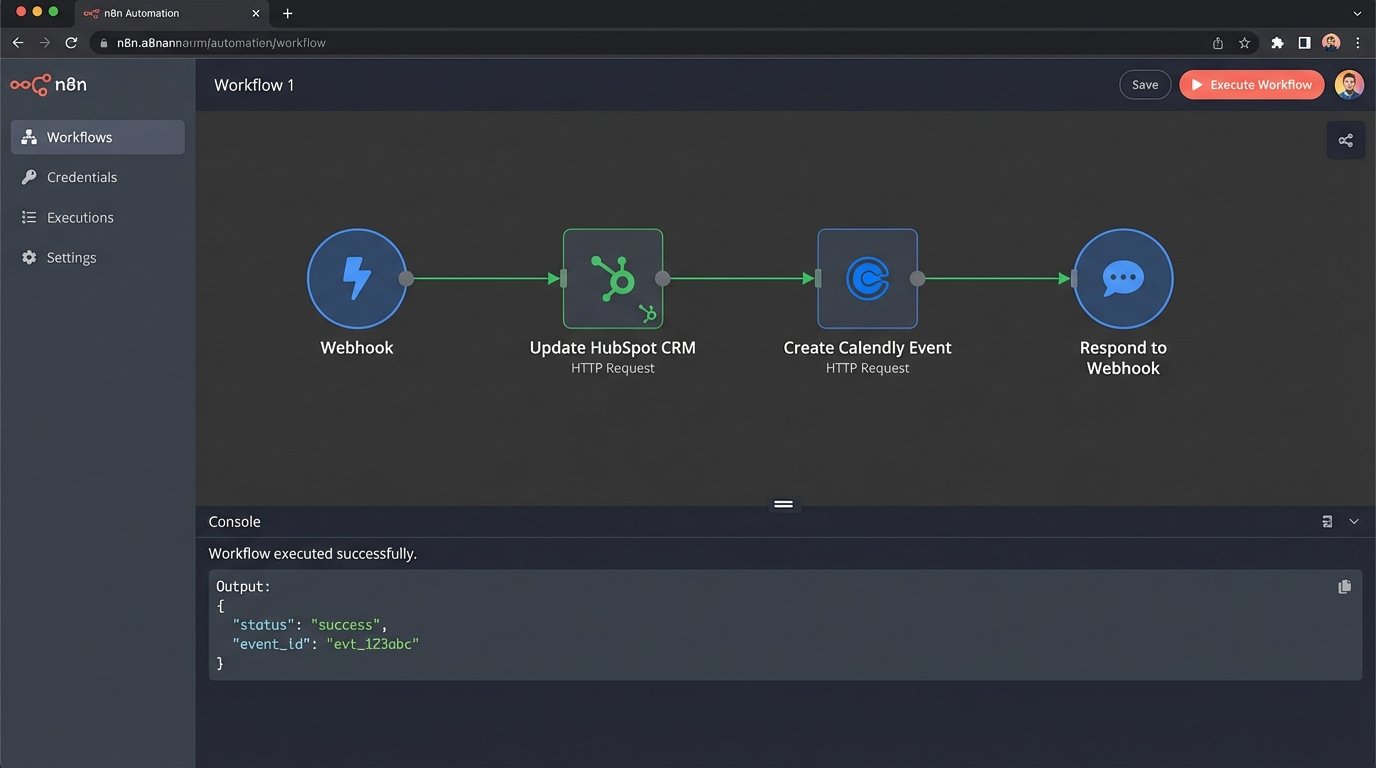
The service receives a payload from the bot with the extracted entities. Its first job is sanitation and validation. Never trust the input. The service then orchestrates a series of API calls:
- Check for Existing Contacts: It should first query your CRM (e.g., Salesforce, HubSpot) to see if the contact already exists. This prevents duplicate records and allows you to enrich the data.
- Create or Update the Contact: If the contact is new, create it. If it exists, update it with the new information and log the chat interaction as a new activity. This step must happen before scheduling.
- Book the Meeting: After the CRM record is secured, the service makes the API call to the scheduling platform. This call will include the contact’s information and the selected time slot.
- Confirmation Loop: The scheduling API will return a confirmation. The middleware must pass this confirmation back to the chatbot, which then presents it to the user.
This separation of concerns makes the system far more maintainable. The chatbot handles the conversation. The middleware handles the business process.
Example: A Python Middleware Snippet
A concrete example helps. Imagine a simple Flask application acting as the middleware. It receives a POST request from the chatbot’s webhook. The logic would involve stripping the required data and making a downstream call to a scheduling API.
This is a stripped-down illustration of the core API interaction. The actual production code would need far more robust error handling, authentication, and configuration management.
import requests

import os

from flask import Flask, request, jsonify
app = Flask(__name__)
SCHEDULING_API_URL = "https://api.scheduling-service.com/v1/meetings"
SCHEDULING_API_KEY = os.environ.get("SCHEDULING_API_KEY")
CRM_API_URL = "https://api.crm.com/v3/contacts"
CRM_API_KEY = os.environ.get("CRM_API_KEY")
@app.route('/schedule-call', methods=['POST'])
def schedule_call():
data = request.get_json()
# 1. Basic validation
if not all(k in data for k in ('name', 'email', 'selected_time_utc')):
return jsonify({"error": "Missing required fields"}), 400
# 2. Logic to create/update contact in CRM (simplified)
crm_payload = {
"email": data['email'],
"properties": {
"firstname": data['name'].split(' ')[0],
"lastname": data['name'].split(' ')[-1]
}
}
crm_headers = {"Authorization": f"Bearer {CRM_API_KEY}"}
crm_response = requests.post(CRM_API_URL, json=crm_payload, headers=crm_headers)
if crm_response.status_code not in [200, 201, 409]: # 409 for conflict/existing
# Add to a dead-letter queue for retry
return jsonify({"error": "Failed to create contact in CRM"}), 500
contact_id = crm_response.json().get('id')
# 3. Book the meeting
meeting_payload = {
"invitee_name": data['name'],
"invitee_email": data['email'],
"start_time": data['selected_time_utc'],
"crm_contact_id": contact_id # Link the meeting to the CRM record
}
scheduling_headers = {"Authorization": f"Bearer {SCHEDULING_API_KEY}"}
meeting_response = requests.post(SCHEDULING_API_URL, json=meeting_payload, headers=scheduling_headers)
if meeting_response.status_code == 201:
return jsonify({"status": "success", "details": meeting_response.json()}), 201
else:
# Potentially try to roll back CRM creation or flag for manual review
return jsonify({"error": "Failed to schedule meeting"}), 502
if __name__ == '__main__':
app.run(debug=True)
The critical detail here is the dependency. The meeting is only booked after the CRM operation is confirmed. This prevents orphaned events in your calendar with no corresponding lead record.
Inevitable Failure Modes and Safeguards
This automated system introduces new and interesting ways for things to break. Building this architecture without planning for failure is professional malpractice. The primary risks are API failures, race conditions, and data mismatches.
API Downtime and Rate Limiting: Your scheduling service or CRM will eventually have an outage or rate limit your requests. Your middleware must handle this. Implement an exponential backoff retry strategy for transient errors. For persistent failures, the request must be pushed to a dead-letter queue for manual inspection. Your retry logic without exponential backoff is just a denial-of-service attack on your own infrastructure.
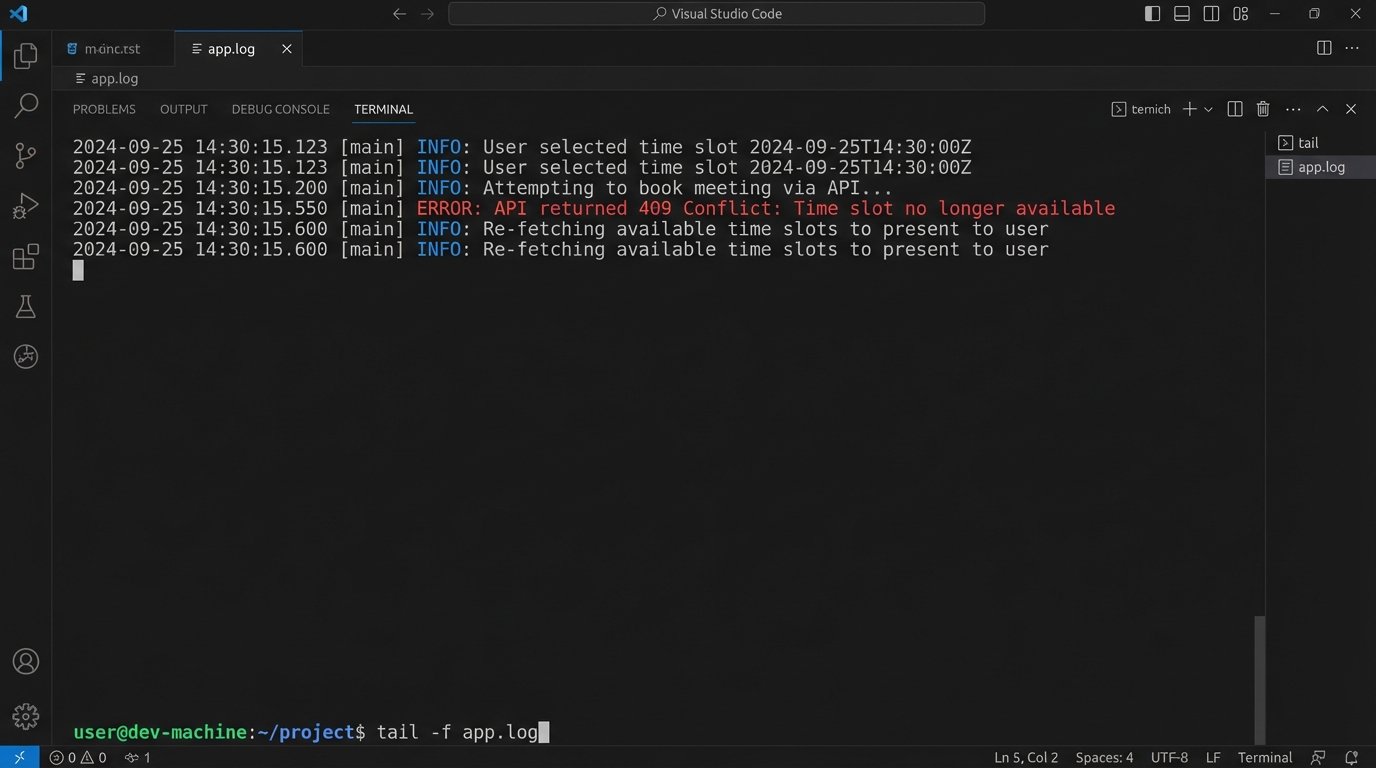
Calendar Race Conditions: The most common problem is a time slot being taken between the moment the bot displays it and the user selects it. The API call to book the meeting will fail. Your bot must be designed to handle this gracefully. It needs to catch the failure, inform the user “Apologies, that slot was just taken,” and re-fetch and display new available times. This requires tight integration between the middleware and the bot’s conversational state.
Transactional Integrity: What happens if the CRM call succeeds but the scheduling call fails? You now have a contact record with no meeting. The reverse is worse. You have a meeting with no lead in your system. True distributed transactions are often overkill here. A more pragmatic approach is to design your logic to be idempotent and to build reconciliation scripts that periodically scan for these orphaned records.
The system is not just fire-and-forget. It requires monitoring and alerting to flag when these automated processes fail, so a human can intervene. The goal is to reduce manual work, not create opaque systems that fail silently.