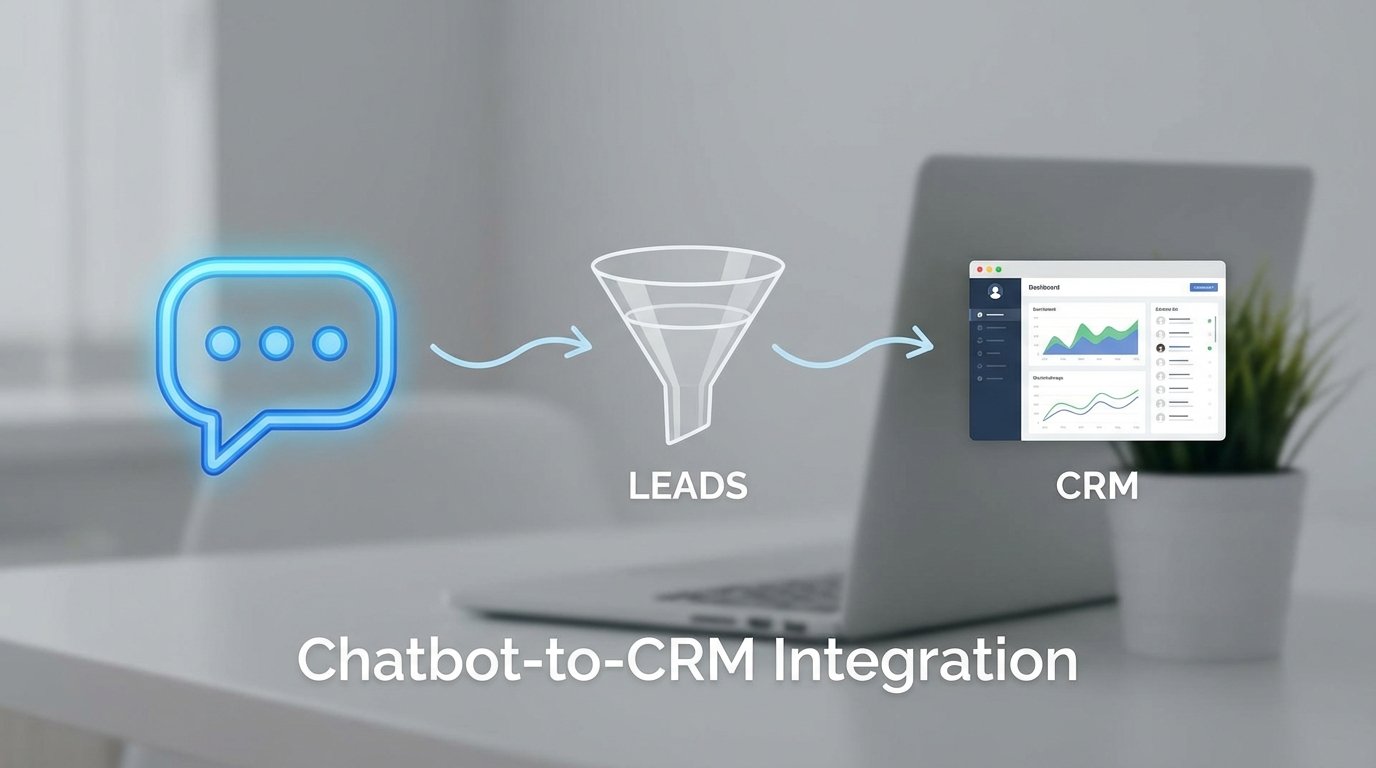
Every chatbot-to-CRM integration project starts with the same clean architecture diagram. It ends with a support ticket about missing leads and a sales manager asking why the data is garbage. The gap between the diagram and reality is where these systems break. The problem is not the chatbot or the CRM. It is the brittle, uninspected logic acting as the bridge between them.
Most teams treat this integration as a simple webhook operation. The chatbot captures a lead, formats a JSON payload, and fires it at a CRM endpoint. This works perfectly until it encounters the slightest bit of friction, like a network timeout or an undocumented field validation rule. Then the lead vanishes into the ether, with no alert and no record of its existence.
Stop Treating Integration as a Post-Launch Task
The single biggest architectural error is building the chatbot in a vacuum. Teams spend months refining conversational flows and natural language processing models, only to bolt on the CRM connection as an afterthought. This forces you to contort the chatbot’s data structure to fit the CRM’s rigid schema, when the planning should have happened in reverse. You must start with the CRM’s data model as the absolute source of truth.
Identify the CRM’s required fields, data types, and validation rules before a single line of chatbot dialogue is written. This dictates what information the chatbot *must* collect. If your CRM requires a separate `FirstName` and `LastName` to create a contact, building a chatbot that asks for a single `FullName` is a self-inflicted wound that requires ugly string-splitting logic later.
A pre-flight check of the CRM API documentation is non-negotiable. Look for rate limits, authentication methods, and object dependencies. For instance, some CRMs require you to create an Account object before you can associate a Contact object with it. Discovering this after the fact means a significant rebuild of your lead processing logic.
Tip 1: Master the Data Mapping Mismatch
The most common point of failure is data mapping. Your chatbot’s internal field names will not match the CRM’s API names. The chatbot might use `email`, while the CRM expects `EmailAddress1`. This requires a translation layer, a piece of middleware that explicitly maps one to the other. Hardcoding these values directly in the chatbot is a path to technical debt.
This middleware, often a serverless function like AWS Lambda or an Azure Function, is where you centralize all transformation logic. It should strip whitespace from inputs, standardize phone number formats, and handle capitalization inconsistencies. Forcing this logic into the chatbot itself bloats its core responsibility, which is conversation management.
Consider the raw output from a chatbot. It is often messy and unstructured. The middleware’s job is to sanitize and structure this data into a pristine payload that the CRM will accept without complaint. Never trust the chatbot to send clean data.
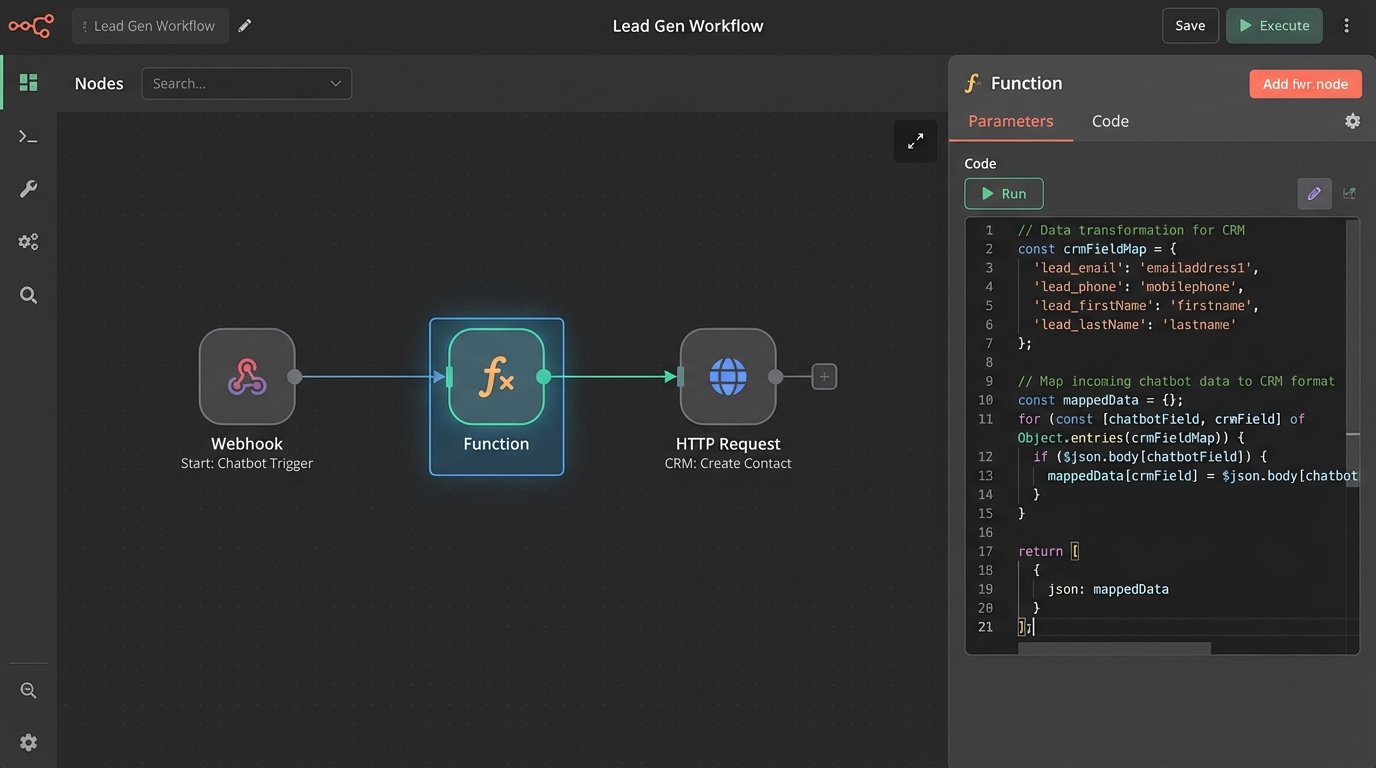
A simple mapping object in your middleware can prevent a world of pain. It provides a single place to manage the inevitable changes when the CRM team decides to rename a field without telling anyone.
const crmFieldMap = {
  // Chatbot Field : CRM API Field
  'lead_email': 'emailaddress1',
  'lead_name': 'fullname',
  'company_name': 'parentcustomerid',
  'source_url': 'custom_chatreferrersource',
  'chat_transcript': 'description'
};

function translatePayload(rawPayload) {
  const crmPayload = {};
  for (const key in rawPayload) {
    if (crmFieldMap[key]) {
      const crmKey = crmFieldMap[key];
      crmPayload[crmKey] = rawPayload[key]; // Add sanitization logic here
    }
  }
  return crmPayload;
}
Normalize Everything or Suffer Later
Data normalization is not optional. The sales team running reports on inconsistent data like “USA”, “U.S.A.”, and “United States” will eventually trace the problem back to your integration. Your middleware must enforce a standard. This applies to states, countries, job titles, and any other field that could be represented in multiple ways. This is your first line of defense against a polluted CRM.
This process is like building a filtration system for a water pipe. The raw, dirty water from the chatbot has to be purified before it can enter the main reservoir of the CRM. Without this step, you are just injecting sludge directly into your company’s most critical data asset.
Tip 2: Build for Duplicates and Network Glitches
Your integration will, at some point, try to create the same lead twice. A user might double-submit a form, or a network hiccup could cause your webhook to fire more than once. Without a mechanism to handle this, you will flood your CRM with duplicate contacts. The solution is to design for idempotency.
An idempotent API request is one that can be made multiple times while producing the same result as if it were made only once. To achieve this, you need a unique identifier for each lead submission. This could be a chat session ID or a hash of the user’s email and a timestamp. When your logic receives a payload, its first action must be to query the CRM using this unique ID. If a record already exists, you update it. If not, you create it.
This “check-then-write” pattern prevents duplicate records. It converts a potentially destructive `create` operation into a safe `upsert` (update or insert) operation. Implementing this requires an extra API call, which adds latency. But that latency is infinitely cheaper than the manual labor required to de-duplicate thousands of contacts.
Tip 3: Architect for Failure with Queues and Retries
The CRM API will go down. It will hit rate limits. It will return 500 errors for no documented reason. A direct, synchronous call from your chatbot or middleware to the CRM is fragile. If that single API call fails, the lead data is gone forever. This is unacceptable in any production system.
The correct architecture involves decoupling the systems with a message queue, such as AWS SQS or RabbitMQ. Your middleware’s only job is to validate the payload and drop it into the queue. A separate, independent process then reads from that queue and attempts to send the data to the CRM. This creates a buffer that protects you from temporary CRM outages.
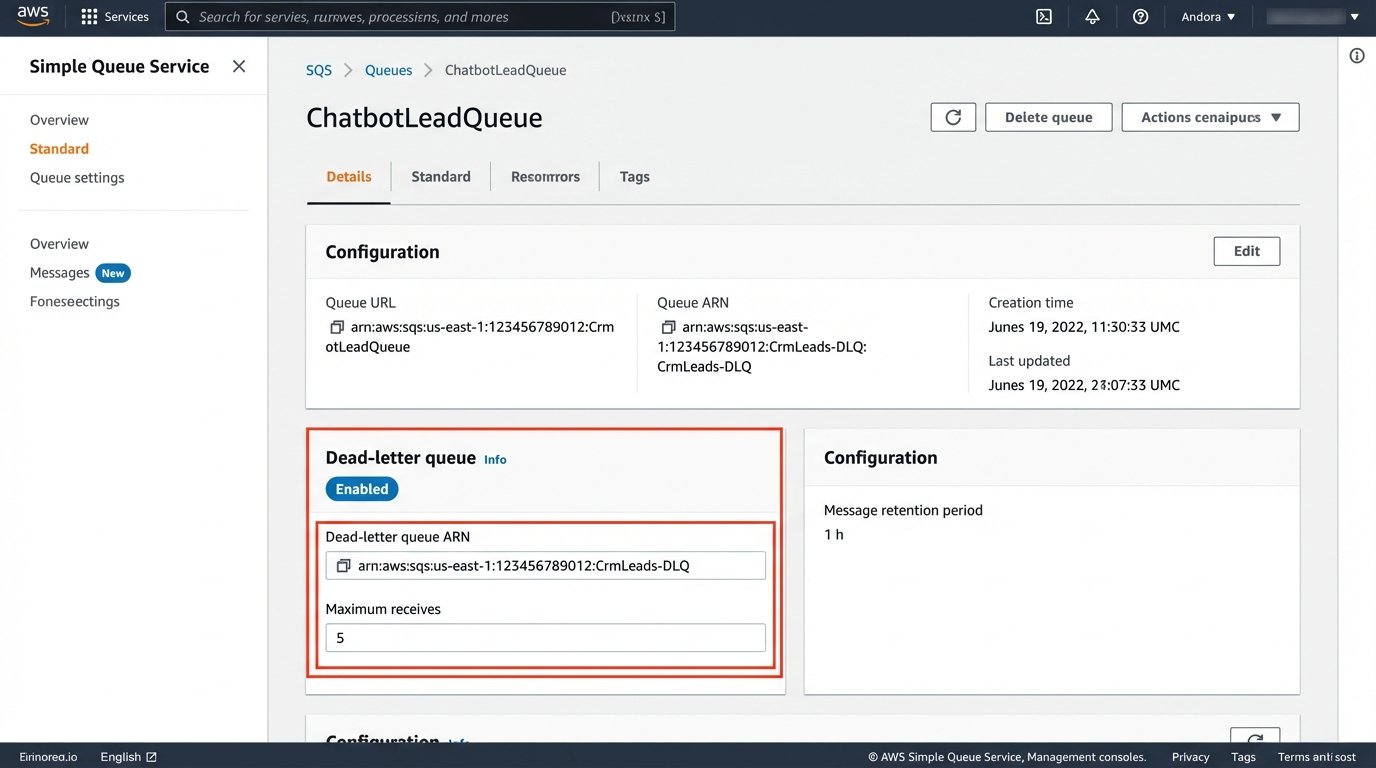
If the CRM API call fails, the processing function does not discard the message. It allows the message to return to the queue to be retried later. This should be configured with an exponential backoff strategy, waiting 1 minute after the first failure, 2 minutes after the second, 4 after the third, and so on. This prevents you from hammering a struggling API.
After a set number of failed retries, the message must be moved to a Dead-Letter Queue (DLQ). The DLQ is simply a holding pen for payloads that could not be processed automatically. An alert should be triggered from the DLQ, notifying an engineer to manually inspect the failed payload and the error message to diagnose the root cause. Without a DLQ, you have a black hole, not an integration.
Tip 4: Inject the Conversation Context, Not Just the Contact
A lead that contains only a name, email, and company is a low-quality lead. The real value from a chatbot interaction is the context. Your integration must capture and preserve this context within the CRM, otherwise the sales team has nothing to work with. They are forced to restart the conversation from scratch.
This is about more than just the chat transcript. You must capture key metadata and inject it into custom fields in the CRM. Critical data points include:
- Full Chat Transcript: The entire conversation, stored in a large text field.
- Entry Page URL: The specific page the user was on when they started the chat.
- UTM Parameters: The campaign, source, and medium that brought the user to the site.
- Lead Qualification Answers: Specific answers to questions like “What is your budget?” or “What is your project timeline?”.
Getting this rich data into the CRM often feels like shoving a firehose of unstructured text through the needle-sized hole of a structured API field. Work with the CRM administrator to create the necessary custom fields ahead of time. Ensure they have the correct data type and character limits to accommodate the data you plan to send.
Tip 5: Choose the Right API Endpoint
CRMs often expose multiple API endpoints for creating records, and they are not created equal. There is a significant difference between a low-level `CreateObject` endpoint and a high-level endpoint designed to mimic a web form submission. Using the wrong one can bypass critical business logic.
A low-level endpoint might simply insert a row into the database. It is fast and direct, but it likely will not trigger the assignment rules, auto-responder emails, or lead scoring workflows that are tied to the standard lead creation process. You end up with a lead that is technically in the CRM but is invisible to the sales team’s automated processes.
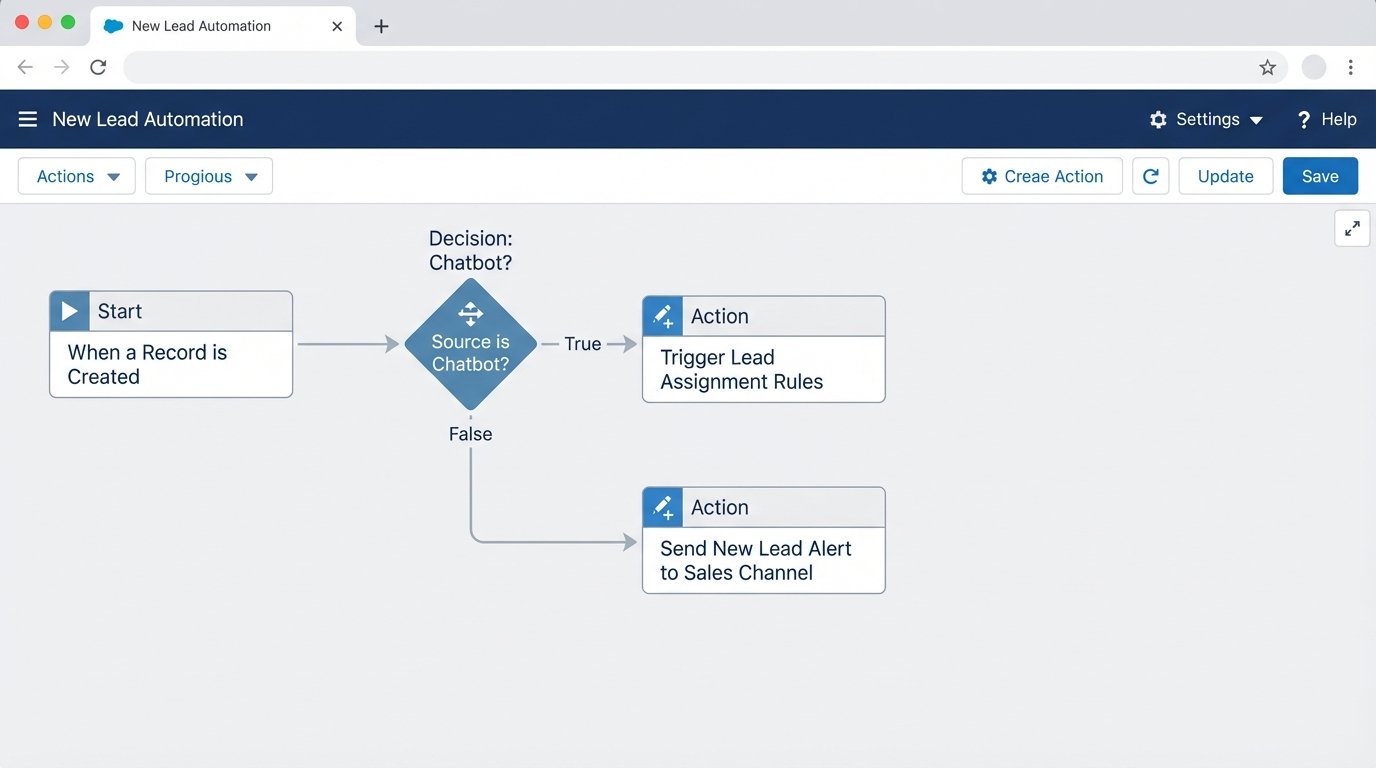
Investigate whether the CRM has an API that simulates a form post. This is often slower and more complex, requiring you to pass specific form IDs or hidden fields. However, it ensures that your API-generated leads are treated exactly the same as leads submitted through the website’s contact form. This maintains the integrity of the sales and marketing automation that has been built around that process.
The documentation might not make this distinction clear. The only way to be certain is to test both methods. Create a lead with each type of endpoint and watch what happens inside the CRM. Observe whether it gets assigned to the correct queue, if the right person is notified, and if the expected marketing automations fire. This empirical testing is the only way to trust your integration.