
How to Automate Real Estate Market Reports for Your Clients
Manual report generation is a slow bleed on engineering resources. Someone, somewhere, is copy-pasting data from an MLS export into a spreadsheet, formatting it, saving it as a PDF, and then emailing it. This process is not just tedious, it’s a breeding ground for human error. One bad copy-paste and a client gets a report showing a median home price of $50,000 in a million-dollar neighborhood. We build automation to kill this kind of risk.
The goal is a zero-touch system. A script runs on a schedule, pulls fresh data, crunches the numbers, generates a clean report, and delivers it. This isn’t about fancy dashboards. It’s about delivering consistent, accurate data to clients who depend on it, without requiring an engineer to babysit the process every week.
The Architecture: A No-Nonsense Stack
Forget over-engineered solutions with a dozen microservices. We need a simple, durable pipeline. The core components are a data source, a processing engine, a report generator, and a delivery mechanism. For this build, we are going to use the RESO Web API as our source, a Python script as our engine, a PDF library for generation, and an email API for delivery. This stack is cheap to run and easy to debug.
The entire workflow can be hosted on a single small virtual server or broken out into serverless functions. A simple cron job on a Linux box works fine for scheduling. If you want to get more sophisticated, an AWS Lambda function triggered by EventBridge is a solid, scalable option. The choice depends entirely on your existing infrastructure and budget.
Don’t get bogged down in framework debates. The key is reliability, not a perfect architectural diagram.
Step 1: Gutting the Data Source
Your first and biggest obstacle will be the Multiple Listing Service (MLS) data feed. Most have migrated from the ancient RETS protocol to the RESO Web API, which is a blessing. It’s a standard RESTful API, but “standard” is a loose term in real estate tech. Expect inconsistent endpoint naming, bizarre authentication flows, and documentation that was last updated three years ago.
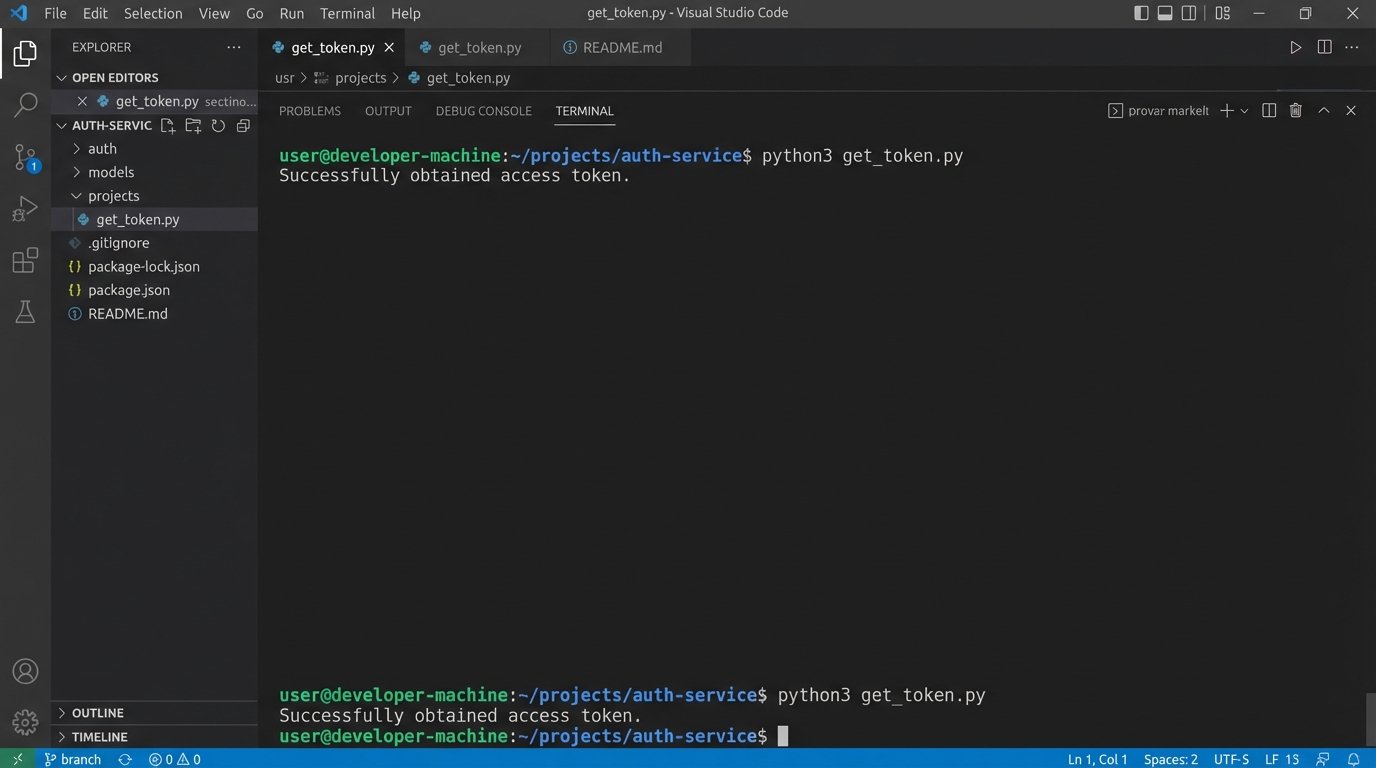
Authentication is usually OAuth 2.0. You’ll need to get client credentials from the MLS provider. Your first script should do nothing more than successfully authenticate and pull a token. Store these credentials securely. Do not hardcode them. Use environment variables or a proper secrets management system like AWS Secrets Manager or HashiCorp Vault.
Here is a basic Python snippet using the `requests` library to handle the token exchange. This assumes a standard client credentials flow.
import requests

import os
# Credentials loaded from environment variables
CLIENT_ID = os.environ.get('MLS_CLIENT_ID')
CLIENT_SECRET = os.environ.get('MLS_CLIENT_SECRET')
TOKEN_URL = 'https://api.mlsprovider.com/v1/token'
def get_access_token():
"""
Authenticates with the MLS API and retrieves an access token.
"""
payload = {
'grant_type': 'client_credentials',
'client_id': CLIENT_ID,
'client_secret': CLIENT_SECRET,
'scope': 'api'
}
try:
response = requests.post(TOKEN_URL, data=payload)
response.raise_for_status() # This will raise an HTTPError for bad responses (4xx or 5xx)
token_data = response.json()
return token_data.get('access_token')
except requests.exceptions.RequestException as e:
print(f"Error authenticating with MLS API: {e}")
return None
# Usage
access_token = get_access_token()
if access_token:
print("Successfully obtained access token.")
Once you have a token, you can start hitting the property data endpoints. Be prepared for aggressive rate limiting. Your script must respect the `Retry-After` header or implement an exponential backoff strategy. Hammering the API is the fastest way to get your access revoked.
Step 2: Wrestling with Raw Data
The JSON response from the API will be a mess. You’ll get a firehose of raw, unfiltered data. Fields will be inconsistently named, data types will be wrong, and essential information might be nested three levels deep. This is where the real work begins. Your job is to sanitize and structure this chaos into a clean, predictable format.
The `pandas` library in Python is the right tool for this. It’s built for exactly this kind of data manipulation. You’ll load the raw JSON into a DataFrame and then methodically clean it. This involves selecting only the columns you need, renaming them to something sane, converting data types, and handling missing values.
Cleaning this data is like sandblasting rust off an old I-beam before you can weld it into a new structure. You have to strip away the junk to get to the strong, usable material underneath. If you skip this, your entire report will be built on a foundation of garbage.
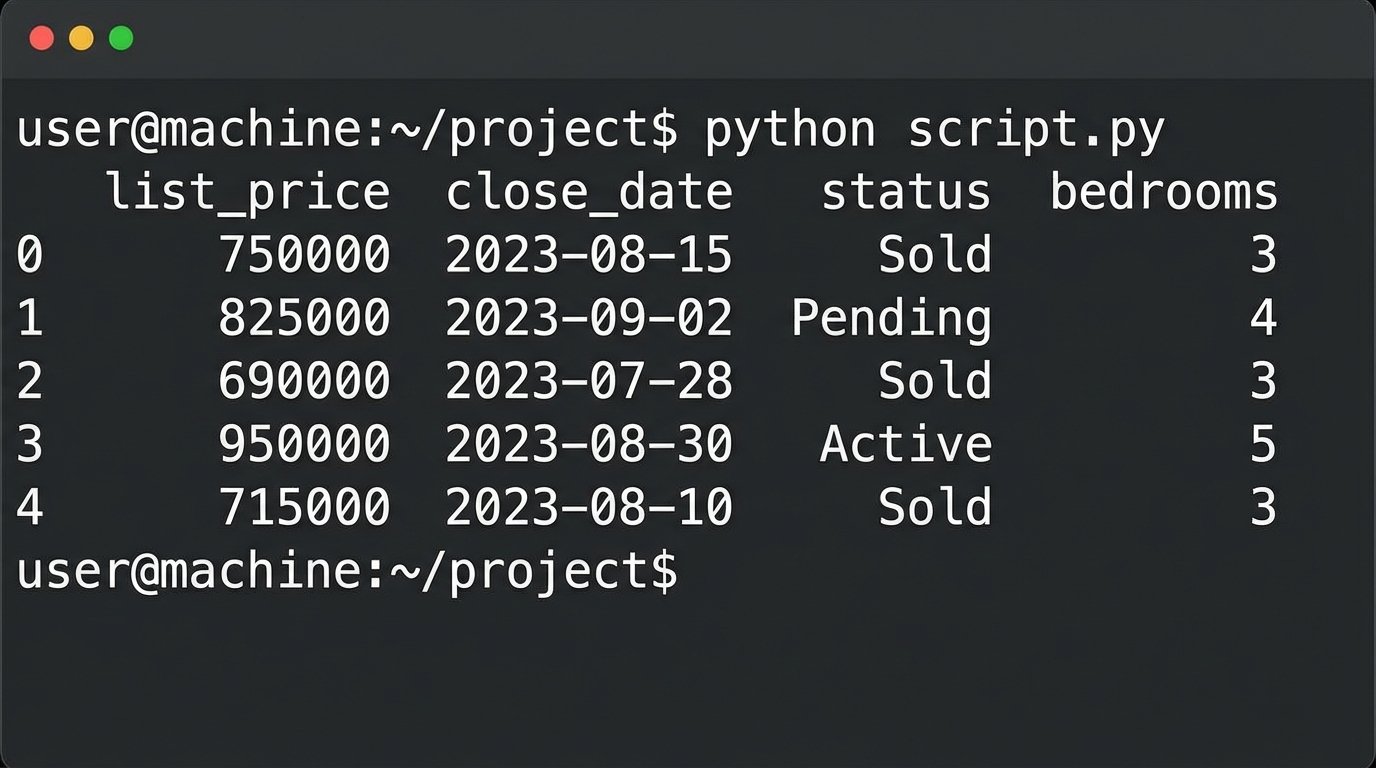
For a market report, you’ll typically need fields like `ListPrice`, `CloseDate`, `Status`, `PropertyType`, `Bedrooms`, `Bathrooms`, and `LivingArea`. You will perform calculations to derive key metrics: median sale price, average days on market, price per square foot, and sales volume.
Here’s a conceptual example of cleaning data with pandas:
import pandas as pd
def process_property_data(raw_data):
"""
Cleans and structures raw property data from the API.
"""
df = pd.DataFrame(raw_data)
# Define a mapping from ugly API names to clean names
column_map = {
'ListingPrice': 'list_price',
'ClosureDate': 'close_date',
'PropertyStatus': 'status',
'BedsTotal': 'bedrooms'
}
# Keep only the columns we need
df = df[list(column_map.keys())]
# Rename columns
df = df.rename(columns=column_map)
# Coerce data types, forcing errors to NaT (Not a Time) or NaN (Not a Number)
df['list_price'] = pd.to_numeric(df['list_price'], errors='coerce')
df['close_date'] = pd.to_datetime(df['close_date'], errors='coerce')
# Drop rows where critical data is missing after cleaning
df = df.dropna(subset=['list_price', 'close_date'])
return df
# Assuming 'api_response_data' is the JSON list of properties
# clean_df = process_property_data(api_response_data)
# print(clean_df.head())
Logic-check your derived metrics. An average days on market of -10 means you have a bug in your date calculations. Your script must be defensively coded to catch these anomalies.
Step 3: Assembling the Report PDF
Once you have clean, aggregated data, you need to present it. A PDF is the standard format for this kind of client-facing report. There are several Python libraries for PDF generation, but `reportlab` is one of the most powerful, if a bit verbose. For simpler layouts, `fpdf2` is a faster option.
Your PDF generation code should be modular. Create functions to draw headers, tables, and charts. This keeps your code from becoming an unreadable monolith. The goal is to feed your clean DataFrame into a generator function that spits out a PDF file byte stream. This byte stream can then be saved to a file or attached directly to an email.
The report should be branded for your client. This means programmatically adding their logo, name, and contact information. These assets should be configurable, not hardcoded into the script. A simple JSON config file can store client-specific details like logo file paths and brand colors.
This is where you structure the narrative of the market. Start with a high-level summary: median price, total sales. Then drill down into specifics: price changes over the last quarter, inventory levels, and days on market analysis. A simple bar chart showing sales volume month-over-month can be generated with a library like `matplotlib` and embedded directly into the PDF.
Step 4: Scheduling and Execution
The automation part is scheduling the script to run without human intervention. The simplest method is a `cron` job on a Linux server. It’s battle-tested and reliable. A typical crontab entry might look like this, scheduling the report to run every Monday at 5 AM.
0 5 * * 1 /usr/bin/python3 /path/to/your/report_script.py --client-id=123
For more resilience and scalability, serverless is the way to go. You can package your Python script and its dependencies into a deployment package for AWS Lambda. Then, use Amazon EventBridge (formerly CloudWatch Events) to trigger the function on a schedule. This approach is a wallet-drainer if you run it constantly, but for a weekly or monthly report, it’s incredibly cost-effective. You only pay for the few seconds of execution time.
The serverless route forces you to build better code. Your function must be stateless. All configuration and state, like the last run time, must be stored externally, perhaps in a simple S3 bucket or a DynamoDB table.
Step 5: Delivery and Critical Error Handling
The final step is getting the report to the client. Do not use a standard SMTP library to send email from your server. Your emails will end up in spam folders. Use a transactional email service like SendGrid, Mailgun, or Amazon SES. Their APIs are simple to use and they handle the complexities of email deliverability.
Your delivery code must be wrapped in aggressive error handling. What happens if the email API is down? What if the client’s email address is invalid? The script should not fail silently. It must log every failure with specific, actionable detail. Use Python’s built-in `logging` module to write logs to a file or a centralized logging service like Datadog or Logz.io.
A robust `try…except` block is not optional.
import smtplib

from email.mime.multipart import MIMEMultipart

from email.mime.text import MIMEText

from email.mime.application import MIMEApplication
def send_report_email(recipient_email, pdf_data, client_name):
"""
Sends the generated PDF report via an email API.
This is a simplified example. Use a real API client library (SendGrid, Mailgun).
"""
SENDER_EMAIL = os.environ.get('SENDER_EMAIL')
API_KEY = os.environ.get('EMAIL_API_KEY')
msg = MIMEMultipart()
msg['Subject'] = f"Your Weekly Real Estate Market Report for {client_name}"
msg['From'] = SENDER_EMAIL
msg['To'] = recipient_email
msg.attach(MIMEText("Please find your automated market report attached.", 'plain'))
# Attach the PDF
part = MIMEApplication(pdf_data, Name="market_report.pdf")
part['Content-Disposition'] = 'attachment; filename="market_report.pdf"'
msg.attach(part)
try:
# This is a conceptual example. A real API call would be different.
# with smtplib.SMTP("smtp.emailprovider.com", 587) as server:
# server.login(SENDER_EMAIL, API_KEY)
# server.sendmail(SENDER_EMAIL, recipient_email, msg.as_string())
print(f"Successfully sent report to {recipient_email}")
return True
except Exception as e:
# Log the full error for debugging
import logging
logging.basicConfig(level=logging.ERROR, filename='report_errors.log')
logging.error(f"Failed to send email to {recipient_email}: {e}")
return False
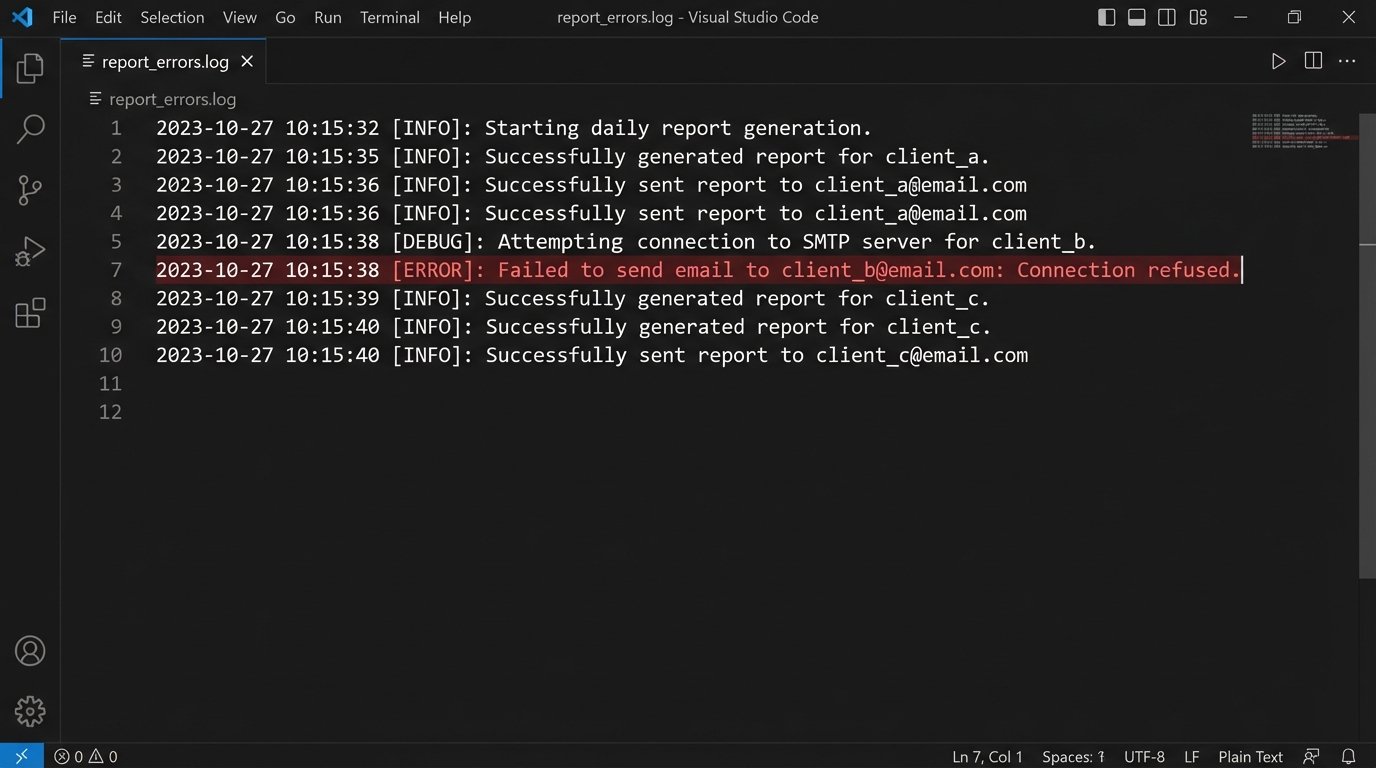
This automated system is not a black box you can set and forget. MLS providers change their API schemas without notice. Email services change their authentication methods. You need monitoring. A simple health check that alerts you if a report fails to generate for two consecutive runs is the minimum viable monitoring you should implement.
Building this system takes work upfront. But it pays off by eliminating a repetitive, error-prone manual task, freeing up engineers to solve more complex problems than wrestling with a PDF layout.