
6 Ways to Automate Tracking of Your Lead Conversion Rates
Manual lead tracking is a lie. It’s a collection of stale CSV files, VLOOKUP formulas that break if someone adds a column, and reports that are obsolete the moment they’re generated. The real work is not in building the report, but in building the pipeline that makes the report self-generating. Stop exporting data. Start streaming it.
The goal is to create a direct, machine-to-machine connection between the system where a lead is born (your website, a form) and the system that knows its fate (your CRM). Anything less is just a more complicated way to be wrong. Here are the common architectures to force this connection, each with its own specific flavor of operational pain.
1. Direct CRM API Polling
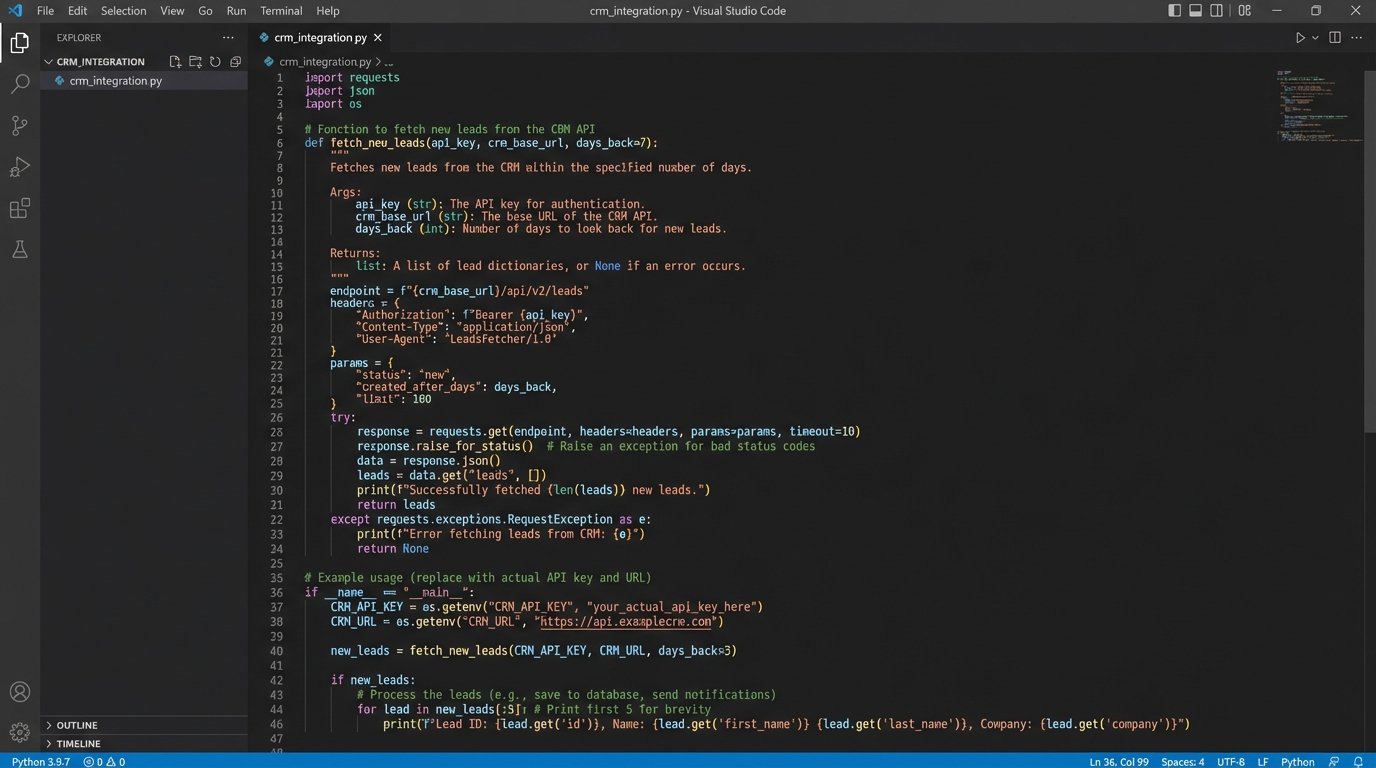
This is the most direct approach. You write a script, schedule it on a cron job or a cloud function, and have it systematically ask the CRM’s API, “What’s new?”. The script queries for recently created or updated lead records, pulls the relevant fields like status, creation date, and source, then pushes this data into your local database or data warehouse.
The core logic involves authenticating via OAuth 2.0, making a GET request to a specific endpoint (like Salesforce’s /services/data/vXX.X/query or HubSpot’s /crm/v3/objects/contacts), and paginating through the results. Your script is responsible for tracking the last record it processed to avoid duplicate data ingestion on subsequent runs. This is typically handled by storing the timestamp or ID of the last fetched record.
The primary weakness here is the API rate limit. Hitting an enterprise CRM’s API too frequently will get your connection throttled or temporarily banned. You are forced to implement exponential backoff and intelligent scheduling, polling less frequently during off-hours. It’s an inefficient brute-force method, like repeatedly calling someone to ask if they have news instead of waiting for them to call you.
A basic Python implementation using the requests library would look something like this. This is conceptual, do not copy-paste this into production without robust error handling.
import requests
import time
import os
API_KEY = os.environ.get("CRM_API_KEY")
LAST_PROCESSED_TIMESTAMP = get_last_timestamp_from_db() # Your function here
def fetch_new_leads():
headers = {'Authorization': f'Bearer {API_KEY}'}
params = {
'properties': 'status,createdate,source',
'since': LAST_PROCESSED_TIMESTAMP,
'limit': 100
}
response = requests.get('https://api.hubapi.com/crm/v3/objects/contacts', headers=headers, params=params)
if response.status_code == 429:
print("Rate limit hit. Backing off.")
time.sleep(60) # Naive backoff
return None
response.raise_for_status() # Raise exceptions for 4xx/5xx errors
return response.json()
# Main execution loop
leads_data = fetch_new_leads()
if leads_data:
process_and_store_leads(leads_data['results']) # Your function here
update_last_timestamp_in_db(get_latest_timestamp_from(leads_data)) # Your function here
This method gives you full control over the data transformation logic, but it’s a constant battle against latency and API consumption quotas. It’s a resource drain on both your system and the CRM’s.
2. Inbound Webhooks
Webhooks reverse the polarity of the problem. Instead of your system polling the CRM, the CRM executes a POST request to an endpoint you control whenever a specific event occurs. When a lead’s status changes from ‘Open’ to ‘Qualified’ or ‘Closed-Won’, the CRM immediately sends a JSON payload with the updated record to your predefined URL.
The setup requires you to build a small, resilient web application (a Flask, FastAPI, or Express.js app works well) that can listen for this incoming data. This listener endpoint must be publicly accessible. You then register this URL within your CRM’s webhook configuration settings, subscribing to the events you care about, like ‘contact.propertyChange’ or ‘opportunity.stageUpdated’.
The benefit is near-real-time data. You get updates within seconds of them happening. The trade-off is reliability and security. If your listener endpoint goes down for any reason, you will lose any data the CRM tried to send during the outage unless the CRM has a built-in retry mechanism with backoff, which many do not. You are also opening a port to the world, so your endpoint must be hardened. It needs to validate incoming requests to ensure they are actually from the CRM (using a shared secret or signature verification) and not a malicious actor.
Handling this data stream is like trying to drink from a firehose. A sudden spike in lead activity, like after a major marketing campaign launch, can flood your listener. Your application must be architected to either process these requests asynchronously by immediately pushing them into a message queue (like RabbitMQ or AWS SQS) for later processing or risk getting overwhelmed and dropping data.
3. Middleware and Integration Platforms (iPaaS)
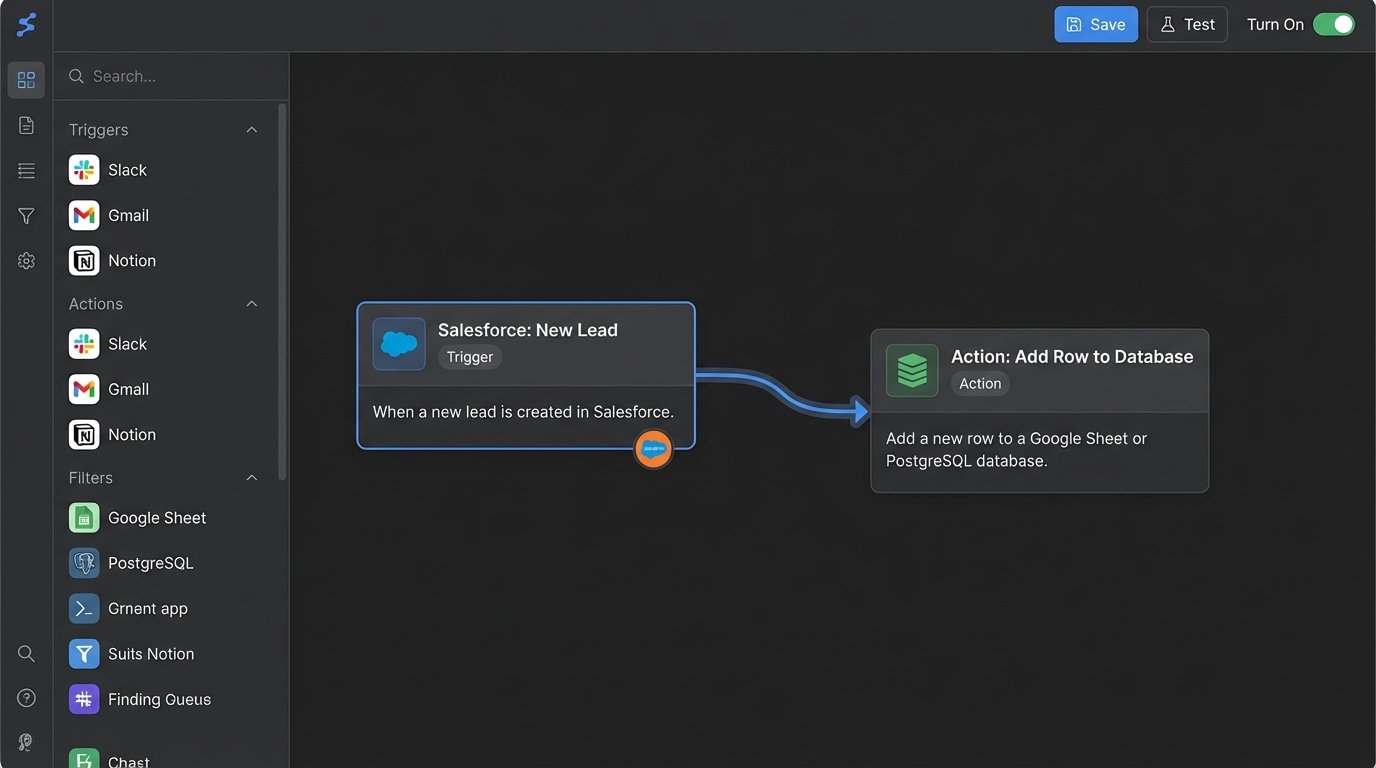
Platforms like Zapier, Make, or Workato are the quick-and-dirty solution. They provide a graphical interface to connect the “trigger” (e.g., ‘New Lead in Salesforce’) to an “action” (e.g., ‘Add a new row in Google Sheets’ or ‘Send a POST request to a custom API’). This can get a basic automation running in minutes without writing a single line of code.
These platforms handle the authentication, API polling, and basic data mapping for you. For simple, non-critical workflows, they are effective. The problem arises when something breaks. You are operating inside a black box. If a connection fails, your ability to debug is limited to checking a generic error log. You have no control over the underlying infrastructure, polling frequency, or retry logic.
They also become a massive wallet-drainer as your volume of tasks increases. The pricing models are often based on the number of tasks or operations per month. A high-volume lead flow can quickly push you into expensive enterprise tiers. You are paying a premium for convenience, and in doing so, you sacrifice control, transparency, and scalability. It is a technical debt that you pay for with cash instead of code.
4. Direct Database Connection
In some rare, high-trust environments, a CRM provider might offer read-only access to a replica of your production database. This is the most powerful and most dangerous method. It bypasses APIs entirely, allowing you to run complex SQL queries directly against the raw data tables. The data freshness is nearly instantaneous, and you can pull massive datasets without worrying about rate limits.
Setting this up involves getting credentials from the provider and establishing a secure connection, often over a VPN tunnel, from your analytics environment to their database server. You get unparalleled access to not just lead data but potentially every piece of data in the system. You can join tables and build complex data models that are impossible to create through a restrictive API.
The risk is extreme fragility. You are coupling your system directly to the internal schema of a third-party application. If the CRM provider decides to rename a column, change a data type, or refactor a table in their next software update, your pipeline will instantly break with no warning. Your queries will fail, and your automation will go dark until you can reverse-engineer their changes. This approach is only viable for internal, self-hosted CRMs or in very stable enterprise partnerships where a service-level agreement guarantees schema stability.
5. Google Tag Manager and a Data Layer
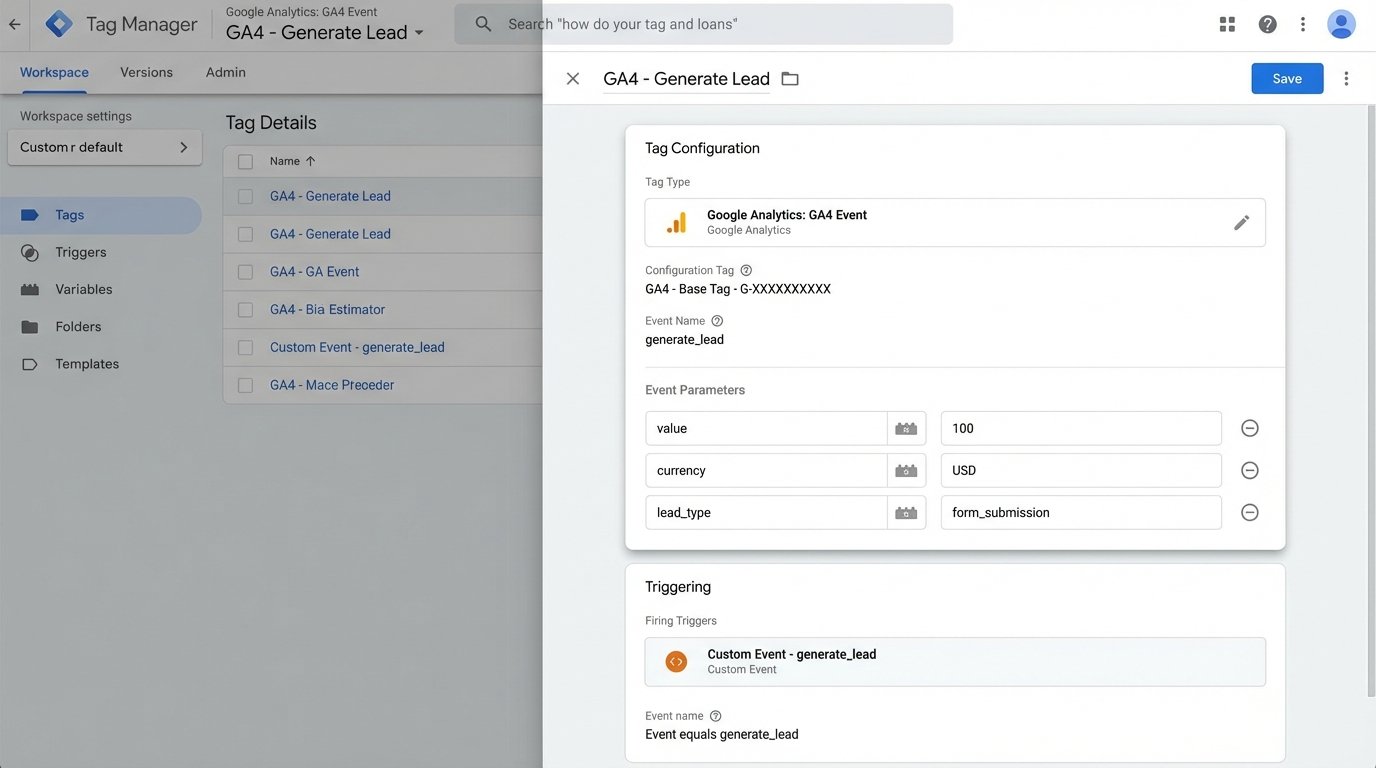
This approach moves the initial conversion tracking event out of the back-end and into the browser. When a user successfully submits a lead form, the website’s JavaScript doesn’t just send the data to the server. It also pushes an event into the Google Tag Manager (GTM) data layer. This is a simple JavaScript object that holds key-value pairs about the conversion.
A GTM tag can be configured to listen for this specific event. When it fires, the tag can grab the data from the data layer and send it directly to your analytics destination. This could be a Google Analytics 4 event, a pixel for an ad platform, or a POST request to a data collection endpoint for your data warehouse. This provides a very clean signal of front-end conversion.
The weakness is the potential for data discrepancy. This method only tracks that the user *clicked the submit button* and the front-end validation passed. It has no knowledge of what happened on the server. The server-side logic could have failed to create the lead in the CRM due to a validation error, a temporary database issue, or an API failure. This creates “ghost conversions” in your analytics, inflating your numbers with leads that never actually made it into the sales pipeline. Reconciling the GTM-reported conversions with the actual records in the CRM becomes a new manual chore.
6. Server Log Ingestion and Analysis
This is the rawest, most fundamental approach. You bypass the application layer entirely and go straight to the server logs. Every time a user submits a lead form, it generates a POST request in your web server’s access logs (e.g., Nginx or Apache). These log entries contain the user’s IP address, user agent, the endpoint they hit, and a timestamp.
The automation involves setting up a pipeline to ship these logs to a centralized analysis platform. A common stack is Filebeat to tail the log files, Logstash to parse the unstructured log lines into structured JSON, and Elasticsearch for storage and querying. You can then build queries and dashboards to count the number of POST requests to your `/submit-lead` endpoint.
This method is incredibly resilient. It is not dependent on front-end JavaScript or third-party APIs. It tracks the actual request that hit your server. However, it only gives you part of the story. The log file confirms a submission attempt was made, but it doesn’t tell you if the lead was valid or if it was successfully saved to the CRM. To get the full picture, you would need to correlate these access logs with your application logs, which should contain details about the CRM API response. This turns into a significant data engineering project, but the resulting dataset is the ground truth of your lead flow.