8 Tools to Automate Team Communication in Real Estate
The flow of information in a real estate brokerage is fundamentally broken. It’s a chaotic mix of texts, emails, and calls held together by a transaction coordinator’s sheer force of will. Automating this isn’t about adding another shiny dashboard. It’s about building rigid, logical pipes to force data from point A to point B without human intervention. Forget “streamlining workflows.” We’re talking about brute-force data logistics to stop things from catching fire during a transaction.
These aren’t hypothetical solutions. They are field-tested tools for hammering chaotic communication into a predictable, machine-driven process. Each has its own set of limitations and costs. None of them is a silver bullet.
1. Twilio API for SMS and Voice
Relying on agents to manually text clients for every update is a recipe for errors and delays. Twilio gives you direct programmatic access to the global telephone network. You can send and receive SMS, MMS, and even orchestrate automated voice calls directly from your backend services. It’s a direct line for injecting critical, time-sensitive information straight to a client’s lock screen.
The primary use case is instant notifications. A new lead arrives from Zillow. Your system logic-checks its validity and immediately dispatches an SMS from a provisioned number: “Hi [Lead Name], this is [Agent Name]’s automated assistant. We received your inquiry for 123 Main St. and will call you within 5 minutes.” This simple action sets a professional tone and beats competitors to the punch. The same logic applies to showing confirmations, offer submissions, and deadline reminders.
The trade-off is consumption-based pricing and compliance. Every message costs money, and building the logic to handle replies, stop requests, and manage consent under TCPA is your responsibility. Mess it up and you’re not just annoying clients, you’re creating legal exposure.
2. Make (formerly Integromat)
Zapier is the entry point, but Make is where you go when you need more control without spinning up a full server. It’s a visual workflow builder that lets you connect APIs with more complex logic, routing, and error handling than its competitors. You can build multi-step scenarios that branch based on data conditions, iterate over lists of items, and schedule execution with precision.
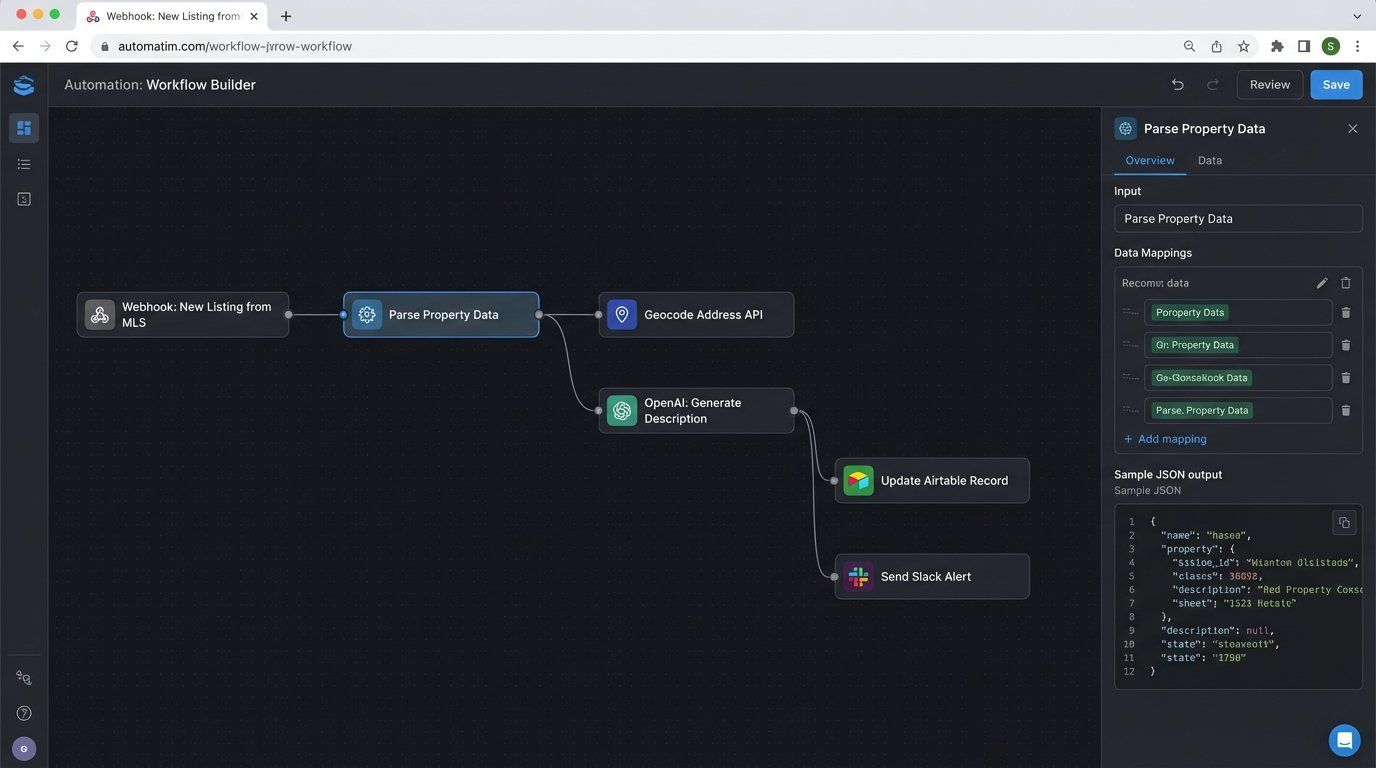
A classic real estate scenario involves processing new listings. When a new property is added to your MLS feed (via an API or a scraped CSV), a Make scenario can trigger. It can parse the property details, geocode the address, pull in neighborhood data from a third-party API, generate a marketing description using an AI model, and then push the compiled data into both your CRM and a Slack channel. This turns a multi-hour manual process into a five-minute automated job.
Make’s power is also its weakness. Building complex scenarios in a visual interface can become a tangled mess that’s difficult to debug or version-control. It’s a wallet-drainer at high volume, and when a scenario fails, you’re still debugging a black box through a web UI. It’s a powerful bridge, but a fragile one.
3. Airtable as a Central Hub
Google Sheets is where data goes to die. Airtable functions as a relational database with a friendly, spreadsheet-like interface and a solid API. For real estate, it can serve as the central source of truth for transactions, tracking every property from listing to close. Each record represents a property, with linked records for clients, offers, and key dates.
The automation engine is the real asset. You can configure Airtable Automations to trigger when a field is updated. For example, when a transaction coordinator changes a property’s status field from “Active” to “Under Contract,” an automation can fire a webhook. This webhook can trigger a cascade of actions: send an email to the client, create a folder structure in Google Drive for the transaction, and add key dates to the agent’s calendar.
The limitations are clear. Airtable’s API is rate-limited to five requests per second, making bulk operations sluggish. Record limits on their plans mean this isn’t a solution for a large brokerage’s entire history. It’s a command center for active deals, not a data warehouse.
4. Slack with Custom Integrations
Internal team communication via email is inefficient. Slack allows you to create dedicated channels for specific purposes, and its API lets you pump relevant, real-time data into those channels. The goal is to make critical information ambient and accessible without requiring someone to log into five different systems.
Create a `#new-leads` channel where your web form integration posts every submission. Build a `#closings` channel that gets an automated message when a deal’s status is marked “Closed” in your transaction management system. This provides immediate visibility for the entire team. A more advanced use is building a bot that responds to slash commands, like `/lookup 123 Main St`, which queries your database and returns key property details directly in the channel.
This only works if you enforce strict notification discipline. Without it, you’re just replacing email noise with Slack noise. Each automated message must be concise, relevant, and posted to the correct channel, or users will just mute everything.
5. DocuSign Connect API
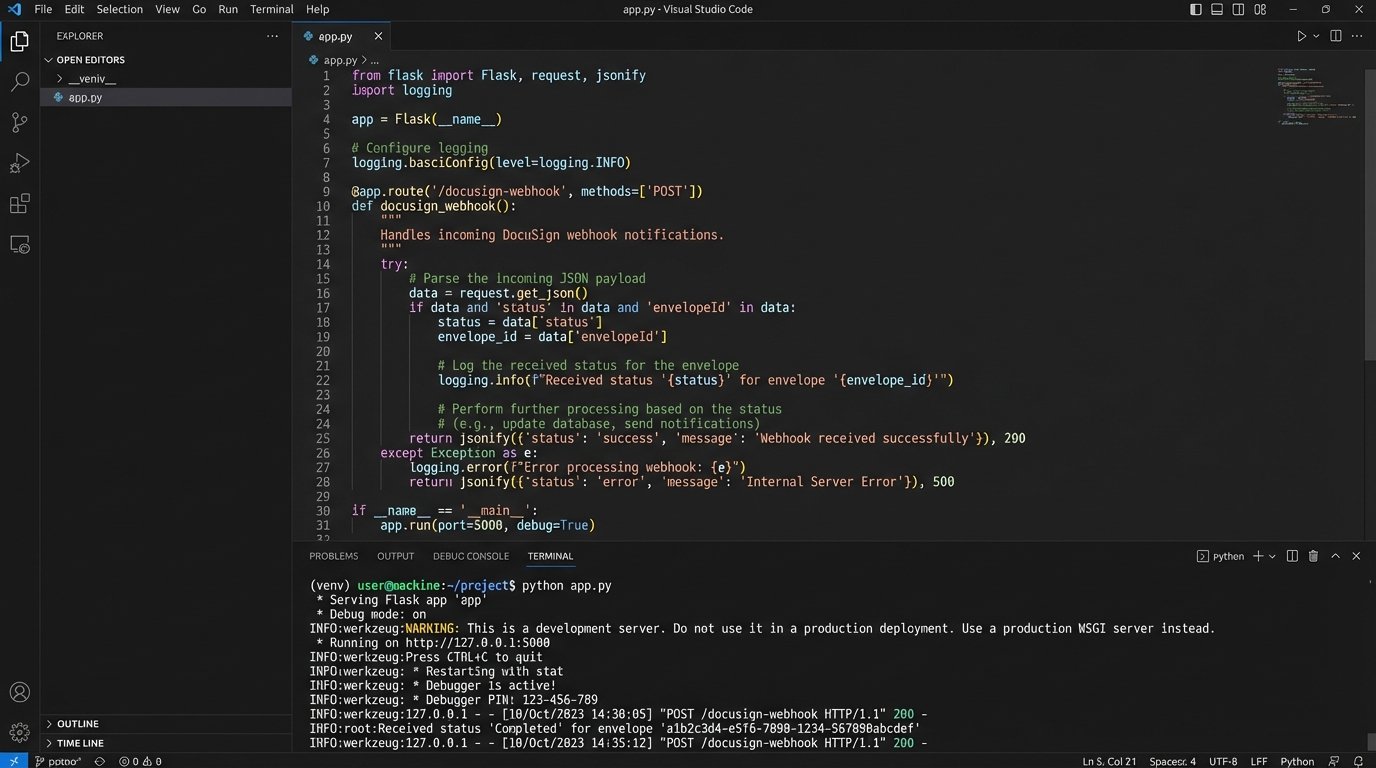
Waiting for an email notification that a document was signed is archaic. The DocuSign API, specifically its Connect feature, allows you to build event-driven workflows based on document status. Connect is essentially a webhook system. You provide an endpoint, and DocuSign will push an XML or JSON payload to it whenever the status of an “envelope” changes.
A powerful workflow starts when a purchase agreement is sent. Connect sends events when the client views it, when they sign it, and when all parties have completed it. When the “Completed” event hits your endpoint, your service can automatically download the signed PDF, file it in the correct client folder on your cloud storage, notify the agent and transaction coordinator on Slack, and update the deal stage in your CRM. This removes the human bottleneck entirely.
Setting up a reliable webhook listener is non-trivial. It requires a publicly accessible server, and you have to build logic to handle retries and failures from DocuSign’s service. The payload data is also deeply nested and requires careful parsing to extract the information you need, like signer details and the completed document itself.
# Example Python Flask endpoint to receive a DocuSign webhook

from flask import Flask, request

import xml.etree.ElementTree as ET

import logging
app = Flask(__name__)
logging.basicConfig(level=logging.INFO)
@app.route('/docusign-webhook', methods=['POST'])
def docusign_webhook_listener():
# DocuSign Connect sends XML, so you need to parse it
xml_payload = request.data
try:
root = ET.fromstring(xml_payload)
envelope_status = root.find('.//{http://www.docusign.net/API/3.0}Status').text
envelope_id = root.find('.//{http://www.docusign.net/API/3.0}EnvelopeID').text
logging.info(f"Received status '{envelope_status}' for envelope '{envelope_id}'")
if envelope_status == 'Completed':
# Trigger downstream actions here
# e.g., call a function to download the document and update the CRM
# process_completed_envelope(envelope_id)
pass
return "OK", 200
except Exception as e:
logging.error(f"Error parsing DocuSign payload: {e}")
return "Error", 400
if __name__ == '__main__':
app.run(port=5000)
This simple listener is just the entry point. The real work is in the `process_completed_envelope` function that you have to build out.
6. Follow Up Boss API (or your CRM’s equivalent)
Your CRM is the nervous system of your sales operation. Its API is the primary way to programmatically inject and extract client data. Follow Up Boss has a reasonably coherent API that allows you to create contacts, log communications, and most importantly, listen for changes using webhooks. This lets you use the CRM as a trigger for external automations.
The most common use is synchronizing data. A new contact is created in the CRM, and a webhook fires to add them to your email marketing platform. An even better use is action-based triggers. An agent changes a lead’s stage from “Lead” to “Contacted.” A webhook can trigger a Make scenario that starts a specific drip campaign tailored to clients who have had a first conversation. It bridges the gap between agent action and marketing automation.
Real estate CRM APIs are notoriously inconsistent. Documentation can be years out of date, and rate limits can be surprisingly low. You have to code defensively, assuming endpoints will fail or return unexpected data. The CRM should be your source of truth, but you can’t always trust its API to be stable.
7. Google Sheets API
Every engineer hates it, but every brokerage runs on it. Agents use shared spreadsheets for everything from commission tracking to open house sign-in sheets. Instead of fighting it, you can instrument it. The Google Sheets API allows you to treat a sheet like a simple database, reading, writing, and formatting cells from a script.
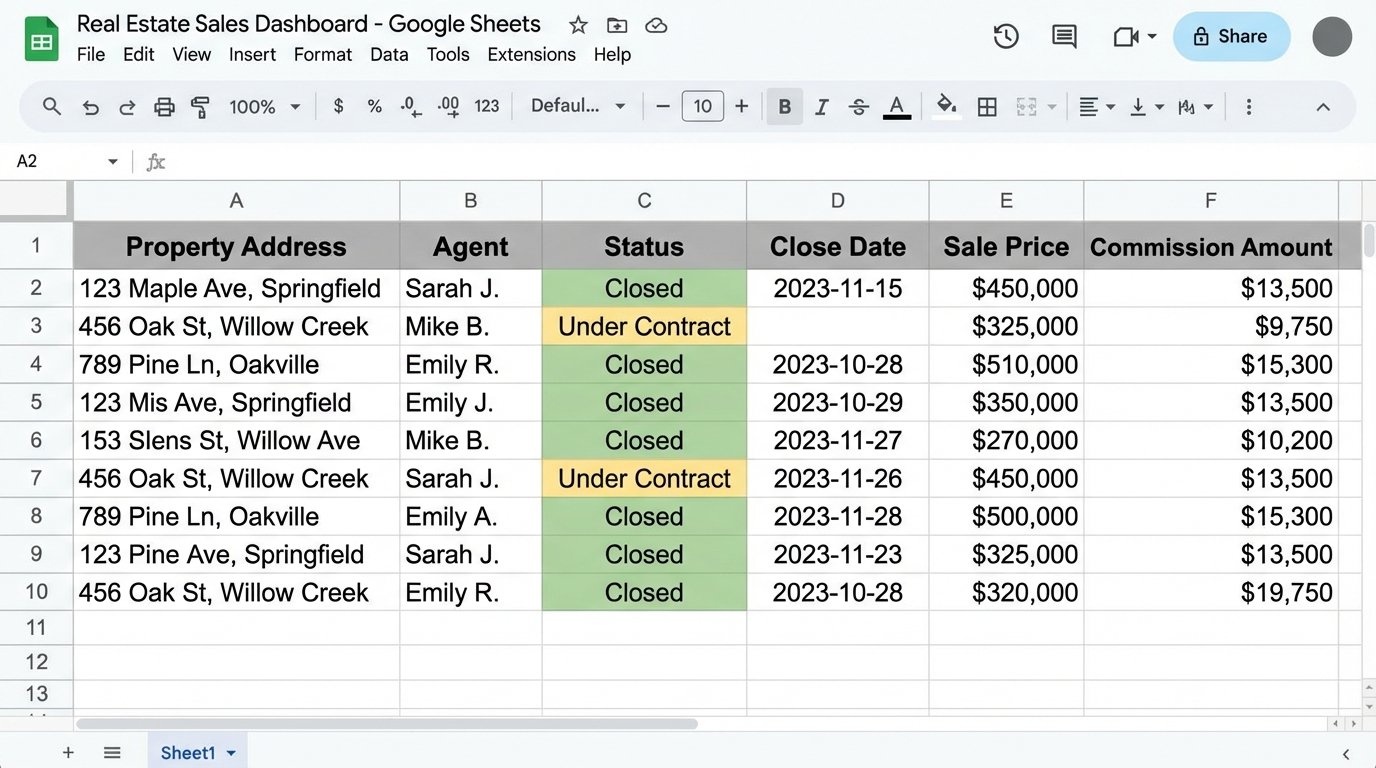
A practical automation is a nightly sync script. It runs on a schedule, pulls key metrics from your CRM (e.g., deals closed, volume, commission amounts per agent), and pushes that data into a pre-formatted Google Sheet. This gives leadership a dashboard they understand without having to log into the CRM, and it prevents the manual, error-prone process of an admin copy-pasting the data every morning.
This entire setup is incredibly brittle. If an agent adds a column or renames a worksheet, your script breaks. It’s not a long-term architecture. It’s a stopgap measure to impose order on an existing chaotic process. Using the Sheets API is like shoving a firehose through a needle. You can force the data through, but it’s under pressure and prone to breaking.
8. Calendly API
The back-and-forth of scheduling showings or calls is a massive time sink. Calendly automates the booking process, and its API lets you hook into that process to automate what happens next. When an event is booked, Calendly can fire a webhook with all the details of the meeting.
You can build a service that listens for these webhooks. When a showing for a specific property is booked, your service receives the payload. It can then cross-reference the property address with a secure data store to get the lockbox code, add that code to the calendar event’s notes for the agent, and send an SMS confirmation via Twilio to the client with the agent’s contact information.
The dependency is total. If Calendly’s service is down, your scheduling stops. It also removes a personal touchpoint, which some agents and clients dislike. It is a machine of pure efficiency that trades personalization for scalability.