
The Failure Point Is Latency, Not People
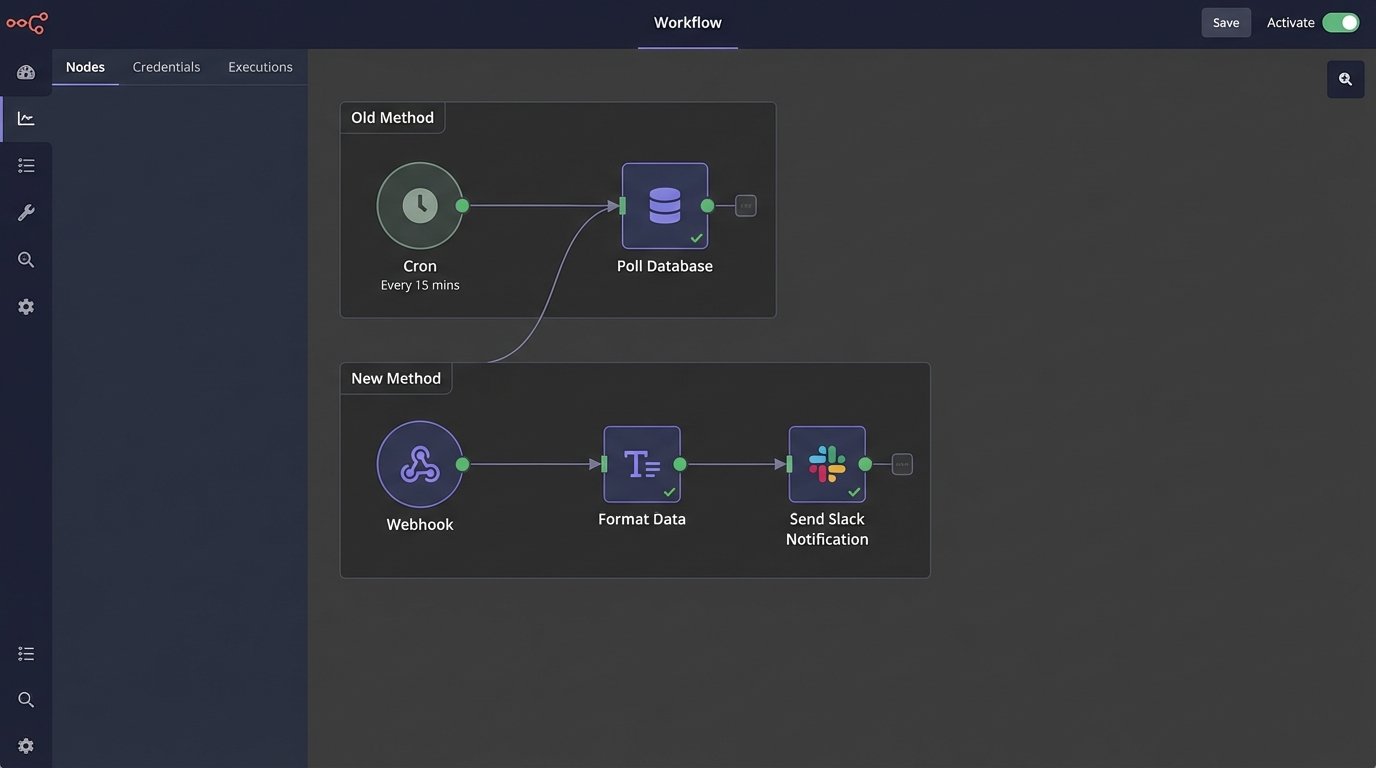
A price update is pushed to the database at 2:05 PM. The cron job that syncs this data with the front-end runs every 15 minutes, on the hour. For ten agonizing minutes, a customer sees the old price, makes a purchase, and your support team gets a ticket. This isn’t a hypothetical. This is the direct result of building systems on scheduled, polling-based architecture. You’re constantly asking the database “anything new?” instead of letting the database tell you when something happens.
This method is archaic. It generates useless load with every check that returns nothing. It guarantees a window of data staleness equal to the polling interval. In e-commerce, real estate, or any inventory-sensitive field, that stale window costs money. The core problem is a fundamental mismatch between the event, the data layer, and the notification layer.
We treat the database as a silent repository of facts, interrogating it on a fixed schedule. This is like repeatedly calling a colleague to ask if they’ve finished their report. It’s inefficient and annoying. A webhook-driven approach lets the report, upon completion, send a notification directly to you. It shifts the entire paradigm from polling to pushing.
Dismantling the Old Cron-Based Model
The standard architecture for this kind of workflow involves a scheduled task runner. A cron job executes a script at a predefined interval. The script queries a primary database for records with a `last_updated` timestamp greater than the script’s last run time. It then takes this batch of changes and attempts to push them to secondary systems, a search index, or a cache layer.
This architecture is brittle for several reasons. First, clock drift between servers can cause you to miss updates. Second, a single failed run means the next job has to process a double load, increasing its chance of timeout or failure. Third, it has no concept of priority. A critical inventory drop from one to zero is treated with the same urgency as a minor typo correction in a product description.
You end up building complex state management just to keep the polling process from collapsing. You’re writing logic to handle failed batches, log what was processed, and ensure idempotency. All this engineering effort is just patching holes in a fundamentally flawed, pull-based model.
The Fix: An Event-Driven Notification Pipeline
The solution is to force the data source itself to announce its changes. Instead of a cron job pulling data, a trigger on the database or an event hook in the application logic initiates the entire workflow the moment a change is committed. This reduces the latency from minutes to milliseconds. The change is no longer a static row in a table. It becomes an active, in-flight event to be captured and acted upon.
The architecture is straightforward. An event source, a processing layer, and a notification target. The source could be a database trigger (e.g., PostgreSQL’s `NOTIFY`), a CDC (Change Data Capture) service like Debezium, or a simple hook in your application’s ORM `on_save` method. This event sends a payload to a webhook endpoint.
This endpoint shouldn’t be your main application server. It should be a lightweight, serverless function, like AWS Lambda or a Google Cloud Function. Its only job is to catch the data, transform it into a human-readable format, and push it to a notification service like Slack or Microsoft Teams. This decouples the notification logic from your core application and keeps it fast and isolated.

Building the Capture and Transformation Layer
A serverless function is the ideal middleman for this task. It’s stateless, scales on demand, and you only pay for the milliseconds it runs. When a listing is updated, your backend logic fires off an HTTP POST request to the function’s URL. The body of this request is a JSON payload containing the critical information: what changed, the old value, the new value, and a direct link to the item.
The function’s first job is validation. It must verify that the request came from a trusted source. This is typically done by checking a secret key or validating an HMAC signature passed in the request headers. Any request that fails this check is immediately dropped. This prevents an open endpoint from becoming a vector for spam or malicious input.
Next comes transformation. The raw JSON payload is machine-readable, not human-friendly. The function’s job is to reformat this data. You don’t just dump the JSON into a Slack message. You build a structured, rich message using something like Slack’s Block Kit or Teams’ Adaptive Cards. This allows you to include buttons for direct actions, like “View Listing” or “Revert Change,” right in the notification.
Handling this transformation requires mapping cryptic database column names (`prod_stk_qty`) to clear labels (“Stock Quantity”). It means formatting price changes to include currency symbols and highlighting the delta. This logic, which used to be buried in some report-generating script, now lives in a focused, testable serverless function.
Code Example: A Python Lambda for Slack
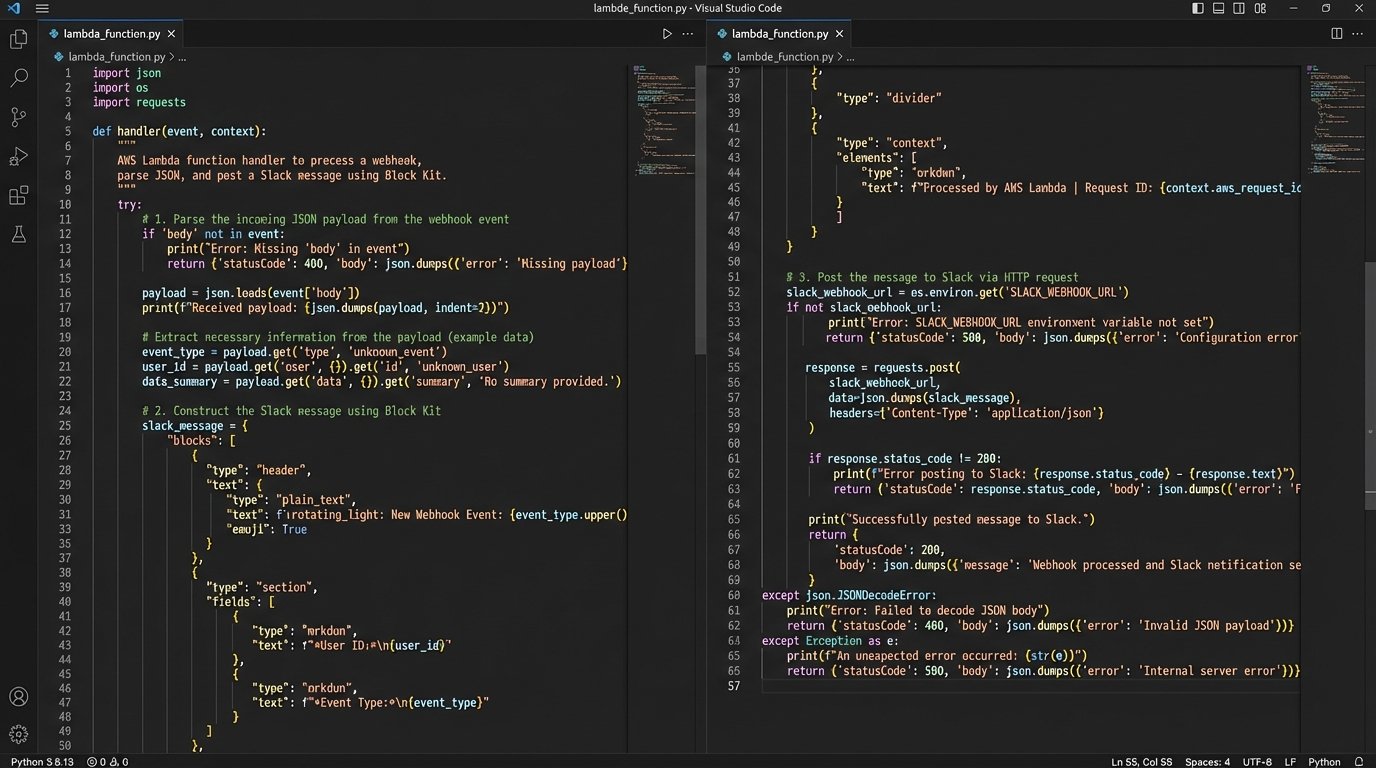
Here is a stripped-down example of a Python function running on AWS Lambda that processes an incoming webhook for a price update and formats a Slack message. It assumes the use of the `requests` library and that the Slack webhook URL is stored as an environment variable.
import json
import os
import hmac
import hashlib

def validate_signature(request):
    """
    Validates the incoming webhook signature.
    """
    secret = os.environ.get('WEBHOOK_SECRET').encode('utf-8')
    signature_header = request.headers.get('X-Hub-Signature-256', '').replace('sha256=', '')
    payload_body = request.get_data()

    digest = hmac.new(secret, payload_body, hashlib.sha256).hexdigest()

    return hmac.compare_digest(digest, signature_header)

def handler(event, context):
    # For simplicity, this example assumes API Gateway passes the raw request.
    # In a real setup, you'd parse the event object correctly.
    # This is a conceptual representation.

    # if not validate_signature(event['raw_request']):
    #     return {'statusCode': 403, 'body': 'Forbidden'}

    try:
        payload = json.loads(event['body'])
        listing_id = payload.get('listing_id')
        old_price = payload.get('old_price')
        new_price = payload.get('new_price')
        listing_url = f"https://example.com/listings/{listing_id}"

        # Construct a message using Slack's Block Kit
        slack_message = {
            "blocks": [
                {
                    "type": "header",
                    "text": {
                        "type": "plain_text",
                        "text": f":money_with_wings: Price Update for Listing {listing_id}"
                    }
                },
                {
                    "type": "section",
                    "fields": [
                        {"type": "mrkdwn", "text": f"*Old Price:*\n${old_price:,.2f}"},
                        {"type": "mrkdwn", "text": f"*New Price:*\n*${new_price:,.2f}*"}
                    ]
                },
                {
                    "type": "actions",
                    "elements": [
                        {
                            "type": "button",
                            "text": {
                                "type": "plain_text",
                                "text": "View Listing"
                            },
                            "url": listing_url,
                            "style": "primary"
                        }
                    ]
                }
            ]
        }

        # Post to Slack
        slack_webhook_url = os.environ['SLACK_WEBHOOK_URL']
        response = requests.post(slack_webhook_url, json=slack_message)
        response.raise_for_status() # Raise an exception for bad status codes

        return {'statusCode': 200, 'body': 'OK'}

    except Exception as e:
        print(f"Error processing webhook: {e}")
        return {'statusCode': 500, 'body': 'Internal Server Error'}
This code is not production-ready. It lacks proper error handling, logging, and retries. But it demonstrates the core logic: validate, parse, transform, and send. The entire operation is a quick, efficient transaction. It’s like a signal booster for data changes, converting a silent database write into a loud, actionable alert.
Planning for Failure Is Not Optional
An event-driven system creates new points of failure. What if Slack’s API is down? What if your Lambda function times out due to a network issue? If you just invoke the function and hope for the best, you will lose data. The webhook fires, the function fails, and the update is never seen. This is where you have to build in resilience.
The first line of defense is a dead-letter queue (DLQ). On AWS, you can configure a Lambda function so that if it fails after a certain number of retries, the original event payload is automatically sent to an SQS queue. This saves the failed event from being lost forever. You can then have a separate process to inspect the DLQ and re-process the failed messages, or at least alert an engineer that something broke.
Rate limiting is another real-world constraint. If a script updates 10,000 listings at once, you can’t fire 10,000 webhooks simultaneously. You will overwhelm the notification service API and get throttled. The solution is to inject a queue between the event source and the processing function. The database trigger or application hook now sends the message to a queue (like SQS or RabbitMQ). The Lambda function is then triggered by messages appearing in the queue, and you can configure its concurrency to control the rate at which messages are processed and sent to the final destination.
This queuing layer acts as a shock absorber. It smooths out bursts of activity, turning a flood of events into an orderly, processed stream. It also adds durability. If the Lambda function is down for maintenance, the messages simply pile up in the queue, ready to be processed when it comes back online.