
Best Practices for Using Workflow Software in Real Estate
The core problem in real estate automation is data entropy. You have a dozen MLS feeds, each with a slightly different schema and update frequency. You have lead sources from Zillow, Realtor.com, and your own website, all formatted differently. The default state is chaos, and throwing a visual workflow builder at it without a plan just automates the creation of a bigger mess, faster.
Isolate Your Data Ingestion Layer
Connecting your workflow tool directly to every single data source is a rookie mistake. A single API change from your CRM provider or a deprecated MLS endpoint can shatter your entire automation stack. The maintenance burden becomes exponential. You spend your days hunting down the one broken connector in a web of fifty different triggers.
The correct architecture is to funnel all data through a controlled gateway. This can be as simple as a central Google Sheet that other services write to, or a more formal message queue like RabbitMQ. This single point of entry becomes your ingestion layer. Your primary workflows only listen to this one source, completely decoupled from the noisy, unreliable outside world. Now, if a lead source API changes, you only fix that one connection to your gateway, not the twenty-five workflows that depend on its data.
This approach stops you from having to gut your entire system at 2 AM because a third-party vendor decided to rename a field without telling anyone.
Build for Failure, Not for Success
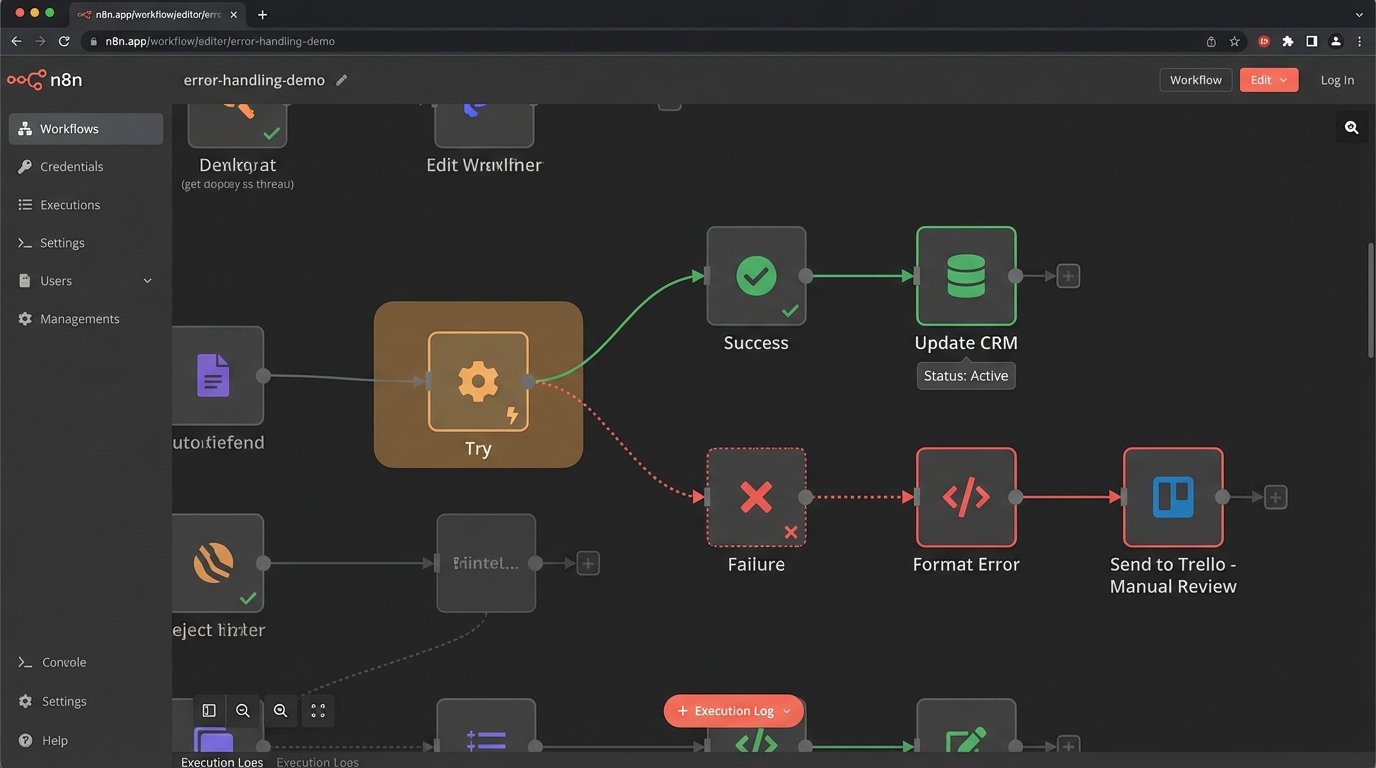
The happy path is a myth. An API will time out. A webhook will deliver a malformed payload. You will hit a rate limit. Designing a workflow that only accounts for successful execution is malpractice. The system must be built with the explicit assumption that every step is a potential point of failure.
Instead of letting a workflow die on an error, you implement a try-catch block. The “catch” logic doesn’t just log the error; it shunts the entire failed payload, along with the error message, to a dead-letter queue. This could be a specific Trello board, a Slack channel, or a database table labeled “Manual Review.” This preserves the data and creates a clear, actionable list of problems for a human to diagnose.
The goal isn’t 100% successful runs. It’s 100% awareness of every single failure.
Normalize Data Before It Hits Core Logic
Real estate data is notoriously inconsistent. One MLS feed sends “3 BR” and another sends “3 Beds.” Address formats vary wildly: “Street” vs. “St.”, missing zip codes, inconsistent capitalization. If you pass this raw data into your core business logic, you end up with an unmanageable mess of conditional branches. Your workflow becomes a brittle chain of `if-then` statements trying to account for every possible variation.
Force a data sanitization step at the very beginning of your workflow, right after ingestion. This step strips whitespace, forces text to lowercase, standardizes abbreviations using a lookup table, and validates data types. For example, you write a small function that ensures “Listing Price” is always a number, not a string with a dollar sign.
You can embed this logic directly into a code node within your workflow tool if it supports it.
def normalize_listing_data(listing_json):

    # Standardize address components

    address = listing_json.get('address', '').lower()

    address = address.replace('street', 'st').replace('avenue', 'ave')

    listing_json['address_normalized'] = address.strip()
# Force price to be a float, stripping non-numeric chars
price_str = str(listing_json.get('price', '0'))
price_numeric = ''.join(filter(str.isdigit, price_str.partition('.')[0]))
try:
listing_json['price_float'] = float(price_numeric)
except ValueError:
listing_json['price_float'] = 0.0
return listing_json
Cleanse the data once at the gate, or spend weeks debugging why half your listings are being ignored by your downstream filters.
Decouple Triggers from Actions
A common anti-pattern is the monolithic workflow. A “New Lead” trigger kicks off a single, 40-step process that updates the CRM, sends an SMS to an agent, adds the lead to three different email sequences, and logs the activity to a spreadsheet. This is rigid and impossible to maintain. Changing the body of the SMS requires re-testing the entire sequence, risking unintended consequences for the CRM update.
A more resilient architecture uses an event-driven model. The initial trigger does only one thing: it receives the data and publishes an “event” (a simple JSON payload) to a central webhook or queue. Then, you build multiple, smaller, single-purpose workflows that are triggered by that one event. You have one workflow for the CRM update. A separate workflow handles SMS notifications. Another one manages the email sequences. This is the difference between shoving a firehose through a needle and using a proper manifold.
This way, you can modify, disable, or debug the SMS workflow without ever touching the CRM logic. It isolates failure domains and simplifies development.

State Management Isn’t Optional
Your automation needs a memory. Without it, you will inevitably send duplicate “Price Reduced” emails for the same listing or create duplicate contacts in your CRM. This happens when an API sends the same event twice or when a workflow is re-run by accident. You must have a mechanism to check, “Has this exact operation been performed before?”
This is called state management. The implementation can be a high-speed key-value store like Redis for heavy loads, or something as basic as an Airtable base for smaller operations. The first step in any critical workflow should be to generate a unique key for the operation (e.g., `MLS_ID + ‘_price_update_’ + new_price`). The workflow then queries your state store for this key. If the key exists, the workflow halts immediately. If it does not exist, the workflow adds the key to the store and then proceeds with its actions.
Without state, your automation is just a powerful tool for generating spam and corrupting your own data.
Version Control Your Workflows
Visual workflow builders create a false sense of simplicity that hides underlying complexity. When a change you made last Tuesday breaks a critical process on Friday, how do you roll it back? Most platforms have poor, if any, native versioning. You are left clicking through a UI, trying to remember the previous settings.
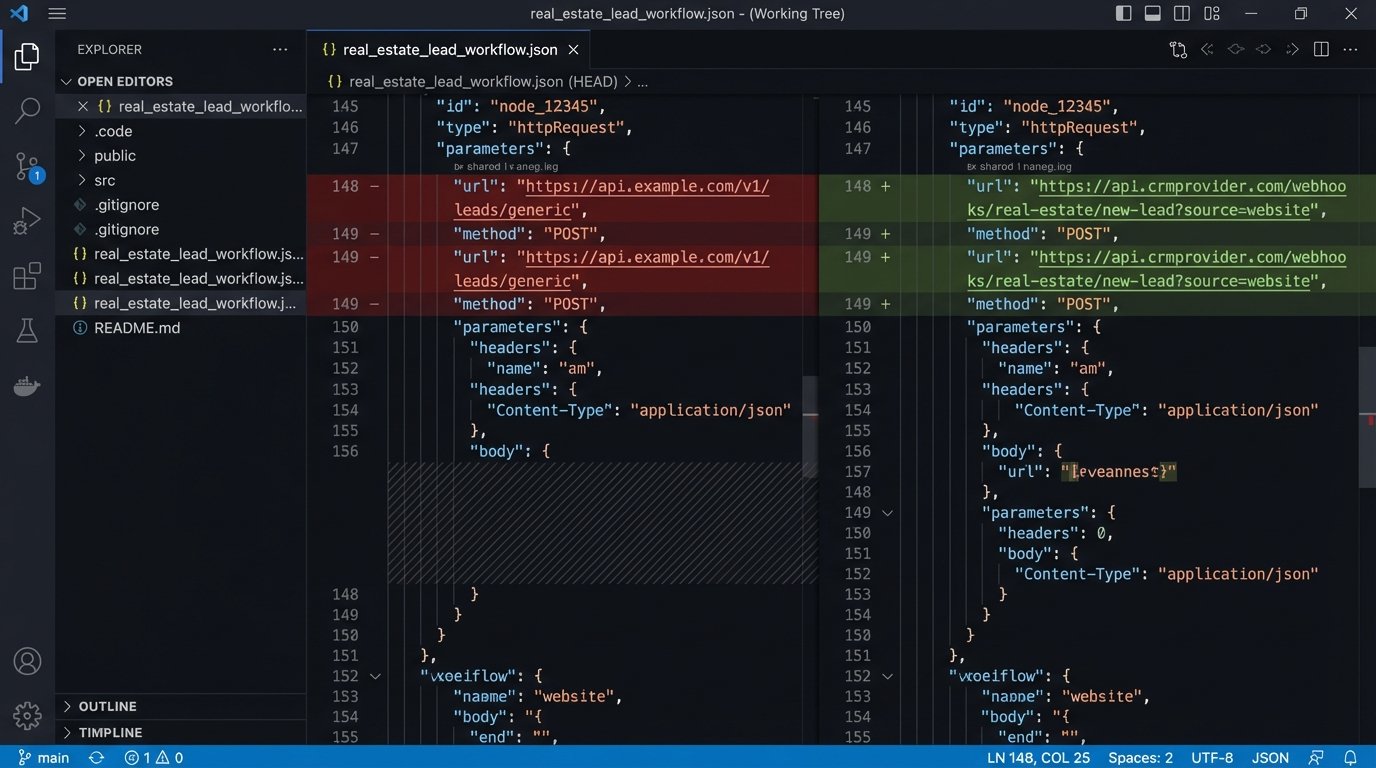
Treat your workflows as code. For platforms that support it (like n8n or Pipedream), export the workflow definition as a JSON or YAML file. Commit this file to a Git repository after every significant change. This gives you a complete, timestamped history of every modification. You can use `git diff` to see exactly what changed between two versions and revert to a known-good state if something goes wrong.
If your tool doesn’t allow exporting, the bare minimum is rigorous manual documentation. A shared document with screenshots, dates, and plain-text descriptions of changes is a poor substitute for Git, but it is infinitely better than having nothing when production is on fire.
A workflow that isn’t versioned is a ticking time bomb.
Audit Your Execution Logs Religiously
The “set it and forget it” mindset is a liability. Workflow logs are not just for debugging when something is obviously broken. They are a source of truth for process optimization and silent failure detection. You need to be actively reviewing execution logs, not just waiting for an angry email from a sales agent whose leads stopped showing up.
Set up automated log monitoring. Filter for workflows that are running too slow, consuming excessive resources, or hitting an unusually high error rate even if they don’t fail completely. A workflow that used to take 2 seconds and now takes 30 is a leading indicator of a problem, likely with a slow third-party API. Catching this early prevents a minor issue from cascading into a full system outage.
The logs tell you what your system is actually doing, which is often very different from what you designed it to do.