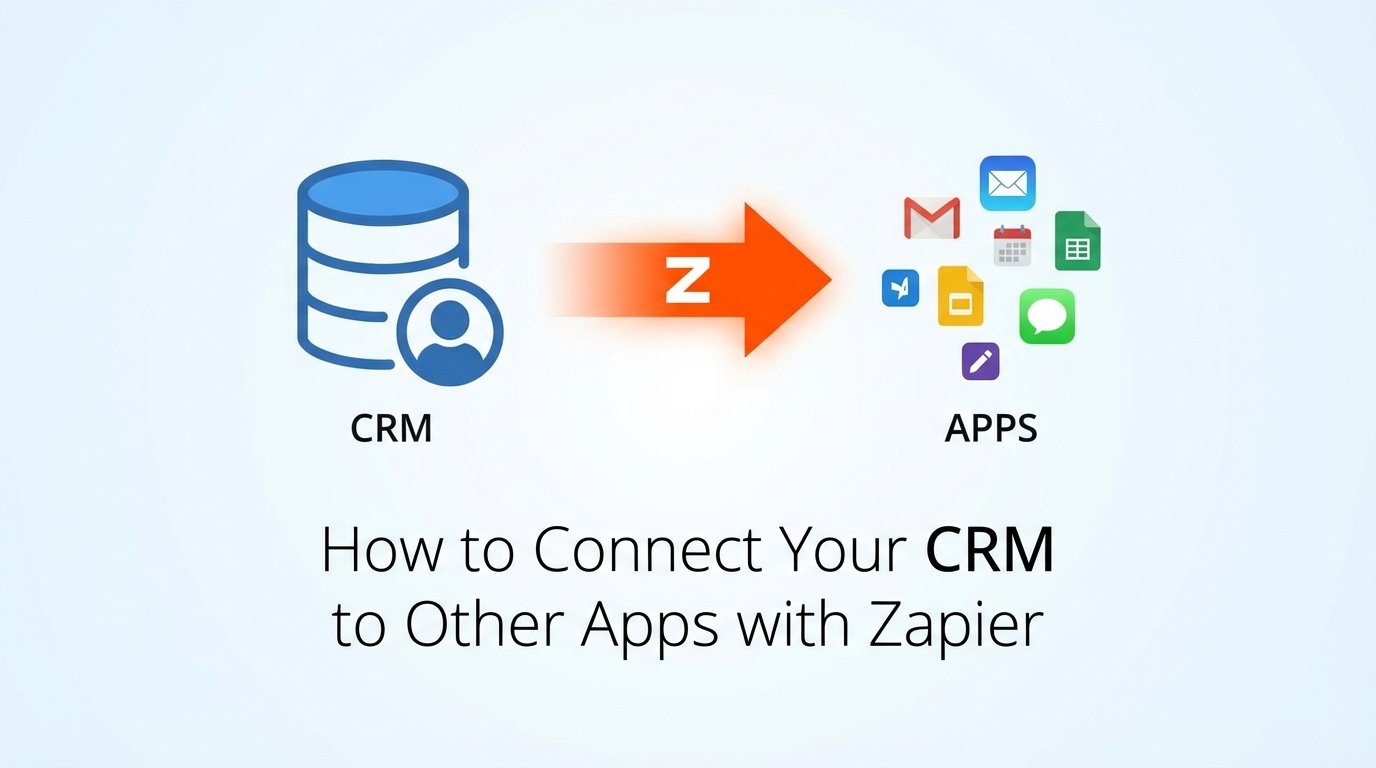
How to Connect Your CRM to Other Apps with Zapier
Your CRM is a data island. Sales reps inject contact information, marketing qualifies leads, and support logs tickets, but that data rarely escapes the walled garden without a fight. The advertised “native integrations” are often shallow, buggy, or abandoned. This forces a choice between expensive custom API development or a tool that hammers systems together. Zapier is that hammer.
It is not an elegant solution. It is a utility for forcing two systems to talk when they otherwise would not. Treating it as a simple “point and click” affair is the first step toward creating a silent, data-corrupting failure in your stack. This guide details the correct, defensive approach to building a CRM connection that will not break at 3 AM.
Prerequisites: Beyond the Sign-Up Form
Before you even open the Zapier editor, you need to conduct a technical audit of the systems you intend to connect. Failure to do this groundwork guarantees you will build a brittle, task-draining automation. First, verify your CRM and target application’s API access level. A “basic” subscription tier might not grant you the permissions needed to write data, rendering the entire exercise useless.
You must have admin credentials for both systems. Not “editor” or “manager” access, but full administrative privileges. OAuth connections can fail or require re-authentication, and only an admin can fix it. For service-critical Zaps, creating a dedicated service account in your CRM with its own API key is a far more stable approach than linking the Zap to a specific employee’s account who might leave the company.
Finally, find the API rate limit documentation for both applications. Zapier’s polling triggers can quickly exhaust the hourly or daily call limits of a sensitive API, getting your account throttled or temporarily banned. Knowing that your CRM allows 10,000 calls per day tells you exactly how aggressive your polling interval can be across all your automations. Ignore this, and you are building a denial-of-service attack against your own infrastructure.
Step 1: The Trigger and the Polling Tax
Every Zap starts with a Trigger. This is the event in your CRM that kicks off the workflow. Common triggers include “New Contact,” “Updated Deal Stage,” or “New Tag Added to Contact.” When you select a polling trigger, which is the most common type, understand that Zapier is not getting a real-time signal from your CRM. It is periodically asking, “Anything new? Anything new? Anything new?”
This polling interval depends on your Zapier subscription plan. On lower tiers, this can be as long as 15 minutes. That means your “instant” notification to a Slack channel when a new lead arrives could be delayed by a quarter of an hour. For sales workflows, that delay is an eternity. This is the polling tax: you pay in latency for the convenience of an easy setup.
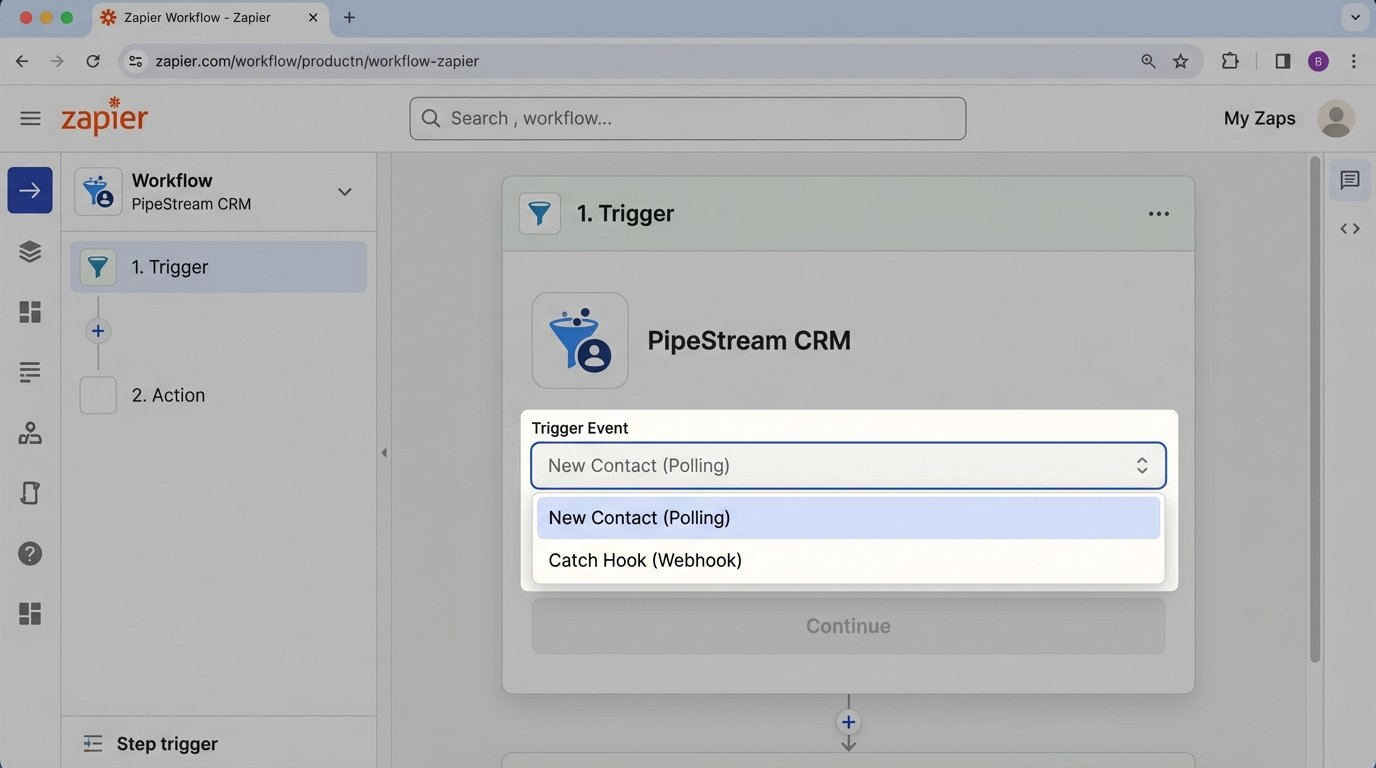
A superior alternative is a webhook trigger, if your CRM supports them. Instead of Zapier polling your CRM, the CRM actively sends a data packet to a unique Zapier URL the moment an event occurs. This is real-time, efficient, and consumes far fewer resources. The setup is more involved, as you must configure the webhook inside your CRM’s settings, but the performance gain is significant. Choosing to poll when a webhook is available is like choosing to send a letter when you have a phone.
Step 2: Filtering and Data Transformation
Raw data from a CRM is rarely clean. Sales reps enter phone numbers in a dozen different formats, use abbreviations for company names, and leave critical fields blank. Piping this raw data directly into another system is negligent. The second step in any robust Zap should always be a Filter or a Formatter step.
A Filter by Zapier step acts as a conditional gate. For example, a Zap triggered by “New Contact” should immediately be followed by a filter that only allows the Zap to continue if “Email” exists and “Last Name” is not empty. This single step prevents a flood of incomplete contact records from polluting your email marketing platform or accounting software. You stop the garbage at the source.
The Formatter by Zapier step is for sanitizing the data that passes the filter. You can use it to strip characters from phone numbers, capitalize names correctly, or convert date formats. For anything more complex, you must inject a “Code by Zapier” step. This allows you to run a small snippet of Python or JavaScript to perform custom logic. For instance, you might need to parse a full name field into separate first and last names.
// Code by Zapier (JavaScript)
// Assumes inputData.fullName contains the full name string

const fullName = inputData.fullName;
const nameParts = fullName.split(' ');
const firstName = nameParts.shift();
const lastName = nameParts.join(' ');

// The output object makes these values available in subsequent steps
output = {
  firstName: firstName,
  lastName: lastName
};
This code block is a basic example, but it demonstrates how you can break down and reshape data before it reaches its destination. Relying on the destination app to correctly interpret messy CRM data is wishful thinking.
Step 3: The Action and Planning for Failure
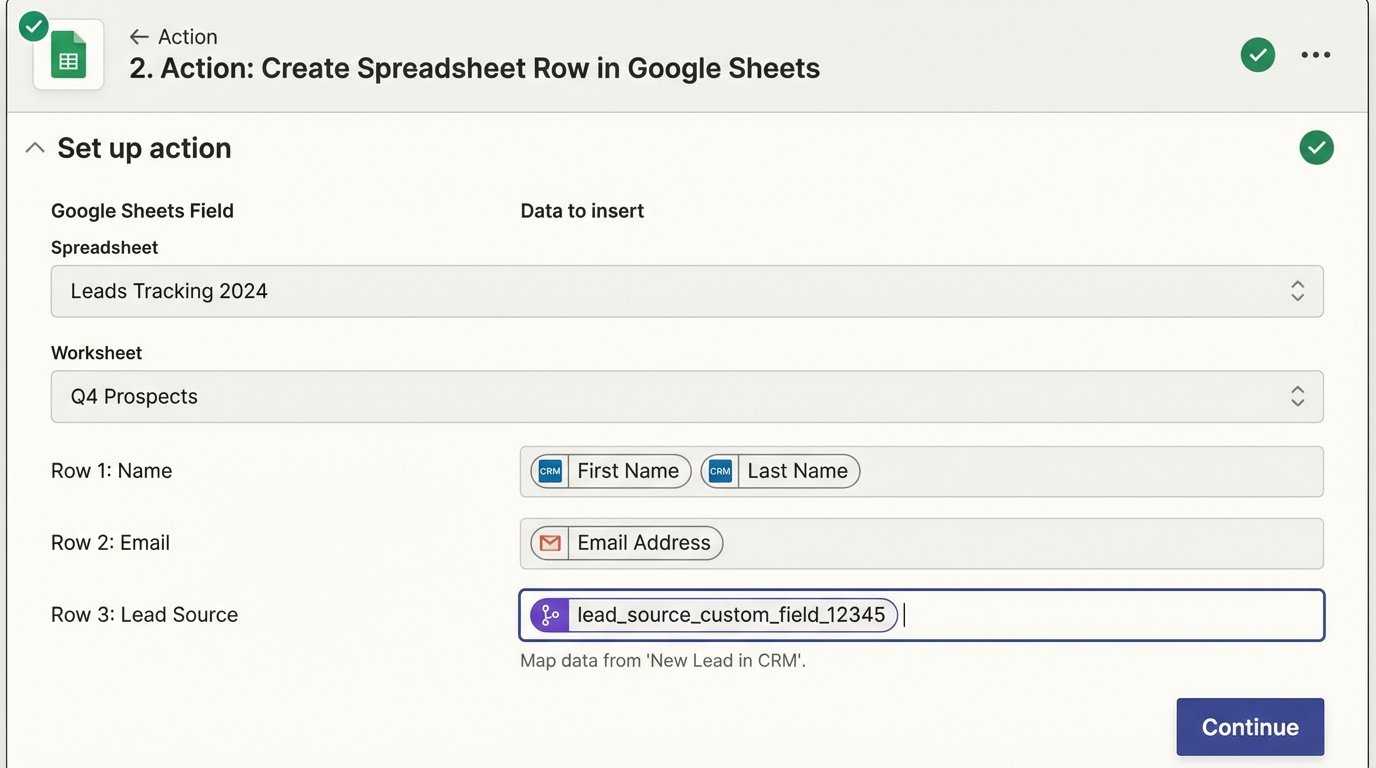
The Action step is where the Zap finally interacts with the destination application. This could be “Create Spreadsheet Row” in Google Sheets, “Add Contact to List” in an email platform, or “Create Customer” in your billing system. The mapping process is critical. You must meticulously connect the data fields from your CRM trigger (and any formatter steps) to the corresponding fields in the action app.
Pay close attention to custom fields. These are often identified by obscure internal IDs rather than human-readable names. You might need to cross-reference with your CRM’s developer documentation to ensure you are mapping “lead_source_custom_field_12345” to the correct destination field. A mistake here can lead to data being written to the wrong place or silently dropped entirely.
Every Action step can fail. The destination API could be down, a required field might be missing despite your filter, or a validation rule could reject the data (e.g., a duplicate email address). Zapier’s default behavior is often to simply halt the Zap run and log an error in your Zap History. This is a silent failure mode. Nobody gets a notification unless you explicitly build one.
A robust workflow adds a separate path to handle these failures. You can configure certain action apps to only run if the primary action step fails. This secondary path should send a notification to a dedicated Slack channel or create a task in a project management tool with the error details. This transforms a silent failure into an actionable alert. Relying on manually checking your Zap History is not a monitoring strategy.
Step 4: End-to-End Validation
A “successful” run in your Zap History does not mean the integration is working correctly. It only means Zapier successfully sent a command to the destination API and received a success response (like a 200 OK). It does not confirm the data is correct, complete, or usable. This is the difference between message delivery and message comprehension.
True validation requires an independent audit process. Do not trust the tool to check its own work. One effective method is to build a separate, scheduled “reconciliation” Zap. For example, once a day, have a Zap trigger that performs the following logic:
- Step 1: Use a webhook step to call your CRM’s API and get a count of all contacts created yesterday with the tag “Newsletter.”
- Step 2: Use another webhook step to call your email marketing platform’s API and get a count of subscribers added yesterday.
- Step 3: Use a Code by Zapier step to compare the two numbers.
- Step 4: Use a Filter step. If the numbers do not match, continue.
- Step 5: Send an alert to your engineering team detailing the discrepancy.
This approach moves from a passive “I hope it worked” stance to an active “Prove to me it worked” methodology. It provides a quantitative check on the entire data pipeline, from source to destination. You are building a smoke detector for your data, rather than waiting to smell the fire.
Advanced Considerations and Inevitable Trade-Offs
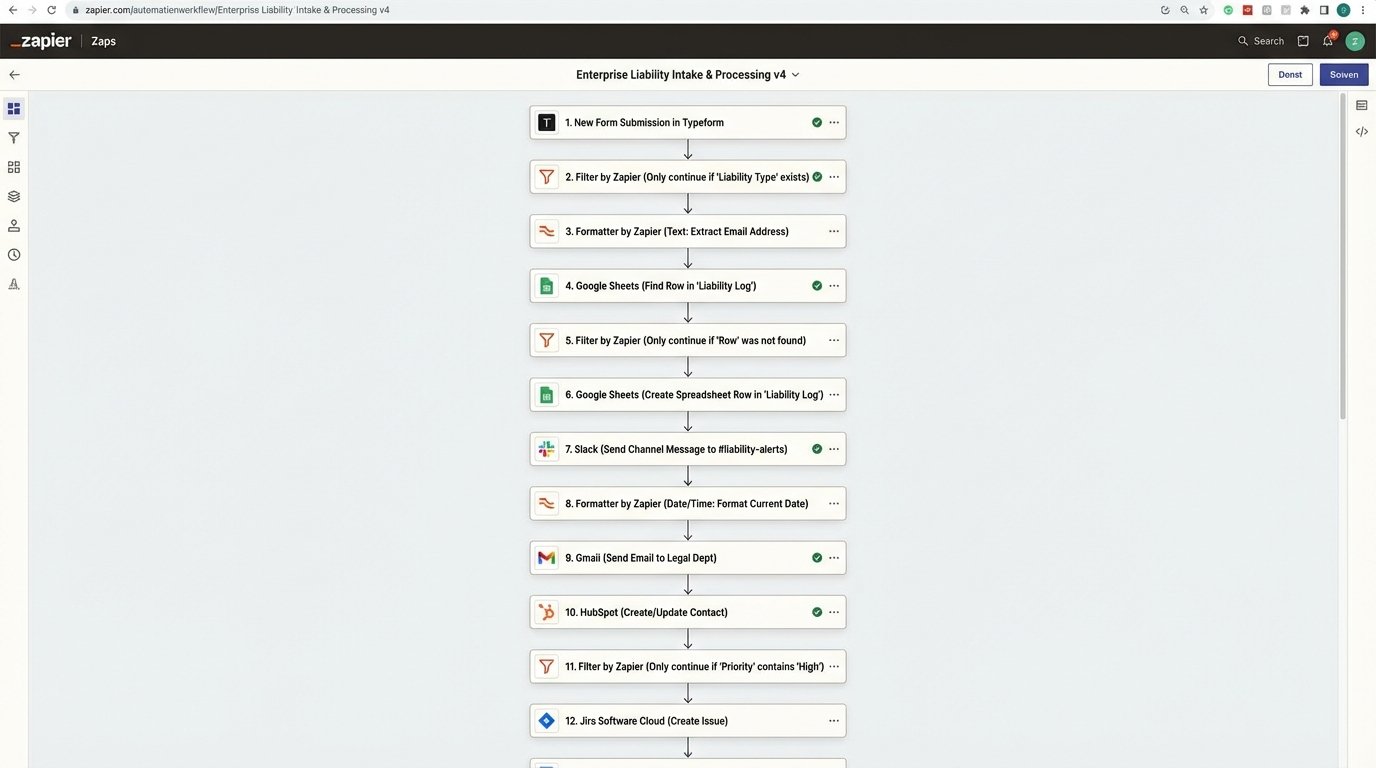
Building simple, linear Zaps is straightforward. Building reliable, high-volume automations requires understanding the architectural trade-offs inherent in the platform. A Zap with ten or more steps is not a sophisticated workflow; it is a liability. Each step adds a point of failure and increases the total execution time from seconds to potentially minutes. This is like trying to shuttle water with a long line of leaky buckets. Some is bound to get lost along the way.
Complex logic should not live inside Zapier. The “Code by Zapier” step is for trivial transformations, not for business-critical calculations. If your workflow requires multiple lookups, complex conditional logic, or data looping, you have outgrown what Zapier is designed for. At this point, the correct architecture is to have the Zap’s primary action be a webhook call to a serverless function (like AWS Lambda or Google Cloud Functions). You pass the raw data from the CRM to the function, let robust, testable code handle the complex logic, and then have the function make the final API call to the destination system. Zapier becomes the trigger, not the entire engine.
This also forces a conversation about cost. Zapier’s task-based pricing can become a massive wallet-drainer for high-volume workflows. A single trigger event that runs through a ten-step Zap consumes ten tasks. A process that runs 5,000 times a day now burns 50,000 tasks. Compare that to a serverless function, where the cost for the same workload would likely be negligible. Zapier is a tool for rapid implementation and connecting disparate systems, but it is not a cost-effective platform for running high-volume data processing jobs.
The final consideration is data integrity. Every step you add to a Zap to validate, clean, or format data adds latency. You are trading speed for correctness. For a sales alert system, speed is paramount. For a system that syncs customer data to a billing platform, correctness is non-negotiable. There is no single “best” way. You must architect your Zaps according to the specific business requirements of the data being moved, accepting that you cannot maximize for both speed and data integrity simultaneously.