
8 Zapier Recipes to Automate Real Estate Tasks
Every real estate operation bleeds efficiency from a dozen disconnected platforms. Your CRM, MLS, email, and social channels don’t talk to each other. Zapier is the digital duct tape you use to bridge these systems. But it’s not a magic fix. It’s a tool that, if used incorrectly, just automates the creation of a bigger mess. These recipes are not for beginners. They assume you know the difference between a trigger and an action and that you understand the true cost of a multi-step Zap running a thousand times a month.
Forget the marketing fluff. This is about building workflows that survive contact with reality, where APIs change without warning and lead formats get redesigned overnight. We’re going to architect automations that are resilient, auditable, and actually solve a problem instead of creating a new one.
1. Funnel New Zillow Leads Directly into a CRM
The five-minute rule for lead response isn’t a suggestion. It’s a mandate. Manually transcribing leads from Zillow notification emails into Follow Up Boss or LionDesk is a guaranteed way to lose deals. The solution is to bypass human hands entirely by using Zapier’s email parser to rip the data out of the email and inject it directly into your CRM.
The trigger is a new email sent to a dedicated `parser.zapier.com` address. You forward your Zillow lead notifications there. Inside Zapier, you build a template to extract the name, email, phone number, and property of interest. This data then populates the “Create Contact” action in your CRM. This workflow lives or dies on the consistency of the source email’s HTML structure. When Zillow’s marketing department decides to change their email template, your parser will break. You must build a fallback path that sends a notification to an admin via Slack or email upon a parsing failure. Don’t assume it will work forever.
2. Syndicate New MLS Listings to Social Media Schedulers
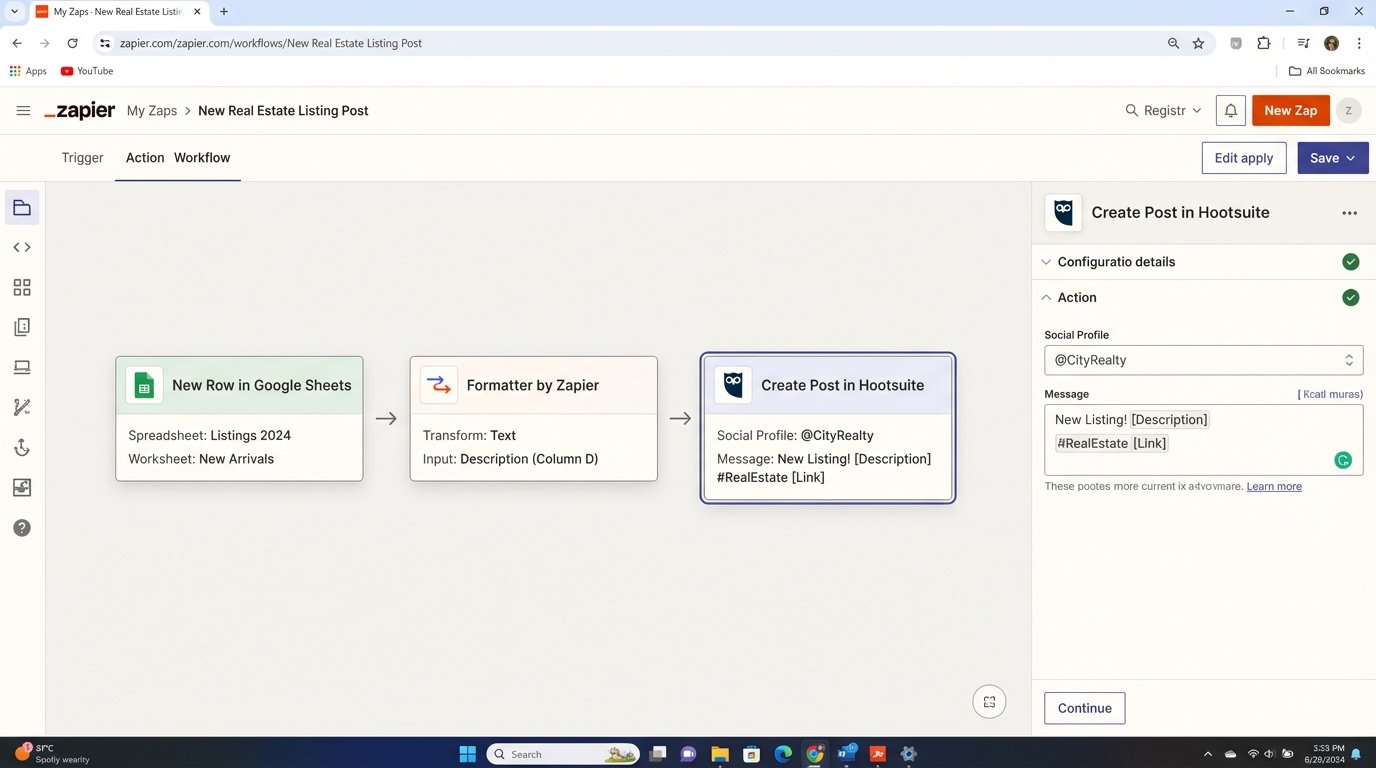
Posting every new listing to Facebook, Instagram, and LinkedIn is monotonous, soul-crushing work. We can automate this by using a Google Sheet as a staging ground. The workflow triggers when a new row is added to a specific sheet, which gets populated by an export from your MLS or a third-party IDX service. The Zap then grabs the listing data: address, price, photo URL, and description.
The real work happens in the Formatter steps. We strip the MLS description of its bizarre ALL CAPS formatting. We format the price with a currency symbol and commas. We use the URL shortener to create a clean link. Then, we push this polished content to Buffer or Hootsuite. To make posts less robotic, use a lookup table in another Google Sheet to map MLS area codes to local neighborhood hashtags, injecting a bit of relevance into the automated post.
Trying to generate unique social copy for 50 listings a day with a simple text template is like trying to paint a mural with a single rubber stamp. The output is monotonous and gets ignored.
3. Process Open House Sign-ins for Immediate Drip Campaign Enrollment
Paper sign-in sheets are a data black hole. Digital check-ins via a tablet are better, but only if the data moves instantly. Use a Google Form or a similar tool for open house registration. The trigger is “New Form Submission.” This simple action kicks off a powerful sequence.
The Zap first adds the contact to a Mailchimp or ConvertKit audience. Crucially, it must also apply a specific tag, such as `OH-123-Main-St-2024-10-26`. This tag is the key that unlocks a pre-configured automated email sequence relevant to that specific property or neighborhood. Before sending any data, insert a Filter step to logic-check the input. If the email field is blank or doesn’t contain an “@” symbol, the Zap halts. Polluting your email list with bad data is worse than not adding the contact at all.
You can even add a Code by Zapier step to clean up user input before it hits your systems. A few lines of JavaScript can standardize phone number formats, removing parentheses and dashes that can choke other platforms.
    // InputData contains the phone number from the form

    const rawPhone = inputData.phone;
// Strip non-numeric characters
const cleanedPhone = rawPhone.replace(/\D/g, '');
// Return a clean, ten-digit number
return {phone: cleanedPhone};
4. Broadcast Document Signature Events to Slack
Deals stall waiting for signatures. Email notifications from DocuSign or HelloSign are easily buried. A high-signal notification system is required. When a document is completed, the “Envelope Signed” trigger in the DocuSign Zapier app fires. The action is to post a formatted message to a team Slack channel.
Don’t just dump raw data into Slack. Format the message for clarity. It should include the client’s name, the document title (e.g., “Purchase Agreement – 456 Oak Ave”), and a direct link to the signed PDF. For larger teams, this can create a firehose of notifications. Use Zapier’s Pathing logic. If the document title contains “Listing Agreement,” route the notification to the `#listing-coordinators` channel. If it contains “Purchase Offer,” route it to `#transaction-coordinators`. This directs information to the people who need to act on it, not the entire company.
5. Sync Showing Appointments to Agent Calendars
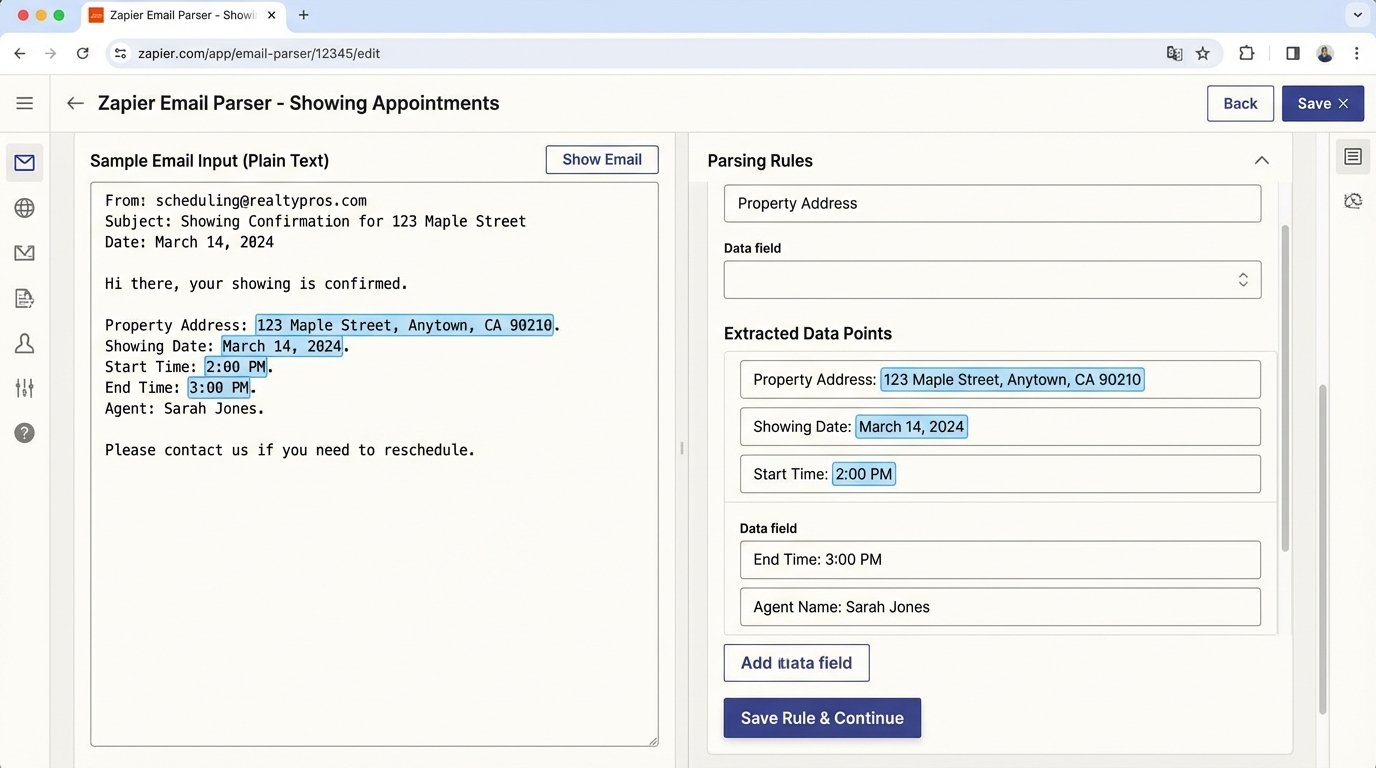
An agent’s calendar is their operational dashboard. Missed appointments or double bookings are catastrophic failures caused by manual data entry. Some showing services like ShowingTime have Zapier integrations, but they are often limited or unreliable. The fallback, once again, is the email parser.
When a showing is confirmed, an email is sent. The Zap parses this email for the critical data points: property address, date, start time, and end time. This information is used to create a detailed event in the agent’s Google Calendar. The address must be mapped to the “Location” field for one-click navigation. The buyer’s agent name and contact info should be injected into the event description. This is a brittle workflow, entirely dependent on the email’s format remaining unchanged. It’s a stopgap, not a permanent architecture.
6. Automate the Intake and Triage of CMA Requests
A Comparative Market Analysis (CMA) request from your website is a high-intent lead. Letting it sit in an inbox is malpractice. The workflow starts with a submission from a website form (Gravity Forms, Typeform, etc.). This triggers a multi-step Zap designed for accountability.
First, the Zap sends an immediate auto-responder email to the lead, acknowledging their request and setting expectations (“We’ll have your custom report ready within 24 hours.”). Second, it creates a task in a project management system like Asana or Trello. The task is assigned to an agent or an assistant, with the property address and contact details pre-filled in the description and a due date set for 24 hours out. This creates a clear, auditable trail of responsibility.
7. Trigger Post-Closing Review Requests
Asking for reviews is awkward and easily forgotten. Automate it. The trigger for this workflow is a deal stage change within your CRM. When a property moves from “Under Contract” to “Closed” in your pipeline, the Zap initiates.
It doesn’t act immediately. The first step is “Delay by Zapier.” Set a delay for 7 or 14 days to give the clients time to settle in. After the delay, the Zap sends a personalized email. It pulls the client’s first name and the agent’s name from the CRM record to make the message feel personal. The email contains direct links to your review profiles on Zillow, Google, and Yelp. A critical Filter step must be in place to ensure this Zap only runs for contacts marked as “Client,” not the co-op agent or lender who might also be attached to the deal record.
Running this workflow without a filter is like setting up a multicast stream on an open network. You will end up asking the title agent and the home inspector for a 5-star review, which is just noise.
8. Reconcile Commission Payouts with Accounting Software
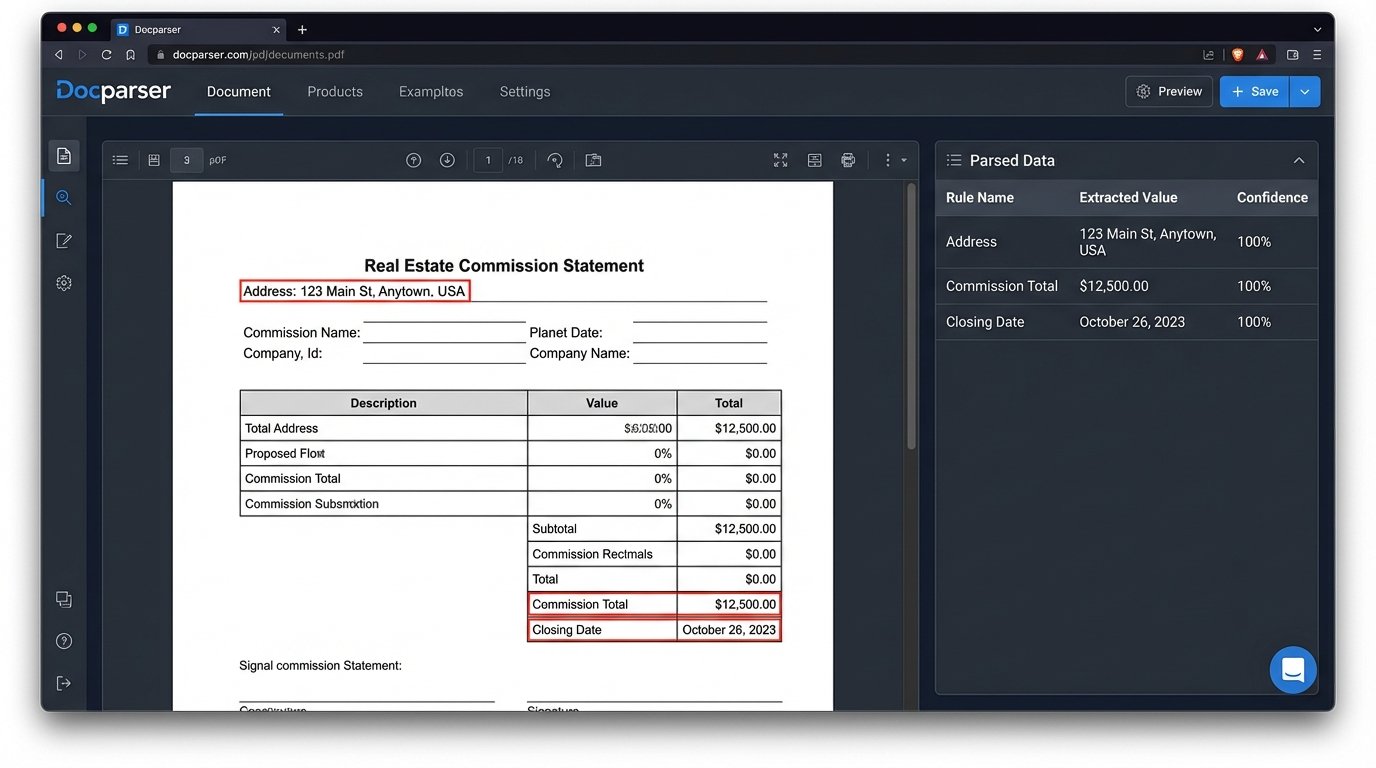
This is the most complex and fragile automation on the list. It attempts to bridge the gap between receiving a commission statement and logging it in QuickBooks or Xero. This is a wallet-drainer, requiring paid plans for Zapier and a third-party document parsing tool like Docparser.
The trigger is a new file (the commission statement PDF) being added to a specific folder in Google Drive or Dropbox. Docparser then activates, using pre-built rules to find and extract data fields like the property address, closing date, and final commission amount. These extracted data points are then passed back to Zapier, which uses them to create a new Sales Receipt in QuickBooks. The parsing rules are brittle and must be tailored to the specific format of each title company’s statements. You’ll need a different template for every variation. A robust error-handling path is not optional here. If Docparser fails to extract a required field, the Zap must halt and create a task for manual review. You cannot risk injecting bad data into your financial records.
These automations are not fire-and-forget solutions. They are systems. They require monitoring, maintenance, and occasional emergency repairs at 10 PM on a Friday when an API you depend on is suddenly deprecated. But the alternative is paying people to do robotic, low-value data entry. That is a far more expensive and failure-prone system.