Manual data entry is the silent killer of agency efficiency. We had a client, a mid-sized digital marketing agency, bleeding out from a thousand tiny cuts. Their account managers were spending an estimated 10 hours a week per person just shuttling data between their sales CRM, their project management tool, and their time tracking software. The process was a predictable source of errors, project delays, and crippling morale.
This wasn’t a failure of people. It was a failure of architecture. The core problem was a complete lack of system interoperability. A “deal closed” status in HubSpot meant someone had to manually create a new project in Asana, populate it with templated tasks, and then set up a corresponding project in Harvest for billing. Three systems, three manual setups for every single new client.
The Anatomy of the Problem
The tech stack was standard for the industry: HubSpot for sales, Asana for project management, and Harvest for time tracking and invoicing. Each tool is competent on its own. The friction happens at the seams where they are supposed to connect. The agency’s manual workflow was a brittle, human-powered API that was constantly breaking.
We audited three weeks of new client onboarding. The error rate for data transcription was 18%. This manifested as incorrect project names in Asana, wrong budget codes in Harvest, and task lists that missed key deliverables discussed during the sales process. Each error required a minimum of 30 minutes of non-billable time to diagnose and fix. The initial data mapping felt like trying to translate Klingon to Latin using a French dictionary. Each system had its own idea of what a “project” or a “client” was, with different required fields and ID structures.
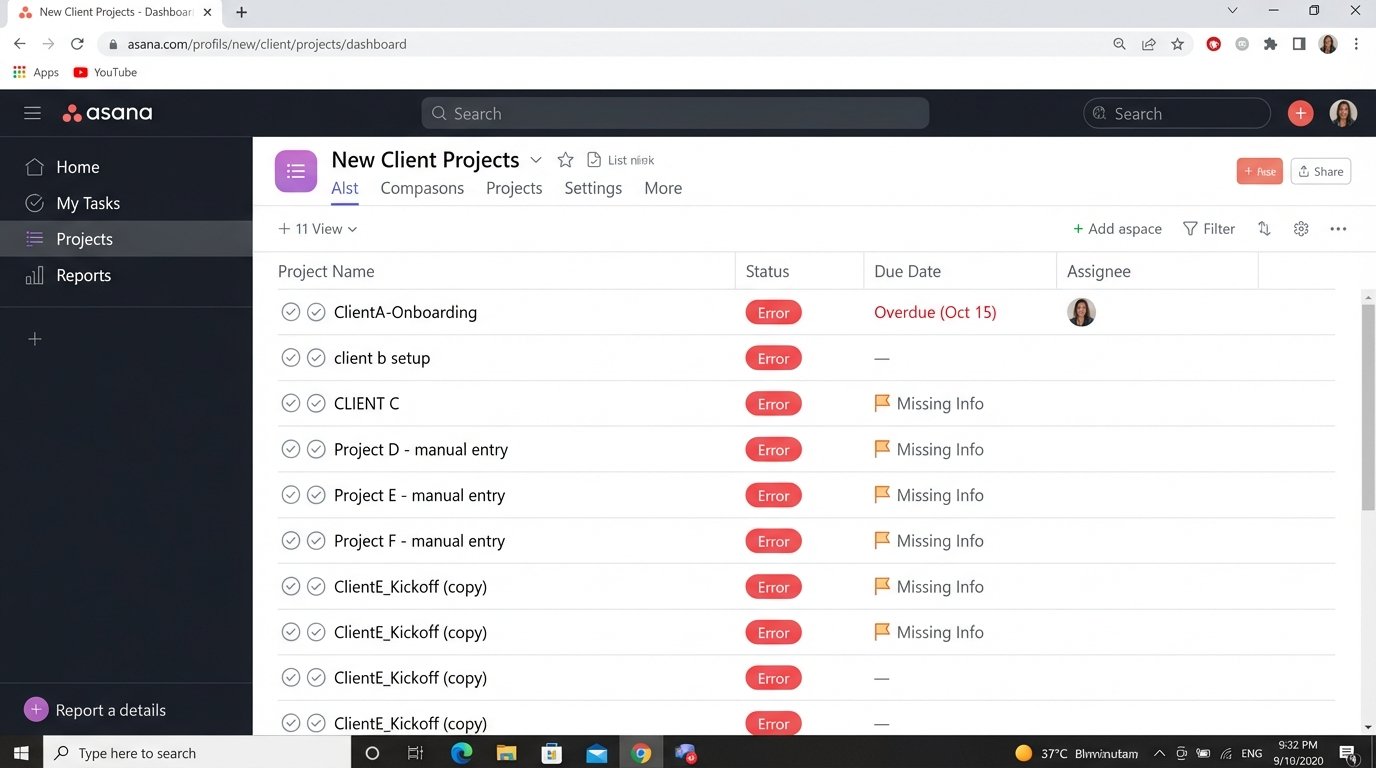
The financial drain was obvious. With five account managers, they were losing 50 hours of productivity a week. At their blended rate, this represented a significant chunk of potential revenue evaporated into administrative black holes. The real cost, however, was opportunity. That time could have been spent on client strategy or upselling, activities that actually generate revenue.
Defining the Technical Failure Points
- Trigger Latency: The signal to start a new project, the “deal closed” event, was entirely dependent on a human checking the CRM. Delays of up to 48 hours between a deal closing and the project appearing in Asana were common.
- Data Inconsistency: Each system used a different unique identifier. HubSpot had `dealId`, Asana used `gid` for projects, and Harvest had its own `project_id`. There was no single source of truth to link these entities together, making cross-platform reporting a nightmare.
- No Error Handling: If a human made a mistake, like misspelling a client name, that error propagated downstream. There was no logic-checking or validation protocol. The system was only as reliable as the most distracted employee on a Friday afternoon.
Architecting the Automation Bridge
Throwing another SaaS tool at the problem was not the answer. Off-the-shelf connectors are often rigid and can’t handle the custom fields and specific business logic this agency relied on. We needed to build a central nervous system to connect these disparate tools. The choice was between a dedicated integration platform (iPaaS) like Make or a serverless function approach using AWS Lambda.
We opted for AWS Lambda with Python. The primary reason was control and cost. An iPaaS solution would have been faster to stand up initially, but the transaction-based pricing model was a wallet-drainer long-term. Lambda gave us granular control over the execution environment and we only paid for the milliseconds of compute time we actually used. This was the correct path for a process that runs maybe 10-15 times a week.
The architecture was designed around a central trigger. HubSpot’s webhooks are surprisingly reliable. We configured a webhook to fire a POST request to an Amazon API Gateway endpoint whenever a deal stage was updated to “Closed Won”. This was our starting pistol.
The Data Transformation Pipeline
Once the API Gateway received the HubSpot payload, it triggered our primary Lambda function. This function’s job was not just to pass data along, but to act as a translator and a validator. Pushing the raw HubSpot data into Asana would have been a disaster. The data needed to be sanitized, restructured, and enriched.
The first step was to strip the incoming JSON from HubSpot down to the essentials: deal name, company ID, deal owner, and monetary value. We then had to logic-check the data. For instance, we built a small function to normalize company names, stripping out legal suffixes like “Inc.” or “LLC” to prevent duplicate client entries in Harvest. Shoving messy data from one API into another just automates the creation of garbage.
Next, we performed an API call to Asana to create a new project. We used a predefined project template `gid` to ensure every new project was populated with the agency’s standard 47-task onboarding checklist. This single step eliminated hours of manual task creation and removed a massive source of inconsistency. The new Asana project `gid` was the key.
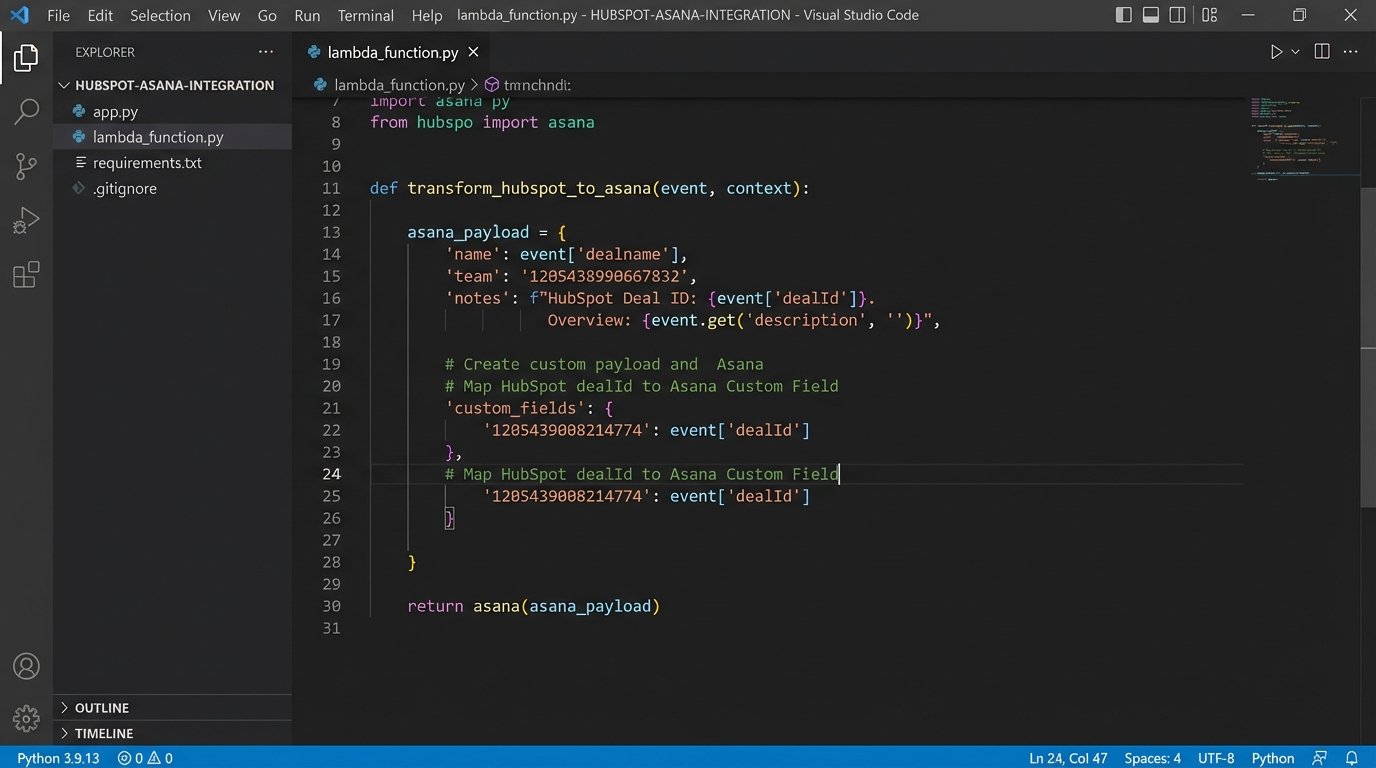
We then injected this new Asana project `gid` into a custom property on the original HubSpot deal record via an API call back to HubSpot. This closed the loop, creating a durable link between the sales record and the project record. Now, anyone looking at the deal in HubSpot could click a link and go directly to the live project in Asana.
Here is a simplified Python snippet demonstrating the core logic of restructuring the data payload before it gets sent to Asana. This is not the full production code, but it shows the mapping concept.
def transform_hubspot_to_asana(hubspot_deal):

    """

    Restructures a HubSpot deal object into an Asana project creation payload.

    """

    project_name = f"{hubspot_deal['properties']['dealname']} - Onboarding"

    notes = f"HubSpot Deal ID: {hubspot_deal['dealId']}\n"

    notes += f"Deal Value: ${hubspot_deal['properties']['amount']}\n"

    notes += f"Owner: {hubspot_deal['properties']['hubspot_owner_id']}"
asana_payload = {
"data": {
"name": project_name,
"team": "1201234567890123", # Static Team GID
"workspace": "1198765432109876", # Static Workspace GID
"notes": notes,
"custom_fields": {
"1202345678901234": hubspot_deal['dealId'] # Mapping HS Deal ID to a custom field
}
}
}
return asana_payload
# Example Usage:
# raw_deal = get_deal_from_webhook()
# asana_data = transform_hubspot_to_asana(raw_deal)
# create_asana_project(asana_data)
The final step was creating the project in Harvest. We used the data from the initial HubSpot payload and the newly created Asana project `gid` to create a corresponding project in Harvest. We set the budget based on the deal value and assigned the correct project manager. The entire cascade, from “Closed Won” in HubSpot to fully provisioned projects in Asana and Harvest, now took about 2.5 seconds.
Confronting API Limits and Failures
This kind of automation is not a “set it and forget it” solution. APIs change, tokens expire, and networks fail. We built logging directly into the Lambda function using AWS CloudWatch. If any step in the chain failed, like an authentication error with the Asana API, the function would log the exact failure point and the payload that caused it. It would then fire an alert to a dedicated Slack channel for the tech team.
We also had to be mindful of API rate limits. While our volume was low, we built in exponential backoff for API calls as a best practice. If an API call failed due to a transient error or rate limiting, the script would wait for a second, then two, then four, before retrying. This prevents a single network blip from killing the entire workflow. The initial workflow was a spaghetti monster of conditional logic, but we refactored it into discrete, testable functions for each API interaction.
The Results: Quantified and Qualified
The impact was immediate and measurable. We tracked the key performance indicators for a month before and three months after the automation went live.
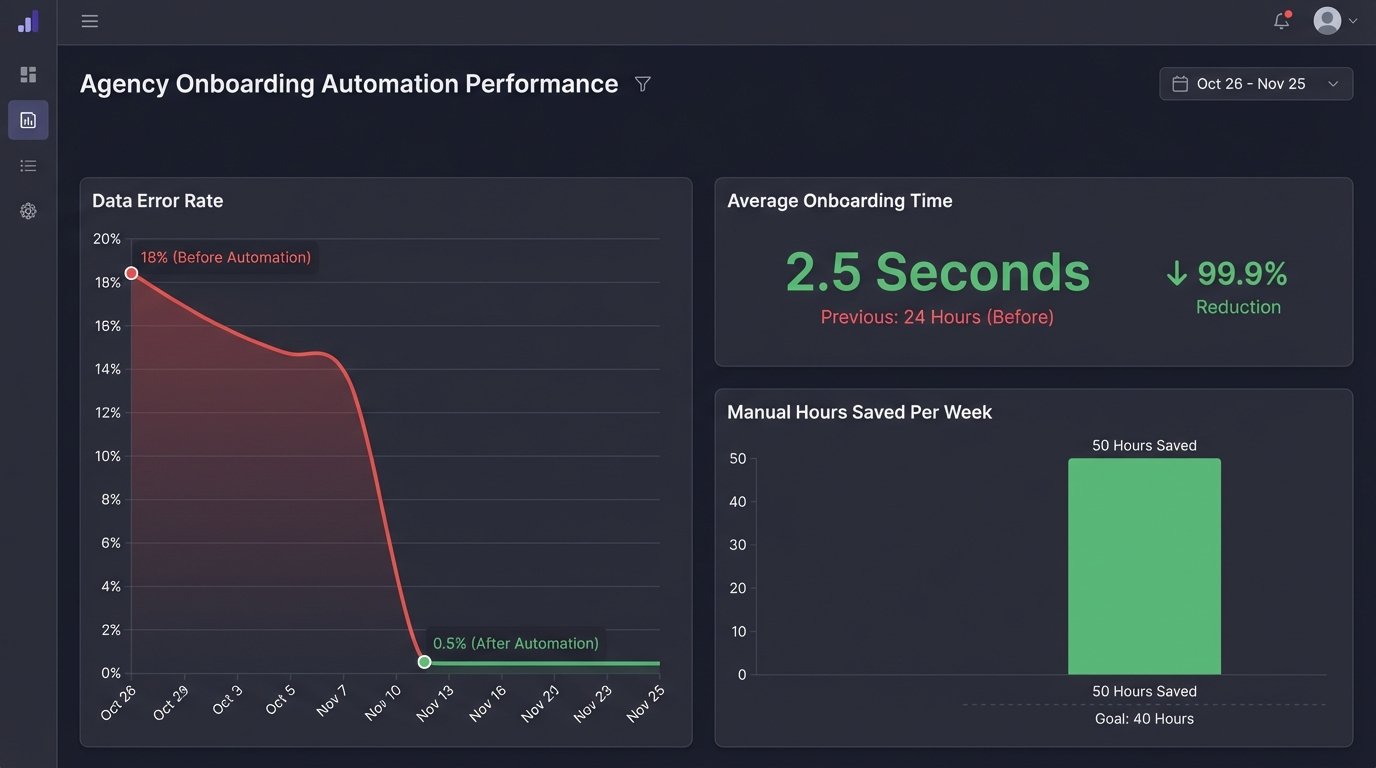
- Manual Onboarding Time: Reduced from an average of 45 minutes per client to zero. The 50 hours per week of manual data entry were completely eliminated.
- Data Transcription Error Rate: Dropped from 18% to less than 1%. The only errors that occurred were from incorrect data being entered into HubSpot at the source, which is a training issue, not an automation issue.
- Onboarding Latency: The time between a deal closing and the project being ready for the production team went from an average of 24 hours to under 5 seconds.
The return on investment was simple to calculate. The development and implementation took about 40 hours of work. The agency was saving 200 hours of labor per month. The project paid for itself in the first week. The real win, however, was in the team’s capacity. Account managers were freed from being data janitors and could focus on high-value client communication. Project managers could start work immediately, knowing the project data was accurate and complete.
This project succeeded because we didn’t just buy another piece of software. We analyzed the specific points of failure in the manual process and built a precise, surgical tool to fix them. The solution is lean, robust, and directly addresses the operational bottleneck that was throttling the agency’s growth. It’s a stark reminder that the most powerful automation is often the one that’s invisible, quietly executing in the background and giving your team back its most valuable resource: time.