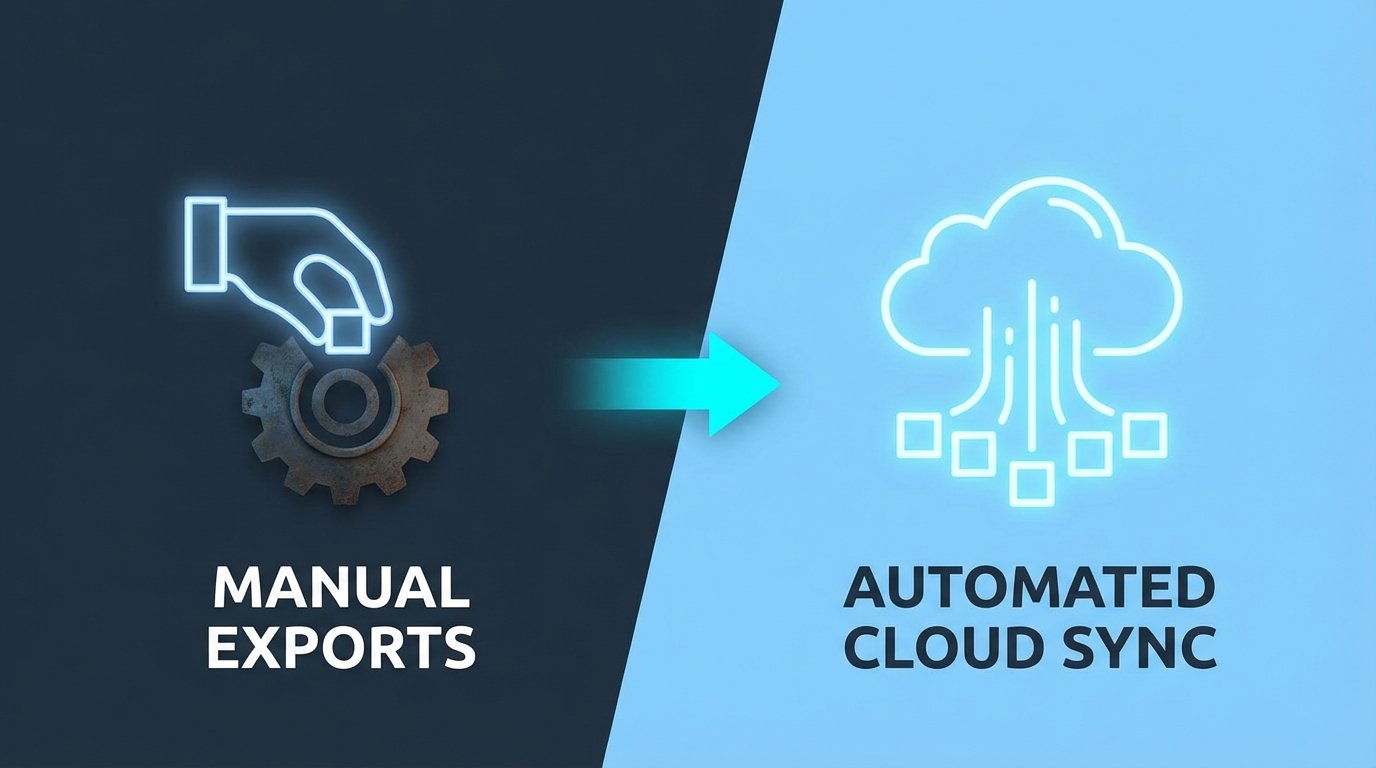
The Failure of the Manual Pull
Every team has one. The analyst who spends Monday morning pulling CSVs from a dozen different SaaS platforms. They click, drag, format, and merge data from Google Analytics 4, Search Console, Semrush, and whatever other tool was sold to marketing last quarter. The final report is a monument to manual effort, and it’s already stale the moment it’s finished.
This process is not just slow. It is a vector for failure. Columns get misaligned. Filters are forgotten. A single distracted click poisons the entire dataset, and nobody knows until a VP questions a chart in a board meeting. Relying on a human to be a copy-paste machine is an architecture of hope.
It always breaks.
The First Bad Fix: Cron Jobs on a Dusty Server
The initial attempt to fix this is always a script. A junior engineer writes a Python script using a vendor’s client library, sets it to run on a cron schedule, and dumps the output to a network drive. For a week, it feels like a victory. Then the API token expires. Or the server needs a reboot. Or the engineer who wrote it leaves the company, and nobody knows how to update the hardcoded credentials.
This approach simply shifts the point of failure from a human click to a fragile, unmonitored process. It is a black box running in a closet. When it inevitably chokes, the team reverts to manual pulls while someone tries to decipher a script with zero comments and no logging. You’ve just traded one problem for another, more technical one.
The Core Problem: Tightly Coupled Architecture
The fundamental flaw in the local script approach is its monolithic design. The script is responsible for everything: authentication, extraction, transformation, and loading. If the API endpoint is slow, the whole script hangs. If the destination database is down, the data is lost. You are forcing a single process to juggle multiple, independent tasks, which is the equivalent of trying to perform surgery with a single wrench.
A production-grade system requires decoupling these steps. Each stage of the data’s journey must be isolated, idempotent, and independently verifiable. The extraction should not care about the final destination, and the loading process should not depend on the source API’s uptime.
A Proper Fix: Event-Driven Cloud Architecture
The solution is to stop thinking in terms of scripts and start thinking in terms of a pipeline. We use serverless functions and cloud storage to build a resilient, observable system that treats data as an asset to be moved and processed through discrete stages. The goal is not just automation. The goal is reliability.
The architecture is straightforward. A scheduler triggers a cloud function. The function pulls raw data and drops it into a storage bucket. The arrival of that file in the bucket triggers a second function that cleans and loads the data into a warehouse. Each component does one job and has no awareness of the others.
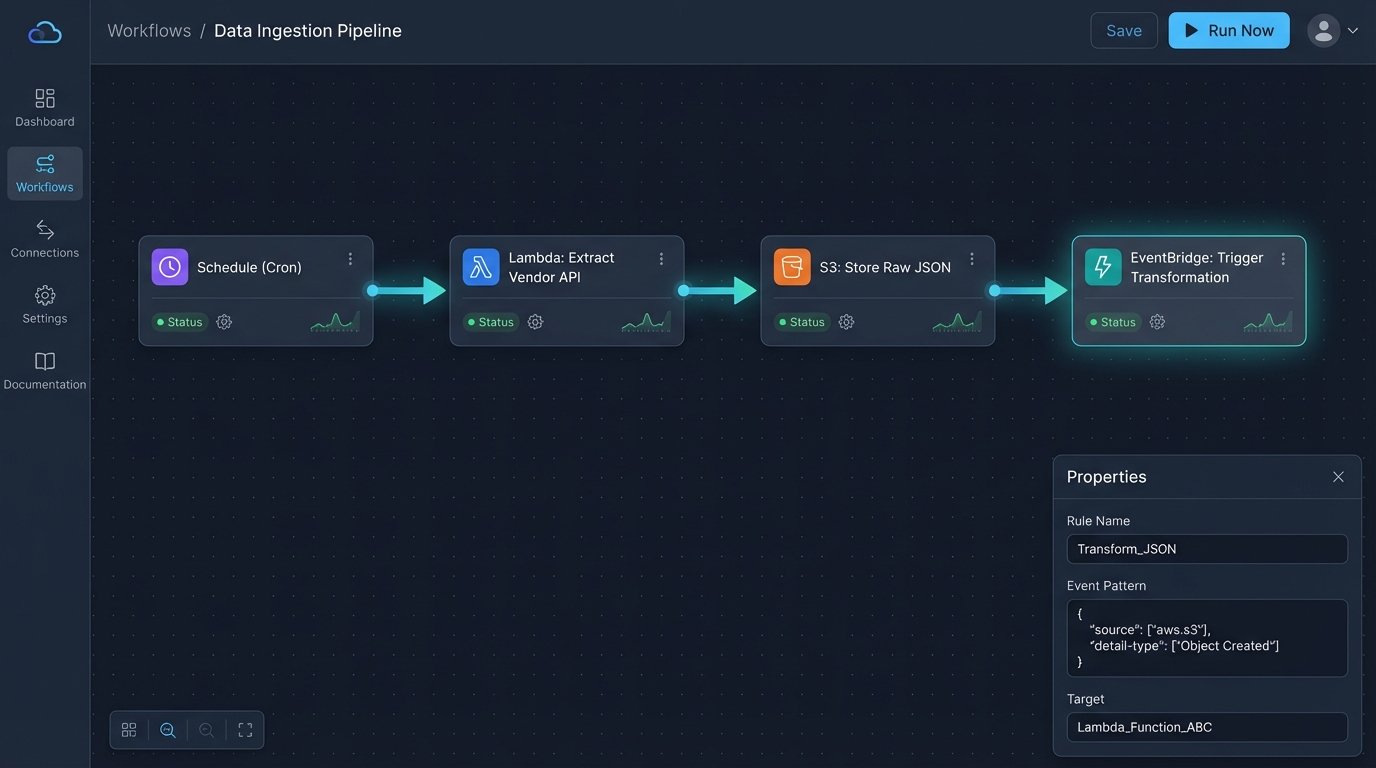
Stage 1: Scheduled Extraction with Serverless Functions
We replace the cron job with a scheduled trigger that invokes a serverless function, like AWS Lambda or Google Cloud Functions. This function’s sole responsibility is to connect to a third-party API and pull data. All credentials and API keys are managed through a secrets manager, not hardcoded in the script. The function’s logic is stripped down to the bare essentials: authenticate, request, and dump.
The output is not a clean table. It is a raw, timestamped JSON or CSV file dropped directly into a cloud storage bucket like S3 or GCS. This raw data lake is your source of truth. If anything downstream fails, you can always re-process the raw file without hitting the source API again, which is critical for staying under rate limits.
This is your get-out-of-jail-free card for data corruption.
A basic Python function for this stage might look something like this. Notice the focus on error handling and dumping the raw response, not processing it.
import os

import json

import requests

import boto3

from datetime import datetime
# Environment variables should be set in the function's configuration
API_KEY = os.environ.get('VENDOR_API_KEY')
API_ENDPOINT = 'https://api.vendor.com/v3/data'
BUCKET_NAME = os.environ.get('RAW_DATA_BUCKET')
s3 = boto3.client('s3')
def lambda_handler(event, context):
headers = {
'Authorization': f'Bearer {API_KEY}',
'Content-Type': 'application/json'
}
params = {
'date_range': 'last_7_days',
'metrics': 'clicks,impressions,ctr'
}
try:
response = requests.get(API_ENDPOINT, headers=headers, params=params, timeout=30)
response.raise_for_status() # Raises HTTPError for bad responses (4xx or 5xx)
except requests.exceptions.RequestException as e:
print(f"API request failed: {e}")
# Add alerting logic here (e.g., publish to SNS)
raise
raw_data = response.text
timestamp = datetime.utcnow().strftime('%Y-%m-%d-%H-%M-%S')
file_key = f"vendor-data/{timestamp}.json"
try:
s3.put_object(
Bucket=BUCKET_NAME,
Key=file_key,
Body=raw_data
)
except Exception as e:
print(f"Failed to write to S3: {e}")
# Alerting for storage failure
raise
return {
'statusCode': 200,
'body': json.dumps(f'Successfully ingested data to s3://{BUCKET_NAME}/{file_key}')
}
Stage 2: The Staging Bucket as a Buffer
The cloud storage bucket is not just a landing zone. It is a critical decoupling mechanism. It separates the act of fetching data from the act of processing it. The extraction function’s job is done the moment the file is written. It doesn’t need to wait for a database connection or worry about table schemas.
This buffer allows for asynchronous processing. If you have five different data sources, five separate functions can all dump their raw data into the bucket concurrently. The downstream processing can handle them as they arrive. It also provides a clear audit trail. You have a versioned, timestamped history of every piece of raw data ever pulled.
Stage 3: Transformation and Loading
The arrival of a new object in the storage bucket triggers the next stage. This can be another serverless function or a dedicated ETL job. This process picks up the raw file, parses it, cleans the data, enforces a schema, and loads it into a destination like Google BigQuery, Snowflake, or Amazon Redshift.
This is where you handle the messy reality of API data. You might need to flatten nested JSON, cast data types, rename columns to match your internal standards, and handle null values. By isolating this logic here, you can modify it without ever touching the extraction code. If the marketing team needs a new derived field, you edit the transformation function, not the API puller.
Confronting the Real-World Problems
This architecture is sound, but it is not magic. Production environments introduce chaos that must be managed. Failure is not an exception. It is an operational certainty.
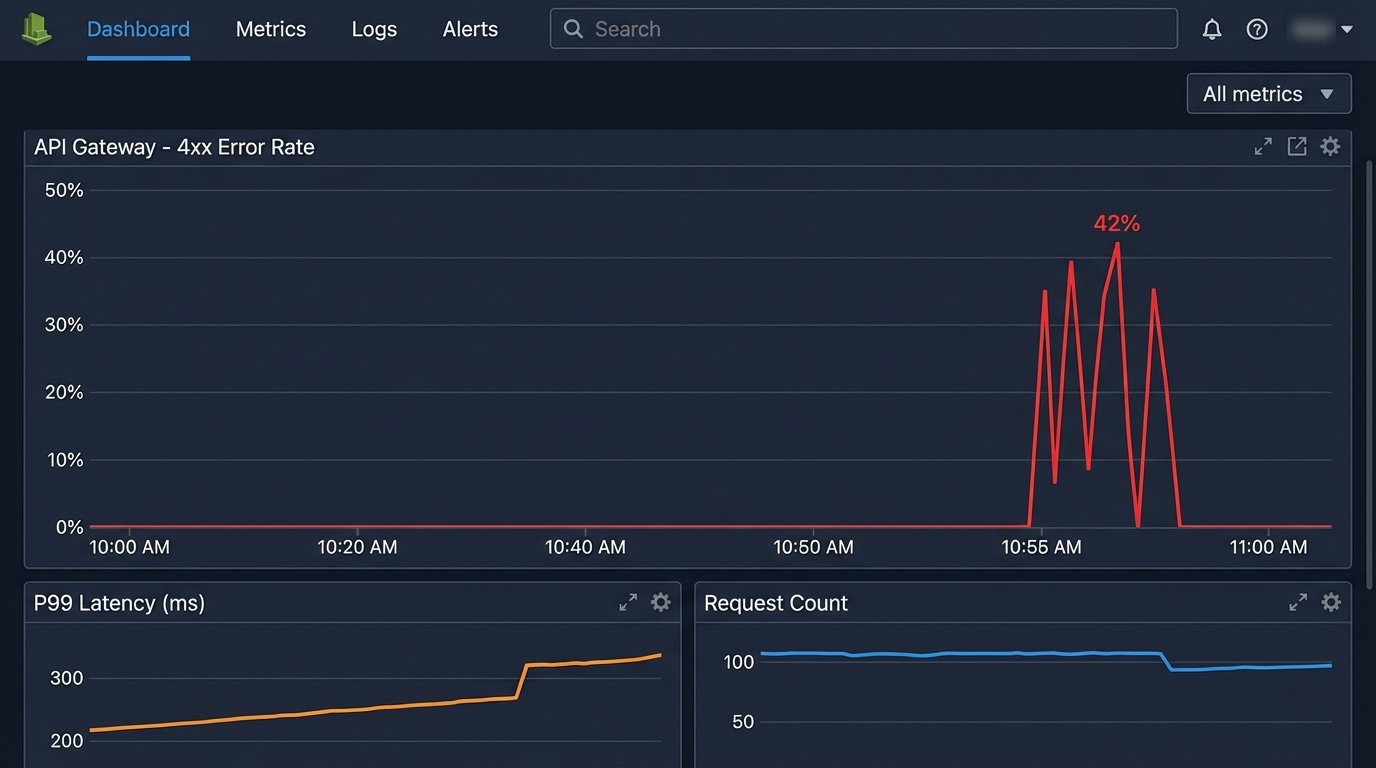
Pain Point: API Rate Limits
Your biggest enemy will be the API rate limit. Hitting an endpoint too frequently will get your requests throttled or your key temporarily banned. The raw data bucket helps, as you only pull data once. For large datasets that require pagination, you must build politeness into your extraction function. This means respecting `Retry-After` headers, implementing exponential backoff logic, and logging every request to debug throttling issues.
Do not just wrap your request in a simple retry loop. That is how you cause a denial-of-service attack against the API and get yourself blocked permanently.
Pain Point: Schema Drift
One day, a vendor will update their API. A column you depend on will disappear, or a new one will be added. In a tightly coupled script, this would cause an immediate crash. In our decoupled architecture, the extraction function will likely still succeed, dumping the malformed raw data into the bucket. The failure will occur in the transformation step, which is exactly where it should.
Your transformation logic needs to be defensive. It should not assume a fixed set of columns. It should validate the incoming data against an expected schema. If the validation fails, the function should route the problematic file to a “dead-letter queue” or a separate bucket for manual inspection and trigger an alert. The main pipeline continues to run, processing valid files, while you investigate the anomaly.
This prevents one bad file from halting all data ingestion.
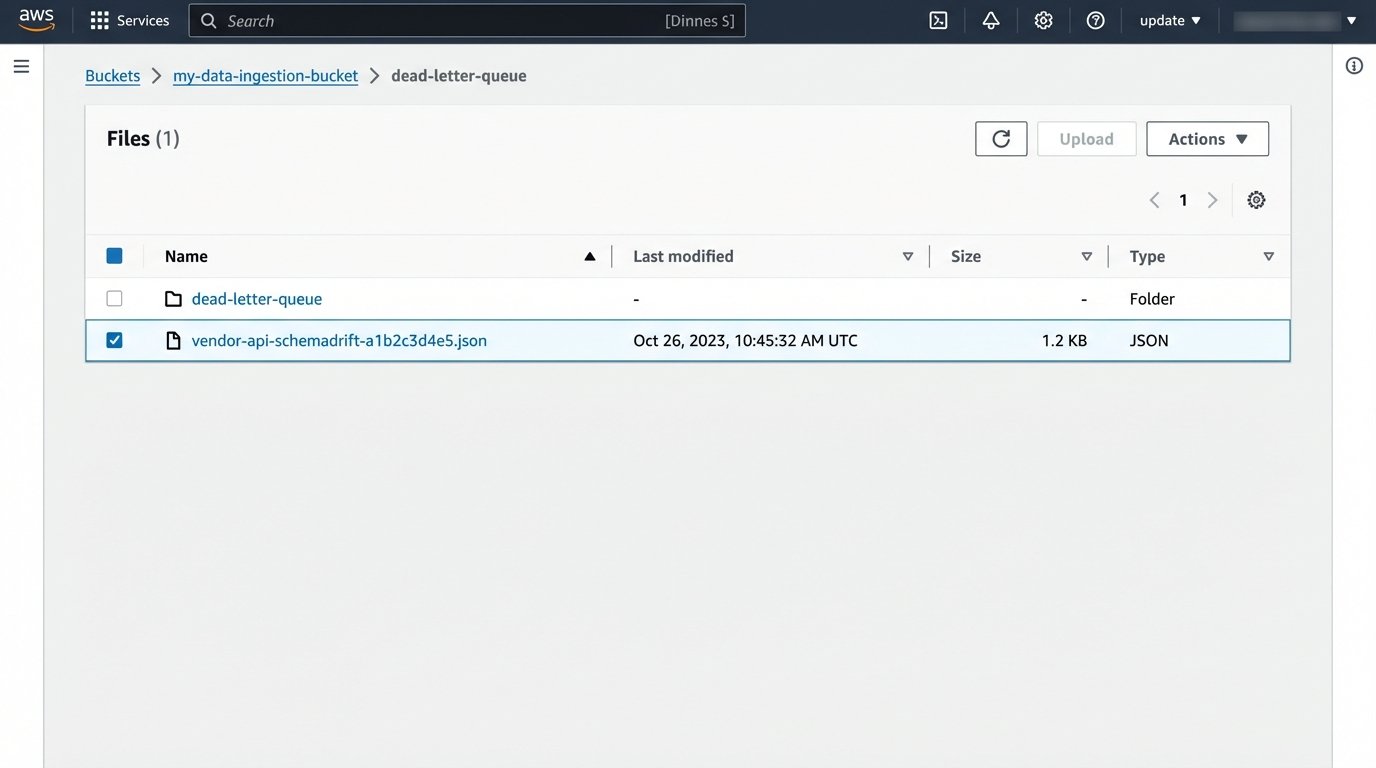
Pain Point: Monitoring and Alerting
Since this system is composed of distributed components, you need centralized monitoring. A dashboard in CloudWatch or Google Cloud Monitoring is not optional. You need to track function invocations, error rates, and execution duration. More importantly, you need business logic alerts.
An alert for “function crashed” is basic. A better alert is “function succeeded but ingested zero rows.” This catches silent failures where the API returns a 200 OK with an empty payload. You should also set alerts for when a file lands in the dead-letter queue. The goal of monitoring is not to know that something broke, but to know *why* it broke, without having to SSH into a machine.
- Log everything. Log the request headers, the response status code, and the first 100 characters of the payload for every API call.
- Track execution time. If your function suddenly takes 10 times longer to run, the source API might be having performance issues.
- Alert on anomalies, not just errors. A sudden drop in data volume is often a more important signal than a simple stack trace.
Building this pipeline is more work upfront than writing a simple script. It requires an understanding of cloud services and a defensive mindset. But the result is a system that can weather API changes, network blips, and bad data without manual intervention at 3 AM.
It stops the bleeding from a thousand tiny cuts caused by manual data entry and fragile scripts.