Most real estate software is a closed box. You get a UI, some canned reports, and an automation engine designed by people who have never had to debug a failed data sync at 2 AM. The promise is efficiency. The reality is a Frankenstein’s monster of Zapier connections and manual CSV imports held together with hope.
This is not a marketing list. This is a technical breakdown of platforms that offer automation hooks that are actually usable. We are looking at API access, webhook reliability, and workflow logic that does not fall apart under pressure. Forget the sales pitch. We are interested in the engine, not the paint job.
1. Follow Up Boss
Core Automation Engine
Follow Up Boss centers its automation on a concept they call Action Plans. These are multi-step sequences of tasks, emails, and text messages triggered by events like a new lead inquiry or a tag being applied. The real power is not in the UI-driven plans but in its REST API and webhooks. You can programmatically start or stop an Action Plan for any contact, injecting external logic into their native sequences.
The system’s logic is event-driven and surprisingly fast for a SaaS CRM in this price range.
Pain Point & Use Case
Your agents are getting Zillow leads, but you need to qualify them with a third-party AI before they hit an agent’s inbox. The standard Zillow integration dumps them straight into the pond. Using the FUB API, you build a small service that catches the Zillow webhook, passes the lead data to your AI for scoring, and then uses a POST request to create the contact in FUB with a specific tag like `AI_Qualified_Hot`. A separate workflow inside FUB triggers an aggressive Action Plan only when that specific tag is present.
This bypasses the native integration and lets you force your own business logic into the lead flow.
The Catch
Their API rate limit is a bit tight at 150 requests per minute per API key. If you are doing a bulk data migration or a heavy back-sync, you will hit that ceiling. You must build in exponential backoff and queuing into your scripts, because their system will just return a `429 Too Many Requests` and drop your data on the floor without a second thought.
2. Propertybase GO
Core Automation Engine
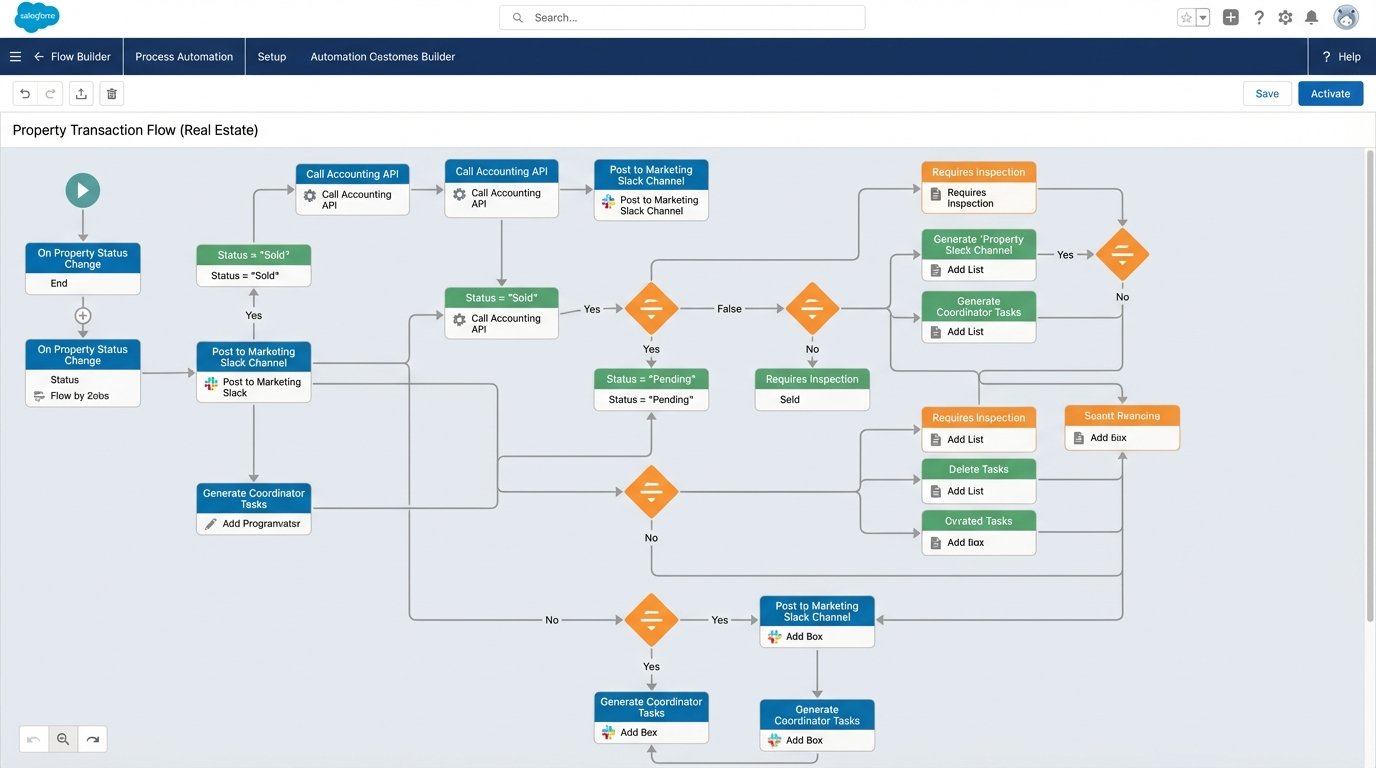
Built on Salesforce, its automation is all about Process Builder and Flows. This is not some lightweight, proprietary rules engine. It’s a full-fledged enterprise automation tool where you can build complex, multi-path logic trees that manipulate any object in the system. You can create platform events, call external services via Apex, and update records across different objects in a single transaction.
The granularity is its main strength. You can trigger automation based on a change to a single field.
Pain Point & Use Case
A property’s status changes from `Active` to `Under Contract`. You need to do more than just update a field. You need to create a transaction record in a separate accounting system, notify the marketing team to pull all ads for that MLS number, and schedule a series of follow-up tasks for the transaction coordinator. A Salesforce Flow can orchestrate this entire sequence. It calls the accounting system’s API, posts a message to a Slack channel, and generates the task records with dynamic due dates.
You are essentially building a state machine for your entire transaction process.
The Catch
It’s a wallet-drainer. You are paying for the Salesforce platform, and debugging Flows is a special kind of hell. The error messages are cryptic, and tracing a failed run through the debug logs feels like reading stack traces from the 90s. One misconfigured node can halt your entire business process with very little indication of where it broke.
3. kvCORE
Core Automation Engine
kvCORE’s automation is heavily focused on lead nurturing through its Smart Campaigns. These are long-term drip campaigns that mix email, text, and task generation. The key differentiator is their behavioral tracking. The system watches a lead’s activity on your IDX website, such as viewing a property multiple times or saving a search, and can automatically adjust the campaign or alert an agent.
It tries to automate the “when” of communication, not just the “what”.
Pain Point & Use Case
An old lead in your database, cold for six months, suddenly starts browsing listings in a specific neighborhood. A typical CRM would do nothing. kvCORE detects this behavioral shift, can automatically trigger a new campaign specific to that neighborhood, and sends an alert to the assigned agent saying “Cold Lead John Doe is now looking at properties in Oak Lawn”.
This allows agents to re-engage with timely, context-aware information instead of a generic “just checking in” email.
The Catch
The automation logic is almost entirely a black box. You cannot directly modify the behavioral triggers, and their API for automation is limited. You can push leads in and pull data out, but you cannot programmatically control the Smart Campaigns with the same level of precision as other platforms. You are stuck with their logic, for better or worse.
4. AppFolio
Core Automation Engine
This is property management software, so its automation is built around operational workflows, not sales. Think leasing, maintenance, and accounting. Its engine allows you to define workflows for tasks like processing a rental application. It can automatically run a background check via an integration partner, generate a lease document from a template, and send it for e-signature once the check clears.
It is all about reducing the manual administrative load of property management.
Pain Point & Use Case
A tenant submits a maintenance request online for a leaky faucet. A configured AppFolio workflow can automatically parse the request type, assign it to a pre-approved plumber from your vendor list, issue a work order, and notify the tenant that a vendor has been assigned. No property manager had to manually read the request and make a phone call.
The goal is to automate the entire lifecycle of a work order, from submission to vendor payment.
The Catch
The integrations are rigid. You use their preferred partners for background checks or e-signatures, or you do it manually. Their API, AppFolio Stack, is newer and designed for connecting partners, not for deep, custom development. Getting direct access to build your own integrations requires jumping through significant partnership hoops. It is not an open ecosystem.
5. BoomTown
Core Automation Engine
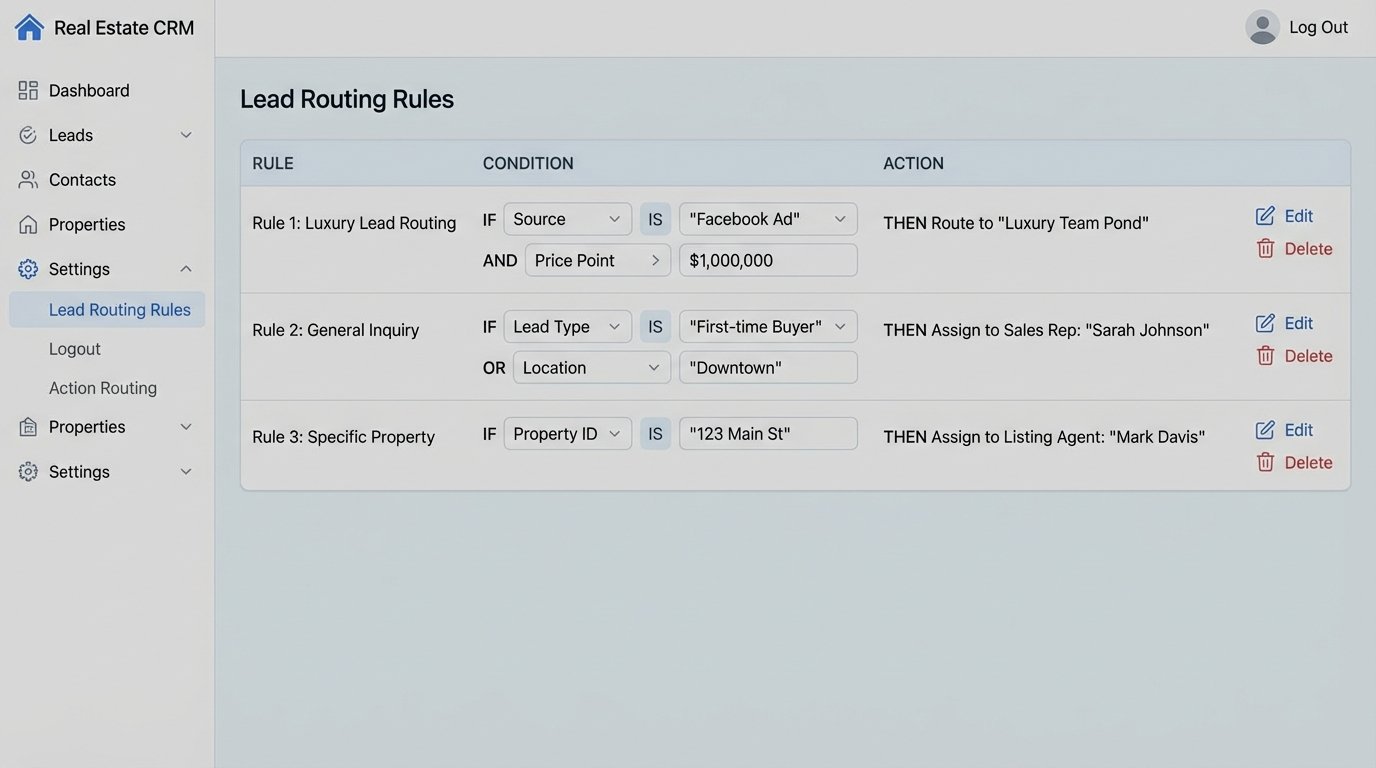
BoomTown’s automation is predicated on lead routing and distribution. For large teams or brokerages, this is critical. Its engine lets you build complex rules for who gets what lead. The rules can be based on round-robin, zip code, lead source, or even price point. The automation is designed to ensure the right agent gets the lead within seconds of its arrival.
Speed-to-lead is the entire philosophy behind its automation features.
Pain Point & Use Case
A new lead comes in from a Facebook Ad for a luxury condo downtown. Your brokerage has a dedicated team for high-value urban properties. The BoomTown routing engine immediately identifies the lead source (Facebook) and the property’s location, bypasses the general agent pool, and pushes the lead directly to the luxury team’s “first to claim” pond.
This prevents a million-dollar lead from sitting in the inbox of a rookie agent who specializes in suburban rentals.
The Catch
Beyond lead routing and basic drips, the automation capabilities are shallow. The platform is not built for complex, multi-stage transaction management or deep back-office automation. Its API is functional for CRM data but lacks endpoints to control the more advanced parts of the system. Trying to use it as an all-in-one brokerage OS is like shoving a firehose through a needle; it’s just not built for that kind of pressure.
6. Real Geeks
Core Automation Engine
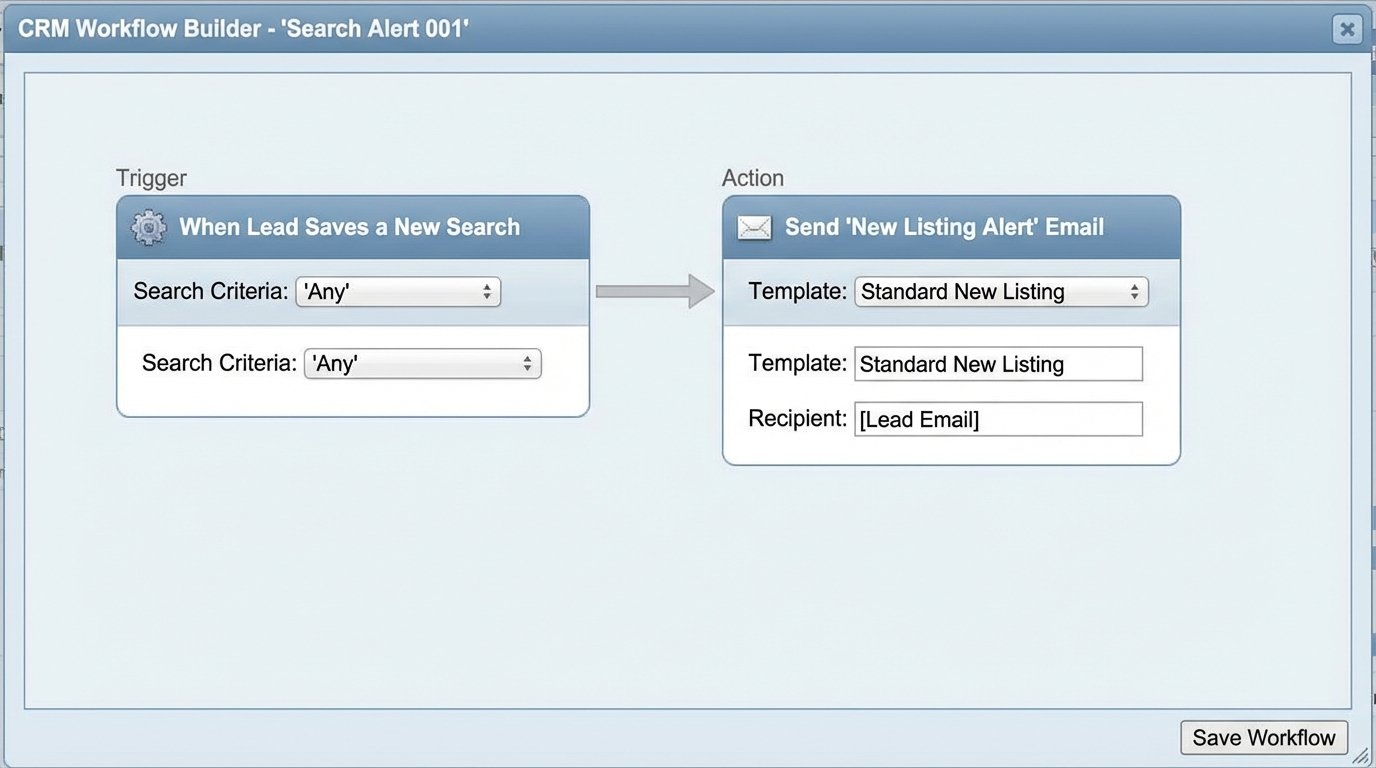
The core here is a tight integration between their IDX website and their CRM. The automation triggers are almost exclusively based on a lead’s website activity. The system logs every search, every viewed property, and every saved home. Workflows can then trigger emails and texts that reference this specific activity, making the automated communication feel personal.
It automates conversations by using the lead’s own actions as the script.
Pain Point & Use Case
A lead saves a search for three-bedroom homes under $500k in a specific school district. The next day, a new property matching these exact criteria hits the market. The Real Geeks system automatically sends an email and a text to that lead: “Hi Jane, a new three-bedroom home just listed in the Northwood school district for $475k. View it here.”
This is a high-value automated touchpoint that required zero agent intervention.
The Catch
The system is an island. Its API is notoriously basic, providing read-only access to leads and not much else. There are no webhooks to notify external systems of events. If you want to get data out and into another system, you are either using a third-party connector like Zapier, which is slow, or you are running a script to poll their API on a schedule. Real-time integration is a fantasy.
7. Brivity
Core Automation Engine
Brivity’s automation is built around task lists and plans, which they call “Action Plans.” It is heavily checklist-oriented. When a property moves to a new status, like from `Listed` to `Pending`, a pre-defined checklist of tasks is automatically applied to the transaction. This ensures procedural consistency for things like compliance, marketing, and client communication.
It’s designed to force a standard operating procedure on every single deal.
Pain Point & Use Case
A new listing agreement is signed. The agent sets the property status to `Active Listing`. Brivity automatically generates 25 tasks: “Order Yard Sign,” “Install Lockbox,” “Schedule Photographer,” “Submit to MLS,” “Create Social Media Graphics,” and so on. Each task can be assigned to a specific person on the team with a due date relative to the listing date.
This prevents critical steps from being missed in the chaos of a new listing.
The Catch
The automation is not particularly intelligent. It is a blunt instrument. It cannot dynamically alter a plan based on property details or client input. If a plan has 25 steps, all 25 steps are getting created, even if some do not apply. You end up with users manually deleting irrelevant tasks, which adds noise and reduces the signal of the automation.
8. Yardi Breeze
Core Automation Engine
Another property management platform, but its automation focuses on the financial side. Yardi can automate rent collection, late fee calculation and application, and CAM reconciliations for commercial properties. You set the rules of the lease in the system, and Yardi executes them month after month. It can automatically generate invoices, process ACH payments, and allocate funds to the correct owner accounts.
The engine is basically an accountant that never sleeps or makes math errors.
Pain Point & Use Case
You manage a 100-unit apartment building. On the 1st of the month, Yardi posts rent charges to all 100 tenant ledgers. On the 6th, it checks who has not paid, automatically adds a pre-configured $50 late fee to their account, and sends them an automated reminder email. This all happens without a human touching a keyboard.
It removes the manual, error-prone process of tracking and penalizing late payments.
The Catch
Customization is extremely limited, and the system is notoriously difficult to integrate with. Getting data out for custom reporting or into a different business intelligence tool is a significant challenge. You are largely confined to their canned reports and their way of doing things. The data feels like it’s in a vault, and they only give you a few specific keys.
Here’s a sample webhook payload that many simpler systems might send. Notice the flat structure. More complex systems will nest objects, which makes parsing a headache without a defined schema.
{

  "event": "new_lead",

  "lead_id": "12345-ABC",

  "timestamp": "2023-10-27T10:00:00Z",

  "source": "Zillow",

  "contact": {

    "name": "John Doe",

    "email": "johndoe@example.com",

    "phone": "555-123-4567"

  },

  "property_inquiry": {

    "mls_id": "XYZ-987",

    "address": "123 Main St, Anytown, USA"

  }

}
This is clean. Often, you will get a dozen custom fields thrown into the root object with cryptic names.
9. Sierra Interactive
Core Automation Engine
Sierra’s strength is its tight coupling of forced lead registration on their IDX sites with automated follow-up. You can configure rules like “allow viewing 3 properties, then force registration.” Once registered, the system’s “Action Plans” take over. These are similar to other platforms, but the execution is reliable and the triggers are tied directly to very specific user behaviors you define on the front end.
It excels at converting anonymous traffic into registered leads and starting a conversation immediately.
Pain Point & Use Case
You want to capture leads interested in a new development. You create a specific landing page and IDX search for that development on your Sierra site. You set the registration rule to be immediate upon viewing a property. The moment a user registers, they are dropped into a 12-month action plan designed specifically for that development, with emails highlighting floor plans, community features, and construction updates.
This segments and automates nurturing for a specific niche without agent intervention.
The Catch
The platform feels dated. The UI for building automation rules is clunky, and while it works, it lacks the flexibility of modern workflow builders. The API is an afterthought, and like Real Geeks, real-time integration with other best-of-breed tools is a persistent source of frustration. You are mostly stuck inside their ecosystem.
10. Chime
Core Automation Engine
Chime throws an AI layer on top of standard drip campaigns. Its “AI Assistant” can engage in surprisingly natural text message conversations with new leads to qualify them. It asks about their timeline, if they are working with an agent, and if they are pre-approved for a loan. The automation is not just sending messages; it’s parsing responses and making decisions.
It’s an attempt to automate the tedious initial qualification chat that agents hate.
Pain Point & Use Case
A lead registers on your site at 11 PM on a Friday. No agent is going to respond. The Chime AI Assistant immediately sends a text: “Hi, this is the virtual assistant for ABC Realty. Thanks for visiting our site. Are you just browsing, or are you looking to buy a home in the next 3-6 months?” Based on the response, it can ask follow-up questions and then summarize the conversation in a note for the agent to review in the morning.
This engages the lead while they are hot, regardless of the time of day.
The Catch
The AI is a black box and can be a double-edged sword. You have some control over its scripts, but not total control. Sometimes it misinterprets a lead’s response or continues a conversation when a human should have taken over. Placing your brand’s first impression in the hands of an algorithm you do not fully control requires a leap of faith and constant monitoring.