Stop Buying Leads You Can’t Call
The five-minute rule for lead response is a marketing fantasy. Most leads are functionally dead after 90 seconds. The goal isn’t five minutes; it’s under 60 seconds from form submission to a ringing phone. Anything else is operational waste. This isn’t about better sales scripts or motivated reps. It’s a plumbing problem. Your systems are too slow, too disconnected, and leak potential revenue at every asynchronous hop.
This guide blueprints a stack that forces a sub-60-second response time. It is not cheap. It is not simple. It requires direct API manipulation and a fundamental distrust of any “native” integration that claims to be real-time. We will build a high-speed data conduit that treats lead ingestion as a time-critical transaction, because that’s exactly what it is.
The Core Architecture: A Five-Piece Chain
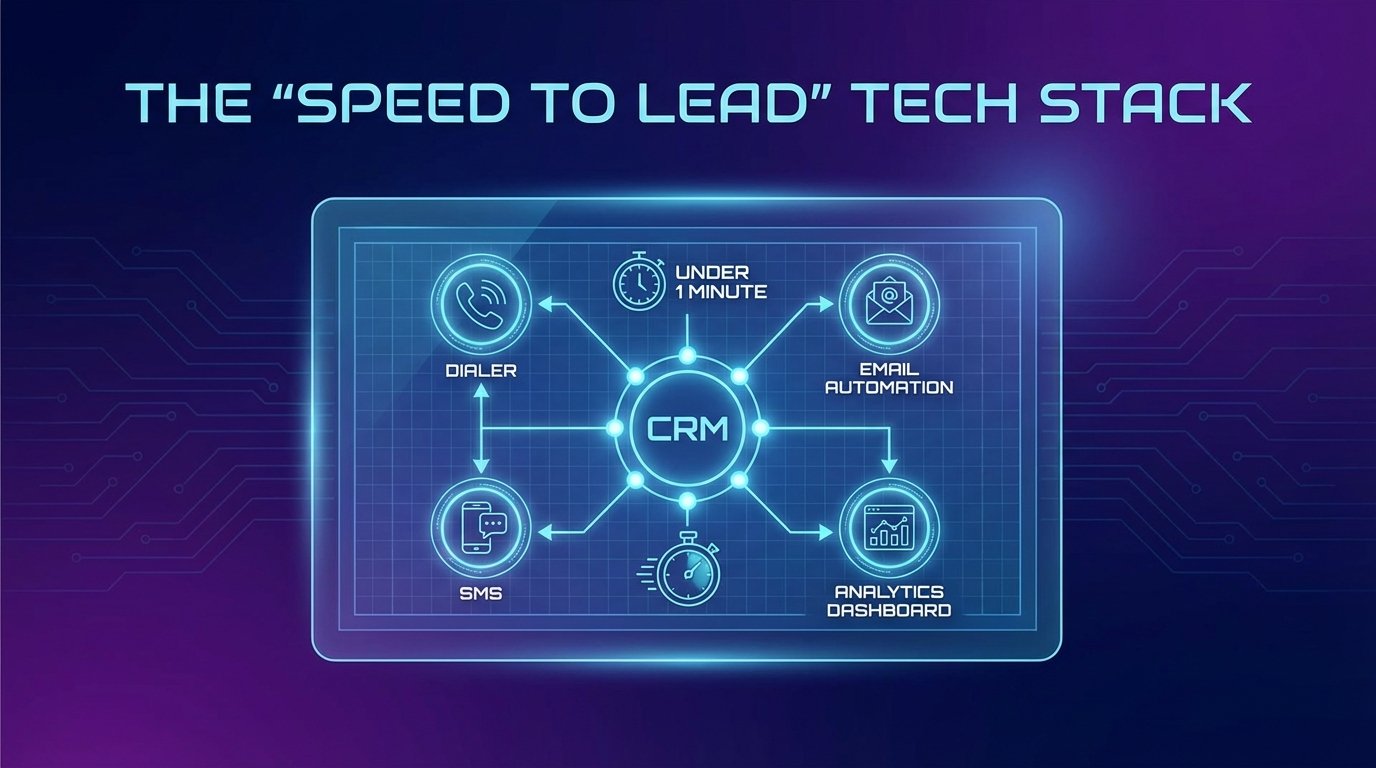
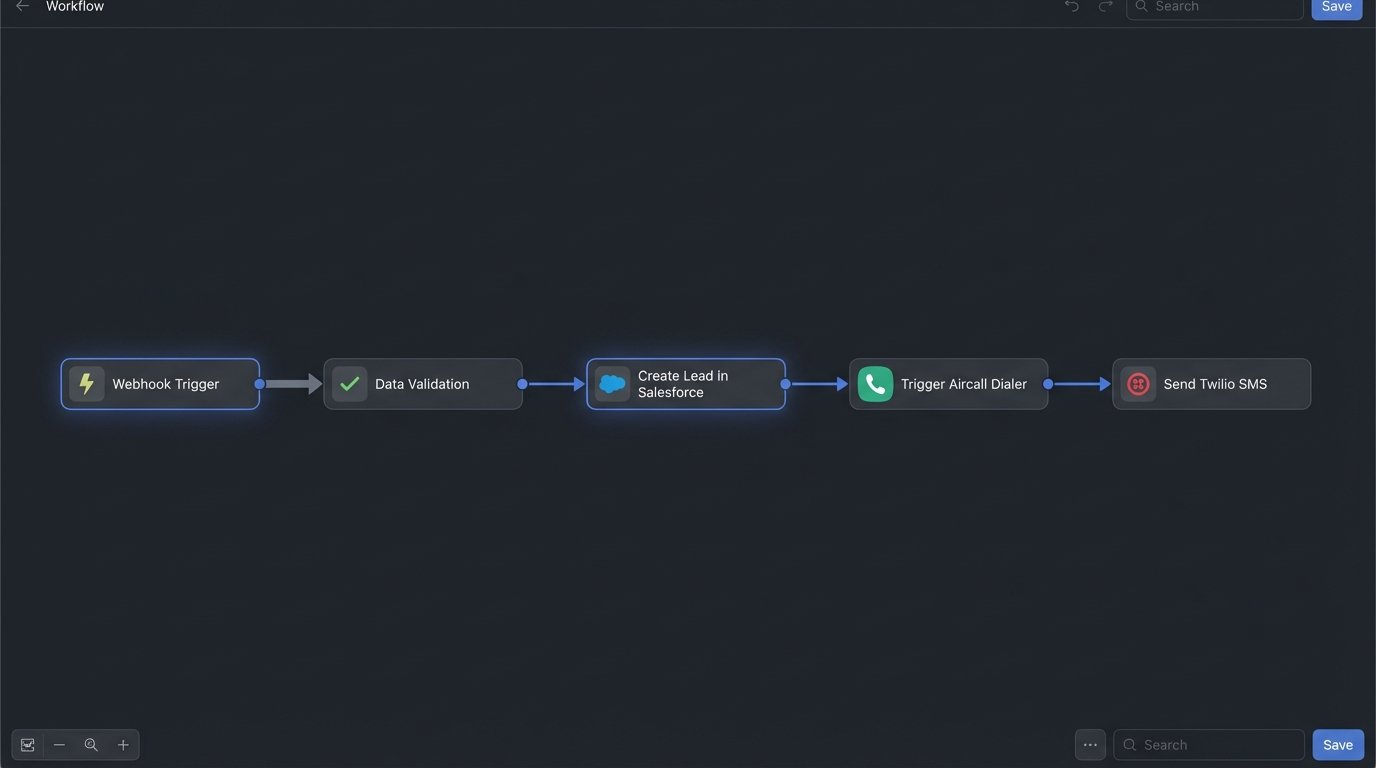
The entire operation hinges on a sequence of API calls chained together with minimal latency. Each component is chosen for its API reliability and speed, not its user interface or feature list. The goal is to move a lead payload from a web form to a sales rep’s headset before the prospect can open another browser tab.
- Ingestion Point: A webhook listener that catches the lead data the instant it’s submitted.
- Logic Core: A middleware component that validates, formats, and routes the data.
- System of Record: A CRM that can create a new lead record via API in under two seconds.
- Automated Dialer: An outbound dialer that can initiate a call based on an API trigger.
- SMS Fallback: An SMS platform to send an immediate, automated text if the call is not answered.
The weak point is always the connection between these services. One slow API endpoint, one batch-processing job masquerading as a webhook, and the entire chain fails. Speed is the only metric that matters.
Prerequisites: What You Need Before Line One
Do not attempt this with trial accounts or on a shared server. This requires dedicated resources and administrative access. If you have to ask for permission to get API keys, you’re not ready. This is a backend project that directly impacts sales operations.
Technical Inventory
- A dedicated subdomain: For hosting the webhook listener (e.g., `hooks.yourcompany.com`). Do not expose your primary domain.
- API Credentials: Full read/write access for your CRM, Dialer, and SMS provider. This means generating tokens or keys for a dedicated “Automation” user.
- A Server or Serverless Environment: A small VPS, AWS Lambda, or a Google Cloud Function to host the logic core. This code needs to run in a stable, low-latency environment. We are not using a shared hosting plan for this.
- A Provisioned Phone Number: One number from your dialer and one from your SMS provider. They should be properly registered for A2P 10DLC compliance to avoid carrier filtering.
Get this infrastructure sorted out first. Chasing down credentials from three different departments after you’ve started coding is a guaranteed way to kill the project.
Step 1: The Ingestion Point – A Dumb and Fast Webhook Listener
The lead’s journey begins with your web form. Forget sending form data directly to your CRM’s native endpoint. Those are built for convenience, not speed. They often run batch jobs or have internal queuing that adds precious seconds of delay. We need to catch the data ourselves with a purpose-built webhook listener.
This listener does one job: accept a POST request with a JSON payload, validate its basic structure, and immediately pass it to the logic core. It performs no complex business logic. Its only purpose is to acknowledge the data receipt with a `200 OK` status code as fast as possible, so the client-side form doesn’t hang. This is the front door; it needs to be fast and unblocked.
A simple Flask application in Python is more than sufficient for this job. It’s lightweight and gives you complete control over the request/response cycle.
# Flask Webhook Listener Example (listener.py)

from flask import Flask, request, jsonify

import json

import requests
app = Flask(__name__)
# The endpoint that your web form will POST to
@app.route('/webhook/new-lead', methods=['POST'])
def new_lead_webhook():
if not request.is_json:
return jsonify({"error": "Request must be JSON"}), 400
data = request.get_json()
# Basic validation: ensure required fields exist
required_fields = ['firstName', 'lastName', 'phone', 'email']
if not all(field in data for field in required_fields):
return jsonify({"error": "Missing required fields"}), 400
# Immediately forward the validated payload to our logic core
# This should be an internal, low-latency endpoint
try:
logic_core_url = 'http://localhost:5001/process-lead' # Or your serverless function URL
headers = {'Content-Type': 'application/json'}
response = requests.post(logic_core_url, data=json.dumps(data), headers=headers, timeout=5)
response.raise_for_status() # Raises an HTTPError for bad responses (4xx or 5xx)
except requests.exceptions.RequestException as e:
# Log the failure and return a server error
print(f"Error forwarding to logic core: {e}")
return jsonify({"error": "Failed to process lead internally"}), 502
return jsonify({"status": "received"}), 200
if __name__ == '__main__':
app.run(port=5000, debug=False)
This listener is the first link. Its failure means the lead is lost entirely. Monitor its uptime like a hawk.
Step 2: The Logic Core – Routing and Duplicate Checking
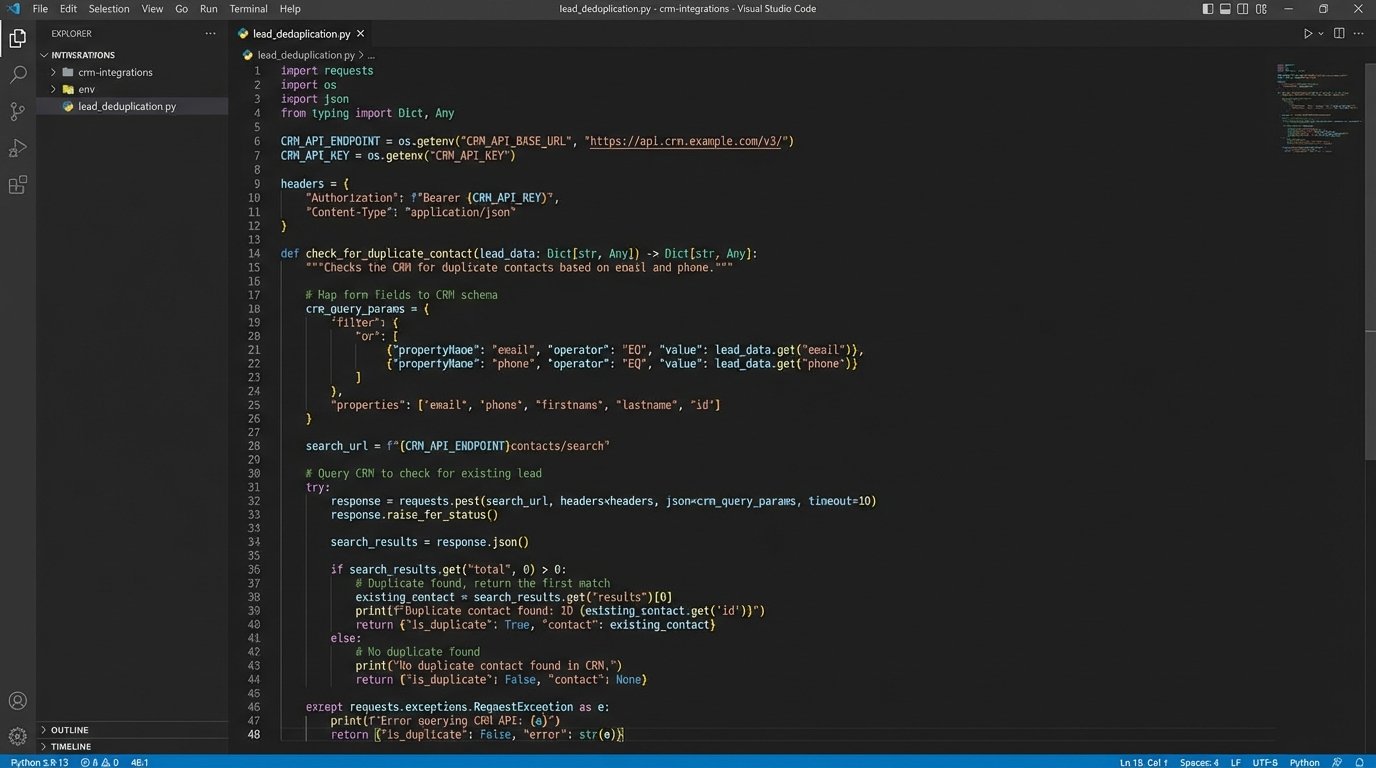
The logic core is where the actual work gets done. After receiving the payload from the webhook listener, its first job is to check if this lead already exists. Hitting your CRM’s API to create a duplicate contact is sloppy. It wastes an API call and creates data hygiene problems that someone else will have to clean up later.
The logic should query the CRM via API using the email address or phone number. A `GET` request to your CRM’s contact or lead search endpoint is the standard method. If a match is found, you can enrich the existing record. If not, you proceed to creation. This duplicate check is the first significant point of latency. Your CRM’s API response time for search queries will define your best-case scenario.
This part of the process is like a traffic controller for a single intersection. The car (data) comes in, and you have to query a slow, external database (the CRM) to see if the parking garage has a spot for it before you can even think about opening the gate. This check is necessary, but it’s a bottleneck by design.
Once the duplication check is complete, the core formats the data into the exact structure the CRM’s `create lead` endpoint expects. This means mapping your form fields (`firstName`) to the CRM’s internal names (`first_name` or `FirstName`). A mismatch here will result in a `400 Bad Request` and a dropped lead.
Step 3: The System of Record – A Fast-Write CRM
Not all CRMs are equal when it comes to API performance. Some are wallet-drainers with enterprise-grade APIs that respond in milliseconds. Others, typically those found in “all-in-one” platforms, have APIs that feel like an afterthought. You must test the `create lead` endpoint latency of your chosen CRM. If it averages over two seconds, your stack is already compromised. We are targeting HubSpot or Salesforce here, assuming the correct API tier.
The logic core makes a `POST` request to the CRM’s lead creation endpoint. The critical part of this step is capturing the `lead ID` or `contact ID` from the CRM’s API response. This ID is the key to everything that follows. Without it, you can’t tell the dialer who to call or the SMS system who to text.
# Example: Creating a Lead in Salesforce (within the logic core)

import requests

import json
def create_salesforce_lead(lead_data, access_token, instance_url):
url = f"{instance_url}/services/data/v58.0/sobjects/Lead/"
headers = {
'Authorization': f'Bearer {access_token}',
'Content-Type': 'application/json'
}
# Map our internal fields to Salesforce's expected field names
sf_payload = {
'FirstName': lead_data.get('firstName'),
'LastName': lead_data.get('lastName'),
'Email': lead_data.get('email'),
'Phone': lead_data.get('phone'),
'Company': 'Web Lead', # A required field, provide a default
'LeadSource': 'Website'
}
try:
response = requests.post(url, headers=headers, data=json.dumps(sf_payload), timeout=10)
response.raise_for_status()
response_json = response.json()
# VERY IMPORTANT: Get the ID of the newly created record
new_lead_id = response_json.get('id')
if new_lead_id:
return new_lead_id
else:
# Handle the case where creation succeeded but no ID was returned
print("Salesforce creation successful but no ID returned.")
return None
except requests.exceptions.RequestException as e:
print(f"Failed to create Salesforce lead: {e}")
print(f"Response body: {e.response.text}")
return None
If this API call fails, you need robust error handling. The system should retry once after a one-second delay. If it fails again, it must log the entire payload and alert an administrator. A dropped lead is a critical failure.
Step 4: The Dialer – Triggering the Outbound Call
With the `lead ID` from the CRM, you can now command the dialer. Systems like Aircall or Dialpad have APIs that allow you to initiate a call to a specific user or team and associate it with a contact. The API call typically requires the new lead’s phone number and the CRM record ID you just obtained.
This is a race condition. The dialer’s system must be able to recognize the `lead ID` you pass it. This often means waiting for the data from your CRM to sync to the dialer platform. Most high-end integrations are near-instantaneous, but you must verify this. If your CRM-to-dialer sync is a five-minute batch job, this entire architecture is useless. You must have a real-time sync or a dialer API that doesn’t depend on the sync being complete.
The best approach is to pass all necessary data directly to the dialer API: the phone number to dial, the agent to connect, and the CRM record ID for screen-pop and logging. This bypasses any dependency on a slow synchronization process. You are telling the dialer exactly what to do, not waiting for it to figure it out.
Step 5: The SMS Fallback – The Automated Safety Net
Sales reps will not answer every call triggered by this system. The lead might go to voicemail. The automated SMS is the safety net. Immediately after triggering the call, the logic core should fire off another API request to your SMS provider, like Twilio.
This message should be simple and direct, referencing the reason they submitted the form. Something like: “Hi [FirstName], this is [RepName] from [Company]. Just tried calling about your inquiry. Is now a good time to connect for two minutes?” This proves immediate engagement and keeps the conversation alive. Compliance is not optional here. You need to manage opt-outs and be aware of TCPA regulations.
The Twilio API call is straightforward and highly reliable.
# Example: Sending an SMS with Twilio (within the logic core)

from twilio.rest import Client
def send_initial_sms(account_sid, auth_token, from_number, to_number, message_body):
try:
client = Client(account_sid, auth_token)
message = client.messages.create(
body=message_body,
from_=from_number,
to=to_number
)
print(f"SMS sent successfully. SID: {message.sid}")
return message.sid
except Exception as e:
print(f"Failed to send SMS: {e}")
return None
This SMS should be sent regardless of whether the call is answered. It acts as a record and a prompt for the lead to re-engage if they missed the call.
Validation and Monitoring: Assume It’s Broken
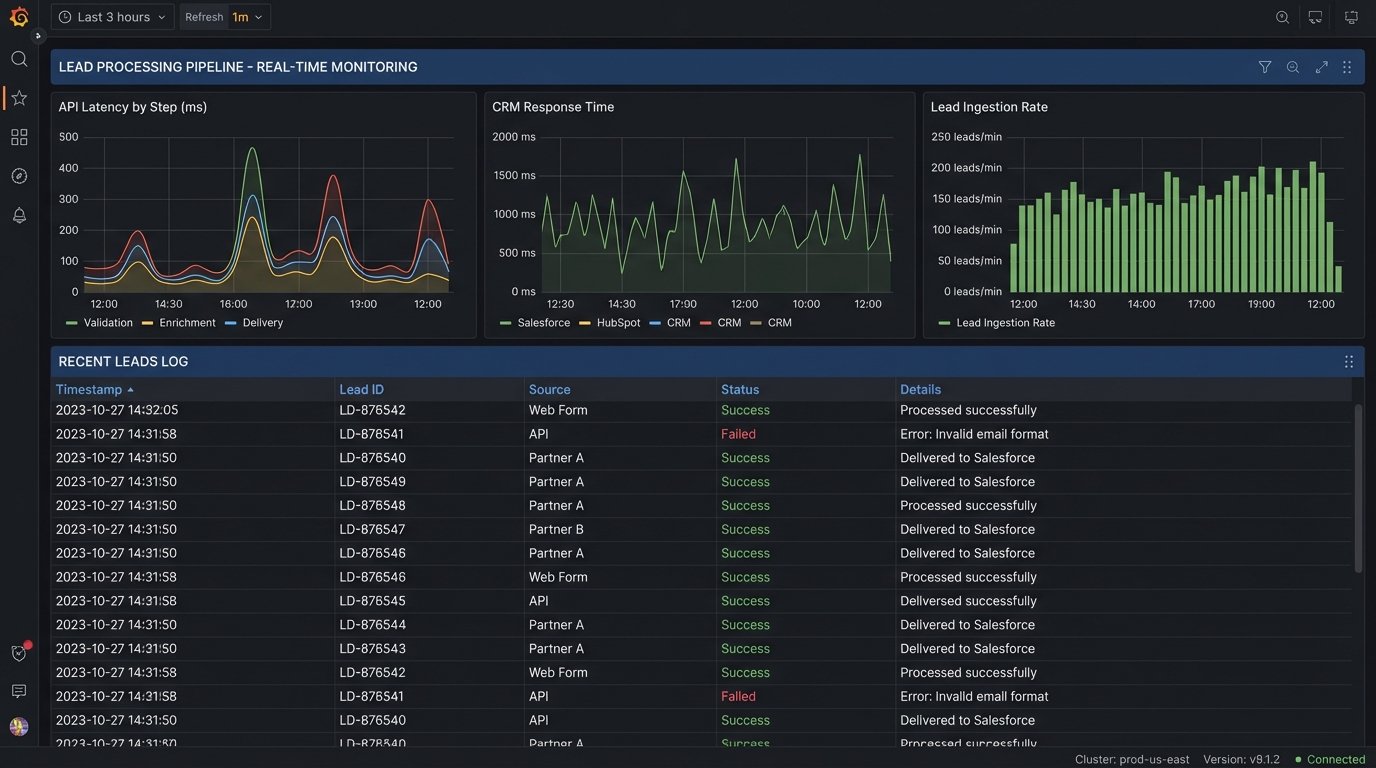
Building this chain is only half the job. You have to monitor every step. A silent failure is the most expensive kind. You’ll think the system is working while leads are being dropped into the void.
Minimum Viable Monitoring
- Structured Logging: Log every major action: webhook received, duplicate check result, CRM create success/failure, dialer trigger, SMS sent. Use JSON-formatted logs so they can be easily parsed and searched. Include correlation IDs to track a single lead’s journey through the entire process.
- Latency Timers: Measure the time between each step. How long did the duplicate check take? How long for the CRM to respond? If your total processing time starts creeping up from 5 seconds to 15, you have a problem that needs investigation.
- Failure Alerts: Any API call that returns a non-2xx status code or times out must trigger an immediate alert to an engineering channel in Slack or a system like PagerDuty. The alert must contain the full payload of the failed lead.
This isn’t a “set it and forget it” system. API endpoints change, services have outages, and marketing can add a new field to the form without telling you, breaking your validation. Active monitoring is the only way to ensure the machine keeps running.