The Problem: Drowning in Clicks
We were approached by a real estate brokerage team with a high-volume, low-efficiency problem. They were spending a fortune on digital ads, generating over 1,000 inbound leads per month. Every single lead was funneled into a shared Gmail inbox. The process was entirely manual. A designated agent would copy-paste details from Zillow notifications, website contact forms, and third-party aggregator emails into a master Google Sheet. This was the single point of failure for the entire sales pipeline.
Lead response time averaged six hours on a good day. On weekends, it stretched to twenty-four. The lead decay rate was catastrophic. By the time an agent made contact, the prospect had already spoken to three other brokers. They were burning money on ad spend only to feed their competitors. The team principals refused to hire an administrative assistant, citing overhead costs. They wanted a technical solution, not a payroll one.
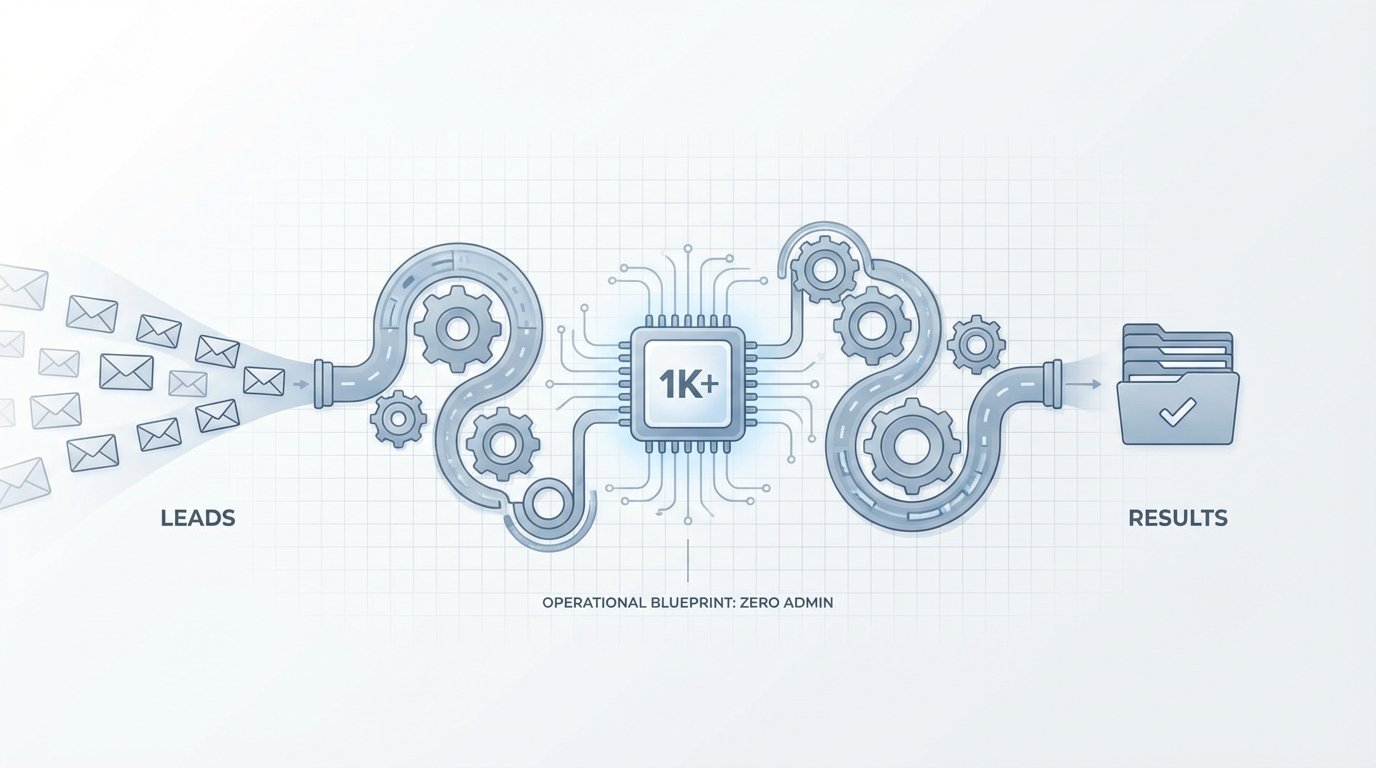
The objective was clear. We had to design and build an automated system to ingest, process, qualify, and assign every lead within ninety seconds of its arrival. The system needed to operate 24/7 with zero human intervention until the final, validated lead was pushed to a sales agent’s phone. This is the blueprint for how we did it, moving them from a spreadsheet to a dedicated data machine.
Architecture of the Ingestion Engine
The first challenge was the chaotic mix of lead sources. There was no single point of entry. We had structured data from API-friendly web forms, semi-structured data from Zillow and Realtor.com emails, and completely unstructured garbage from generic “contact us” inquiries. A single webhook endpoint wasn’t going to cut it. We had to build a multi-pronged ingestion layer.
Step 1: Taming the Email Beast
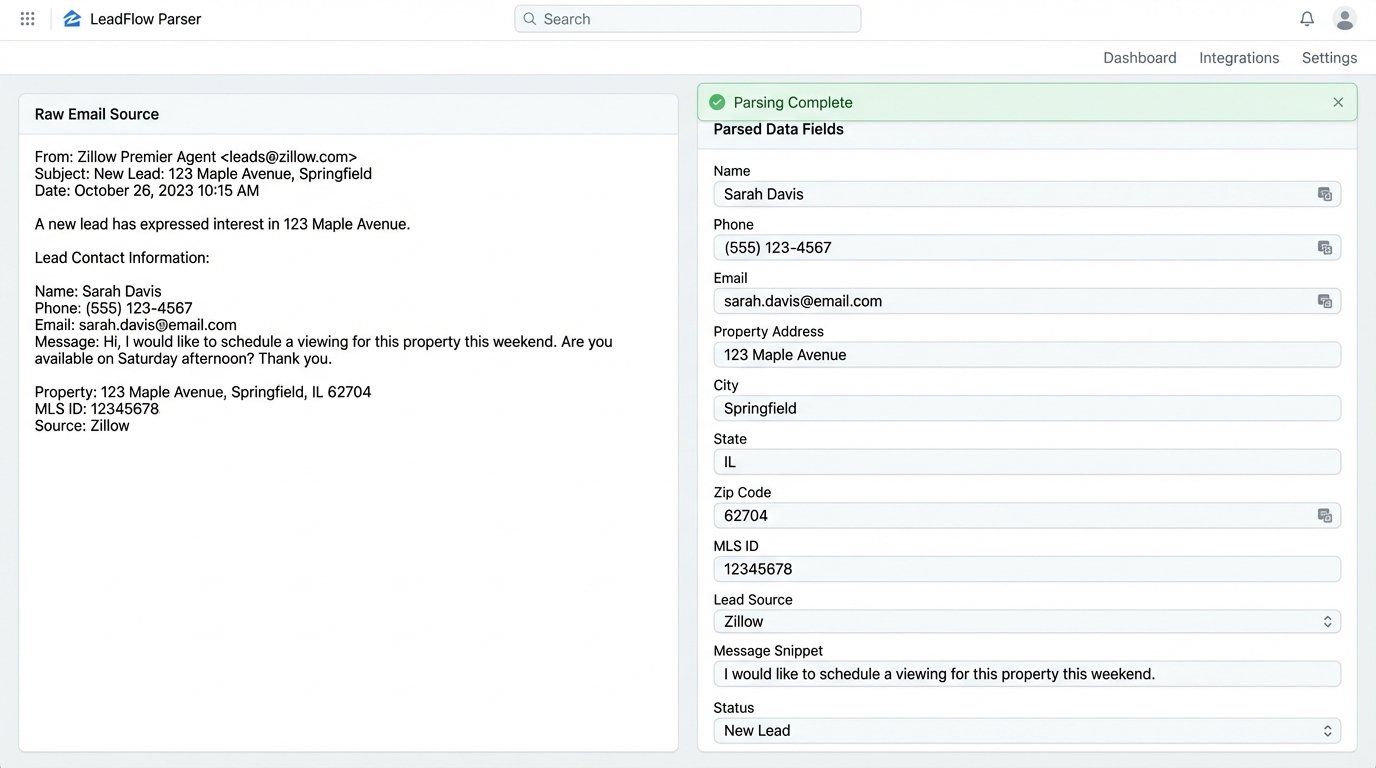
The bulk of the leads, around 70%, arrived as emails. Relying on a human to read these is slow and error-prone. We routed all incoming leads to a dedicated address connected to an email parsing service. We used Mailparser.io, but any equivalent tool with robust pattern matching works. For each lead source, we built a specific parsing rule. The rule would scan the email body for key-value pairs using simple text matching, like “Name:” or “Phone:”, and extract the associated data.
This process is brittle. A third-party lead provider changing their email template from “Phone:” to “Phone Number:” would break the rule and halt ingestion from that source. We built a dead-letter queue for any email that failed parsing. A notification was sent to a tech channel in Slack, flagging the failed parse for immediate rule adjustment. This is not a “set and forget” component. It requires maintenance.
Step 2: Webhooks and Direct API
The website’s internal contact forms were the easiest to integrate. We configured the forms to fire a POST request with a JSON payload to a single, secure webhook endpoint. We stood this up using a simple AWS Lambda function fronted by API Gateway. The function’s sole job was to catch the JSON, perform a basic schema validation to ensure required fields were present, and then push the data into the next stage of the pipeline.
This method is clean and reliable. The data arrives perfectly structured, bypassing the entire email parsing mess. The primary point of failure here is the originating server, not our ingestion logic. We advised the client to migrate as many lead sources as possible to this method, even if it required negotiation with their third-party vendors. Direct data transfer is always superior to scraping it from a notification email.
Processing: Normalization and Enrichment
Raw data is dirty data. Once a lead was ingested, it was dropped into a staging table in a PostgreSQL database. Before it could be qualified, it had to be cleaned. This stage is about forcing consistency on inconsistent inputs. It’s the digital equivalent of sandblasting a rusty car frame before you can even think about painting it. Without this step, all downstream logic for routing and personalization fails.
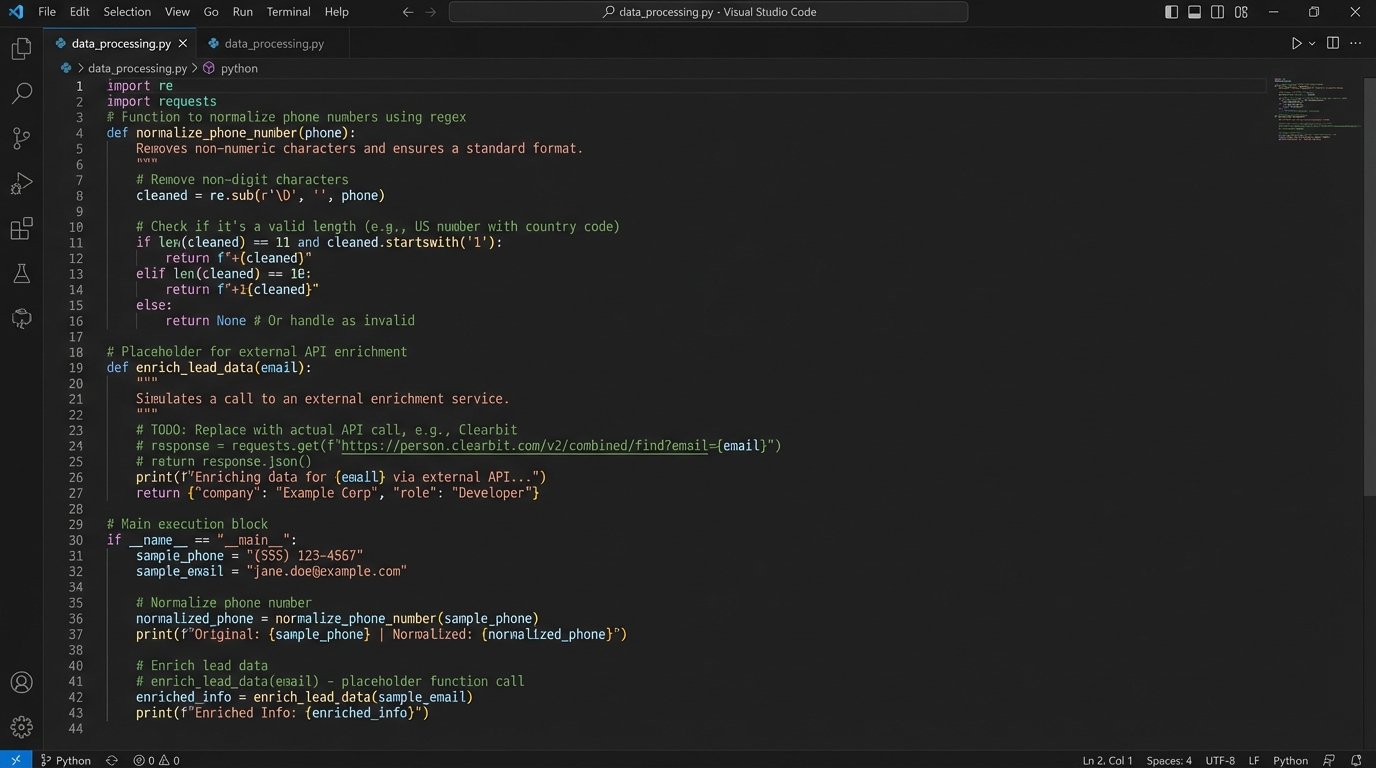
Our normalization script, a series of Python functions triggered by a database event, performed several key operations:
- Phone Number Formatting: Stripped all non-numeric characters like parentheses and dashes. It then checked for a valid 10-digit length and appended the country code. An invalid number was flagged.
- Name Capitalization: Forced title case on first and last names to fix entries typed in all-lowercase or all-caps.
- Address Verification: For leads with a physical address, we hit the Google Maps Geocoding API to validate the address and standardize it. This was critical for assigning agents based on geographic territory.
- Email Syntax Check: A regex check to ensure the email address contained an ‘@’ symbol and a valid domain structure. This catches basic typos, not whether the inbox actually exists.
After cleaning, we moved to enrichment. We used the Clearbit API to enrich records with a valid email address. For a few cents per call, we could pull back supplemental data: social media profiles, company name, and job title. This gave agents context for their first call. Is this a C-level executive or an intern? That context dictates the entire sales approach. This API call is a wallet-drainer at scale, but the ROI from improved agent intelligence was immediate and justified the cost.
Logic: Qualification, Scoring, and Routing
Not all leads are created equal. A lead with a $2M budget and a pre-approval letter is infinitely more valuable than a tire-kicker asking for a free market report. We built a lead scoring system to prioritize high-value prospects and route them accordingly. The scoring logic was a simple weighted model based on available data points.
For example:
- Has Phone Number: +10 points
- Has Verified Address: +15 points
- Budget Field > $500,000: +25 points
- Inquiry Contains Keywords (“pre-approved”, “investor”, “cash buyer”): +50 points
Leads with a score below 20 were put into a low-priority bucket for a weekly email drip campaign. Leads scoring above 75 were classified as “hot leads” and triggered a different routing protocol. Standard leads were assigned via a standard round-robin system. We tracked the current agent in the rotation sequence in a simple database table. When a lead came in, the system assigned it to the next agent in line and updated the pointer.
Here is a simplified Python function illustrating the core assignment logic:
import psycopg2
def get_next_agent(db_connection):
cursor = db_connection.cursor()
# Get the ID of the last agent who received a lead
cursor.execute("SELECT last_assigned_agent_id FROM lead_rotation_state WHERE id = 1;")
last_agent_id = cursor.fetchone()[0]
# Get the full list of active agents, ordered by their rotation sequence
cursor.execute("SELECT id FROM agents WHERE is_active = TRUE ORDER BY rotation_order;")
agent_ids = [row[0] for row in cursor.fetchall()]
try:
# Find the index of the last agent and get the next one
last_index = agent_ids.index(last_agent_id)
next_agent_id = agent_ids[(last_index + 1) % len(agent_ids)]
except (ValueError, IndexError):
# Fallback if last agent isn't found or list is empty
next_agent_id = agent_ids[0] if agent_ids else None
if next_agent_id:
# Update the state to the newly assigned agent
cursor.execute("UPDATE lead_rotation_state SET last_assigned_agent_id = %s WHERE id = 1;", (next_agent_id,))
db_connection.commit()
cursor.close()
return next_agent_id
Hot leads bypassed this. They were sent to a dedicated Slack channel where the first agent to click “Claim” was assigned the lead. This “shark tank” model incentivized the hungriest agents to respond instantly to the most valuable opportunities.
The Results: Speed, Conversion, and Cost
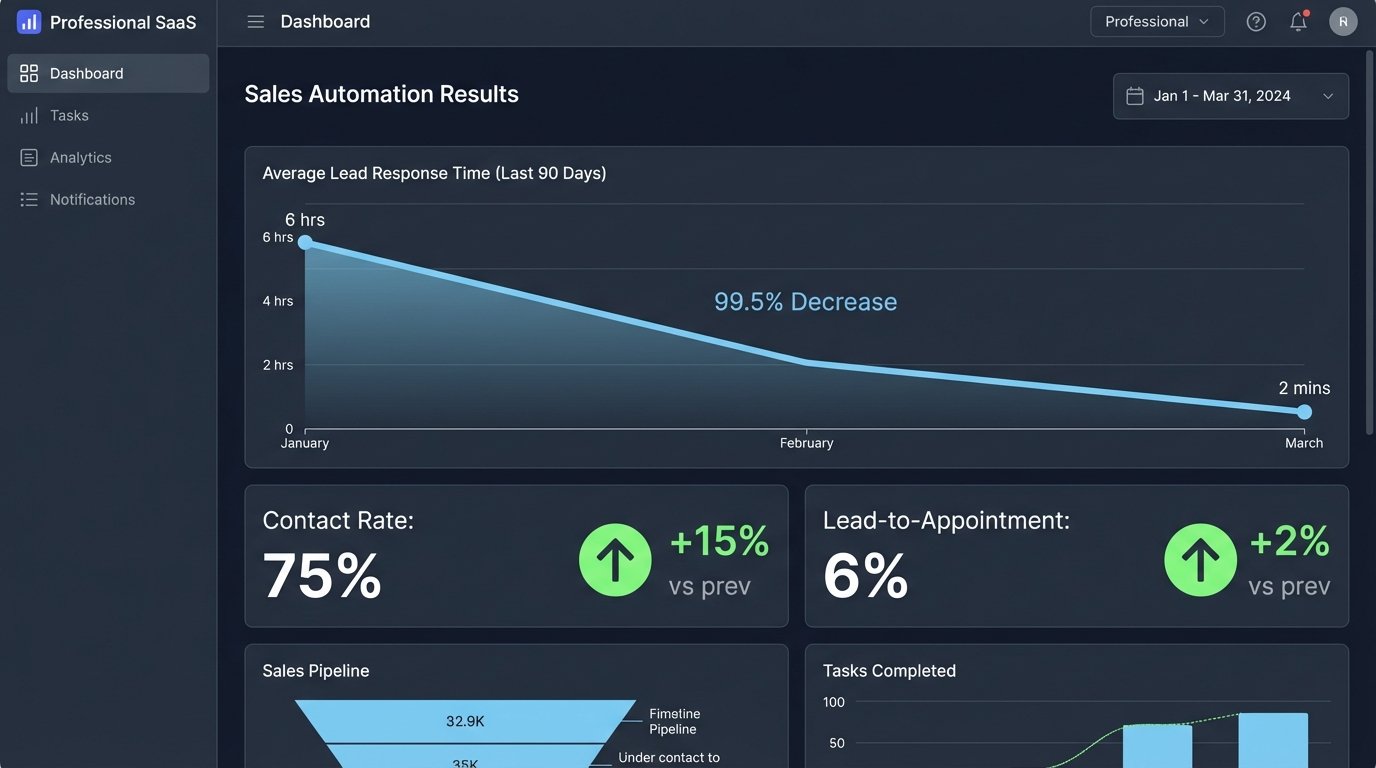
The impact was measured in weeks, not months. The primary KPI was lead response time. It dropped from an average of six hours to under two minutes. This single metric had a cascading effect on the entire business.
Key results after 90 days:
- Lead Response Time: Reduced by 99.4%, from 6 hours to 110 seconds on average.
- Contact Rate: Increased from 40% to 75%. Agents were no longer calling prospects who had already moved on.
- Lead-to-Appointment Conversion: More than doubled, from 2.5% to 6%. This was the money metric.
- Operational Overhead: The entire automation stack, including API calls and hosting, cost approximately $450 per month. This was a 90% cost reduction compared to the $4,500 monthly salary of a junior administrative assistant.
The agents were no longer glorified data entry clerks. They could focus entirely on selling. The system injected leads directly into their existing CRM (a painful API integration in its own right), created a new contact, and scheduled a follow-up task. The only human touch was the agent making the first call.
Post-Mortem and Lingering Flaws
This system is not infallible. The biggest ongoing issue is source decay. Third-party aggregators will change their email layouts without warning, breaking parsing rules. This requires a developer to go in and fix the rule. We mitigated this with aggressive monitoring, but it still requires human oversight. It’s a low-effort task, but it’s not zero.
API rate limits are another concern. During a massive marketing push, we saw lead volume spike 300% in a single hour. This nearly exhausted our API call quotas for enrichment and geocoding, which would have stalled the entire pipeline. The next iteration of this system will include a queueing mechanism, like RabbitMQ, to buffer incoming leads and process them at a rate that respects API limits. Shoving a firehose through a garden hose always ends badly.
Finally, the qualification model is basic. A simple point system is better than nothing, but it lacks nuance. The next phase of development will involve feeding the text from the lead’s initial inquiry into a language model to analyze sentiment and intent. This will allow for more sophisticated scoring and routing, separating the “just browsing” from the “ready to buy now” with far greater accuracy.