
Stop Leaking Leads. Your CRM Is a Sieve.
Most real estate CRMs are glorified rolodexes. Agents dump contacts in, then forget them. The result is a graveyard of potential commissions, lost to manual follow-up failures and inconsistent outreach. You are not just losing leads. You are actively burning marketing dollars every time a contact from Zillow or your website sits untouched for more than five minutes.
The fix isn’t another subscription or a new “AI-powered” platform. The fix is hammering the CRM you already have into a purpose-built machine with ruthless, intelligent automation. Forget the sales pitch. This is the blueprint.

The 10 Automations That Separate Amateurs from Top Producers
1. Instant Lead Ingestion & Triage
A web-form lead that waits an hour for a response is a dead lead. The goal is sub-five-minute contact. We accomplish this by bypassing email parsing entirely and using direct webhook connections from lead sources like Zillow, Realtor.com, or your own site’s contact forms. The moment a lead submits their info, a JSON payload hits your automation platform (think Zapier, Make, or n8n).
The first step in the workflow isn’t just to create a contact. It’s to triage it. The automation logic-checks the lead’s source, budget, and any notes, then applies a “Hot,” “Warm,” or “Nurture” tag before the agent even sees the notification. Speed to lead is non-negotiable.
{
  "lead_source": "Zillow",
  "name": "John Doe",
  "email": "johndoe@example.com",
  "phone": "555-123-4567",
  "property_inquiry": {
    "address": "123 Main St, Anytown, USA",
    "price": 450000,
    "type": "Buyer"
  },
  "timestamp": "2023-10-27T10:00:00Z"
}
2. Source-Aware Drip Campaigns
Blasting every new lead with the same generic email sequence is malpractice. A lead from a “What’s My Home Worth?” landing page has a completely different intent than a direct inquiry on a specific listing. Your automation must recognize this distinction instantly.
We build separate follow-up paths triggered by the lead source tag applied during ingestion. The Zillow lead gets an aggressive SMS and email sequence focused on scheduling a showing. The website lead gets a softer email drip offering market reports and neighborhood guides. This is segmentation at the point of entry, not weeks later.
3. Intelligent Task Generation
Agents should not be creating their own to-do lists. The CRM should build it for them based on deal progression. When a deal stage is updated from “Showing” to “Offer Made,” the automation should fire a sequence of tasks: one for the agent to follow up on the offer, one for the transaction coordinator to prepare documents, and a calendar block for the agent to call the client.
This creates a system of record that doesn’t rely on human memory. Trying to manage deal flow with sticky notes is like trying to build a house with a glue stick. It’s a recipe for collapse.
4. Automated Property Alerts That Don’t Suck
The default property alerts from most CRMs are sluggish and inflexible. A proper setup involves a direct connection to an MLS data feed via an API, like what Spark API or Trestle provides. This is a wallet-drainer for a solo agent but a necessity for a serious team.
The workflow polls the API for new listings that match a client’s saved search criteria (stored in custom fields in the CRM). When a match is found, the automation pulls the property photos and details, formats them into a clean email template, and sends it directly to the client. This bypasses the slow, generic portal alerts and puts your brand first.
5. Key Date & Anniversary Nurturing
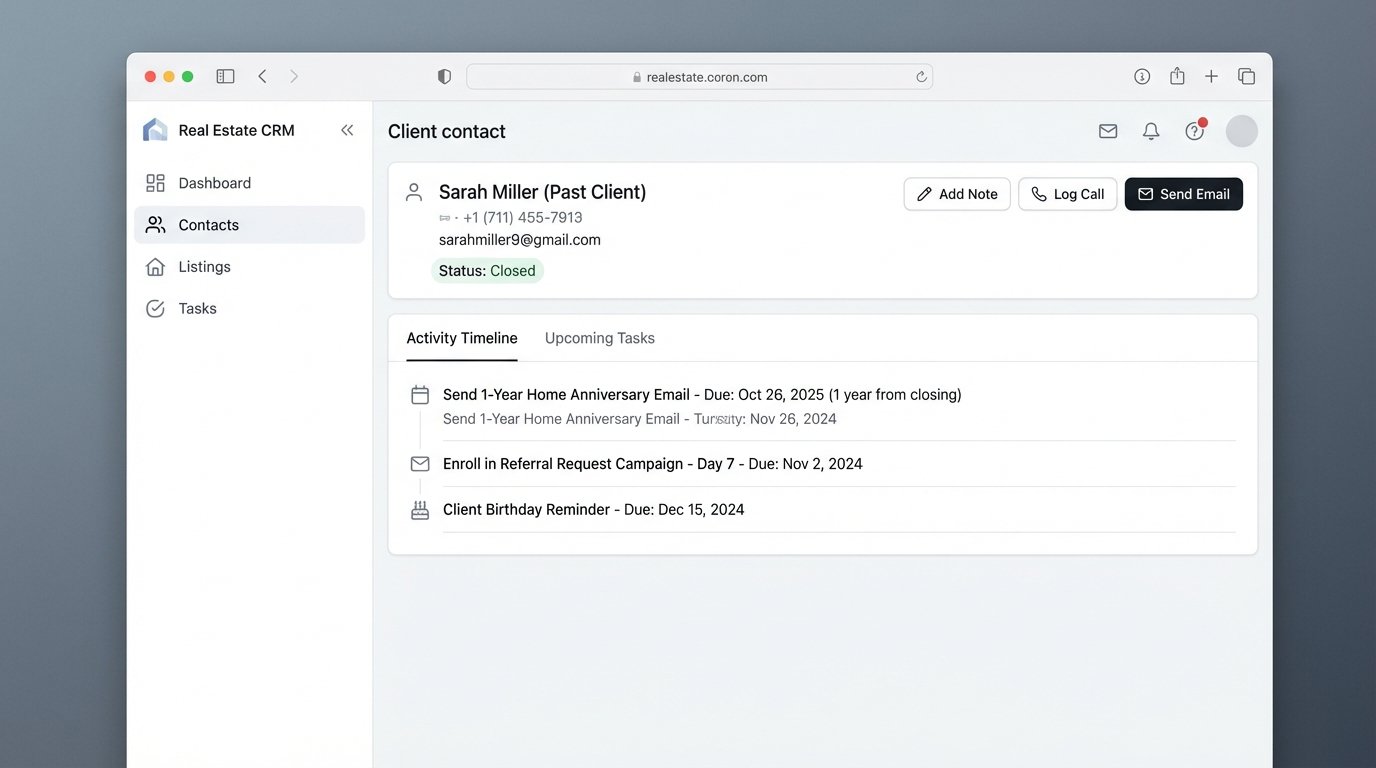
This one is simple but criminally underused. The system should automatically create two future tasks the moment a deal is marked “Closed.” First, a task for the client’s birthday (if you have the data). Second, a task for their “Home Anniversary” one year from the closing date.
Each task triggers a single, personalized email or a reminder for the agent to make a call. This is how you farm your past client list for repeat business and referrals without lifting a finger until the moment it matters.
6. The Post-Closing Referral Engine
Don’t just wish for referrals. Build a machine that demands them. As soon as a deal closes, enroll the client in a specific post-closing sequence.
- Day 7: Email asking for a review on Zillow/Google with a direct link.
- Day 30: “Hope you’re settling in” email with a soft ask for referrals.
- Day 90: “Checking in” email with a valuable local market update.
- Day 365: The Home Anniversary email.
This is a set-it-and-forget-it asset that compounds over time.
7. Dynamic Lead Routing for Teams
For brokerages, “round robin” is the lazy way out. A strong routing system uses conditional logic. We use n8n or a custom script to handle this. The automation ingests the lead, looks at the property’s zip code or price point, and routes it to the agent who specializes in that area or price bracket.
If the assigned agent doesn’t claim the lead (e.g., update the lead status in the CRM) within 15 minutes, the automation re-assigns it to the next agent in line and logs the failure. This creates accountability and ensures no lead dies on the vine.
{{ $json.body.property_inquiry.price > 1000000 ? "assign_to_luxury_agent" : "assign_to_standard_agent" }}
8. Automated Data Enrichment
A new lead is just a name and an email. We need context. We can set up a workflow that, upon new contact creation, triggers a data enrichment service. It takes the lead’s email or address and appends data like social media profiles, company info, or past property transaction history pulled from public records APIs.
This gives the agent instant ammunition for their first call. Knowing a lead works in finance and has moved twice in the last five years changes the entire conversation.
9. Showing Feedback Aggregation
Stop chasing agents for showing feedback. Automate it. After a showing is marked as complete in the calendar or CRM, fire off an automated email to the showing agent with a link to a simple form (e.g., Tally, Typeform).
The form asks for the client’s feedback, interest level, and any objections. When the form is submitted, the automation parses the answers and appends them as a clean, formatted note to the property record and the seller’s contact record in the CRM. The seller gets consistent updates, and you get structured data instead of scattered texts.
10. Commission & Closing Statement Triggers
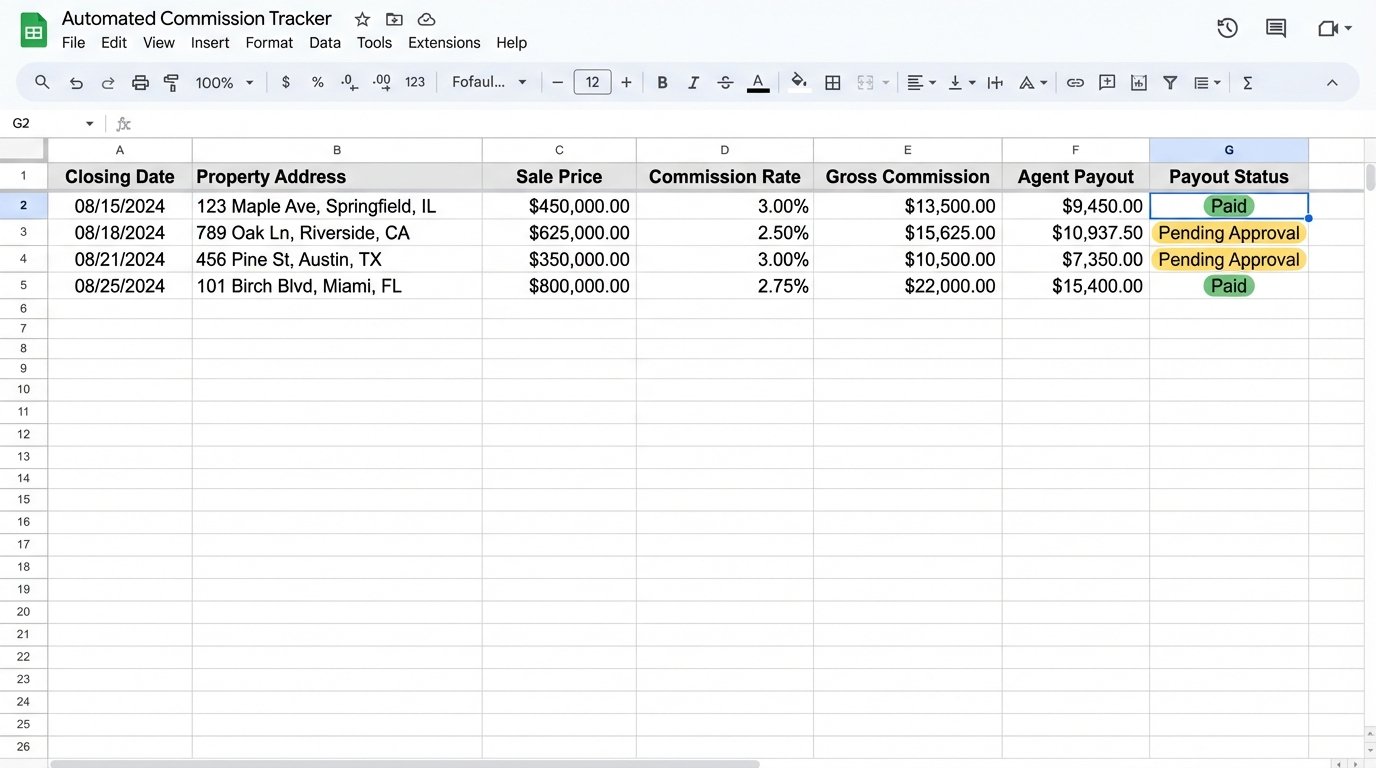
Finance is part of the workflow. When a deal stage changes to “Closed,” the automation should pull the final sale price, commission percentage, and any other relevant financial data from the CRM’s deal record.
It then pushes this data to create a new row in a Google Sheet for the accounting team, generates a draft invoice in QuickBooks, or creates a task for the broker to approve the payout. This strips hours of manual reconciliation from the back-office process and reduces clerical errors.
Closing Thoughts: Stop Being a Data Janitor
An agent’s job is to build relationships and close deals, not to perform endless data entry. Each of these automations is a small gear in a larger machine designed to do one thing: strip away the administrative drag that kills sales momentum.
Implementing all of this isn’t a weekend project. It requires a willingness to break old habits and invest time into building a system. But the trade-off is clear. You can either be a data janitor for your CRM, or you can build an automated engine that works for you while you sleep.