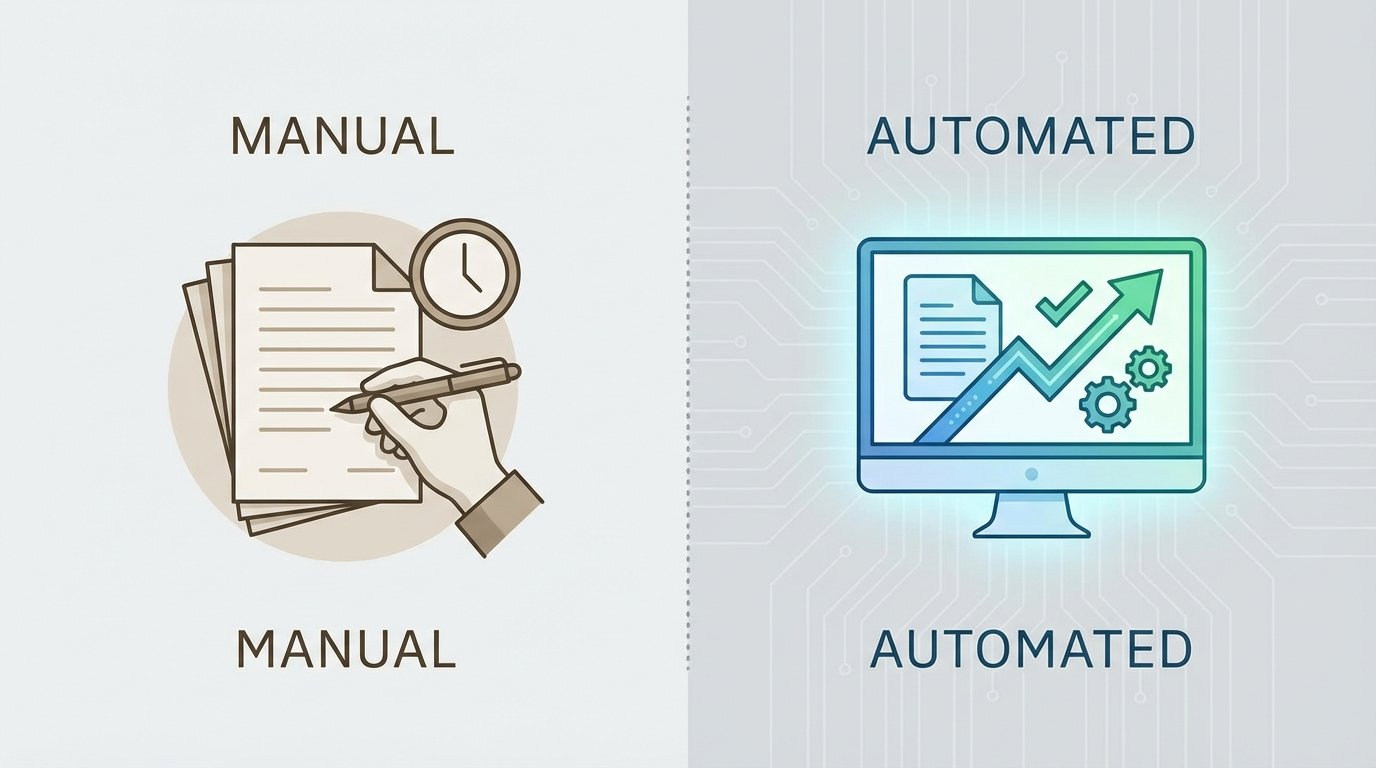
The core failure of manual document drafting isn’t its speed, or lack thereof. It’s the fact that the process generates a terminal artifact. A manually drafted contract is a dead-end block of text, its internal logic and data points accessible only through human interpretation. It cannot be queried, validated, or systematically updated without another manual intervention, which introduces another opportunity for error.
Every time an associate opens `Master_NDA_Template.docx`, they are initiating a process of data decay. It’s a digital dead drop with zero systemic integrity.
The Fallacy of Manual Control
Attorneys cling to manual drafting under the illusion of control. The process feels tactile. They select clauses, edit phrasing, and format paragraphs, believing each keystroke imparts precision. The reality is that this “control” is a direct pipeline for inconsistency. Manual drafting isn’t a controlled process. It’s a high-frequency error injection mechanism powered by caffeine and proximity to a deadline.
Consider the typical workflow. An attorney receives a request, finds a similar past document, and begins a find-and-replace operation. Client names get missed. Dates in paragraphs don’t match dates in the header. A clause specific to a Delaware corporation is left in a contract for a California LLC. These aren’t hypothetical failures. They are the routine, observable outputs of a broken system.
Version control becomes a nightmare of file naming conventions. We’ve all seen the shared drive folder: `Agreement_v1.docx`, `Agreement_v2_JDS_edits.docx`, `Agreement_v3_FINAL.docx`, `Agreement_v4_FINAL_FINAL.docx`. This is not a workflow. It is a cry for help expressed through file metadata.
The document itself contains no memory of its state, no audit log of its changes, and no connection to the source of truth for its data. It’s a snapshot in time, and that snapshot started degrading the moment it was saved.
Documents as Data Structures
Automation forces a fundamental perspective shift. A document is not a text file. It is the rendered output of a data model, a template, and a logic engine. Breaking down this architecture reveals the operational guts of a functional system. The goal is to separate content from presentation and logic.
First, the Data Model. This is the source of truth. In a manual world, the data model is the attorney’s memory and the client’s email. In an automated system, it is a structured source: a record in a CRM, a row in a SharePoint list, or a JSON object from an API call. Every variable piece of information, from the client’s legal entity name to the governing law jurisdiction, must exist as a discrete data field before a single word of the document is generated.
Second, the Template. This is far more than a `.docx` file with some yellow highlighting. A true template is a schematic. It contains static text mixed with placeholders that map directly to the data model. It also houses conditional logic blocks. These blocks control the inclusion or exclusion of entire clauses based on data points. For example, if the `TransactionValue` field is greater than 1,000,000, the template injects the “Enhanced Indemnification” clause. Otherwise, it is omitted.
Third, the Logic Engine. This is the processor that merges the data model with the template. It fetches the data, parses the template’s conditional rules, and constructs the final document. The engine can be a feature within a commercial platform or a script you run on a server. Its job is purely mechanical: execute the pre-defined rules against the supplied data.
This separation is what creates integrity. The data can be validated independently. The template’s logic can be unit tested. The engine’s performance can be monitored. You cannot do any of this when the data, logic, and presentation are all mashed together in a single Word document.
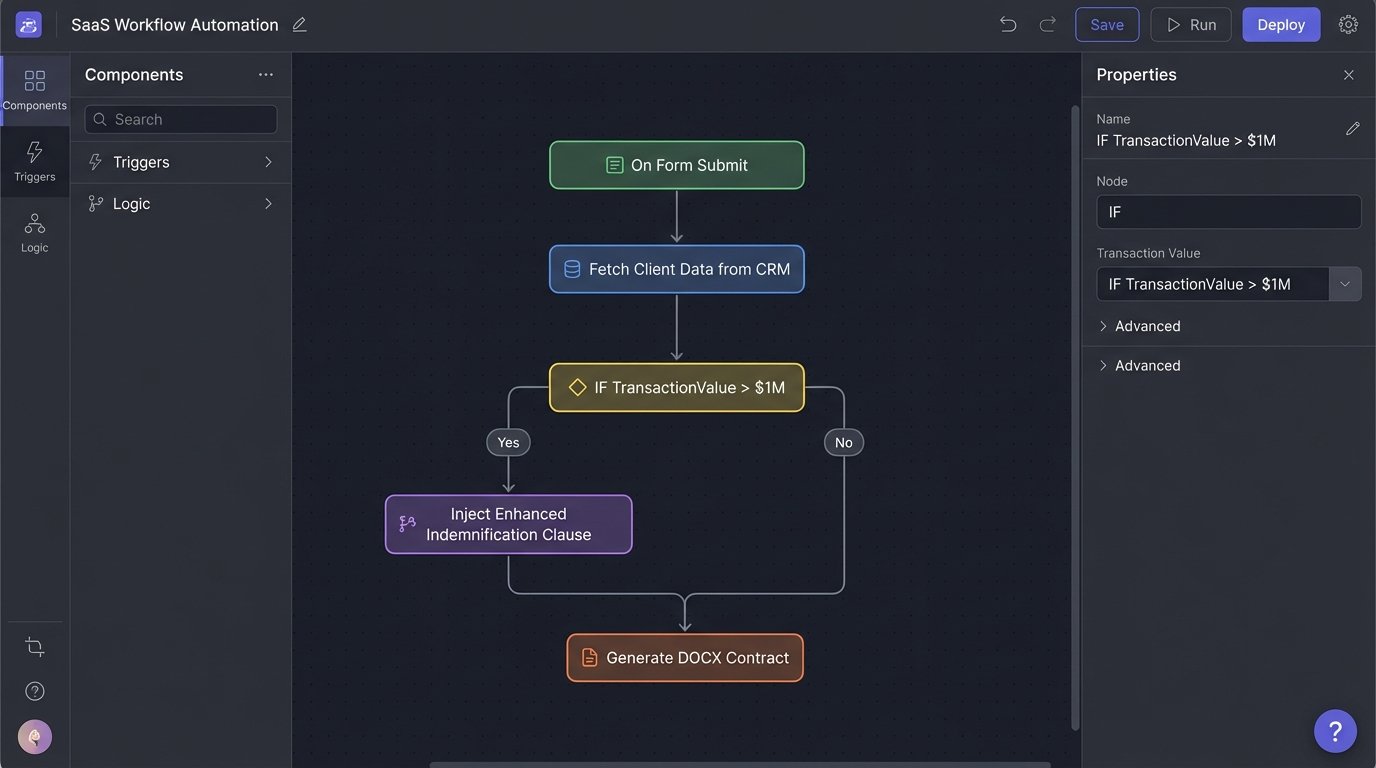
From Abstract to Concrete: A Logic Example
To make this tangible, consider a simple logic requirement for a non-disclosure agreement. The NDA needs a specific clause about intellectual property assignment if the “Disclosing Party” is also the “Inventor.” A manual process relies on the attorney remembering this rule.
An automated system externalizes this rule. The template might contain a block like this, represented here in a simplified pseudo-syntax:
<ConditionalBlock trigger="data.isInventor" value="true">

  <Clause id="IP_Assignment">

    <Paragraph>

      All intellectual property developed by the Receiving Party...

    </Paragraph>

  </Clause>

</ConditionalBlock>
The data model from the intake form or CRM would supply the boolean value for `data.isInventor`. The logic engine simply executes the check. The process is binary and auditable. There is no room for “I forgot.”
The Unseen Labor: Data Normalization
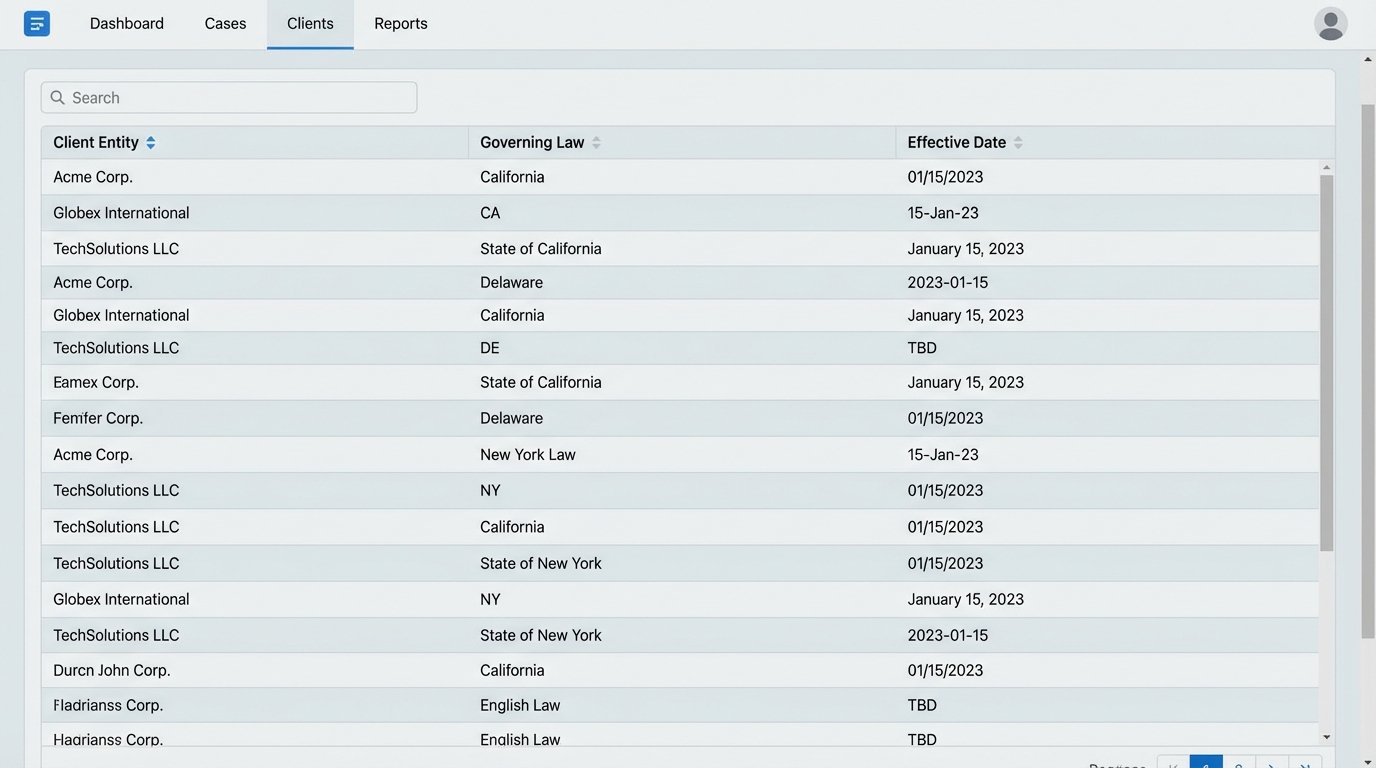
Here is the part the sales demos conveniently skip. Automation is not a magic wand you wave over your existing mess. It is a powerful engine that requires high-octane, perfectly refined fuel. Your firm’s existing data is almost certainly low-grade, contaminated sludge. Trying to pipe unstructured data from a legacy case management system into a pristine document automation engine is like shoving a firehose through a needle.
The real work, the expensive and time-consuming prerequisite, is data normalization. It means forcing attorneys to use dropdown menus instead of free-text fields for “Governing Law.” It means creating validation rules in your CRM to ensure a “Contract Expiration Date” cannot be earlier than the “Effective Date.” It means scrubbing years of duplicate client records and inconsistent address formats.
This is a brutal, thankless task. It’s an IT and Legal Ops project that can take months or years before you generate your first automated document. But without it, your automation project is doomed. You will simply be automating the generation of garbage, just doing it much faster than before.
Implementation Architectures: Build vs. Buy
Once you accept the data cleanup burden, you face an architectural choice. Do you purchase a commercial, off-the-shelf platform, or do you build a system by stitching together libraries and APIs?
Path One: The Commercial Platform
Vendors like Thomson Reuters Contract Express, Litera, or Ironclad offer integrated environments. They provide a template editor, a logic builder UI, and pre-built connectors to common systems like Salesforce. This path is seductive because it promises a faster start. You get a user interface for attorneys to manage templates, which can help with adoption.
The downside is significant. First, cost. These are enterprise-grade systems with enterprise-grade price tags. Licensing is often per-user or per-document, a classic wallet-drainer model. Second, you are bound by the platform’s limitations. If you need a custom integration with an ancient, in-house timekeeping system, you might be out of luck or facing a five-figure professional services engagement. The logic is often a black box, making complex debugging a frustrating exercise in submitting support tickets.
Path Two: The In-House Build
The alternative is to construct your own engine. You can use libraries like `python-docx` for Python or Open XML SDK for .NET to programmatically manipulate document files. Your data comes from direct database queries or internal API calls. Your logic engine is code you write and maintain. Your “front end” might be a simple form on the firm’s intranet.
This grants you absolute control. You can integrate with any system that exposes an API. You can implement any business logic, no matter how esoteric. The marginal cost per document is effectively zero. The catch? You are now a software development shop. You need engineers who understand both the tech stack and the legal requirements. You are responsible for every bug, every security patch, and every minute of downtime. It is a massive commitment of technical resources.
Firms often underestimate the total cost of ownership for an in-house build. It’s not just the initial development. It’s the permanent headcount required to maintain and extend the system.
Shifting the Quality Control Paradigm
Automation does not eliminate the need for quality control. It shifts its position and changes its nature. Instead of proofreading every generated document for typos, you audit the system that creates them.
- Template Testing: Every logic path in a template should be treated like a code branch and have a corresponding test case. Create a set of test data records, one for each possible permutation of inputs, and generate a document for each. The output documents are then compared against a pre-approved “golden” version. This process can be automated as part of a continuous integration pipeline.
- Data Validation: Quality control starts at the point of data entry. Your intake forms and CRM fields must be hardened with aggressive validation rules. A state field should be a dropdown list, not free text. A currency value field should reject non-numeric characters. Lock down the inputs to guarantee the quality of the outputs.
- Version Control for Templates: Templates are code. They must be stored in a proper version control system like Git. When a lawyer wants to change a clause, they don’t edit the live template. They create a branch, make the change, and submit a pull request. Another senior lawyer or knowledge management professional reviews the change before it’s merged into the main branch and deployed.
This is a discipline borrowed directly from software engineering. It replaces the ad-hoc, error-prone method of emailing Word documents with a structured, auditable, and fundamentally more reliable process.

The transition from manual to automated drafting is not a technology upgrade. It is a cultural and operational transformation. It forces a law firm to treat its work product not as a collection of bespoke artisanal texts, but as a system of industrial components. The resistance to this change is often fierce, rooted in a misplaced belief that manual effort equates to higher quality.
The evidence from every other mature industry proves this to be false. The choice is not between a human touch and a cold machine. It is between an unreliable, opaque process and a systematic, transparent one.