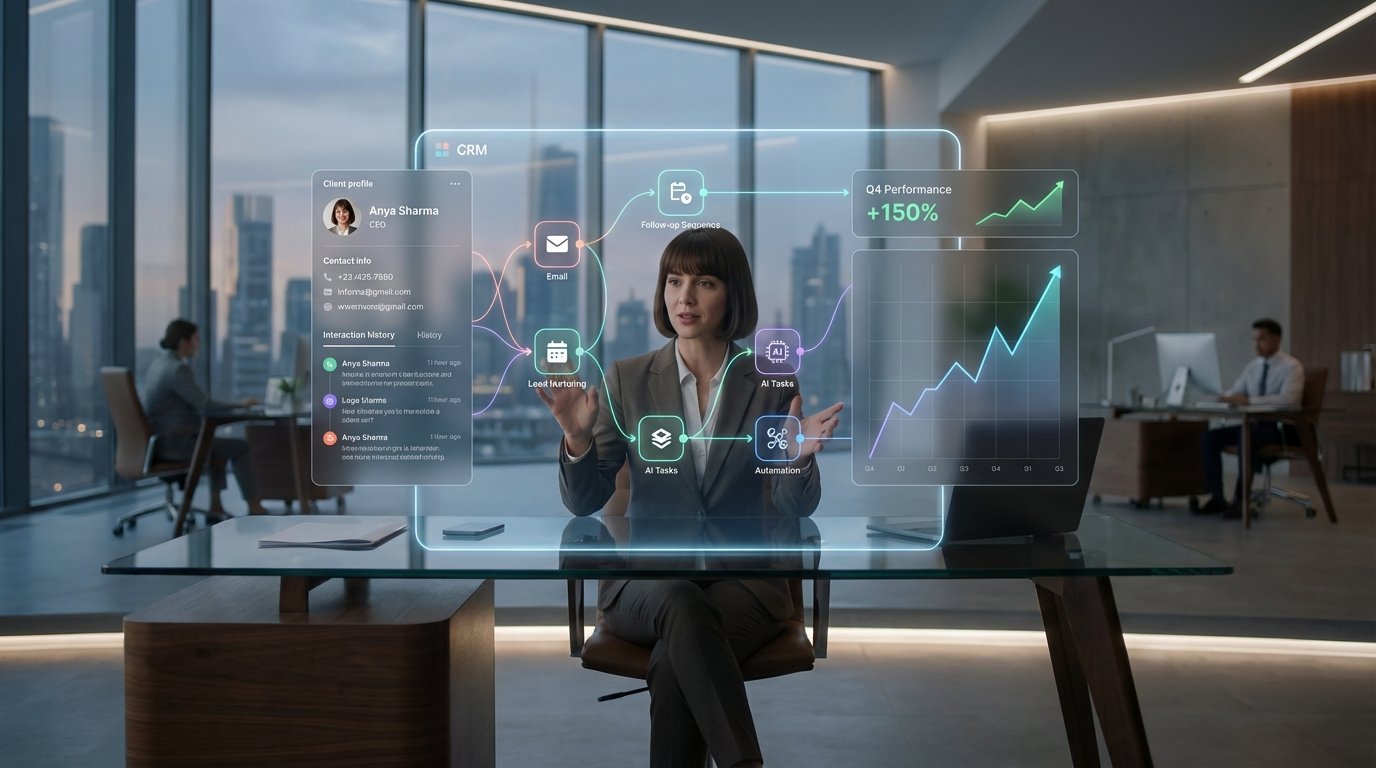
Every lead in your CRM represents a conversation that stopped. Most of them die not from a lack of interest, but from a broken process. The most common point of failure is the human-driven follow-up. It’s unreliable, inconsistent, and ultimately, unscalable. Relying on a sales rep to perfectly execute a multi-touch cadence for hundreds of leads is a statistical fantasy.
The problem is not the person. The problem is the task. It’s a high-volume, low-complexity job that is perfectly suited for a machine and horribly suited for a human brain that has to juggle demos, negotiations, and internal meetings. We don’t fix this with more training or motivational posters. We fix it by removing the person from the repetitive parts of the equation.
The Anatomy of a Dropped Lead
A dropped lead is a symptom of process decay. It starts with a simple missed task. A rep gets busy, a reminder gets dismissed, and a seven-day follow-up becomes a ten-day follow-up. Then the context is lost. The rep has to re-read notes, re-check activity, and rebuild the mental state of the last conversation. This cognitive tax accumulates with every lead in their pipeline.
Eventually, the path of least resistance wins. They focus on the hot, active leads and the colder, older ones are left to rot. Your CRM’s “Last Contacted Date” property becomes a field of digital archaeology. This isn’t laziness. It’s a predictable outcome of a poorly architected system.
Data Integrity as the First Casualty
The secondary failure is data pollution. When follow-ups are manual, so is the logging. Reps forget to update stages, log calls, or change lead statuses. This creates a feedback loop of bad information. Marketing automation can’t segment accurately, sales forecasts become fiction, and management is flying blind, making decisions based on data that is weeks out of date.
The native workflow builders inside most CRMs are a temporary fix at best. They handle simple, linear sequences well enough. If a lead fills out a form, send email A, wait three days, send email B. But they shatter the moment real-world complexity is introduced. They can’t handle conditional logic based on external data, they struggle with multi-object lookups, and their error handling is often a black box of silent failures.
An Architecture That Enforces Process
The solution is to pull the logic out of the human brain and out of the CRM’s limited native tools. We build a small, dedicated service that acts as the central nervous system for client communication. This service listens to the CRM, applies rigorous business logic, and then instructs the CRM or other integrated tools on what to do next. It becomes the single source of truth for the follow-up process.
The core mechanism for this is the webhook. A CRM webhook is a simple HTTP request sent to a URL you specify whenever a certain event occurs. A contact is created. A deal stage is changed. A property is updated. Instead of relying on a human to notice this change, we have the CRM push a notification directly to our automation service the microsecond it happens.
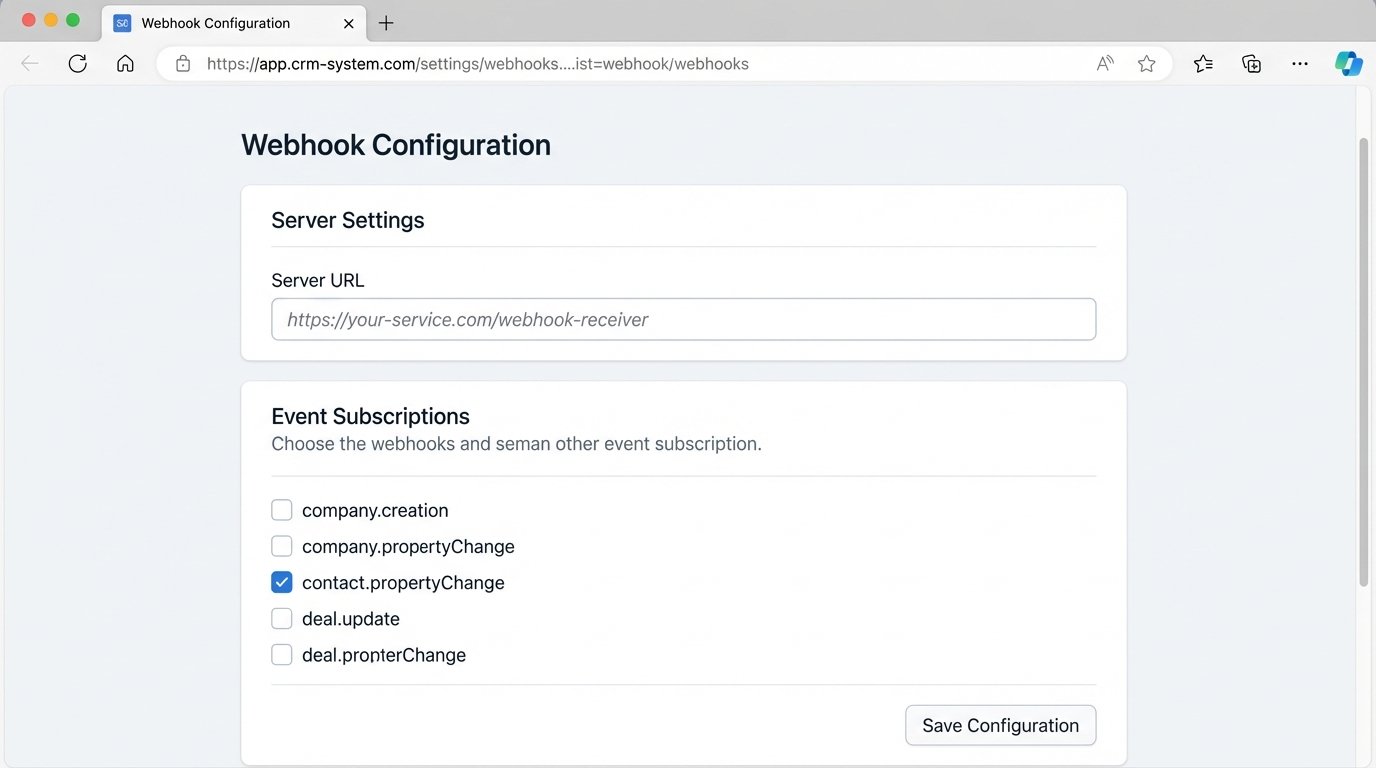
This approach treats the CRM as a database with a notification system. The CRM’s job is to hold the data, not to house the complex, mission-critical logic that dictates client interaction. Building a webhook listener is trivial. The following Python code using the Flask framework sets up a basic endpoint to receive a POST request from a CRM.
from flask import Flask, request, jsonify

import json
app = Flask(__name__)
# This is the endpoint the CRM will send webhooks to
@app.route('/webhook-receiver', methods=['POST'])
def crm_event_handler():
# Authenticate the webhook here (e.g., check a secret header)
# For simplicity, we'll skip that in this example.
if request.is_json:
payload = request.get_json()
print("Received webhook payload:")
print(json.dumps(payload, indent=2))
# Example: A HubSpot 'contact.propertyChange' webhook
# We need to logic-check the payload to see what we're dealing with.
subscription_type = payload[0].get('subscriptionType')
property_name = payload[0].get('propertyName')
if subscription_type == 'contact.propertyChange' and property_name == 'lifecyclestage':
# A contact's lifecycle stage has changed.
# Now we can trigger our specific business logic.
handle_stage_change(payload)
return jsonify({"status": "success"}), 200
else:
# The payload wasn't JSON, which is a hard failure.
return jsonify({"error": "Request must be JSON"}), 400
def handle_stage_change(payload):
# Extract the necessary data from the payload.
# This structure depends entirely on your CRM's webhook format.
contact_id = payload[0].get('objectId')
new_stage = payload[0].get('propertyValue')
print(f"Contact ID {contact_id} moved to stage: {new_stage}")
# Here you would add your complex logic.
# For example, if stage is 'SQL', create a task.
if new_stage == 'sql':
# This is a placeholder for an API call back to the CRM.
create_follow_up_task(contact_id, "Initial outreach call required for new SQL.")
return
def create_follow_up_task(contact_id, task_title):
# This function would contain the API call logic.
# import requests
# crm_api_key = 'YOUR_API_KEY'
# headers = {'Authorization': f'Bearer {crm_api_key}'}
# task_payload = { ... }
# response = requests.post(f'https://api.yourcrm.com/v3/tasks', json=task_payload, headers=headers)
# logic-check the response for success or failure.
print(f"TASK CREATED for Contact {contact_id}: {task_title}")
if __name__ == '__main__':
app.run(debug=True, port=5000)
Injecting Logic and Bypassing Limitations
With the webhook data flowing into our service, we can now apply logic that is impossible within a standard CRM workflow builder. We can query other internal databases to enrich the contact data. We can call a third-party API like Clearbit to get firmographic information. We can implement complex conditional branching that would look like a spiderweb in a visual workflow tool.
Consider a lead that goes cold. A rep hasn’t touched it in 14 days. The native CRM automation might be able to send a notification. Our external service can do better. It can get the webhook for the last activity date, wait 14 days, then check the contact’s `lead_score` property. If the score is high, it can re-assign the lead to a different team and create a high-priority task. If the score is low, it can add the contact to a long-term, low-touch nurture sequence via the marketing automation platform’s API and set their status to “hibernating”.
This is process enforcement. The system doesn’t ask the rep to remember the rule. It executes the rule automatically. The human is now responsible for the high-value part of the job: the actual conversation. This entire workflow is like shoving a firehose of data through the needle of a specific business rule, something a generic UI-based tool can’t handle with any grace.
Closing the Loop: Forcing Data Entry
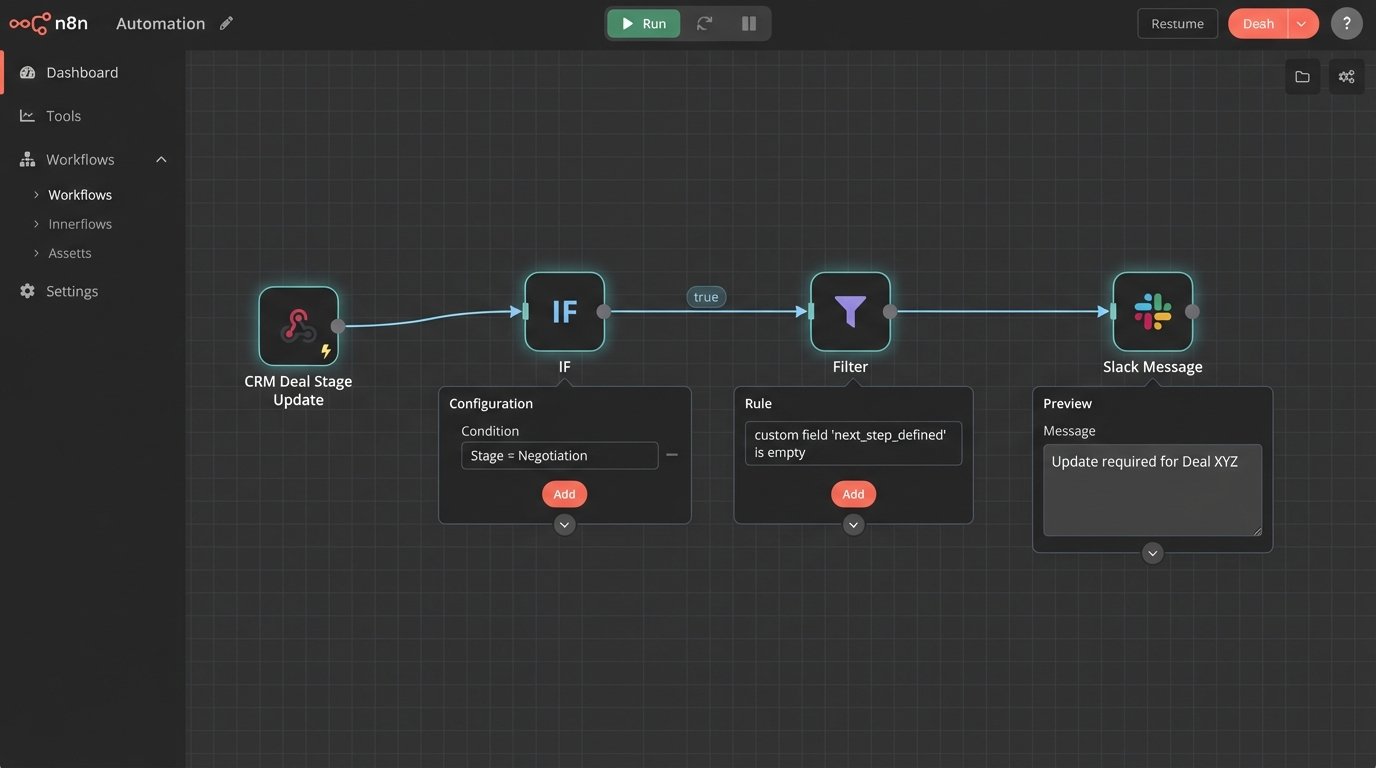
This architecture also solves the data pollution problem. We can make proper data logging a prerequisite for action. For example, a sales rep moves a deal to the “Negotiation” stage. A webhook fires. Our service checks the deal record for a custom property called `next_step_defined`. If that field is empty, the service can take immediate action.
It could send a direct Slack message to the rep: “Deal XYZ moved to Negotiation but ‘Next Step’ is empty. Update the record.” It could even be configured to move the deal stage *back* to the previous stage until the required data is present. This sounds harsh, but it forces the process to be followed, guaranteeing that your CRM data reflects reality. The system becomes self-healing.
The Necessary Trade-Offs: Maintenance and Monitoring
This architecture is not a “set it and forget it” solution. You have traded the unreliability of humans for the complexity of a software service. This service is now a piece of critical infrastructure. It requires logging, monitoring, and a plan for when it fails. If your webhook receiver goes down, the entire follow-up process halts.
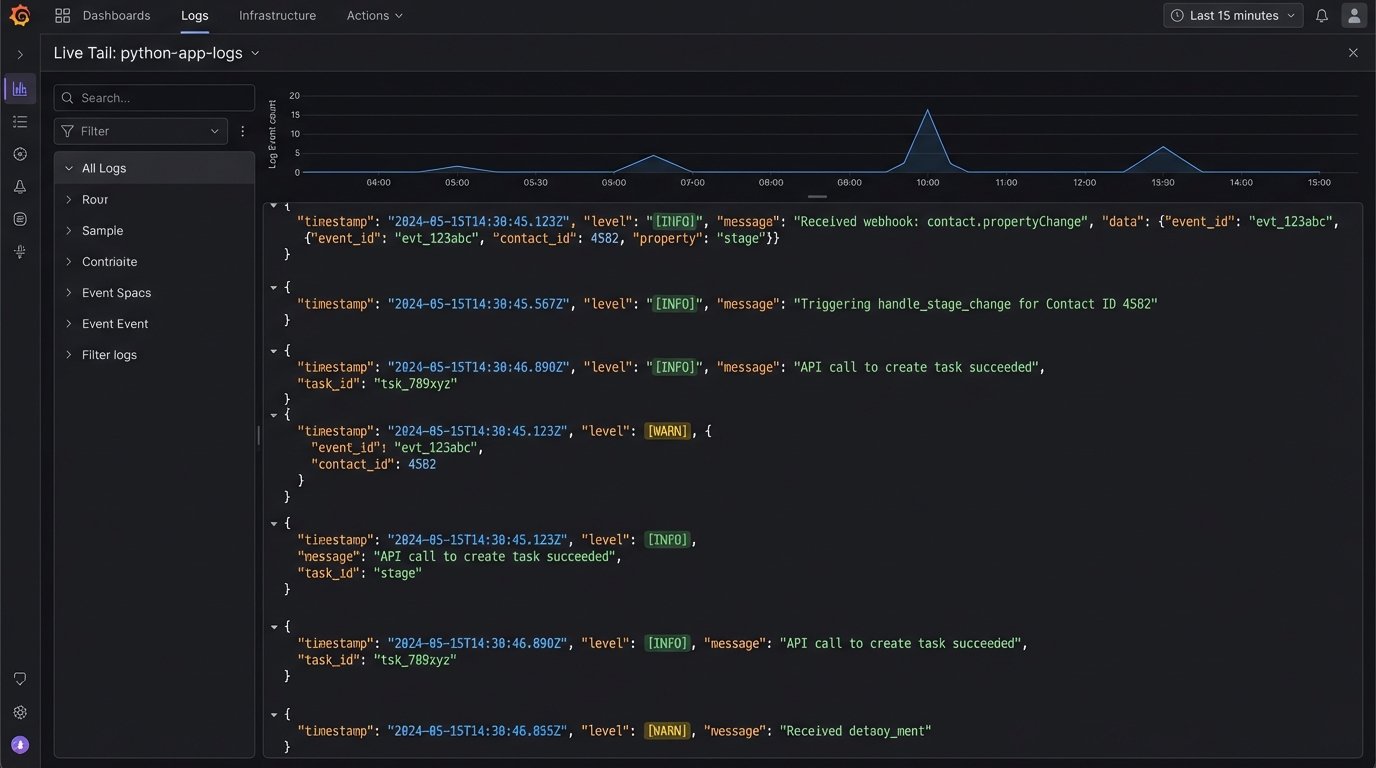
You must have aggressive logging. Every webhook received, every decision made, every API call attempted must be written to a log file or a service like Datadog. When a lead gets dropped, you need to be able to trace its journey through your system to find the point of failure. Was the webhook malformed? Did a third-party API time out? Did your code throw an unhandled exception?
This is not a wallet-drainer in terms of raw compute costs. A serverless function on AWS Lambda or Google Cloud Functions can process thousands of webhooks for pennies. The real cost is in engineering time. Someone has to build it, deploy it, and babysit it. This is a commitment to treating your sales process as an engineering problem.
The Human as an API Endpoint
Ultimately, this architecture repositions the role of the sales rep. They are no longer the fallible, overworked engine of the follow-up process. The automation is the engine. It handles the scheduling, the reminders, and the data validation.
The system now treats the human as a specific, high-value API endpoint to be called only when pattern-matching and computation are insufficient. The automation creates a task in the CRM. That task is an API call to the human. The payload is the contact information and the context. The expected return value is a logged call, a progressed deal stage, and notes for the next step. The human’s job is to execute that one specific, high-value function: talk to another human.
This is not about replacing people. It’s about augmenting them. We strip away the repetitive, error-prone tasks that cause burnout and let them focus on the part of the job that machines can’t do. The result is a follow-up process that runs with the reliability of code, not the variability of human memory.