
Most document automation projects fail. They don’t fail because the software is bad. They fail because the underlying process is a chaotic mess of ad-hoc requests and inconsistent data. Injecting a tool into that chaos just makes the garbage documents appear faster. The core mistake is treating automation as a magic wand instead of what it is: a brutally literal interpreter of the logic you feed it.
If your data model is flawed or your conditional logic is a spaghetti bowl of nested IF statements, the platform will execute those flawed instructions with perfect fidelity. The result is a system that costs a fortune to maintain and produces documents that still require heavy manual review. Before you write a check to a vendor, you must first fix the plumbing.
Mistake 1: Ignoring the Data Model
Firms get seduced by slick user interfaces and promises of one-click document generation. They purchase a platform and then try to force their existing, unstructured data into it. This backwards approach is the primary reason for failure. You are attempting to build a house by starting with the paint color instead of the foundation.
The system needs structured, predictable data. It cannot guess that “Client Inc.” in your intake form is the same as “Client, Incorporated” in your case management system. This data ambiguity forces you to build fragile, complex workarounds inside the templates themselves, bloating them with logic that should be handled before generation even begins.
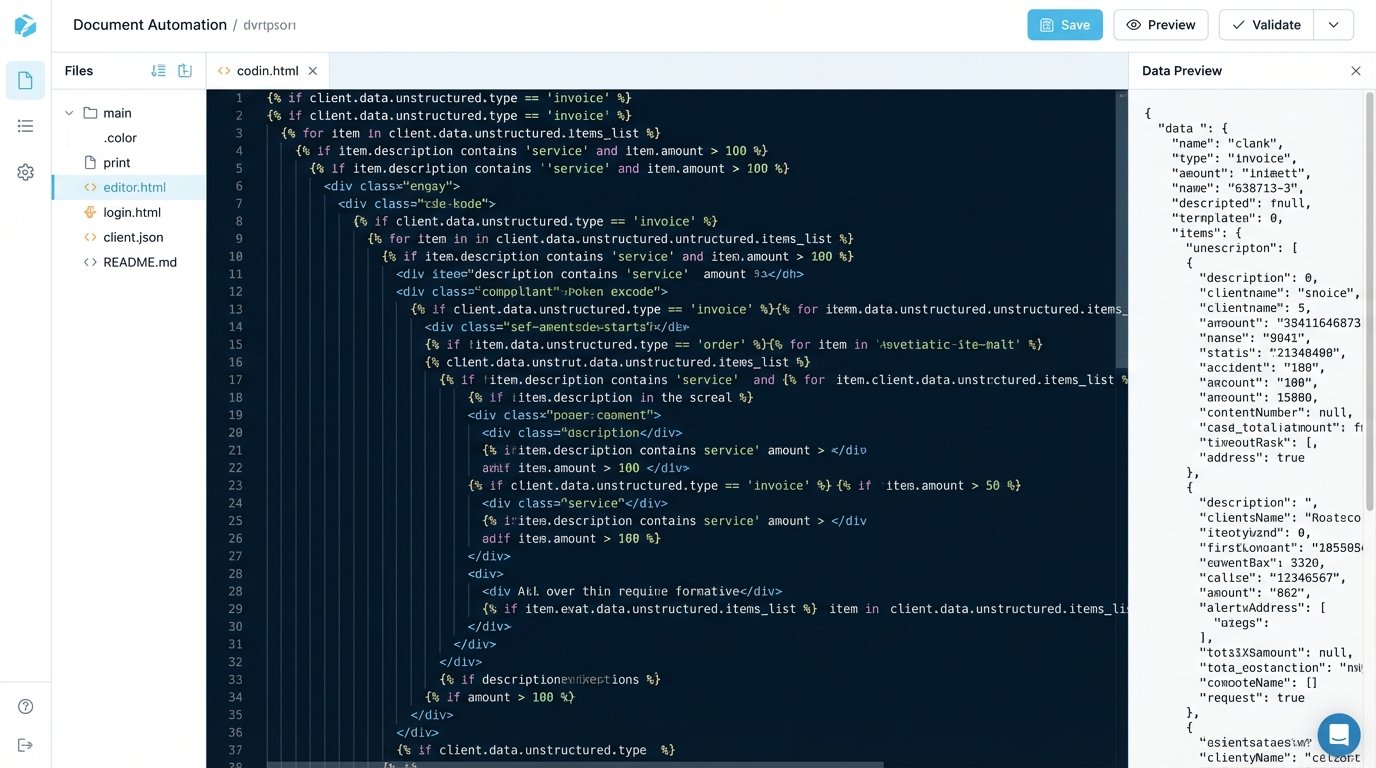
This path leads to templates that are impossible to maintain. A simple change, like adding a new party type, requires a forensic analysis of a dozen different rules scattered across the document. It’s unscalable and a technical debt nightmare.
The Fix: Define a Schema First
Stop everything and map your data. Before you touch a single template, define a canonical data model for each document type. This model is your single source of truth. A JSON schema is the correct tool for this job because it forces you to define data types, required fields, and structure.
Consider a simple engagement letter. The required data points might look like this:
{
  "$schema": "http://json-schema.org/draft-07/schema#",
  "title": "Engagement Letter Data Model",
  "type": "object",
  "required": [
    "clientName",
    "clientId",
    "matterName",
    "matterId",
    "feeStructure",
    "governingLaw"
  ],
  "properties": {
    "clientName": {
      "type": "string",
      "description": "The full legal name of the client."
    },
    "clientId": {
      "type": "string",
      "pattern": "^[A-Z]{2}-\d{5}$"
    },
    "matterName": {
      "type": "string"
    },
    "matterId": {
      "type": "string"
    },
    "feeStructure": {
      "type": "object",
      "properties": {
        "type": {
          "enum": ["hourly", "flat", "contingency"]
        },
        "rate": {
          "type": "number",
          "description": "Hourly rate in USD. Null if not hourly."
        },
        "flatFeeAmount": {
          "type": "number",
          "description": "Total flat fee. Null if not flat."
        }
      },
      "required": ["type"]
    },
    "governingLaw": {
      "type": "string",
      "enum": ["Delaware", "New York", "California"]
    }
  }
}
This schema is your contract. Any data source, whether it’s a web form or an API call to your CRM, must be transformed to fit this structure *before* it is sent to the document generation engine. This isolates your templates from the chaos of upstream systems. Your template logic becomes clean and simple, referencing `{{clientName}}` instead of a complex formula to parse the client name from three different possible fields.
Mistake 2: Embedding Complex Business Logic in Templates
The second major failure point is cramming too much logic into the document template itself. Templates become brittle and difficult to debug when they contain deeply nested conditional statements to handle every possible edge case. This is the equivalent of writing an entire application inside a single function. It works for a little while, then collapses under its own weight.
When a partner requests a change to the logic for when a specific clause is included, the developer has to read through hundreds of lines of template-specific syntax, which is often a proprietary, under-documented language. This is slow, expensive, and prone to error. You are trying to shove a firehose of business rules through the tiny needle of a template placeholder.
The Fix: Pre-process Logic and Inject Simple Flags
Your document template should be dumb. Its only job is to render data, not to compute it. All complex business logic should be executed in a separate, preceding step. This logic should resolve down to simple boolean flags or calculated values that are then passed into the template as part of the data model.
For example, instead of this logic inside the template:
{% if matter.value > 1000000 and client.jurisdiction == 'Delaware' and matter.type == 'M&A' %} [Include Complex Indemnity Clause] {% endif %}
Your pre-processing service or script should handle it. You run a function that takes the raw matter data and adds a new key to the JSON object:
- Step 1: Raw Data Input: You receive the basic matter information from your case management system.
- Step 2: Logic Engine Execution: A separate script or microservice ingests this data. It contains the business rule: if the matter value exceeds $1M, the jurisdiction is Delaware, and the type is M&A, then a specific indemnity provision is required.
- Step 3: Augment the Data Model: The logic engine adds a simple boolean flag to the JSON payload: `”includeComplexIndemnity”: true`.
- Step 4: Send to Template: The augmented JSON is sent to the generation engine.
Now the logic inside the template is clean:
{% if includeComplexIndemnity %} [Include Complex Indemnity Clause] {% endif %}
The business logic now lives in a proper programming environment (like Python or JavaScript) where it can be properly version-controlled, unit-tested, and debugged. The template is just for presentation.
Mistake 3: Hardcoding Content and Ignoring Clause Libraries
This one is insidious. It starts small. Someone needs a new document for a specific partner, so they clone an existing template and hardcode the partner’s name and office address directly into the text. Six months later, you have 50 slightly different templates, the partner has moved offices, and now you have to manually update dozens of documents.

This creates a massive maintenance burden and introduces significant compliance risk. When legal standards or firm policies change, tracking down every instance of the outdated language becomes a painful, manual exercise. You have created a distributed system of failure points with no central control.
You lose the entire benefit of automation, which is centralized control and consistency.
The Fix: Abstract Content into a Centralized Source
No piece of content that could ever change should be typed directly into a template. This includes lawyer names, office addresses, standard clauses, and even boilerplate definitions.
Your architecture must include these components:
- A User/Personnel Data Source: This should be an API call to your HR system or Active Directory. You fetch the user’s name, title, bar number, and office details at the time of generation. When an attorney’s details change, you update it in one place, and all future documents are correct.
- A Centralized Clause Library: All standard legal language should live in a separate system, not in the templates. The template contains a placeholder, like `{{clauses.indemnification_standard}}`. Your pre-processing logic determines which version of the clause to fetch from the library API based on the matter data (e.g., jurisdiction, deal size).
- Configuration Files for Environment-Specific Data: Firm-wide information like the main office address or registration numbers should live in a configuration file that is read at runtime. This separates configuration from the template code itself.
This approach forces discipline. It makes updating standard language a simple matter of publishing a new version of a clause in the library. All templates that reference that clause are instantly updated without requiring a single template edit.
Mistake 4: No Version Control for Templates
Templates are code. Treating them like Word documents saved in a shared drive is a recipe for disaster. When multiple people can edit the “master” template, you have no audit trail, no way to roll back a bad change, and no way to test changes in isolation without breaking the production document flow.
Someone makes a “small fix” on a Friday afternoon, which inadvertently breaks the formatting for a specific document type. By the time anyone notices on Monday, hundreds of incorrect documents have been generated, and no one is quite sure what the old, working version of the template looked like.
The Fix: Implement Git for Everything
Every component of your automation system must be in a version control system like Git. This is not optional. This includes the templates themselves, the JSON schemas, the pre-processing logic scripts, and the configuration files.
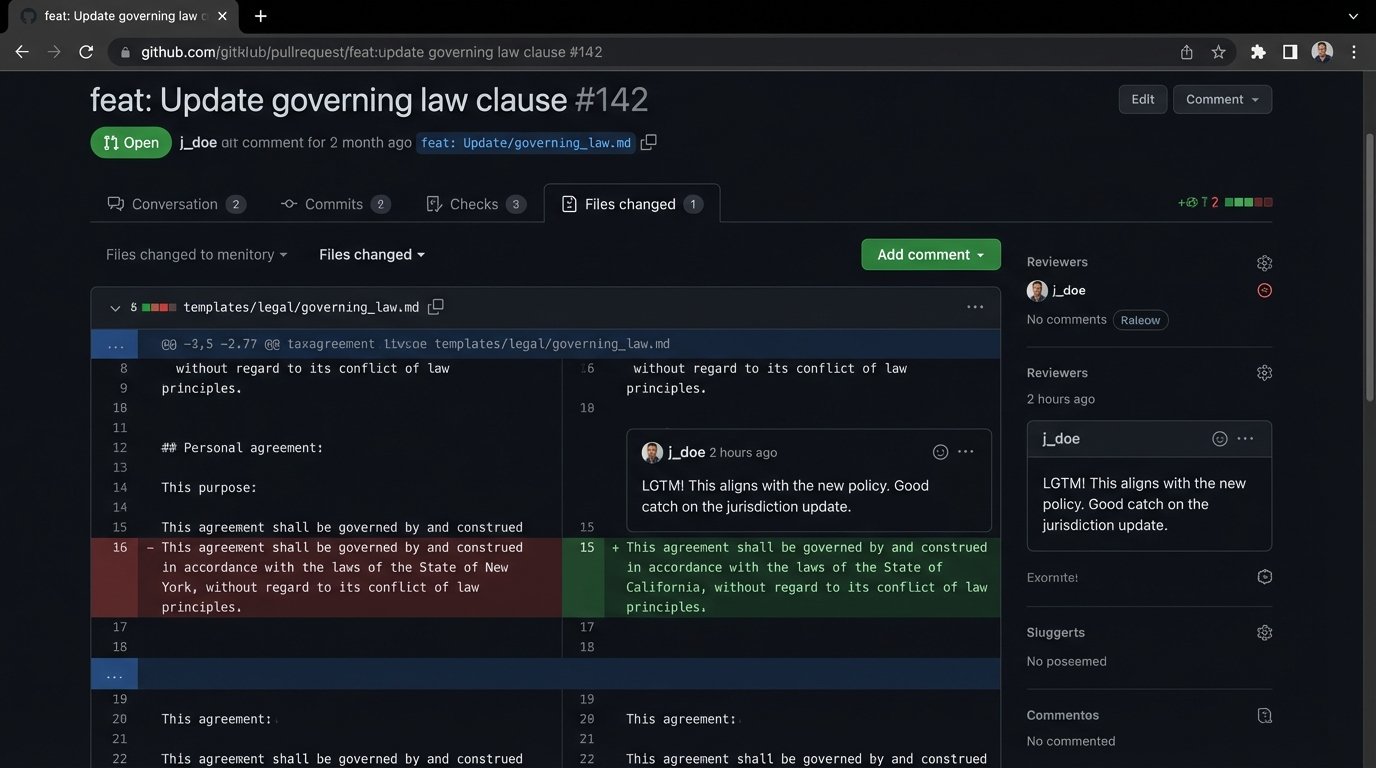
A basic workflow provides the necessary safety net:
- Main Branch is Production: The `main` or `master` branch should always represent the code that is currently live and generating documents. No direct commits should be allowed.
- Develop on Branches: Any change, whether it’s fixing a typo or adding a new logic path, must be done on a separate feature branch (e.g., `feature/add-new-nda-clause`).
- Pull Requests for Review: When the change is complete, the developer opens a pull request. This forces a second person to review the code for errors, style inconsistencies, or logical flaws before it gets merged.
- Automated Testing: The pull request should trigger an automated process that runs a suite of tests. It generates a sample document with the new template and compares it against a known-good version to catch regressions.
- Tag Releases: When a new version is deployed to production, it should be tagged with a version number (e.g., `v2.1.4`). If a problem is discovered later, you can instantly revert to the previous stable tag.
This process feels slow at first, but it prevents catastrophic failures. It provides a full history of every change, who made it, and why. It is the only professional way to manage system development.