
Litigation preparation is a sequence of failure points connected by manual data entry. The process breaks when an associate miskeys a custodian name from an email into the case management system. It breaks again when a paralegal exports a document list to a spreadsheet, which is obsolete the moment it’s saved. We are not building elegant systems here. We are building pipes to shunt data between brittle platforms, and the primary goal is to reduce the number of places a human can introduce error.
The entire exercise is about moving structured data from point A to point B, then to point C, without it being corrupted by manual intervention. Forget high-minded goals about digital transformation. This is plumbing. Dirty, necessary plumbing to stop the constant, low-grade data leaks that sink cases.
Step 1: Gut the Case Management System for Clean Data
Your case management system (CMS) is the first and often worst source of truth. It’s a repository of names, dates, and case identifiers that everything else depends on. Most CMS platforms offer an API, but its quality is a coin toss. Expect sluggish REST endpoints, or worse, a SOAP API that feels like a relic from a forgotten era. The first step is to establish a reliable, repeatable method for extracting core matter data.
We write a script that hits the CMS API on a schedule, perhaps every hour. Its only job is to pull a list of active litigation matters and their associated parties. The script does not trust the data. It forces normalization. It strips titles like “Dr.” or “Esq.” from names, converts all date formats to ISO 8601 (YYYY-MM-DD), and standardizes addresses. This sanitized data is then stored in a simple, intermediate database or even a structured JSON file in a secure location. This becomes our clean source, insulating the rest of our workflow from the CMS’s quirks.
This intermediate storage is non-negotiable. Bypassing it means every subsequent script must contain redundant, complex logic to handle the CMS’s specific brand of data chaos.
Configuration: The Extraction Script
The goal is a script that is both idempotent and resilient. It should be able to run repeatedly without creating duplicate entries and should handle API downtime gracefully. We use Python with the `requests` library for API calls and `pandas` for data manipulation because they are standard and effective. The script authenticates, fetches the data, and then shoves it through a series of cleaning functions.
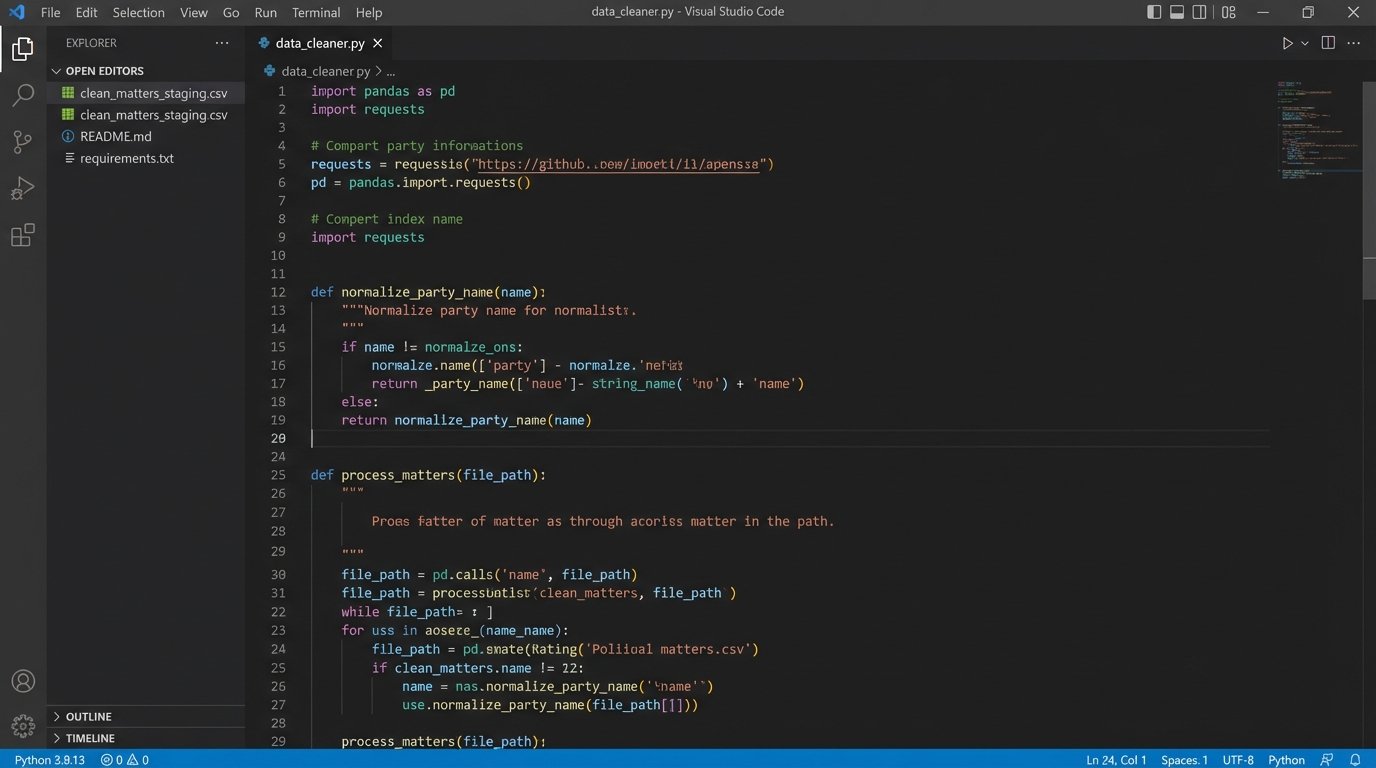
Here is a simplified block showing the logic for cleaning a payload. This is not production code, but a conceptual model. It assumes the API returns a list of JSON objects.
import pandas as pd

import requests

import re

from datetime import datetime
CMS_API_ENDPOINT = "https://api.legacycms.com/v1/matters"
API_KEY = "your_secret_api_key_here"
def fetch_raw_data():
headers = {"Authorization": f"Bearer {API_KEY}"}
try:
response = requests.get(CMS_API_ENDPOINT, headers=headers, timeout=30)
response.raise_for_status() # Raises an HTTPError for bad responses
return response.json()
except requests.exceptions.RequestException as e:
# Log the error properly in a real system
print(f"API call failed: {e}")
return None
def normalize_party_name(name):
# Strip common prefixes and suffixes, convert to a standard format
name = re.sub(r'^(Dr|Mr|Mrs|Ms)\.\s*', '', name, flags=re.IGNORECASE)
name = re.sub(r',\s*(Esq|Jr|Sr|II|III)$', '', name, flags=re.IGNORECASE)
return ' '.join(name.split()).title()
def normalize_date(date_string):
# Attempt to parse common date formats and convert to ISO 8601
for fmt in ('%m/%d/%Y', '%d-%b-%y', '%Y-%m-%d %H:%M:%S'):
try:
return datetime.strptime(date_string, fmt).strftime('%Y-%m-%d')
except (ValueError, TypeError):
continue
return None # Or return a default/error value
def process_matters(raw_data):
if not raw_data:
return pd.DataFrame()
matters_list = raw_data.get('matters', [])
df = pd.json_normalize(matters_list)
# Apply normalization functions
if 'primary_client.name' in df.columns:
df['client_name_normalized'] = df['primary_client.name'].apply(normalize_party_name)
if 'date_filed' in df.columns:
df['date_filed_iso'] = df['date_filed'].apply(normalize_date)
# Select and rename columns for the clean data store
clean_df = df[['matter_id', 'client_name_normalized', 'date_filed_iso']]
return clean_df
# Main execution block
raw_matters = fetch_raw_data()
clean_data = process_matters(raw_matters)
if not clean_data.empty:
# Save to a staging area, e.g., a CSV or a database table
clean_data.to_csv('clean_matters_staging.csv', index=False)
print(f"Successfully processed and saved {len(clean_data)} matters.")
This script isn’t pretty, but it’s functional. It creates a firewall between the messy source system and the downstream automation. Trying to build anything without this foundational cleaning step is like trying to build a house by shoving materials through a woodchipper first. The output will be chaotic and unusable.
Step 2: Scripting the E-Discovery Workspace Creation
With a clean list of matters, the next target is the e-discovery platform. Manually creating workspaces in Relativity, Logikcull, or Everlaw is a time sink and another opportunity for error. Most of these platforms have APIs that allow for the programmatic creation of matters or workspaces. We write a second script that reads our clean data source and checks the e-discovery platform to see if a corresponding workspace exists for each active litigation matter.
If a workspace does not exist, the script creates it. It uses the normalized matter name and ID from our clean data store. This ensures consistency. The script then stores the e-discovery workspace ID back in our intermediate database, linking the CMS matter ID to the e-discovery workspace ID. This link is the critical piece of glue that holds the entire workflow together.
The main challenge here is authentication. Many modern platforms use OAuth 2.0, which requires a more complex token exchange flow compared to a simple API key. This is a front-loaded development cost, but it provides more secure and granular access control. Budget time for reading dense API documentation and handling token refresh logic.
Step 3: Automating Data Ingestion and Processing
Once a workspace exists, the next job is to get data into it. This step involves monitoring specific sources, like a network share, an FTP site, or an S3 bucket, for new files. A watcher service or a scheduled script can identify new collections and use the e-discovery platform’s API to initiate an ingestion job.
This script needs to be smart enough to associate the incoming data with the correct matter. It can use the folder name or metadata in a manifest file to look up the correct workspace ID from our intermediate database. Upon triggering the ingestion, the script can also apply a standard processing profile to perform tasks like OCR, imaging, and text extraction.
This bypasses the need for a user to manually upload data and click through a processing wizard. It turns a multi-step, error-prone manual task into a background process. The speed gains are substantial, but the real value is in the consistency. Every collection is processed with the exact same settings, eliminating a major variable in the review process.

Configuration: Triggering a Processing Job
The API calls for these actions are usually straightforward POST requests. The complexity lies in constructing the correct JSON payload, which specifies the data source, the target workspace, and the processing settings. You will spend more time figuring out the right combination of IDs and configuration options from the API docs than writing the actual code.
For example, a call to trigger a processing set in a Relativity-like environment might look like this conceptual cURL command:
curl -X POST "https://ediscovery.api/v2/workspaces/10123/processingsets" \

-H "Authorization: Bearer your_refreshed_oauth_token" \

-H "Content-Type: application/json" \

-d '{

  "name": "2024-05-15 Custodian John Doe",

  "dataSource": {

    "type": "filePath",

    "path": "\\\\server\\new_collections\\matter_AF192\\jdoe_laptop"

  },

  "processingProfileId": 567,

  "timezone": "UTC-5",

  "notifications": ["automation_admin@lawfirm.com"]

}'
This single API call replaces at least a dozen mouse clicks. Running this logic in a script that loops through new data collections means you can ingest terabytes of data without a human babysitting the interface.
Step 4: Connecting Review Decisions to Project Management
The bridge between document review and trial preparation is notoriously weak. An attorney finds a key document in the e-discovery platform and communicates its importance via email or a note in a spreadsheet. This is a fragile, informal system. We can force structure on this process by linking the e-discovery platform to a project management tool like Jira or Asana.
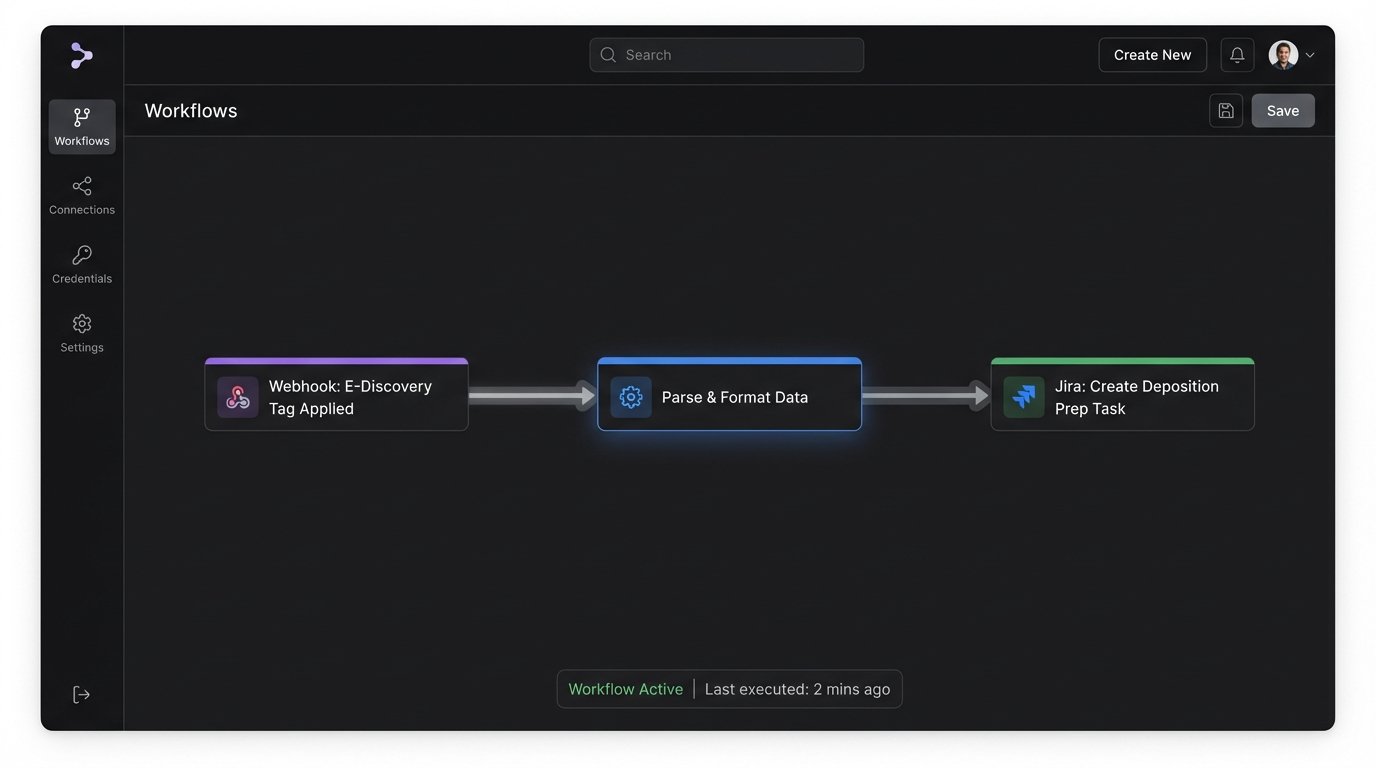
We use webhooks. When a document in the review platform is tagged with a specific designation, like “Key Document” or “Depo Prep,” the platform fires a webhook. This webhook hits a small, intermediary service we control, like an AWS Lambda function or an Azure Function. The function parses the webhook payload, which contains information about the document and the matter.
The function then uses the project management tool’s API to create a new task. The task can be automatically titled “Prepare for Deposition: Document [DOC_ID]” and placed in the appropriate project and assigned to the right person. The body of the task should contain a direct link back to the document in the e-discovery platform, along with key metadata like custodian and date. This creates a direct, auditable link between a review decision and an actionable trial prep task.
This architecture converts subjective review coding into a structured, trackable workflow. It eliminates the “what happened to that document I marked?” problem entirely.
Step 5: Generating Shell Documents from Structured Data
The final stage of automation leverages the structured data we have painstakingly collected. With clean party names from the CMS, linked key documents from the e-discovery review, and defined tasks from the project management tool, we can now automate the generation of shell documents. These are templates for things like exhibit lists, deposition notices, and privilege logs.
The process requires a document generation engine. This could be a dedicated service with an API or a library like `python-docx` for Word documents. A script pulls the required data from our various sources via their APIs: the case style from our clean CMS data, the list of documents tagged “Exhibit” from the e-discovery platform’s API, and the list of deponents from the project management board. It then injects this data into a predefined Word template.
The result is a perfectly formatted, pre-populated shell document. The paralegal’s job shifts from mind-numbing copy-paste to high-value verification and refinement. This not only saves immense amounts of time but also dramatically reduces the risk of embarrassing errors like misspelling a client’s name or citing the wrong document ID on an exhibit list.
Maintenance and Validation: The System is Never “Done”
None of this is a one-time setup. An automated litigation workflow is a living system that requires constant monitoring. APIs will be deprecated. A software update to the CMS might change the structure of the JSON payload, breaking your parsing logic. Authentication tokens will expire. The network share your watcher script monitors will be moved without notice.
Robust logging is not optional. Every API call, every data transformation, and every script execution must be logged. A simple dashboard that shows the health of each component, the last successful run time, and any recent errors is essential for keeping the system alive. Without a plan for maintenance, you are not building a solution. You are building tomorrow’s technical debt and a source of late-night emergency calls.