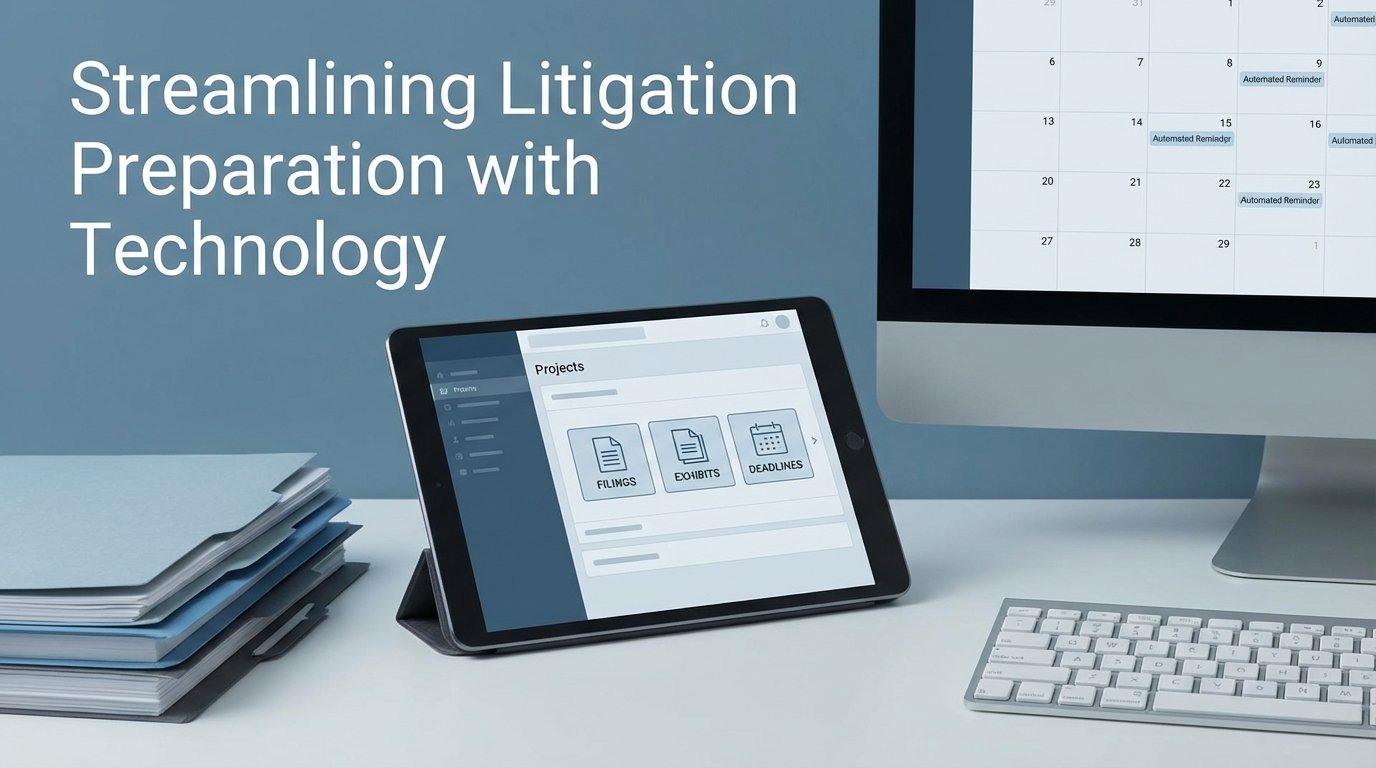
The marketing material for legal project management platforms presents a clean, orderly world. Gantt charts progress smoothly, tasks are checked off, and automated reminders prevent anyone from missing a deadline. This fiction is appealing but dangerously misleading. The core failure of litigation prep isn’t a lack of task lists. It’s the corruption of the data that feeds those lists. The real work is not in choosing a platform but in building the data plumbing to force-feed it reliable information.
An out-of-the-box project management tool is an empty vessel. It becomes a liability the moment a paralegal manually enters a filing deadline based on a third-hand email. The entire dependency chain of tasks calculated from that date is now built on a foundation of sand. The goal is to strip manual date entry from the process wherever possible and replace it with direct data injection from a single source of truth, typically the firm’s official calendaring or case management system.
Deconstructing the Myth of the All-In-One Solution
Vendors push integrated suites that claim to handle everything from client intake to e-discovery. The reality is that these systems are often a collection of mediocre tools bundled under a single license. Their internal integrations are rigid, and their APIs for connecting to external systems, like a best-of-breed document management system (DMS), are frequently an afterthought. They create a walled garden that traps your data and limits your ability to build a truly efficient workflow.
A more resilient architecture uses a lightweight, flexible project management tool as a front-end interface. The actual intelligence resides in a middle layer of logic that bridges your core systems: the DMS, the case management system (CMS), and the court calendaring database. The project management tool becomes a presentation layer, not the source of truth. Its job is to display the tasks, not to define them. This approach insulates you from the weaknesses of any single vendor.
The Data Integrity Problem in Litigation Timelines
Every complex litigation runs on a schedule dictated by the court. The scheduling order contains the key deadlines: expert disclosures, discovery cutoffs, dispositive motion filings. A junior associate transcribing these dates from a PDF into a task manager is an unacceptable point of failure. The process is prone to typos, misinterpretations, and simple forgetfulness. A single digit off in a date can lead to a missed deadline and a malpractice claim.
Building a hardened system means identifying the authoritative source for this data. For federal cases, this might be the PACER feed. For state courts, it could be the court’s own API, if one exists and is reliable. Often, the most practical source of truth is the firm’s own master calendaring system like CompuLaw or a similar rules-based docketing tool. The key is that once a date is certified and entered there, all other systems must pull from it. No exceptions.

The automation logic does not simply copy the date. It uses the certified deadline as a trigger to generate a full sequence of precedent tasks. A dispositive motion deadline, for example, triggers a cascade of internal deadlines for research, drafting, partner review, and exhibit preparation, all calculated backward from the filing date. This logic must live outside the project management tool itself, in a service you control.
Building a Smarter Reminder Engine
Standard reminders within tools like Asana or Monday.com are trivial. They trigger “3 days before due date.” This is insufficient for litigation. A meaningful reminder system is context-aware. A reminder for a partner to review a brief is different from a reminder for a paralegal to prepare exhibit binders. One requires a simple notification, the other might need to include direct links to the documents in the DMS.
A better engine is built on a service that queries the task database and applies conditional logic. For example, any task assigned to the “Partner” group with the tag “Final Review” that is due within 48 hours triggers a high-priority email and a Slack message. A task for “Serve Discovery” might trigger a notification to the litigation support department to schedule the courier. This logic is too specific to live in a general-purpose PM tool. You have to build it yourself.
Here is a basic Python script concept using a hypothetical API to demonstrate the date calculation logic. It pulls a deadline and generates a list of precedent tasks. This is the kind of logic that should run in your middle layer, not in the project management software.
import requests
import json
from datetime import datetime, timedelta
# Configuration
API_ENDPOINT = "https://api.firm-cms.com/v1/matters/case-0123/deadlines"
API_KEY = "YOUR_API_KEY"
PROJECT_MGMT_API = "https://api.pm-tool.com/v2/tasks"
HEADERS = {'Authorization': f'Bearer {API_KEY}', 'Content-Type': 'application/json'}
def get_filing_deadline(event_code):
"""Pulls a specific deadline from the source of truth."""
response = requests.get(API_ENDPOINT, headers=HEADERS)
deadlines = response.json()
for deadline in deadlines:
if deadline['code'] == event_code:
return datetime.strptime(deadline['date'], '%Y-%m-%d')
return None
def create_precedent_task(name, due_date, project_id):
"""Pushes a new task into the project management tool."""
payload = {
"project_id": project_id,
"name": name,
"due_on": due_date.strftime('%Y-%m-%d')
}
# response = requests.post(PROJECT_MGMT_API, headers=HEADERS, data=json.dumps(payload))
# print(f"Created task: {name} - Status: {response.status_code}")
print(f"DRY RUN: Would create task '{name}' due on {due_date.strftime('%Y-%m-%d')}")
# Main Execution Logic
motion_deadline = get_filing_deadline("DISP-MOTION-Filing")
if motion_deadline:
project_id = "proj_abc123" # The project ID in your PM tool
# Calculate and create the chain of tasks backward from the deadline
create_precedent_task("File Dispositive Motion", motion_deadline, project_id)
create_precedent_task("Final Partner Review of Motion", motion_deadline - timedelta(days=2), project_id)
create_precedent_task("Finalize Motion Exhibits", motion_deadline - timedelta(days=4), project_id)
create_precedent_task("Associate Draft Complete", motion_deadline - timedelta(days=10), project_id)
create_precedent_task("Outline and Research Complete", motion_deadline - timedelta(days=20), project_id)
This script separates the date source from the task creation. It imposes a standard, repeatable process that is not dependent on human memory. This is the foundation of a reliable system.
The Architecture of a Litigation Automation Pipeline
A resilient system is composed of discrete, swappable components. Tying your entire workflow to a single, monolithic platform is brittle. A better approach involves three distinct stages: a trigger, a logic engine, and an action executor.
Stage 1: The Trigger
The process must begin with an event from an authoritative system. This is non-negotiable. Examples include:
- A new matter being promoted from “potential” to “active” in the CMS.
- A key deadline being entered into the firm-wide docketing system.
- A specific document profile being saved to the DMS, like a “Complaint Filed.”
The trigger is detected via a webhook, if the source system is modern, or by a script that polls the source system’s database or API on a regular schedule. Polling is inefficient but often the only option when dealing with legacy legal tech.
Stage 2: The Logic Engine
The trigger event is fed into a middle-layer service. This is where the firm’s specific procedures are encoded. This engine can be built with various tools, from enterprise-grade platforms like MuleSoft to more accessible integration platforms (iPaaS) like Workato or Zapier. For maximum control, it can be a series of cloud functions (e.g., AWS Lambda, Azure Functions) that you own completely.
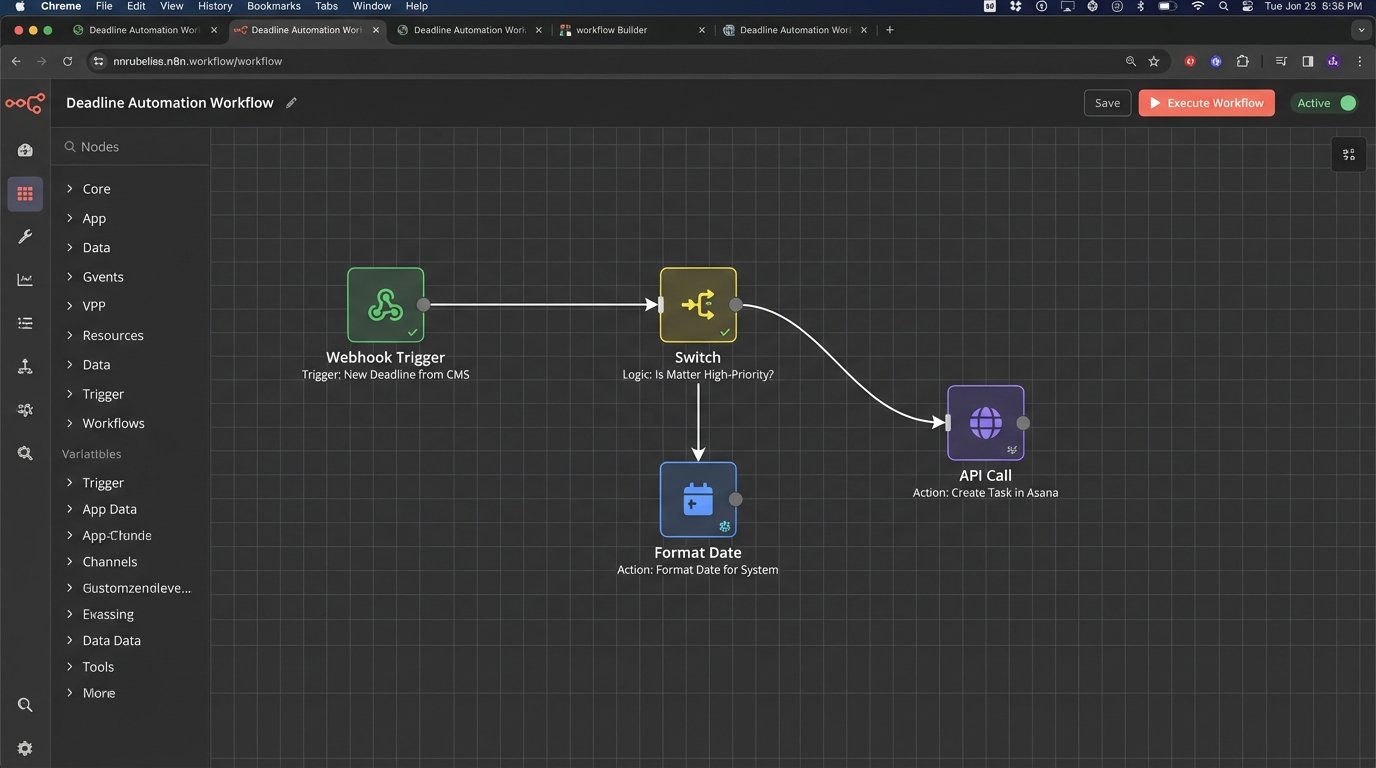
This engine interprets the trigger. A “New Matter” trigger might fire off a process that creates a standard project template in the PM tool, provisions a new workspace in the DMS with the correct folder structure, and adds the matter to the conflicts database. A “Deposition Scheduled” trigger would generate tasks for preparing the witness, drafting the outline, and arranging for a court reporter.
Stage 3: The Action Executor
The logic engine’s final job is to push instructions to the target systems. This means making API calls to create tasks, assign them to the correct people, and populate them with relevant information, like direct links to key documents. The action executor must have robust error handling. If an API call to the project management tool fails, it must log the failure and retry according to a defined policy. A silent failure is the worst possible outcome.
Connecting these systems is the hard part. It’s like trying to shove a firehose of JSON data through the needle-sized opening of a decade-old SOAP API. The documentation is often wrong, the endpoints are sluggish, and rate limits are poorly defined. This is where the project lives or dies.
Beyond Checklists for Exhibit and Document Management
Exhibit management is another area ripe for failure. A simple checklist task in a PM tool saying “Prepare Exhibit A” is useless. It is disconnected from the document itself. The status of that task provides no real information about the status of the exhibit.
A better process directly integrates the DMS. The task in the PM tool should be an object that contains metadata, including a direct universal naming convention (UNC) link or API-accessible pointer to the document in iManage or NetDocuments. The system can then be configured to monitor the document’s properties. When the document’s status in the DMS is changed from “Draft” to “Final,” the corresponding task in the PM tool can be automatically marked as complete. This bridges the gap between the task list and the actual work product.
Manual Overrides and Necessary Escape Hatches
No automated system can account for every courtroom nuance. A judge might issue an oral order from the bench that changes a deadline. This information will not appear in any data feed for hours or days. The system must allow for a manual override. However, this action must be treated with extreme caution.
When a user manually changes a date in the project management tool, it should break the link to the authoritative data source for that specific task. The system should flag the task visually, perhaps changing its color to red, and log the event in an audit trail. A dashboard for the litigation support team or managing partner should display all manual overrides across all matters. This makes it easy to spot anomalies and potential problem areas. The override is a necessary feature, but it must leave tracks.

Choosing the Right Stack: Wallet-Drainers vs. Black Boxes
There is no perfect toolset. Every option involves a compromise.
- Monolithic Legal Suites: They promise simplicity. You get vendor lock-in and subpar functionality. Customizing their workflows is either impossible or requires expensive consultants. They are easy to buy but hard to live with.
- iPaaS Platforms: Tools like Workato provide the connectors and a visual interface for building logic. They are faster to set up than custom code but represent a significant and perpetual licensing cost. These platforms are wallet-drainers, and you are dependent on their library of connectors.
- Custom Code: Writing your own services provides total control and flexibility. It is the most powerful option but also the most brittle. It creates key-person dependency. If the developer who built it leaves, you are left supporting a black box that nobody understands.
The correct choice depends entirely on the firm’s in-house technical skill and budget. A firm with a dedicated Legal Ops engineering team can benefit from custom code. A firm without that resource is better served by an iPaaS platform, provided they understand the total cost of ownership.
The focus on buying “litigation management software” is misplaced. The real need is for data integration architecture. Start by mapping the flow of critical information, from court docket to attorney calendar. Identify every point where a human manually copies and pastes information. Those are the points that need to be gutted and replaced with an API call. Building this infrastructure is not a one-time project. It is a fundamental shift in how the firm operates. It prioritizes data integrity over pretty interfaces, and in litigation, data integrity is everything.