
Most discussions about billing automation fixate on speed. That is a superficial analysis. The core problem is not that manual invoicing is slow, it is that manual data entry is a direct source of revenue leakage. Every time a paralegal copies time entries from a spreadsheet into a legacy case management system, the firm risks data transposition errors, incorrect billing codes, and missed entries. Automating the billing process is less about saving administrative time and more about systematically plugging the holes that drain profit from the firm.
The entire system is only as strong as its weakest data source. Forget the glossy brochures from practice management vendors. The reality is that time is captured in a fragmented ecosystem of platforms, spreadsheets, and sometimes, handwritten notes scanned to a PDF. The first step in any credible automation project is to build reliable data collectors that can poll these disparate sources and aggregate the information into a single, structured format. Without a clean, consolidated dataset, any downstream automation is just garbage in, garbage out.
Deconstructing the Manual Workflow’s Failure Points
The typical manual billing cycle is a sequence of bottlenecks. An attorney tracks time in their preferred tool. At the end of the month, a legal assistant chases down these records, often requiring multiple follow-ups. The data is then keyed into the firm’s billing software, a process prone to human error. A draft invoice is generated and sits in a partner’s inbox for review, sometimes for days. Once approved, it is saved as a PDF and manually attached to an email. Each step introduces delay and a high probability of error.
These are not theoretical risks. A single misplaced decimal or an incorrect client-matter code on a high-value invoice can trigger a payment dispute, delaying revenue collection by weeks. The administrative cost of correcting and reissuing invoices is a hidden expense that erodes margins. The manual process creates a system where the default state is friction, requiring constant human intervention to push an invoice from creation to payment. Automation re-architects the system to make the default state frictionless, with intervention required only for exceptions.
Mapping the Data Flow Before a Single Line of Code
Before building anything, you must map the complete data journey. This means identifying every system that holds a piece of the billing puzzle: the practice management platform, time tracking applications, expense management tools, and the accounting ledger. For each system, you must document its data-out capabilities. Does it have a REST API? A GraphQL endpoint? Can it only export a CSV on a schedule? Or are you stuck with screen-scraping a web portal, a brittle and desperate solution.
The resulting map reveals the true complexity of the integration challenge. You will often find that the firm’s core practice management software has an outdated API with severe rate limits, meaning you cannot pull all the data you need in a single, efficient call. This forces you to architect a solution with built-in throttling and queuing to avoid overwhelming the endpoint. It is a slow, methodical process that forces a hard look at the firm’s tech stack. It’s also non-negotiable.
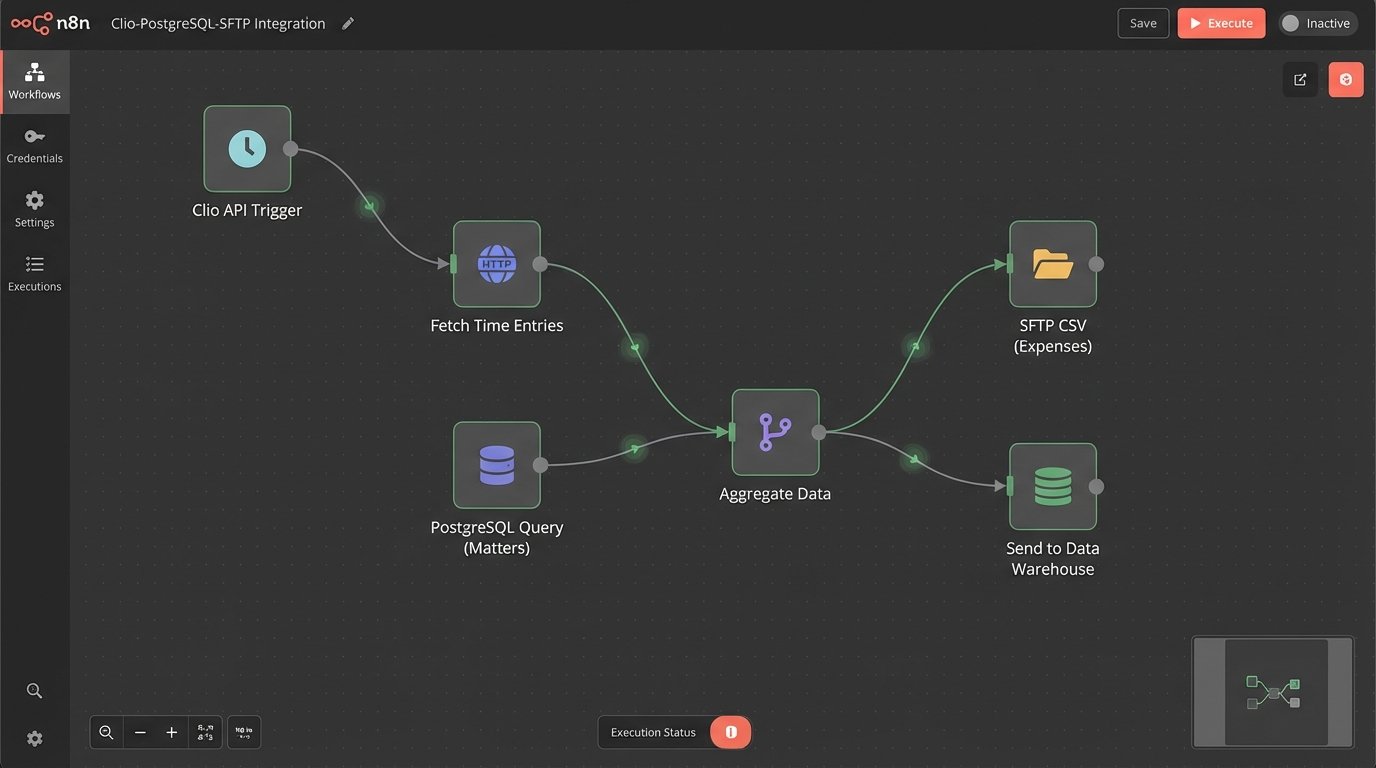
The Core Architecture of an Automated Invoicing Engine
An effective billing automation engine consists of five distinct stages: Trigger, Aggregation, Validation, Generation, and Distribution. The trigger is the event that initiates the workflow, typically a cron job running on the first day of the month or an API call from another system. Once triggered, the engine enters the aggregation phase, executing scripts to pull time and expense data from all predefined sources. This raw data is messy, so it is funneled into a temporary staging database for normalization.
This staging area is where the real work happens. You are not just dumping data. You are forcing it into a unified schema, converting data types, and standardizing values. An attorney might log “30 mins” while another logs “0.5 hours”. The aggregation script must strip these entries and standardize them into a single format, like total seconds, before any calculations are performed. Neglecting this sanitation step guarantees calculation errors down the line.
The Validation Layer: Enforcing Business Logic
Once the data is clean and aggregated, it hits the validation and business logic layer. This is a set of programmatic rules that replicates and enforces the firm’s billing policies. The rules check for common errors, such as time entries logged against a closed matter, expenses lacking receipts, or activity codes that do not conform to UTBMS standards required by a specific client. This layer acts as an automated gatekeeper, preventing flawed data from ever reaching a draft invoice.
This is where you can build sophisticated logic. For example, a rule can automatically apply a 10% discount for a specific client if their monthly total exceeds a certain threshold. Another rule can flag any single time entry over eight hours for mandatory manual review. These rules should not be hard-coded. They should be stored in a database or a configuration file, allowing a non-technical user in the finance department to modify them without requiring a developer to redeploy the entire application.
A simple validation function in Python might look something like this, checking if a time entry is associated with an active matter.
def is_matter_active(time_entry, active_matters_list):

    """

    Checks if the matter ID in a time entry exists in the list of active matters.

    Returns True if active, False otherwise.

    """

    matter_id = time_entry.get("matter_id")

    if not matter_id:

        # Log error: Missing matter_id

        return False

    if matter_id in active_matters_list:

        return True

    else:

        # Log error: Time entry against inactive or invalid matter

        return False
This code is simple, but chaining dozens of such functions together creates a powerful validation pipeline. It systematically catches the errors that a human reviewer, tired at the end of the month, would likely miss.
Generation and Distribution: From Data to Document
Invoices that pass the validation gauntlet move to the generation stage. Here, the structured data is injected into a predefined invoice template. This is not a simple mail merge. A proper templating engine is used to handle conditional logic, such as displaying certain sections only for specific clients or formatting line items differently based on their type. The output is a clean, professional PDF, generated without any manual copy-pasting.
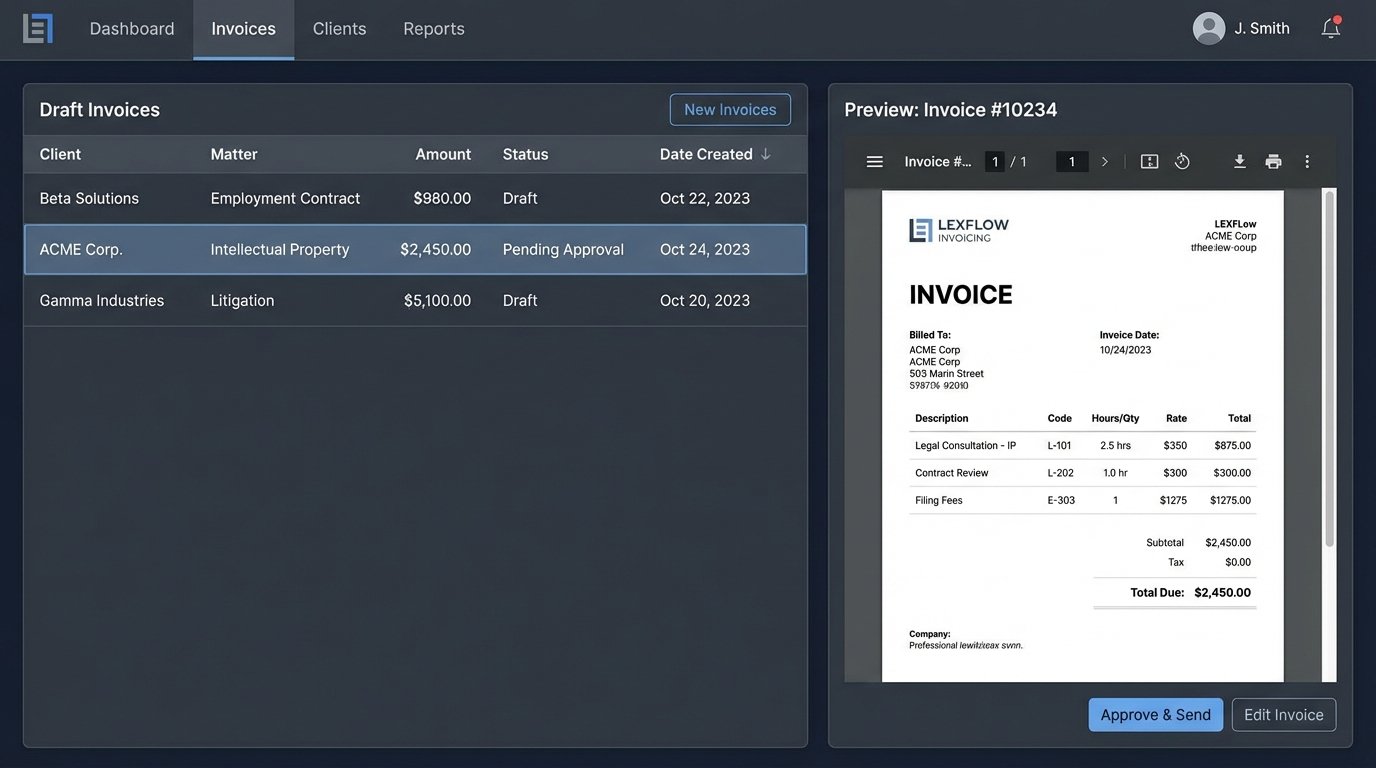
The final stage is distribution. The engine can be configured to deliver the invoice based on client preferences. For a corporate client, this might mean uploading the invoice and a corresponding LEDES file directly to their e-billing portal via an API. For a smaller client, it could be attaching the PDF to a templated email. Simultaneously, the engine updates the firm’s accounting system, creating a new accounts receivable entry and marking the invoice as “sent”. The entire process, from data aggregation to distribution, can be reduced from days to minutes.
The connections to these external systems, especially older e-billing portals, are notoriously flaky. The distribution module must be built with robust error handling and retry logic. If an API endpoint is down, the system should not just fail. It should queue the delivery, attempt again in 15 minutes, and if it continues to fail after a set number of retries, it should trigger an alert for manual intervention. Building this resilience is the difference between a useful tool and a production liability.
Choosing a Path: Full Automation vs. Human-in-the-Loop
There is a fundamental design choice in any billing automation project: the degree of human oversight. One path is full “lights-out” automation, where the system generates and sends invoices without any human touch, flagging only exceptions for review. This approach offers maximum efficiency but carries the risk of an undetected logic error generating hundreds of incorrect invoices before anyone notices. It is a high-risk, high-reward strategy that requires immense confidence in your validation layer.
The more common and prudent approach is the “Human-in-the-Loop” model. In this architecture, the automation engine does all the heavy lifting of aggregation and validation but stops short of sending the invoice. Instead, it generates a draft invoice and assigns it to the responsible partner for a final review within a simple web interface. The partner sees a clean, pre-populated invoice and only needs to click “Approve”. This preserves partner oversight while eliminating 90% of the administrative grunt work. This model is slower than full automation, but it provides a critical safety net.
This decision is not just a technical one. It is a cultural one. A firm with a high degree of trust in its systems and a tolerance for managed risk might opt for full automation. A more conservative firm will almost certainly insist on the human-in-the-loop model. The architect’s job is to present the options clearly and build the system with enough flexibility to shift from one model to the other as the firm’s comfort level evolves.
The Underrated Value of Automating Payment Reconciliation
Sending the invoice is only half the battle. The other, often more painful, half is tracking payments and reconciling accounts. This is another area ripe for automation. By integrating the billing system with a payment gateway like LawPay or Stripe, you can close the loop and create a fully automated accounts receivable cycle.
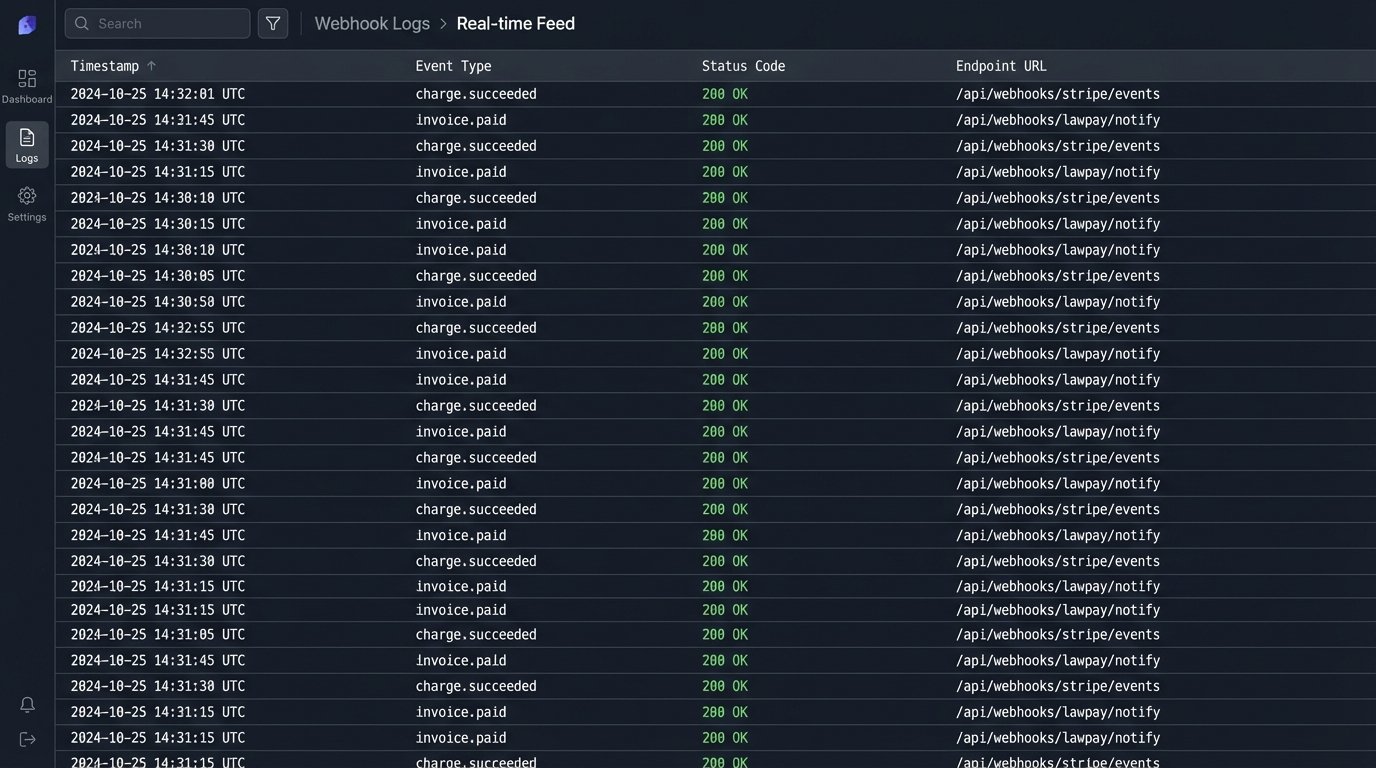
The workflow is straightforward. The generated invoice includes a unique payment link. When the client clicks the link and pays by credit card or ACH, the payment gateway’s webhook sends a real-time notification back to your automation engine. This notification contains the payment amount and the invoice number. A script then triggers that automatically finds the corresponding invoice in your practice management and accounting systems and marks it as “paid”.
This single workflow eliminates one of the most tedious tasks in legal finance. It stops staff from having to manually check bank statements, match deposits to invoices, and update multiple systems. It also provides an up-to-the-minute view of the firm’s cash flow. Getting data out of a legacy accounting system’s API to confirm reconciliation can feel like shoving a firehose through a needle, but the payoff in saved labor is substantial.
Building for Maintenance, Not Just for Launch
The project does not end when the system goes live. Client billing rules change. E-billing portals update their APIs without warning. The firm adopts a new expense tracking tool. A system built without considering maintenance will quickly become a brittle liability. The architecture must be modular, allowing a developer to update one component, like a data connector to a new time tracking app, without having to rewrite the entire validation engine.
Comprehensive logging is not optional. Every key step in the process, from data aggregation to final delivery, must be logged with timestamps, relevant IDs, and status. When an invoice for a key client fails to generate at 2 AM, you need a log file that tells you exactly which time entry had the malformed data. Without it, you are flying blind. This upfront investment in observability and modular design is what separates a short-term win from a long-term strategic asset.