
Billing automation isn’t about finding a magic button. It’s about picking the system whose failure modes you can tolerate. Every platform promises seamless invoicing, but the reality is a messy landscape of restrictive APIs, sluggish reporting engines, and data sync issues that surface at the worst possible time. The goal is not to eliminate problems. The goal is to choose the right set of problems to solve.
Most billing platforms are bolted onto bloated case management systems. This creates a monolithic architecture where a failure in one module can cascade into others. We are not just evaluating features. We are dissecting the underlying data models and integration points to see where they will inevitably break under pressure.
Clio Manage: The Incumbent with Baggage
Clio is often the default choice, which means it carries years of technical debt from trying to be everything to everyone. Its billing engine is deeply integrated with its case management and trust accounting features. This tight coupling is both a strength and a critical weakness. On one hand, data consistency for matters, contacts, and financials is high. On the other, you are locked into their ecosystem, and customizing billing workflows requires fighting the platform’s rigid structure.
Forget about real-time, event-driven automation without significant workarounds.
Technical Breakdown
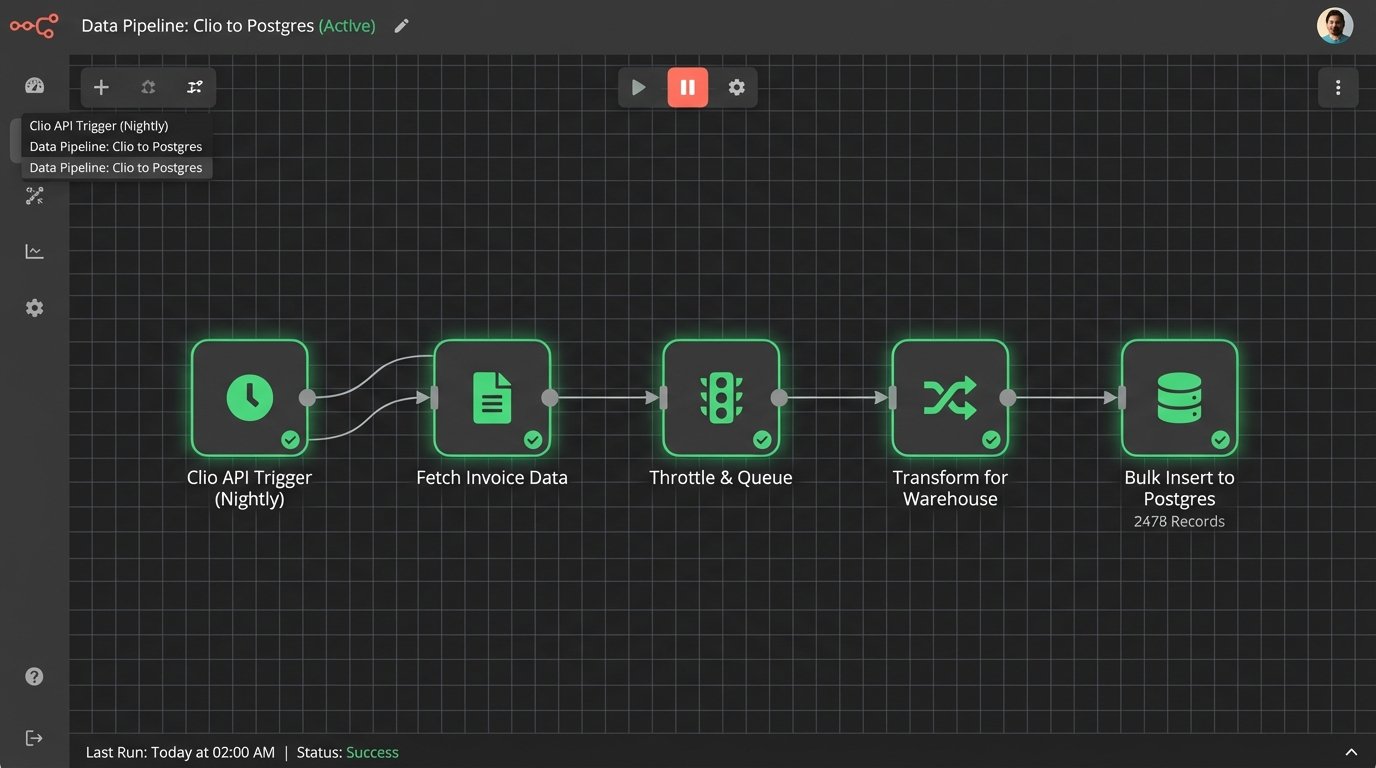
API and Integration: Clio’s v4 API is a massive improvement over its predecessor, but it has its quirks. The rate limiting is aggressive, so high-volume data syncs require careful throttling and queueing on your end. We typically build a middleware service to manage API calls, preventing timeouts during large EOM reporting pushes. Webhooks are available but can be unreliable for critical, time-sensitive triggers. Expect duplicates or missed events, and build your listeners to be idempotent.
Time Tracking and Data Ingestion: The platform ingests time entries well, but mapping custom fields from a third-party time tracker is a pain point. The API often forces data into Clio’s predefined schema, which means you might strip valuable metadata from the source system. If your firm uses a specialized time tracker with unique fields for task-based billing codes, prepare to write a transformation layer to shoehorn that data into Clio’s generic “description” field.
The Ugly Part: The reporting engine. Generating complex reports with multiple filters and groupings directly within Clio is slow, often to the point of being unusable for firms with over 30 attorneys. The API for reporting is equally sluggish. The standard procedure is to set up a nightly job that pulls raw data into a separate database or data warehouse, where you can run queries without bringing the production environment to its knees.
PracticePanther: Built for Speed, Not Scale
PracticePanther offers a faster, more responsive user interface. This is not a trivial point. A cleaner UI leads to better data hygiene because attorneys and paralegals are less likely to use workarounds. Its strength is in simplifying the user-facing side of billing for small to mid-sized firms. The platform’s architecture, however, shows strain when you push it with complex integrations or high data volumes.
It’s quick until it isn’t.
Technical Breakdown
Integration Layer: PracticePanther leans heavily on its Zapier integration. For simple, low-volume IFTTT (If This, Then That) logic, it works. For anything business-critical, it is a liability. Relying on a third-party polling mechanism like Zapier introduces latency and a point of failure you don’t control. We’ve seen Zaps fail silently for hours, leaving client and billing data out of sync. For reliable automation, you must use their webhooks, which are better but still require building a robust endpoint on your side to handle retries and error logging.
Invoice Customization: You get basic control over templates. You can change logos, addresses, and some field labels. What you cannot do is inject conditional logic directly into the invoice template. For instance, you cannot show or hide specific line items based on UTBMS codes or display a custom message if the client’s retainer balance is below a certain threshold. Any advanced customization requires pulling the data via the API and generating the invoice with a separate document generation tool like Docmosis or PandaDoc.
Performance Bottlenecks: The system slows down noticeably when generating bulk invoices or running end-of-year financial reports. The database queries behind these operations are not optimized for large datasets. A firm with 10,000 active matters will experience significant UI lag in the billing sections. Data exports can also be a challenge, sometimes timing out and forcing you to break down your requests into smaller date ranges.
MyCase: The Walled Garden
MyCase sells itself as a complete, all-in-one solution, and it is. The platform bundles case management, billing, and payment processing into a single, tightly controlled environment. This approach simplifies vendor management but creates a classic walled garden. The components work well together, but integrating external tools or migrating your data out of the system is intentionally difficult. Their business model depends on this lock-in.
The convenience is a cage.
Technical Breakdown
Payment Gateway Lock-in: MyCase pushes its native payment processor, MyCase Payments, hard. While it offers a smooth client experience, the fee structure is non-negotiable and the API provides limited access to raw transaction data. If you want to use a different payment gateway like LawPay or Stripe to get better rates or more advanced reporting, you are out of luck for direct integration. You are forced into a manual reconciliation process that defeats the purpose of automation.
Automated Reminders: The invoice reminder system is basic. You can set reminders based on the invoice age (e.g., 15, 30, 60 days overdue). It lacks the logical depth required for sophisticated collections workflows. You cannot configure rules like, “For invoices over $10,000 sent to clients with a ‘High Value’ tag, use a different reminder template and trigger a task for the billing manager.” It’s a blunt instrument, not a precision tool.

Data Portability: Getting your billing data out of MyCase is a chore. The standard exports are often summarized PDF reports, not raw, structured data like CSV or JSON. Accessing the underlying line-item data for analysis in an external tool requires using their API, which is less documented and less flexible than Clio’s. Planning a migration away from MyCase requires budgeting significant engineering time just for data extraction and cleanup.
Financial-First Architecture: Using Connectors to Bridge the Gap
Some firms choose to gut the billing functionality from their legal practice management system entirely. Instead, they use a dedicated, robust accounting platform like QuickBooks Online (QBO) or Xero as the source of truth for all financial data. The PMS manages matters and time entries, and a connector service pushes that data into the accounting system for invoicing and reconciliation. This architecture is powerful but fragile.
You are essentially trying to force a firehose of legal data through the needle-sized hole of a generic accounting API. The process is prone to data loss and sync failures.
Technical Breakdown
The Connector Problem: The entire system hinges on the reliability of the connector. This could be a pre-built integration, a platform like Make.com, or a custom-built script. These connectors are a constant source of maintenance. API schemas change, authentication tokens expire, and network issues cause dropped payloads. A common failure point is syncing client or matter data. If a new client is created in the PMS, the connector must create a corresponding customer in QBO before it can push any invoices. If that first step fails, all subsequent billing data for that client is orphaned until a developer manually intervenes.
API Mapping and Data Integrity: You must meticulously map fields between the two systems. For instance, the ‘Matter ID’ from your PMS must be stored in a custom field on the QBO invoice object to maintain a link back to the source. Without this, you cannot perform a proper three-way reconciliation between time entries, invoices, and payments. Below is a simplified JSON payload for a QBO invoice, showing the fields you would need to populate from your PMS.
{
"Line": [
{
"DetailType": "SalesItemLineDetail",
"Amount": 250.00,
"SalesItemLineDetail": {
"ItemRef": {
"value": "1",
"name": "Legal Services"
},
"Qty": 1.25,
"UnitPrice": 200
},
"Description": "Drafted initial discovery requests for Matter #2023-118B. (Timekeeper: J. Smith)"
}
],
"CustomerRef": {
"value": "67"
},
"CustomField": [
{
"DefinitionId": "1",
"StringValue": "2023-118B",
"Type": "StringType",
"Name": "MatterID"
}
]
}
When This Makes Sense: This complex setup is justified only when a firm’s accounting needs exceed the capabilities of any legal-specific PMS. This includes firms dealing with multi-entity accounting, complex revenue recognition rules, or high-volume international transactions with multiple currencies. For most firms, the maintenance overhead outweighs the benefits.
TimeSolv: The Specialist
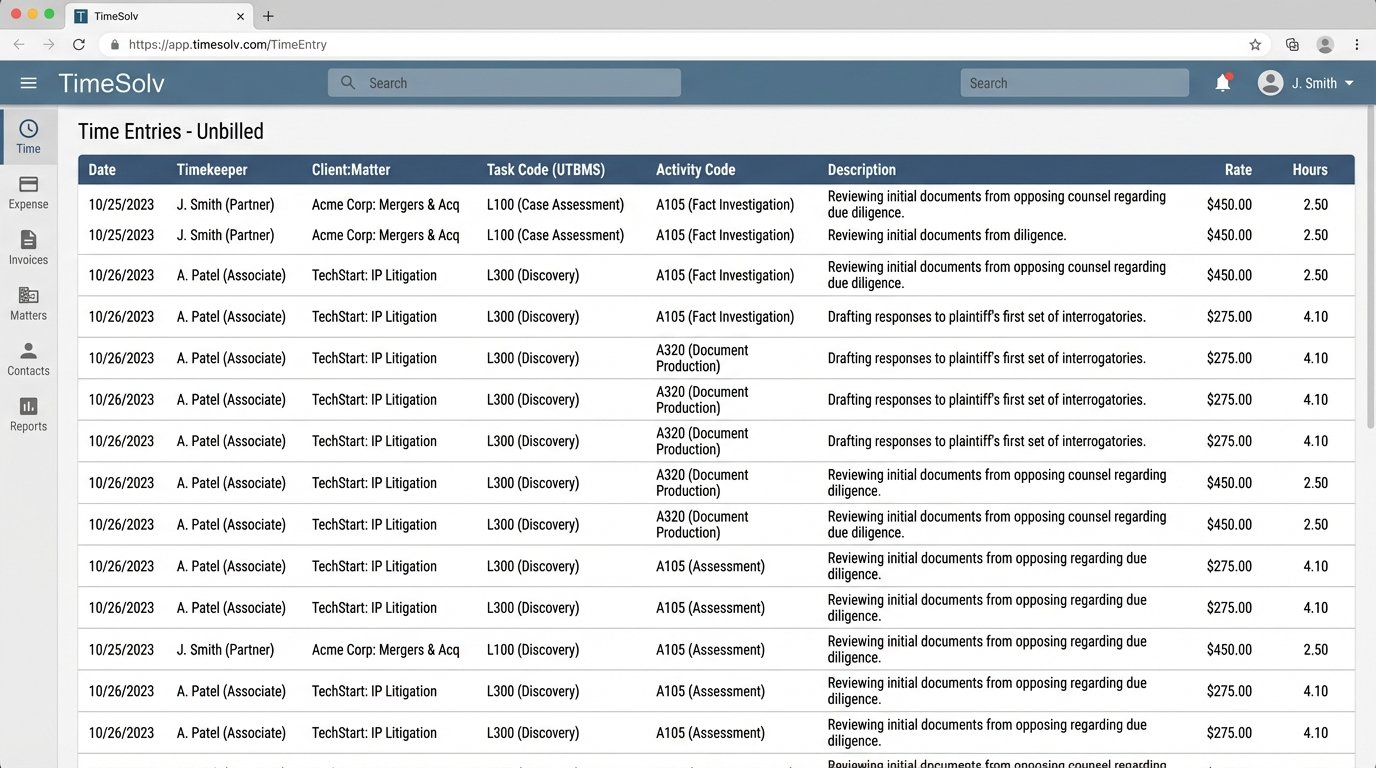
TimeSolv is not a practice management system. It is a dedicated time, billing, and invoicing platform. It focuses on doing one job with a level of granularity that the all-in-one suites cannot match. This is the choice for firms where billing complexity, particularly around rate structures and UTBMS/LEDES compliance, is the primary business driver. The trade-off is that you now have to manage and sync data between two separate systems.
Technical Breakdown
Offline Sync Logic: Its desktop and mobile apps have robust offline capabilities, a critical feature for attorneys who work in courtrooms with spotty connectivity. When the device reconnects, the app syncs the cached time entries. The conflict resolution logic is decent. If an entry was modified on both the server and the local device while offline, it flags the conflict for manual review instead of silently overwriting data. This prevents lost billable hours but does require a manual review process.
Reporting Engine: Because its data model is built exclusively for billing, TimeSolv’s reporting engine is significantly more powerful and performant than those in Clio or MyCase. You can build deeply customized reports slicing data by client, matter, practice area, and timekeeper without the system timing out. It handles complex compensation calculations, like tiered origination splits, that are impossible to configure in most PMS platforms.
Integration and Data Sync: This is the primary challenge. TimeSolv has bi-directional sync capabilities with QuickBooks and integrations with other tools like LawPay. However, the core issue is keeping the client and matter list synchronized with your primary PMS. You need a reliable process, either manual or scripted via their API, to ensure that new matters created in your PMS are mirrored in TimeSolv. Any discrepancy in this foundational data will cascade into billing errors.
Choosing a Spine: The Right Questions to Ask
Selecting a billing system is an architectural decision. You are choosing the spine of your firm’s financial operations. Do not get distracted by flashy UI elements or marketing claims of “AI-powered” invoicing. Focus on the raw mechanics of the system and how it will behave under stress.
First, evaluate your scale and complexity. A five-person firm has fundamentally different needs than a 50-person firm. A system that is nimble for the former will crumble under the reporting and data load of the latter. Map your current and projected future volume of invoices, time entries, and active matters. Ask vendors for performance benchmarks with datasets that match your scale.
Second, scrutinize the API and data portability. Assume you will need to migrate off the platform one day. How hard will it be? Is the API well-documented, stable, and comprehensive? Can you get a full, structured data export without paying exorbitant professional services fees? A restrictive API is a red flag indicating a business model built on customer lock-in.
Finally, identify your single source of truth. Will it be the PMS, or an external accounting system? A single, monolithic system like Clio or MyCase simplifies this, but at the cost of flexibility. A decoupled architecture using a tool like TimeSolv or QBO offers more power but introduces significant integration complexity. There is no perfect answer, only a strategic choice about which set of technical challenges you are willing to manage.