
Manual time entry is a systemic failure. It generates corrupt data through omission, approximation, and outright fabrication. The goal of automation is not to make entering time easier, but to strip the human element from the capture process entirely. Any tool that fails to do this simply digitizes a broken workflow. The following is a breakdown of platforms that attempt to solve this, with a focus on their integration architecture and the inevitable points of failure.
Clockify: The API-First Workhorse
Clockify presents itself as a straightforward time tracker, but its utility in a legal tech stack is entirely dependent on its REST API. The platform itself is a basic container for time entries, projects, and users. The real work happens when you start pulling that data out and forcing it into a practice management or billing system. It’s a solid foundation if you have the engineering resources to build the necessary bridges.
API and Integration Hooks
The API is comprehensive but primitive. It’s a classic polling-based REST architecture. You get endpoints for workspaces, projects, clients, tags, and time entries. There are no native webhooks. This means if you want anything close to real-time synchronization, you’re building a service that queries their `time-entries` endpoint on a tight loop. This is an inefficient, brute-force approach that introduces latency and risks hitting rate limits.
Your service will constantly ask “anything new?” instead of being told when an event occurs. For end-of-day batch processing, this is fine. For a dashboard that needs to reflect current work, it’s a sluggish bottleneck.
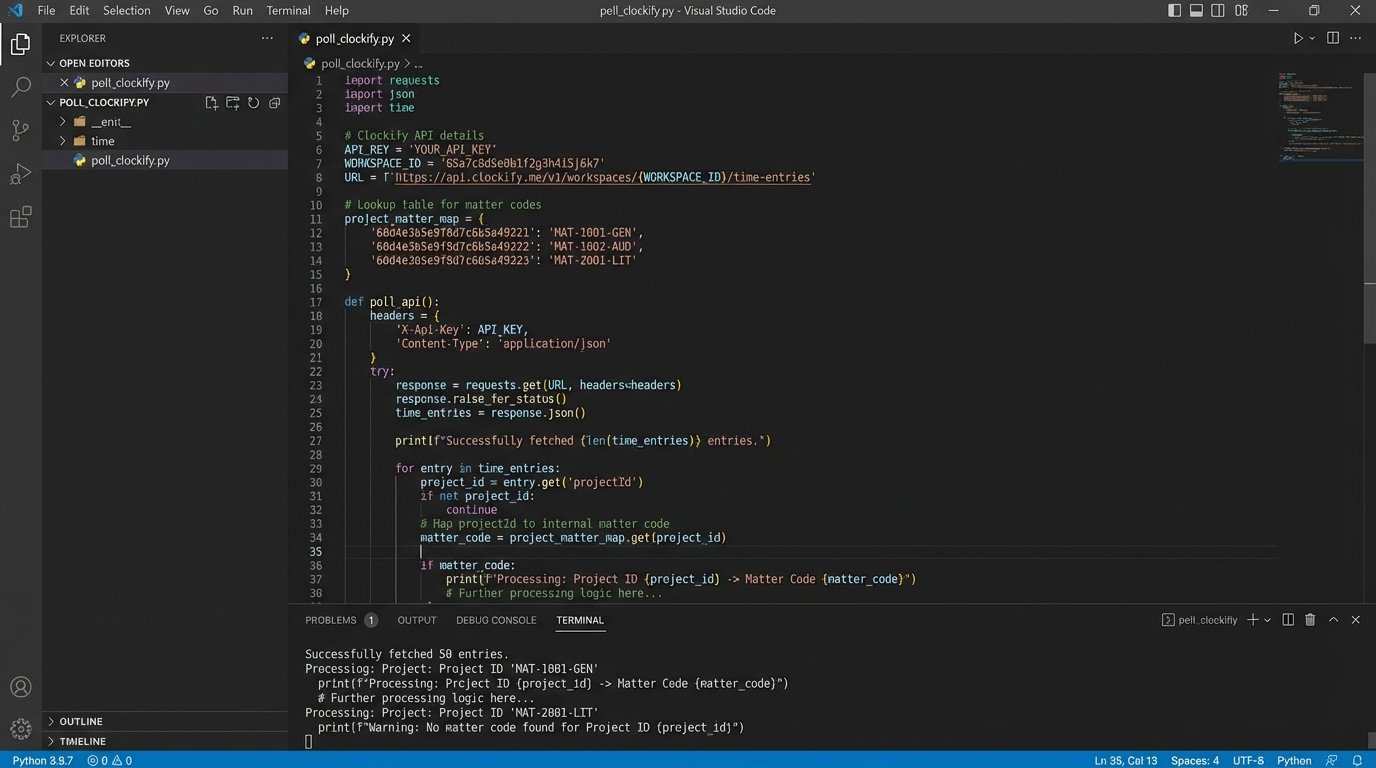
A typical extraction script involves paginating through time entries for a given date range, then mapping Clockify’s `projectId` and `tags` to your internal matter and task codes. The mapping logic lives entirely on your side. Expect to maintain a dedicated lookup table or service to translate their IDs into something your billing system understands. This is a common point of failure when new matters are opened but the mapping table isn’t updated.
Data Structure and Mapping
The data model is flat. A time entry has a description, a duration, a project, and tags. This simplicity is both a strength and a weakness. It’s easy to parse, but forcing it to conform to a complex billing schema requires significant data transformation. For example, if your firm uses UTBMS codes, you’ll need a rigid tagging convention in Clockify and a parser that can interpret those tags and map them correctly.
You can’t enforce these conventions in the Clockify UI. Attorneys will use incorrect tags or forget them entirely, which breaks the downstream automation and requires manual correction. The system relies on user discipline, the very thing we’re trying to engineer away.
Performance and Overhead
The desktop and web clients are lightweight. The primary performance consideration is on your end, specifically the resource consumption of your polling service. Running a cron job every minute is fundamentally different from a persistent service hammering the API every five seconds. You have to logic-check the trade-off between data freshness and the load you’re placing on both your infrastructure and their servers. Pushing this too hard is a good way to get your API key temporarily suspended during the critical end-of-month billing rush.
It’s cheap, but you pay for it with your own development and maintenance hours.
Timeular: The Physical Interface Gambit
Timeular attempts to solve the user adoption problem by abstracting time tracking into a physical object, an 8-sided die called the ZEI. Each side is mapped to a different activity or project. Flipping the device to a new side starts tracking time for that task. This appeals to professionals who resist interacting with software, but it introduces a hardware dependency and its own chain of potential technical failures.
Hardware-Driven Tracking and Sync Latency
The device communicates via Bluetooth to a local desktop client. That client then syncs the data to Timeular’s cloud. This creates multiple failure points. Bluetooth connections can be unstable, especially in electronically noisy office environments. The desktop software is another process that must be running, updated, and authenticated. If the client app crashes or the machine sleeps, tracking data is not synced until it’s restored.
The data flow is device -> local client -> cloud API -> your integration. This chain introduces significant latency. An attorney can flip the device, but the corresponding time entry might not appear via the API for several seconds or even minutes, depending on the sync cycle. Building real-time logic on this is unreliable.
API and Data Model
The API is more event-driven than Clockify’s but still requires polling. You can query for “activities,” “tracking events,” and “time entries.” The raw data is granular, providing the start and stop times of each flip of the device. This is useful for auditing but requires post-processing to consolidate fragmented entries. For instance, if a user accidentally knocks the device, you might get a 2-second entry that needs to be filtered out by your integration logic.
Mapping is again the core challenge. You configure the activities and their corresponding sides in the Timeular app. Your integration then has to map those activity names or IDs to your firm’s matter structure. This creates a fragile link between the user’s physical device configuration and the firm’s financial system.
Bridging this tracker’s flat data structure to the relational database of our CMS felt like trying to wire a modern circuit board with jumper cables. It works, but the signal noise and potential for dropped packets are constant.
Technical Fragility vs. User Experience
The selling point is a simplified user experience. The technical reality is a more complex and brittle backend. You’re not just managing an API integration. You are now indirectly responsible for device firmware, Bluetooth drivers, and the stability of a local software client you don’t control. When it fails, the user sees a broken physical gadget, but the root cause is often a software or connectivity issue your team has to debug remotely.
It’s a novel approach, but it swaps one set of problems for another.
Practice Management Suite Timers: The Walled Garden
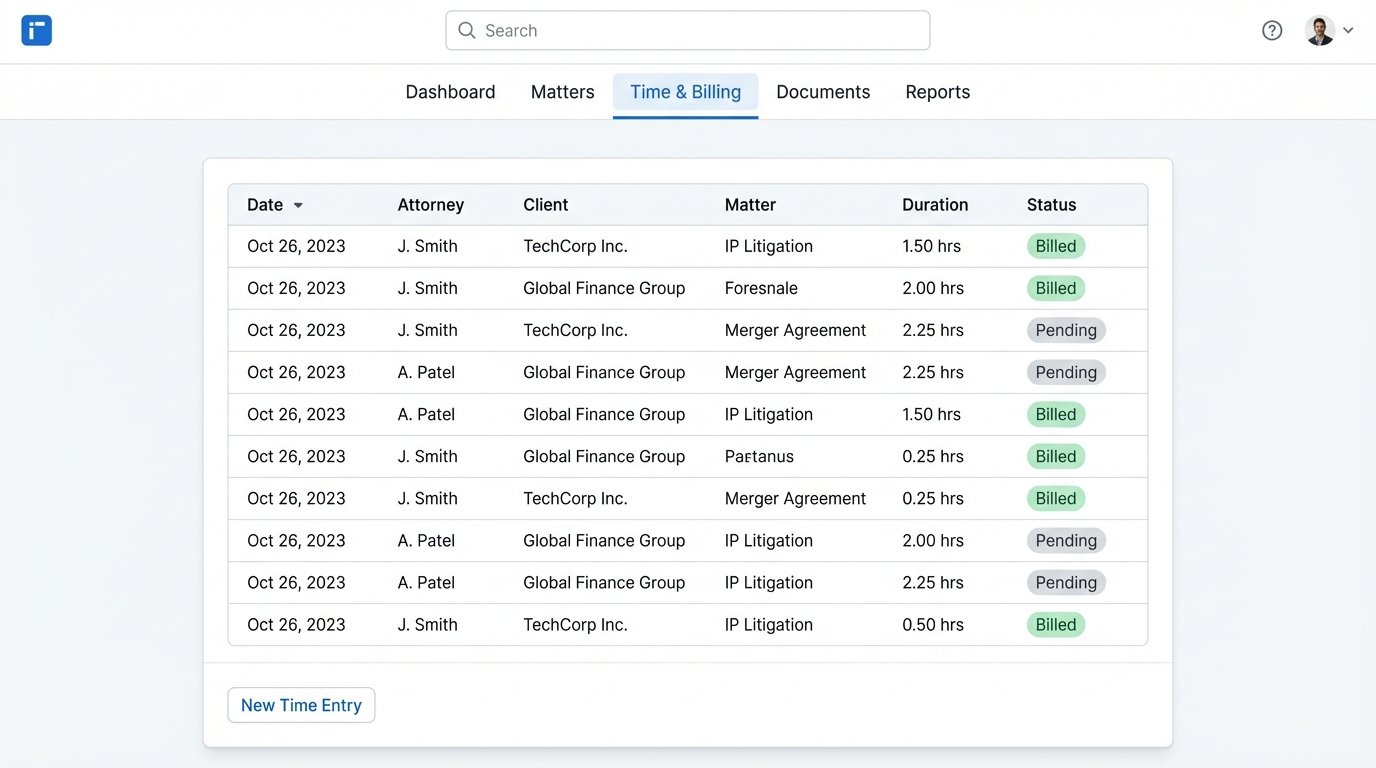
Many large practice management systems like Clio or MyCase offer their own built-in time tracking modules. The proposition is simple: a fully integrated, seamless experience where time entries are intrinsically linked to matters, clients, and billing from the moment of creation. This path offers data integrity at the steep price of flexibility and control.
Tight Integration and Data Lock-In
The primary benefit is that there is no mapping problem. A time entry created in the system is already associated with a valid matter ID. The data schema is enforced from the start. This eliminates the entire class of errors related to incorrect tagging or mismatched identifiers that plague third-party integrations. The data is clean because it has never left the ecosystem.
This is also its greatest weakness. The data is locked in. Exporting it for analysis in an external business intelligence tool or migrating it to a new platform can be intentionally difficult. The APIs for these platforms often prioritize data input, not bulk extraction. Getting your own data out can feel like shoving a firehose through a needle. You are tethered to the vendor’s ecosystem, their feature roadmap, and their pricing structure.
Configuration Over Code
Automation with these systems is less about writing custom code and more about configuring internal workflows. You might set up rules that automatically start a timer when a document linked to a matter is opened. The logic is constrained by the options the vendor provides in their settings panels. You can’t inject your own scripts or bypass their UI. This lowers the bar for implementation but puts a hard ceiling on what you can actually achieve.
If you need a specific workflow the vendor hasn’t anticipated, you are stuck. You submit a feature request and wait, which is not a viable strategy.
WiseTime: The Passive Capture Engine
Tools like WiseTime represent a different philosophy. Instead of requiring active input from the user, they run a local agent that passively monitors application usage, document titles, and window focus. This activity log is then processed by an AI to suggest and categorize time entries. This approach gets closest to solving the data capture problem but introduces a new set of trust and validation challenges.
The AI Black Box
The core of the system is a proprietary AI model that transforms raw activity data into a draft timesheet. It identifies which application or document corresponds to which matter. The issue is that this model is a black box. You cannot audit its logic or tune its behavior beyond providing feedback on its suggestions. When it misclassifies an activity, you can correct it, but you can’t fix the underlying rule that led to the error.
This means you can never fully automate the process. The output of the AI is a set of proposals, not final entries. A human must always be in the loop to review, approve, and correct these suggestions. It reduces the friction of recall but doesn’t eliminate the need for a final, manual validation step. This step is critical for billing compliance.
Data Output and Integration
The data that WiseTime makes available via its API is often a pre-processed version of the activity log. It provides the AI’s suggested narrative and matter association. Your integration code has to pull these suggestions, push them into your billing system as draft entries, and build a workflow for attorneys to approve them. The integration must handle the state of each entry: `suggested`, `approved`, `rejected`.
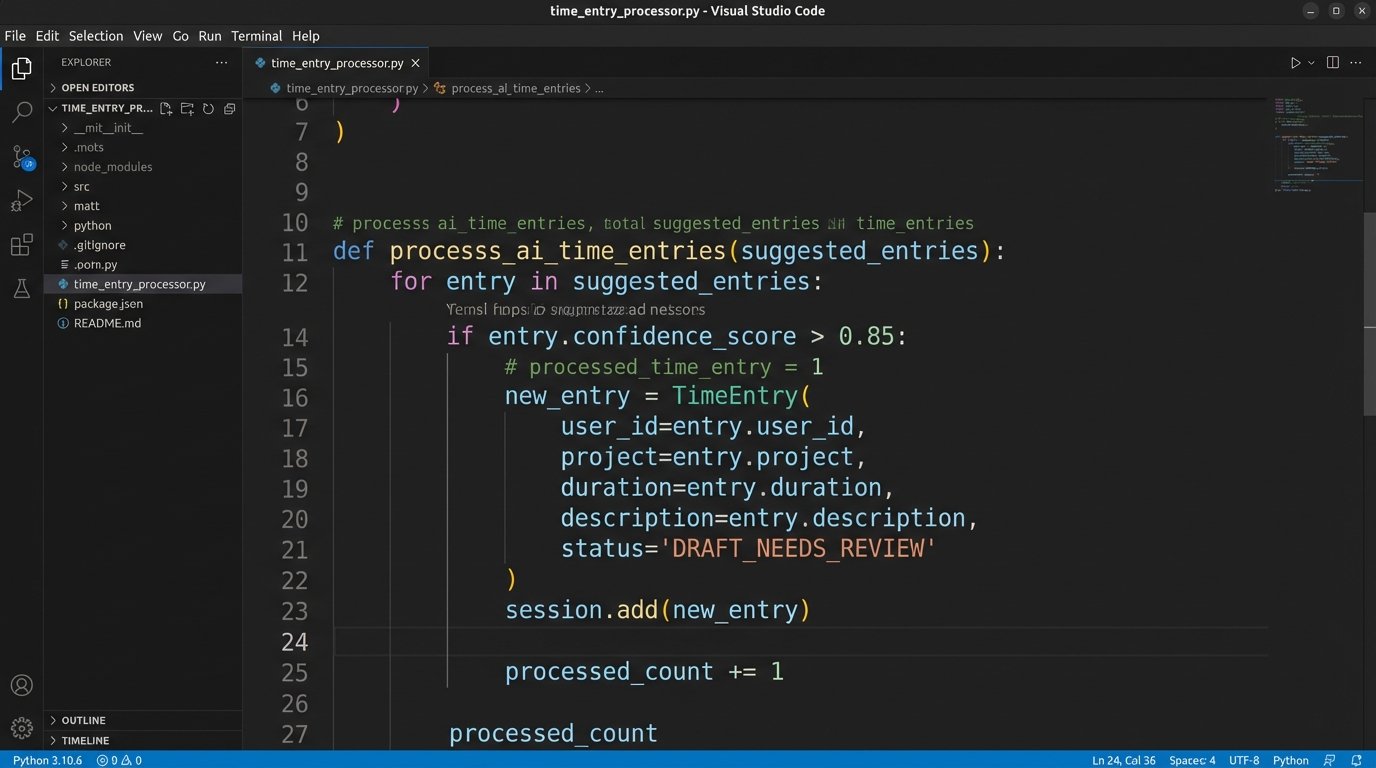
Here is a basic pseudocode representation of the approval workflow you would need to build.
function processSuggestedEntries(api_key, date_range):

  suggested_entries = wise_time_api.get_suggestions(api_key, date_range)

  billing_system_api = billing.connect()
for entry in suggested_entries:
if entry.confidence_score > 0.85:
matter_id = map_wisetime_matter(entry.matter_name)
draft_entry = {
"matter": matter_id,
"attorney": entry.user,
"duration": entry.duration_in_hours,
"narrative": entry.suggested_narrative,
"status": "DRAFT_NEEDS_REVIEW"
}
billing_system_api.create_time_entry(draft_entry)
else:
log_low_confidence_entry(entry)
end function
This code shows the core logic. You must fetch suggestions, map the matter, and then insert them into your system with a status that flags them for review. Your automation has to manage this entire lifecycle. It’s a complex state machine, not a simple data pipe.
Security and privacy are also major hurdles. The local agent has deep visibility into user activity. This requires rigorous vetting by the firm’s security team. You have to be certain that sensitive information from document titles or browser tabs is properly redacted and not stored unnecessarily.
No platform offers a complete solution. Each one is a collection of components and compromises. The most effective systems are not bought, they are built. They use one of these tools as a starting point, a raw data source, and then wrap it in a thick layer of custom integration code, validation rules, and exception handling. The real work is not in choosing a tool, but in engineering the logic to bend its output to the unforgiving requirements of legal billing.