
Ditching the Stopwatch. A Technical Primer on Automated Time Capture.
Manual time entry is a data integrity black hole. Every time a lawyer reconstructs their day from memory, they introduce rounding errors, missed entries, and vague descriptions that finance has to chase down. The goal of automation is not to invent billable hours, but to force a direct, one-to-one capture of activity to a time entry. It is a system of record, not a system of recollection.
This process is about wiring applications together. It is not about finding a magic button. Expect to spend more time reading API documentation and debugging mismatched data fields than you will celebrating your newfound efficiency. The result is clean, defensible billing data, but the path there is paved with failed API calls and data validation checks.
Phase 1. Prerequisite Analysis and Tool Selection.
Before you write a single line of code or configure a workflow, you must audit your existing tech stack. The core of this system is your Practice Management System (PMS). Its ability to accept data from external sources dictates the entire project’s viability. If your PMS has a well-documented REST API, you have a solid foundation. If it is an on-premise dinosaur with a clunky SOAP API or no API at all, your project just became a wallet-drainer involving middleware or custom database connectors.
Your first step is a technical interrogation of your PMS API documentation. Look for these specific endpoints:
- Create Time Entry: The absolute mandatory endpoint. Check the required fields. It will likely need a matter ID, user ID, duration, and a description.
- List Matters: You need a way to programmatically fetch matter names and IDs to populate dropdowns or run validation checks.
- List Users: Essential for mapping the user in the time tracking tool to the correct user in the PMS.
- Webhooks: A system that actively pushes notifications to your automation platform when an event occurs, like a new matter being created. This is superior to constantly polling the API for changes.
If the documentation is sparse or outdated, your next call is to their technical support. Get a straight answer on rate limits, authentication methods (OAuth 2.0 is standard, API keys are a fallback), and data formats. Any hesitation from them is a massive red flag.
Choosing the Capture Tool
The time capture tool is the front end of this operation. It watches user activity and logs it. Tools like Clockify, Toggl, and Timeular are common, but their value is not in their fancy timers. Their value is in their outbound integration capabilities. You are looking for a tool with a flexible webhook system or a native integration platform like Zapier or Make.com.
Drill down on the trigger events. A good tool will trigger an automation based on specific actions:
- Timer Stopped: The most common and useful trigger.
- Manual Entry Created: For correcting or adding entries after the fact.
- Tag Added: Useful for flagging an entry for review or a specific billing rule.
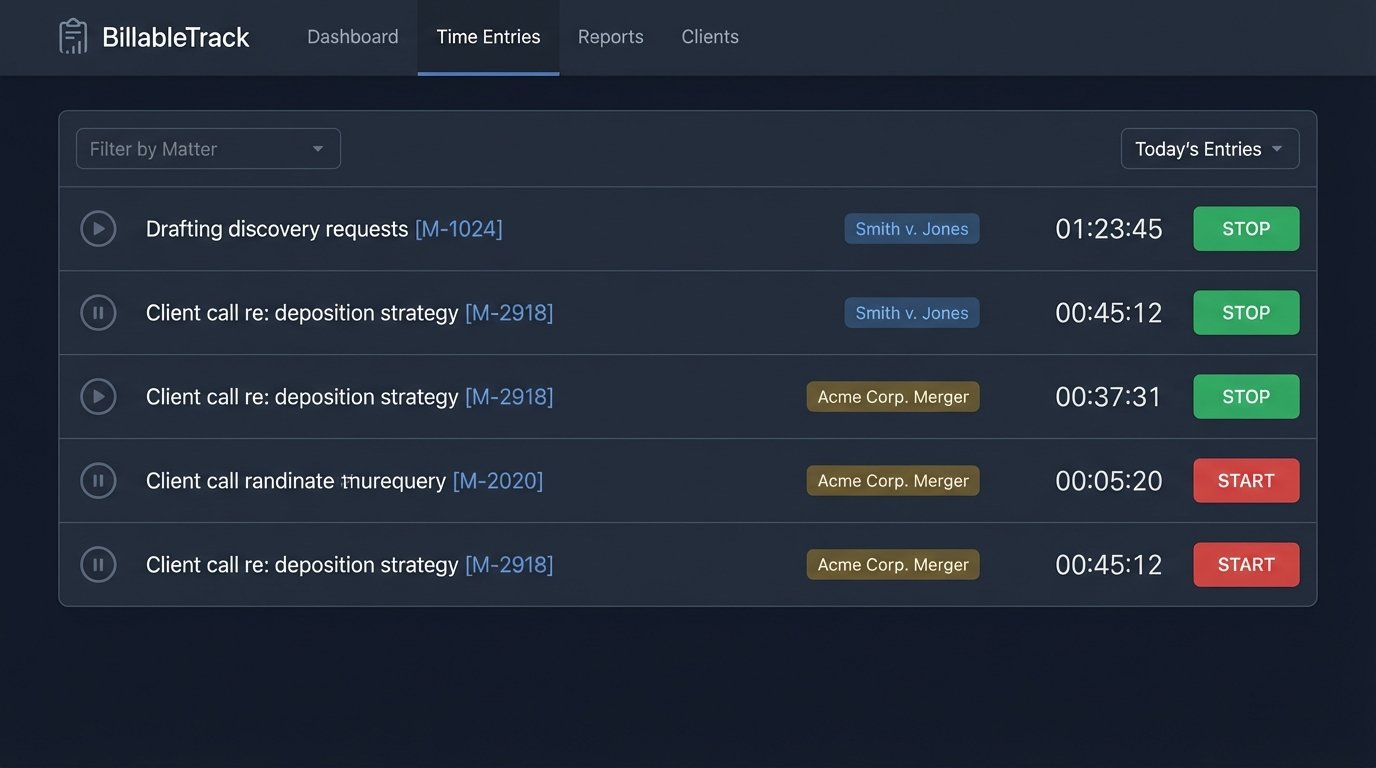
The core conflict here is passive versus active tracking. Passive tools, which monitor application usage in the background, generate a high volume of low-quality data. This requires heavy filtering and logic to be useful. Active timers, where the user starts and stops the clock, produce cleaner data but rely on user compliance. For legal work, active timers are almost always the better choice because they force the user to associate the time with a specific matter upfront.
Phase 2. Configuration and Data Mapping.
This is where the architecture takes shape. You are building a data bridge between the time tracker and the PMS. The simplest architecture uses a connector platform like Zapier. A more robust, but complex, setup involves a dedicated script running on a serverless platform like AWS Lambda or Google Cloud Functions. The connector platform is faster to set up but can get expensive with high volume. The serverless route is cheaper to run but requires actual coding and maintenance.
The central task is data mapping. The field for “Client Name” in your time tracker is probably called `client_name`. In your PMS API, it might be `matter.client.displayName`. You must manually map every single field. Do not assume anything. Trying to sync calendar events to time entries without a unique matter ID is like trying to assemble furniture with a bag of mismatched screws. It looks right until you put weight on it.
Your mapping logic must also handle transformations. A time tracker might provide duration in seconds, while your PMS requires it in hours as a decimal. You will need to build a step in your automation that takes the raw seconds, divides by 3600, and rounds to the nearest hundredth to match billing increments.
Building a Trigger and Action Workflow
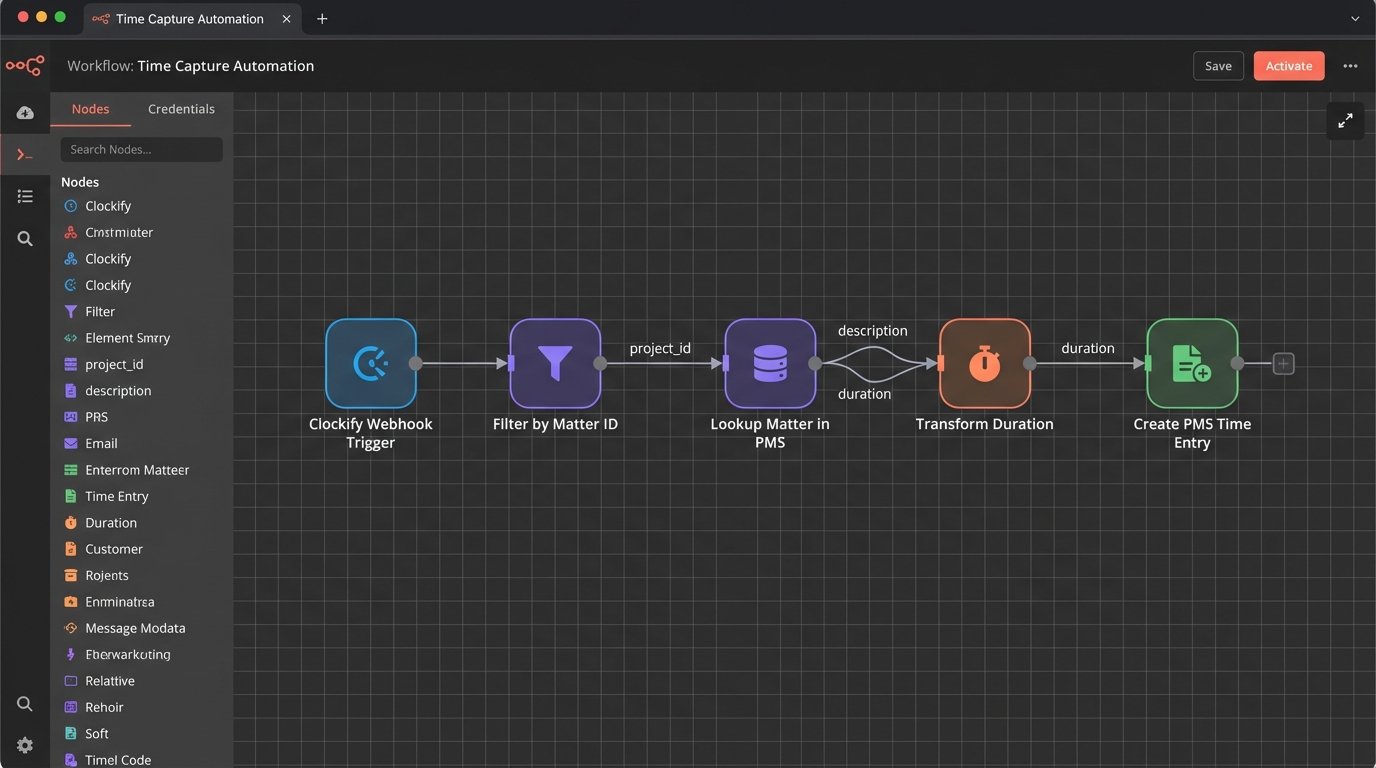
Let’s architect a common workflow: A lawyer stops a timer in Clockify, and that creates a time entry in a hypothetical PMS.
- Trigger: The workflow starts with the “Timer Stopped” webhook from Clockify. The webhook delivers a JSON payload containing all the data about that time entry.
- Logic Step 1 – Filter: The first action should be a filter. Check if the time entry description contains a matter ID. A simple convention like “[M-12345]” is effective. If no ID is present, the automation stops and maybe sends a notification to the user to fix their entry. This prevents garbage data from ever reaching the PMS.
- Logic Step 2 – Data Lookup: Extract the matter ID. Call the PMS API’s “Get Matter” endpoint with that ID to pull the full matter details. This validation check confirms the matter exists and is open. It also allows you to pull other data you might need, like the client name, to enrich the time entry description.
- Logic Step 3 – Transform Data: Convert the duration from seconds to decimal hours. Format the start and end times to the ISO 8601 format required by the PMS API.
- Action: Make a POST request to the PMS API’s `/time_entries` endpoint. Construct the request body with the mapped and transformed data.
Example API Call with Python
For a more direct integration, you might write a script. This bypasses the per-task fees of connector platforms. Below is a simplified Python script that posts a new time entry. This code assumes you have already received the webhook data and parsed it into a dictionary called `time_data`.
import requests

import json
# --- Configuration ---
PMS_API_ENDPOINT = "https://api.yourpms.com/v4/time_entries"
API_KEY = "your_secret_api_key_here"
# --- Data from Time Tracker Webhook (example) ---
time_data = {
"duration_seconds": 1800,
"description": "Drafting motion for summary judgment [M-54321]",
"user_id_tracker": "user123",
"start_time": "2023-10-27T10:00:00Z"
}
# --- Mapping & Transformation ---
# Map tracker user ID to PMS user ID
user_mapping = {"user123": 987}
pms_user_id = user_mapping.get(time_data["user_id_tracker"])
# Convert duration to decimal hours (rounded to 2 places)
duration_hours = round(time_data["duration_seconds"] / 3600, 2)
# Extract matter ID from description
matter_id_str = time_data["description"].split('[M-')[1].split(']')[0]
matter_id = int(matter_id_str)
# --- Construct API Payload ---
payload = {
"time_entry": {
"matter_id": matter_id,
"user_id": pms_user_id,
"duration": duration_hours,
"description": time_data["description"],
"date": time_data["start_time"].split('T')[0] # Get just the date part
}
}
headers = {
"Authorization": f"Bearer {API_KEY}",
"Content-Type": "application/json"
}
# --- Make API Call ---
try:
response = requests.post(PMS_API_ENDPOINT, headers=headers, data=json.dumps(payload))
response.raise_for_status() # Raises an HTTPError for bad responses (4xx or 5xx)
print("Successfully created time entry.")
print(f"Response: {response.json()}")
except requests.exceptions.HTTPError as err:
print(f"HTTP Error: {err}")
print(f"Response Body: {err.response.text}")
except Exception as e:
print(f"An error occurred: {e}")
This script is basic. A production version would have much more robust error handling, logging, and a more sophisticated method for managing API keys and user mappings, likely pulling from a separate configuration file or a secure vault.
Phase 3. Validation and Exception Handling.
Deployment is not the end. It is the beginning of the maintenance phase. Your automation will fail. The PMS API will go down for maintenance, a lawyer will enter a description incorrectly, or the time tracking tool will change its data structure without warning. You must build for failure.
Implement a logging system. For every webhook received, log the incoming payload. For every API call made, log the request body and the response from the server, including the status code. When an error occurs, log the entire error stack trace. This is non-negotiable. Without logs, you are debugging in the dark.
Design a retry mechanism. If an API call fails due to a temporary server error (a 503 status code), the automation should not just quit. It should wait for a minute and try again. Implement an exponential backoff strategy where the delay between retries increases after each failure. After three or four failed attempts, the automation should stop and send an alert to an administrator with the failed payload and the final error message.

Create a dead-letter queue. This is a holding area for automation runs that have failed permanently. Instead of just dropping the data, the failed webhook payload is shunted to a separate queue or a simple spreadsheet. This allows a human to review the failure, manually fix the source data if necessary, and re-inject it into the system without data loss.
Phase 4. Using the Captured Data.
With a stream of clean, structured time data flowing directly into your PMS, you can move beyond simple billing. The data is now a reliable source for analysis. You are no longer looking at vague, manually entered descriptions. You have precise, activity-based data linked directly to matters.
You can begin to answer critical operational questions by querying the PMS database or API:
- Matter Budgeting: How much time is actually being spent on specific phases of a litigation matter versus what was budgeted? You can track this in near real-time.
- Associate Productivity: Which associates are consistently logging time against high-value tasks versus administrative work? The data, stripped of manual entry bias, reveals actual work patterns.
- Fixed-Fee Profitability: For fixed-fee arrangements, you can now get an accurate internal cost for every matter by tracking the exact hours logged against it. This moves profitability analysis from a guess to a calculation.
The point is not to generate fancy charts. The point is to have a dataset you can trust. Automating time capture forces data discipline. It replaces subjective recollection with an objective, machine-generated log. The setup is a technical challenge, but it is a one-time build that solves a recurring, firm-wide data problem.