
Stop Manually Posting Listings. It’s a Failed Strategy.
The core problem in real estate marketing automation isn’t the social media platforms. It’s the data source. Every MLS (Multiple Listing Service) feed is a unique disaster of inconsistent fields, malformed data, and cryptic abbreviations. Your primary task is not to build a fancy poster, but a resilient data janitor that can stomach this garbage input and produce a clean, structured output for your downstream tasks.
Manual posting burns hours and introduces human error. The goal is to build a system that pulls new listings, formats them into multiple compelling social media variants, schedules the posts, and logs the results without a single human click. This is not about saving a few minutes. It’s about building a machine that executes a perfect marketing sequence every single time a new property hits your feed.
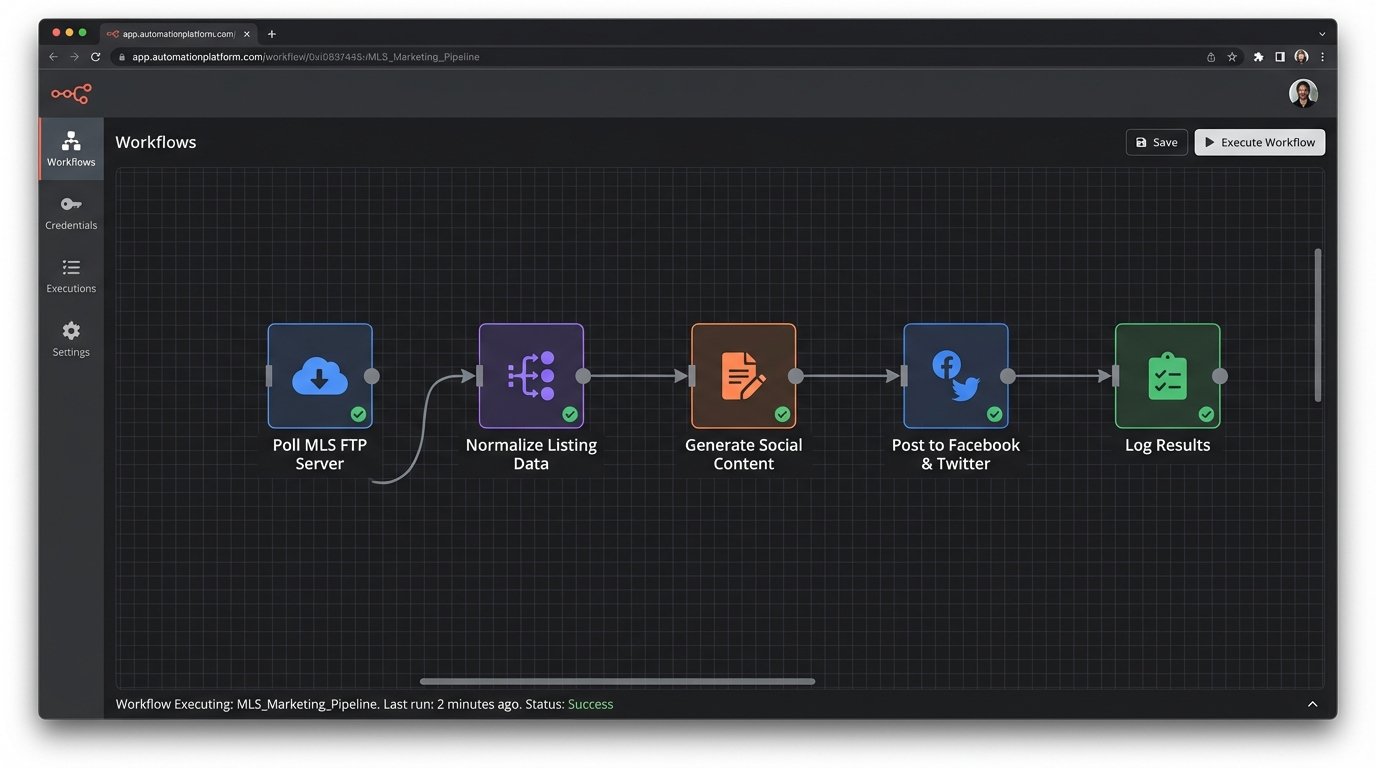
The Architecture: From Raw Feed to Published Post
We need a linear pipeline. Think of it as an assembly line. Each stage has one job, and it does it without knowledge of the other stages. This decouples the components, making the system easier to debug when, not if, a third-party API changes without notice.
- Data Ingestion: A script that polls the MLS/IDX feed for new or updated listings. This is the entry point.
- Data Normalization: A processing layer that strips junk characters, maps cryptic fields to human-readable names, and validates required data like price, address, and at least one image URL.
- Content Generation: Logic that takes the normalized data and builds multiple text variations for different platforms (e.g., Twitter’s character limit vs. Facebook’s).
- Asset Handling: A module to check image URLs, perhaps even resize or watermark them programmatically.
- Scheduling & Posting: The final stage. It connects to social media APIs, pushes the generated content, and handles API-specific requirements like authentication.
- Logging & Monitoring: A non-negotiable step. Every action, success or failure, gets logged.
This entire process lives or dies on the quality of your normalization step. It’s like trying to reassemble a shredded document with half the pieces missing. Your code must be defensive enough to handle a listing with no price or a missing address, and either discard it or flag it for manual review.
Prerequisite: Securing Data and API Access
Before you write a line of code, you need two things: a reliable way to get listing data and API keys for the social platforms you’re targeting. Getting MLS data can be a political battle. You might get a direct RETS feed, an IDX export via FTP, or a third-party API that abstracts the MLS for you. The third-party route is usually cleaner but costs money. A direct CSV export over FTP is common and cheap, but expect to write a lot of parsing logic.
For the social media side, you need developer accounts. Go through the application process for Facebook (Meta), Twitter (X), and LinkedIn. Expect to justify your use case. Store your API keys, secrets, and access tokens in a secure vault or as environment variables. Do not hardcode them in your script. That’s a rookie mistake that will get your keys stolen and your accounts banned.
- Data Source: Confirm the format (CSV, XML, JSON) and delivery method (FTP, API).
- Platform APIs: Get developer credentials for each target platform.
- Credential Storage: Use environment variables or a secrets manager like AWS Secrets Manager or HashiCorp Vault.
Step 1: Ingesting and Normalizing the Listing Data
Let’s assume we get a daily CSV dump from our IDX provider. The first script’s job is to fetch this file and turn it into a structured object that the rest of our system can work with. We’ll use Python with the `pandas` library for this, because it handles messy CSVs well.
The field names in the CSV will be useless. `ML_NUM` might be the listing ID, `LP` could be list price, and `STAT` could be the status. Your first task is to create a mapping dictionary to translate these cryptic headers into a clean, consistent format. This mapping is the heart of your normalization engine.
The code below demonstrates reading a CSV and renaming the columns. It also filters for only “Active” listings, a critical step to avoid advertising properties that are already sold or pending. Notice the defensive `try-except` block. You have to assume the file might be missing or the connection will fail.
import pandas as pd

import os
# --- Configuration ---
FTP_CSV_PATH = '/remote/path/to/listings.csv'
LOCAL_CSV_PATH = 'listings.csv'
STATUS_COLUMN = 'STAT'
ACTIVE_STATUS_CODE = 'A'
# --- Mapping cryptic headers to sane names ---
COLUMN_MAP = {
'ML_NUM': 'listing_id',
'LP': 'price',
'STAT': 'status',
'ADDR': 'address',
'CITY': 'city',
'ZIP': 'zip_code',
'BD': 'bedrooms',
'BATH_FULL': 'bathrooms',
'IMG_URL_1': 'image_url'
}
def fetch_and_normalize_listings():
"""
Fetches listing CSV, normalizes column names, and filters for active listings.
In a real scenario, this would involve an FTP client. Here we simulate by reading a local file.
"""
try:
# Simulate FTP download: `ftp.retrieve(FTP_CSV_PATH, LOCAL_CSV_PATH)`
if not os.path.exists(LOCAL_CSV_PATH):
print("Error: Local listings file not found.")
return None
df = pd.read_csv(LOCAL_CSV_PATH)
df.rename(columns=COLUMN_MAP, inplace=True)
# Filter for only the columns we care about
required_columns = list(COLUMN_MAP.values())
df = df[required_columns]
# Logic-check: Filter for active listings only
active_listings = df[df['status'] == ACTIVE_STATUS_CODE].copy()
# Force data types to prevent errors later
active_listings['price'] = pd.to_numeric(active_listings['price'], errors='coerce')
active_listings.dropna(subset=['price', 'listing_id', 'image_url'], inplace=True)
return active_listings.to_dict('records')
except Exception as e:
print(f"Failed to process listings: {e}")
# In a production system, this would log to a file or monitoring service.
return None
if __name__ == '__main__':
listings = fetch_and_normalize_listings()
if listings:
print(f"Found {len(listings)} active listings to process.")
# We now have a clean list of dictionaries to work with
print(listings[0])
This script gives us a clean list of Python dictionaries. The raw, hostile data from the MLS has been tamed into a predictable structure. Every downstream function will consume this standardized format.
Step 2: Generating Post Content Variations
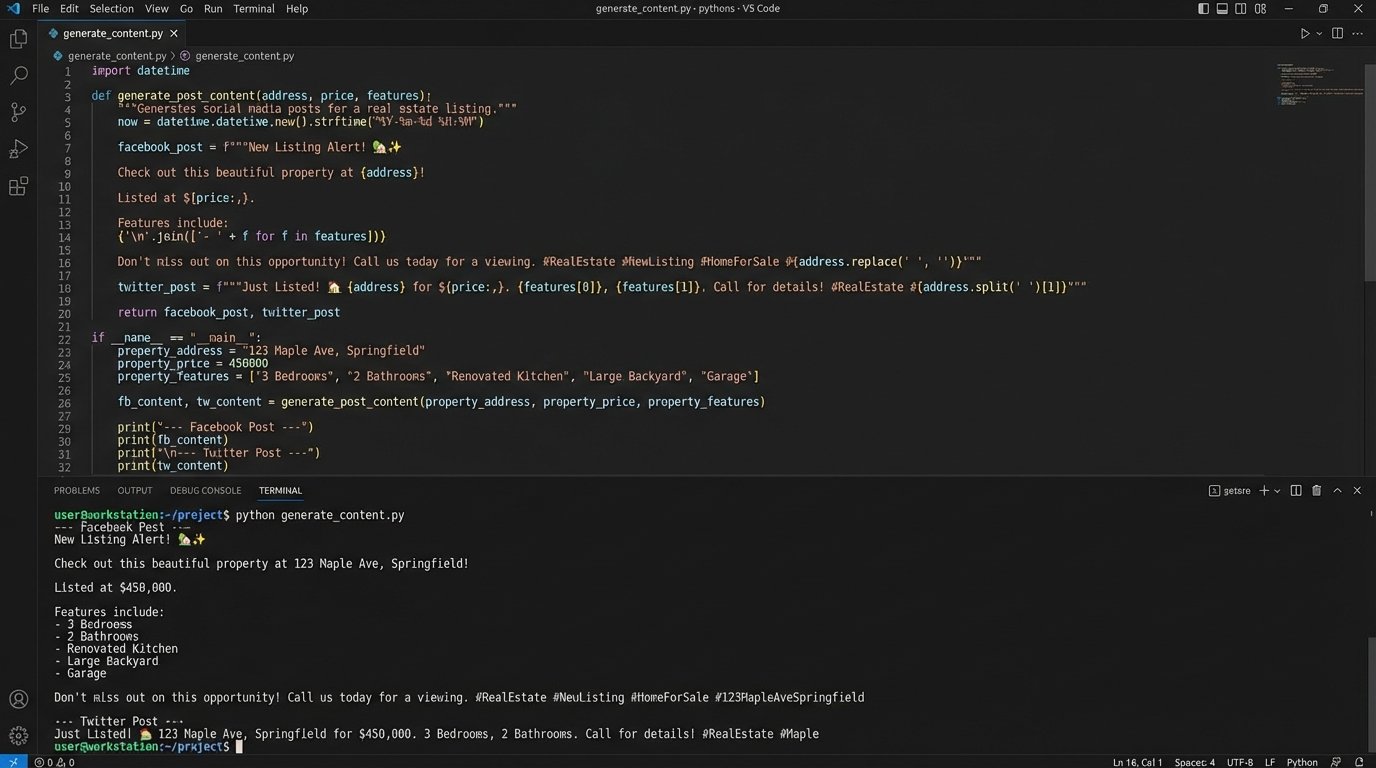
One message does not fit all platforms. Twitter demands brevity. Facebook allows for more detail and different calls to action. Your content generator must create these variations from the single, normalized listing object. This is not AI. This is a set of deterministic rules and f-strings.
We’ll create a function that takes a listing dictionary and returns a dictionary of post content, with keys for each social platform. Think of it as a logic gate array, where each property feature flips a switch that routes a specific text snippet into the final output. This isolates your creative logic from your data-handling logic.
def format_price(price):

    """Formats price into a currency string."""

    return f"${int(price):,}"
def generate_post_content(listing):
"""
Creates different post text for various social media platforms from a single listing object.
"""
base_info = f"New Listing! {listing['address']}, {listing['city']}"
property_details = f"{listing['bedrooms']} bed, {listing['bathrooms']} bath"
price_info = f"Offered at {format_price(listing['price'])}"
# A fake URL for demonstration purposes
listing_url = f"https://your-website.com/listings/{listing['listing_id']}"
content = {}
# --- Facebook / LinkedIn Content ---
content['facebook'] = (
f"✨ {base_info} ✨\n\n"
f"Check out this beautiful {property_details} home. {price_info}.\n\n"
f"See more photos and details here: {listing_url}\n\n"
f"#realestate #{listing['city'].replace(' ', '')} #newlisting"
)
# --- Twitter (X) Content ---
# We must be mindful of character limits
twitter_text = f"📍 New Listing: {listing['address']}, {listing['city']}. {property_details}. {price_info}. View details: {listing_url} #{listing['city'].replace(' ', '')}"
if len(twitter_text) > 280:
# A simple fallback if the text is too long
twitter_text = f"📍 New Listing in {listing['city']}: {property_details} for {format_price(listing['price'])}. See more: {listing_url} #realestate"
content['twitter'] = twitter_text
return content
# --- Example Usage ---
# clean_listings = fetch_and_normalize_listings()
# if clean_listings:
# first_listing = clean_listings[0]
# post_variations = generate_post_content(first_listing)
# print("--- Facebook Post ---")
# print(post_variations['facebook'])
# print("\n--- Twitter Post ---")
# print(post_variations['twitter'])
This function systematically builds the marketing copy. You can add more complex logic here. For example, inject specific keywords for waterfront properties or mention school districts if that data is available. The key is that the logic is centralized and testable.
Step 3: Posting to Social Media APIs
This is where we interact with the outside world. Each platform has its own API, its own authentication method, and its own set of things that can go wrong. The goal is to write a simple function for each platform that takes the generated content and the listing’s image URL and posts it. This part is less about elegant code and more about brute-forcing a payload into a keyhole that changes shape every other Tuesday.
You’ll use a library like `requests` in Python to make the HTTP calls. Error handling is paramount here. You need to handle connection errors, authentication failures (401/403), rate limits (429), and server errors (5xx). A simple retry mechanism with an exponential backoff is a good starting point for transient errors like rate limiting.
Below is a conceptual stub for a Twitter poster. It doesn’t include the full OAuth 1.0a complexity, which is notoriously difficult to implement from scratch. Use a library like `tweepy` or `requests-oauthlib` to manage authentication.
import requests

# In a real app, you would use a library like `tweepy` to handle auth.

# from requests_oauthlib import OAuth1
# --- Load credentials from environment variables ---
TWITTER_API_KEY = os.getenv('TWITTER_API_KEY')
TWITTER_API_SECRET = os.getenv('TWITTER_API_SECRET')
TWITTER_ACCESS_TOKEN = os.getenv('TWITTER_ACCESS_TOKEN')
TWITTER_ACCESS_TOKEN_SECRET = os.getenv('TWITTER_ACCESS_TOKEN_SECRET')
def post_to_twitter(text_content, image_url):
"""
Posts content to Twitter (X). This is a simplified example.
A real implementation requires handling image uploads first, then attaching the media ID to the tweet.
"""
if not all([TWITTER_API_KEY, TWITTER_ACCESS_TOKEN]):
print("Twitter API credentials not configured. Skipping post.")
return False
# Twitter API v2 endpoint for creating a tweet
tweet_endpoint = "https://api.twitter.com/2/tweets"
# In a real app, you'd first upload the image to a different endpoint
# to get a media_id, then include it in the payload.
payload = {
"text": text_content
# "media": {"media_ids": ["123456789"]}
}
# This is a placeholder for the actual OAuth1 authentication header
auth_header = {} # build_oauth_header(...)
try:
response = requests.post(tweet_endpoint, json=payload, headers=auth_header, timeout=10)
if response.status_code == 201:
print(f"Successfully posted to Twitter. Tweet ID: {response.json()['data']['id']}")
return True
else:
print(f"Error posting to Twitter. Status: {response.status_code}, Response: {response.text}")
# Log this error for analysis
return False
except requests.exceptions.RequestException as e:
print(f"A network error occurred while posting to Twitter: {e}")
return False
The pattern is the same for Facebook’s Graph API or LinkedIn’s API. You build a payload, add authentication headers, make a POST request, and then rigorously check the response code. Do not assume success.
Step 4: State Management and Logging
How do you prevent the system from posting the same listing every day? You need a state machine. The simplest form of state is a database or even a local file that stores the `listing_id` of every property you have successfully posted. Before processing a listing, your main script will check if the ID is already in this “posted” list. If it is, you skip it.
Your logging must be detailed. Don’t just log “Post failed.” Log the listing ID, the platform, the timestamp, the HTTP status code, and the response body from the API. This is your audit trail for when a campaign goes silent. It’s a series of tripwires. The goal isn’t to prevent the fall, it’s to log where you fell and why.
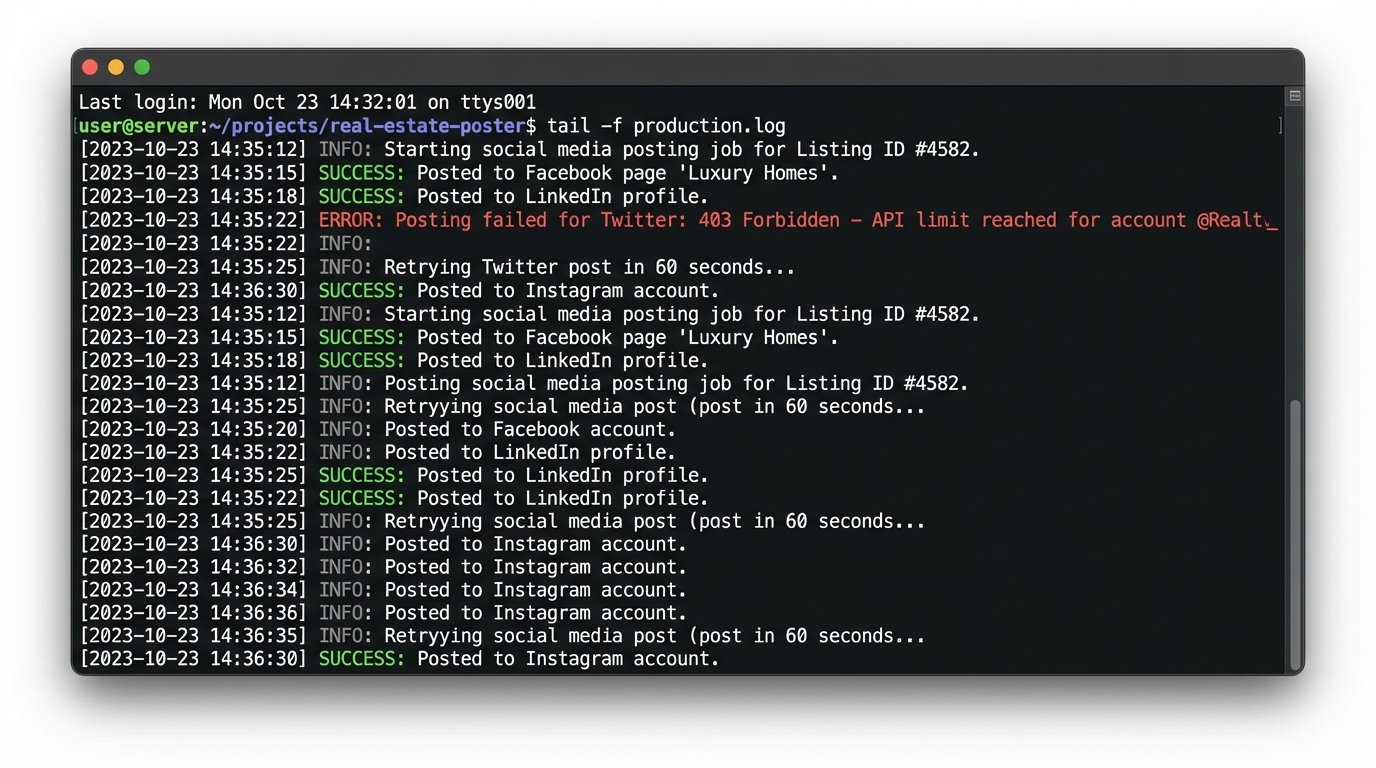
A simple text file log might look like this:
2023-10-27 10:00:15 - INFO - Starting job. Found 5 new listings.

2023-10-27 10:00:18 - INFO - Processing listing_id: 12345.

2023-10-27 10:00:20 - SUCCESS - Posted listing_id: 12345 to Facebook. Post ID: fb_98765.

2023-10-27 10:00:22 - ERROR - Failed to post listing_id: 12345 to Twitter. Status: 403, Response: {"error":"Permissions failure"}.

2023-10-27 10:00:22 - INFO - Processing listing_id: 67890.

...
Orchestration: Tying It All Together
The final step is to orchestrate these scripts. You need a master script or a scheduler that runs the pipeline in the correct order. A cron job on a Linux server is the classic, reliable way to do this. You could set it to run every few hours or once a day, depending on how frequently your MLS feed updates.
The main execution block would look something like this:
- Load the list of already-posted listing IDs from your state file.
- Run `fetch_and_normalize_listings()` to get a list of currently active properties.
- Iterate through each active listing.
- If a listing’s ID is not in the “already-posted” list:
- Run `generate_post_content()` for that listing.
- Attempt to post to each platform (Facebook, Twitter, etc.).
- Log the outcome of each attempt.
- If at least one post was successful, add the `listing_id` to your “already-posted” list and save the list back to the state file.
This structure ensures atomicity at the listing level. You try all platforms for a single property before moving to the next. Updating the state file immediately after a success prevents duplicate posts if the script fails midway through the entire batch.
This system isn’t trivial to build, but it’s composed of simple, testable parts. It replaces hours of error-prone manual work with a deterministic, logged, and reliable machine. That’s the real value of automation engineering.