
Automated client communication fails because the source data is a mess. The glossy front-end platforms that promise seamless updates are just thin veneers over a law firm’s decaying case management system (CMS). Before you write a single line of code or subscribe to a single service, accept that your primary job is not communication. It’s data sanitation and API archeology.
The goal is to build a resilient data pipeline, not a collection of pretty email templates. This pipeline has three core components: the CMS as the trigger source, a logic engine to process events, and a delivery service to push the message. Get the connections between these components wrong, and you’re just automating the distribution of incorrect information, faster.
Phase 1: Excavating Your Source of Truth
Your CMS is the foundation. If the foundation is cracked, everything you build on top of it will collapse. Most legal tech APIs are poorly documented, have inconsistent rate limits, and were clearly an afterthought bolted onto a legacy desktop application. Your first step is to map the critical data points required for any meaningful communication.
Forget the marketing material. You need to perform a direct API audit. Identify the exact field names and data types for the following non-negotiable data points:
- Client Identifiers: The unique ID for the client and the case.
- Contact Information: Specifically, the API endpoints for `client_email` and `client_mobile_phone`. Check if they are validated or just free-text fields full of typos.
- Case Status: The field that tracks the case’s progression. This is your primary trigger. Pray it’s a dropdown with a fixed set of values and not another free-text field.
- Key Dates: `next_court_date`, `filing_deadline`, `statute_of_limitations`. You need to know if these are returned in ISO 8601 format or some proprietary nightmare.
- Assigned Personnel: The `attorney_id` and `paralegal_id` responsible for the case.
Document every endpoint, its required parameters, and its expected output in a shared document. This isn’t paperwork. It’s the architectural schematic for the entire project. Assume the official API documentation is a work of fiction until you’ve verified every endpoint with a tool like Postman.
Phase 2: Architecting the Logic Engine
Once you have a map of your data source, you need a brain to decide what to do with it. This logic engine listens for changes in the CMS and initiates a communication workflow. You have two fundamental paths: buy an off-the-shelf integration platform (iPaaS) or build a custom solution.
Platforms like Zapier or Make are excellent for prototyping. You can visually connect your CMS to a service like Twilio in an afternoon. The problem is they become wallet-drainers at scale and are hopelessly rigid when you need nuanced logic. They are black boxes, and when they fail, you get a generic “Task Stopped” error with no useful logs for debugging.
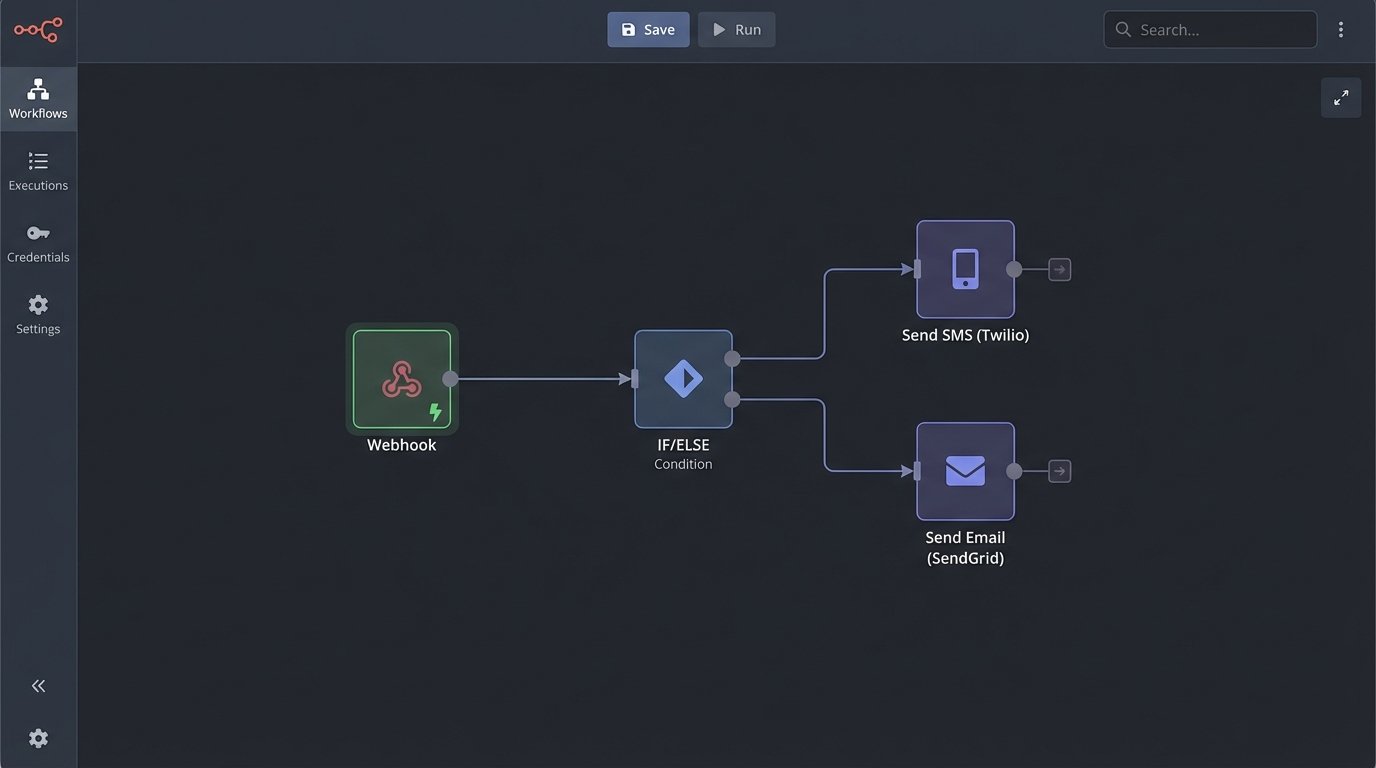
A custom solution, such as a serverless function on AWS Lambda or Google Cloud Functions, offers absolute control. You own the code, the logic, and the logs. The compute cost is a fraction of what iPaaS vendors charge. The trade-off is you also own the maintenance, the security, and the on-call rotation when it breaks at 2 AM.
The logic itself is a state machine. The core of your script will be a large conditional block that evaluates the incoming event data from the CMS. For a system processing CMS webhooks, the core logic in a Python-based function would look something like this:
def handle_case_update_webhook(event):

    case_data = event['data']

    old_status = case_data['previous_attributes']['status']

    new_status = case_data['current_attributes']['status']

    client_id = case_data['client_id']
# Avoid firing on irrelevant updates
if old_status == new_status:
return {'status': 200, 'message': 'No status change detected.'}
# Status-based routing
if new_status == 'Intake Complete':
send_welcome_email(client_id)
elif new_status == 'Discovery Initiated':
send_discovery_explainer(client_id)
elif new_status == 'Settlement Offer Received':
# This requires immediate, multi-channel notification
send_urgent_sms(client_id, "We have received a settlement offer.")
send_detailed_email(client_id, "Offer Details Attached.")
create_internal_task('Follow up with client on offer.')
else:
# Log unhandled status changes for review
log_unhandled_event(case_data)
return {'status': 200, 'message': 'Workflow triggered.'}
This approach forces you to explicitly define every communication action tied to a specific data change. There is no ambiguity. This is less about elegant code and more about industrial plumbing, forcing incompatible systems to talk to each other through a tightly controlled series of pipes and valves.
Phase 3: Selecting and Integrating Delivery Channels
Do not attempt to send email or SMS from your own servers. This is a solved problem with providers who specialize in deliverability. Using your firm’s Microsoft 365 account to send bulk automated messages is a fast path to getting your domain blacklisted.
For transactional email, services like SendGrid, Postmark, or Amazon SES provide robust APIs, delivery tracking, and reputation management. For SMS, Twilio is the dominant player for a reason. Its API is reliable and well-documented. The key is to abstract these services. Your logic engine should call an internal `send_email()` function, which then calls the SendGrid API. If you ever decide to switch from SendGrid to Postmark, you only have to change that one internal function, not every line of code that sends an email.
Templating is Non-Negotiable
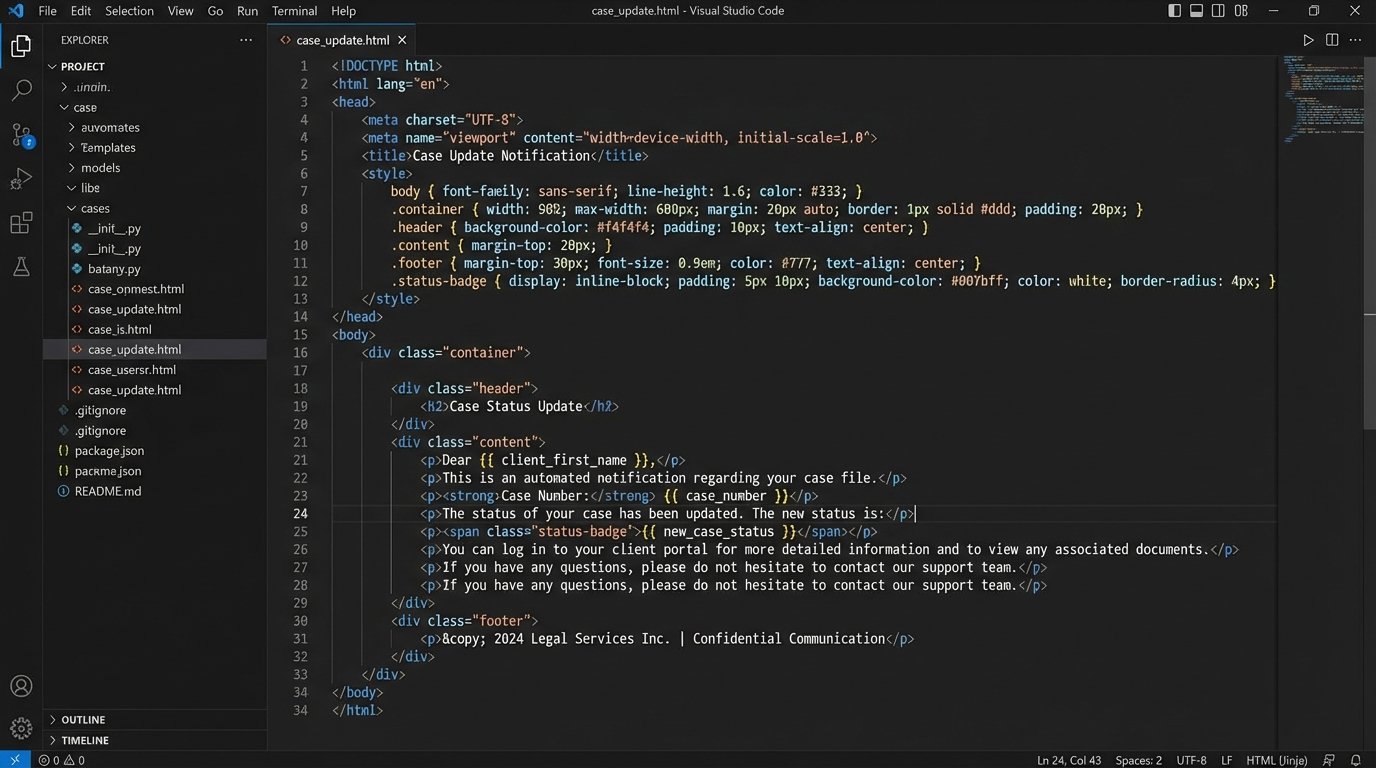
All communications must be templatized. Hardcoding message content into your logic engine is a maintenance disaster. Use a templating language like Jinja2 or Handlebars to create templates with placeholders for dynamic data. Your logic engine fetches the data from the CMS, then injects it into the template before sending.
A simple email template might look like this:
Subject: Update on Case: {{ case_number }}
Dear {{ client_first_name }},
This is an automated notification to inform you that the status of your case has been updated to: {{ new_case_status }}.
Our records show your next key date is a {{ event_type }} on {{ next_court_date | format_date }}.
You can log into the client portal for more details.
Regards,
{{ assigned_attorney_name }}
This separates the content (the what) from the logic (the when). It allows paralegals or marketing staff to update the wording of a message without needing an engineer to deploy new code. It also forces a consistent structure on all communications.
Phase 4: Monitoring, Logging, and Failure States
An automation system without monitoring is a liability. APIs fail. Networks lag. A client’s phone number might be invalid. You must build for failure, because failure is the default state of distributed systems.
Your logic engine must log every single action. Every incoming webhook, every API call to the CMS, every email sent, every SMS delivered or failed. Use a structured logging format like JSON, and ship these logs to a centralized service like CloudWatch, Datadog, or Sentry. A log entry should contain the case ID, the event type, a timestamp, and the result (success or failure). When a client claims they never received a message, you need to be able to pull up the exact log entry showing the delivery receipt from Twilio within 30 seconds.
Building a Resilient System
What happens when the SMS API is down? A naive system just fails. A resilient system has a retry mechanism, typically with exponential backoff. It tries again in 1 minute, then 5 minutes, then 30 minutes. If it still fails after a set number of retries, it moves the failed message to a dead-letter queue (DLQ).
The DLQ is just a list of jobs that couldn’t be completed automatically. It should trigger an alert to your IT or Legal Ops team. A human then looks at the failed message, diagnoses the problem (e.g., malformed phone number in the CMS), fixes the root cause, and either re-queues the message or contacts the client manually. Without a DLQ, failed messages simply vanish into the ether.
Phase 5: Validation and The Human Override
Automation augments human expertise, it doesn’t replace it. The final layer of any client communication system must be human oversight and control. Attorneys need a “big red button” to pause all automated communications for a specific client or case.
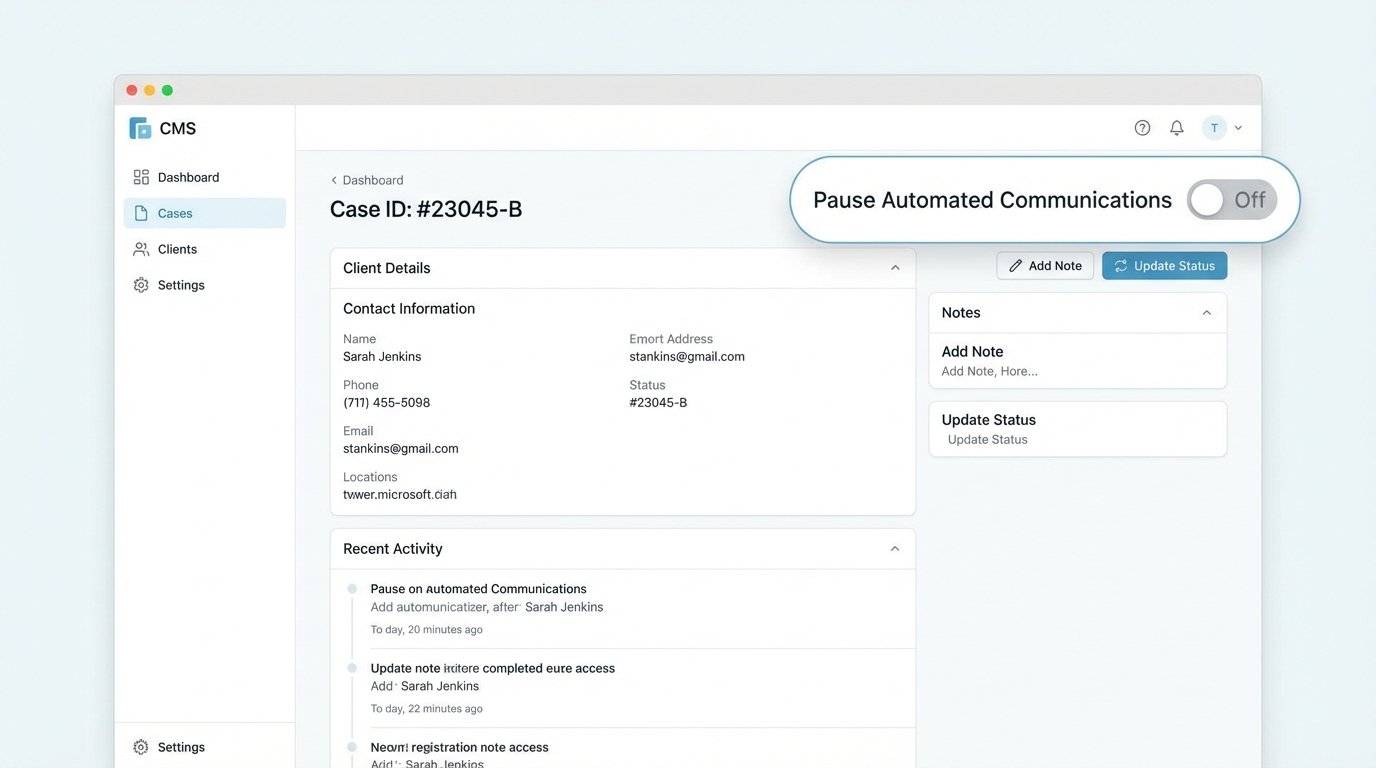
High-stakes situations or particularly sensitive clients require manual handling. Your system must have a simple boolean flag in the CMS, like `is_automation_paused`. Before your logic engine processes any event, its first check should be to query this flag. If `True`, the engine logs that it skipped the event and does nothing else.
Finally, you need to close the loop by tracking engagement. Use the webhooks from your email service to log opens and clicks. Track SMS reply keywords like “HELP” or “STOP.” This data tells you which messages are effective and which are being ignored or are causing confusion. Feed this data back to the attorneys and paralegals to refine the templates. A message with a 5% open rate is just noise, and your system needs to be smart enough to identify and fix it.
This is not a “set it and forget it” project. It requires constant monitoring, periodic audits of the CMS data, and a budget for maintenance. The payoff isn’t a flashy dashboard. It’s fewer inbound “what’s the status of my case” phone calls, which frees up paralegals and attorneys to perform work that actually requires a law degree.