
10 Marketing Automation Tools That Generate Real Estate Leads
The core problem in real estate lead generation is not volume. It is signal decay. A lead captured from a portal is a temporary digital address with a high probability of containing junk data. The automation goal is to strip the junk, enrich the signal, and route the remainder to an agent before the prospect’s intent evaporates. Most off-the-shelf tools are built for SaaS funnels, not for the messy, location-bound reality of property transactions.
This is not a list of shiny objects. It is a breakdown of functional components in a real estate lead processing pipeline. Some are central platforms, others are tactical APIs you inject to solve a specific problem. The objective is to build a system that qualifies leads programmatically, forcing human intervention only when a high-value action is required.
1. HubSpot
HubSpot is the default enterprise-grade marketing automation platform. Its primary strength is the workflow engine, a visual state machine for triggering emails, SMS, and internal notifications based on contact properties or behavior. For real estate, you can build workflows that move a lead from “New” to “Contacted” to “Showing Scheduled” based on agent actions logged in the CRM, or web activity on your IDX site.
Technical Use Case: A prospect views the same property listing three times in 24 hours. A workflow triggers, tags the contact with the MLS ID of that property, and creates a task for the assigned agent to call, referencing that specific address. This bypasses the generic “Thanks for visiting our site” email and injects immediate context.
The Catch: The cost. HubSpot’s pricing scales aggressively with contact list size. A large database of cold or unqualified leads becomes a significant recurring expense. It’s a wallet-drainer if your data hygiene is poor.
2. Follow Up Boss
This is a CRM built specifically for real estate teams. It is not a general-purpose marketing tool. Its core function is to act as a central aggregator for leads from dozens of sources like Zillow, Realtor.com, and your own website. Its API and native integrations are designed to funnel everything into one place for rapid agent response.
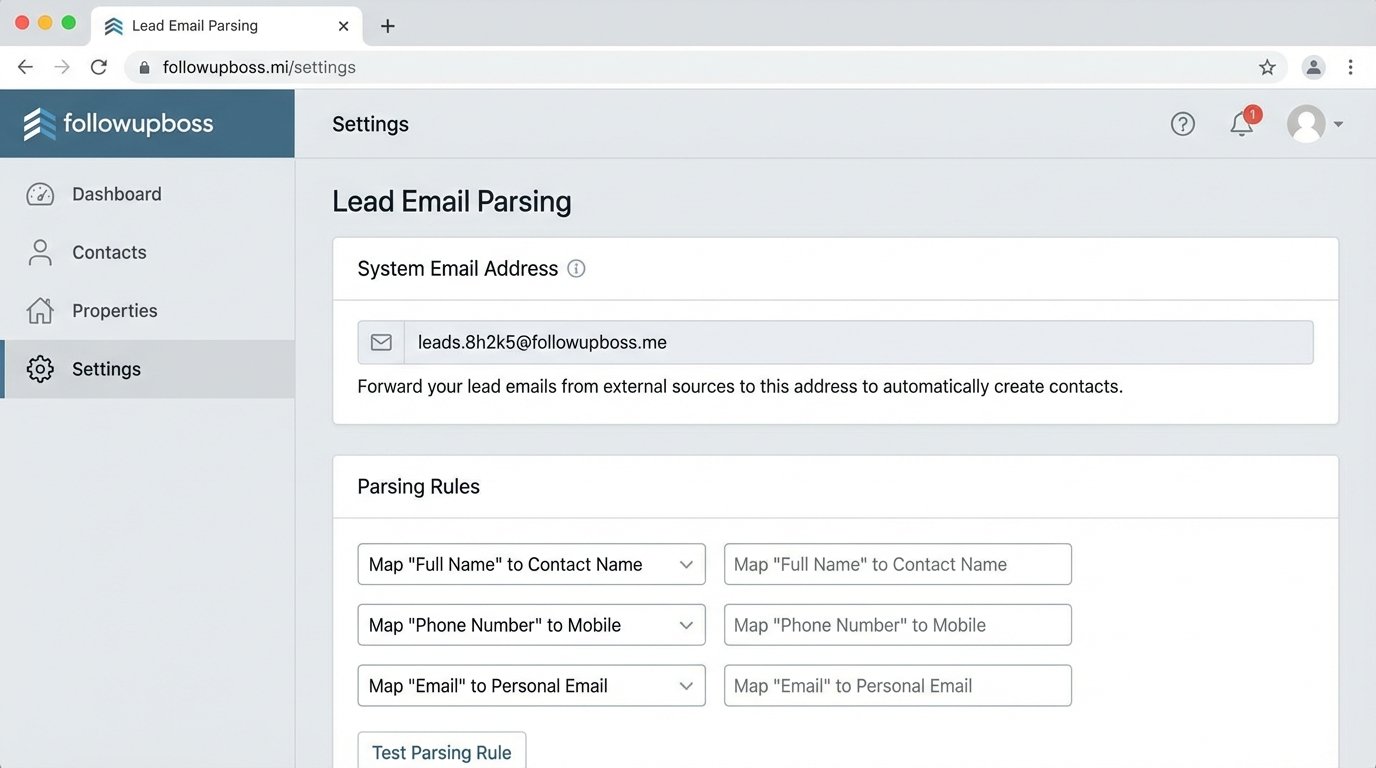
Technical Use Case: Use its inbound email parsing feature to create new contacts. Many lead sources that lack a proper API still send email notifications. You can configure a unique Follow Up Boss email address to receive these, and it will automatically parse the sender, subject, and body to create a lead. This is a brittle but effective way to integrate legacy lead providers.
The Catch: Its marketing automation capabilities are basic compared to HubSpot. The “Action Plans” are simple drip sequences. For complex, logic-driven campaigns, you will need to pipe data out to another system via its webhooks, making Follow Up Boss the contact database, not the automation engine.
3. Zillow Premier Agent
Zillow is not an automation tool, it is a lead source. It is on this list because failing to automate its ingestion is a critical failure point. Leads from the Premier Agent program are high-intent but have a short half-life. The platform provides an API to pull lead data directly, bypassing the unreliable email notifications that can get lost or delayed.
Technical Use Case: Build a small service that polls the Zillow Tech Connect API every 60 seconds for new leads. On receipt, the service immediately pushes the lead into your CRM via its API and simultaneously triggers a Twilio SMS to the assigned agent. The goal is to reduce the “speed to lead” time from minutes to seconds.
The Catch: The API exists purely to serve Zillow’s business model. The data structure can change with little notice, and you are entirely dependent on their infrastructure. It is a direct feed, but one you do not control.
4. Make (Formerly Integromat)
Make is a visual workflow automation platform, often seen as a more powerful alternative to Zapier. It allows for more complex logic, including branching, iteration, and error handling routes. You can build multi-step scenarios that transform data between API calls, which is essential for cleaning up inconsistent lead data from different sources before inserting it into a CRM. Trying to sync these systems without a common ID is like trying to assemble a machine where every bolt has a different thread.
Technical Use Case: A new lead from a Facebook Lead Ad comes in. A Make scenario triggers. Step 1: Get the lead data. Step 2: Push the address to a Google Geocoding API to standardize it and get coordinates. Step 3: Check if a contact with that email already exists in Follow Up Boss. Step 4: If yes, update the contact with the new data. If no, create a new contact. Step 5: Log the outcome to a Google Sheet for auditing.
The Catch: Latency and opacity. While great for non-developers, debugging a failed run can be a nightmare. You are looking at execution logs on their platform, not stepping through code. Complex scenarios can also become slow, adding precious seconds to your lead response time.
5. Twilio API
Twilio is a communications API. It does one thing: sends and receives text messages, phone calls, and emails programmatically. It is not a marketing platform. It is a raw utility for injecting communication into your existing workflows. For real estate, its most potent use is instant, automated SMS engagement.
Technical Use Case: A webhook from your CRM fires when a new lead is assigned to an agent. Your backend service catches the webhook and immediately makes an API call to Twilio to send an SMS to the lead from the agent’s tracked number. The message could be: “Hi [Lead Name], this is [Agent Name]. I just got your inquiry about 123 Main St. Are you free for a quick call in 5 mins?”
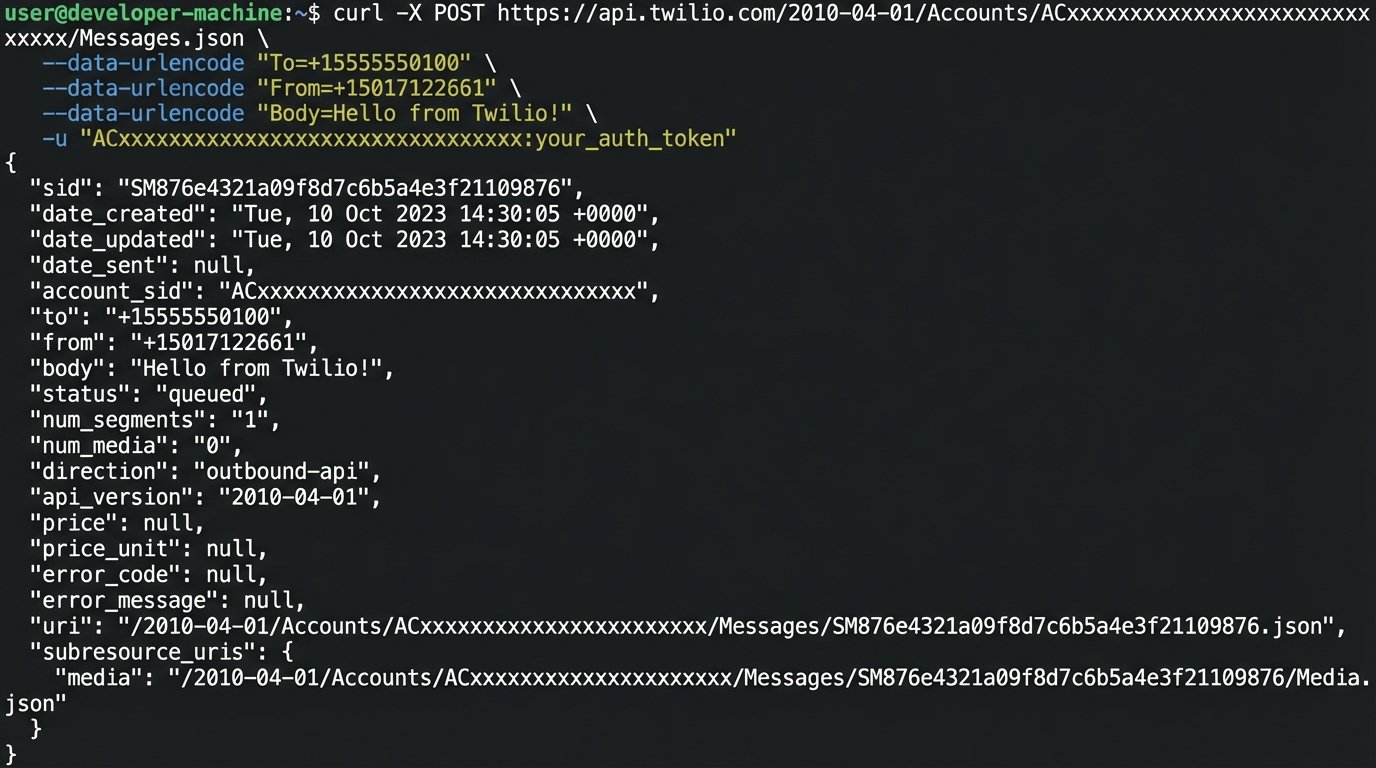
Here is the bare-bones cURL request to their API. This is what your code would be executing.
curl -X POST 'https://api.twilio.com/2010-04-01/Accounts/ACxxxxxxxxxxxxxxxxxxxxxxxxxxxxx/Messages.json' \

--data-urlencode "To=+15558675310" \

--data-urlencode "From=+15017122661" \

--data-urlencode "Body=New inquiry on 123 Main St. Call requested." \

-u ACxxxxxxxxxxxxxxxxxxxxxxxxxxxxx:your_auth_token
The Catch: Compliance. The world of SMS marketing is a minefield of regulations (TCPA, A2P 10DLC). You are responsible for managing opt-ins, opt-outs, and message content. Failure to do so results in blocked numbers and potential fines.
6. ActiveCampaign
ActiveCampaign sits in a sweet spot between a simple email tool and a full-blown platform like HubSpot. Its automation builder is arguably more powerful for complex decision-based journeys. It excels at lead scoring based on behavior, like email opens, link clicks, and page visits, allowing you to segment your audience with extreme precision.
Technical Use Case: Create a “Market Report” automation. A prospect signs up. They receive a weekly email with new listings in their chosen zip code. ActiveCampaign tracks which listings they click. If a user clicks on properties in the $500k-$600k range more than three times, a rule adds 10 points to their lead score and tags them as “Active_Buyer_500k”. Once their score exceeds 50, they are automatically pushed into a “High-Intent” audience and a notification is sent to an agent.
The Catch: The CRM is not its strong suit. It is functional for small operations but lacks the agent-centric views and deal pipelines of a specialized tool like Follow Up Boss. Many teams use it purely for its email automation and sync data to a separate, more robust CRM.
7. Pipedream
Pipedream is for developers who find Zapier or Make too restrictive. It is an integration platform that lets you run Node.js, Python, or Go code as steps in a workflow. You get the benefit of pre-built connectors for hundreds of apps, but you can drop into code anytime to perform custom data transformation, complex logic checks, or interact with an unsupported API.
Technical Use Case: You need to automate lead distribution based on zip code, but your rules are complex (e.g., Agent A gets 90210 and 90211, but only on weekdays. Agent B gets them on weekends). You can build a Pipedream workflow triggered by a webhook. A Node.js code step would contain the routing logic, which is much easier to write and maintain as code than as a giant visual flowchart.
A simple code step might look like this:
export default defineComponent({

  async run({ steps, $ }) {

    const leadZip = steps.trigger.event.body.zip_code;

    const dayOfWeek = new Date().getDay();

    let agentEmail;
if (["90210", "90211"].includes(leadZip)) {
// Saturday is 6, Sunday is 0
agentEmail = (dayOfWeek === 6 || dayOfWeek === 0) ? "agent.b@email.com" : "agent.a@email.com";
} else {
agentEmail = "default.agent@email.com";
}
// This data is passed to the next step in the workflow
return { agentEmail };
},
})
The Catch: It requires engineering resources. This is not a tool for the marketing department. It introduces a dependency on developers to build and maintain the workflows, and you are responsible for the code you write.
8. Clearbit
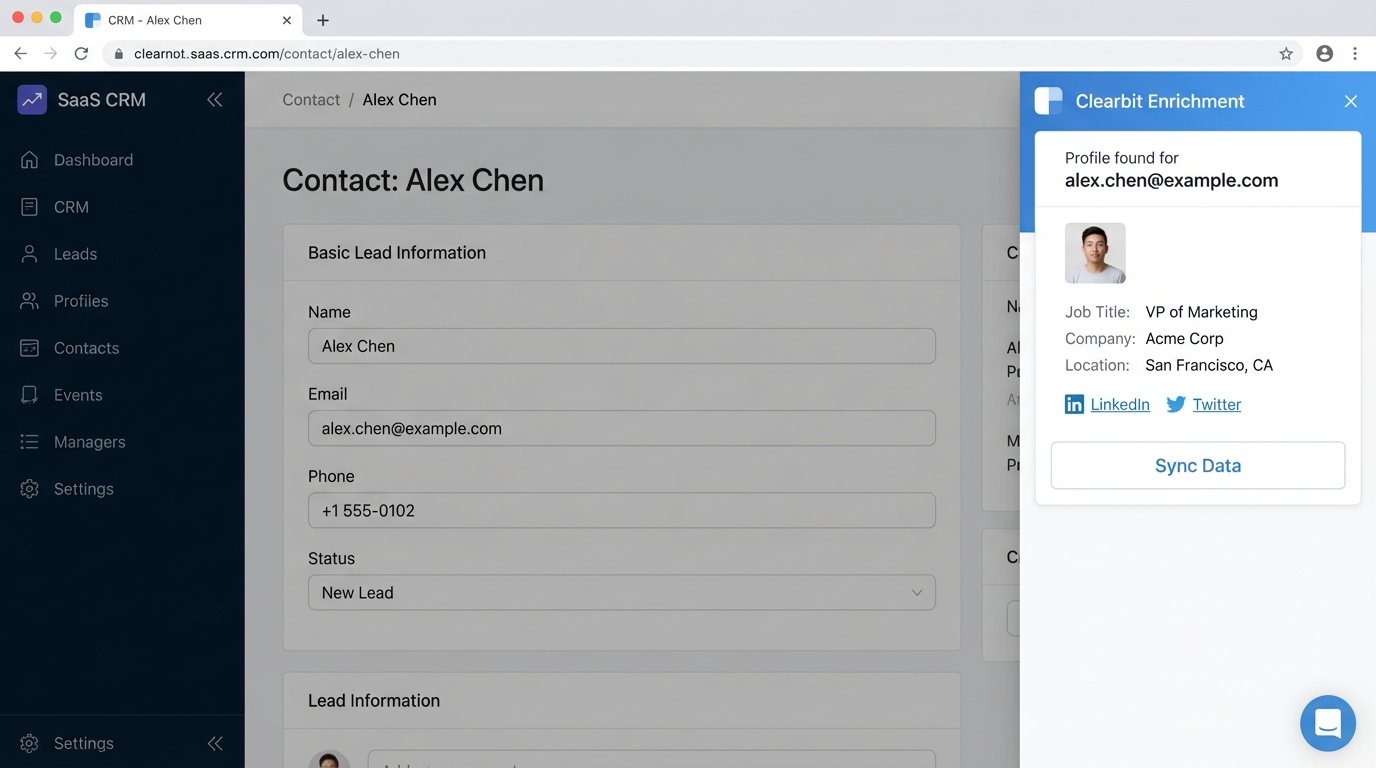
This is a data enrichment API. Its job is to take a single piece of information, typically an email address, and return a rich profile of the person and their company. While more geared toward B2B, it can be repurposed for real estate to qualify leads from generic contact forms. Knowing a lead’s job title or company size can help infer their potential budget or seriousness.
Technical Use Case: A user submits a “Contact Us” form on your website with only a name and email. Before that lead is created in the CRM, you fire a webhook to a service that calls the Clearbit Enrichment API with the email address. The API returns their LinkedIn profile URL, job title, and company details. This data is then appended to the lead record before it is assigned to an agent, giving them critical context for their first call.
The Catch: Cost per call and match rates. You pay for every API request, and there is no guarantee of a match. For consumer email addresses (gmail, yahoo), the match rate can be low. This tool is a lead qualification accelerator, not a magic bullet.
9. DocuSign API
Bottom-of-funnel automation is about reducing friction in the transaction process. The DocuSign API lets you programmatically generate and send documents for signature. You can take data from your CRM (buyer name, property address, offer price) and inject it into a template, then trigger the signing process without any manual document creation.
Technical Use Case: In your CRM, a deal stage is moved to “Offer Accepted.” A webhook fires. Your system uses the deal data to populate a purchase agreement template via the DocuSign API and sends it to the buyer for signature. You configure a webhook in DocuSign to listen for the “Envelope Completed” event. When the buyer signs, the webhook fires back to your system, which then automatically moves the deal stage to “Under Contract.”
The Catch: Implementation complexity. Working with the API, especially with template placeholders (called “tabs”), requires careful setup and testing. A mistake could send a contract with the wrong price or name, creating a serious legal and client-facing issue.
10. Custom Scraper (Puppeteer/Playwright)
This is the nuclear option. When you need data that is not available via an API, you build a scraper. Using a headless browser library like Puppeteer (for Node.js), you can write a script that navigates a website, fills out forms, and extracts data just as a human would. For real estate, this could mean scraping county records for pre-foreclosure notices or new construction permits.
Technical Use Case: Write a script that runs nightly. It logs into the county clerk’s property records website, searches for new “Lis Pendens” filings in the last 24 hours, and scrapes the property address and owner information. The script then formats this data into a CSV and emails it to a team specializing in distressed properties.
The Catch: Extreme fragility. The moment the target website changes its HTML structure, your scraper breaks. It is a constant game of cat and mouse. You also have to manage proxies, user agents, and CAPTCHAs. This approach is powerful but carries the highest maintenance overhead of any tool on this list.