
A three-partner litigation firm approached us with a familiar problem. Their client intake process was a fragile, manual assembly line held together by email chains and copy-paste. A potential client would fill out a PDF, a paralegal would re-key that data into their practice management system, and a partner would then manually run a conflict check. The entire sequence took, on average, four billable hours to complete, spread over two days. This latency was killing their conversion rate for time-sensitive cases.
The core issue wasn’t laziness. It was a technical debt problem disguised as a workflow issue. Their stack consisted of a public-facing WordPress site with a basic contact form, Outlook for communication, and a ten-year-old on-premise case management system with a barely documented API. The partners believed the only solution was to hire another paralegal. We diagnosed the problem as a data bottleneck, not a headcount shortage.
Deconstructing the Manual Workflow
Before building anything, we mapped every single human touchpoint in the intake process. The map revealed three primary failure points. First, the data entry was redundant. Information from the initial web form was manually entered into at least three separate systems: the CMS, the conflict check database, and the initial client engagement letter template.
Second, the conflict check was a blocking, synchronous operation. A paralegal had to wait for a partner to become available, run the check, and give a thumbs-up. This introduced unpredictable delays, sometimes stretching into the next business day. The final point of failure was document generation. They were using Word templates with manual find-and-replace, leading to embarrassing and frequent clerical errors. The process was slow, expensive, and prone to mistakes.
Initial Technical Assessment
The firm’s on-premise CMS, “LegacyCase Pro,” was the main obstacle. Its API was a SOAP-based relic that returned unpredictable XML structures. It had no concept of webhooks, meaning we couldn’t build event-driven automations. We would have to poll the system for changes, a notoriously inefficient method that adds server load and creates delays. The documentation was a 200-page PDF from 2012.
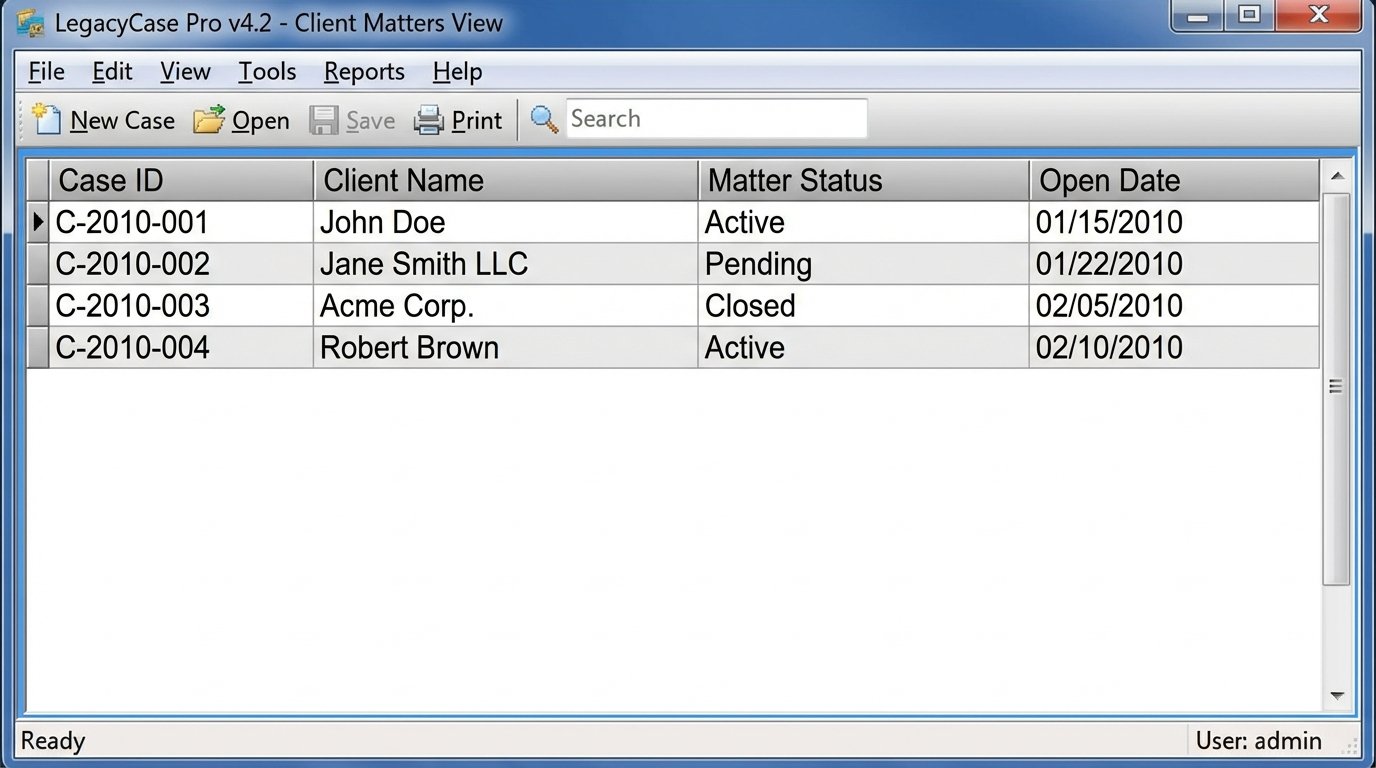
The firm had zero budget for a full system migration. Our entire solution had to be a wrapper built around this inflexible core. We were essentially forced to build a modern RESTful interface for a system that was never designed to communicate with the web. This is the reality of most legal automation projects. You don’t get a clean slate. You get a mess and a mandate to make it work.
The Automation Architecture: A Practical Stack
We bypassed a full custom code solution. The firm lacked the IT resources to maintain a Python script running on a server. We opted for a managed, low-code platform, specifically Make.com (formerly Integromat), for its robust HTTP request modules and superior error handling compared to more basic tools. This platform would serve as the central nervous system for the entire intake workflow.
The stack was designed for simplicity and resilience:
- Data Capture: We replaced the primitive WordPress form with a Jotform instance. This gave us advanced conditional logic, calculation capabilities, and most importantly, reliable webhook support. When a form is submitted, Jotform sends a clean JSON payload to a specified endpoint.
- Orchestration Layer: Make.com receives the webhook from Jotform. A multi-step scenario is triggered to parse the data, validate required fields, and initiate downstream actions.
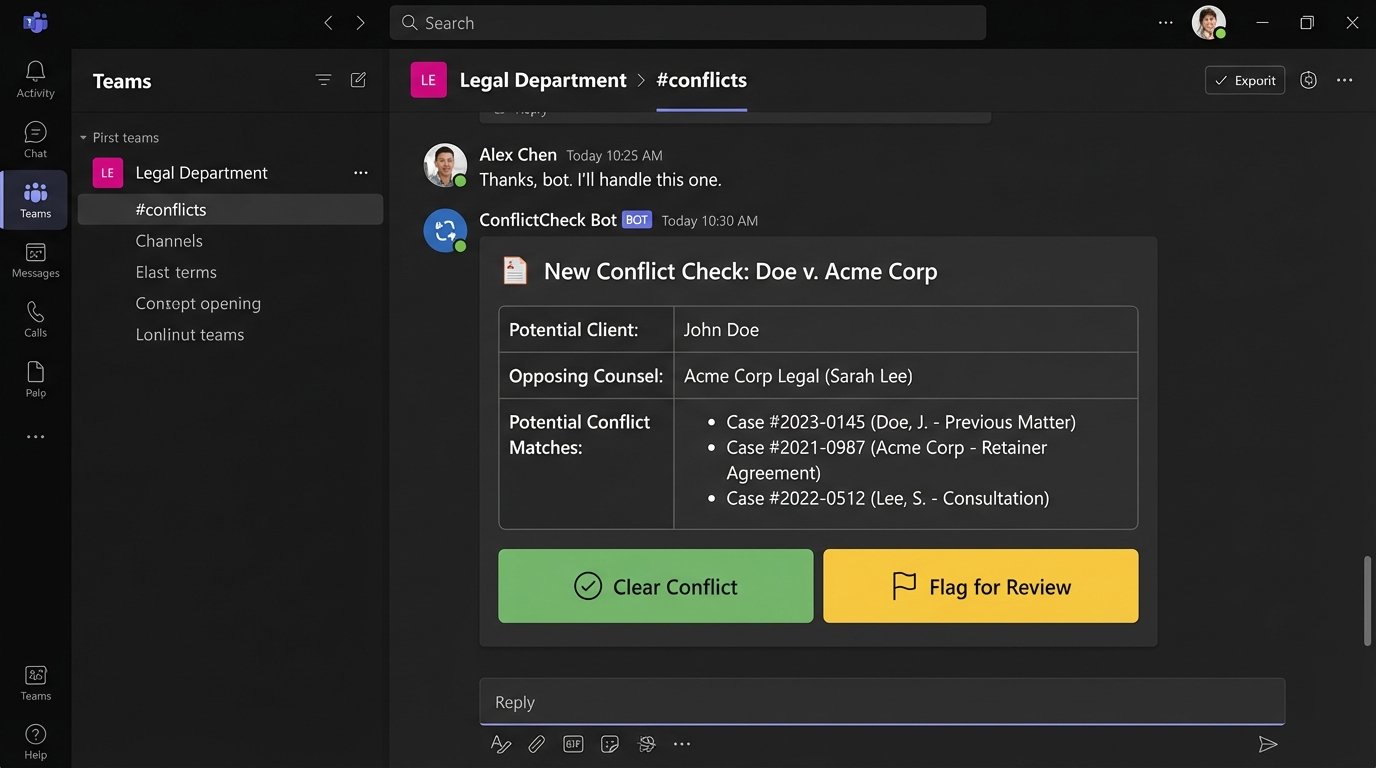
- Conflict Check: We built a dedicated conflict check flow. The Make.com scenario queries the LegacyCase Pro API for matching names and entities. Instead of waiting for a partner, the results are packaged and sent as a priority message to a dedicated Microsoft Teams channel for immediate review.
- Document Generation: For documents, we integrated with Documint. We created standardized templates for engagement letters and retainer agreements. The Make.com scenario injects the validated client data directly into these templates, generating a finalized PDF.
The initial data flow required us to build a translation layer inside the Make.com scenario. We had to take the clean, flat JSON from Jotform and restructure it into the convoluted XML format the LegacyCase Pro API expected. This is like trying to shove a firehose through a needle. It requires careful mapping and aggressive data type enforcement to prevent the old system from rejecting the input.
Building the Conflict Check Logic
The conflict check was the most critical piece. The partners were unwilling to fully automate the decision, but we could automate the information gathering. The Make.com scenario extracts the potential client’s name, associated parties, and opposing counsel from the Jotform submission.
It then executes a series of parallel API calls to the LegacyCase Pro database. Each call searches a different field. The results are aggregated, stripped of duplicates, and formatted into a concise summary. This summary includes direct links to the existing client matters. The entire package is then posted to the “Conflicts” channel in Teams, tagging the managing partner. What once took hours of manual searching and waiting now takes about 15 seconds of compute time.
Here is a simplified JSON structure that our Make.com scenario had to construct to create a new “Potential Matter” record in their legacy system. Note the nesting and awkward field names we had to reverse-engineer from API error messages because the documentation was useless.
{
"client_data": {
"primary_contact": {
"first_name": "Jane",
"last_name": "Doe",
"email_primary": "jane.doe@example.com"
},
"matter_details": {
"matter_name_short": "Doe v. Acme Corp",
"matter_type_id": "LIT-001",
"open_date": "2023-10-27"
}
},
"conflict_check_entities": [
{
"entity_name": "Acme Corporation",
"entity_type": "Opposing"
},
{
"entity_name": "John Smith",
"entity_type": "Witness"
}
]
}
The partners can now review the conflict report on their phones, click a button in Teams (“Clear” or “Flag”), and trigger the next step in the automation. A “Clear” response tells Make.com to proceed with generating the engagement letter. A “Flag” response alerts the paralegal to conduct a deeper manual review.
Deployment and the Inevitable Problems
The first week after deployment was rough. The LegacyCase Pro API would time out under moderate load, causing the Make.com scenario to fail. We discovered the on-premise server was underpowered and shared resources with their document management system. During peak business hours, the API response time degraded significantly.
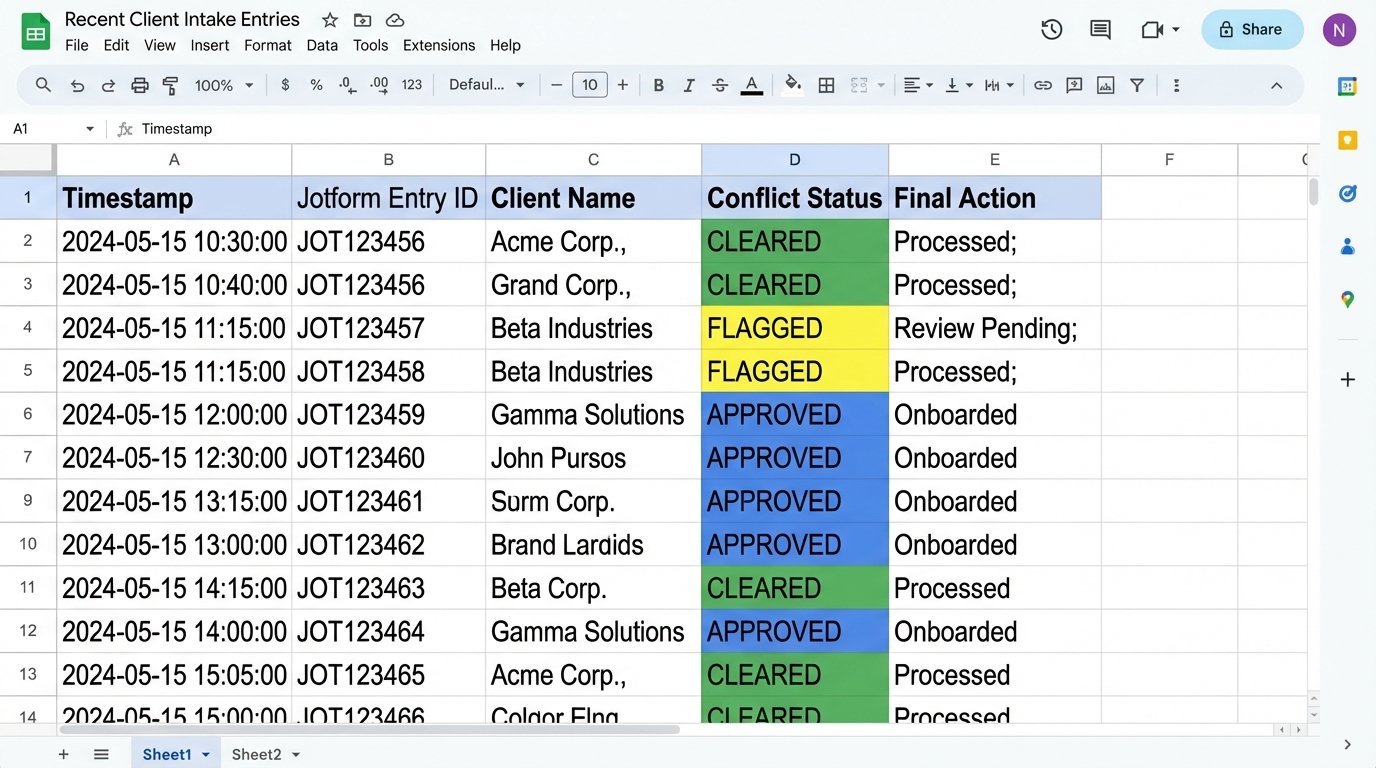
Our fix was to introduce an error-handling route within the scenario. If an API call fails due to a timeout, the scenario pauses and retries the call up to three times with a five-minute delay between each attempt. This “retry with backoff” strategy made the integration far more resilient. We also configured detailed logging. Every run, success or failure, is logged to a Google Sheet, so we have a full audit trail of every automated intake.
Human Factors and Adoption
The biggest challenge wasn’t technical. It was convincing a paralegal with 20 years of experience to trust the automation. She was accustomed to manually verifying every piece of data. We addressed this by building a “human-in-the-loop” review step. Before the final client record is created, the system sends her an email with all the parsed data and a simple “Approve” or “Reject” link. After a month of seeing zero errors, she asked us to remove the step.
This is a critical lesson. You cannot force a new workflow on experienced staff without providing a bridge. Give them a kill switch or a review mechanism to build trust. Eventually, they will see that the machine is more reliable than they are at repetitive tasks.
Quantifiable Results and Second-Order Effects
The metrics after six months were stark. We didn’t just make things more efficient. We fundamentally changed the firm’s capacity for new business.
- Intake Time: The average time from initial contact to a signed engagement letter dropped from 48 hours to just 2 hours. In urgent cases, it could be completed in under 30 minutes.
- Administrative Overhead: We eliminated approximately 15 hours of non-billable paralegal time per week. This time is now spent on substantive casework that directly generates revenue.
- Error Reduction: Clerical errors in client data and engagement letters dropped to zero. The data is entered once and then programmatically moved between systems, ensuring perfect consistency.
- Increased Capacity: The firm was able to increase its monthly case intake by 25% without hiring any additional administrative staff. The automation effectively gave them the capacity of another half-paralegal for a fraction of the cost.
A significant second-order effect was improved client perception. Clients received a professional, branded engagement letter within minutes of their consultation call. This immediate response conveyed competence and attentiveness, setting a positive tone for the entire engagement. It removed the friction and doubt that creeps in when a client has to wait two days for paperwork.
This project wasn’t about fancy AI or machine learning. It was about intelligent plumbing. We identified where data was stuck, and we built reliable, monitored pipes to move it where it needed to go. For a small firm, this kind of foundational automation isn’t a luxury. It’s a direct driver of profitability and a competitive necessity.