
Most automation initiatives fail before a single line of code is written. They die in meetings about requirements that are vague, or they are DOA because the core infrastructure is a fossil. This is not a guide for project managers. It is a technical checklist to pressure test your firm’s actual readiness, not its appetite, for automation. Skip a step, and you are just funding a future emergency support ticket.
1. Infrastructure and API Audit
Your grand automation vision means nothing if your systems cannot talk to each other. The core problem is usually a legacy Case Management System (CMS) that was never designed for interoperability. Before you scope any project, you must verify the existence and, more importantly, the reliability of the application programming interfaces (APIs) you will depend on.
Isolate and Test Core Endpoints
Identify the absolute-minimum endpoints required for your proposed workflow. This typically includes creating a new matter, retrieving client details, updating a case status, and pulling documents. Do not trust the documentation. It is often outdated, written by a vendor who left years ago, or just plain wrong. Hammer the endpoints directly with a tool like Postman or a simple script.
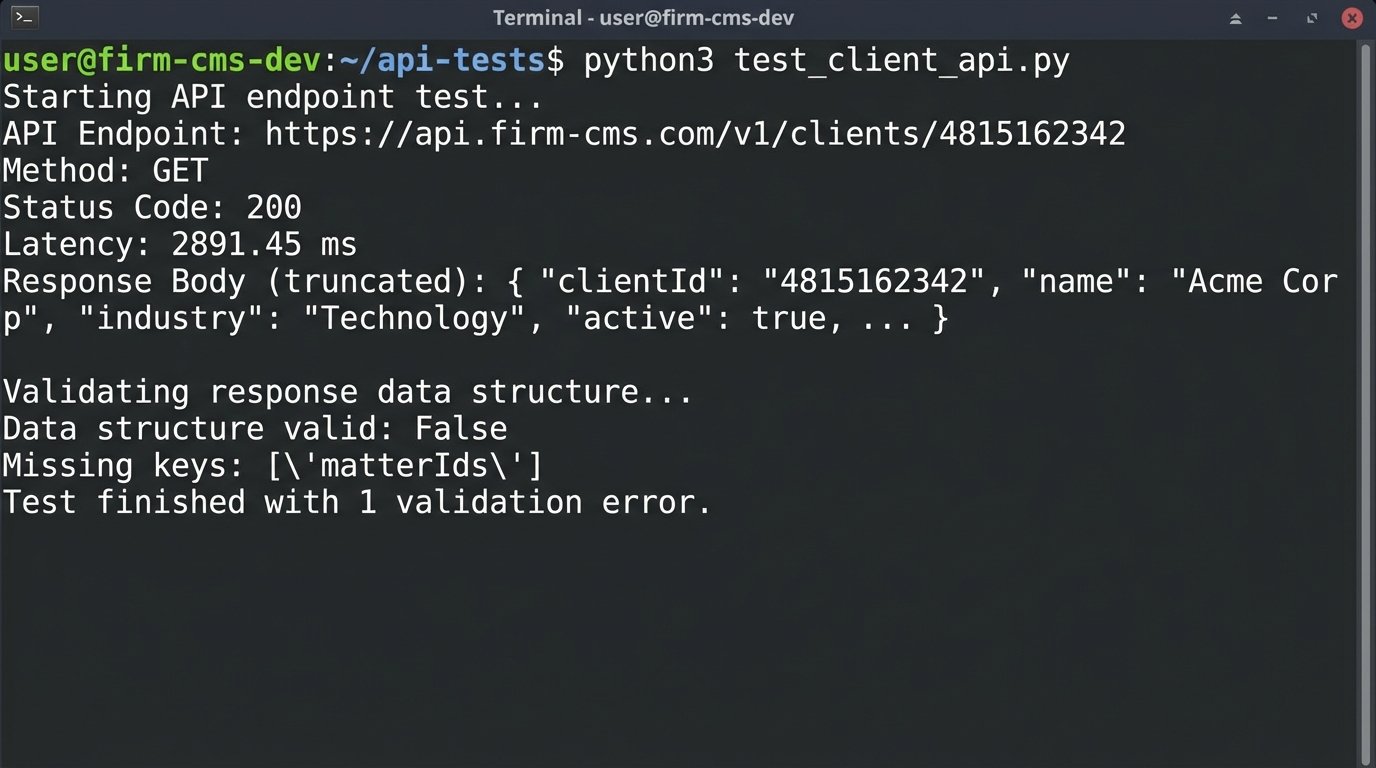
You need to check more than just a `200 OK` response. You are looking for latency under load, consistent data structures in the response body, and sane rate limits. An API that returns data in 3 seconds is useless for a workflow that needs to perform 1,000 lookups. That is not automation. That is a self-inflicted denial of service attack.
import requests

import time
# Hypothetical CMS API endpoint for a client record
CMS_API_URL = "https://api.firm-cms.com/v1/clients/4815162342"
HEADERS = {"Authorization": "Bearer YOUR_API_KEY_HERE"}
# --- Test 1: Basic Latency ---
start_time = time.time()
try:
response = requests.get(CMS_API_URL, headers=HEADERS, timeout=5)
response.raise_for_status() # Will raise an HTTPError for bad responses (4xx or 5xx)
except requests.exceptions.RequestException as e:
print(f"API call failed: {e}")
exit()
end_time = time.time()
latency = (end_time - start_time) * 1000 # Convert to milliseconds
print(f"API Endpoint: {CMS_API_URL}")
print(f"Status Code: {response.status_code}")
print(f"Latency: {latency:.2f} ms")
# --- Test 2: Data Structure Validation ---
client_data = response.json()
required_keys = ["clientId", "clientName", "matterIds", "contactInfo"]
is_valid = all(key in client_data for key in required_keys)
print(f"Data structure valid: {is_valid}")
if not is_valid:
print(f"Missing keys: {[key for key in required_keys if key not in client_data]}")
Run this kind of test repeatedly. See what happens after 100 calls in a minute. If the server starts throwing `429 Too Many Requests` errors or latency spikes, you have found your first major bottleneck before the project has even been approved.
Verify Environment Parity
Do not accept a vendor’s offer of a shared “sandbox” environment. These are often running different code versions, have different network configurations, and are not representative of the production environment you will be deploying to. Demand a dedicated staging or UAT environment that is a direct mirror of production. Anything less is just development theater. You need to confirm that API keys, IP whitelisting rules, and user permissions can be replicated exactly between your testing ground and the live system.
Attempting to build automation against a flimsy sandbox that does not match production is like practicing for a naval battle in a swimming pool. The physics are all wrong, and the first real wave will sink you.
2. Data Integrity Assessment
Automation does not fix bad data. It just makes mistakes faster and at a greater scale. Before you automate any process, you must perform a brutal audit of the source data. This is the single most common point of failure. The goal is to determine if your data is structured, consistent, and trustworthy.
Distinguish Structured vs. Unstructured Data
Get a raw export of the data you plan to work with. A structured field is something like a `Matter_ID` with a consistent format. Unstructured data is the `Case_Notes` free-text field where paralegals have been pasting emails, phone numbers, and random thoughts for a decade. Any workflow that relies on parsing unstructured text is not an automation project. It is an NLP research project with a high probability of failure and a budget to match.
Your readiness assessment must classify every single data point as either structured or unstructured. Be pessimistic. A “date” field that contains values like “yesterday” or “ASAP” is unstructured. Your automation plan must then explicitly state how it will handle the unstructured garbage. Will it flag it for human review or ignore it entirely? Decide now.
Perform a Data Cleansing Dry Run
Select a statistically significant sample of records, maybe 1,000 to 5,000, and attempt to normalize them manually. This painful exercise will reveal all the hidden data problems. You will find client names in all caps, multiple spellings for the same corporate entity, and address fields stuffed with contact names. This is not just about formatting. It is about identifying aliases and duplicates that will poison your logic.
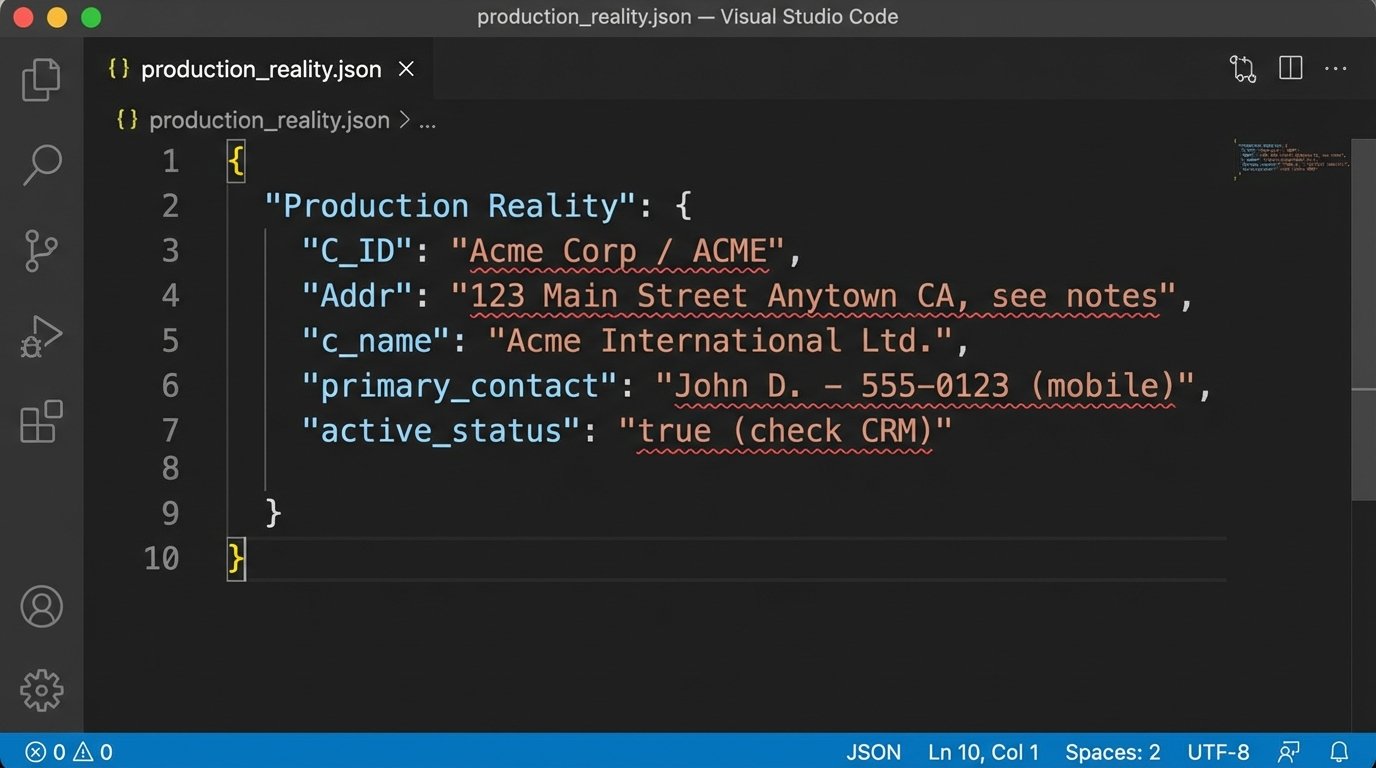
A “clean” client record has a single, verifiable source of truth. A typical law firm record is a chaotic mess pulled from three different systems over ten years. Look at the difference between a usable JSON object and the reality you probably have.
Clean Record:
{

  "clientId": "CUST-88102",

  "clientName": "Acme Corporation",

  "status": "active",

  "address": {

    "street": "123 Main St",

    "city": "Anytown",

    "state": "CA",

    "zip": "90210"

  },

  "primaryContactId": "CONT-4591"

}
Production Reality:
{

  "C_ID": "88102",

  "Name": "Acme Corp / ACME",

  "active_status": 1,

  "Addr": "123 Main Street Anytown CA, see notes",

  "notes": "Primary contact is John Smith, but call Susan first at 555-1234. Zip is 90210."

}
You cannot build reliable logic on the second example. The cleansing dry run forces management to confront the cost and time required for data hygiene before the automation project gets blamed for pre-existing data failures.
3. Process Definition and Logic Mapping
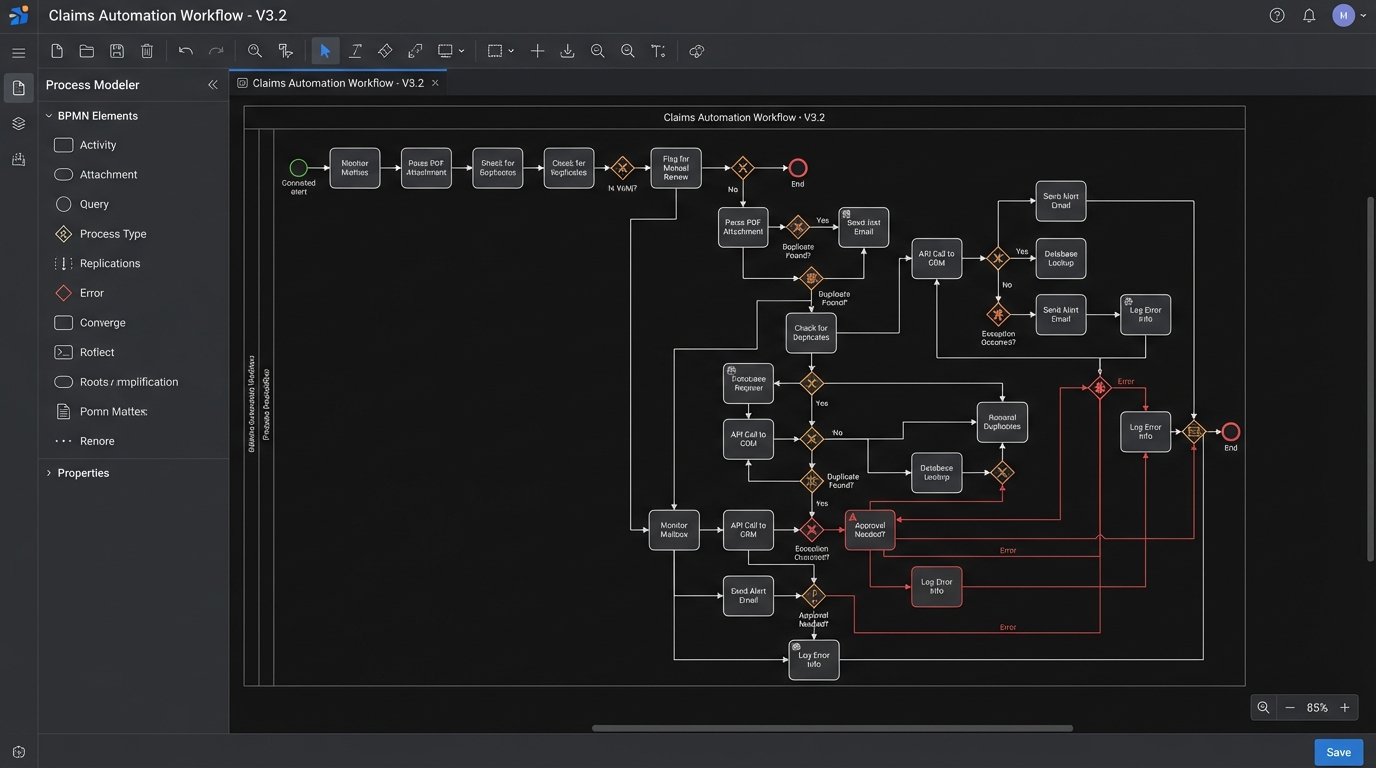
You cannot automate a process that nobody understands. “Automate client intake” is not a requirement. It is a wish. A readiness assessment requires a diagram that an engineer can actually use. This means a BPMN (Business Process Model and Notation) diagram or a state machine, not a flowchart made in a presentation tool.
Deconstruct the “Happy Path”
First, map the ideal, error-free path of the process. Every single step, every single click, every single decision must be documented. Who is the actor? What system do they use? What data do they input? What data do they receive? What specific business rule determines the next step?
The output should be a series of discrete, testable steps. For example, “A paralegal receives an intake form via email” becomes:
- Step 1: Monitor `intake@firm.com` mailbox via Microsoft Graph API for new messages with subject containing “New Client Inquiry”.
- Step 2: Parse the email body for a PDF attachment.
- Step 3: Call OCR service API to extract text from the PDF.
- Step 4: Logic-check extracted text for key fields: `[Name]`, `[Address]`, `[Matter_Type]`.
- Step 5: If all fields are present, proceed. If not, flag for manual review.
This level of granularity is not optional. It is the core of the technical specification.
Map Every Exception and Failure State
The happy path is only 20% of the work. The real complexity lies in handling exceptions. What happens when the API is down? What if the PDF is password-protected? What if the OCR service misreads a character in the client’s name? What happens if a duplicate client record is detected?
Each of these scenarios is a branch in your logic map. Forcing stakeholders to define these rules is critical. Most will not have thought about it. An engineer cannot invent business policy on the fly when an error occurs. The process map must account for retries, escalations to humans, and dead-letter queues for unprocessable items. If the map does not look like a complex circuit board diagram, it is not finished. Pushing data through a series of disconnected systems without this mapping is like shoving a firehose through a needle. It creates a high-pressure mess and nothing gets through cleanly.
4. Stakeholder and SME Commitment
This final check has nothing to do with executive “buy-in” and everything to do with access and availability. An automation project requires a direct line to the subject matter experts (SMEs) who actually perform the process today, and the IT gatekeepers who hold the keys to the systems.
Secure Technical Credentials and Permissions
Before kickoff, you must have non-production credentials in hand. This includes API keys, database connection strings, service account logins, and VPN access. Getting these credentials can take weeks or months in a large firm with a siloed IT department. The project is not ready if you are still waiting on a ticket to be approved by network security.
You need to confirm that the permissions granted to your service accounts are sufficient. A read-only account cannot create new matters. Test this explicitly. Attempt to write, update, and delete a test record in the staging environment. If you get a `403 Forbidden` error, the project is blocked.
Lock Down SME Availability
The partner who approved the budget is not the SME. The SME is the paralegal or legal assistant who has been running this manual process for eight years and knows all the undocumented workarounds. Your project plan must include a signed commitment from their direct manager allocating a specific number of hours per week for their involvement.
This is non-negotiable. During development and UAT, you will have hundreds of questions that only they can answer. If their time is not formally allocated, they will be too busy with their “real job” to answer you. The project will stall, requirements will become ambiguous, and the final product will not reflect the ground-truth reality of the workflow. Without a dedicated SME, you are just guessing.
Completing this checklist forces a confrontation with reality. It replaces vague optimism with a concrete inventory of assets and liabilities. It is far cheaper to discover a fatal flaw in the planning stage than it is six months into a failing project with a burned-out development team.