Compliance isn’t a feature you bolt onto an automation project during the final sprint. Treating it as such is the primary reason these initiatives get shut down by the firm’s general counsel or, worse, trigger a seven-figure regulatory fine. The core failure is architectural. Teams build workflows to solve a business problem first and then try to inject compliance rules later. This is fundamentally backward.
You must build the compliance framework first. It is the foundation, not the paint job. Every API call, data transformation, and document generation step must pass through a compliance gateway before it executes. This guide isn’t about vague principles. It’s about the required architecture to keep your project running and your firm out of the headlines.
Prerequisite One: Map Your Data or Fail
Before you write a single line of automation logic, you must perform a data inventory. This is the most tedious, politically difficult part of the entire project, and it is non-negotiable. You need to map every single data field your automation will touch, tracing its path from the intake form, through the case management system, and into any downstream reporting tools.
Your map must include three critical attributes for each piece of data: its classification (Public, Client Confidential, PII, Financial), its jurisdictional nexus (e.g., GDPR, CCPA, HIPAA), and its residency requirements. Ignoring this step is like building a skyscraper without surveying the ground. The entire structure will eventually collapse.
Building a Basic Data Classifier
The output of your mapping exercise should feed a centralized classifier function. This isn’t complex code, but it is critical. Every piece of data entering your automation ecosystem must be forced through this logic. It should be a standalone utility that your workflows can call before they perform any action.
Consider a simple Python function that inspects a client data dictionary. It checks for country codes to tag for GDPR and keywords to identify sensitive matter types. This is a rudimentary starting point, but it establishes the correct pattern of checking data before processing it.
def classify_client_data(client_record: dict) -> list:

    """

    Inspects a client record and returns a list of compliance tags.

    """

    tags = []

    country = client_record.get("address", {}).get("country", "").upper()

    matter_description = client_record.get("matter_details", "").lower()
# GDPR Jurisdiction Check
gdpr_countries = {"DE", "FR", "ES", "IT", "IE"} # Abridged list
if country in gdpr_countries:
tags.append("JURISDICTION_GDPR")
# Sensitive Content Check
if "medical" in matter_description or "hipaa" in matter_description:
tags.append("SENSITIVE_HIPAA")
if "financial_distress" in matter_description or "bankruptcy" in matter_description:
tags.append("SENSITIVE_FINANCIAL")
if not tags:
tags.append("GENERAL_CONFIDENTIAL")
return tags
# Example Usage:
new_client = {
"name": "John Doe",
"address": {"country": "DE"},
"matter_details": "Consultation regarding medical malpractice suit."
}
compliance_flags = classify_client_data(new_client)
# Output would be: ['JURISDICTION_GDPR', 'SENSITIVE_HIPAA']
This initial classification work is a soul-crushing exercise in spreadsheet jockeying and chasing down data owners. But without it, your automation is flying blind through a minefield of regulations.
Prerequisite Two: Enforce Least Privilege on Service Accounts
Automation platforms connect to your core systems via API using service accounts. The default temptation is to grant these accounts global admin privileges to avoid permission-related headaches during development. This is reckless. A compromised service account with admin rights is a firm-wide catastrophe waiting to happen.
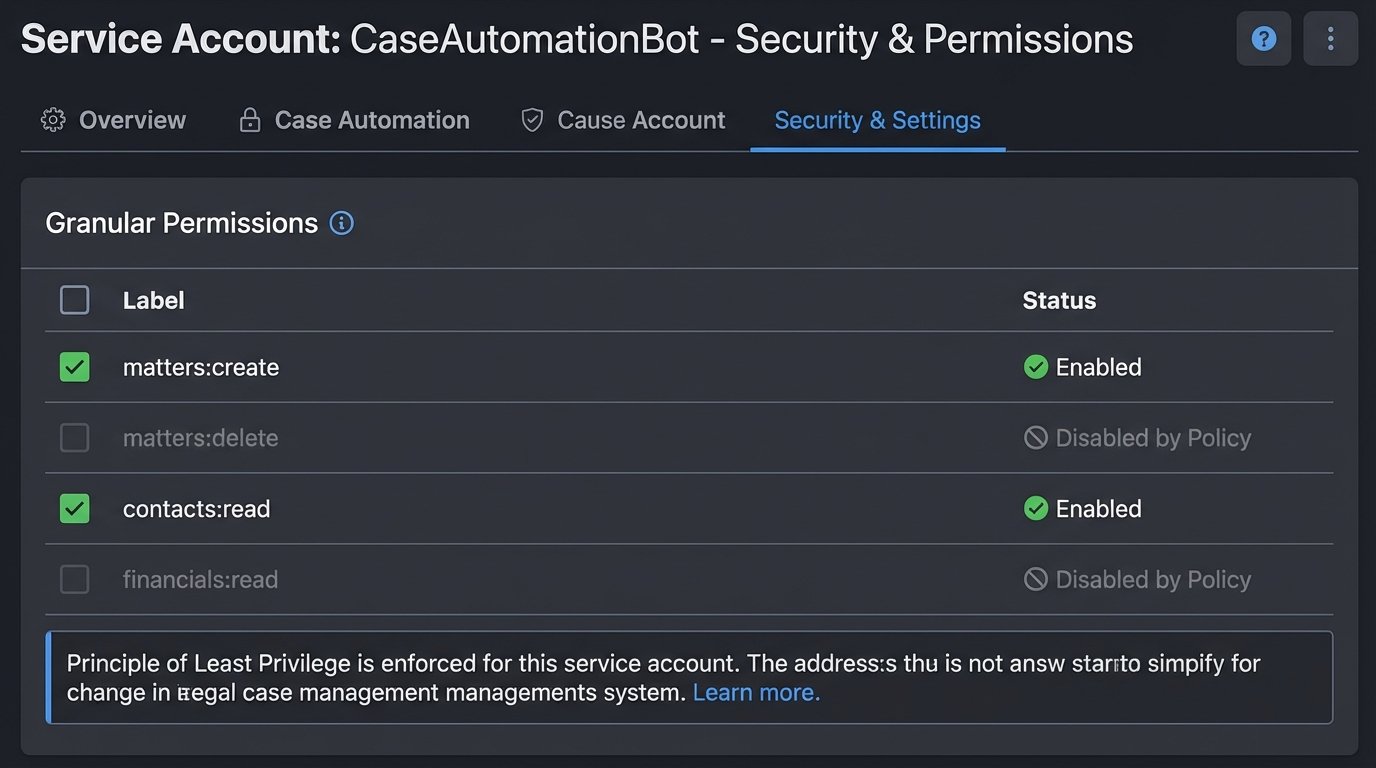
The Principle of Least Privilege must be aggressively enforced. If a workflow is designed solely to create new client matters, its service account should only have `matters:create` and `contacts:read` permissions. It must not have rights to delete matters or read financial data from unrelated cases. You must configure these granular roles within your case management and document systems *before* you connect the automation platform.
Most legacy legal tech APIs make this difficult. Their permission models are often primitive, offering little beyond an all-or-nothing admin toggle. In these cases, you have to build a proxy service that sits between your automation tool and the legacy API, enforcing the granular rules the native system can’t. It’s extra work that vendors should have done themselves, but you are the one responsible for the data.
Configuration Step: A Centralized Compliance Logic Layer
Do not scatter your compliance checks across dozens of individual workflows. This approach guarantees that rules will be implemented inconsistently and will become impossible to update when regulations change. Instead, you must architect a central, standalone compliance service. Every single automated workflow, without exception, must call this service before executing its primary function.
This service acts as a gatekeeper. A workflow presents it with a data object and an intended action (e.g., `action: ‘TRANSFER_DOCUMENT_TO_VENDOR’`, `data: {client_id: 123, document_id: 456}`). The compliance service then runs a battery of checks against this request. It pulls the data tags from your classifier, checks for ethical walls, verifies client consent flags in the CMS, and consults its internal rule engine for jurisdictional transfer restrictions.
The service returns a simple boolean: `True` to proceed or `False` to halt. If it returns `False`, it also returns a reason code that gets logged for audit. Building this logic is like installing a central sprinkler system instead of putting a single fire extinguisher in every room. One is a scalable, maintainable safety system. The other is a chaotic mess that fails under pressure.
Your workflow logic then becomes much cleaner. It’s a simple conditional block at the start of every process.
# Pseudocode for a workflow

client_data = get_client_from_cms(client_id)

data_tags = classify_client_data(client_data)
is_compliant = compliance_service.check({
"action": "CREATE_CLIENT_REPORT",
"user": "automation_service_account",
"data_tags": data_tags
})
if is_compliant:
# Proceed with report generation logic
generate_report(client_data)
log_action("SUCCESS", "Report generated.")
else:
# Halt execution and log the failure
log_action("HALTED", "Compliance check failed.")
raise Exception("Compliance validation failed.")
Implementation Step: Immutable, Action-Oriented Logging
When a regulator comes knocking, your automation platform’s standard execution history is not a sufficient audit trail. You need an immutable log stream that proves who did what, to what data, when, and whether it was compliant. This cannot be an afterthought. It has to be architected from day one.
Configure your automation platform and your compliance service to push structured logs (JSON is standard) to a write-only destination. This could be AWS CloudWatch Logs, Azure Monitor, or a simple S3 bucket with object-level immutability enabled. The key is that once a log is written, it cannot be altered or deleted, not even by an administrator.
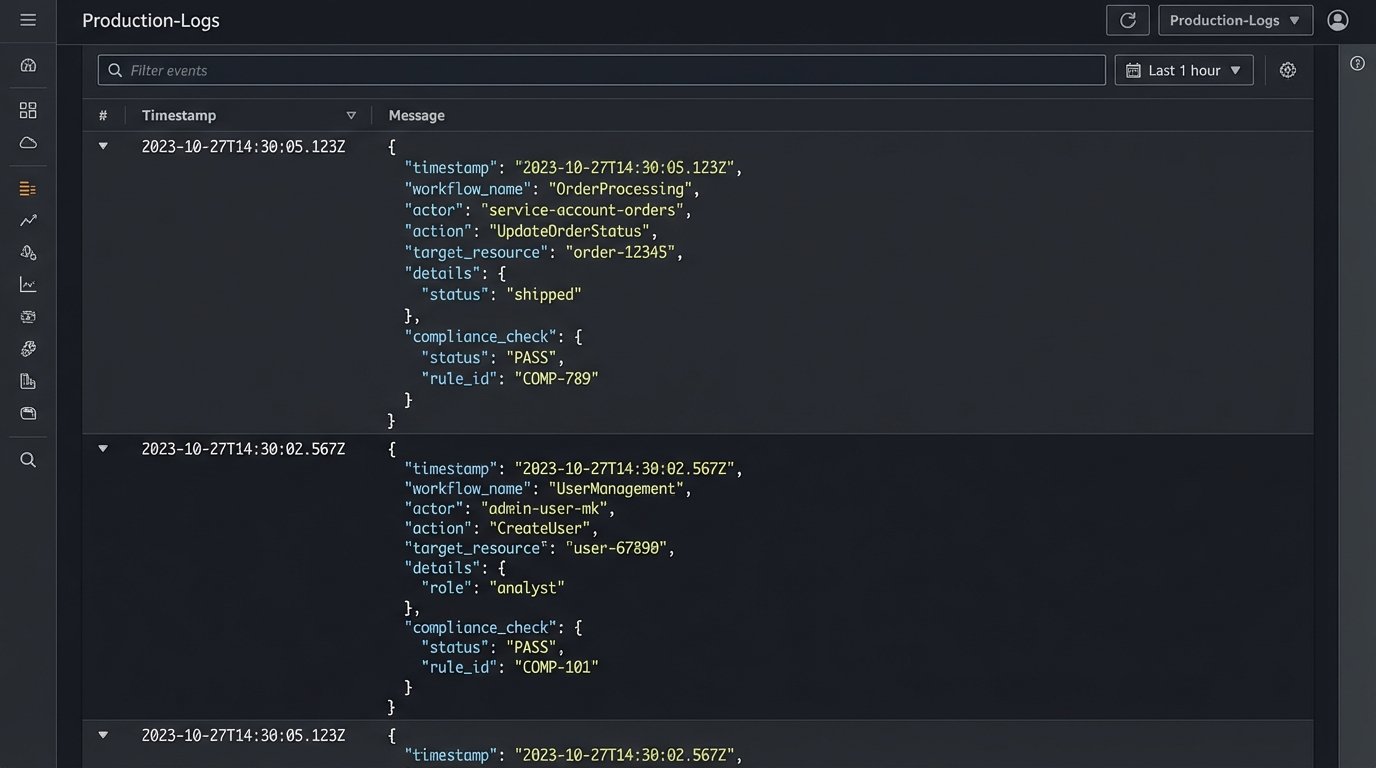
Each log entry must capture a specific event and its context. A vague “Workflow executed” message is useless. A proper log entry contains the workflow name, the service account used, the specific data record being acted upon (e.g., `matter_id`), the precise action taken (`DOCUMENT_UPLOADED`), the result of the compliance check, and a cryptographic hash of the data payload to ensure integrity.
Example Log Entry Structure
A well-structured JSON log provides unambiguous evidence for auditors and incident responders. It should be machine-readable and contain all the necessary metadata to reconstruct an event without having to hunt through multiple systems.
Here is a sample entry for a successful action:
{

  "timestamp": "2023-10-27T10:00:05Z",

  "event_id": "a1b2c3d4-e5f6-7890-1234-567890abcdef",

  "source_system": "IntakeAutomationPlatform",

  "workflow_name": "NewMatterCreation-EU",

  "actor": {

    "type": "ServiceAccount",

    "id": "svc_intake_auto"

  },

  "action": "CREATE",

  "target_resource": {

    "type": "Matter",

    "id": "MAT-2023-0987"

  },

  "compliance_check": {

    "status": "PASS",

    "service": "CentralComplianceService",

    "rules_applied": ["JURISDICTION_GDPR", "CONFLICTS_CLEAR"]

  },

  "outcome": "SUCCESS"

}
This level of detail is not optional. It is the minimum required to prove due diligence.
Validation: Stress-Test Your Compliance Framework
A compliance framework that has never been tested is a framework that does not work. You must run adversarial drills to validate that your controls function under pressure. These are not paper exercises. They are live-fire tests in a sandboxed environment that mirror real-world failure scenarios.
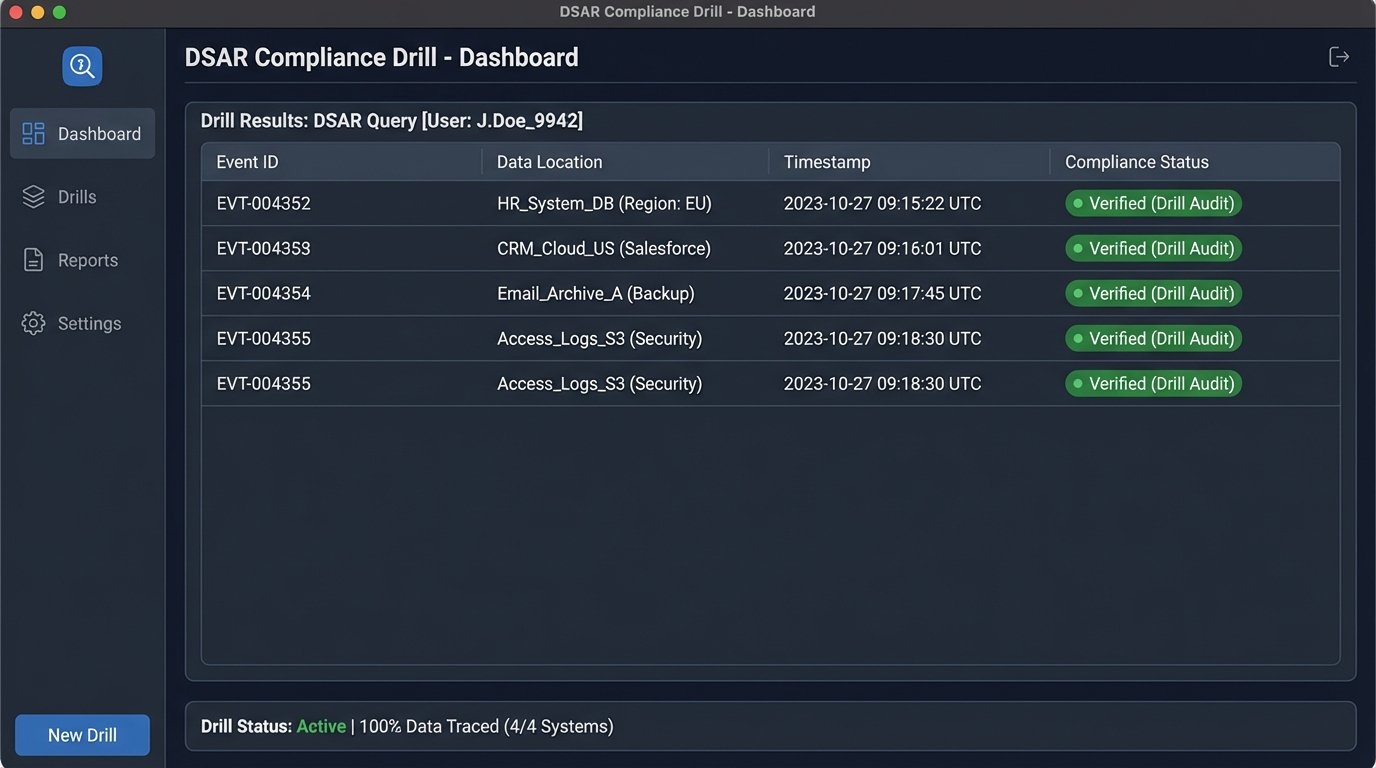
First, run a Data Subject Access Request (DSAR) drill. Have a team member submit a formal request for all their data under GDPR or CCPA. The test is to use only your automated systems and immutable logs to identify every piece of their data, prove the legal basis for its processing, and collate it for delivery within the statutory deadline. This drill will immediately expose any gaps in your data mapping and logging.
Second, conduct a “break-glass” drill. Simulate a compromised service account. Deliberately attempt to use the account to access data it shouldn’t be able to, or to perform a prohibited action like transferring EU data outside the approved zone. Your compliance service should block the action, and your monitoring should trigger a high-priority alert within minutes. If it doesn’t, your defenses are purely theoretical.
Maintenance Is Not a Project Phase, It Is a Permanent State
The biggest mistake is viewing compliance as a project you can complete. It is a continuous process. Regulations change, APIs are updated, and new data types are introduced into your firm’s ecosystem. Your compliance framework requires constant attention.
Schedule quarterly audits of all service account permissions. Most automation platforms provide a way to export these, so the review can be scripted. Any permission that is not strictly necessary for a workflow’s documented function must be revoked immediately. Set up automated alerts that fire any time a workflow fails its compliance check or the compliance service itself becomes unavailable. Complacency is the single greatest threat to a compliant automation program.