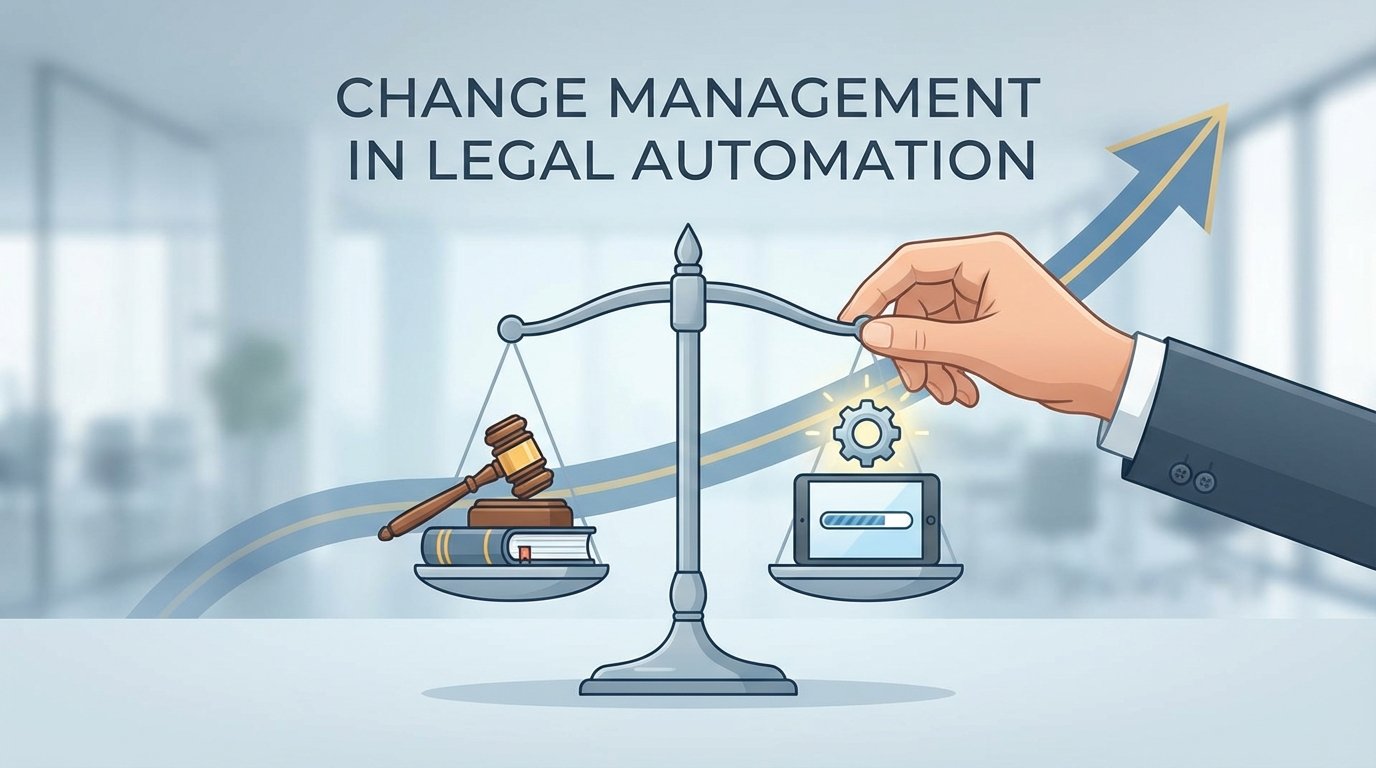
Change management in legal tech is not a soft skill. It is a hard engineering problem. The recurring failures we see during automation rollouts are not rooted in attorney personalities or a generational aversion to technology. They are symptoms of flawed system design, broken process mapping, and a fundamental misunderstanding of how legal work gets done. When an automation project crashes, the post-mortem blames “user resistance.” The real cause is almost always an architecture that ignored the user’s workflow reality.
We are told to manage the fear of job loss. This is a distraction. A partner is not afraid a machine will take their job. They are afraid a badly implemented machine will corrupt their client data, blow a deadline, or force their associates to spend non-billable hours fighting with a broken interface. The fear is not existential, it is operational. It is a logical response to the parade of failed IT projects they have witnessed over their careers.
Deconstructing the “Resistant” User
The concept of the “change-resistant lawyer” is a convenient myth for system implementers. It absolves the technical team of responsibility for building a usable product. When a paralegal ignores your new document management integration and continues to save files to a shared drive, they are not being difficult. They are making a calculated decision that the friction of the new system is greater than the friction of their old workaround. Their workaround is predictable and fast. Your new system is a black box that just ate their last three hours of work.
Every manual process that exists in a law firm is a form of scar tissue. It grew over a previous system’s failure. Before you can automate, you must first map these unofficial workarounds. Ignoring them and simply paving over them with a new API is a recipe for zero adoption. The goal is not to force a new process but to build a system that makes the correct process the path of least resistance. If your automation requires more clicks, more context switching, or more cognitive load than the manual task it replaces, it has already failed.
Consider the cost of interruption. A lawyer deep in a brief is a single-threaded process. Your “helpful” pop-up notification for a new automation tool just forced a context switch that will take them 15 minutes to recover from. The value proposition of your tool must be massive to justify that repeated interruption. Most are not. They offer marginal gains in exchange for significant disruption. The user is not resisting change, they are protecting their focus.
Architecture That Anticipates Failure
A successful automation project begins with a pre-mortem, not a kickoff meeting. We gather the core users and ask a single question: “This project has failed completely. What went wrong?” The answers will be more honest and far more useful than any blue-sky requirements gathering session. You will hear about the legacy case management system’s unstable API, the document formats that always break the parser, and the partner who insists on a manual review step that is not on any official process diagram.
These failure points become your primary architectural constraints. You build for them from day one. If an external API is flaky, your system needs a durable queue and a retry mechanism with exponential backoff. If certain documents are known to be problematic, you build a specific exception workflow that flags them for manual intervention instead of letting them crash the entire batch process. This is not gold-plating. It is the basic cost of building a system that can survive contact with reality.
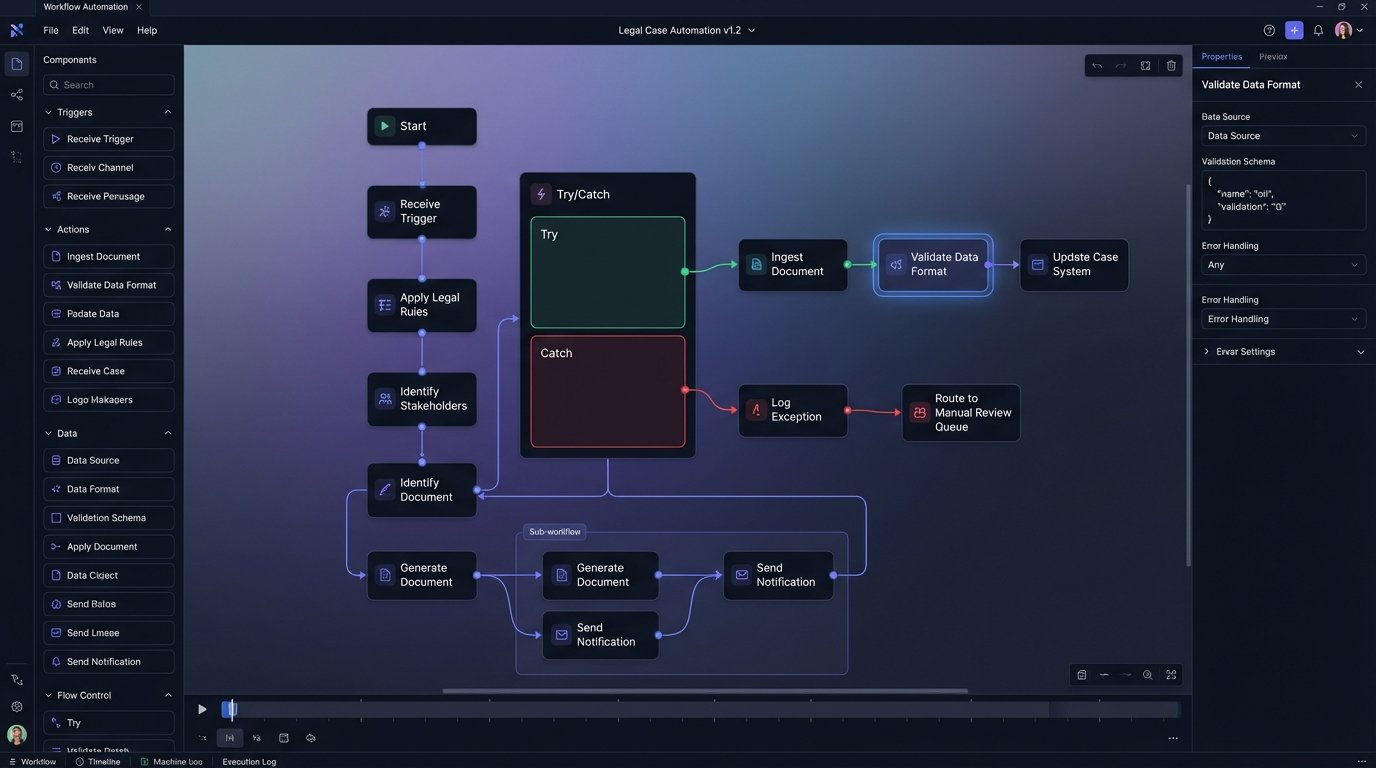
This design philosophy extends to configuration. Your system’s logic should not be hard-coded. Key parameters must be exposed in a way that a legal ops manager can adjust without deploying new code. A simple JSON configuration file can define approval thresholds, notification triggers, and routing rules. This decouples the operational logic from the core application code, allowing the system to adapt as firm policies change.
For example, a contract analysis workflow might have a configuration to control its behavior based on contract value.
{
"workflow_rules": [
{
"rule_name": "High_Value_Contract_Review",
"condition": {
"field": "contract.value_usd",
"operator": "greater_than",
"value": 500000
},
"action": {
"type": "route_for_approval",
"target_group": "senior_partner_review_queue",
"requires_manual_release": true
}
},
{
"rule_name": "Standard_NDA_Auto_Approve",
"condition": {
"field": "contract.type",
"operator": "equals",
"value": "Standard Mutual NDA"
},
"action": {
"type": "auto_approve",
"target_group": "executed_agreements",
"requires_manual_release": false
}
}
]
}
This approach transforms a rigid automation into a flexible tool. It gives control back to the legal operations team and builds trust by making the system’s logic transparent and adjustable.
The Data Integrity Imperative
The single greatest source of user skepticism is the fear of data corruption. This is a completely valid engineering concern. Pushing unvalidated data from a legacy system into a pristine new application is like trying to connect a rusty garden hose to a fire hydrant. The pressure differential and impedance mismatch will guarantee a mess. Your automation must function as a validation and sanitation layer first, and an efficiency tool second.
Before any piece of data is acted upon, it must pass a logic-check. Does the date fall within a realistic range? Does the client matter number match the format in the billing system? Is the counterparty name a string or did someone accidentally enter a number? These simple checks prevent the cascade failures that destroy user trust. Every automation workflow must have a built-in circuit breaker. If the error rate from an upstream data source exceeds a predefined threshold, the process should halt automatically and alert a human.
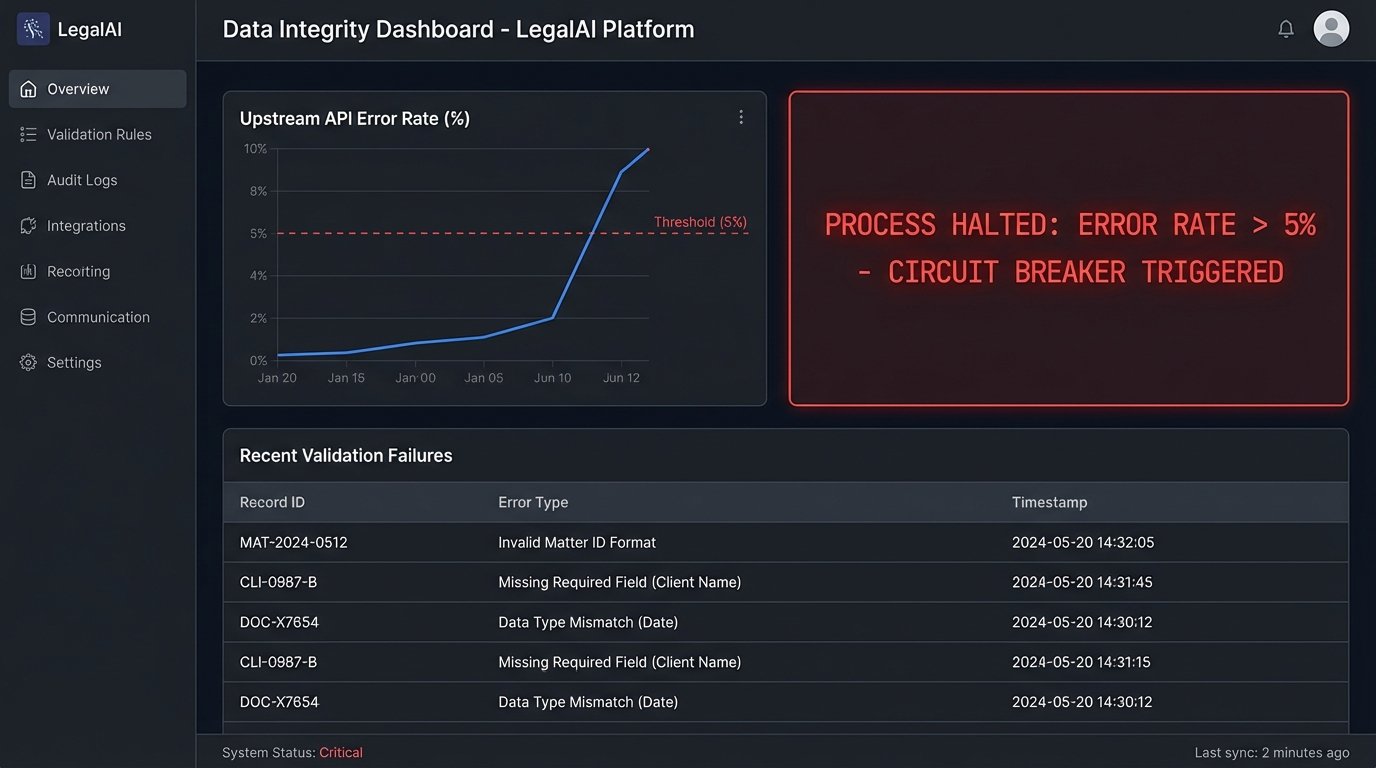
Building these safeguards is not optional. When an automation incorrectly categorizes a thousand documents, the cost of the manual cleanup will exceed the value of the automation for years. The argument that “we will fix the data later” is how technical debt cripples a law firm’s IT infrastructure. The data must be validated at the point of ingestion. An automation without rigorous, built-in data validation is just a faster way to create a bigger mess.
This means your project plan needs to allocate significant time for data profiling and cleansing before the first workflow is even designed. You must understand the shape and quality of the source data. Running profiling scripts to identify outliers, null values, and incorrect data types is a prerequisite. The output of this analysis directly informs the validation rules you must build into your automation engine.
Abandon the “Big Bang” Rollout
The firm-wide, all-at-once deployment model is a wallet-drainer. It maximizes risk, expense, and user frustration. The political pressure to show a return on a massive software investment forces a premature launch, and the resulting chaos poisons the well for any future projects. The correct approach is to identify a single, high-pain process inside a single, receptive practice group. This is your beachhead.
The ideal beachhead process is something universally disliked, repetitive, and measurable. Processing NDAs, running conflict checks, or initial document review for discovery are prime candidates. Your goal is to deliver an undeniable, quantifiable win to this small group. You are not aiming for firm-wide transformation. You are aiming to make three associates’ lives demonstrably better. Measure everything. Track the exact time it took before the automation and the exact time it takes after. The metric should be simple and brutal: “We reduced the average NDA turnaround time for the M&A group from two days to two hours.”
This creates a pull effect. Associates from other groups will hear about the tool. They will start asking their practice group leaders why they are stuck with the old, slow process. You will not have to push the technology on them. They will come to you. This phased rollout allows you to iterate and improve the system based on feedback from a small, engaged user base before exposing it to the entire organization. Each new practice group becomes a small, manageable project, not a piece of a monolithic, uncontrollable deployment.
Training Is Not a PDF
The idea that you can “train” a busy legal professional by emailing them a 40-page user manual is absurd. Documentation has its place, but it is a reference, not a teaching tool. Effective training must be integrated directly into the application and the user’s workflow. It must be contextual and available at the precise moment of need.
This means building the training into the UI. Use concise tooltips that explain what a specific field is for. Create short, looping video snippets that demonstrate a single function, accessible via a help icon right next to that function. When a user logs in for the first time, trigger an interactive walkthrough that guides them through their first core task. The system itself should be the primary training vehicle.
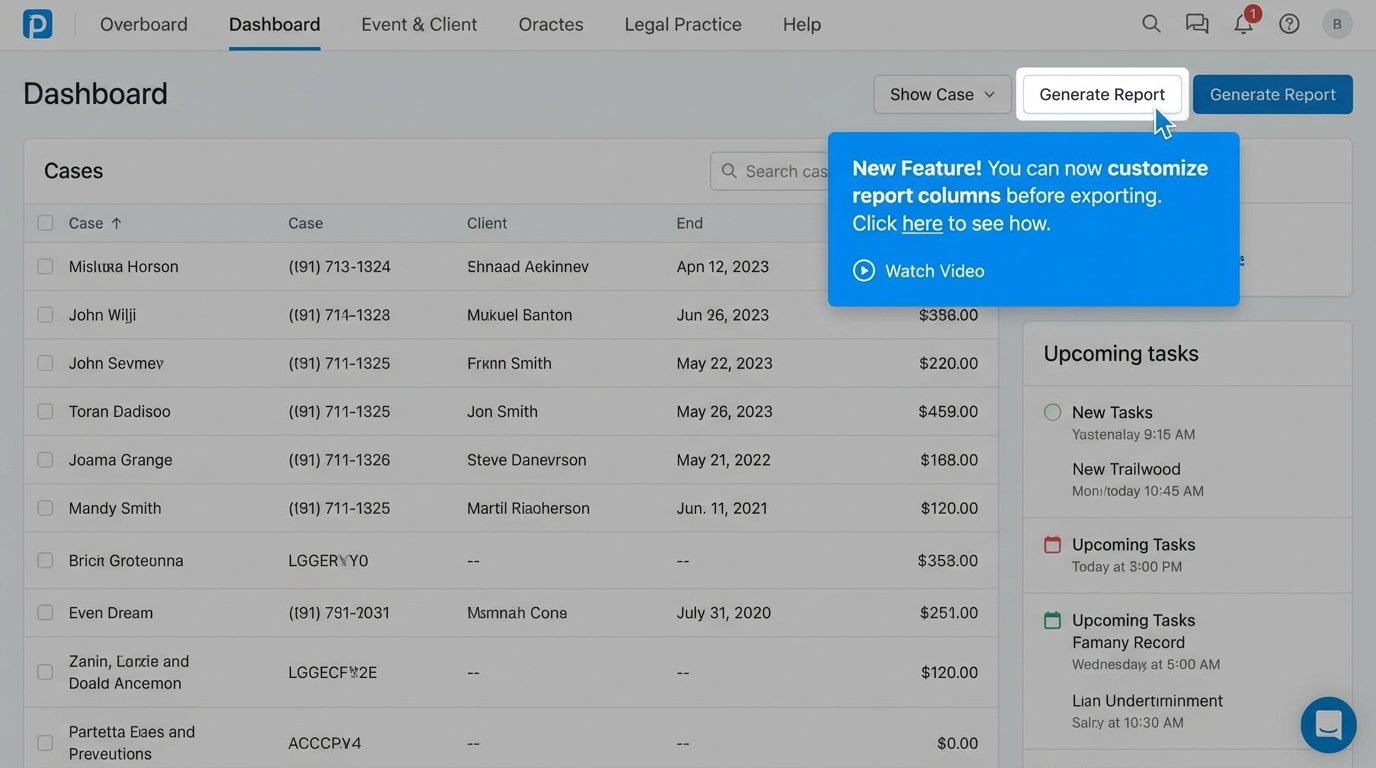
This approach respects the user’s time. They do not have to stop their work, find a manual, and search for the right section. The answer is presented to them in context, immediately. This also reduces the burden on your support team, as the most common questions are answered before they are ever asked. Investing development time in these embedded training features has a far higher ROI than conducting classroom-style training sessions that are forgotten a day later.
Post-Launch Is Not Post-Mortem
Deployment is not the end of the project. It is the beginning of the real work. You must have systems in place to monitor adoption, performance, and user behavior from day one. This is not about surveillance. It is about identifying friction points in your design. If you have a feature that has a 0% adoption rate after three months, you need to know why.
Instrument your application. Log key events. Create dashboards that show which features are being used, by which groups, and how often. Track error rates and performance bottlenecks. This data provides an objective basis for iteration. Perhaps a key button is in the wrong place. Maybe a workflow is too rigid and does not account for a common edge case. The usage data will guide your development priorities far more effectively than any feature request committee.
Couple this quantitative data with a qualitative feedback channel. Give users a simple, low-friction way to report bugs or suggest improvements directly from within the application. This channel must be monitored, and users must see that their feedback leads to tangible changes. When a user reports an issue and sees it fixed in the next release, you convert a critic into a champion. This continuous feedback and iteration loop is what separates a successful, evolving platform from a piece of abandoned shelfware.