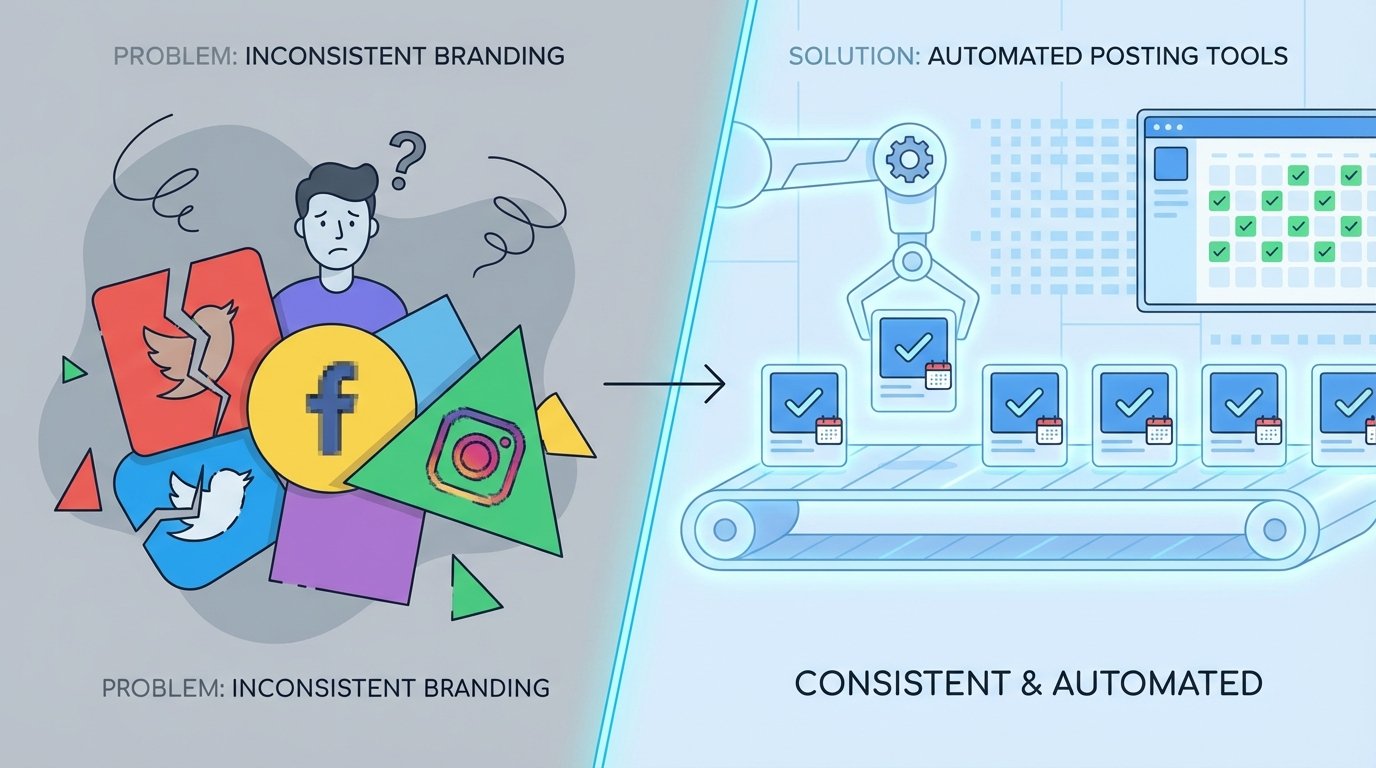
The Root of Brand Inconsistency: A Data Integrity Failure
Inconsistent branding across social channels is never a marketing strategy problem. It is a data pipeline failure, plain and simple. When multiple humans manually upload assets, copy, and links to different platforms, you introduce variables. Each click, each copy-paste action, and each upload is a potential point of corruption in the brand’s data stream. The result is a mess of slightly off-brand hex codes, outdated logos, and messaging that drifts with each new hire.
This isn’t about blaming the social media manager. It’s about acknowledging that a system dependent on human consistency is engineered to fail. The core issue is the absence of a single source of truth for content. Without a centralized, validated repository, brand guidelines become suggestions, not enforced rules. The system lacks the fundamental architecture to reject or correct deviations before they hit production, which in this case, is a customer’s feed.
Symptoms of a Fractured Manual System
The technical debt from this approach accumulates visibly. You can spot it from a mile away if you know what to look for. The symptoms are always the same, just with different company logos attached.
- Asset Drift: The wrong version of the logo gets used. An image is compressed with ugly artifacts because it was downloaded from Slack. A video thumbnail uses a font that was deprecated six months ago.
- Copy Variance: The approved tagline is slightly different on Twitter versus LinkedIn. Legal disclaimers are missing from Facebook posts because someone forgot to paste them in from the master document.
- Link Rot and Tracking Decay: UTM parameters are constructed manually and inconsistently, polluting analytics. A short link is generated for one platform but the full, ugly URL is posted on another, breaking campaign tracking.
- Timing Incoherence: A campaign meant to launch simultaneously across all platforms goes live on one, and then an hour later on another, because of manual operator delay.
The Fix: A Decoupled Content Architecture
The solution is to force a separation between content creation and content delivery. You build a system where the marketing team populates a central database with content, and a completely separate, automated engine handles the publishing. This architecture removes the human from the delivery mechanism, turning them into data entry operators for a system that programmatically enforces consistency. It’s not about removing creativity. It’s about putting creativity into a structured format that a machine can distribute without error.
This model is built on two core components: a content repository that acts as the single source of truth, and a delivery engine that polls this repository and executes posts via platform APIs. The repository holds the what, and the engine handles the how and when. The only interface between them is a structured data call. This creates a clean point of failure detection. If a post is wrong, the problem is either in the source data or the delivery script, a simple binary choice for debugging.
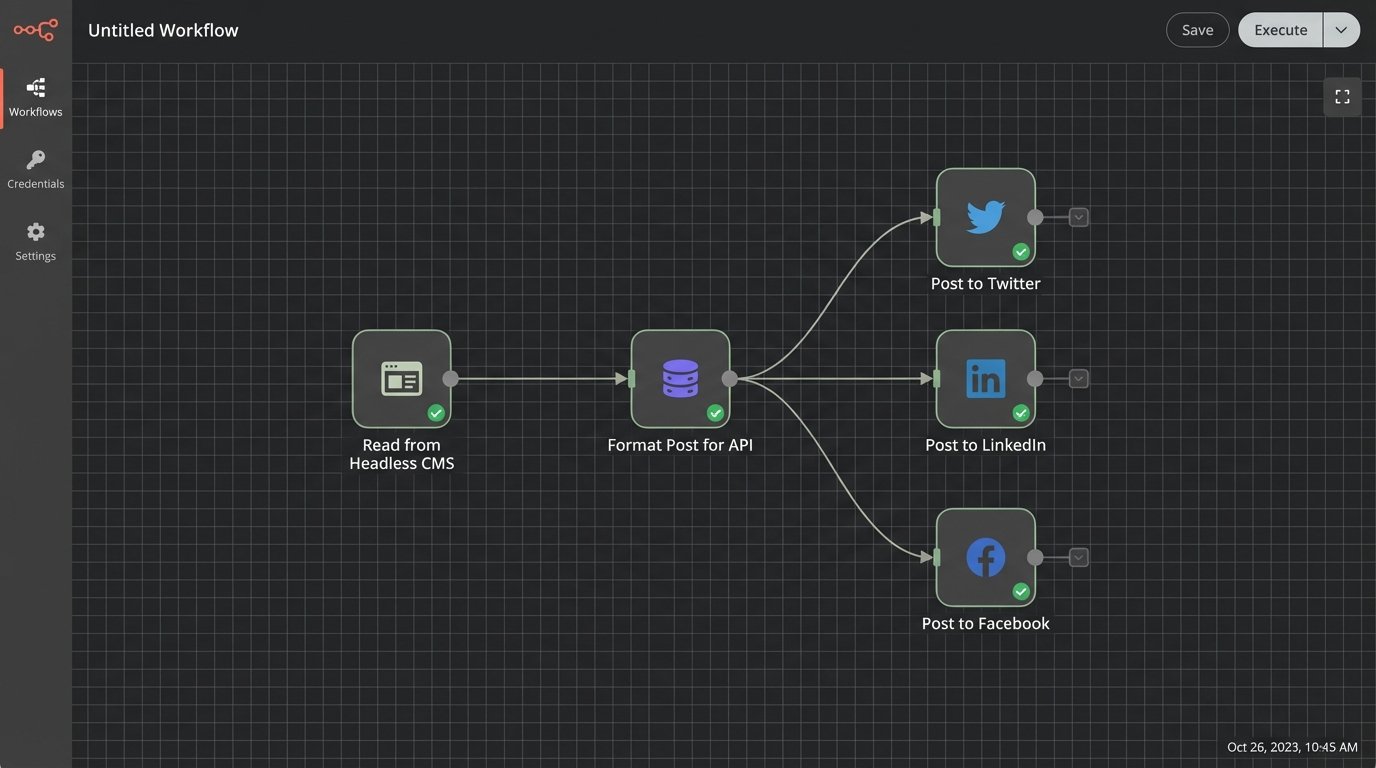
Component 1: The Centralized Content Repository
Forget shared Google Docs and spreadsheets. The repository needs to be machine-readable and structured. A headless CMS like Contentful or Sanity is a solid choice if the budget allows. For a leaner operation, a well-organized cloud storage bucket (S3, Google Cloud Storage) containing JSON files and an assets subfolder gets the job done. Each post becomes a JSON object with strictly defined keys. This structure is non-negotiable.
A typical JSON object for a post might look like this. Note the `target_platforms` key, which allows one piece of content to be flagged for delivery to multiple endpoints. The `post_at_utc` key dictates scheduling, stripping any ambiguity about time zones from the delivery engine’s logic. All assets are referenced by a full URL, pointing to a CDN to ensure they load fast and don’t get lost.
Component 2: The Delivery Engine
The delivery engine is a scheduler. It’s a cron job or a serverless function (AWS Lambda, Google Cloud Functions) that runs at a set interval, maybe every five minutes. Its only job is to query the content repository for posts scheduled for publication, validate the data, and then fire off API requests to the target social platforms. The engine’s logic should be stateless. It knows nothing about marketing campaigns. It only knows how to read a JSON object and translate it into a POST request.
This is where the classic “build vs. buy” question surfaces. You can use a platform like Zapier or Make to bridge the repository to the social APIs. This is fast to set up but can become a wallet-drainer with high volume, and debugging a failed “Zap” is an exercise in frustration. The alternative is building your own engine, which gives you total control over logic, logging, and error handling but requires engineering resources to build and maintain.
Implementation Pathways: From Low-Code to Custom Scripts
Choosing the right path depends entirely on your team’s technical depth and budget. A non-technical marketing team is better off with a managed tool, despite its flaws. A team with engineering support should seriously consider a custom solution for its long-term stability and control.
The Low-Code Route: Quick Wins with Hidden Costs
Platforms like Make or Zapier are essentially API glue. You can configure a workflow that triggers when a new entry is published in your headless CMS. The tool then maps the fields from your CMS to the required fields for a new post on the LinkedIn or Twitter API. It’s a visual way to build the delivery engine, and for simple text-and-image posts, it works.
The problem is fragility. If a social media platform changes its API even slightly, your integration can shatter without warning. Error handling is often primitive, giving you a vague “Task failed” message that requires you to dig through logs. Scaling also becomes a cost issue, as you pay per task execution. At a certain volume, you’re paying a massive premium for a brittle abstraction layer over a simple HTTP request.
The Custom Script Route: Control and Precision
Writing your own delivery engine in a language like Python or Node.js provides complete control. You handle the OAuth2 dance for each API directly, manage your own refresh tokens, and build precisely the retry logic you need. You can create rich, structured logs that tell you exactly why a post failed, not just that it did. This approach transforms the system from a black box into a transparent pipeline.
Here’s a simplified Python example using the `requests` library to post to a hypothetical API. This is the core logic. The actual implementation would be wrapped in a serverless function and include more extensive error handling, but this shows the basic mechanical process. It pulls data from a source, formats it for the destination, and executes the request.
import requests

import json

import os
# Securely load API credentials from environment variables
API_KEY = os.environ.get("SOCIAL_API_KEY")
ENDPOINT_URL = "https://api.socialplatform.com/v2/posts"
def get_scheduled_posts():
# In a real app, this would query a database or CMS API.
# Here, we simulate fetching a JSON object.
mock_post_data = {
"id": "post_123",
"copy": "This is an automated post from our content hub.",
"media_url": "https://cdn.example.com/images/asset456.png",
"tags": ["automation", "api", "devops"]
}
return [mock_post_data]
def post_to_platform(post_data):
headers = {
"Authorization": f"Bearer {API_KEY}",
"Content-Type": "application/json"
}
payload = {
"text": post_data["copy"],
"image_url": post_data["media_url"],
"tags": post_data["tags"]
}
try:
response = requests.post(ENDPOINT_URL, headers=headers, data=json.dumps(payload), timeout=10)
response.raise_for_status() # This will raise an HTTPError for 4xx/5xx responses
print(f"Successfully posted content for ID: {post_data['id']}")
return {"status": "success", "post_id": post_data['id']}
except requests.exceptions.RequestException as e:
# This catches network errors, timeouts, bad HTTP responses, etc.
print(f"Error posting content for ID {post_data['id']}: {e}")
return {"status": "failed", "post_id": post_data['id'], "error": str(e)}
if __name__ == "__main__":
posts_to_publish = get_scheduled_posts()
for post in posts_to_publish:
result = post_to_platform(post)
# Here you would log the result to a database or monitoring service
print(result)
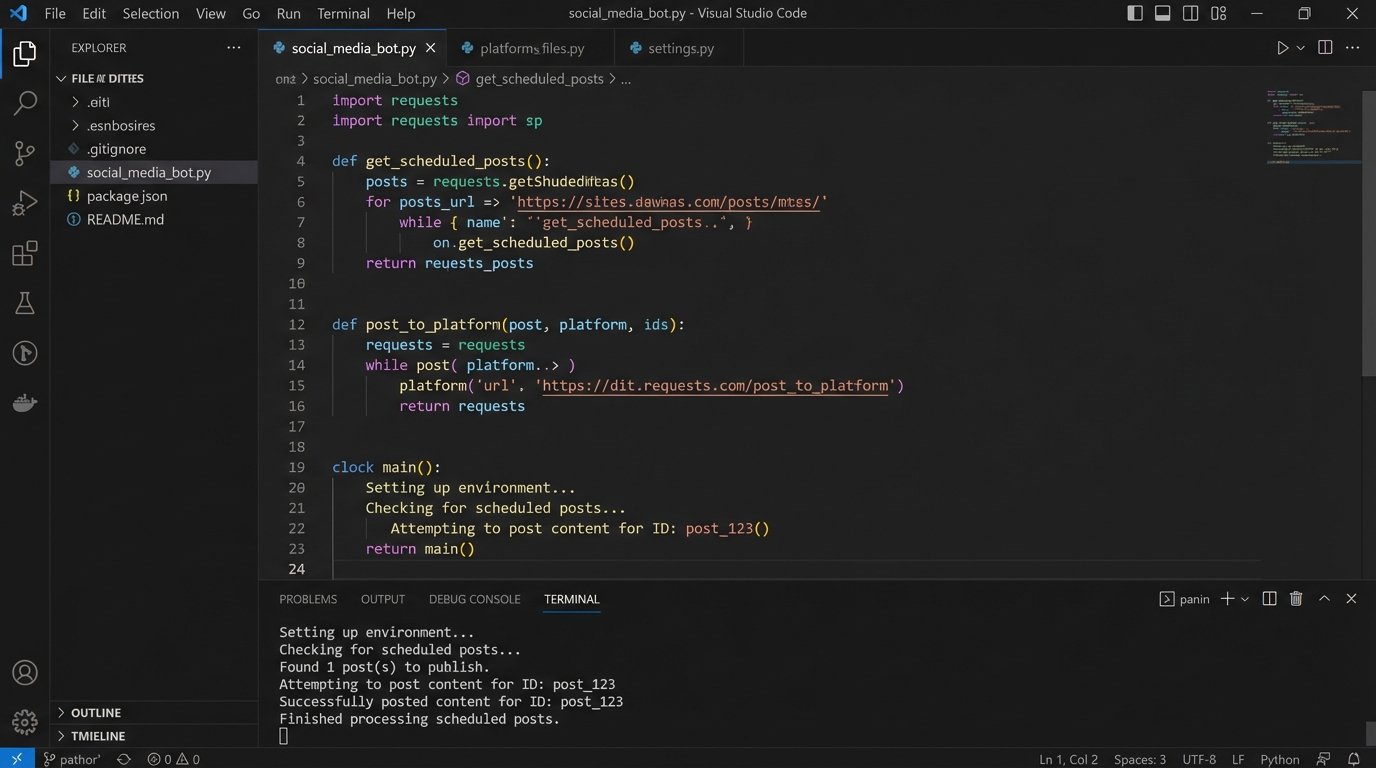
Hard Realities: API Throttling, Error Handling, and Data Validation
Building an automated system is easy. Building one that doesn’t fall over at the first sign of trouble is hard. Social media APIs are notoriously fickle. They have aggressive rate limits, their documentation is often outdated, and they will reject your payload for the smallest formatting error. Sending individual API calls for each small update is like trying to build a car by FedExing one bolt at a time. The overhead from connection and authentication on each call will get you rate-limited before you even get the chassis assembled. You must design for failure.
Logic-Checking Your Payload
Before you even think about making an API call, you must validate the data from your content repository. Never trust the input. Use a library like JSON Schema to define the exact structure, data types, and required fields for your post objects. The delivery engine should run every piece of content through this validator before attempting to post it. If validation fails, the post is flagged and an alert is sent. This prevents a typo in the CMS from causing a script to crash at 2 AM.
Handling API Rejection and Outages
When a platform’s API is down or returns a 5xx server error, your script shouldn’t just die. It needs to have retry logic, ideally with exponential backoff. This means it waits 1 second before the first retry, 2 seconds before the second, 4 before the third, and so on. This prevents you from hammering a struggling server. If the post still fails after a few retries, it should be pushed into a dead-letter queue. This queue is just a list of failed jobs that an engineer can inspect manually later, ensuring no content is ever permanently lost because of a temporary outage.
Maintaining the System Without Losing Your Mind
An automated posting system is not a “set it and forget it” solution. It is a piece of infrastructure that requires monitoring. Your delivery engine must have comprehensive logging. Every success, every failure, and every retry attempt should be logged with timestamps and relevant data like the post ID. These logs should be fed into a monitoring tool (like Datadog, New Relic, or a custom ELK stack) that can parse them and generate alerts.
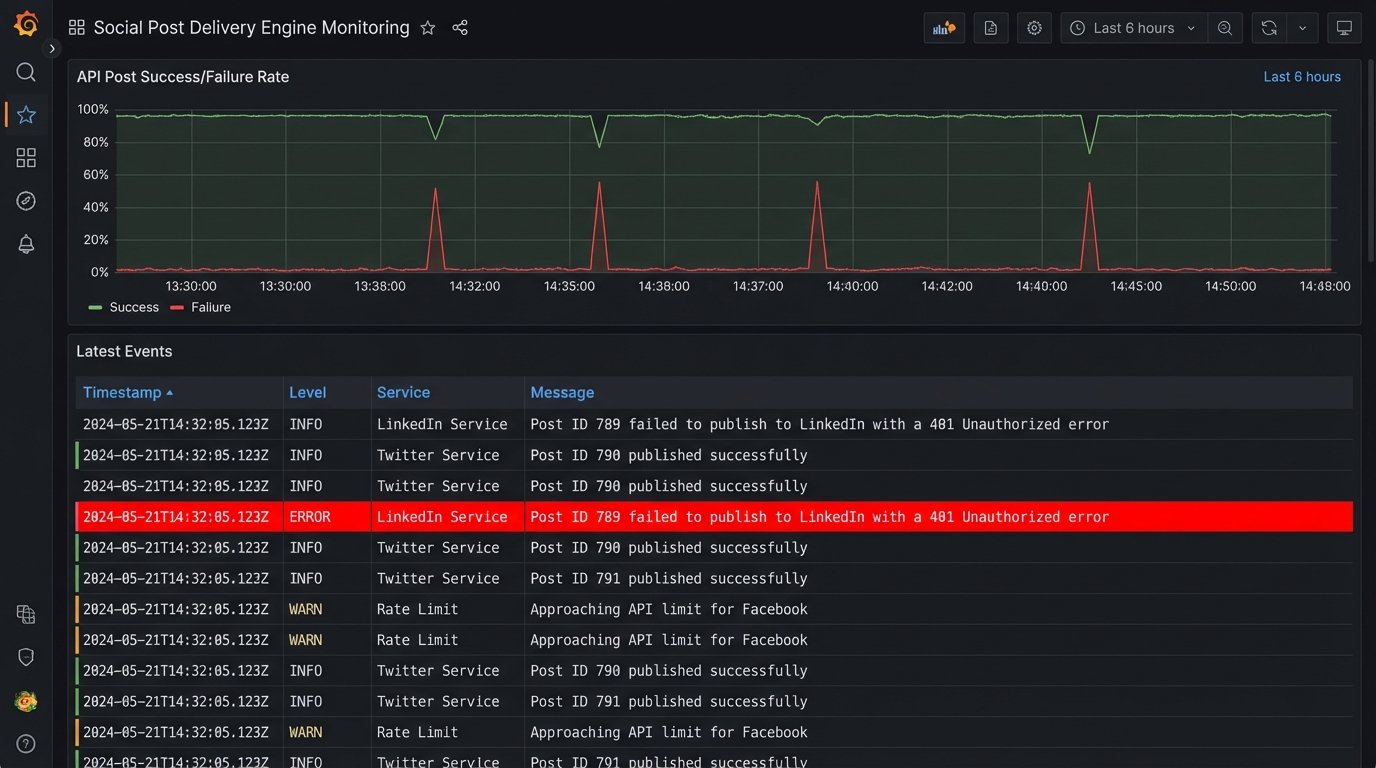
The goal is to get a notification in Slack or PagerDuty that says, “Post ID 789 failed to publish to LinkedIn with a 401 Unauthorized error,” not to discover a week later that nothing has been posted to LinkedIn. Good monitoring turns unknown failures into known, actionable tasks.
Ultimately, this architectural shift does more than just automate posting. It forces a discipline of structured content creation. By decoupling the data from the delivery, you create a resilient pipeline that enforces brand consistency as a function of its design. The system doesn’t just make posting easier. It makes posting incorrectly much, much harder.