8 Workflow Automations to Speed Up Your Closing Checklist
Manual closing checklists are a slow bleed of operational hours. Every checkbox ticked by a human is a point of failure, a potential delay, and a drain on resources that could be building something that actually generates revenue. The process is a fragile sequence of lookups, data entry, and follow-ups, held together by institutional knowledge and caffeine. When volume spikes, the system cracks.
We are not here to talk about “digital transformation”. We are here to talk about specific, targeted automations that strip latency and human error from the transaction process. These are not theoretical concepts. They are field-tested mechanisms for forcing speed and consistency into a process that inherently resists both.
1. Automated Document Ingestion and Data Extraction
The process starts with a flood of documents. Inbound PDFs, scanned images, and Word files arrive via email or a customer portal. The first bottleneck is getting the data out of these unstructured formats and into a system of record. We use Optical Character Recognition (OCR) engines to bridge this gap, but the choice of tool dictates the outcome. Cloud-based services like AWS Textract or Google Vision AI provide high accuracy on clean documents but become a serious wallet-drainer at scale.
Forcing every inbound document through a single, rigid OCR template is a recipe for failure. Instead, a preliminary classification step routes documents to specific parsing models. A purchase agreement has different key fields than a title commitment. This routing logic, often a simple filename or metadata check, drastically improves extraction accuracy before the first character is even read. The output is a structured JSON object, ready for the next stage of validation.
This isn’t magic. It’s a brute-force statistical analysis of pixel clusters that you have to babysit constantly.
2. Dynamic Checklist Generation
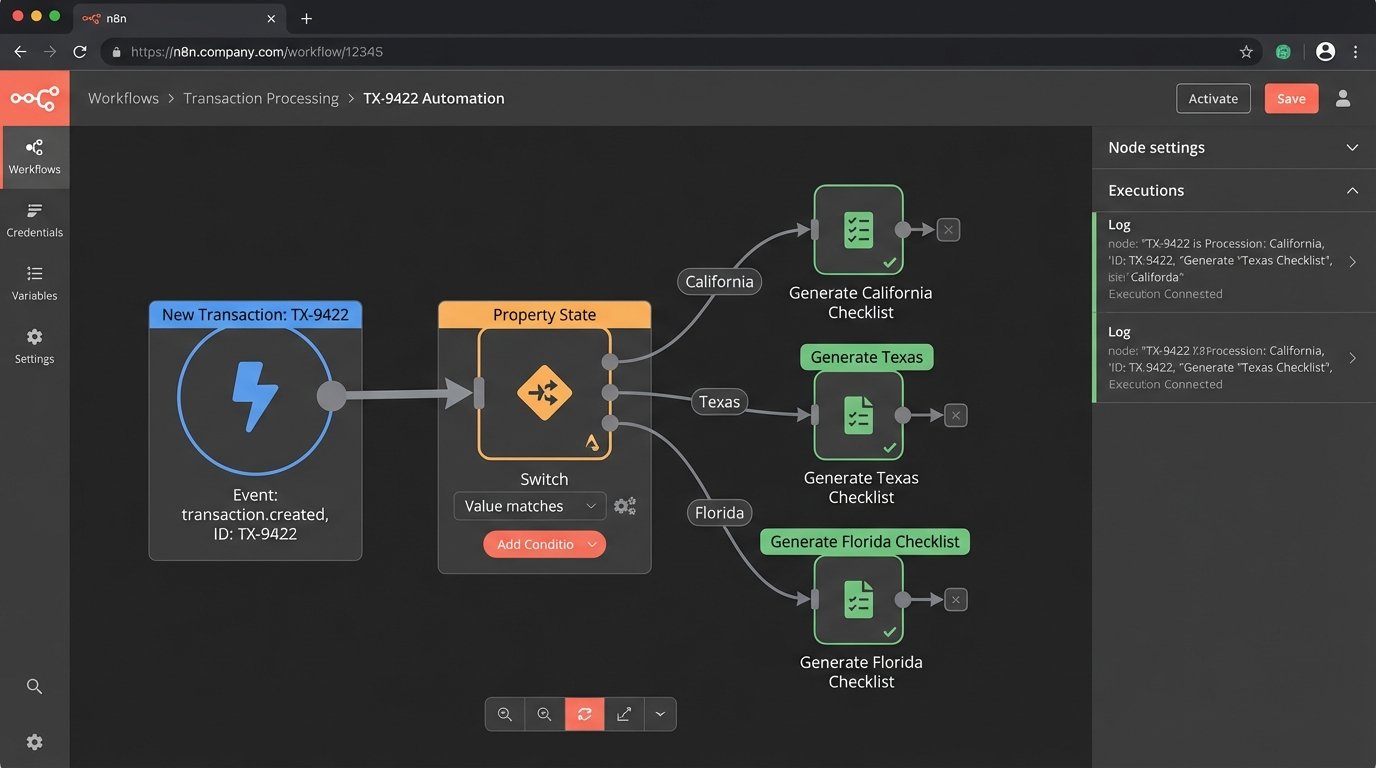
A static, one-size-fits-all checklist is inefficient. A real estate transaction in California has different compliance requirements than one in Texas. An FHA loan requires different documentation than a conventional one. Relying on a human to remember these variations is asking for trouble. We build a rules engine that generates a bespoke checklist based on initial transaction data.
The logic is straightforward. Upon deal creation, a script queries a rules database using key identifiers like property state, loan type, and transaction value. The database returns a specific set of required documents and tasks. This creates a precise roadmap for the closing coordinator, eliminating guesswork and preventing the last-minute scramble for a forgotten document.
Your “rules engine” can be a simple SQL table. Don’t over-engineer it.
3. Signature Packet Assembly and Dispatch
Manually dragging and dropping signature tags onto a 150-page PDF is a low-skill task that burns high-skill hours. We bypass this entirely by integrating directly with an e-signature API like DocuSign or HelloSign. The automation builds the signing envelope programmatically, using templates and anchor text to place signature, initial, and date fields correctly.
The script pulls the required documents from the system, sequences them in the correct order, and injects signer information. A single API call then dispatches the complete packet. This is where you pay attention to the platform’s rate limits. Sending 200 packets in a tight loop will get your API key throttled, bringing the entire closing pipeline to a halt. We implement a queueing system with a slight delay between calls to stay under the radar.
Their documentation says the limit is X calls per minute. The real limit is whatever their servers feel like that day.
4. Automated Compliance Rule Validation
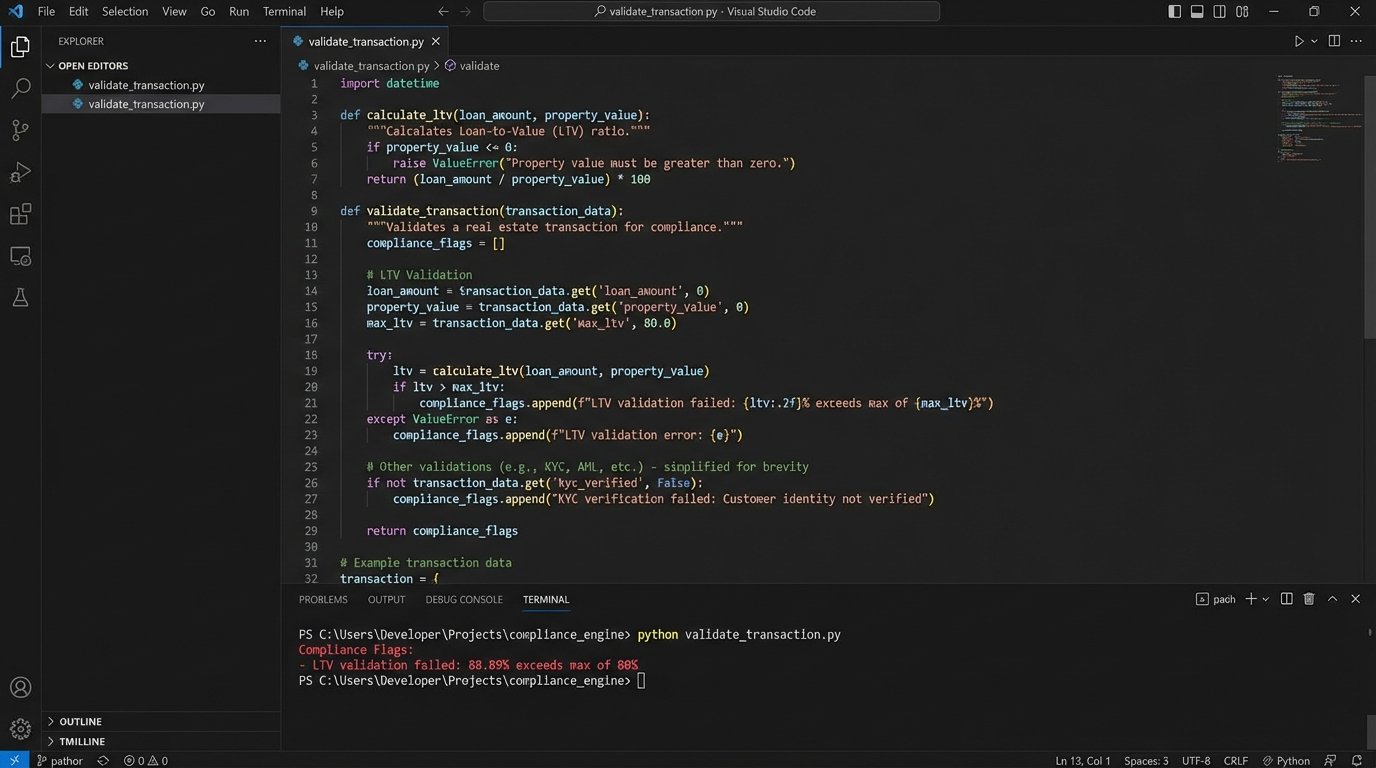
After data is extracted, it must be logic-checked. Compliance isn’t optional. An automation script can perform hundreds of these checks in milliseconds. It cross-references extracted data points against a defined set of rules. For example, is the loan-to-value ratio within the lender’s guidelines? Does the interest rate comply with state usury laws? Are all required addenda present for the given property type?
This is a chain of simple `if-then` statements that runs against the extracted JSON object. Failures are flagged and routed for human review. This doesn’t replace a compliance officer. It just frees them from the monotonous work of checking numbers, allowing them to focus on the genuine edge cases that require human judgment. Attempting to manage this flow without a structured data model is like trying to shove a firehose of documents through the keyhole of a manual review process.
A simple Python script can handle the core logic. Below is a conceptual example of what this looks like, checking a data payload against a set of rules.
    def validate_transaction(data, rules):

        errors = []

        # Rule: LTV must be <= 80% for this loan type
        if 'loan_amount' in data and 'appraised_value' in data:
            ltv = (data['loan_amount'] / data['appraised_value']) * 100
            if ltv > rules['max_ltv']:

                errors.append(f"LTV validation failed: {ltv:.2f}% exceeds max of {rules['max_ltv']}%")
# Rule: Property state must be in the approved list
if 'property_state' in data:
if data['property_state'] not in rules['approved_states']:
errors.append(f"State validation failed: {data['property_state']} is not an approved state.")
return errors
# --- Sample Usage ---
transaction_data = {
'loan_amount': 400000,
'appraised_value': 450000,
'property_state': 'CA'
}
compliance_rules = {
'max_ltv': 80,
'approved_states': ['CA', 'TX', 'FL']
}
validation_errors = validate_transaction(transaction_data, compliance_rules)
if validation_errors:
print("Compliance Flags:")
for error in validation_errors:
print(f"- {error}")
else:
print("Compliance checks passed.")
This script is a basic guardrail. It stops obvious mistakes before they become expensive problems.
5. Funding Condition Verification
The final gate before money moves is the “prior to funding” condition check. Are all signatures collected? Has the title insurance been confirmed? Is the wiring information verified? An automation can poll the necessary systems to get these answers. It checks the status of the e-signature envelope via API. It queries the title company’s portal or awaits a confirmation email with a specific subject line.
The workflow aggregates these status flags into a central dashboard. Once all conditions are met, the system can automatically flag the file as “Clear to Close” and notify the funding department. This removes the human in the middle who spends their day hitting refresh on five different websites and making “just checking in” phone calls.
This only works if the external systems you poll are reliable. Most aren’t.
6. Scheduled Status Reminders and Escalations
Chasing down missing documents or signatures is a time sink. A scheduled automation, running as a cron job or a serverless function, can take over this task. The script queries the database for outstanding checklist items that are approaching their due date. It then sends a templated email or SMS reminder to the responsible party.
The key is to build in escalation logic. A first reminder is a gentle nudge. If the item is still outstanding after 24 hours, a second, more direct reminder is sent, possibly CC’ing a manager. This system maintains momentum without requiring a human to manually track every single item. The goal is to create persistent, low-level pressure.
You have to be careful tuning the frequency. It is very easy to go from helpful reminder to inbox spam that everyone learns to ignore.
7. Post-Closing Data Archiving and Indexing
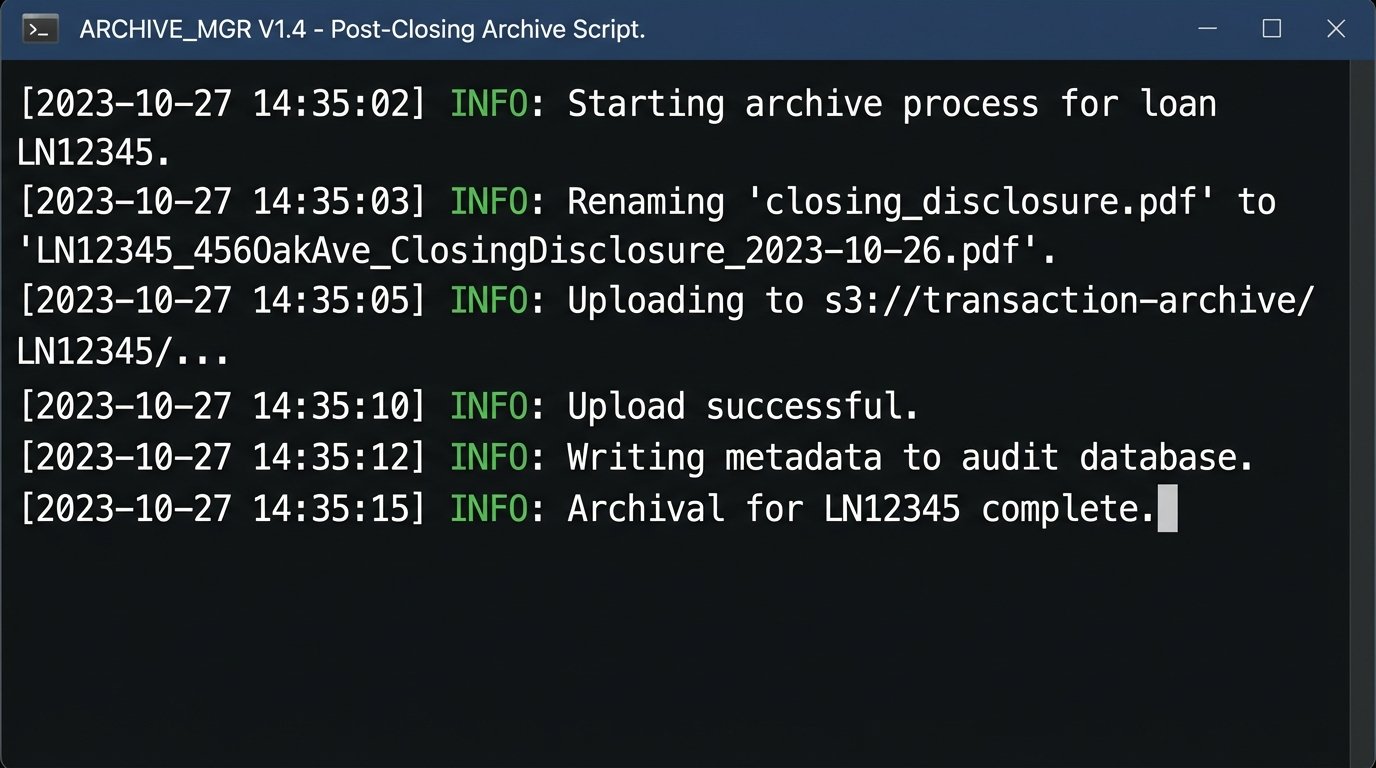
Once a deal closes, the job isn’t done. The mountain of documents must be archived for compliance and future reference. A post-closing workflow automates this cleanup. The script gathers all final, executed documents associated with the transaction. It renames them according to a strict, standardized naming convention (e.g., `LoanID_PropertyAddress_DocumentType_ExecutionDate.pdf`).
After renaming, the script pushes the files to a secure, long-term storage solution like Amazon S3 Glacier or Azure Blob Storage. Simultaneously, it writes all the final transaction metadata to a database. This creates a clean, searchable, and permanent record of the transaction. Years from now, when an auditor asks for the closing statement for loan #12345, you can retrieve it with a single query instead of digging through a network drive.
This is the least glamorous automation, but it will save your bacon during an audit.
8. Immutable Audit Trail Logging
Speed is one thing. Defensibility is another. Every action taken by these automations must be logged. When was the data extracted? Which rules engine version was used for the compliance check? Who opened the signature packet and when? This isn’t a standard application log filled with debug messages. It’s an immutable audit trail.
We configure our workflows to write structured log events to a dedicated system like Elasticsearch or a write-only database table. Each entry includes a timestamp, the transaction ID, the action performed, and the outcome. This provides a complete, verifiable history of the file. When a dispute arises, you have an authoritative record of what happened, generated by a machine that doesn’t have a bad day.
Nobody cares about these logs until something goes catastrophically wrong. Then they are the only thing that matters.