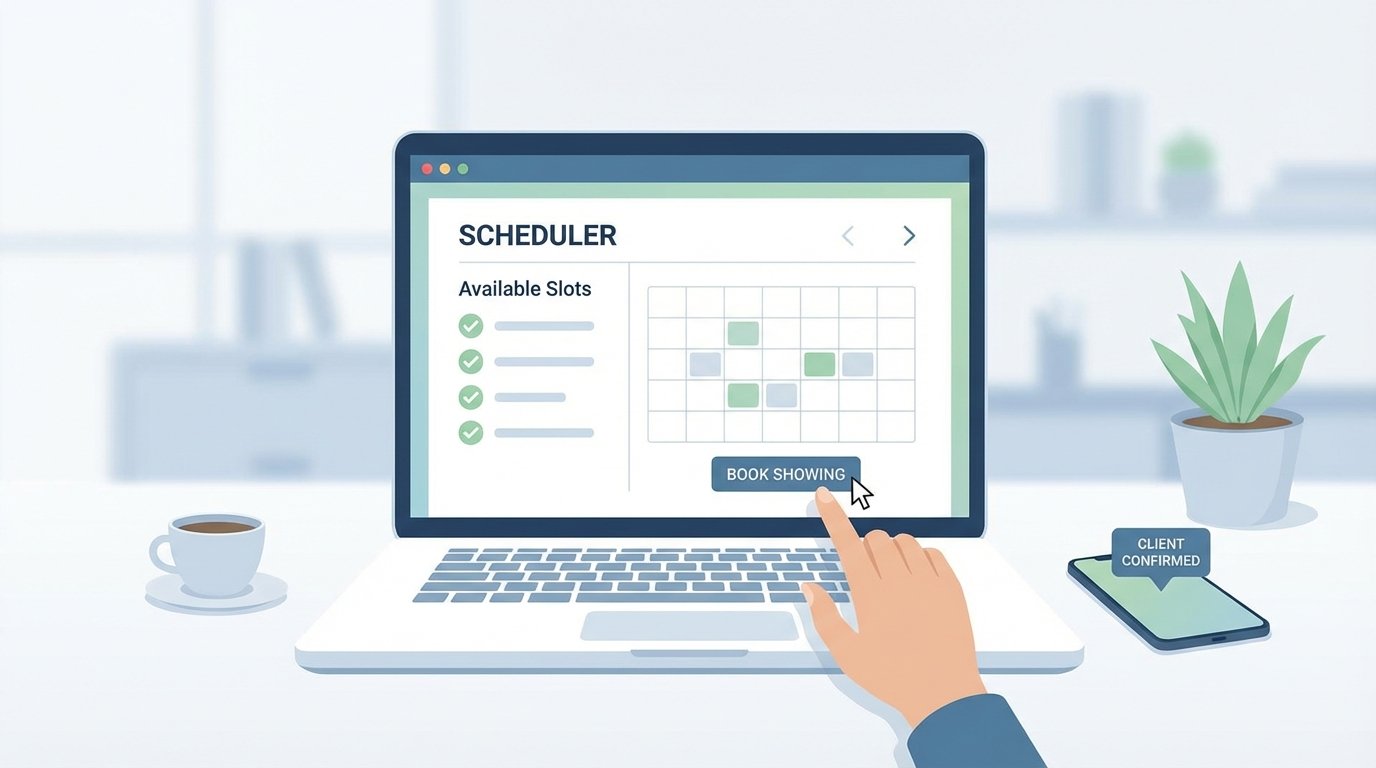
Scrapping the Clicktivism: A No-SaaS Guide to Automated Showing Schedulers
Manual appointment scheduling is a failure pattern. It introduces human error, consumes agent time, and creates a lag that loses leads. Relying on off-the-shelf SaaS tools solves the immediate problem but locks you into a black-box ecosystem with opaque pricing and zero control over the underlying logic. We are not building a subscription dependency. We are building an asset.
The objective is to architect a resilient, auditable scheduling system using discrete, interchangeable components. This grants you full ownership of the data flow and the business logic. You control the API calls, you manage the error states, and you are not subject to a vendor’s sudden feature deprecation or price hike. The entire process hinges on orchestrating a few key services: a data source for properties, a calendar API for booking, and a notification service for communication.
System Architecture and Prerequisites
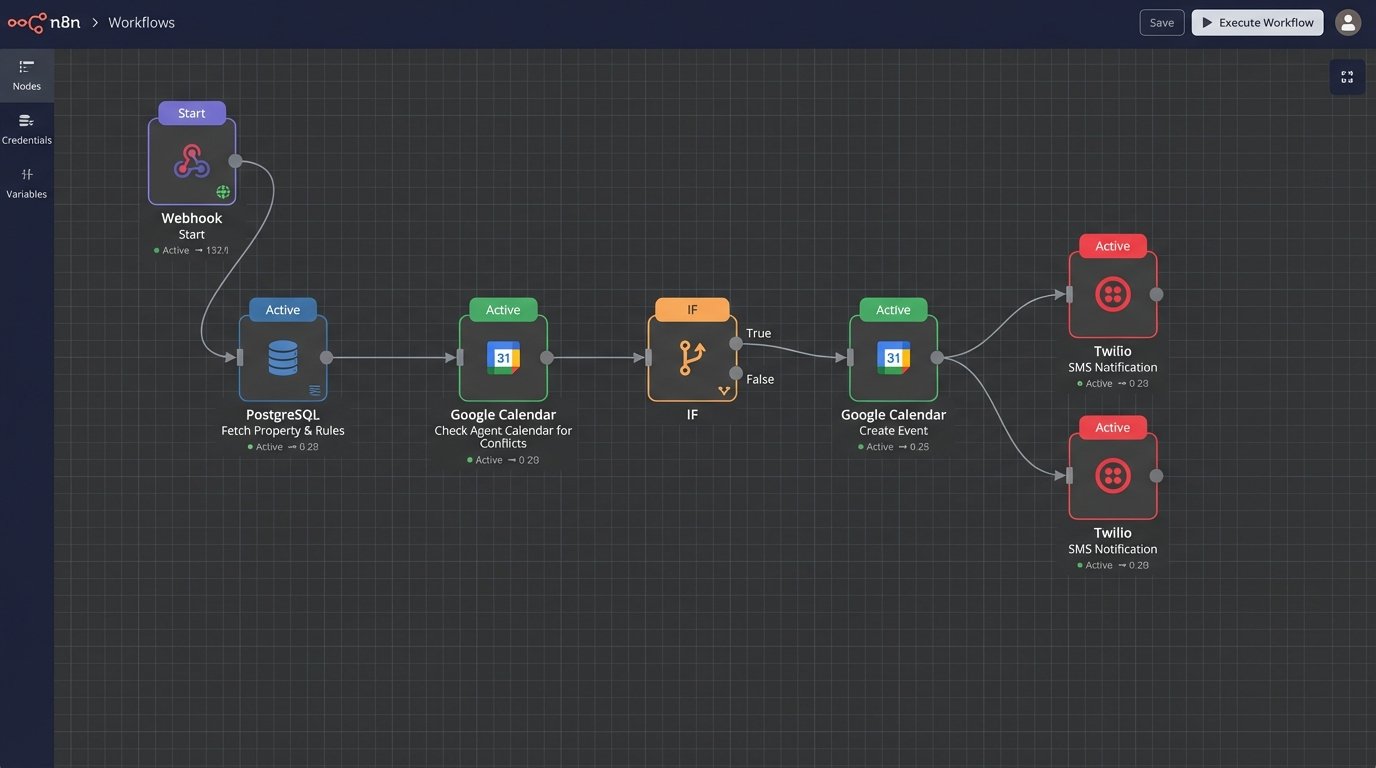
Before writing a single line of code, you must define the data flow. A request comes from a client, it is validated against a database, checked against a calendar, and if successful, triggers two notifications. This is a classic serverless function use case. It is a short-lived, event-driven task that stitches together multiple APIs. Trying to manage this on a monolithic, always-on server is a waste of resources.
Our stack will consist of the following:
- Data Store: A PostgreSQL database, accessible via an API. Supabase or a self-hosted Strapi instance are solid choices. We need a ‘properties’ table that contains availability rules.
- Orchestration: A serverless function. AWS Lambda, Google Cloud Functions, or Vercel Functions will work. We will use Node.js for the examples.
- Calendar Service: Google Calendar API. It is ubiquitous, but its OAuth 2.0 implementation is a notorious pain point. Have your refresh tokens ready.
- Notification Service: Twilio SMS API. It is reliable enough and provides clear delivery status webhooks.
This component-based architecture means if you decide Google Calendar is too restrictive, you can gut it and replace it with a Microsoft Graph integration without rewriting the entire application. You are building with logic blocks, not a monolith.
Step 1: The Property Data Backbone
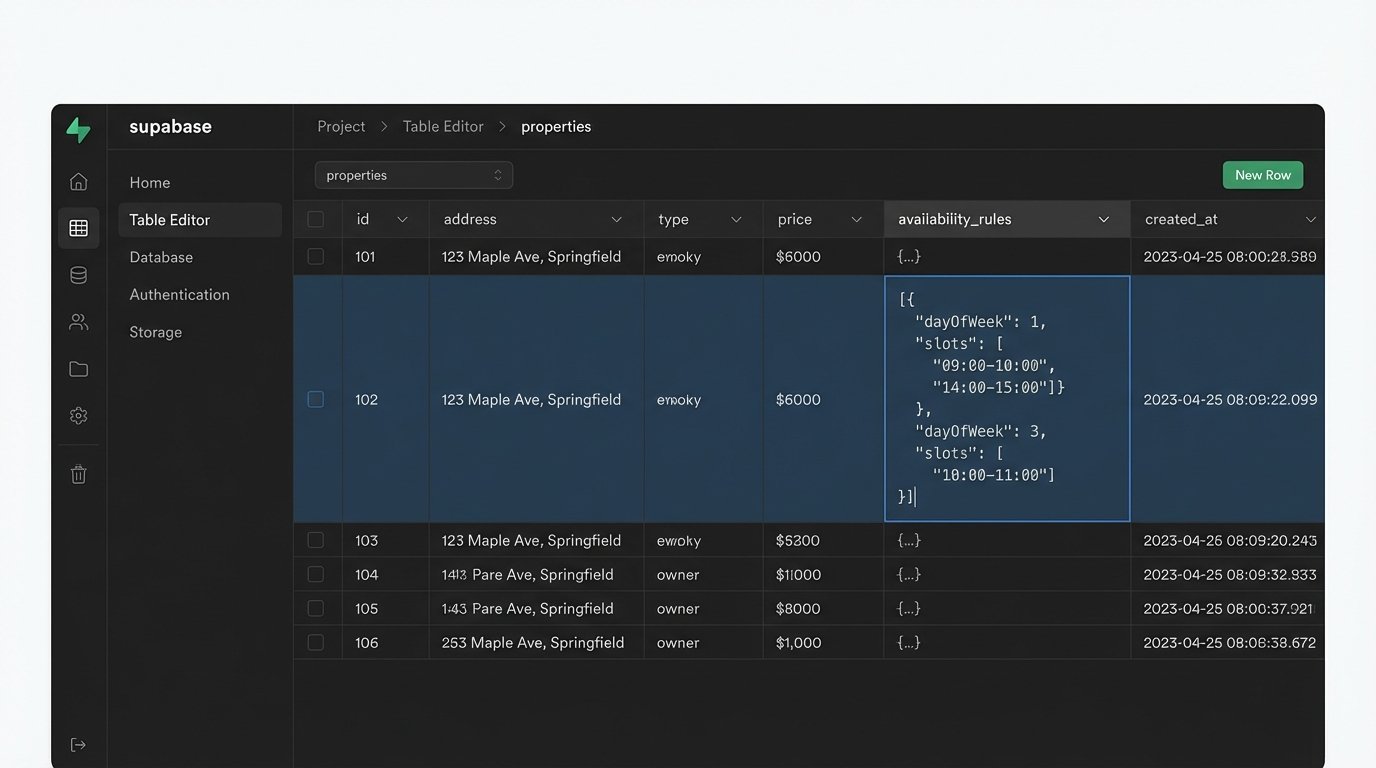
Your scheduler is useless without a source of truth for what properties are available and when. Do not store this state in the application logic. Your database must define the constraints. Create a `properties` table with a schema that includes, at minimum, `property_id`, `address`, `assigned_agent_id`, and a JSONB column named `availability_rules`.
The `availability_rules` column is critical. Storing simple strings like “Weekdays 9-5” is amateur. You need a structured format that a machine can parse without ambiguity. A good structure would be an array of objects, where each object defines a day of the week and a set of valid time windows.
For example:
[
{ "dayOfWeek": 1, "slots": ["09:00-10:00", "14:00-15:00"] },
{ "dayOfWeek": 2, "slots": ["10:00-11:00", "16:00-17:00"] }
]
This structure forces specificity. It allows for non-contiguous availability, like a lunch break, and is directly parsable by your validation logic. Your front-end can fetch these rules to render an accurate calendar interface for the client. This is the foundation. If your data model is weak, the entire system will be brittle.
Step 2: Authenticating with the Calendar API
Interfacing with the Google Calendar API requires an OAuth 2.0 service account or a 3-legged OAuth flow if you are acting on behalf of your agents. For a centralized system, a service account is cleaner. You grant this account specific permissions to the agents’ calendars. The initial setup is a maze of Google Cloud Console menus, generating JSON key files, and enabling the right APIs.
Once you have the credentials, the actual API interaction involves two primary checks. First, query the property’s assigned agent’s calendar for existing events within the requested showing time. You must check for conflicts before you create a new event. This seems obvious, but it is a common point of failure leading to double bookings.
The second check is validating the request against the `availability_rules` from your database. The client’s requested time must fall squarely within a valid slot for that property on that day. A request for 2:30 PM must be rejected if the only available slot is “14:00-15:00”. Your logic must be unforgiving. Any ambiguity here destroys user trust.
Step 3: The Core Orchestration Endpoint
This is where the components connect. Your serverless function is the brain. It exposes a single API endpoint, for example, `POST /schedule-showing`. This endpoint expects a payload containing the `property_id`, the client’s contact information, and the requested `timestamp` in ISO 8601 format. Always use UTC on the backend to avoid timezone hell.
The function executes a rigid sequence:
- Fetch Property Data: Call your database API to get the property details and its `availability_rules`.
- Validate Availability: Logic-check the requested `timestamp` against the rules. If it fails, return a `400 Bad Request` immediately.
- Check Agent Calendar: Query the Google Calendar API for events that conflict with the requested time on the agent’s calendar. If a conflict exists, return a `409 Conflict`.
- Create Calendar Event: If both checks pass, send a request to the Google Calendar API to create the new event. The event title should be structured and parseable, like `Showing: [Property Address] – [Client Name]`. Include the client’s contact info in the description for the agent.
- Send Notifications: On successful event creation, trigger two asynchronous calls to the Twilio API. One SMS goes to the client confirming the appointment, and another goes to the agent with the details.
Trying to manage this sequence with its multiple network calls is like juggling chainsaws. Each call is a potential point of failure. If the calendar event is created but the client notification fails, you have an inconsistent state. This requires careful error handling and, in a more advanced setup, a state machine or a job queue to manage retries.
Here is a simplified skeleton of the function logic in a Node.js environment. This is not production code. It omits the gory details of authentication and error handling for clarity.
app.post('/schedule-showing', async (req, res) => {
const { propertyId, clientName, clientPhone, requestedTime } = req.body;
// 1. Fetch property and rules from our DB
const property = await db.fetchProperty(propertyId);
if (!property) {
return res.status(404).send('Property not found');
}
// 2. Validate the requested time against the rules
const isValidSlot = validateTimeSlot(requestedTime, property.availability_rules);
if (!isValidSlot) {
return res.status(400).send('Invalid time slot');
}
// 3. Check for conflicts on the agent's calendar
const agentCalendarId = getAgentCalendar(property.assigned_agent_id);
const hasConflict = await googleCalendar.checkForConflict(agentCalendarId, requestedTime);
if (hasConflict) {
return res.status(409).send('Time slot is no longer available');
}
// 4. Create the event
const eventDetails = {
summary: `Showing: ${property.address} - ${clientName}`,
description: `Client Contact: ${clientPhone}`,
start: { dateTime: requestedTime },
end: { dateTime: addDuration(requestedTime, 1, 'hour') }
};
const createdEvent = await googleCalendar.createEvent(agentCalendarId, eventDetails);
if (!createdEvent) {
// This is where you need robust error logging
return res.status(500).send('Failed to create calendar event');
}
// 5. Send notifications (fire and forget, or use a queue)
await twilio.sendSms(clientPhone, `Confirmed: Your showing at ${property.address} is scheduled for ${requestedTime}.`);
await twilio.sendSms(agentPhone, `New Showing: ${clientName} at ${property.address} for ${requestedTime}.`);
return res.status(201).json({ eventId: createdEvent.id });
});
Step 4: Managing Cancellations and Failures
A booking system that cannot handle cancellations is a liability. You need another endpoint, `POST /cancel-showing`, that takes an `eventId` or a unique booking identifier. Its job is to find the corresponding event in the Google Calendar and delete it. Subsequently, it must send cancellation notices to both the client and the agent.
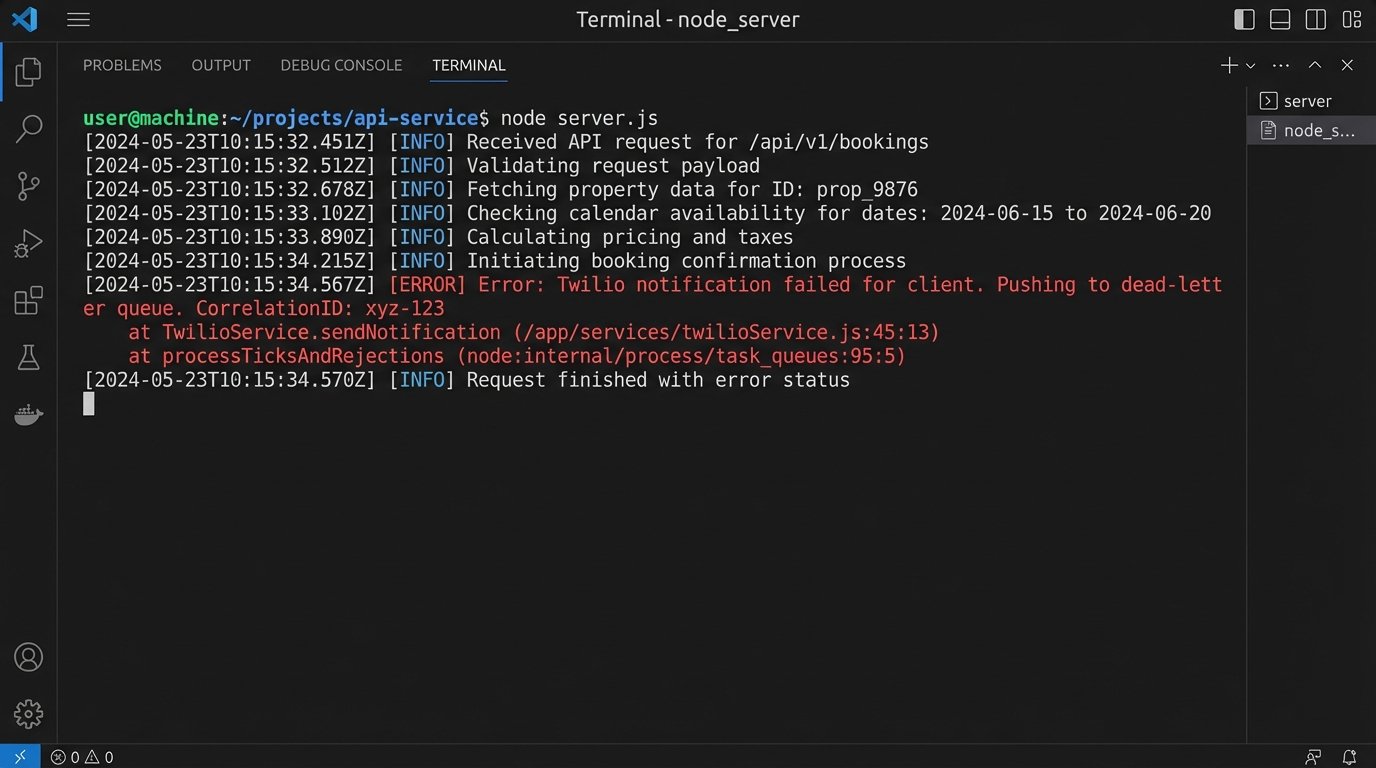
Failures are inevitable. The Google API will have outages. Twilio might fail to deliver an SMS. Your database could be temporarily unreachable. Do not wrap your core logic in a simple try-catch block and call it a day. For transient network errors, implement a retry mechanism with exponential backoff. For persistent failures, push the failed job to a dead-letter queue for manual inspection. Logging is not optional. You need structured logs with correlation IDs to trace a single request through the entire distributed system.
The Reality of Maintenance
This system is not a set-it-and-forget-it solution. It is a collection of dependencies held together by your code. APIs change, authentication tokens expire, and third-party services have downtime. You are responsible for monitoring the health of each component. You must have alerts configured for high error rates from your serverless function or failures from the API endpoints it calls.
Building this yourself provides ultimate control and saves on recurring SaaS fees, but it transforms a monetary cost into a time and maintenance cost. The architecture is more robust and tailored to your exact business needs, but you own the failures. You are the one on call when an API key expires at 2 AM and bookings start failing silently. That is the price of control.