Automating Confirmations and Reminders: 6 Tips That Won’t Break in Production
Missed appointments cost money. That is not a business insight, it is a technical failure. Your scheduling platform failed to adequately poke the end user at the correct interval. The common approach involves stringing together a few Zapier tasks or a brittle script that falls over the moment an API changes. We can do better. Building a durable reminder system is not about fancy tools, it is about anticipating failure points and engineering for them.
This is not a theoretical exercise. These are hardened rules for building automation that survives contact with the real world of flaky networks, shifting timezones, and users who cancel appointments 30 seconds after confirming them. Forget the marketing slides. This is how you build it so you do not get paged at 3 AM.
1. Master State Management Before Sending a Single Message
The core of any reminder system is not the message sender. It is the state machine. Without a bulletproof source of truth for an appointment’s status, you are just firing messages into the void. You risk sending a reminder for a cancelled appointment or confirming a booking that was already rescheduled. This erodes user trust and makes your system look amateur.
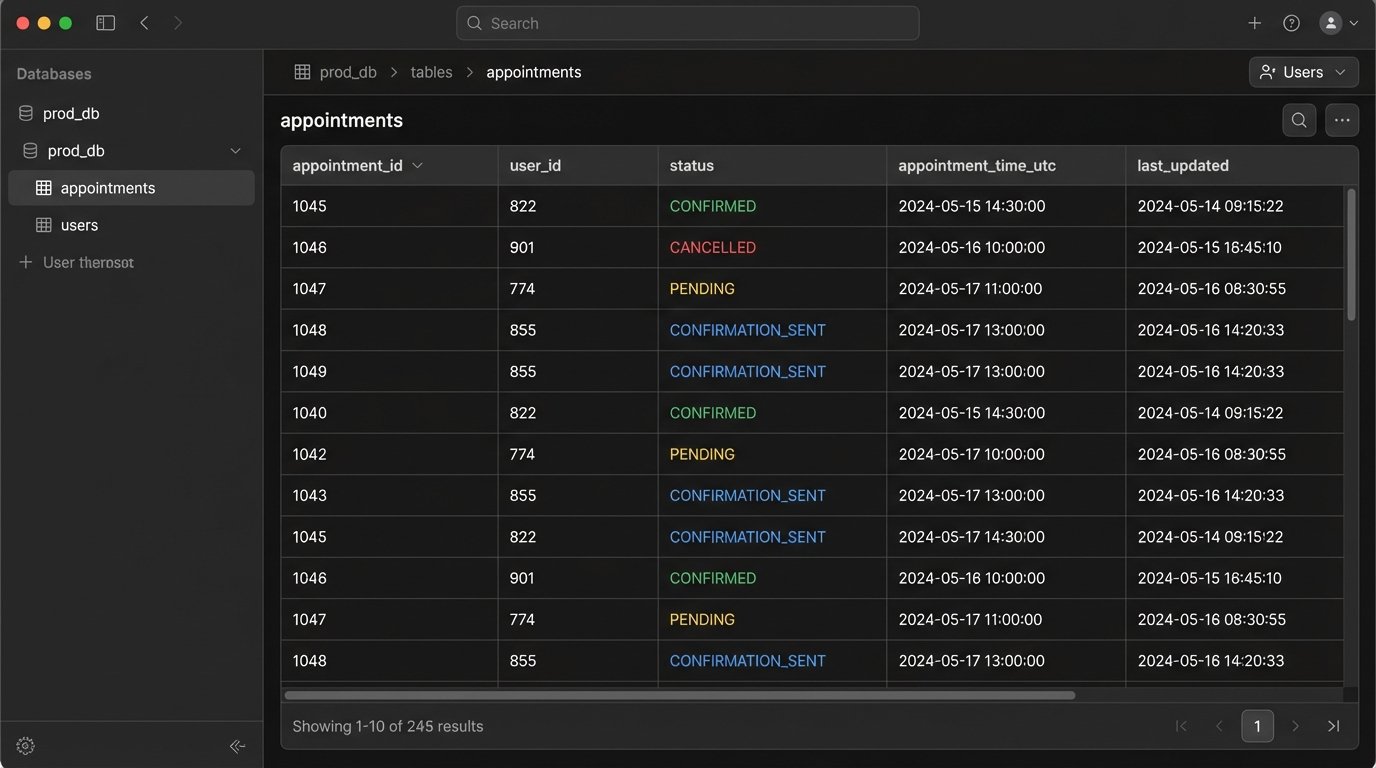
We need to track the lifecycle of every appointment. A simple database table or a document in a NoSQL store is sufficient. The key fields are `appointment_id`, `user_id`, `status` (e.g., PENDING, CONFIRMED, CANCELLED, RESCHEDULED), `appointment_time_utc`, and timestamps for state transitions. Every single action must update this record transactionally. If the database write fails, the whole operation fails. No exceptions.
This gives you an idempotent system. You can re-run a job for a specific time window and it will not send duplicate messages because it logic-checks the `status` field first. It has already been marked `CONFIRMATION_SENT`, so the logic bypasses it. This is your primary defense against bugs and race conditions.
Your state machine is the brain. Everything else is just limbs.
2. Use Webhooks, Not Polling. Stop Hammering APIs.
Polling a calendar or scheduling API every minute to check for updates is a resource hog and a wallet-drainer. It is the crudest possible implementation. You will hit rate limits, your cloud bill will bloat, and you will still have latency between an event happening and your system knowing about it. This is the brute-force approach of a junior developer.
A webhook is the correct architecture. Your scheduling service (like Calendly, Acuity, or a custom internal tool) should push a notification to a dedicated endpoint you control the moment an event occurs. An appointment is booked, a webhook fires. It is cancelled, another webhook fires. This is event-driven, efficient, and real-time. You are not asking “anything new?” every sixty seconds, you are being told what happened the instant it happens.
The critical part is security. An open endpoint is an open invitation for garbage data. You must validate every incoming webhook. Most services provide a signing secret. You use this secret to generate a hash of the request payload and compare it to the hash sent in the request header (e.g., `X-Twilio-Signature` or `X-Stripe-Signature`). If they do not match, you reject the request with a `401 Unauthorized`. Do not process unverified payloads.
This is a minimal Express.js server example to catch and verify a webhook. Notice the raw body parsing needed for signature validation.
const express = require('express');

const crypto = require('crypto');
const app = express();
// IMPORTANT: Need the raw body for signature verification
app.use(express.json({
verify: (req, res, buf) => {
req.rawBody = buf;
}
}));
const WEBHOOK_SECRET = process.env.YOUR_WEBHOOK_SECRET;
app.post('/webhook-receiver', (req, res) => {
const signature = req.get('X-Signature-Header');
const hmac = crypto.createHmac('sha256', WEBHOOK_SECRET);
const digest = Buffer.from('sha256=' + hmac.update(req.rawBody).digest('hex'), 'utf8');
const checksum = Buffer.from(signature, 'utf8');
if (checksum.length !== digest.length || !crypto.timingSafeEqual(digest, checksum)) {
return res.status(401).send('Webhook signature verification failed.');
}
// Signature is valid, now process the event payload
const event = req.body;
console.log('Received valid event:', event.type);
// ... update your state machine here ...
res.status(200).send('Received');
});
const PORT = process.env.PORT || 3000;
app.listen(PORT, () => console.log(`Server running on port ${PORT}`));
Polling is lazy. Webhooks are professional.
3. Decouple Message Content with Dynamic Templating
Hardcoding message strings inside your application logic is a direct path to maintenance hell. A simple request from marketing to change “Hi” to “Hello” requires a code change, a PR, a review, and a new deployment. This is an insane workflow for managing content. It is slow, brittle, and infuriates everyone involved.
Your message content must be external to your code. Use a templating engine like Handlebars for emails or a simple string replacement function for SMS. The templates should be stored in a database, a flat file, or a configuration service. The application code fetches the template by name (e.g., `appointment_confirmation_sms`) and injects the dynamic data from your state machine record.

This setup allows non-engineers to edit message copy without touching the application code. It also forces you to handle data properly. The big killer here is timezones. Never store ambiguous times. Your state machine must store all appointment times in UTC. The templating step is where you convert that UTC time into the user’s local timezone, which should be stored in their user profile. Displaying UTC to an end user is a classic failure.
Your code should only know about template names and data objects. It should be completely ignorant of the words in the message.
4. Engineer Multi-Channel Fallbacks for Delivery Failures
APIs fail. SMS messages get blocked by carriers. Emails go to spam. Assuming your first attempt to contact a user will succeed is naive optimism. A resilient system plans for failure and has a backup plan. This means implementing a multi-channel communication strategy with fallback logic.
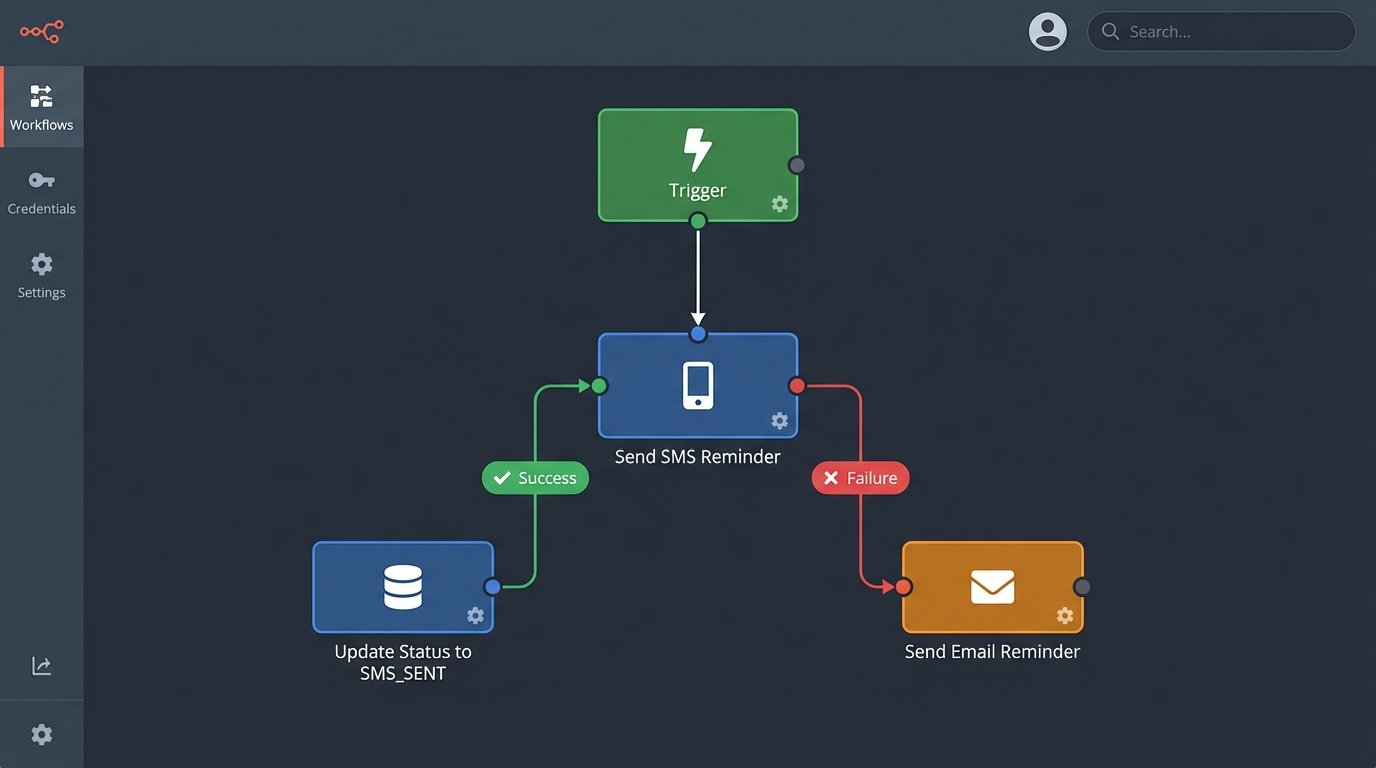
The logic is simple. The primary channel is usually SMS for its immediacy. You attempt to send the message via your SMS provider (like Twilio). If you get a success callback, you update the state record to `SMS_REMINDER_SENT`. If you get a hard failure (e.g., “invalid number” or an API error), you immediately trigger the fallback channel, which is typically email. You update the record to `SMS_FAILED_EMAIL_SENT` for auditing.
This creates a cascade.
- Attempt 1: Send SMS reminder 24 hours before the appointment.
- On Failure: Immediately trigger an email reminder. Log the SMS failure.
- Attempt 2: Send a final SMS reminder 1 hour before.
- On Failure: Do nothing. An email was already sent as a backup. Over-communicating is just as bad as under-communicating.
This isn’t about just sending the same message twice. It is a state-driven decision tree. The system reacts to real-world delivery feedback instead of blindly executing a static script. This is the difference between a simple cron job and an actual automation platform.
5. Throttle Outbound Messages with a Queue
A sudden flood of appointments can trigger a massive batch of reminders. If you have 5,000 appointments scheduled for Monday morning, your system might try to send 5,000 SMS messages simultaneously at 9 AM on Sunday. This will get you rate-limited by your provider, cause huge spikes in server load, and potentially get your account flagged for spam. Sending all your traffic at once is like shoving a firehose through a needle.
You need to smooth out these bursts. The solution is a message queue, like RabbitMQ, SQS, or even a simple Redis list. Instead of your main application calling the SMS API directly, it pushes a job onto the queue. This job contains the recipient, the message template, and any necessary data. The push to the queue is extremely fast and lightweight.
A separate pool of worker processes reads from this queue. You can configure these workers to pull messages off the queue at a controlled rate, for example, 100 messages per second. This respects the API rate limits of your provider and keeps your system’s resource usage stable. If the SMS API goes down, the messages just sit safely in the queue, waiting to be processed when it comes back online. Without a queue, those jobs would have failed and been lost forever unless you built complex retry logic into your main app.
Queues decouple the “decision to send” from the “act of sending.” This is fundamental for building scalable systems.
6. Implement Structured Logging and Granular Alerting
Your automation will fail. The goal is not to achieve 100% success. The goal is to know precisely when, why, and how a failure occurred so you can fix the root cause. Standard text logs are not good enough. You need structured logs, typically in JSON format.
Every log entry should contain consistent fields: `timestamp`, `log_level`, `event_type` (e.g., `SEND_SMS_SUCCESS`, `SEND_SMS_FAILURE`), `appointment_id`, `user_id`, and a `metadata` object with details like the error code from the API provider or the time it took to execute. This allows you to query your logs like a database. You can easily find all failures for a specific user or track the performance of a specific message type.
With structured logs in place, you can build meaningful alerts. Do not alert on every single failure. An individual SMS might fail for a dozen valid reasons. Instead, alert on trends and thresholds.
- Alert Condition 1: The percentage of `SEND_SMS_FAILURE` events exceeds 5% over a 15-minute window. This indicates a systemic problem with the provider.
- Alert Condition 2: The average message processing time from a queue exceeds 2 seconds. This points to a bottleneck in your workers.
- Alert Condition 3: A `WEBHOOK_SIGNATURE_INVALID` event occurs more than 10 times in 5 minutes. This could be a misconfiguration or an active attack.
Alerting on patterns, not individual events, lets you focus on actual fires instead of chasing false alarms. Good logging transforms you from being reactive to proactive.