The Signal Decay Problem: Why “I’ll Do It Later” Fails
Every meeting ends with a list of action items. These items exist for a brief moment in a state of high potential, captured in verbal agreements or scribbled notes. Then context switching begins. An urgent email arrives. Another meeting starts. The signal, the core instruction of the task, starts to decay immediately. By the time you open your project management tool, the signal is weak, corrupted, or gone entirely.
This is not a personal failing. It is a system failure. Relying on human memory to bridge the gap between a concluded meeting and a formally logged task is a design flaw. The latency introduced by manual transfer guarantees data loss. A five-minute delay is enough to forget the critical nuance of a required follow-up. An hour is a lifetime.
We are not solving for laziness. We are solving for the computational expense of context switching and the physical limits of short-term memory. The solution requires removing the human bridge and creating a direct, automated pipeline from event conclusion to task creation.
Architecture of a No-Drop Follow-Up System
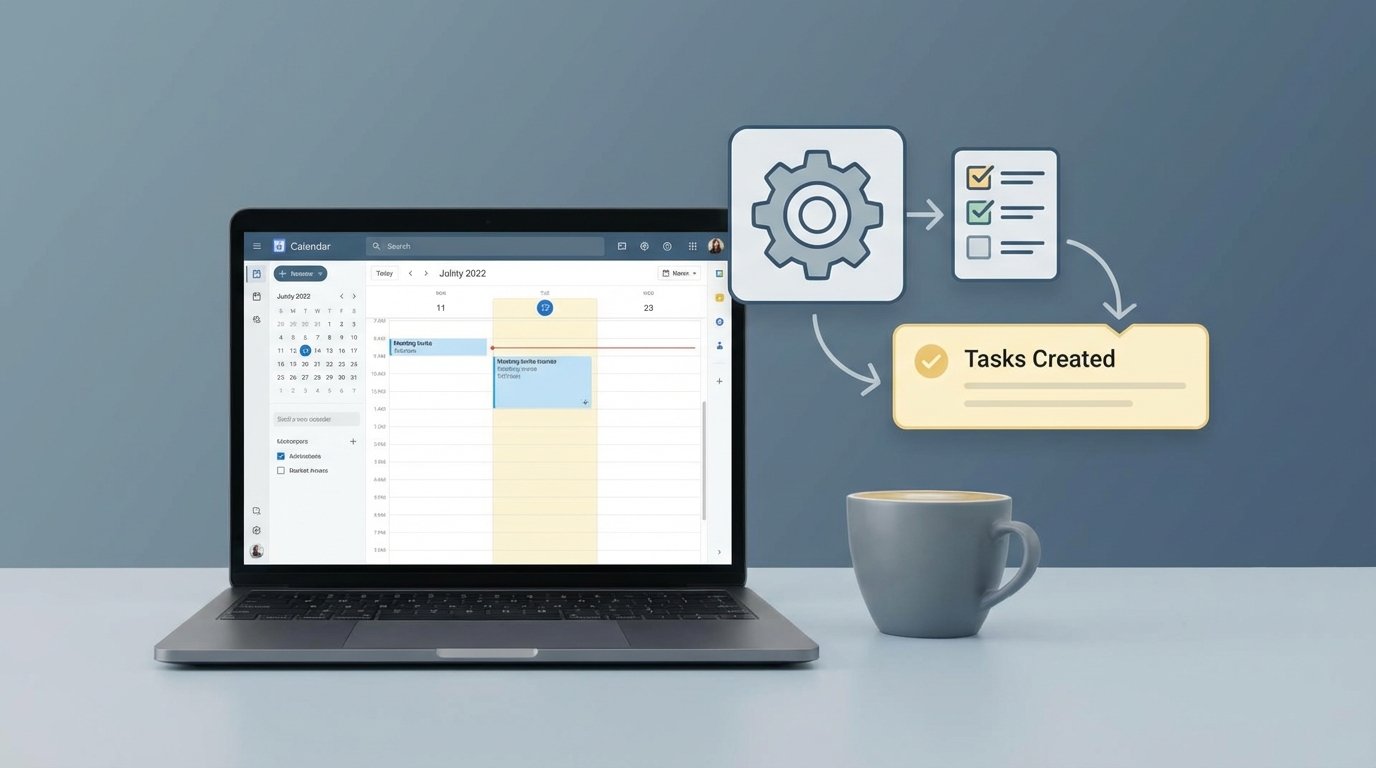
The architecture to fix this is straightforward. It requires three components: a trigger, a processor, and an action. The goal is to create a digital tripwire. When a meeting event concludes, it trips the wire, which executes a predefined sequence to inject a task into a project management system. This bypasses human intervention entirely.
The Trigger: Intercepting the “Meeting Ended” Event
Your trigger is the most critical choice. The most reliable source is the scheduling platform itself, like Calendly or Chili Piper, which can fire a webhook the instant an event is created or completed. A webhook is a direct, event-driven HTTP POST request sent from the source system to a destination you specify. It is the cleanest possible signal because it is immediate and carries a rich data payload about the event.
The alternative is polling a calendar API, like Google Calendar or Outlook. This is a sluggish and inefficient method. You would have to periodically query the calendar, check for events that have recently ended, and maintain state to avoid processing the same event twice. It’s a brute-force approach that introduces latency and complexity. Always choose a webhook over polling when available.
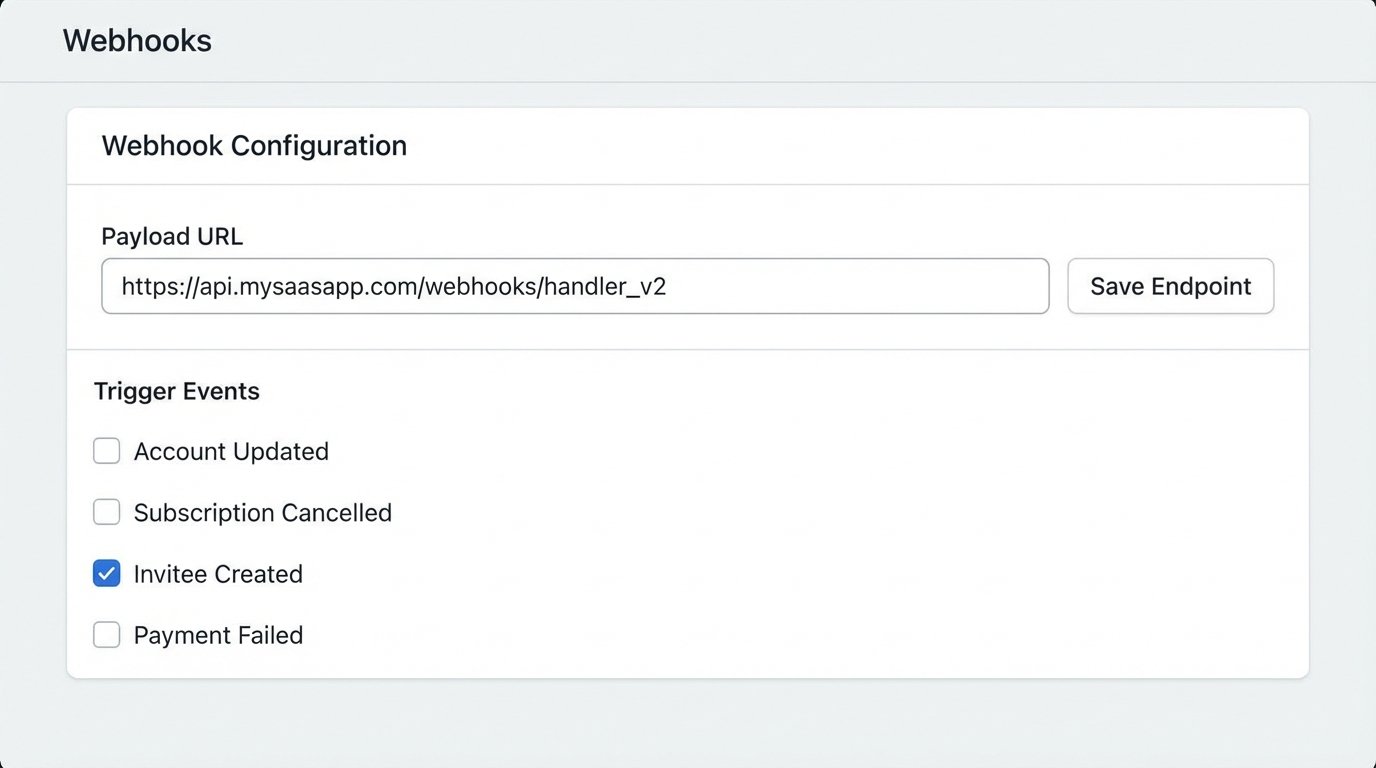
A webhook from Calendly, for instance, can be configured to fire on an “invitee.created” event. This payload contains everything: the event name, the timestamp, and the invitee’s name and email. This is the raw material for your task.
The Processor: Logic-Checking the Payload
The webhook’s destination is your processor. This can be an integration platform like Zapier or Make, or for more granular control, a serverless function like AWS Lambda or a Google Cloud Function. The processor’s job is not just to pass data along. Its primary function is to parse, validate, and transform the incoming JSON payload.
It must strip the relevant data points from the nested JSON structure. For example, you need to extract `payload.event.name` for the task title and `payload.invitee.email` to determine the assignee. The processor also handles basic logic. Should a task be created for every single meeting? Probably not. You can build rules here, like only creating tasks for meetings with specific keywords in the title, such as “Demo” or “QBR”.
This is where you sanitize the data before it infects your project management system.
The Action: Forcing Task Creation via API
The final step is the action. The processor makes an authenticated API call to your project management tool, like Jira, Asana, or ClickUp. This is a standard REST API POST request. The body of this request is a JSON object constructed from the data you extracted and transformed in the previous step. You map the meeting title to the task summary, the invitee details to the task description, and set a due date based on the meeting time.
Authentication is the usual hurdle. Most modern systems use API keys or OAuth 2.0 tokens. These must be stored securely, typically as environment variables in your processor, not hardcoded. You also have to respect API rate limits. If your system triggers a hundred meetings ending at once, you can’t just hammer the Jira API with a hundred requests. You need to implement a queue or at least a minimal delay between calls.
A failed API call here means a lost task. The entire system’s reliability hinges on this final step executing correctly.
Implementation: A Practical Example with Calendly and Jira
Let’s walk through the actual mechanics. The goal is to create a Jira issue automatically when a specific type of meeting is booked in Calendly. The task will be to “Prepare for meeting with [Invitee Name]”.
Configuring the Webhook Source
In your Calendly account, navigate to the Integrations section. You will find an option for Webhooks. Create a new subscription. You will need to provide a destination URL, which is the endpoint of your processor. For this example, let’s assume it’s a Zapier Webhook URL. You will subscribe to the `invitee.created` event. Once saved, Calendly will send a detailed JSON payload to that URL every time a new meeting is booked.
Here is a simplified look at the JSON payload you might receive. The actual payload is far more verbose, but these are the keys you care about.
{
  "event": "invitee.created",
  "payload": {
    "event": {
      "uuid": "FGHI-5678",
      "name": "Product Demo - Acme Corp"
    },
    "invitee": {
      "uuid": "JKLM-9101",
      "name": "Jane Doe",
      "email": "jane.doe@acmecorp.com"
    },
    "scheduled_event": {
      "start_time": "2023-10-27T14:00:00.000000Z"
    }
  }
}
Your entire automation hinges on correctly parsing this structure.
Mapping Payload to API Fields
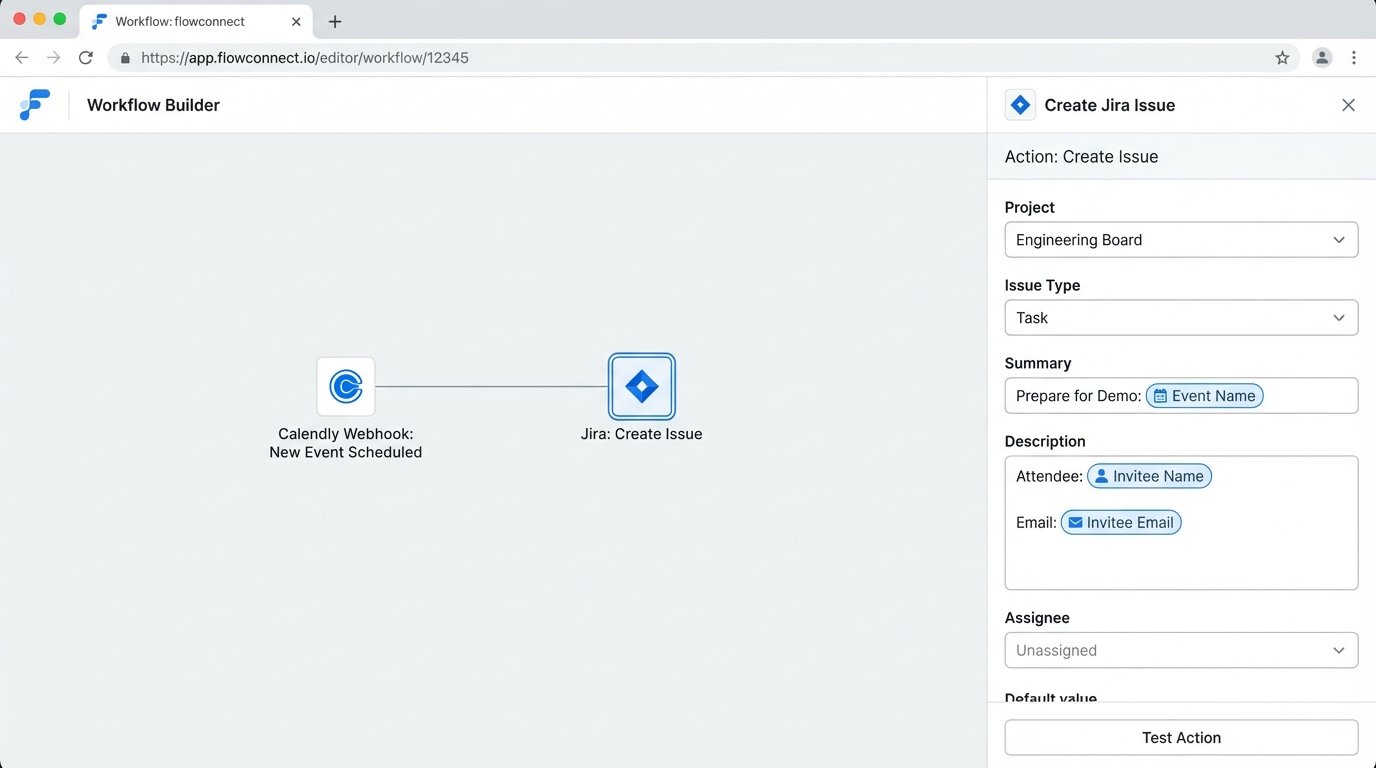
Inside your processor (Zapier, in this case), the first step catches the hook. The next step is the Jira action, “Create Issue”. This is where you perform the mapping. You are building the JSON request body for the Jira API call using data from the trigger. The logic is direct.
- Jira Project: Select a static project ID, like “SALES”.
- Jira Issue Type: Select a static type, like “Task”.
- Jira Summary: Map this from the payload. You would combine static text with a dynamic field: “Prepare for Demo: ” + `payload.event.name`.
- Jira Description: Construct a more detailed description. You can pull multiple fields: “Meeting with: ” + `payload.invitee.name` + ” (” + `payload.invitee.email` + “). Scheduled for: ” + `payload.scheduled_event.start_time`.
- Jira Assignee: You can apply logic here. If the meeting type is “Demo”, assign to a specific sales engineer’s Jira Account ID.
This mapping is the brain of the automation. Garbage mapping logic creates garbage tasks, which are worse than no tasks at all.
The Inevitable Breakdowns and How to Armor Your System
Building this pipeline is easy. Making it resilient is hard. Production environments are hostile. APIs go down, data formats change without warning, and users input nonsensical data. You must build for failure, because failure is the default state.
Handling API Downtime and Rate Limiting
What happens if the Jira API is down for maintenance when your webhook fires? Most simple integrations will just fail silently. The task is dropped into the void. A production-grade system must implement retries. The processor should attempt the API call again after a delay. An exponential backoff strategy is standard practice: retry after 2 seconds, then 4, then 8. If it still fails after a few attempts, the event must be shunted to a dead-letter queue for manual inspection.
Your automation’s perfect logic is useless if the endpoint is unavailable.
The Garbage In, Garbage Out Dilemma
Your automation is only as smart as the data it receives. What if a user books a meeting and sets the title to “asdfasdf”? Your automation will dutifully create a Jira task with the summary “Prepare for Demo: asdfasdf”. This creates noise and erodes trust in the system. Your processor needs validation and fallback logic. If `payload.event.name` is nonsensical or empty, the task summary should fall back to a generic but clear title, like “Follow-up required for meeting with ” + `payload.invitee.name`.
This is where you move from a simple script to a real piece of infrastructure. The system must be able to defend itself against bad data. Trying to automate a chaotic manual process without adding guardrails is like shoving a firehose through a needle. It makes a mess and achieves nothing.
Logging and Alerting
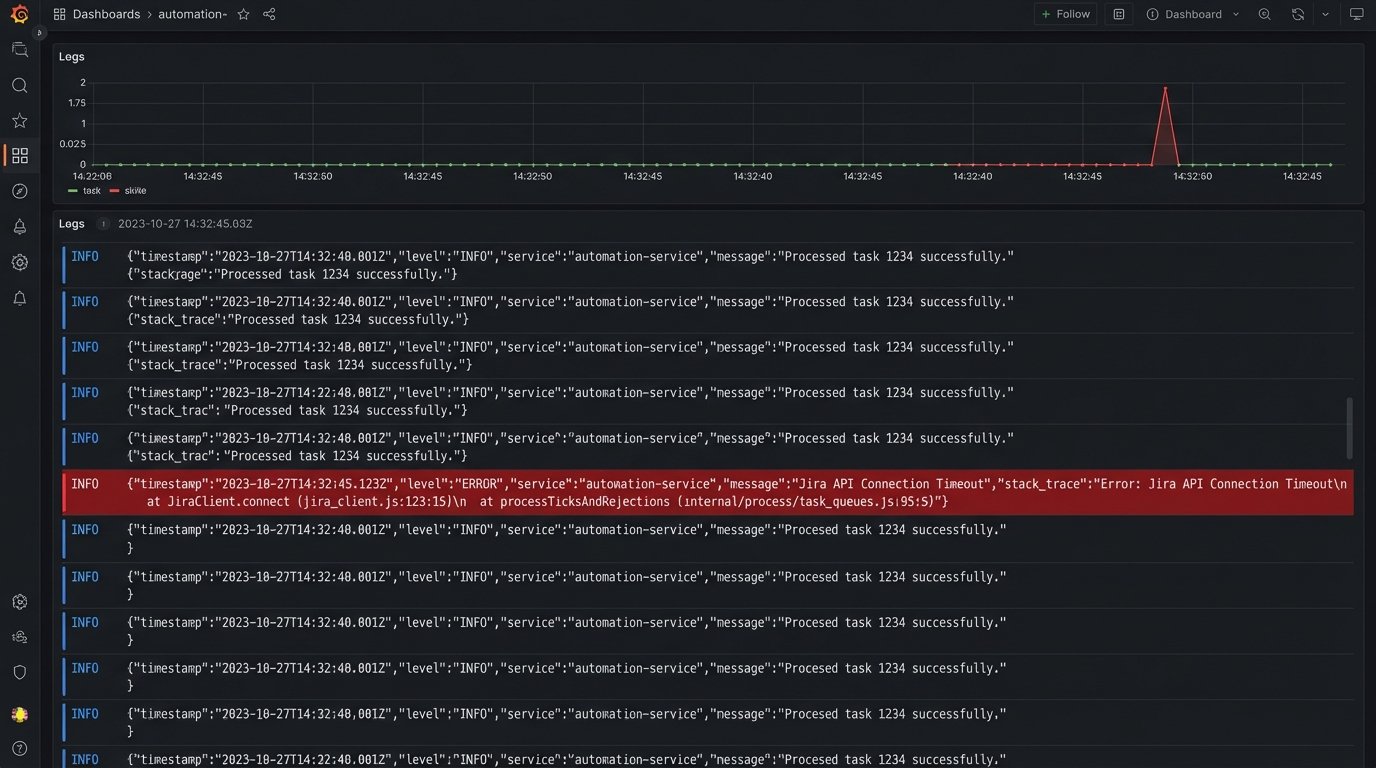
Silent failures are the worst failures. Every step of this process must be logged. When a webhook is received, log it. When the data is parsed, log the output. When the API call to Jira is made, log the request body and the response code. When an error occurs, log the full error stack.
These logs should feed into a monitoring system. You need an alert that triggers if the failure rate exceeds a certain threshold. For example, if more than three tasks fail to create in an hour, an alert should be sent to an engineering Slack channel. You cannot manage a system you cannot observe.
This Is Not a Silver Bullet
Automating task creation from meetings solves a specific mechanical problem. It closes the gap between intention and execution. It improves reliability and consistency by removing the fallible human element from the data transfer process. It does not fix a broken sales process or a disorganized team.
The output of this system is a list of tasks. A human still has to execute them. If your team ignores the tasks being created, then all you have built is a sophisticated way to populate a backlog that no one looks at. The automation is a patch for a process leak, not a replacement for professional discipline.