Connecting a calendar to a CRM seems trivial until the first duplicate event appears at 3 AM. Most scheduling integrations are not plug-and-play appliances. They are fragile bridges built over shaky APIs, and they require a specific engineering mindset to keep them from collapsing under the weight of real-world use.
The core failure is treating these integrations as simple data pipes. They are state management systems. You are not just pushing a JSON payload from point A to point B. You are synchronizing the state of two independent systems that were never designed to speak to each other directly. Getting this wrong leads to corrupted data, missed appointments, and angry sales teams.
Stop Thinking About Triggers, Start Thinking About State
The first mistake is designing around events. An “appointment booked” trigger is a starting point, not a complete solution. What happens when the appointment is rescheduled? What happens when it’s canceled? What happens when the contact’s email is updated in the CRM after the booking? Each of these is a state change that can originate in either system.
Your integration must be able to reconcile these changes without manual intervention. This requires a persistent identifier that links the calendar event to the CRM record. Do not use the contact’s email address as a primary key. It’s mutable. Use the immutable database ID from the CRM and store it as extended metadata in the calendar event. This gives you a permanent, reliable link to reconcile state changes.
Designate a Single Source of Truth
A two-way sync without a master record is a race condition waiting to happen. You must decide which system owns which piece of data. The CRM should own contact information like name, email, and company. The scheduling tool or calendar owns the event details: start time, end time, and location. When a conflict occurs, the source of truth wins, and its data is used to overwrite the other system.
Attempting a perfect, leaderless synchronization is like two clocks arguing about the time. Both are ticking, but they drift apart until nothing is correct. Define the data ownership model upfront and enforce it in your code. If the user changes their name in the CRM, your logic should push that update to the calendar event description, not the other way around.
Isolate Authentication Logic
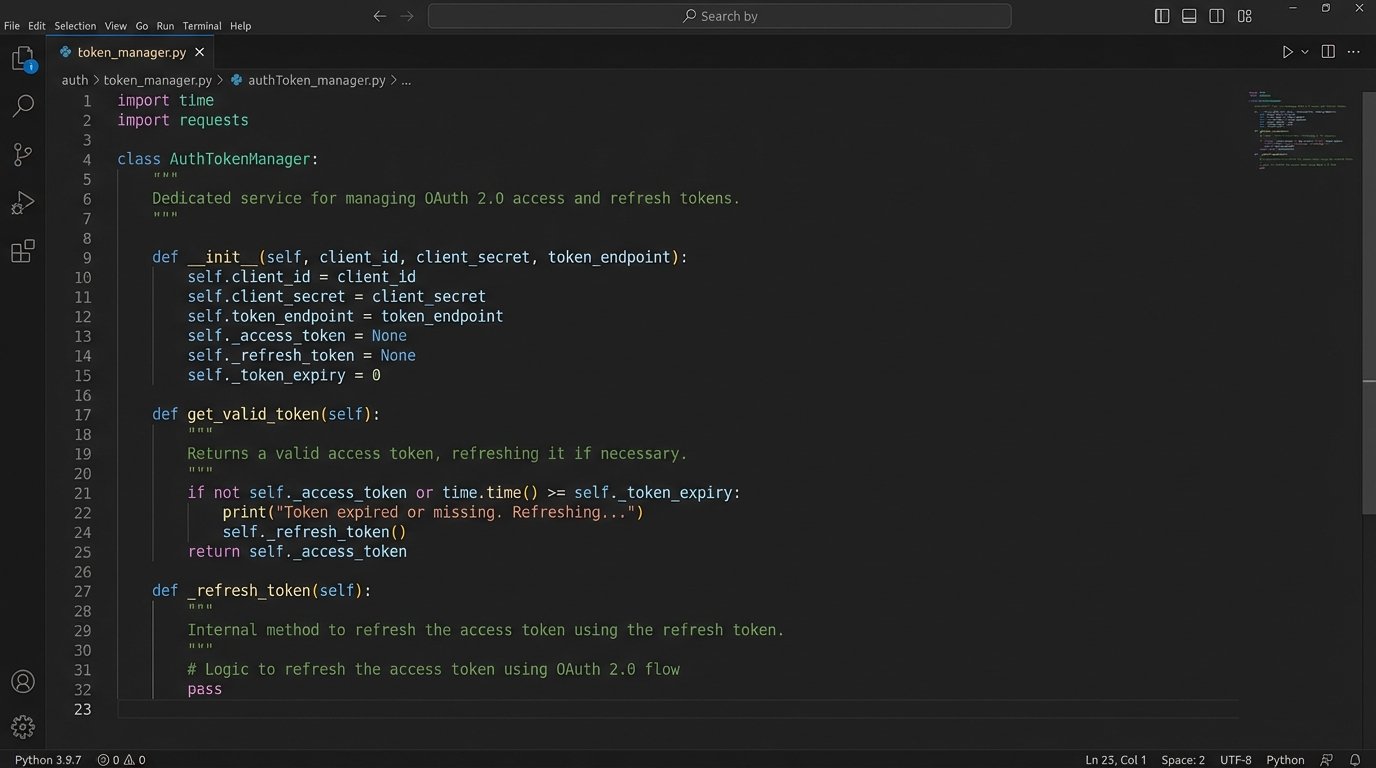
OAuth 2.0 is the standard, but its implementation varies wildly between platforms like Google, Microsoft, and Salesforce. Your integration will handle access tokens, refresh tokens, and grant types. Do not scatter this logic throughout your application. Build a dedicated service or module that is solely responsible for acquiring, storing, and refreshing tokens for each connected account.
This module should expose a simple method, like `get_valid_token(‘user_id’)`, which abstracts away the complexity. Your core integration logic just asks for a token and doesn’t care if it was fetched from a cache or freshly generated via a refresh grant. This makes it far easier to handle token expiration and revocation errors in one place instead of ten.
Build for Failure, Not for Success
The happy path is a myth. APIs go down. Webhooks fail to deliver. Rate limits get hit. A production-grade integration spends less than 20% of its code on the actual data transformation and over 80% on error handling, retries, and logging. If your error handling is an afterthought, your entire system is an afterthought.
Implement Idempotent Operations
What happens if your webhook handler processes the same “appointment booked” event twice due to a network hiccup? Without idempotency, you create two calendar events and two CRM tasks. The correct approach is to make your operations repeatable without changing the result. When creating a record, generate a unique idempotency key (a UUID is fine) on the client side.
Send this key in the API request header, for example, `Idempotency-Key: your-unique-uuid`. The server-side API, if designed correctly, will process the first request and store the result. If it sees a second request with the same key, it will ignore the processing and simply return the original result. This prevents duplicate data and is non-negotiable for any write operation.
Embrace Exponential Backoff with Jitter
When an API call fails with a transient error (like a 503 Service Unavailable or a 429 Too Many Requests), the worst thing you can do is retry it immediately. This contributes to a thundering herd problem that can bring a service down. The correct strategy is exponential backoff: wait 1 second, then 2, then 4, then 8, and so on.
Add jitter, a small random delay, to the wait time. This prevents thousands of clients from retrying in perfect sync after a service recovers. Your retry logic should not be a simple loop. It should be a well-defined function that respects the API’s rate limits, which are often communicated in response headers like `X-RateLimit-Reset` or `Retry-After`.
import time
import random

def execute_with_retry(api_call_function, max_retries=5):
    """Executes an API call with exponential backoff and jitter."""
    base_delay = 1  # seconds
    for i in range(max_retries):
        try:
            return api_call_function()
        except TransientApiError as e: # Assuming a custom exception for retryable errors
            if i == max_retries - 1:
                # Log final failure and give up
                log_error(f"API call failed after {max_retries} retries: {e}")
                raise

            # Calculate wait time with exponential backoff and jitter
            wait_time = (base_delay * 2**i) + (random.uniform(0, 1))
            log_warning(f"API call failed. Retrying in {wait_time:.2f} seconds...")
            time.sleep(wait_time)
Data Integrity Over Everything
Corrupted data is worse than missing data. A missing appointment is obvious and gets fixed. An appointment with the wrong attendee or incorrect notes can cause real business damage. Every step of your integration must be designed to protect the integrity of the data it touches.
Normalize and Validate All Inputs
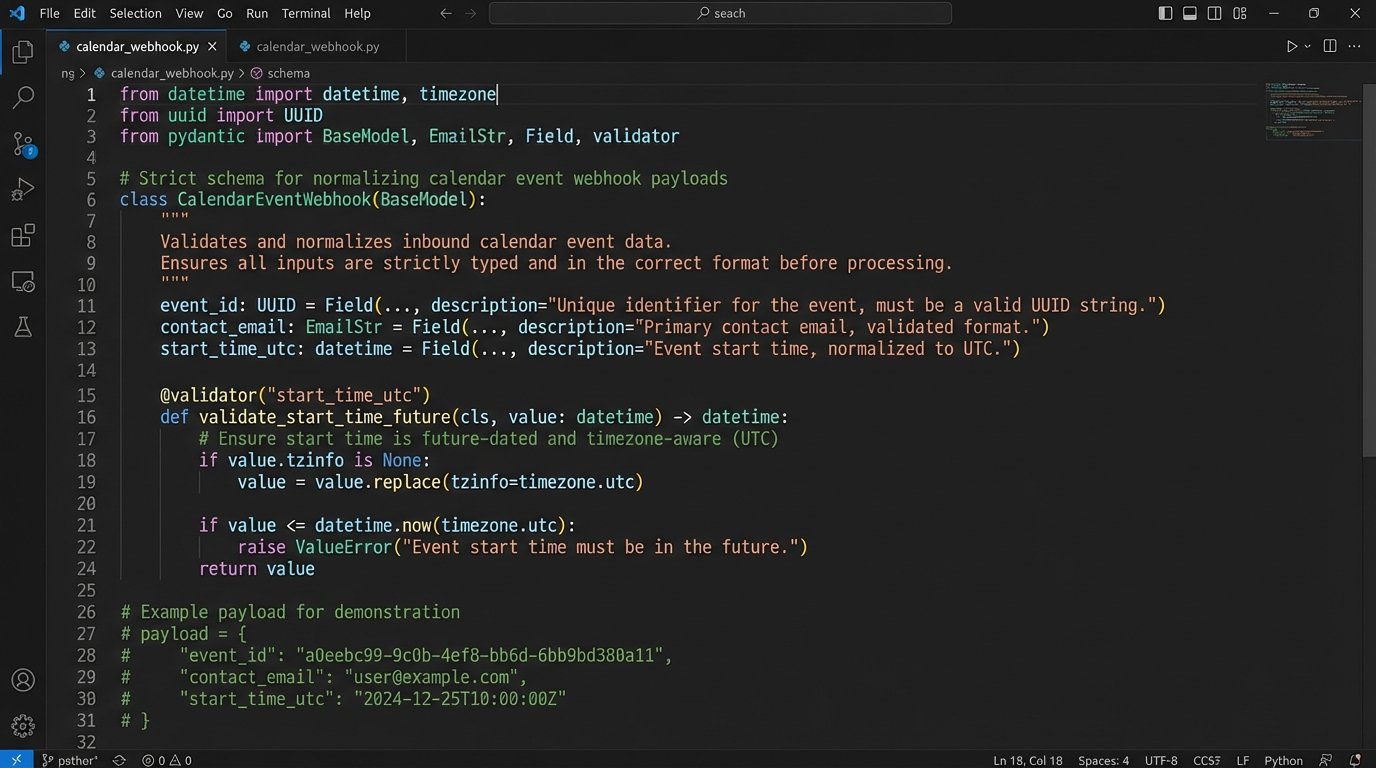
Never trust data from an external system. Before you process a webhook payload or an API response, validate it against a strict schema. Check for required fields, correct data types, and logical consistency. A classic example is time zones. An event might arrive with a start time in a local time zone string without offset information. This is ambiguous and dangerous.
Your first step should be to normalize all timestamps to UTC. Store everything in UTC. Process everything in UTC. Only convert to a local time zone at the very last moment for display purposes. This eliminates an entire class of bugs related to daylight saving time changes and regional ambiguities.
Be Cynical About Webhooks
Webhooks provide near-instant notifications, but they offer no delivery guarantee. A network partition, a firewall rule, or a temporary downtime on your end means the payload is lost forever. Relying solely on webhooks is like expecting every package to be delivered perfectly. You still need a tracking system to check for lost shipments.
Use webhooks to trigger immediate processing for the sake of user experience. But supplement them with a periodic poller. Every hour, or every 24 hours depending on your needs, run a job that queries the source system for all records updated since the last check. This reconciliation job will catch any events that were missed by the webhook delivery system, ensuring eventual consistency.
Map Data Defensively
Your integration will map fields from the scheduling tool to the CRM. For example, `event.name` might map to `crm.opportunity.title`. This is straightforward until a sales admin adds a new required custom field in the CRM without telling you. Your integration suddenly starts failing because it’s not providing a value for this new field.
Your mapping logic should not be a hardcoded script. It should be configurable. Fetch the CRM object’s metadata schema via the API first. Check which fields are required and which are optional. Your code should be able to dynamically construct the payload based on the current schema, providing default values for any unexpected required fields and logging a loud warning. This prevents your entire integration from breaking because of a minor schema change.
Operability is a Feature, Not a Chore
If you cannot tell what your integration is doing, it is already broken. You just don’t know it yet. Black-box integrations are impossible to debug. When a user reports a problem, your first question should be “What does the log say?” If the answer is “What log?”, you have failed.
Implement Structured Logging
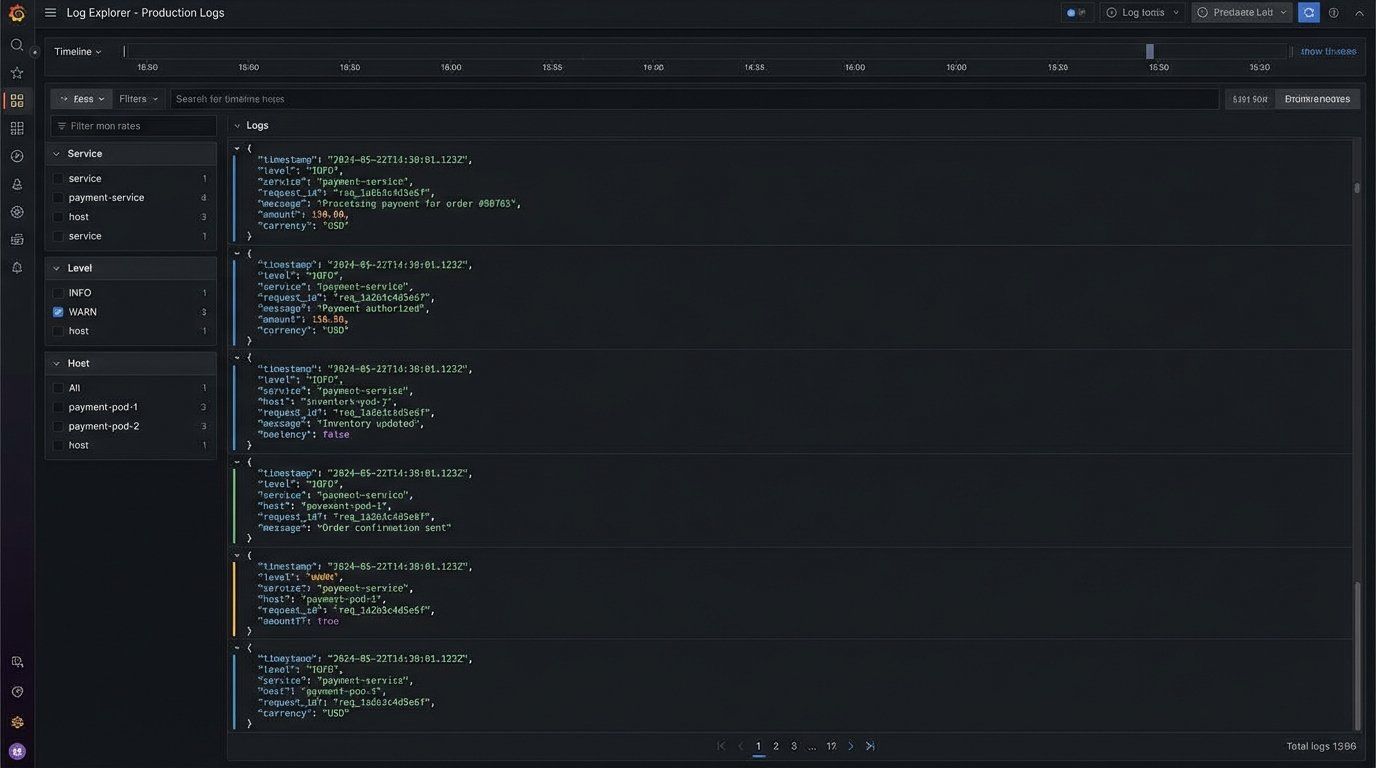
Do not print plain text strings to standard output. Use structured logging (JSON format is a good choice). Every log entry should contain a unique request ID that ties together all operations for a single event, from the moment the webhook is received to the final API call to the CRM.
Include critical context like the user ID, the source system event ID, and the target system record ID. This allows you to trace the entire lifecycle of a single synchronization task. When a failure occurs, you can immediately filter your logs by the request ID to see the exact payload, the sequence of operations, and the point of failure without guesswork.
Build a Dead-Letter Queue
Some events will fail for non-transient reasons. Perhaps the data is malformed, or a validation rule in the CRM is preventing the record from being saved. After your retry mechanism gives up, do not just discard the event. Move it to a dead-letter queue (DLQ).
A DLQ is just a separate queue or database table that stores failed events along with the error message and the number of failed attempts. This creates a worklist for an engineer to manually inspect. It provides a safety net, ensuring no data is permanently lost due to a code bug or an unexpected data condition. It also provides valuable input for improving your validation and error handling logic over time.