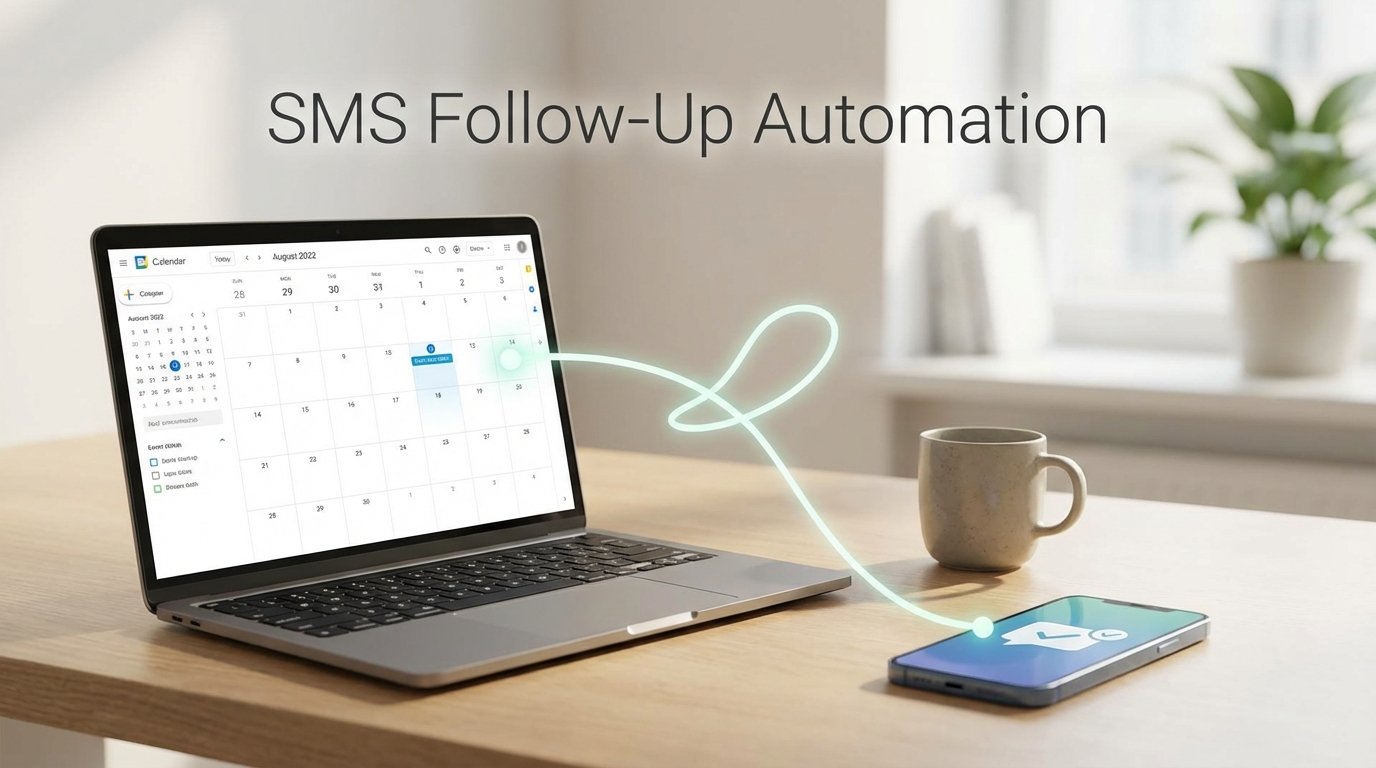
Stop Manually Following Up. It’s a Point of Failure.
Manual SMS follow-ups after meetings are inconsistent. They depend on memory and available time, two resources that are always in short supply. The result is missed opportunities and a process that does not scale. The fix is automation, but connecting a calendar to an SMS gateway is not a straight line. It is a chain of failure points involving authentication, data sanitization, and timing logic.
This is not a theoretical guide. This is a breakdown of a production-grade workflow. We will bridge calendar APIs, CRM data, and an SMS gateway to build a system that reliably sends personalized follow-ups. The goal is not just to send a text, but to do it intelligently, without appearing robotic or breaking under load.
System Architecture: The Four Core Components
Before writing code, map the data flow. A resilient system requires four distinct services that work in sequence. A failure in one component must be logged and handled without bringing down the entire process. This is the minimum viable stack for this operation.
- Event Source: A calendar API (Google Calendar, Microsoft Graph) that can push events via webhooks. Polling for updates is inefficient and will get your IP rate-limited. Webhooks are the only sane approach.
- Data Enrichment Source: A CRM or database (Salesforce, HubSpot, or a simple PostgreSQL instance) that holds client contact information, specifically mobile numbers in a parsable format. This is your source of truth for contact data.
- Logic Processor: A serverless function or a small containerized service (AWS Lambda, Google Cloud Functions, or a Flask app in Docker). This is the brain. It ingests the webhook, queries the CRM, applies business rules, and triggers the SMS send.
- SMS Gateway: A third-party API for sending text messages (Twilio, Vonage). Do not build this yourself. You will get bogged down in carrier compliance and deliverability issues. Pay for a service that handles the complexity.
Connecting these pieces requires careful handling of credentials and API keys. Use a proper secrets manager like AWS Secrets Manager or HashiCorp Vault. Hardcoding keys into your logic processor is asking for a security incident.
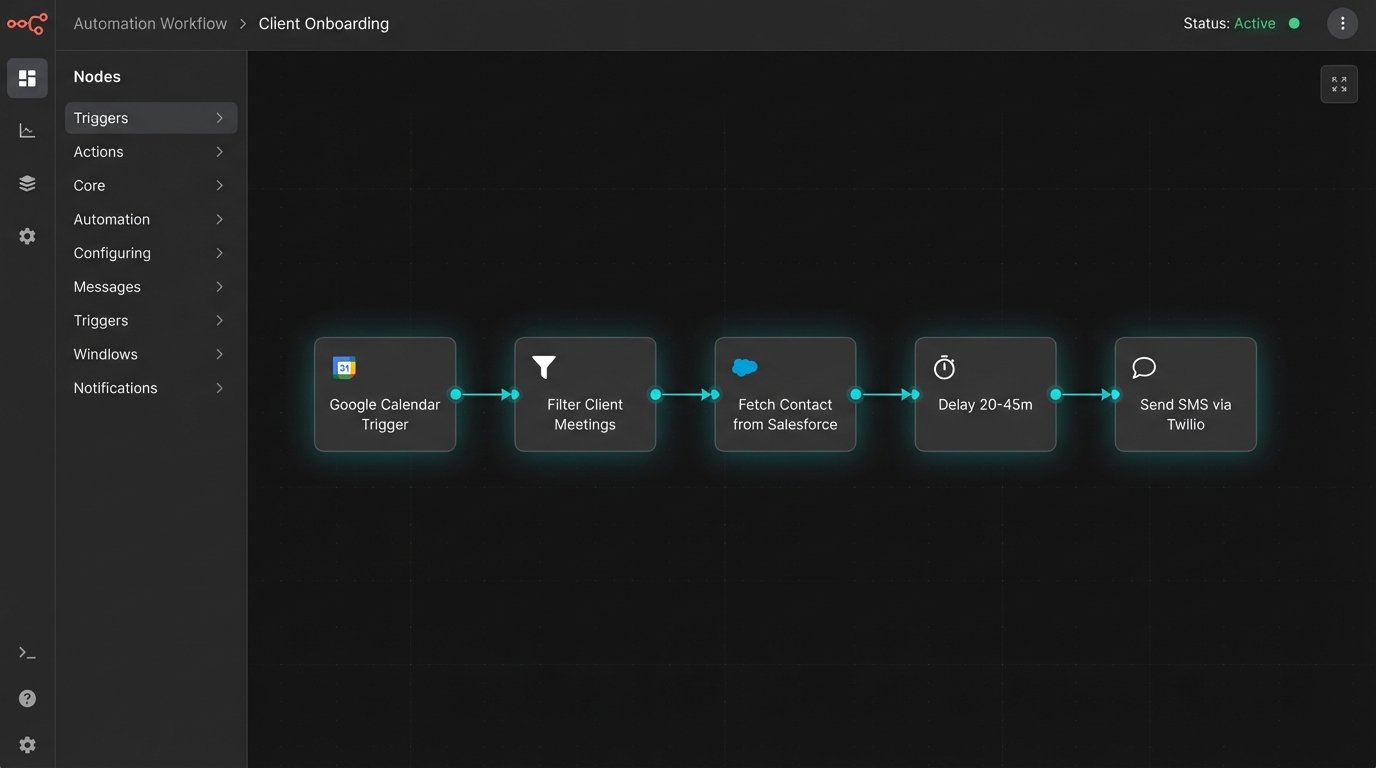
Step 1: Configure the Webhook Trigger
The entire automation hinges on receiving a reliable event trigger. The trigger must fire predictably after a meeting concludes. Most calendar services provide webhooks that notify you of event changes, including creation, updates, and deletion. We are interested in the event’s end time.
For Google Calendar, you use the `Events: watch` method on the API. You provide it a publicly accessible HTTPS endpoint where your logic processor is listening. Google then sends a POST request to this endpoint whenever an event in the specified calendar changes. The initial setup requires a verification step to prove you own the endpoint.
Filtering the Noise
A raw calendar feed is noisy. It includes internal meetings, personal appointments, and all-day reminders. Your webhook handler must immediately filter events to find the ones that matter. The initial filter should check for specific criteria:
- Presence of External Attendees: The event must have at least one attendee whose email domain does not match your company’s internal domain.
- Event Status: The event status should be “confirmed,” not “tentative” or “cancelled.”
- Specific Keywords: Optionally, filter for events whose title contains keywords like “Demo,” “Intro Call,” or “Client Sync” to target high-value interactions.
Your listener should acknowledge the webhook immediately with a `200 OK` response to the calendar API. Do not perform heavy processing synchronously. The actual work of data fetching and SMS sending should be handed off to a background job or a message queue to prevent timeouts.
Step 2: Extracting and Validating Contact Data
Once your logic processor receives a valid meeting event, the next step is to find the client’s phone number. The webhook payload contains the attendees’ email addresses. You must take the external attendee’s email and use it to query your CRM. This lookup is a common point of failure.
The CRM API call might fail, or the client record might not exist. Worse, the record might exist but lack a phone number, or the number is in a malformed “human-readable” format like `(555) 123-4567 ext. 9`. The SMS gateway requires a clean, standardized format, typically E.164 (`+15551234567`).
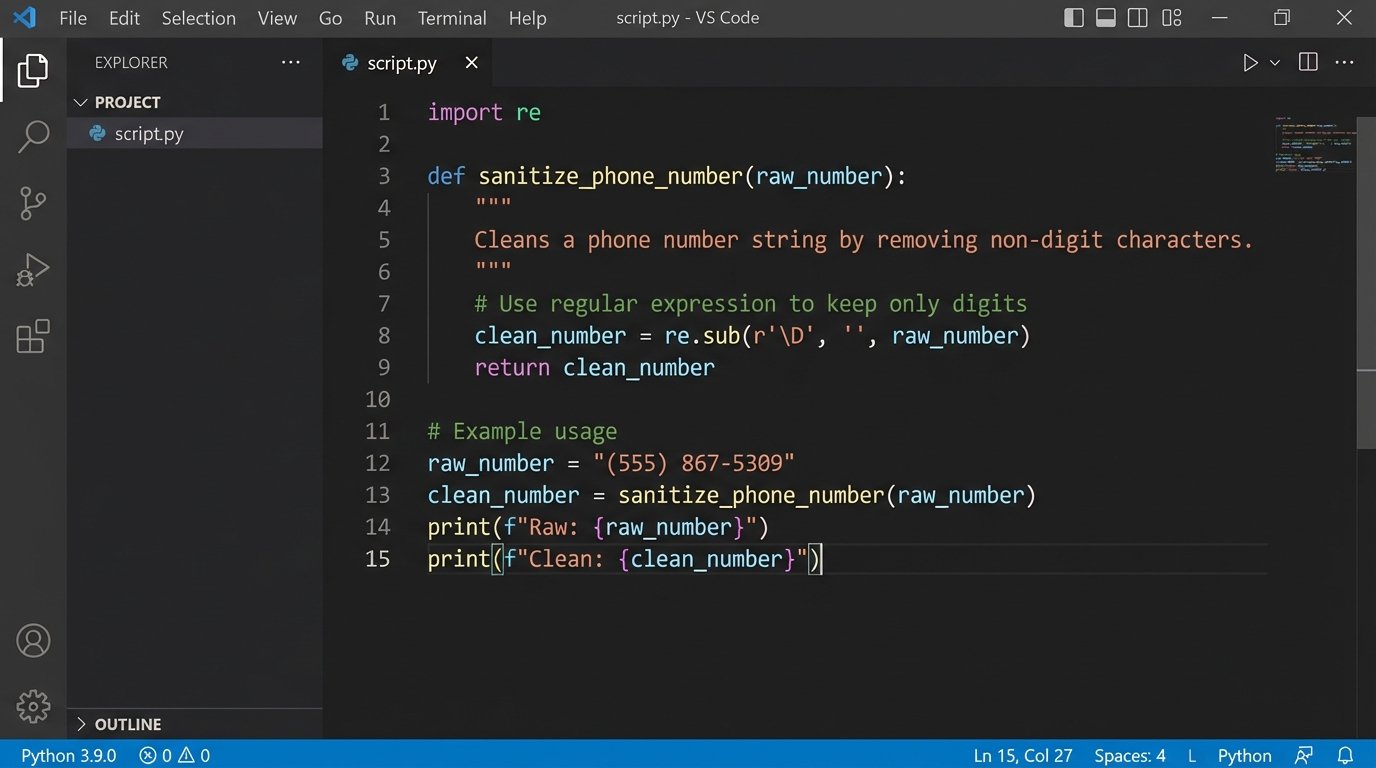
You must build a robust data sanitization function to strip non-numeric characters and format the number correctly. If the number is invalid or missing after sanitization, the process for that specific event must terminate and log an error. Do not proceed with a bad number.
Code: Phone Number Sanitization in Python
Here is a basic Python function using regular expressions to strip a phone number down to the E.164 format. It assumes a US country code if one is not present. This logic must be adjusted for international numbers.
import re
def sanitize_phone_number(phone_str: str) -> str | None:
"""
Strips a phone number string to the E.164 format.
Returns None if the number is fundamentally invalid.
"""
if not phone_str or not isinstance(phone_str, str):
return None
# Remove all non-digit characters
digits = re.sub(r'\D', '', phone_str)
# Basic length check after stripping
if len(digits) < 10:
return None
# Assume +1 if it's a 10-digit US number
if len(digits) == 10:
return f"+1{digits}"
# Handle numbers that already include the country code
if len(digits) == 11 and digits.startswith('1'):
return f"+{digits}"
# For other international formats, this logic would need to be expanded.
# For now, we return it if it starts with a plus and seems plausible.
if phone_str.startswith('+'):
return '+' + digits
return None
# Example Usage:
raw_number = "(555) 867-5309"
clean_number = sanitize_phone_number(raw_number)
# clean_number is now "+15558675309"
This function forces data into a clean state. Without this step, you will get a high rate of `400 Bad Request` errors from your SMS gateway, which pollutes logs and wastes API calls.
Step 3: Implementing Business Logic and Delays
Sending an SMS the second a meeting ends feels intrusive. It screams automation. The system needs to introduce a delay that mimics human behavior. A static delay, like exactly 15 minutes, is better but still predictable. A randomized delay within a reasonable window, for example, between 20 and 45 minutes, is far more effective.
Your logic processor should calculate the `send_at` timestamp and schedule the task. If you are using a serverless architecture, services like AWS Step Functions or Lambda with SQS delay queues are designed for this. A simpler approach is to push the job to a queue with a visibility timeout.
Suppression and Opt-Outs
Not every client should receive a follow-up. You need a suppression mechanism. Before scheduling the SMS, your logic must check against a suppression list. This list could be stored in your CRM or a separate database table. It should contain email addresses or phone numbers of clients who have opted out or who should not be contacted via this automation (e.g., high-value enterprise accounts that require manual handling).
The logic flow is simple:
- Receive validated meeting data.
- Query suppression list with client email/phone.
- If match found, terminate process and log "Suppressed."
- If no match, proceed to schedule the SMS.
This check prevents irritating clients and ensures compliance with communication policies.
Step 4: Integrating with the SMS Gateway
With a validated number and a scheduled send time, the final step is to make the API call to the SMS gateway. Using Twilio as an example, this is a straightforward POST request to their `Messages` endpoint. The request body contains the `To` number, the `From` number (a provisioned Twilio number), and the `Body` of the message.
The message body should be dynamic. Use placeholders to inject the client's first name or the name of the meeting. This personalization is critical. A generic "Thanks for the meeting" is lazy. A message like "Hi [FirstName], thanks for the chat about [MeetingTitle]. I'll send over the proposal tomorrow." is far better.
Handling API Responses and Errors
You must inspect the API response from the gateway. A `201 Created` status code means the message was successfully queued for sending. Anything else is a failure that needs to be logged. A `429 Too Many Requests` means you are hitting rate limits and need to implement backoff logic. A `400 Bad Request` often points to an invalid `To` number that slipped past your validation.
Retrying a failed SMS send is risky. If the failure was due to a network blip, a retry might be fine. If the API call timed out but the gateway actually received and sent the message, a retry will result in a duplicate text. Use idempotency keys if your gateway supports them. This allows you to safely retry a request without the risk of it being processed twice.
# Example cURL command for Twilio API

# Replace placeholders with actual Account SID, Auth Token, and numbers.
curl -X POST 'https://api.twilio.com/2010-04-01/Accounts/ACxxxxxxxxxxxxxxxxxxxxxxxxxxxxx/Messages.json' \
--data-urlencode "To=+15551234567" \
--data-urlencode "From=+15557654321" \
--data-urlencode "Body=Hi Jane, thanks for the chat about the Q3 project kickoff. Talk soon." \
-u ACxxxxxxxxxxxxxxxxxxxxxxxxxxxxx:your_auth_token
This command sends the text. Your application code will do this programmatically, but the structure of the request is identical.
Step 5: Logging, Monitoring, and Maintenance
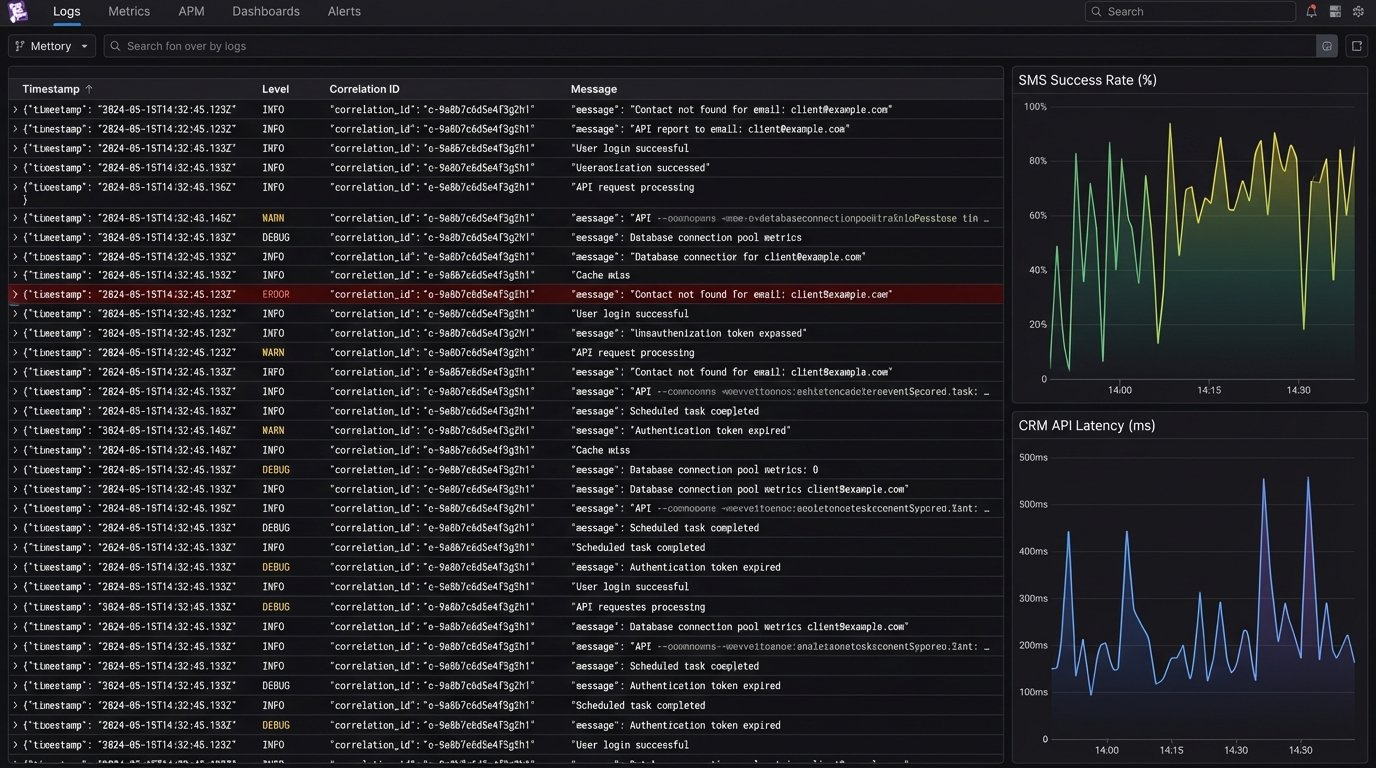
An automation without logging is a black box. You have no idea if it is working or failing silently. Every significant step in the process must generate a structured log entry. A good log entry includes a timestamp, a unique correlation ID for the event, the action being performed, and the outcome.
For example, a failure during CRM lookup should produce a log like:
{"timestamp": "2023-10-27T14:35:12Z", "correlation_id": "evt_123xyz", "level": "ERROR", "module": "crm_lookup", "message": "Contact not found for email: client@example.com"}
These logs should be shipped to a centralized logging platform like Datadog, Splunk, or the ELK stack. From there, you can build dashboards to monitor key metrics: total messages sent, success rate, and error rate by type. Set up alerts for critical failures, like an API key becoming invalid or the error rate spiking above a certain threshold. These alerts should go to a team chat or a paging system.
Long-Term System Health
This system is not "set it and forget it." APIs change. Your CRM schema might be updated, breaking the contact lookup. The SMS gateway might deprecate an endpoint. You need a health check endpoint on your logic processor that external monitoring services can ping. This endpoint should verify API connectivity to the CRM and SMS gateway and return a `200 OK` if all dependencies are healthy.
The primary operational cost will be the per-message fee from your SMS gateway. Monitor this cost closely. If the volume of meetings increases dramatically, the cost will scale linearly. Ensure this is budgeted for. The operational overhead of maintaining the logic processor and logs is usually minor in comparison, especially with a serverless architecture.