The core failure of legal billing isn’t malice, it’s latency. The gap between a time entry and a paid invoice is a chasm filled with manual data entry, partner reviews, and correction cycles. Automating this process isn’t about buying a magic software bullet. It’s about building a logical pipeline that forces data integrity from the point of entry straight through to the accounting ledger.
Most firms believe their billing problem is the final invoice assembly. They are wrong. The problem starts with unstructured, inconsistent time entries logged days after the work was performed. An automation strategy built on a foundation of bad data is just a faster way to generate incorrect bills.
Prerequisites: Clean the Data House First
Before writing a single line of code or configuring a workflow, you must address data hygiene. The goal is to force structured data at the source. This is a non-negotiable first step. Attempting to build logic that interprets vague time entry narratives is a fool’s errand that ends in a mountain of exception-handling code.
Start by enforcing the use of Uniform Task-Based Management System (UTBMS) codes or a similar internal coding standard. This converts descriptive text into a machine-readable format. If your timekeeping system allows free-form text without a linked activity code, you have a data quality crisis. Fix that before you even think about connecting an API to it.
Your pre-automation checklist should look like this:
- Mandatory Task Codes: Time entries must be associated with a predefined activity or expense code. No exceptions.
- Client-Matter ID Enforcement: All entries must be tied to a valid, active client and matter ID that exists in the practice management system (PMS). This prevents “unassigned” time entries that require manual clean-up.
- Rate Table Validation: Attorney and paralegal rates must be stored centrally, not on a spreadsheet. The system should pull the rate based on the user ID, client, or matter type, not rely on manual input.
- API Access: Confirm your PMS has a stable, documented REST or SOAP API. If you only have CSV exports, you aren’t building an automation, you’re building a fragile import script that will break.
Skipping this stage means your expensive new automation will spend 80% of its time flagging entries for human review, defeating the entire purpose.
The Core Architecture: A Three-Stage Pipeline
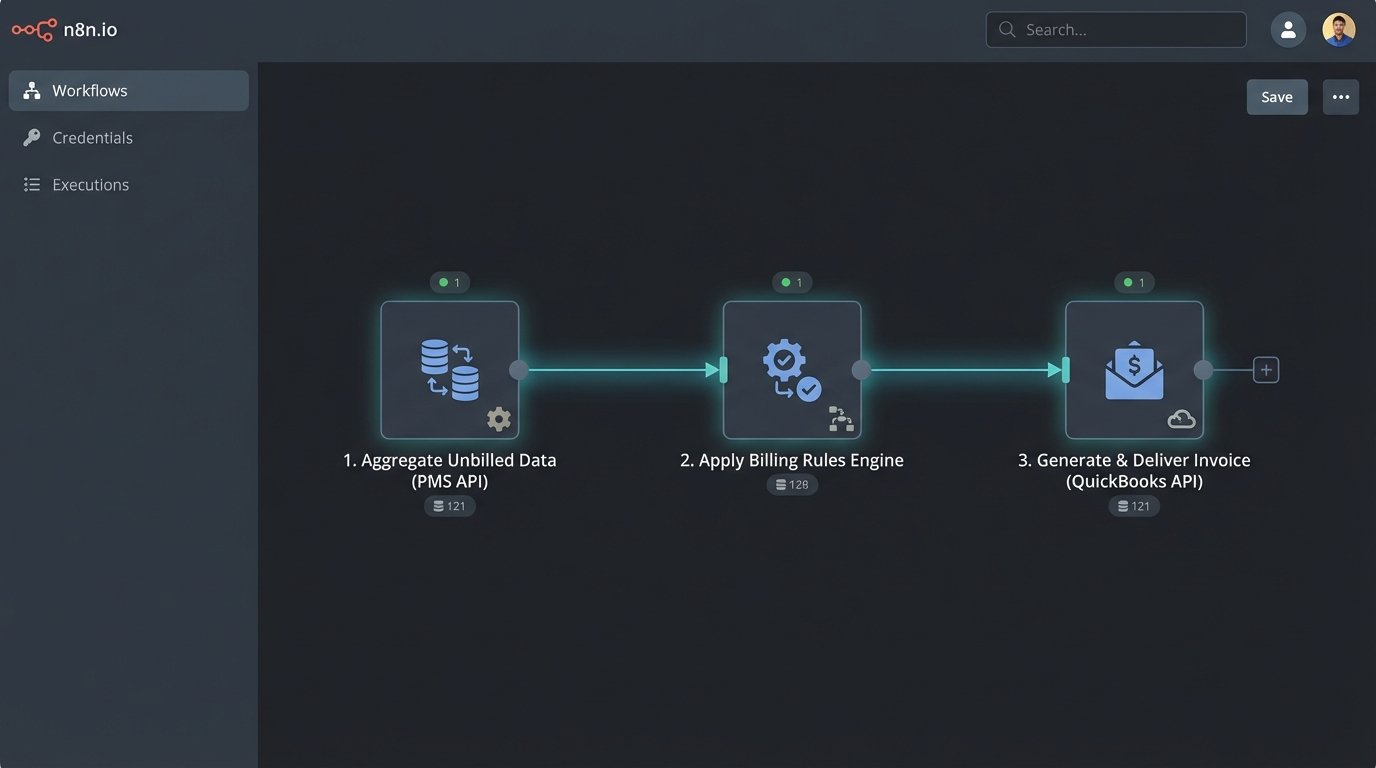
A durable billing automation is not a single application. It’s a pipeline of discrete services that perform specific functions: data aggregation, rule application, and invoice generation. Decoupling these stages prevents a failure in one part from collapsing the entire system. It also simplifies debugging when an invoice is inevitably calculated incorrectly.
Stage 1: Data Aggregation from Source Systems
The first component’s only job is to pull raw, unbilled data from its sources. This is typically your PMS, but can also include expense management tools like Expensify or e-discovery platforms that have their own billable metrics. The goal is to collect all billable activities into a single, standardized JSON format. This component acts as an abstraction layer, insulating the rest of your process from the quirks of each source API.
Connecting to a modern cloud-based PMS like Clio or MyCase is straightforward. They offer well-documented REST APIs with OAuth 2.0 for authentication. The script connects, authenticates, and pulls all time and expense entries where the `status` field is `unbilled` or the `invoice_id` is null. The real pain comes from legacy, on-premise systems. Their APIs are often poorly documented, use archaic authentication methods, and have aggressive rate-limiting that forces you to pull data in small, slow batches.
This is where most of the initial build time goes. You are essentially building a custom adapter for each data source to normalize its output. A time entry from your PMS and an expense entry from your accounting software look nothing alike. This stage’s job is to hammer them into a consistent structure.
The output of this stage should be a clean array of JSON objects, with each object representing a single billable line item, regardless of its origin.
Stage 2: The Rules Engine
Once you have standardized data, you can apply the billing logic. This is the brain of the operation. The rules engine ingests the JSON array from the aggregation stage and performs the calculations. This component should be stateless, meaning it only processes the data it’s given and doesn’t store any information itself. This makes it predictable and easy to test.
Key functions of the rules engine include:
- Rate Application: Matching the timekeeper’s ID on a time entry to the correct rate from a central rate table. It must handle complexity, like client-specific rates or blended rates.
- Discount Logic: Applying volume-based or client-negotiated discounts. This logic should be data-driven, pulling discount rules from the matter file, not hard-coded into the application.
- Expense Markup: Applying standard percentage-based markups to expenses like photocopies or expert witness fees.
- Billing Caps and Thresholds: Checking if a matter has a billing cap and flagging invoices that are approaching or exceeding it.
Building this logic often involves more than just simple math. For instance, some clients might have “do not bill” rules for intra-office communications or for time entries under a certain duration (e.g., 0.1 hours). These rules must be configured and applied systematically.
Here’s a simplified Python example demonstrating a basic rules engine that applies a rate and checks for a minimum time entry threshold. It assumes you’ve already aggregated the data into a list of dictionaries.
import json
# Dummy rate table, in a real system this comes from a database or API
RATE_TABLE = {
"attorney_01": 550.00,
"paralegal_01": 200.00
}
MINIMUM_BILLING_INCREMENT = 0.1
def apply_billing_rules(line_items):
processed_items = []
error_items = []
for item in line_items:
if item.get("type") == "time_entry":
user_id = item.get("user_id")
hours = item.get("hours", 0)
# Rule 1: Check for minimum billing increment
if hours < MINIMUM_BILLING_INCREMENT:
item["error"] = "Hours below minimum billing increment."
error_items.append(item)
continue # Skip this item
# Rule 2: Apply the rate
if user_id in RATE_TABLE:
rate = RATE_TABLE[user_id]
item["rate"] = rate
item["total"] = round(rate * hours, 2)
processed_items.append(item)
else:
item["error"] = f"No rate found for user_id: {user_id}"
error_items.append(item)
return processed_items, error_items
# Example input data aggregated from a PMS
unbilled_data = [
{"item_id": "te_101", "type": "time_entry", "user_id": "attorney_01", "hours": 2.5},
{"item_id": "te_102", "type": "time_entry", "user_id": "paralegal_01", "hours": 0.05},
{"item_id": "te_103", "type": "time_entry", "user_id": "attorney_02", "hours": 1.0}
]
# Run the engine
final_line_items, exceptions = apply_billing_rules(unbilled_data)
print("--- Processed Line Items ---")
print(json.dumps(final_line_items, indent=2))
print("\\n--- Items for Manual Review ---")
print(json.dumps(exceptions, indent=2))
This code correctly processes the first item but flags the second for being below the minimum increment and the third for having no defined rate. This is the core function: automate what's correct, and quarantine what's not.
Stage 3: Invoice Generation and Delivery
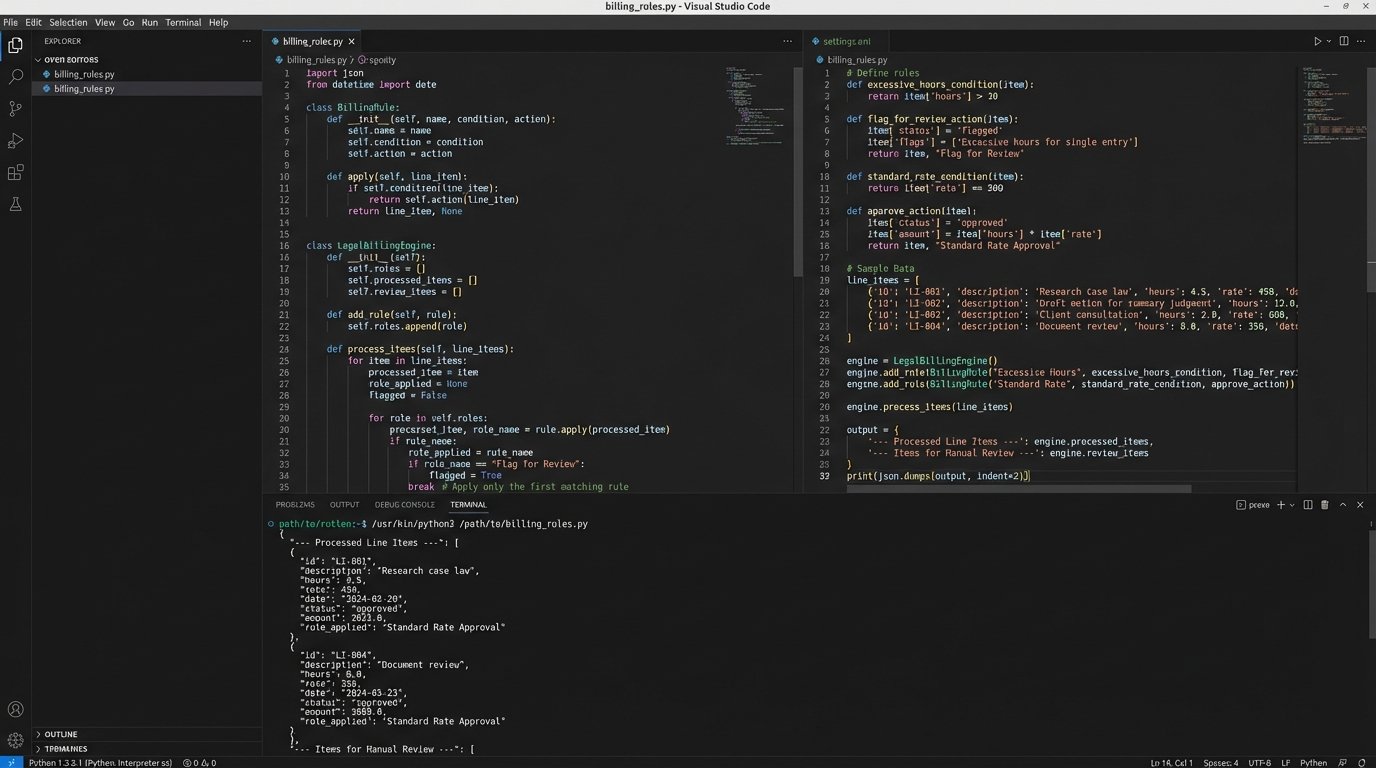
After the rules engine calculates the totals, the final stage generates the invoice document and delivers it. You have two primary paths here. The first path is to push the processed line items into your firm's accounting software (e.g., QuickBooks, Xero) via its API. The accounting system then handles the actual invoice formatting, numbering, and delivery. This is the preferred method as it keeps your financial records centralized.
The second path is to use a dedicated invoice generation service like an API for PDF creation. This gives you absolute control over the invoice's appearance but requires you to manage the delivery (e.g., via an email API like SendGrid) and the payment tracking yourself. This path is a wallet-drainer in terms of development time and complexity.
Whichever path you choose, the key is to receive a confirmation back from the destination system. When you push an invoice to QuickBooks, you need to get the new QuickBooks invoice ID back. You then write this ID back to the source time and expense entries in your PMS, marking them as `billed`. This closes the loop and prevents them from being pulled into the next billing run.
This final write-back step is critical. Failure to update the source system guarantees duplicate billing, a mistake that destroys client trust instantly.
Validation and Error Handling: The Human-in-the-Loop Failsafe
No automation is perfect. An API will go down. A new attorney will be added without a rate in the system. A client will demand a last-minute change. A robust system anticipates these failures and builds a process for human intervention. This is not a weakness. It is a fundamental design requirement.
Your automation should not fail silently. When the rules engine encounters an entry it cannot process, like the example code did, it must shunt that item into an exception queue. This is a dedicated dashboard or report that a billing coordinator reviews. The interface should allow them to correct the data (e.g., assign the correct rate) and re-submit the item to the pipeline.
Building this entire system is like trying to connect modern fiber optic cable to old copper wiring. The new, clean automation logic is the fiber, but it has to interface with the legacy data and messy human processes of the firm. The exception queue is the junction box where a technician can manually fix the signal.
Another layer of validation is the pre-billing report. Before the invoices are sent to clients, the system should generate a summary draft for each responsible partner. This gives them a final chance to review the totals and line items. This can be a simple PDF sent to their email with two buttons: "Approve" or "Reject." An approval sends the invoice to the delivery stage. A rejection sends it to the billing coordinator's queue with the partner's notes attached.
The Hidden Costs and Operational Drag
The initial build is only half the battle. The long-term cost is in maintenance. Your PMS vendor will update their API, sometimes with breaking changes. Your accounting software will change its authentication method. These external dependencies mean your automation requires constant monitoring and occasional refactoring.

You also have to account for logical drift. As the firm signs new clients, they will come with bizarre, one-off billing arrangements that your rules engine was not designed to handle. You now face a choice: either force the client into a standard arrangement or spend development resources adding more complexity to the rules engine. Each new rule adds another potential point of failure.
The truth about billing automation is that it doesn't eliminate the need for a billing department. It changes their job. Instead of manually creating every invoice, they become system operators who manage exceptions, update billing rules, and analyze the output. It is a shift from repetitive data entry to higher-value system oversight.
This is not a project you finish. It is a system you adopt and continuously refine. If you approach it with the expectation of a "set it and forget it" solution, you are setting yourself up for a long, painful support cycle.