Most legal automation projects are dead on arrival. They fail not because the logic is flawed or the API is buggy, but because the initial diagnosis of the problem was wrong. The project sponsors bought a solution to a symptom, ignoring the systemic disease in their data hygiene or internal workflows. What you get is a high-priced script that automates the generation of garbage.
This is not a guide for managers. This is a field manual for the engineers and ops specialists who get the late-night call when a production workflow stalls. We will bypass the sales pitches and focus on the architectural weak points that turn promising automation into a support ticket nightmare. The goal is not to “streamline” anything. It is to build a system that fails predictably and can be debugged without a week of forensic analysis.
Pitfall 1: Choosing Tools Based on the Demo
The sales demo is a controlled environment. The data is clean, the API endpoints are responsive, and the use case is a perfect fit. Your firm’s environment is none of these things. Selecting a platform based on its slick user interface without first interrogating its core architecture is the first step toward failure. The critical questions are not about features, but about integration and failure tolerance.
You must get your hands on the API documentation before any contract is signed. Look for signs of decay: endpoints deprecated three years ago, authentication methods that rely on static API keys instead of OAuth2, or rate limits so low they preclude any serious data migration. This documentation tells you more about the company’s engineering culture than any marketing material ever will.
If the documentation is protected behind a sales-call wall, that is a massive red flag.
The Integration Test You Must Run
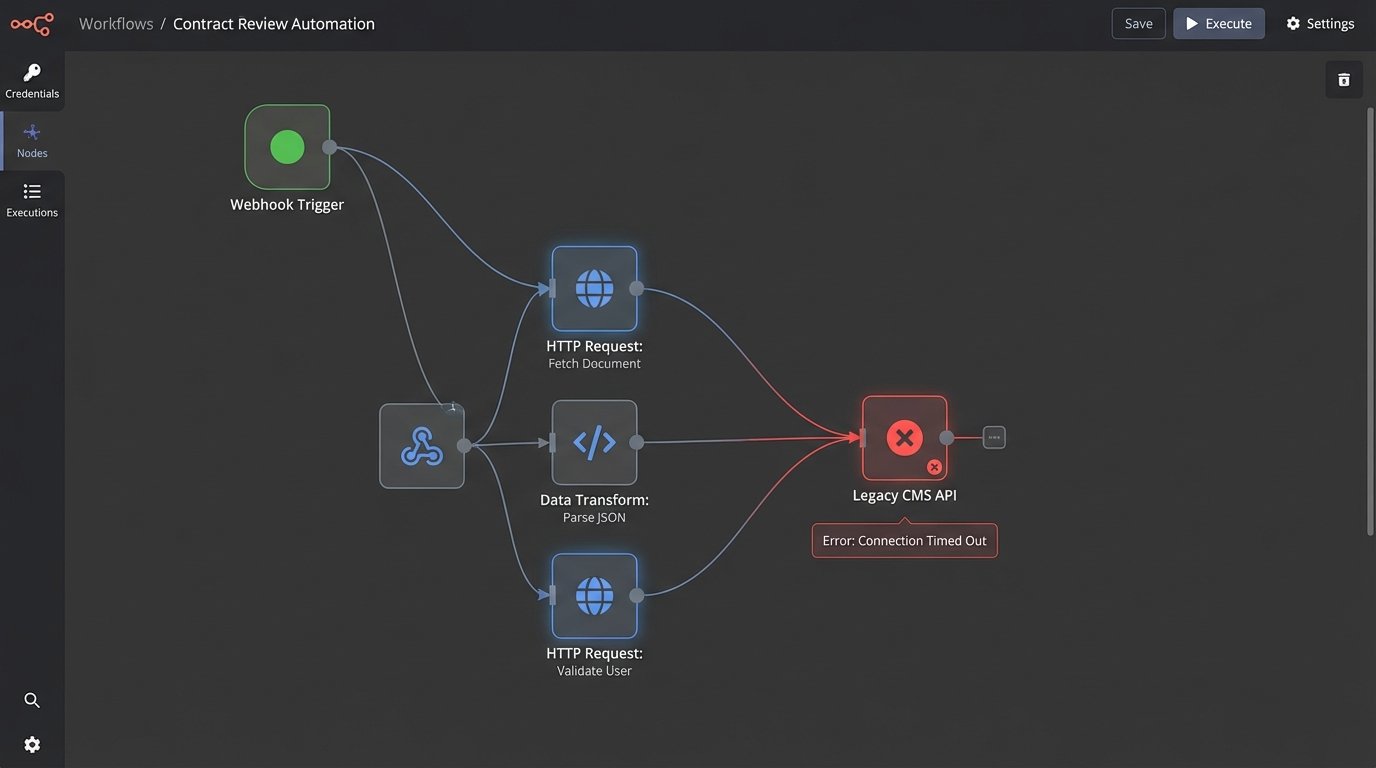
Before committing, demand sandbox access and perform a simple “handshake” test. Your objective is to connect to their system, pull a sample record, modify it, and push it back. This simple sequence reveals the true nature of their API. Is the authentication flow a nightmare? Are the error messages cryptic? How long does it take for a simple write operation to commit?
A sluggish API in a sandbox environment will be a complete wallet-drainer in production, forcing you to build complex queuing systems and retry logic just to compensate for its poor performance. You are not just buying a tool. You are shackling your firm to its technical debt.
Your firm probably has a legacy case management system with a non-existent or poorly documented SOAP API. The shiny new tool must be able to communicate with this dinosaur. If the vendor’s answer is “You can use our generic webhook trigger,” what they are really saying is “That is your problem.” You will spend the next six months writing a brittle middleware service to bridge the two systems. Demand to see a pre-built connector or a clear path to building one that does not involve you reverse-engineering their entire platform.
Pitfall 2: Trusting Your Source Data
Never assume your data is clean. Years of manual entry by paralegals and attorneys with no enforced data validation standards create a minefield of inconsistencies. Dates are stored as free-text strings in three different formats. Case numbers have leading zeros in one system and not another. Client names contain typos, abbreviations, and extraneous characters.
Building an automation on top of this data is like building a house on a swamp. The foundation will shift, and the structure will collapse. Your first operational step, before any workflow logic is built, is a deep data audit. Profile the critical fields you intend to use. Identify all unique formats, outliers, and null values. This audit dictates the scope of your first required component: a data-cleansing pre-processor.
This is non-negotiable.
Forcing Structure with a Pre-Processing Layer
Your pre-processor is a dedicated script or service that intercepts raw data, forces it into a standardized format, and then feeds it to your primary automation engine. It is the bouncer at the door, checking IDs and throwing out the trouble. Forcing a US phone number into a consistent E.164 format or stripping special characters from a client name are typical tasks for this layer.
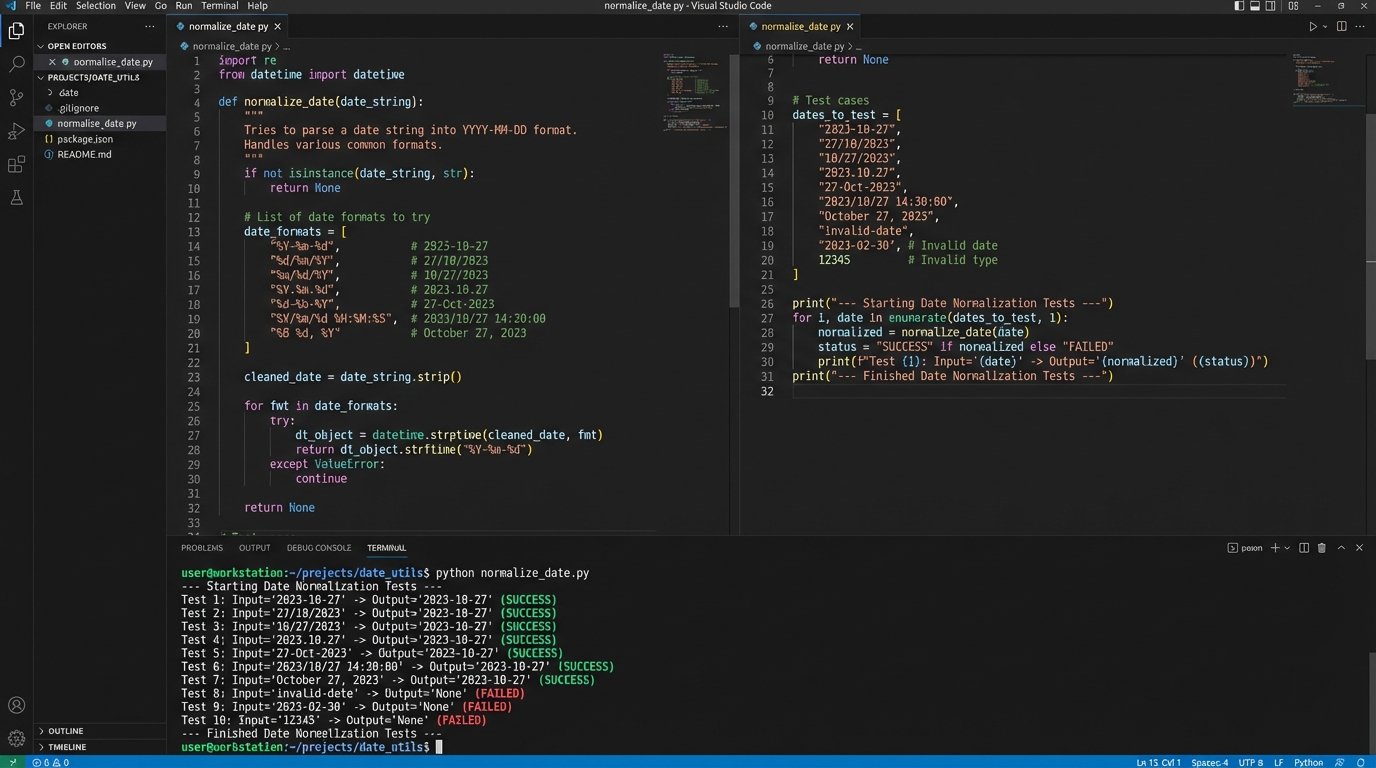
Consider this simple Python function using regex to normalize varied date formats. It expects a string and attempts to parse it against a list of known bad formats, returning a standardized ISO 8601 string. If no format matches, it logs an error and rejects the record.
import re

from datetime import datetime
def normalize_date(raw_date_string):
"""
Attempts to parse a date string from common non-standard formats.
Returns an ISO 8601 formatted string or None if parsing fails.
"""
if not isinstance(raw_date_string, str):
return None
formats_to_try = [
'%m/%d/%Y', # "12/31/2023"
'%m-%d-%y', # "12-31-23"
'%B %d, %Y', # "December 31, 2023"
]
for fmt in formats_to_try:
try:
# Strip whitespace and attempt to parse
dt_obj = datetime.strptime(raw_date_string.strip(), fmt)
return dt_obj.isoformat()
except ValueError:
continue
# If all formats fail, return None to flag for manual review
return None
# Example Usage
date1 = "10/25/2024"
date2 = " November 01, 2023 "
date3 = "2023-12-15" # This would fail and return None
print(f"'{date1}' -> {normalize_date(date1)}")
print(f"'{date2}' -> {normalize_date(date2)}")
print(f"'{date3}' -> {normalize_date(date3)}")
This script is the difference between a reliable automation and one that silently corrupts records because it misinterpreted “01-02-23” as February 1st instead of January 2nd. Every automation that touches user-generated data needs this type of defensive programming.
Pitfall 3: The Black Box Automation
An automation without detailed, accessible logging is a liability. When it fails, and it will fail, you will have no idea why. Was it bad data? A temporary network hiccup? A change in a third-party API? Without logs, you are guessing. Debugging becomes a process of adding print statements and re-running the process, a primitive and time-consuming method.
Your automation must be built to be observable. Every significant step in the process should generate a structured log entry. This is not a simple text file with “Process completed” messages. It is a machine-readable record, typically in JSON format, that includes a timestamp, a process ID, the current state, the data payload being processed, and any error messages. This allows you to reconstruct the exact state of the system at the time of failure.
An unlogged automation is like a submarine with a sealed hull. You have no idea if the crew is operating normally or if they have all passed out from a CO2 leak. You only find out something is wrong when it fails to surface.
Architecture for Observability
Good logging requires a plan. Centralize your logs in a system like Elasticsearch, Splunk, or Datadog. This allows you to search, filter, and create dashboards to monitor the health of your automations. Do not scatter log files across multiple servers. That approach does not scale and makes root cause analysis nearly impossible.
A solid log entry should contain, at a minimum:
- timestamp: ISO 8601 format with timezone.
- correlation_id: A unique ID that tracks a single transaction across multiple systems.
- process_name: The name of the automation or workflow.
- log_level: INFO, WARNING, ERROR, CRITICAL.
- message: A human-readable description of the event.
- payload: A snapshot of the data being processed. Be careful to scrub sensitive PII.
Equally important is error handling and notification. When a process fails critically, it should not just die silently. It must trigger an alert. This could be an email to a support group, a message in a Slack channel, or a ticket in a system like Jira. The alert must contain the correlation ID and a direct link to the logs for that specific failure. This cuts debugging time from hours to minutes.
Pitfall 4: Automating a Broken Process
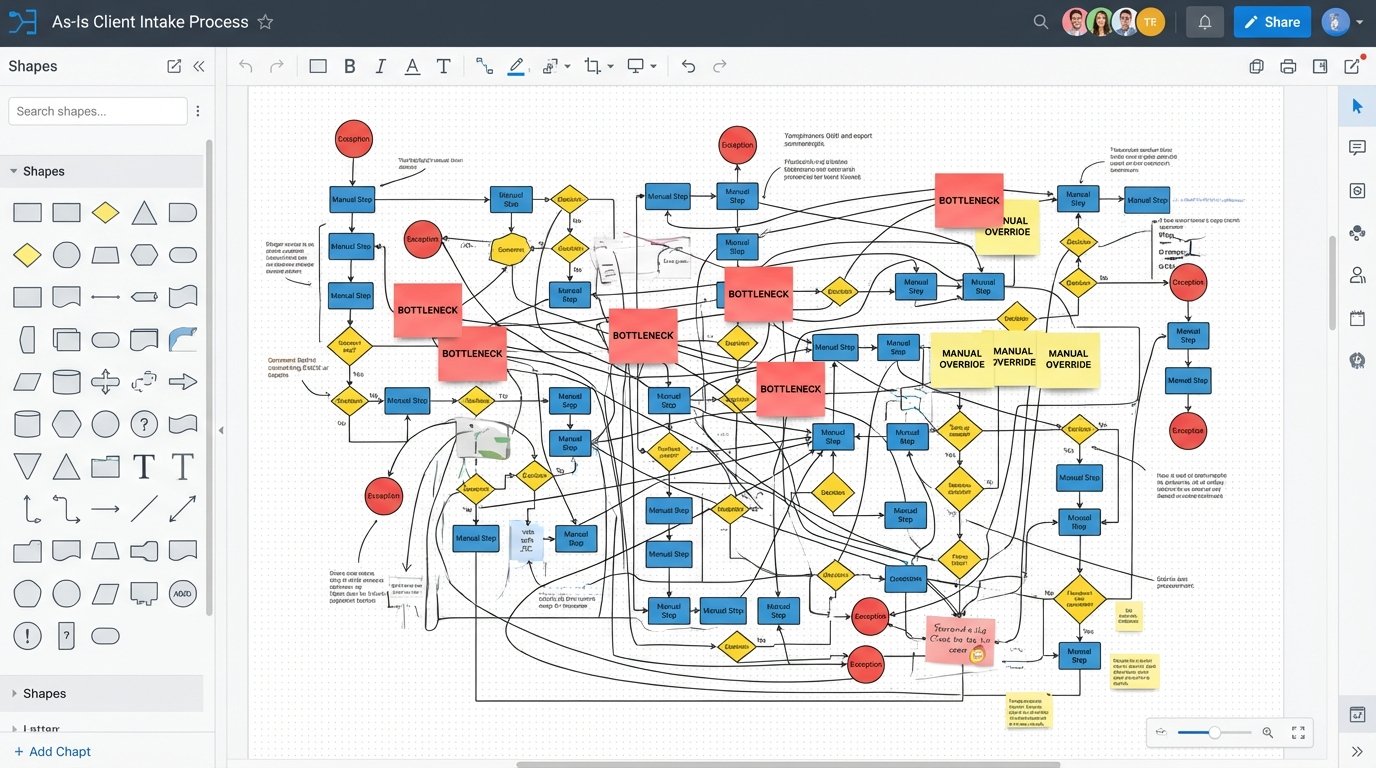
You cannot fix a broken manual process by automating it. You will only make the broken process execute faster, generating more errors and bad outcomes at a scale you cannot manage. Before writing any code, you must map the existing human workflow from start to finish. Identify every decision point, every manual override, and every exception.
This mapping exercise often exposes the real problems. You might find that the intake team uses a workaround to bypass a required field in the CMS, which the billing team then has to fix manually. Automating this workflow as-is would simply codify the workaround and perpetuate the data integrity issue. The process must be fixed first. This is a political and operational challenge, not a technical one, but it is the engineer’s responsibility to force the issue.
Refuse to automate a process until the stakeholders can provide a clear, unambiguous flowchart of how it should work, including all exception paths.
Deconstruct and Rebuild for Automation
Once you have a map of the current, flawed process, your job is to deconstruct it and design a new one that is fit for automation. This means removing ambiguity. An automation cannot “use its best judgment.” Every decision point must be translated into a rigid set of if-then-else conditions.
Look for opportunities to replace manual discretion with data validation. Instead of having a paralegal check if a client’s address is valid, integrate with an address validation API. Instead of having someone manually confirm a case number exists, have the automation query the CMS directly. The goal is to strip human variability out of the core process, reserving human intervention for true exceptions that the automation flags for review.
This often results in a workflow that looks very different from the manual original. It will be more linear, with fewer forks and special conditions. This is not a limitation. It is a strength. A simpler, more rigid process is more reliable, easier to monitor, and far easier to debug when something goes wrong.