
The core liability of manual scheduling is not the time wasted by paralegals. It is the data drift between your case management system and the calendars where attorneys actually live. Every manually keyed court date, deposition, or client meeting is a potential point of failure. The firm’s official record in Clio or PracticePanther says one thing, while an attorney’s Outlook says another. This is how deadlines get missed.
The Anatomy of Calendar Fragmentation
In most firms, scheduling data is a fractured mess. The CMS holds the master record for case deadlines. Individual attorneys manage their availability and appointments in Outlook or Google Calendar. Paralegals and legal assistants often maintain separate spreadsheets or physical dockets as a tertiary backup system. This creates at least three sources of truth, none of which are ever in perfect sync.
This fragmented architecture forces constant, manual reconciliation. An assistant spends hours each week cross-referencing the CMS against multiple attorney calendars to find a slot for a simple client call. A change in a court date requires updating the CMS, notifying the team, and then individually adjusting multiple calendars. Each step is an opportunity for human error. The cost is not just the assistant’s salary. It is the operational drag and the ever-present risk of a critical mistake.
The technical solution is not to buy a new tool. It is to build a logical bridge that forces these disparate systems into a single, synchronized state. The goal is to make the CMS the undisputed source of truth and to treat calendars as simple, disposable views of that data. Any event that matters to a case must originate or be mirrored in the CMS, with automation handling the propagation to other systems.
Building the API Bridge: A Centralized Logic Layer
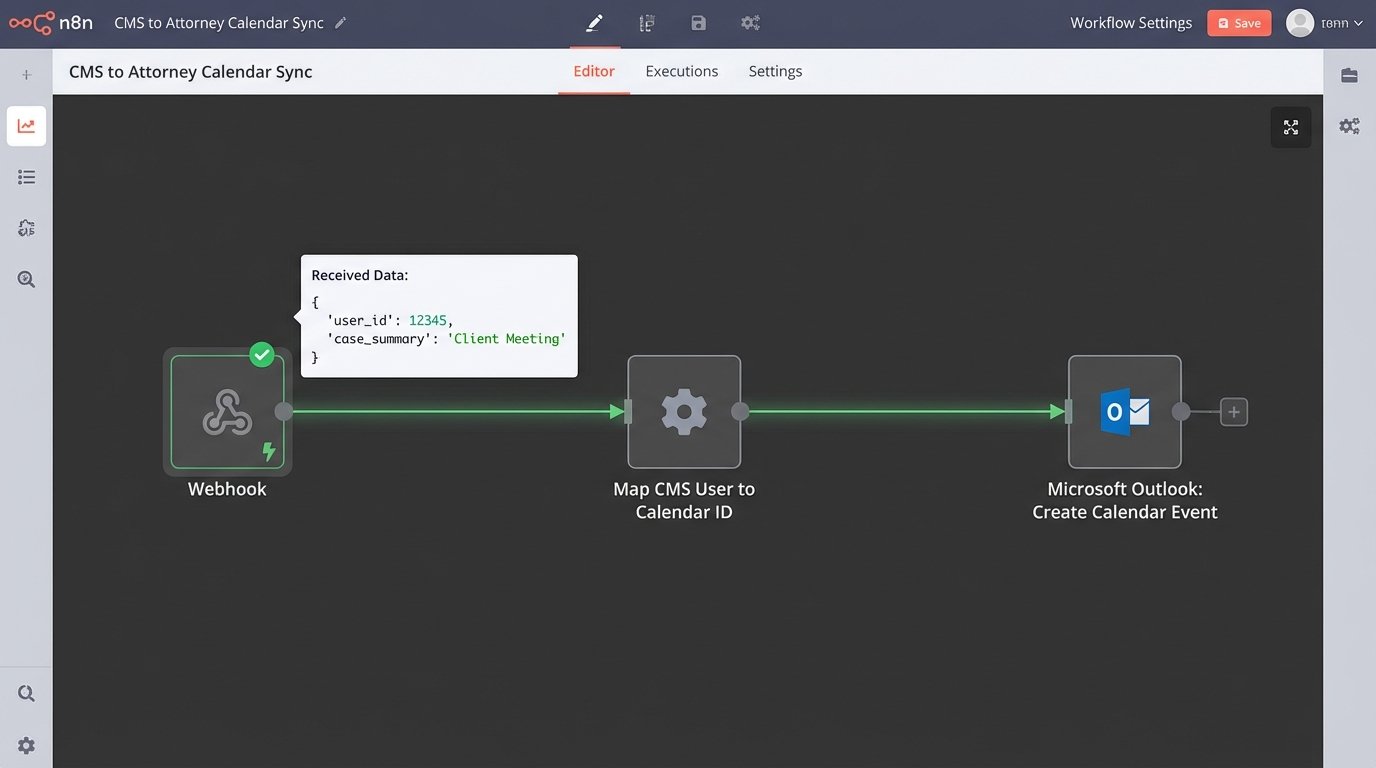
Forget off-the-shelf scheduling links for a moment. The foundational piece of any serious calendaring automation is a middle layer of logic that sits between your CMS and your calendar provider. This can be a small service running on AWS Lambda, a Power Automate flow, or a custom application. Its job is to listen for events, translate data, and enforce business rules.
The primary trigger is a webhook from your CMS. When a key date is created or updated for a matter, the CMS should fire a POST request to an endpoint you control. This payload contains the event details, like the date, time, description, and associated matter ID. The service then has one job: inject this event into the correct calendars via the Microsoft Graph API or Google Calendar API.
A typical event payload from a modern CMS might look something like this:
{
"eventId": "evt_1a2b3c4d5e",
"eventType": "deadline.updated",
"matterId": "mat_f6g7h8i9j0",
"eventDetails": {
"title": "Response to Plaintiff's Motion to Compel",
"startTimeUtc": "2024-09-15T23:59:59Z",
"endTimeUtc": "2024-09-16T00:00:00Z",
"isAllDay": true,
"location": "E-filed",
"description": "Rule 34 response due for case 23-CV-8192."
},
"assignedUsers": ["user_kl1m2n3o4p", "user_qr5s6t7u8v"]
}
Your service receives this JSON. It then needs to map the `assignedUsers` to their actual calendar IDs and construct a valid API request for the calendar provider. This mapping is critical. You must maintain a reliable link between a user ID in your CMS and their email address or principal name in Office 365 or Google Workspace.
This architecture stops data drift cold. An attorney can no longer have a deadline on their calendar that does not exist in the CMS. The flow of information is one way, from the system of record to the presentation layer.
Handling Updates and Deletions
Creating events is straightforward. The real test of the system is how it handles changes. When a court reschedules a hearing, the `deadline.updated` webhook fires again. Your service must not create a duplicate event. It must find and modify the existing one. This is typically done by storing the calendar provider’s unique event ID within the CMS as a custom field associated with the deadline.
When the initial event is created, the Graph API returns an `id`. You must make a subsequent API call back to your CMS to save this ID. Your webhook logic should then follow a simple path:
- Check if a calendar event ID already exists for this CMS deadline.
- If yes, execute a `PATCH` request to update the event.
- If no, execute a `POST` request to create a new event and store its ID.
Deletion follows a similar pattern. A `deadline.deleted` event from the CMS triggers a `DELETE` request to the calendar API, using the stored event ID. This ensures that canceled appointments are automatically removed from calendars, preventing attorneys from showing up to hearings that no longer exist.
Automating Client-Facing Scheduling
Once the internal calendar is disciplined, you can expose controlled scheduling to clients. This is where tools like Calendly, Acuity, or Microsoft Bookings enter the picture. However, they should not be used as standalone systems. They must be integrated to feed data back into the central architecture.
The goal is to allow a client to book an initial consultation or a follow-up call without any human intervention from the firm. The scheduling tool handles the front-end complexity of checking attorney availability and presenting open slots. The availability it checks should be drawn from the attorney’s primary calendar, which is already being managed by the CMS bridge.
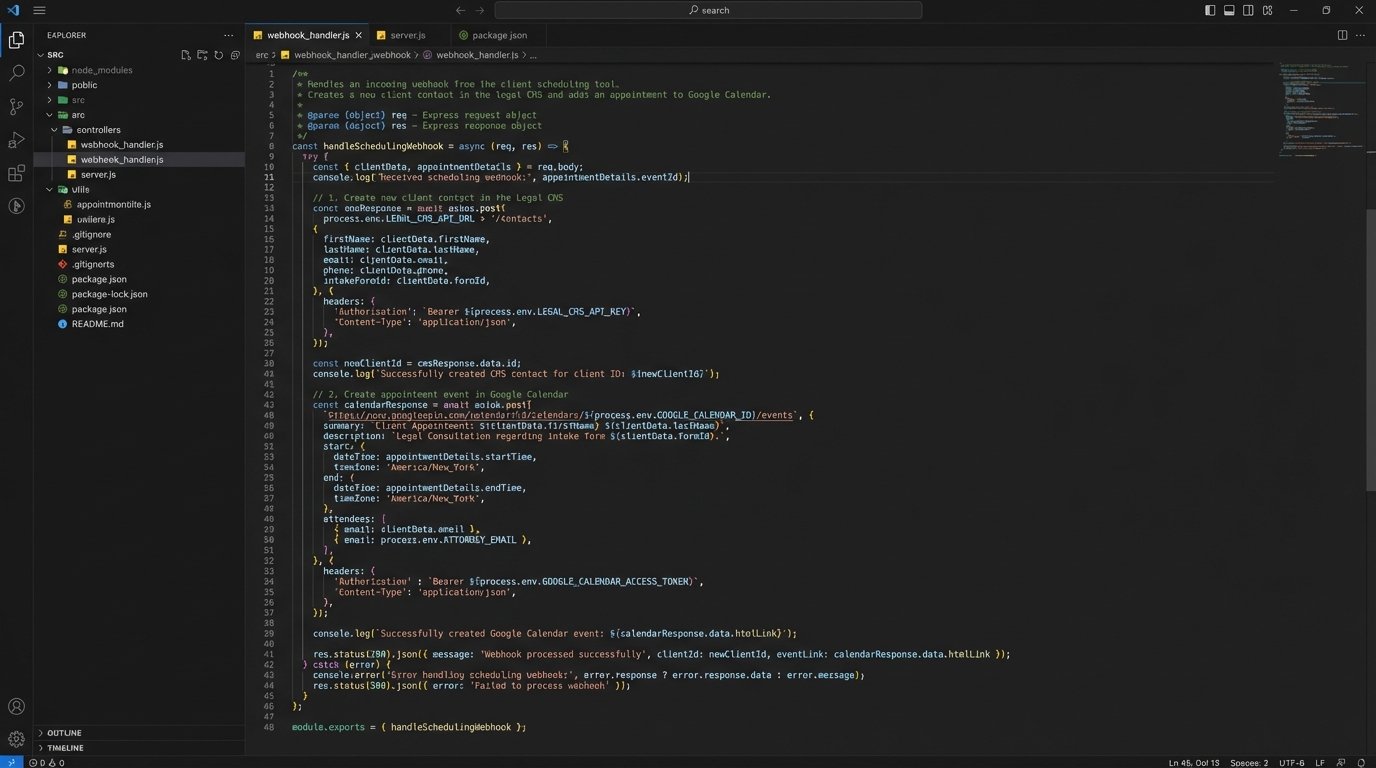
When a client books a meeting, the scheduling tool fires its own webhook. Your service catches this payload. This is where the real automation value emerges. The service should perform a series of actions:
- Parse the Client Data: Extract the client’s name, email, and phone number from the webhook payload.
- Check for Existing Contact: Query your CMS API to see if a contact with that email address already exists.
- Create or Update: If the contact does not exist, create a new one. If they do exist, add an activity note to their record detailing the newly scheduled meeting.
- Create the Calendar Event: Inject the event onto the attorney’s calendar via the Graph or Google API. The event description should contain a link back to the contact record in the CMS for easy access.
This process transforms a simple scheduling tool into a lead intake and client management engine. A new lead can go from your website to a booked consultation on an attorney’s calendar and a new contact record in your CMS in seconds, with zero manual data entry. The reduction in administrative overhead is immediate.
The Direct Mechanics of Cost Reduction
The financial argument for this level of automation is built on three pillars: reclaimed labor costs, reduced client friction, and mitigated risk.
Pillar 1: Reclaimed Administrative Hours
Calculate the time your support staff spends on scheduling. This includes finding meeting times, sending confirmation emails, rescheduling, and manually entering data into the CMS. For a small firm, this can easily be 10 to 15 hours per week. At a blended rate of $30/hour for a paralegal or assistant, that is $1,800 to $2,700 per month in pure labor cost dedicated to a low-value, automatable task.
An automated system eliminates the back-and-forth email chains. It stops the manual data entry. The time saved can be reallocated to higher-value work like drafting documents, client communication, or case preparation. The return is not just the saved salary expense. It is the increased output of your existing staff.
Pillar 2: Fewer No-Shows and Last-Minute Cancellations
Manual reminder systems are unreliable. An automated workflow is not. You can configure a sequence of reminders to be sent without any human involvement. A common, effective sequence is:
- An email confirmation immediately upon booking.
- An email reminder 24 hours before the appointment.
- An SMS reminder 1 hour before the appointment.
Each message can be sent automatically by your central service, triggered by the event’s start time. Integrating with an SMS provider like Twilio is a trivial API call. Reducing the no-show rate for initial consultations directly impacts revenue. If an attorney’s billable rate is $400/hour, avoiding just two missed appointments a month pays for the entire technical infrastructure.
// Simplified Twilio API call example
curl -X POST https://api.twilio.com/2010-04-01/Accounts/ACxxxxxxxx/Messages.json \
--data-urlencode "To=+15558675309" \
--data-urlencode "From=+15017122661" \
--data-urlencode "Body=Reminder: Your consultation with Smith Law is in 1 hour." \
-u ACxxxxxxxx:your_auth_token
This small piece of code, triggered by a time-based automation, is more reliable than any human assistant with a task list. It does not forget, get distracted, or call in sick.
Pillar 3: Mitigation of Malpractice Risk
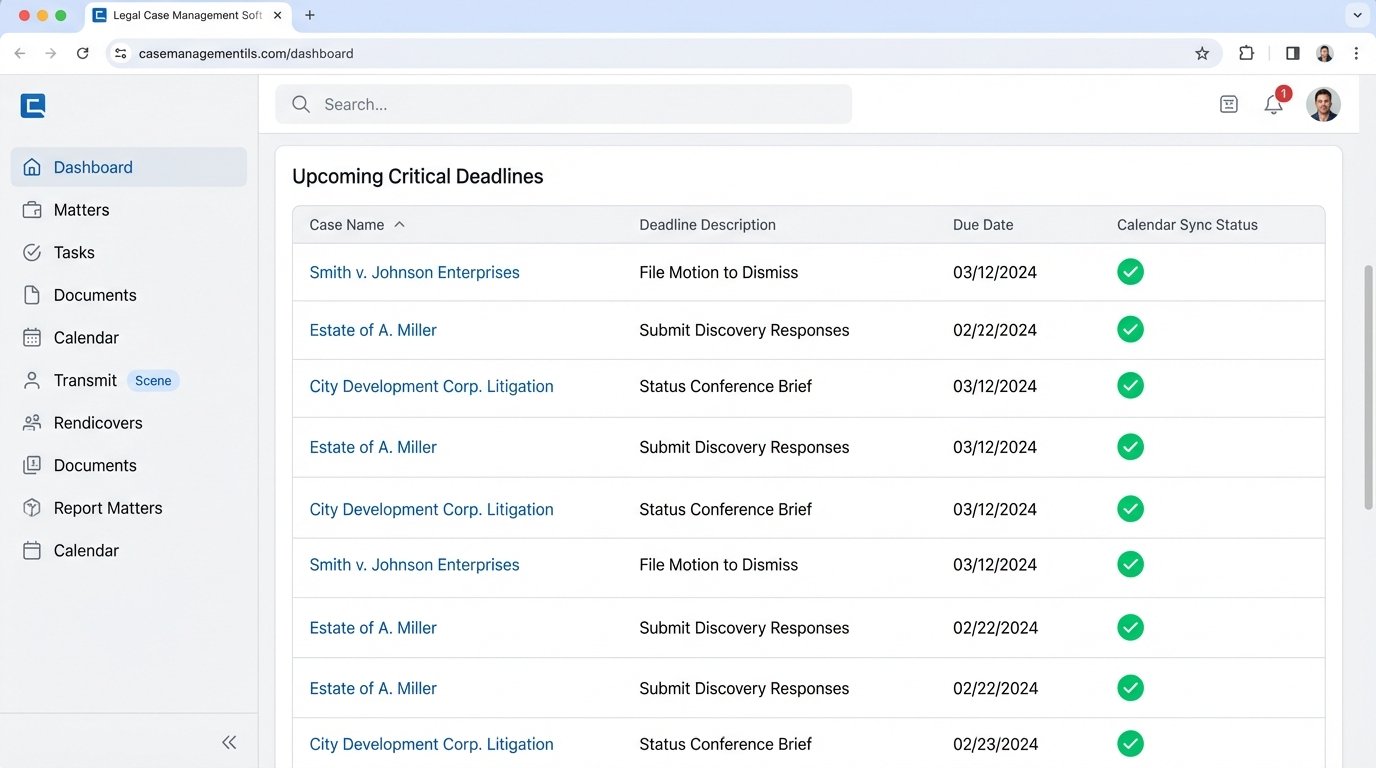
This is the most critical and least discussed benefit. A single missed statute of limitations can destroy a firm. Manual docketing is a massive source of malpractice claims. An automated system that pulls deadlines directly from court notices or calculates them based on case-specific rules and injects them into the official record and attorney calendars is a powerful risk management tool.
The logic can be complex, involving rulesets for different jurisdictions and types of filings. But once built, this system acts as an infallible backstop. It ensures that critical dates are not just written down, but are actively placed in the daily workflow of the responsible attorneys. The cost of building this system is insignificant compared to the cost of a single malpractice lawsuit.
Implementation Realities and Pain Points
This is not a plug-and-play solution. The primary obstacle is often the quality of your CMS API. Older, on-premise case management systems may have poorly documented or nonexistent APIs. Getting data out of them might require direct database queries or custom exports, which are brittle and prone to breaking.
Authentication is another significant hurdle, particularly with Microsoft. Setting up an application in Azure Active Directory and navigating the OAuth 2.0 client credentials flow to get an access token for the Graph API is not a simple task. It requires a specific technical skillset and a tolerance for opaque Microsoft documentation.
Finally, data hygiene is paramount. The system is only as good as the data it receives. If matter names are inconsistent or user profiles are incomplete, the automation will fail. A significant part of any implementation project is cleaning up the source data in the CMS before a single line of code is written. This is often the most time-consuming part of the process.
The investment, however, is not just in technology. It is a structural investment in operational discipline. It forces the firm to adopt standardized processes and treat its case data as the core asset it is. The cost savings are a byproduct of creating a more resilient, error-resistant, and efficient legal practice.