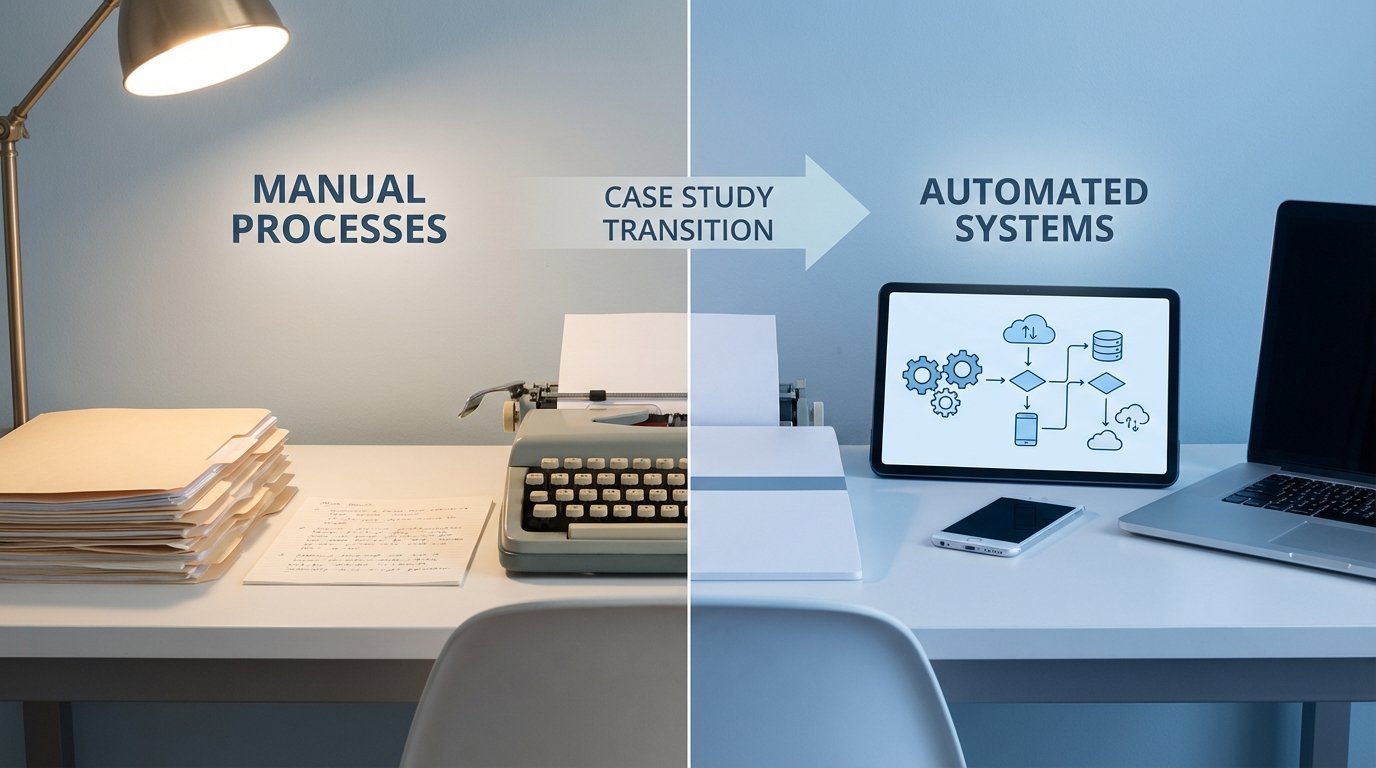
Most case studies on legal automation are marketing fluff. They present a polished, frictionless narrative that conveniently ignores the reality of implementation. The truth is that dragging a small law firm from a paper-and-spreadsheet disaster into a state of basic automation is a brutal, messy process. This is the story of one such firm, a seven-person personal injury practice, and the technical architecture we bolted together to stop them from drowning in administrative work.
The Diagnosis: Death by a Thousand Clicks
The firm, which we’ll call “Keller & Finch,” operated on a stack held together by duct tape and wishful thinking. Their “process” was a liability. New client inquiries arrived via a simple website contact form that dumped the data into a partner’s email inbox. A paralegal would then manually re-type this information into a series of Word documents and a master Excel spreadsheet that served as their case tracker. This spreadsheet was a monstrosity of inconsistent data entry, broken formulas, and zero access control.
The initial audit revealed predictable failure points. On average, it took 48 hours for a new lead to receive a formal engagement letter. Data entry errors, such as misspelled names or incorrect incident dates, occurred in approximately 15% of all new matters. This forced paralegals into a reactive loop of correcting records instead of advancing cases. They spent an estimated 60% of their billable hours on tasks that generated zero value: copying, pasting, and chasing down missing information.
The partners knew they had a problem, but they assumed the solution was hiring another paralegal. That’s the classic small firm mistake: throwing more human resources at a systems problem.
Initial Architecture: The Unholy Trinity
Their existing “tech stack” was primitive:
- Client Intake: A WordPress contact form plugin connected to a shared Gmail inbox.
- Case Management: A 200-column Excel spreadsheet stored on a shared network drive. Version control was non-existent.
- Document Management: A chaotic folder structure on the same network drive, with template documents manually edited for each new client.
- Billing: QuickBooks, completely disconnected from any time-tracking or case data. Invoices were generated by hand at the end of the month.
This setup wasn’t just inefficient. It was a security and compliance nightmare waiting to happen. The goal was not to build a perfect system. The goal was to build a functional one that could be managed without a dedicated IT department.
Phase 1: Gutting the Foundation and Picking the Tools
You can’t build on a swamp. The first step was to rip out the spreadsheet and the chaotic document folders. We needed a cloud-based case management system (CMS) to act as the single source of truth. After evaluating several options, we settled on Clio Manage. It’s not perfect, and its API has its quirks, but it’s well-documented and provides the core endpoints we needed for contacts, matters, and basic document handling.
The second critical piece was an integration platform. We chose Make (formerly Integromat) over Zapier for its more granular control over API calls and its visual workflow builder, which the firm’s tech-savvy paralegal could eventually learn to manage for minor tweaks. This platform would be the central nervous system, connecting the different application endpoints without writing a line of custom server-side code.
The final tool was Cognito Forms for the public-facing intake. It offers more advanced validation, conditional logic, and most importantly, a reliable webhook that fires immediately on submission. Trying to scrape an email inbox is a fragile, error-prone fool’s errand. We needed a clean, structured data trigger.
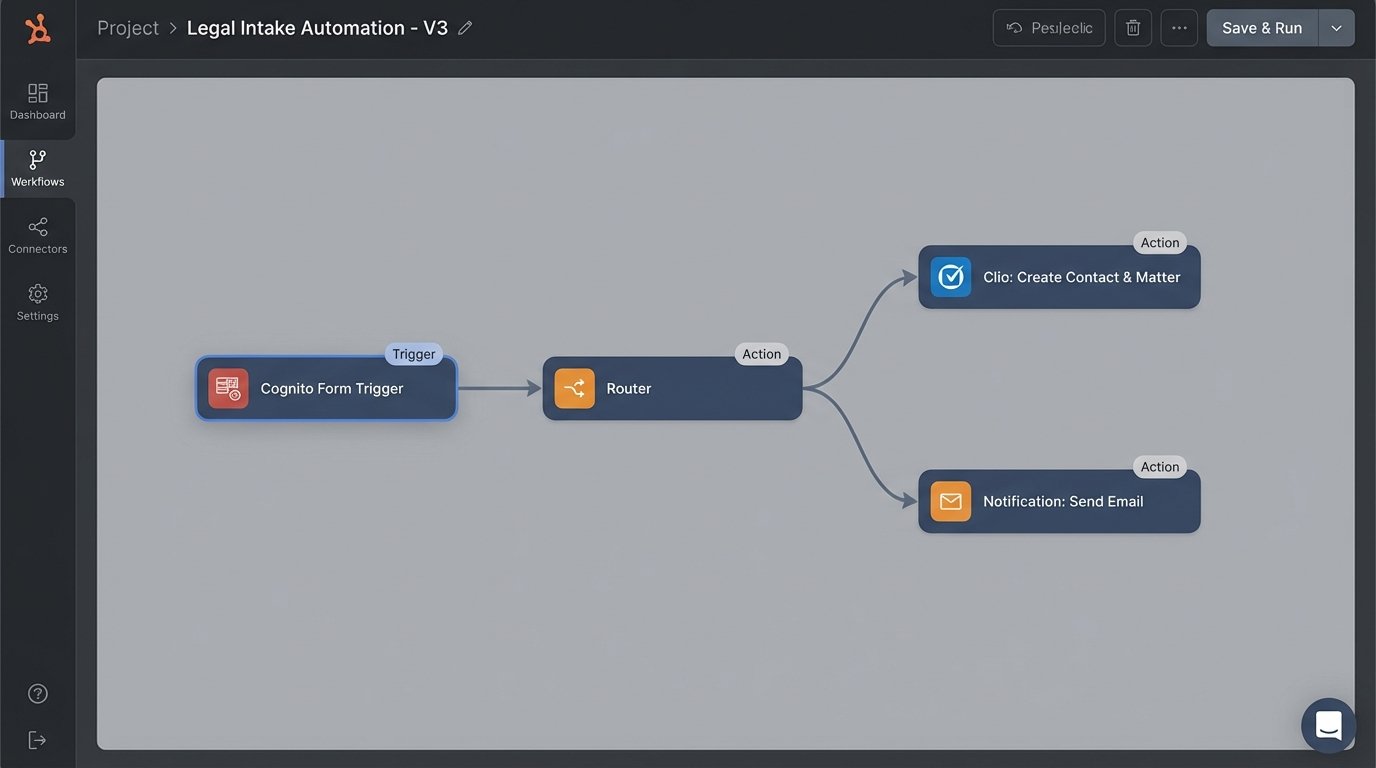
This three-part stack (Cognito Forms -> Make -> Clio) was the foundation. It’s not a wallet-drainer, but it requires a clear understanding of how to force these systems to talk to each other.
Phase 2: Automating the Intake Funnel
The first workflow we built was the client intake process. This is the highest-leverage automation for any PI firm because it impacts speed-to-client, data accuracy, and staff workload simultaneously. The logic was direct.
Step 1: The Trigger. A potential client fills out the new, detailed Cognito Form on the firm’s website. We built in input masking for phone numbers and basic validation to ensure required fields weren’t left blank. On submission, Cognito fires a webhook with a JSON payload to a unique URL generated by Make.
Step 2: The Catch and Parse. The Make scenario catches the webhook. The first module immediately parses the JSON payload, breaking down the submitted data into individual items: first name, last name, email, phone, accident date, and a description of the incident. This is where you find the first “gotchas.” Form fields don’t always map cleanly to CMS fields. We had to inject a router to handle different inquiry types (e.g., auto accident vs. slip and fall) which would have slightly different data requirements.
Forcing Data into the CMS
The real work happens when you start making API calls to the CMS. The workflow first performs a search via the Clio API to check if the contact (based on email) already exists. This prevents duplicate contact records, a plague in manually managed systems. The logic branch is simple: if contact exists, grab the existing contact ID. If not, execute a POST request to the `/api/v4/contacts.json` endpoint to create a new one.
Here is a simplified view of the JSON body we constructed in Make to push a new contact into the CMS:
{

    "name": "{{1.lastName}}, {{1.firstName}}",

    "first_name": "{{1.firstName}}",

    "last_name": "{{1.lastName}}",

    "email_addresses": [

        {

            "address": "{{1.email}}",

            "type": "Work"

        }

    ],

    "phone_numbers": [

        {

            "number": "{{1.phone}}",

            "type": "Mobile"

        }

    ]

}
Once we have a contact ID (either new or existing), the scenario proceeds to create a new matter. It executes another POST request to the `/api/v4/matters.json` endpoint, linking the matter to the contact ID and populating custom fields with data from the intake form, like the incident date and a summary. The final step in the Make scenario is to create a new task in Clio and assign it to a paralegal. The task is simple: “Review new client intake for [Client Name] and schedule initial consultation.”
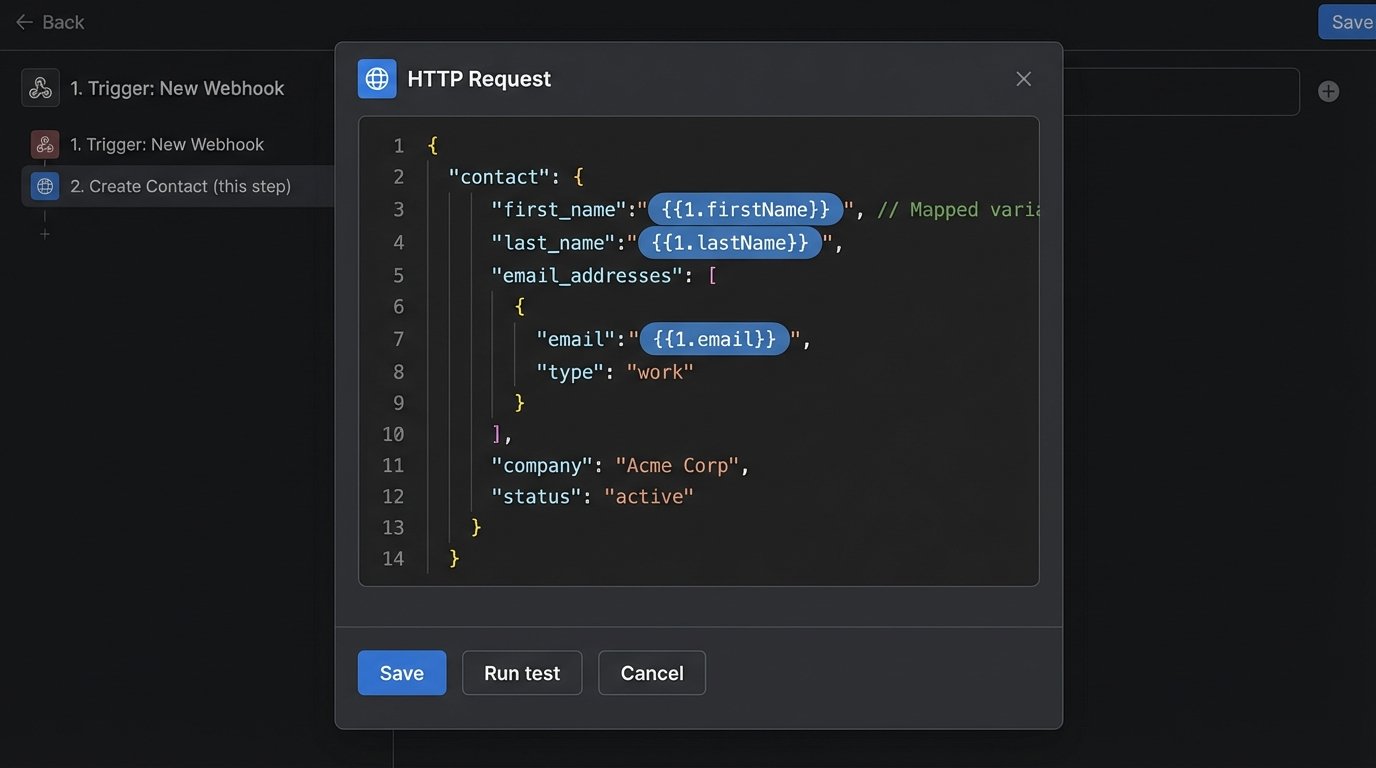
This entire sequence, from form submission to a task-assigned matter appearing in the CMS, now takes about five seconds. The first time the partners saw it work, they were speechless. They had just reclaimed hours of their staff’s time with a single workflow.
Phase 3: Taming Document Generation
With clean data flowing into the CMS, the next target was document generation, starting with the engagement letter and initial client communication packet. We used LawYaw, which integrates directly with Clio. This bypassed the need for another complex Make scenario. The setup involved creating document templates in LawYaw and mapping the template fields to the corresponding matter and contact fields in Clio, including our custom fields.
Now, when a paralegal reviews a new matter, they simply click a button within the Clio interface to generate the documents. LawYaw pulls the necessary data in real-time, populates the templates, and prepares them for e-signature via its DocuSign integration. What used to be a 20-minute process of downloading a template, carefully replacing placeholder text, saving as a PDF, and manually uploading to an e-sign platform is now a two-click action.
The initial data migration was the hardest part of this phase. Trying to map their old, unstructured spreadsheet data into the new, structured CMS schema was like shoving a firehose through a needle. We had to write a series of Python scripts to clean, normalize, and format the data from the old Excel file before we could even attempt a bulk import. We inevitably lost some low-quality, historical data. That’s the price of cleaning up a decade of technical debt.
The Results: Quantifiable Impact
After six months, we measured the impact. The numbers tell the story better than any marketing slogan could. We tracked the core KPIs before and after the implementation to get a clear picture of the ROI.
Key Performance Indicators: Before vs. After
- Average Client Intake Time: Reduced from 48 hours to 15 minutes. This is the time from initial web inquiry to the client receiving a formal engagement letter.
- Data Entry Error Rate: Dropped from an estimated 15% to less than 1%. The only errors now are client-side typos on the intake form.
- Paralegal Administrative Overhead: Reduced by approximately 25 hours per week across the team. This time was reallocated to client communication, drafting motions, and other substantive legal work.
- Document Generation Time (per packet): Collapsed from 20 minutes to under 2 minutes.
- Accounts Receivable Cycle: After implementing automated invoice reminders (a simple, separate workflow), the average time-to-payment on invoices decreased by 18 days.
–
–
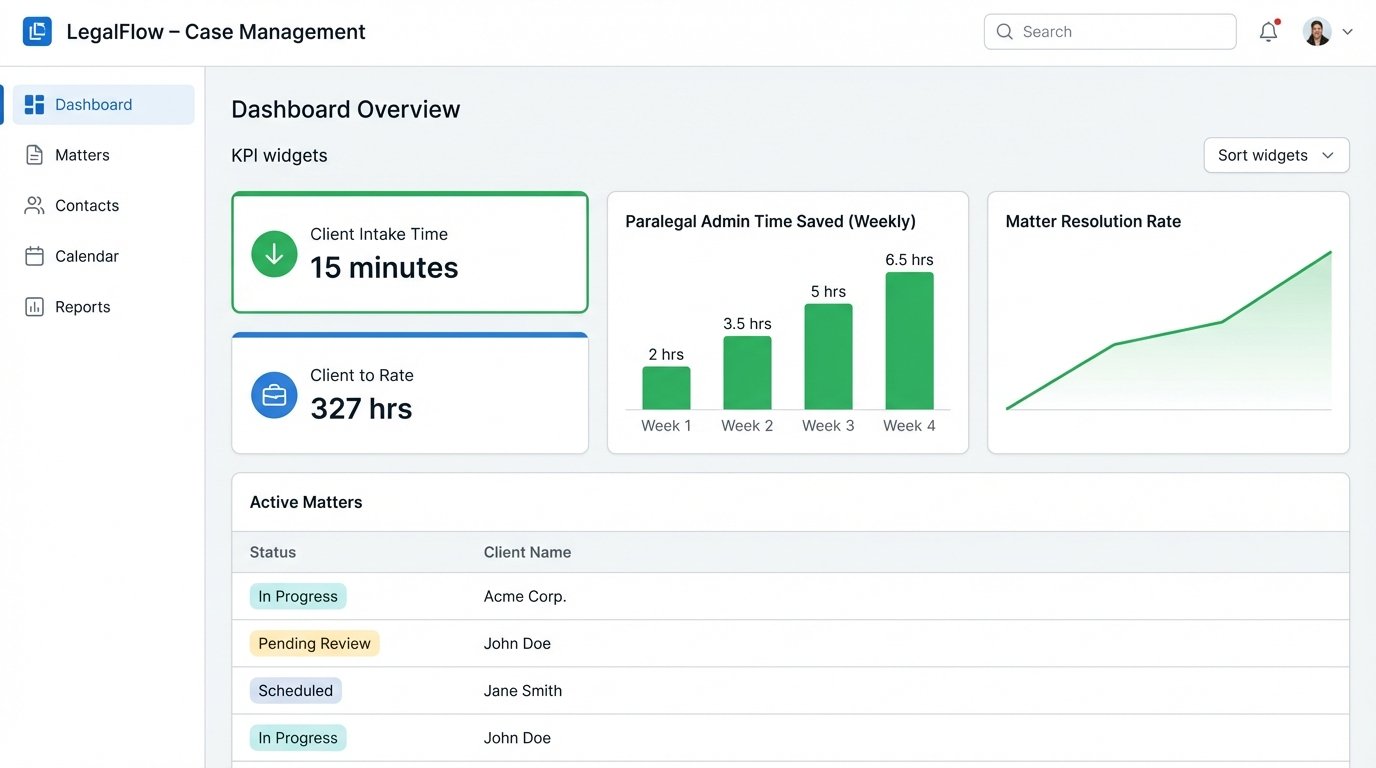
The qualitative results were just as significant. Staff morale improved because the tedious, repetitive parts of their jobs were gone. The firm’s partners could now access a clean, real-time dashboard of all active matters, something that was impossible with the old spreadsheet system. Client satisfaction improved due to the firm’s newfound responsiveness. They looked and felt like a much larger, more sophisticated operation.
This project wasn’t about finding a magical, all-in-one software solution. Such a thing doesn’t exist. It was about identifying high-friction, low-value manual processes and surgically replacing them with discrete, reliable automations. By connecting best-in-class, API-driven tools, even a small firm can build a system that punches far above its weight class.