Most e-discovery automation projects fail before a single line of code is written. They die in conference rooms, killed by vendor presentations that promise a single-click solution to a multi-headed data hydra. The reality is a plumbing job. You are connecting disparate, often hostile systems with brittle APIs and incomplete documentation. Success isn’t about the fanciest user interface. It’s about rigorous data mapping and building a system that anticipates its own failures.
The first step is not a vendor call. It is a brutal inventory of your firm’s data ecosystem. Forget the marketing slides. Get a network architect and a senior database admin in a room and force them to map every potential source of discoverable data. This means getting specific hostnames, authentication protocols, and API endpoint documentation, if any exists. Most of the time, the documentation is a five-year-old PDF that bears little resemblance to the production environment.
Prerequisites: Auditing Your Data Sources
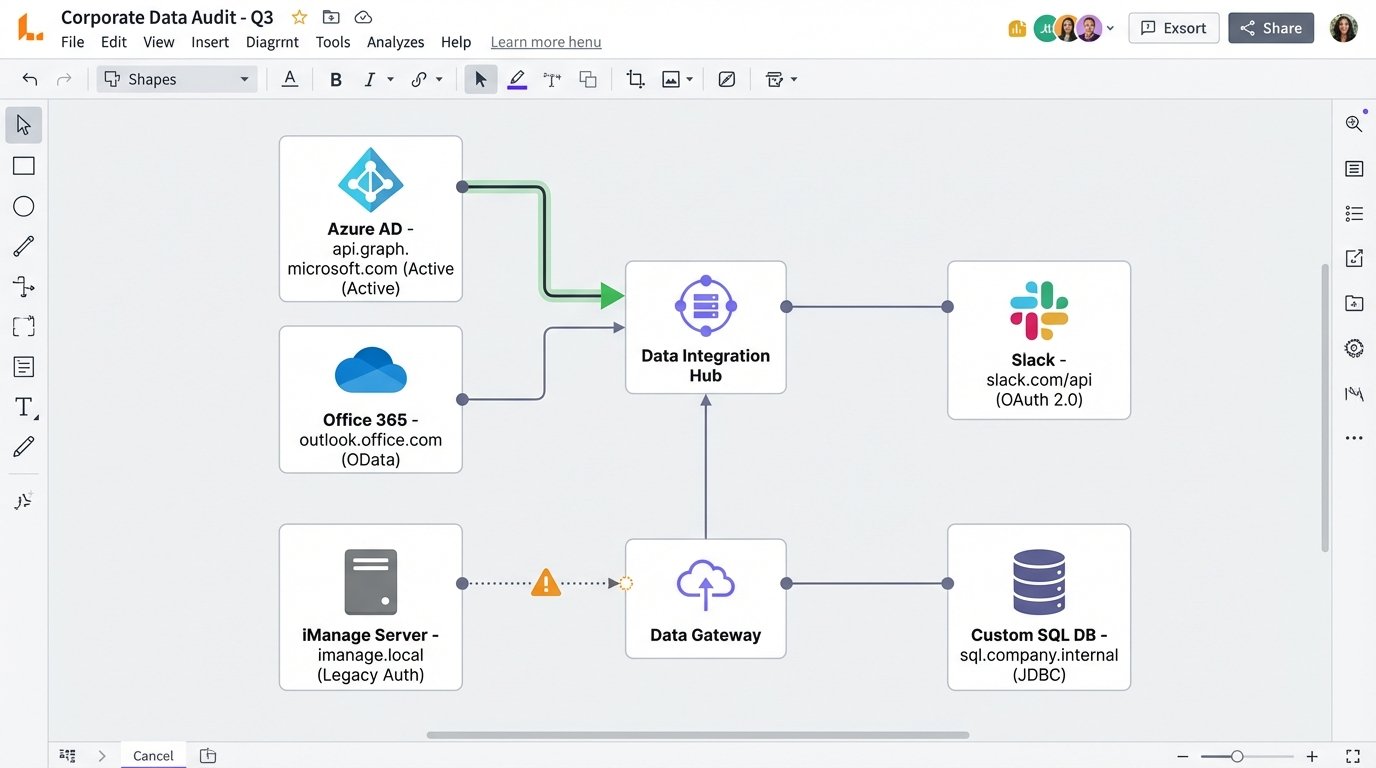
Before you evaluate any platform, you need a precise map of what you need to connect. This audit is non-negotiable. It dictates your entire architecture. A firm running everything on Office 365 has a different problem than one with a legacy on-premise document management system and attorneys who think Slack is a secure archival tool.
Your audit must produce a concrete document covering:
- Identity Provider: How do users authenticate? Azure AD, Okta, Active Directory Federation Services? This determines your ability to perform identity-based collections.
- Core Data Repositories: List every system. Office 365 (Exchange Online, SharePoint, Teams), Google Workspace, Box, Dropbox, on-premise file shares (SMB/NFS), and the specific version of your Document Management System (e.g., iManage Work 10.4, NetDocuments).
- Communication Platforms: Slack, Microsoft Teams, Zoom Chat. Get details on their data retention policies and API access tiers. The free tier of the Slack API is a joke for serious collection.
- Case Management System: What system tracks matters? A custom SQL database? An off-the-shelf product like Clio or Filevine? You need to know how you’ll trigger collections and push data back.
Failing to do this groundwork is like trying to build a bridge without surveying the canyon first. You will end up with a very expensive structure that connects to nothing.
Step 1: Selecting the Automation Engine
There are two primary models for e-discovery automation tools, and vendors will fight to the death to convince you their model is superior. The truth is that both have serious drawbacks. Your data audit from the prerequisite step should guide your choice, not a sales demo.
The All-in-One Platform
These are the big, expensive suites that promise to handle everything from legal hold notification to data processing and review in one interface. Think RelativityOne, Logikcull, or Everlaw. The primary advantage is a unified data model. You are not constantly transforming data between systems. The primary disadvantage is the walled garden. Their APIs for integration with external systems can be sluggish, poorly documented, or an expensive add-on. They want you to live entirely inside their world.
The Modular, API-First Toolset
This approach involves stringing together specialized tools. You might use a dedicated collection tool that only pulls from Office 365, pipe that data to a processing engine, and then load it into a separate review platform. This gives you more control and often better performance for specific tasks. The glaring weakness is the integration overhead. You are now responsible for the plumbing between these systems. Every connection is a point of failure you own. This is where you spend your nights writing scripts to handle API rate limits and data validation checksums. It’s the difference between buying a Lexus and building a kit car. One just works, the other requires you to understand how a transmission is assembled.
When evaluating either type, ignore the user interface. Ask for the API documentation. If they cannot provide a comprehensive, versioned set of API docs with clear examples for authentication and key endpoints, walk away. A slick dashboard cannot hide a rotten core.
Step 2: The Ingestion Workflow
Connecting your data sources to the automation engine is where theory meets ugly reality. Every connection is a unique challenge. Connecting to the Microsoft Graph API is a standardized OAuth 2.0 flow. Connecting to an ancient on-premise file share might require a service account, a VPN tunnel, and a prayer.
Your goal is to script the trigger mechanism. A new matter is created in your CMS. A partner adds two custodians. This event must trigger the collection process automatically. This is usually accomplished via webhooks from the CMS or, in less sophisticated systems, a script that polls the CMS database for changes.
A webhook is fundamentally a POST request that one system sends to another to announce an event. For example, when a case status changes to “Active Litigation,” your CMS should fire a webhook to an endpoint you control. That endpoint is the starting gun for your automation.
Here is a simplified Python example using the Flask framework to receive such a webhook. This script acts as the middleman, taking the signal from the CMS and preparing to kick off a collection job.
from flask import Flask, request, jsonify

import logging
# Configure basic logging
logging.basicConfig(level=logging.INFO)
app = Flask(__name__)
# This is a secret token to verify the webhook is from our trusted CMS
# In production, this should be stored securely, not hardcoded.
SECRET_TOKEN = 'your_super_secret_token_here'
@app.route('/webhook/new-matter', methods=['POST'])
def new_matter_webhook():
# Verify the request originated from our CMS
auth_header = request.headers.get('Authorization')
if not auth_header or auth_header != f'Bearer {SECRET_TOKEN}':
logging.warning("Unauthorized webhook attempt.")
return jsonify({'status': 'error', 'message': 'Forbidden'}), 403
# Get the JSON payload from the webhook
data = request.get_json()
# Extract critical information
matter_id = data.get('matterId')
custodians = data.get('custodians') # Expecting a list of custodian emails
if not matter_id or not custodians:
logging.error(f"Incomplete data received: {data}")
return jsonify({'status': 'error', 'message': 'Missing matterId or custodians'}), 400
logging.info(f"Received new matter: {matter_id}. Custodians: {custodians}")
# --- TRIGGER COLLECTION LOGIC HERE ---
# This is where you would call the API of your e-discovery platform
# to create a new workspace and start collecting data for the specified custodians.
# For example: start_collection_job(matter_id, custodians)
return jsonify({'status': 'success', 'message': 'Collection job initiated'}), 202
if __name__ == '__main__':
# For production, run this behind a proper WSGI server like Gunicorn
app.run(debug=True, port=5001)
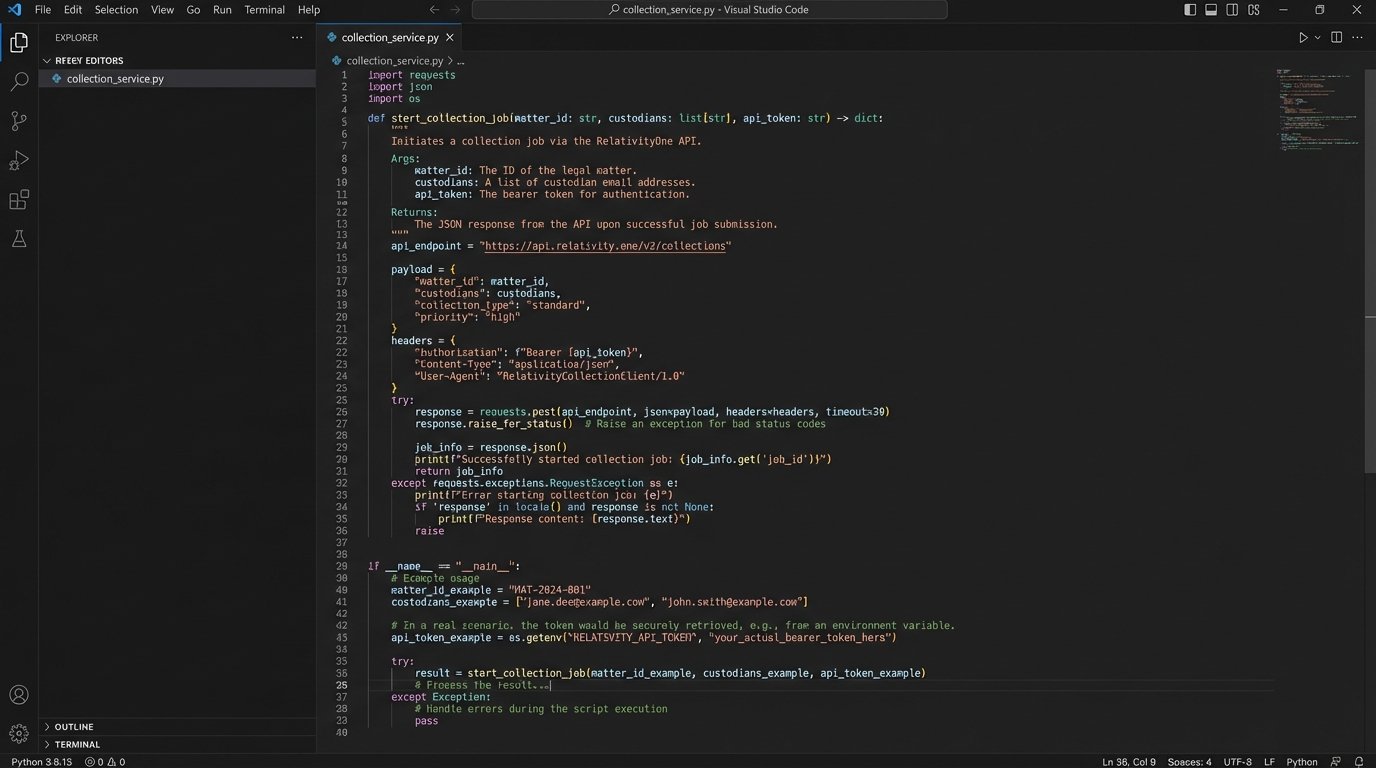
This script does nothing but listen. The real work is in the `start_collection_job` function you would write. That function has to handle authentication with your discovery platform’s API, create a new project, and pass the custodian details to the collection module.
Step 3: Automated Processing and Culling
Once data is collected, the next bottleneck is processing. This includes extracting text from documents, indexing it for search, and identifying duplicates. Most modern platforms handle this fairly well, but the automation opportunity lies in the rules you apply immediately after processing finishes.
You can pre-configure rule sets that run on all incoming data without human intervention. These rules create a first-pass culling that can eliminate a massive volume of irrelevant material before an attorney ever sees it.
Common automated rules include:
- Global Deduplication: Identify and isolate documents that are exact duplicates of documents already produced in prior litigation. Your firm should maintain a central hash library for this.
- Date Range Filtering: Automatically discard any documents outside the stipulated discovery date range for the matter.
- File Type Exclusion: Remove file types that are almost never relevant, such as executable files (.exe), system logs (.log), or high-resolution image libraries, unless the case specifically demands them.
- Keyword Culling: Run a pre-approved set of broad, non-negotiable keywords to perform an initial cull. This is not the nuanced search a paralegal would run. This is a brute-force filter to remove clear garbage.
The danger here is being too aggressive. An overly broad keyword filter can inadvertently destroy exculpatory evidence. Every automated culling rule must be documented, auditable, and defensible in court. You are building a machine that makes evidentiary decisions, and it needs a transparent logic-check. This process feels like trying to build a self-driving car. It works fine on a straight road, but you spend all your time programming it not to hit pedestrians at intersections.
Step 4: Integration and Data Synchronization
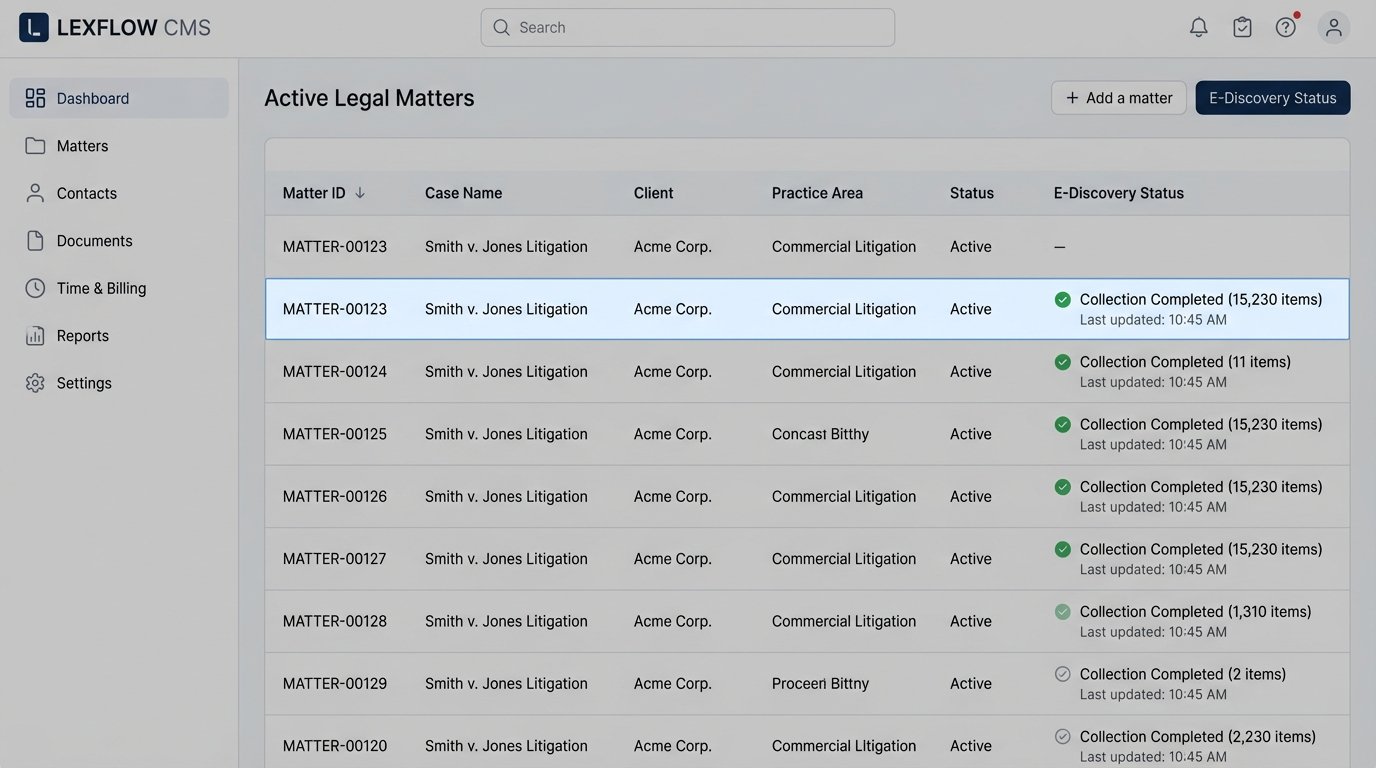
The final, and most frequently broken, piece of the puzzle is closing the loop. Your e-discovery platform is now a silo of valuable information. How do you get that information back into your primary case management system? You need to synchronize key metrics and document statuses.
This requires a two-way integration. Your CMS kicks off the process, and the discovery tool needs to report back. At a minimum, the discovery tool should send status updates via webhook when:
- A collection is started, completed, or fails.
- Processing is complete.
- A production has been generated.
This prevents paralegals from having to manually check the status in two different systems. A failure in the discovery platform should automatically create a high-priority ticket in your IT service management system. The JSON payload for a status update webhook might look something like this:
{

  "eventId": "evt_1a2b3c4d5e6f",

  "eventType": "collection.completed",

  "timestamp": "2023-10-27T10:00:00Z",

  "data": {

    "matterId": "MATTER-00123",

    "collectionJobId": "col_xyz789",

    "custodianEmail": "jsmith@examplecorp.com",

    "source": "Office365-Mailbox",

    "status": "success",

    "itemCount": 15230,

    "totalSizeGB": 12.5,

    "errorLogUrl": null

  }

}
Your CMS needs an API endpoint capable of receiving this payload and updating the corresponding matter file. This seems simple, but it is a massive point of failure. Many older case management systems have no real inbound API, forcing you to write scripts that “scrape” their web interface or, worse, connect directly to their database to insert records. This is a fragile and deeply unwise path to take.
Step 5: Validation, Logging, and Maintenance
Automation hides complexity. That is its purpose. But it also hides errors. A misconfigured script or a change in a third-party API can cause silent data loss for weeks before anyone notices. Your automation system requires its own immune system.
Implement aggressive logging for every step. Every API call, every webhook received, every decision a script makes must be logged to a centralized location like Graylog or an ELK stack. Set up automated alerts for anomalies. If a collection job that normally pulls 10GB of data suddenly pulls 10MB, a high-priority alert needs to fire. If an API endpoint starts returning 401 Unauthorized errors for an hour, your team needs to know immediately.
Create validation jobs that run periodically. These scripts should perform sanity checks on the data. For example, a script could run nightly to compare the list of active custodians on a matter in the CMS with the list of custodians configured for collection in the discovery tool. Any discrepancy gets flagged. This is your quality control. Without it, you are flying blind and assuming the machine is perfect. It never is.
The Human Factor: Training and Trust
You can build a technically perfect system that no one will use. Attorneys are trained skeptics, and you are asking them to trust a black box with their client’s fate and their own professional license. You cannot just send a memo announcing the new “automated workflow.”
Start with a pilot group of tech-savvy paralegals and associates. Let them use the system on a few low-stakes matters. Build dashboards that provide radical transparency into the automation. Show them exactly which documents were culled by which rule. Create an audit trail that a judge could understand.
The goal is to demystify the process. Automation is not magic. It is just a set of explicit, documented, and auditable rules executed by a machine instead of a person. Building that trust takes more time than building the technology itself.