
Automation in a law firm is not a software subscription. It is a plumbing project inside a house that was built without a blueprint. Before you buy the first shiny vendor tool, you must map the existing pipes, identify the corrosion, and accept that you will probably cause a leak before you fix anything. Most automation initiatives fail not because the technology is bad, but because the initial diagnosis of the firm’s workflow was shallow or just plain wrong.
The marketing materials promise a seamless digital transformation. The reality is a series of brutal compromises between legacy case management systems, partner preferences written in stone, and the hard limits of third-party APIs. Your job is to architect a solution that functions despite these constraints, not to pretend they don’t exist.
Step 1: Conduct a Process Autopsy, Not an Audit
Forget high-level workflow diagrams. You need to get granular to the point of absurdity. Shadow a paralegal for a day. Watch every single click during the client intake process. Document the copy-paste operations from an email to the practice management software. These manual, repetitive actions are your primary targets. They are the points of friction where automation delivers actual value, not theoretical efficiency gains.
Identify the data sources and their state. Is the client’s address in a structured database field or buried in a PDF scan of a handwritten form? An audit tells you what a process is supposed to do. An autopsy shows you where it has failed, repeatedly, in the real world. You are looking for the scar tissue in the firm’s operations. This is where you will make your first incision.
The goal here is to find a process that is both mechanically simple and politically safe. Do not start with billing. Start with something like conflict-of-interest checks. The process is rule-based, repetitive, and a failure is easily detectable. Trying to automate a partner’s bespoke reporting process as your first project is like trying to shove a firehose through a needle. It’s a pointless, messy exercise in failure.
Isolate the True Bottleneck
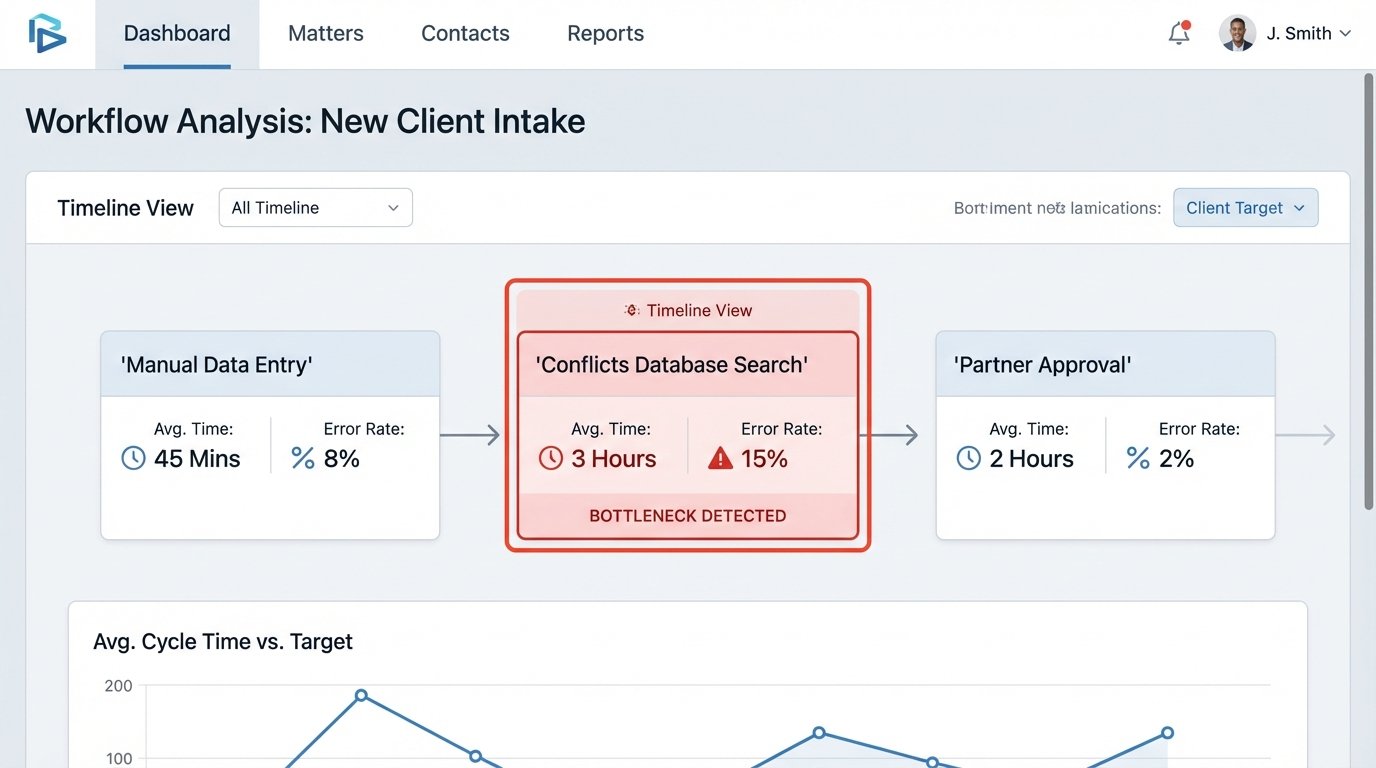
A common mistake is misidentifying the bottleneck. The firm might think creating closing binders is slow because of document assembly. After a proper autopsy, you discover the real delay is waiting for a senior associate to manually review and approve each document. Automating the assembly part is useless if the human approval queue remains the choke point.
Your analysis must produce a specific, quantifiable problem statement. For example: “The conflicts check process for new clients requires an average of 45 minutes of paralegal time to manually search three databases and compile a report. This introduces a 24-hour delay in client onboarding.” This is a problem you can solve. “Our onboarding is slow” is a complaint you can’t architect a solution for.
Step 2: Interrogate Vendors on Technicals, Not Features
Vendor sales demos are designed to hide technical limitations behind a slick user interface. Your job is to bypass the presentation and get to the API documentation. A beautiful dashboard is worthless if the backend data exports as a locked PDF or the API has a call limit of 100 requests per day. Treat the vendor selection process as a deposition, and you are looking for perjury.
Ask these questions directly, and demand specific answers:
- API Access and Rate Limiting: What are the hard limits on API calls per minute and per day? Is there a cost associated with higher limits? Can you get a dedicated API key for a sandbox environment?
- Data Formats: In what format can we export all our data? Demand JSON or CSV. If the answer is “a proprietary format” or “PDF reports,” walk away. You are buying a data jail.
- Authentication Methods: Do you support OAuth 2.0 or SAML for user authentication? If they rely on simple, non-expiring API keys stored in plaintext, they have a fundamental security flaw.
- Webhooks and Event Triggers: Can your system send an outbound webhook when a specific event occurs, like a case status change? If you have to poll their API constantly for updates, your architecture will be sluggish and inefficient.
- Documentation and Support: Is the API documentation public, detailed, and updated? What is the support process for a production-down issue? Are you talking to a first-level script reader or an actual engineer?
If a vendor cannot provide clear, direct answers to these technical questions, they are not a serious partner. They are a liability. A cheap license fee for a tool with a broken or non-existent API is a wallet-drainer in the long run, paid for with thousands of hours of your team’s time trying to build brittle workarounds.
Step 3: The Controlled Burn of a Pilot Project
Your first automation project must succeed. It needs to be a small, visible win that builds momentum. This is not the time for ambitious, firm-wide rollouts. We are picking one discrete, painful process and extinguishing it with a targeted application of code.
Let’s stick with the client intake and conflicts check example. The goal is to build a simple application that pulls a new potential client’s name from an intake form, queries internal and external databases via their APIs, and presents a preliminary conflicts report to the legal team for review. The automation doesn’t make the decision. It just does the legwork.
The technology stack for this can be brutally simple. A Python script running on a schedule can be enough. You do not need a massive enterprise platform to get started. The key is to force the data through a defined, automated path to prove the concept works.
Example: A Python Script to Bridge a Legacy System
Many firms run on case management systems with outdated, clunky APIs. The documentation is often wrong, and the endpoints return poorly structured data. Your job is to write defensive code that can handle this reality.
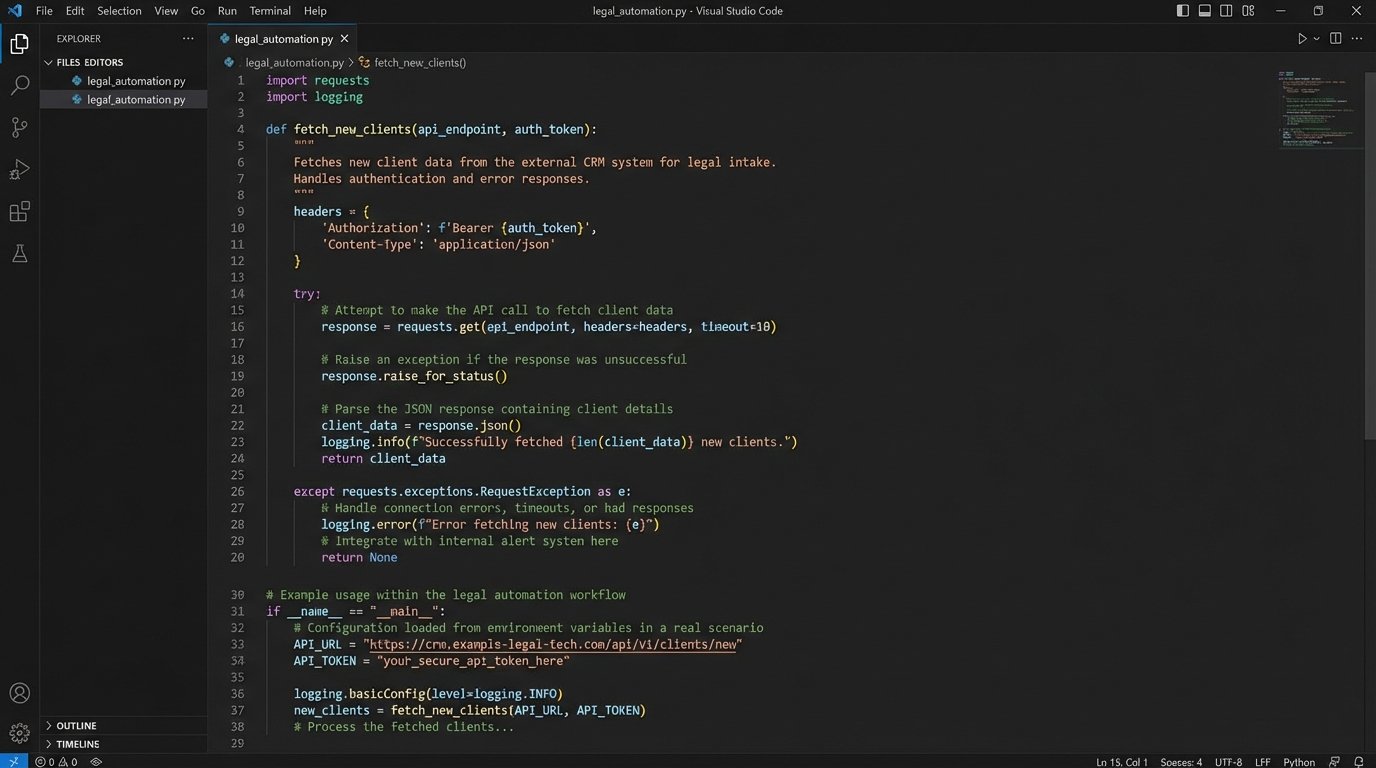
Here is a simplified Python snippet demonstrating how to pull new client data from a hypothetical legacy system’s API, clean it, and prepare it for a conflicts check. Notice the error handling and data validation. This is not optional.
import requests

import json

import os
# Best practice: Store API keys as environment variables, not in the code.
LEGACY_API_KEY = os.getenv('LEGACY_CMS_API_KEY')
LEGACY_API_ENDPOINT = 'https://api.legacycms.com/v1/new_clients'
CONFLICTS_CHECK_API = 'https://api.conflictschecker.com/v2/check'
def fetch_new_clients():
"""
Pulls new client data from the legacy CMS.
The API is known to be unreliable, so we build in checks.
"""
headers = {'Authorization': f'Bearer {LEGACY_API_KEY}'}
try:
response = requests.get(LEGACY_API_ENDPOINT, headers=headers, timeout=10)
# Force a check for HTTP errors like 401 Unauthorized or 500 Server Error.
response.raise_for_status()
return response.json()
except requests.exceptions.RequestException as e:
print(f"Error fetching data from legacy CMS: {e}")
return None
def run_conflict_check(client_data):
"""
Sends cleaned client data to the conflicts check service.
"""
# The legacy system has inconsistent field names. We map them.
# 'clientName' in legacy system vs 'entity_name' in conflicts system.
payload = {
'entity_name': client_data.get('clientName'),
'jurisdiction': client_data.get('jurisdiction_code')
}
# Logic-check: Do not proceed if the entity name is missing.
if not payload['entity_name']:
print(f"Skipping client ID {client_data.get('id')} due to missing name.")
return
try:
response = requests.post(CONFLICTS_CHECK_API, json=payload, timeout=15)
response.raise_for_status()
print(f"Conflict check successful for {payload['entity_name']}.")
# Next step would be to parse the result and flag potential hits.
return response.json()
except requests.exceptions.RequestException as e:
print(f"Error during conflict check for {payload['entity_name']}: {e}")
return None
def main():
"""
Main execution block.
"""
clients = fetch_new_clients()
if clients and 'clients' in clients:
# The API returns a nested object. We have to dig for the list.
for client in clients['clients']:
run_conflict_check(client)
else:
print("No new clients found or API call failed.")
if __name__ == '__main__':
main()
This script is not a complete solution. It is a skeleton. But it demonstrates the core principles: isolate dependencies, handle exceptions gracefully, and transform data between incompatible systems. This is the real work of legal automation engineering.
Step 4: Managing Human Integration Points
Automation does not eliminate human work. It changes the nature of it. A paralegal who used to spend an hour manually searching databases now spends five minutes reviewing a report generated by your script. This is a massive improvement, but it is also a change to their daily routine. If the tool is clumsy or the report is unreadable, they will find a way to bypass it.
Change management is an engineering problem with a user interface component. You must build systems that account for human behavior.
- Design for Intervention: Your automation should have a “pause” button. There will always be edge cases that the code cannot handle. The system must allow a human to step in, manually override the process, and then resume the automation.
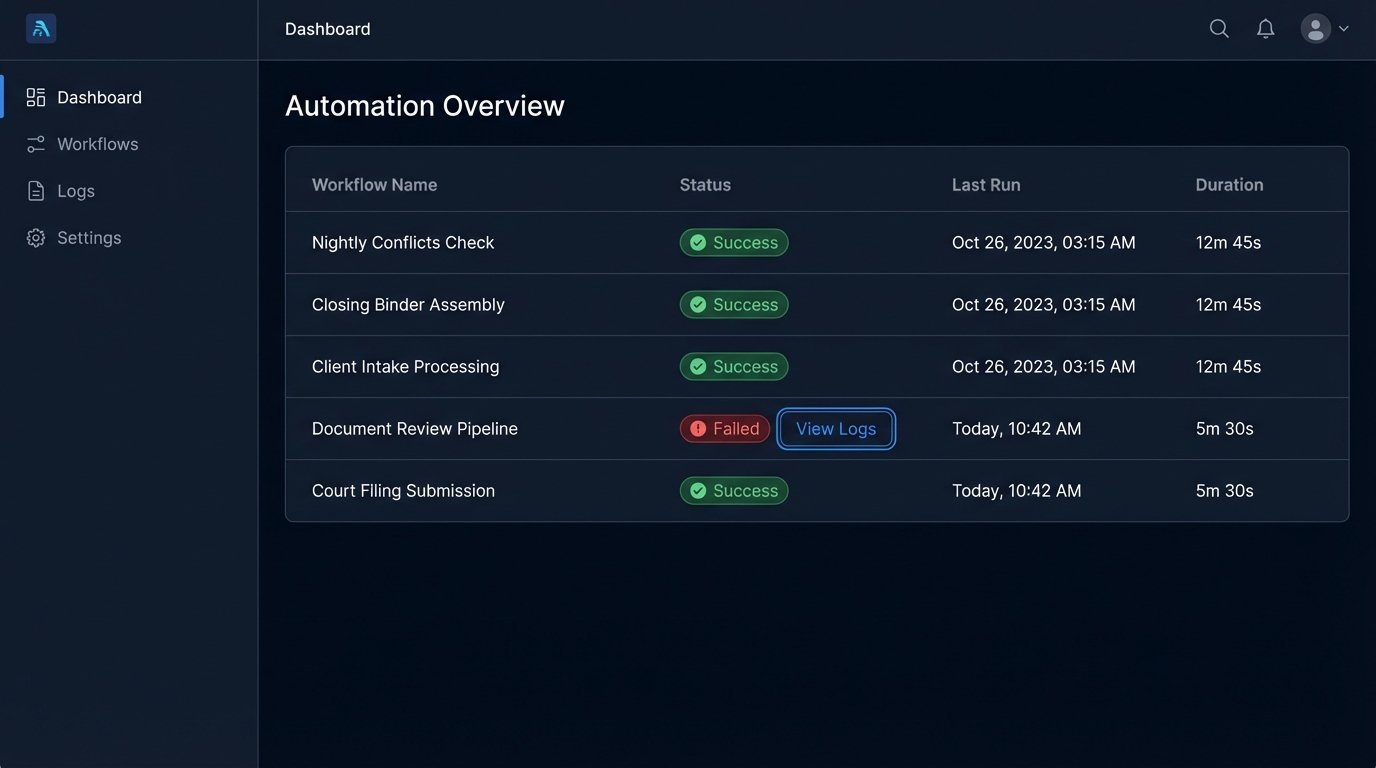
- Build Clear Feedback Loops: If the automation fails, it must fail loudly and clearly. Send an email or a Slack alert to a specific person or group with a precise error message. A silent failure is the most dangerous kind.
- Train on the “Why”: Do not just train people on which buttons to click. Explain why the automation exists and what specific errors it prevents. When they understand that the new process stops them from accidentally missing a conflict, they are more likely to adopt it.
The goal is to make the automated path the path of least resistance. If it is easier for a paralegal to use your tool than to do it the old way, they will use it. The system must be fast, reliable, and trustworthy. If it saves them ten hours a month, they will become its biggest advocate.
Step 5: Scaling with Caution
Once your pilot project is a proven success, the pressure to automate everything will grow. This is the moment to be most disciplined. Each new automated workflow is another piece of production infrastructure you have to maintain. It is a commitment. An unmonitored automation is just a future emergency waiting to happen.
Scaling automation is less about adding more tools and more about building a solid foundation. You need centralized logging to see what all your scripts are doing. You need a secure way to manage API keys and other credentials. You need a deployment process so you are not just editing code directly on a live server. This infrastructure is boring, but it is the difference between a collection of fragile scripts and a reliable automation platform. Building this is like laying rebar before pouring concrete. It is invisible work that prevents the entire structure from collapsing.
Do not scale faster than your ability to support the systems you have built. Each new workflow should be evaluated with the same rigor as the first pilot project. Run another autopsy. Interrogate the data sources. Start with another controlled burn. This deliberate, methodical approach is slower, but it results in systems that actually work when you are not in the room to watch them.