
Most legal tech rollouts fail long before the first server is provisioned. They fail in the conference room where the requirements document ignores the firm’s calcified, undocumented workflows. The project isn’t about deploying software. It’s a hostile takeover of muscle memory, and if you treat it like a simple IT ticket, you’ll end up with a very expensive, very shiny piece of shelfware.
Change management isn’t a “soft skill” appendix to your project plan. It is a mandatory dependency, as critical as API authentication or database integrity. Ignoring the human element is like writing code without error handling. It will compile, but it’s guaranteed to crash in production.
Phase 1: The Pre-Mortem and Workflow Dissection
Before you write a single line of code or sign a purchase order, your first task is to map the political and procedural landscape. This is not about getting “buy-in,” a useless corporate term for passive agreement. This is about identifying the pockets of resistance and the unofficial power brokers who can kill your project with a thousand paper cuts.
Your initial discovery should focus on two things. First, the actual workflow, not the idealized version drawn on a whiteboard by a partner who hasn’t drafted a document in a decade. You need to sit with the paralegals and legal assistants, the ones who actually execute the work. Use a simple tool to diagram the flow, noting every manual copy-paste, every email to a shared inbox, and every spreadsheet that acts as a shadow database. This diagram is your ground truth.
Second, identify the “workflow owners.” These are not always the people with the fanciest titles. It’s often the senior paralegal who has been at the firm for 20 years and knows the institutional exceptions for every major client. These individuals are your single points of failure. They must be converted into assets or neutralized as risks early. Their passive-aggressive resistance is more dangerous than a full-blown server outage.
Extracting Ground-Truth Requirements
Forget generic requirements gathering. You need to conduct a technical interrogation. Ask questions that expose the fragility of the current state. “What happens if you are on vacation when a new matter intake request comes in?” “Show me the exact sequence of clicks to generate the quarterly report for client X.” “Where is the definitive client contact list stored, and how many other lists are synced from it?”
The answers reveal the pain points your automation needs to solve. You are not selling them a platform. You are offering them a solution to the most tedious parts of their day. Your goal is to find a process so universally hated that its automation is seen as a relief, not a threat. That’s your beachhead.
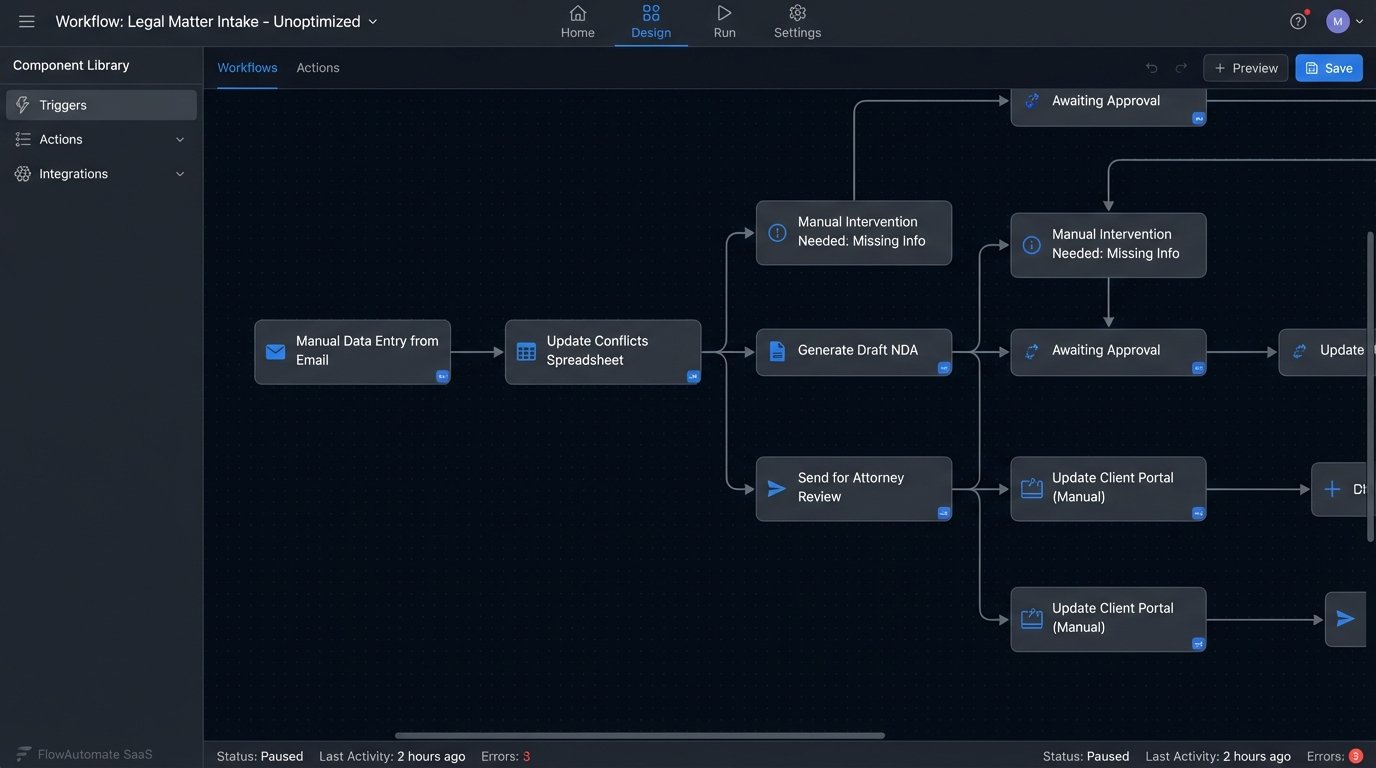
Phase 2: The Minimum Viable Workflow (MVW)
A big-bang rollout across the entire firm is an invitation for catastrophic failure. You must isolate a single, high-impact, low-complexity workflow to serve as your proof of concept. This is not a “pilot.” A pilot implies a temporary test. This is the first permanent component of a larger system. We call it the Minimum Viable Workflow.
An ideal MVW candidate is a process like NDAs, conflict checks, or basic matter intake. It should be frequent, formulaic, and involve a painful amount of manual data entry. You want to deliver a tangible win, fast. Success is measured by a single metric: time saved per transaction. All other vanity metrics like “user engagement” are noise.
Architecting the MVW means treating the process like an application. You define the inputs (a web form), the processing logic (the automation platform), and the outputs (a generated document, a new record in the case management system). All of this is done for a small, controlled group. Trying to boil the ocean by automating complex litigation workflows from day one is how you end up with a project that’s perpetually 90% done.
This phase is about building a stable foundation. It feels like you’re trying to shove a firehose of firm-wide process exceptions through the needle of a single, standardized workflow. That pressure is exactly what you need to force a conversation about which exceptions are truly necessary and which are just bad habits.
Phase 3: The Pilot Group as a Production Canary
Select your pilot group with surgical precision. It needs a mix of personalities. Include a tech-forward associate who will stress-test the features, a skeptical senior paralegal who will find every edge case, and a partner who can champion the results to other practice groups. This group is not for feedback on button colors. They are your user acceptance testers and your first line of defense against production bugs.
Instrument the platform to capture everything. You need hard data on adoption, not just anecdotal complaints. Track login frequency, feature usage, and process completion times. User feedback is critical, but it must be filtered. Treat user complaints like raw API logs. They are full of valuable information, but also full of noise, duplicates, and user errors. You need to parse them, categorize them, and strip them down to actionable bug reports or feature requests.
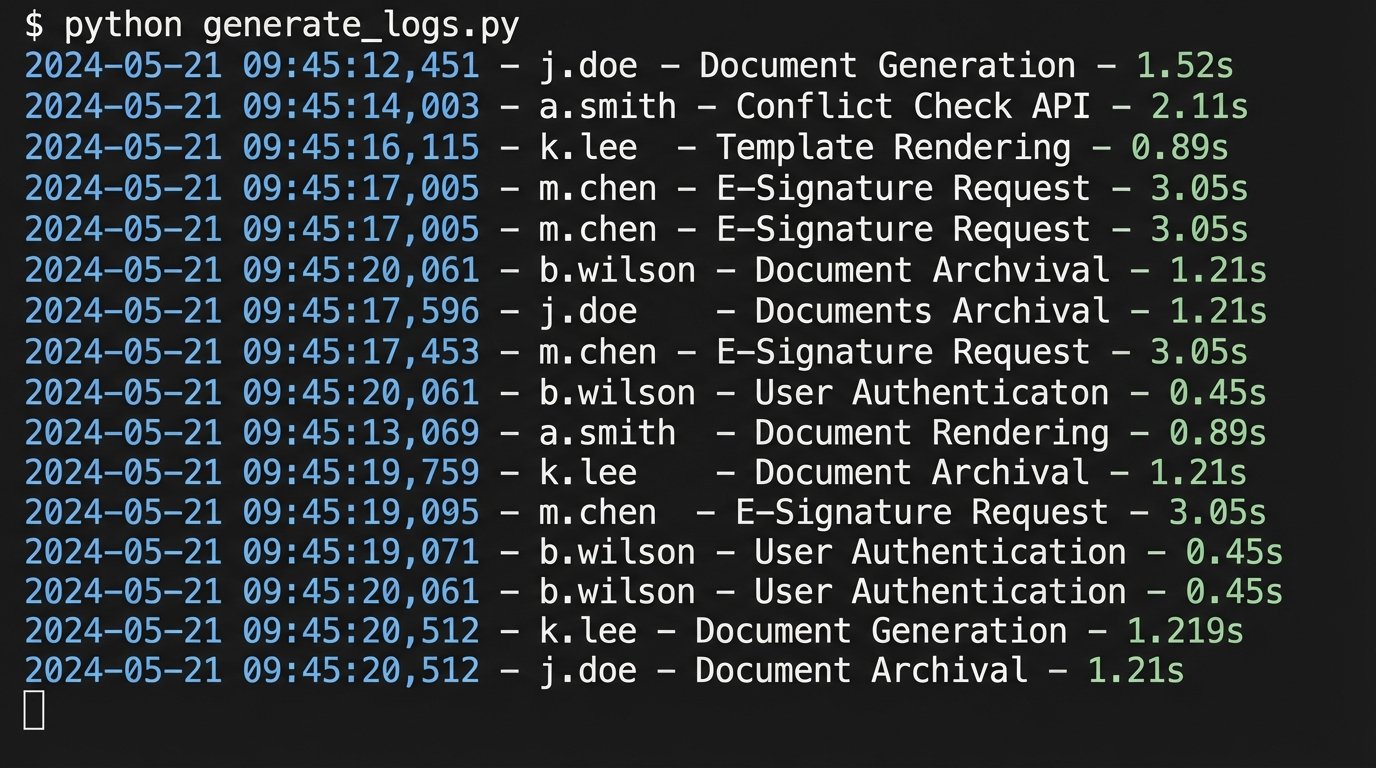
A simple logging script can help quantify user actions and bottlenecks. Instead of relying on vague statements like “the system feels slow,” you can pinpoint the exact step where users are dropping off or taking too long.
import logging

import time
logging.basicConfig(filename='workflow_monitor.log', level=logging.INFO,
format='%(asctime)s - %(user)s - %(action)s - %(duration)s')
def track_action(user_id, action_name):
def decorator(func):
def wrapper(*args, **kwargs):
start_time = time.time()
result = func(*args, **kwargs)
end_time = time.time()
duration = round(end_time - start_time, 2)
logging.info(f"User '{user_id}' performed '{action_name}' in {duration}s.")
return result
return wrapper
return decorator
# Example Usage
@track_action(user_id='j.doe', action_name='Document Generation')
def generate_nda(client_name, counterparty):
# Simulates connecting to a template and populating data
print(f"Generating NDA for {client_name}...")
time.sleep(1.5) # Simulate work
print("Document generated successfully.")
return f"NDA_{client_name}.docx"
generate_nda("Acme Corp", "Beta LLC")
This code forces you to have a data-driven conversation. The log file becomes the source of truth, cutting through the emotion and politics of user feedback. You can see precisely which steps are slow or where users are failing to complete a task.
Phase 4: Forced Migration and Legacy System Deprecation
Once the MVW is stable and the pilot group is generating positive metrics, it is time to expand. This is not a gentle, optional invitation. It is a mandatory cutover. The biggest mistake firms make is running the old and new systems in parallel. This creates data fragmentation, doubles the workload, and allows resistors to simply ignore the new tool.
The strategy must be aggressive. First, communicate the cutover date clearly and repeatedly. Second, on that date, set the legacy system to read-only. This is the critical step. Users must be forced to use the new workflow to create or modify records. Allowing them to cling to the old process guarantees your project will die a slow death.
Managing the Data Cutover
The data migration from the old system to the new one must be planned like a military operation. This often involves scripting a one-time data dump, transformation, and load. You will find that the old system’s data is a mess of inconsistent formats and missing fields. Your ETL (Extract, Transform, Load) scripts will need robust error handling to clean up the garbage data before injecting it into the new, structured system.
Expect pushback. The moment you turn off the old system, you will hear a litany of complaints about features that are missing or different in the new one. This is where your pilot group data is essential. You can demonstrate that the new workflow is, on average, faster and more accurate. You must hold the line. Reintroducing old features to appease the loudest objectors will bloat the new system and negate the efficiency gains you worked to achieve.
Phase 5: Post-Launch Monitoring and Iteration
The project is not over at launch. It has just begun. You have replaced a manual process with a living technology application, and it requires ongoing maintenance, monitoring, and tuning. Your job now shifts from implementation to operations.
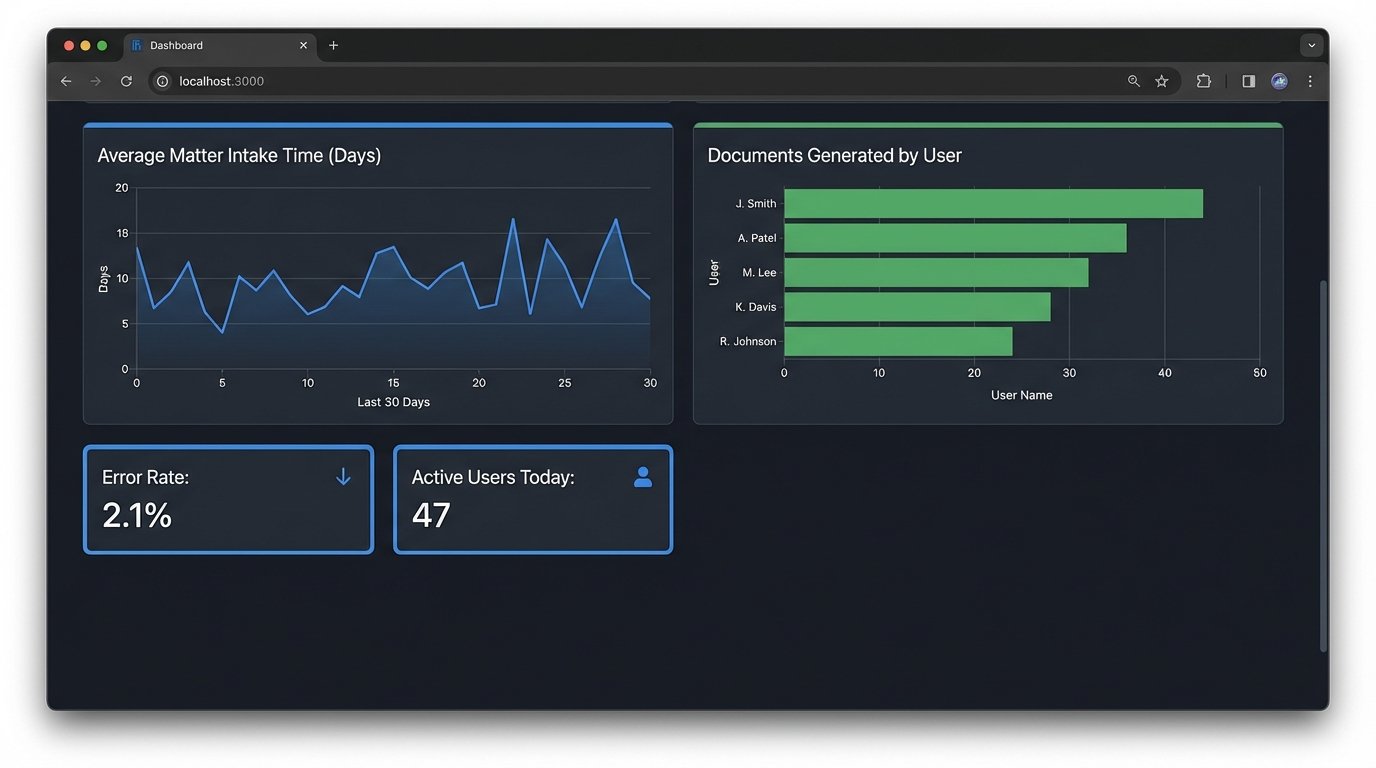
Build dashboards. Using tools like Power BI or even a simple monitoring stack, track the key performance indicators of your new workflow. How long does it take to complete an intake? What is the error rate on document generation? Which users are the most active, and which have stopped logging in? These metrics tell you where to focus your training and development efforts.
You must establish a clear channel for ongoing support and feature requests. This should not be a free-for-all email inbox. Use a ticketing system to force users to properly document their requests. Each ticket represents a potential improvement or a bug. Triage them just as a software development team would, prioritizing fixes that affect system stability and enhancements that provide the most value across multiple practice groups.
The goal is to create a continuous improvement cycle. The data from your monitoring dashboards informs the next set of workflow enhancements. You deploy small, incremental changes rather than waiting for another massive, disruptive project. This is how you build a culture where technology is not a one-time event, but an evolving part of the firm’s operational fabric.