Most legal CRM automation is a lie. It’s sold as a click-button solution to client management but is, in reality, a fragile web of half-baked triggers and silent failure points. The core problem is treating the CRM as an intelligent brain when it’s just a glorified rolodex with an API. True automation requires ripping the logic out of the CRM’s limited environment and building it externally, where it can be properly controlled, versioned, and debugged.
Relying on a CRM’s native “workflow” or “process builder” is an invitation for catastrophic, unmonitored failure. These tools are black boxes, offering minimal logging and zero ability to handle edge cases beyond a simple if/then statement.
Deconstructing the Native Trigger Fallacy
The standard approach involves setting up a rule inside the CRM. For example, “When a contact’s `Status` field changes to ‘Follow-Up Required’, send email template #4.” This looks fine on a whiteboard but falls apart under real-world load. The CRM’s trigger mechanism is often a low-priority process in its server architecture. It can be delayed during peak hours, fail to fire entirely due to an internal platform error, or get throttled if too many events occur at once. You get no notification of the failure; the client simply never gets the email.
This creates a system of false confidence. The team believes automations are running, but critical client touchpoints are being dropped on the floor without a trace.
The triggers are also hopelessly rigid. What if you need to check a secondary condition in a different system before sending that email? For instance, you must confirm the client’s last invoice was paid by checking the accounting system’s API. A native CRM trigger cannot do this. It can only read data within its own walls, forcing you to build brittle data syncs that create more problems than they solve. You end up trying to shove a firehose of external state through the needle of a single CRM field.
You cannot build a resilient system on an unreliable foundation.
The Webhook and Middleware Architecture
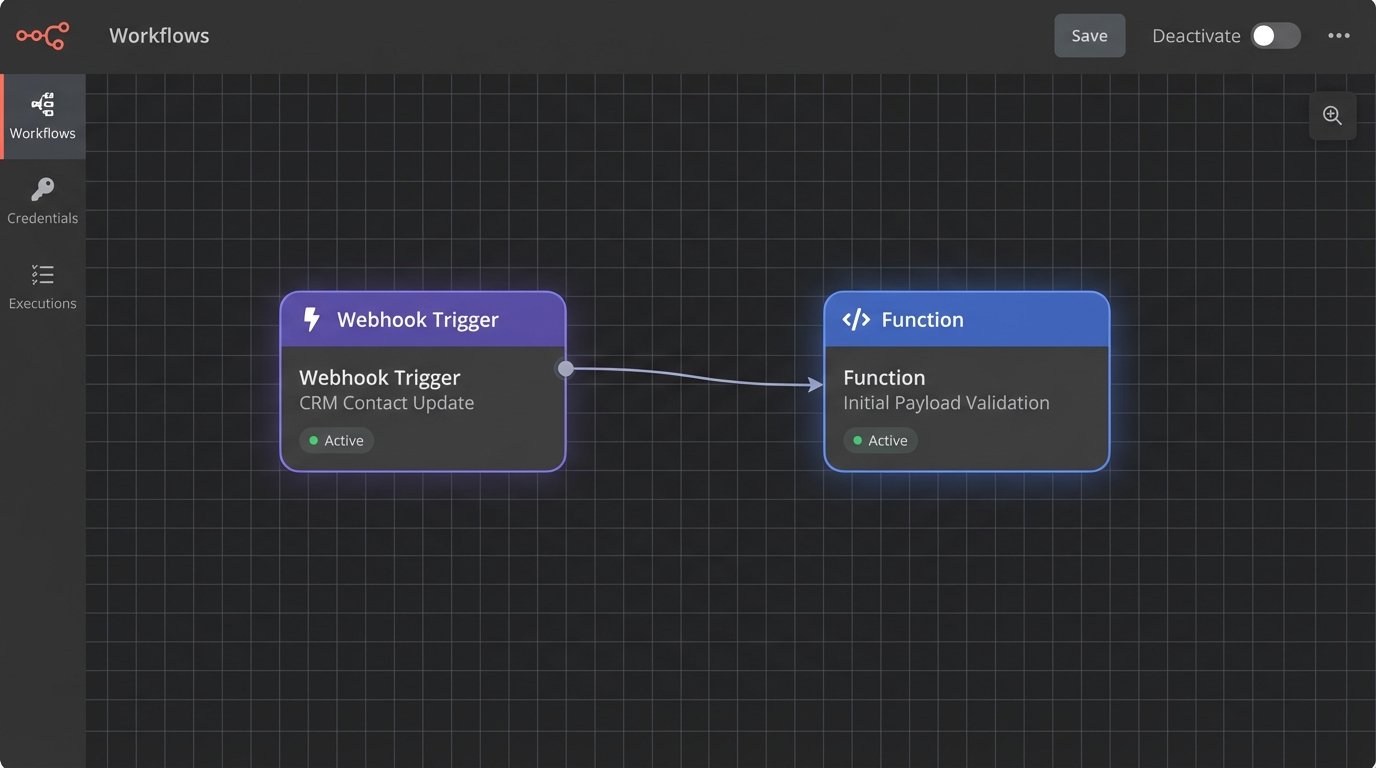
A durable solution decouples the event from the action. The CRM’s only job is to announce that something has changed. It does this by firing a webhook, a simple HTTP POST request, to a dedicated endpoint you control. The CRM becomes a dumb informant, not a decision-maker. The webhook payload contains the raw data about the change, such as the contact ID and the new field value.
This endpoint is your middleware. It can be a serverless function like AWS Lambda or an Azure Function, which is cost-effective and scalable, or a small, dedicated application server. This is where the actual logic lives. The middleware receives the webhook, parses the data, and then executes a series of programmed steps. This architecture immediately gives you several critical advantages over native triggers.
Control and Testability
Your logic now lives in code, not in a series of dropdown menus in a proprietary UI. You can put this code in a version control system like Git. You can write unit tests and integration tests to validate its behavior before deploying it. When a bug is found, you can roll back to a previous stable version. You can log every single step of the execution, from receiving the initial webhook to the final API call that sends an email. When an automation fails, you have a detailed log telling you exactly where and why.
Try doing that with a point-and-click workflow builder.
Here is a basic example of what a webhook payload from the CRM might look like. It’s just structured data.
{

  "event_type": "contact_update",

  "timestamp": "2023-10-27T10:00:00Z",

  "contact_id": "c_1138",

  "changes": {

    "status": {

      "old_value": "Intake",

      "new_value": "Follow-Up Required"

    }

  },

  "triggered_by_user_id": "u_90210"

}
Your middleware ingests this JSON. It doesn’t trust it. It validates it. It checks that `contact_id` exists. It confirms that `new_value` is a status that actually requires a follow-up. Only then does it proceed.
Sanitizing the Data Pipeline
Automation doesn’t fix bad data, it just executes bad decisions faster. A misspelled client name, an outdated email address, or an incorrectly tagged case type gets amplified by automation, creating embarrassing and professionally damaging outcomes. Sending a “We’re excited to start your personal injury case” email to a corporate M&A client because someone fat-fingered a dropdown is not a theoretical risk. It happens.
The middleware architecture is the perfect place to build a data validation and enrichment layer. Before any action is taken, your code should perform a series of logic-checks against the data it received from the CRM and, more importantly, against other systems of record.
The Pre-Execution Logic Check
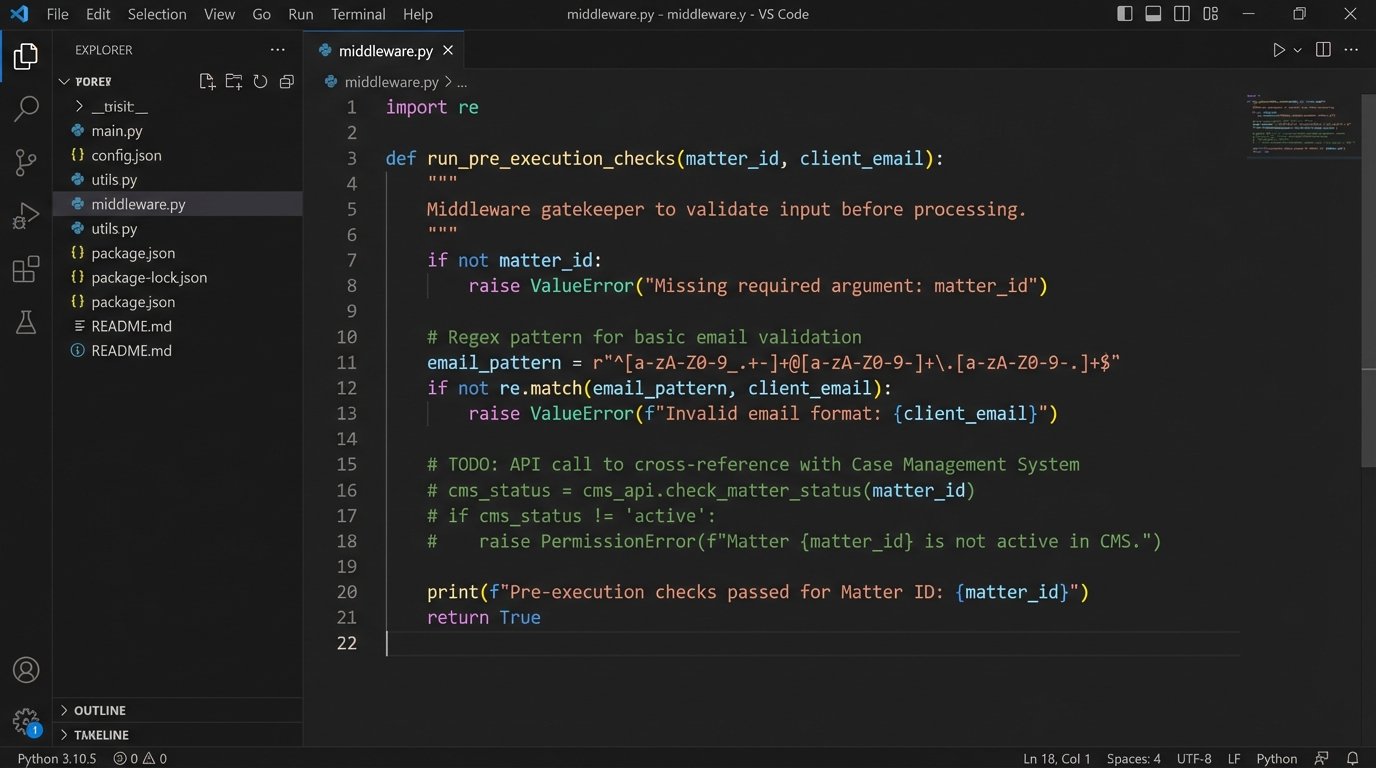
Your middleware shouldn’t just blindly execute a task. It should act as a gatekeeper. Upon receiving the webhook that a contact’s status changed, the logic should perform a sequence like this:
- Data Validation: Check if the contact record in the CRM contains a valid email address using a regex pattern. Check if the `Matter_ID` field is populated. If any required data is missing or malformed, the process halts and logs an error for manual review.
- System Cross-Reference: Make an API call to the firm’s case management system using the `Matter_ID`. Does this matter actually exist? Is its status “Active”? Is the contact in the CRM actually assigned to this matter? This prevents actions on archived or incorrectly associated contacts.
- State Verification: Check for flags that should stop the automation. For example, is there a `Do_Not_Contact` flag on the record? Is there a pending “Address Change” task? This prevents sending communication during periods of data flux.
If any of these checks fail, the automation does not run. Instead, it creates a task in the CRM, assigns it to a paralegal, and clearly states the problem, e.g., “Automation failed for John Doe: Missing Matter_ID.” This converts a silent failure into a managed exception.
This isn’t about “streamlining” a workflow. It’s about injecting critical safety checks into a process that has real-world consequences.
Case Study: Architecting the Intake-to-Client Pipeline
Let’s map a common workflow: converting a new lead into an active client. The trigger is when a paralegal changes the `Lead_Status` field in the CRM from “Pending Retainer” to “Retainer Signed.”
The Fragile, Native CRM Method
The common setup is a single rule inside the CRM. When status changes to “Retainer Signed,” the system is configured to automatically send the “New Client Welcome” email template and create a follow-up task for the assigned attorney in two weeks. This process is opaque and brittle. If the email server the CRM uses has a deliverability issue, the email might bounce silently. If the attorney assigned in the CRM is not the same as the one assigned in the document management system, the wrong person gets the task.
The firm has no visibility into these micro-failures until the client calls a week later asking why they haven’t heard from anyone.
The Resilient, Middleware Method
Using our externalized logic model, the process is fundamentally different. It’s an auditable, multi-step transaction, not a single fire-and-forget event.
- Event Firing: The paralegal changes the status. The CRM fires a webhook containing the contact’s ID to our middleware endpoint. Nothing else happens inside the CRM.
- Data Aggregation & Validation: The middleware receives the ID. It then makes three separate API calls:
- To the CRM, to pull the full contact record.
- To the document management system (DMS), to confirm a signed retainer agreement is on file and tagged with the contact ID.
- To the practice management system (PMS), to get the official `Matter_ID` and the `Billing_Attorney_ID`.
- Logic Execution: With this aggregated and validated data, the middleware proceeds. It logic-checks that the attorney ID from the PMS matches the one in the CRM. It confirms the retainer date from the DMS is recent. Assuming all checks pass, it then executes the outbound actions.
- Action & Confirmation:
- It calls a dedicated email service provider (like Postmark or SendGrid), which provides detailed delivery and open tracking, to send the welcome email. The email is constructed using data from all three systems, ensuring it’s accurate.
- It calls the PMS API to create the two-week follow-up task and assign it directly to the `Billing_Attorney_ID`. This ensures the right person gets the task according to the system of record for staffing.
- Finally, it makes one last API call back to the CRM to write a permanent, time-stamped note on the contact record: “New Client Welcome Automation executed successfully. Email sent. Task created in PMS for [Attorney Name].”
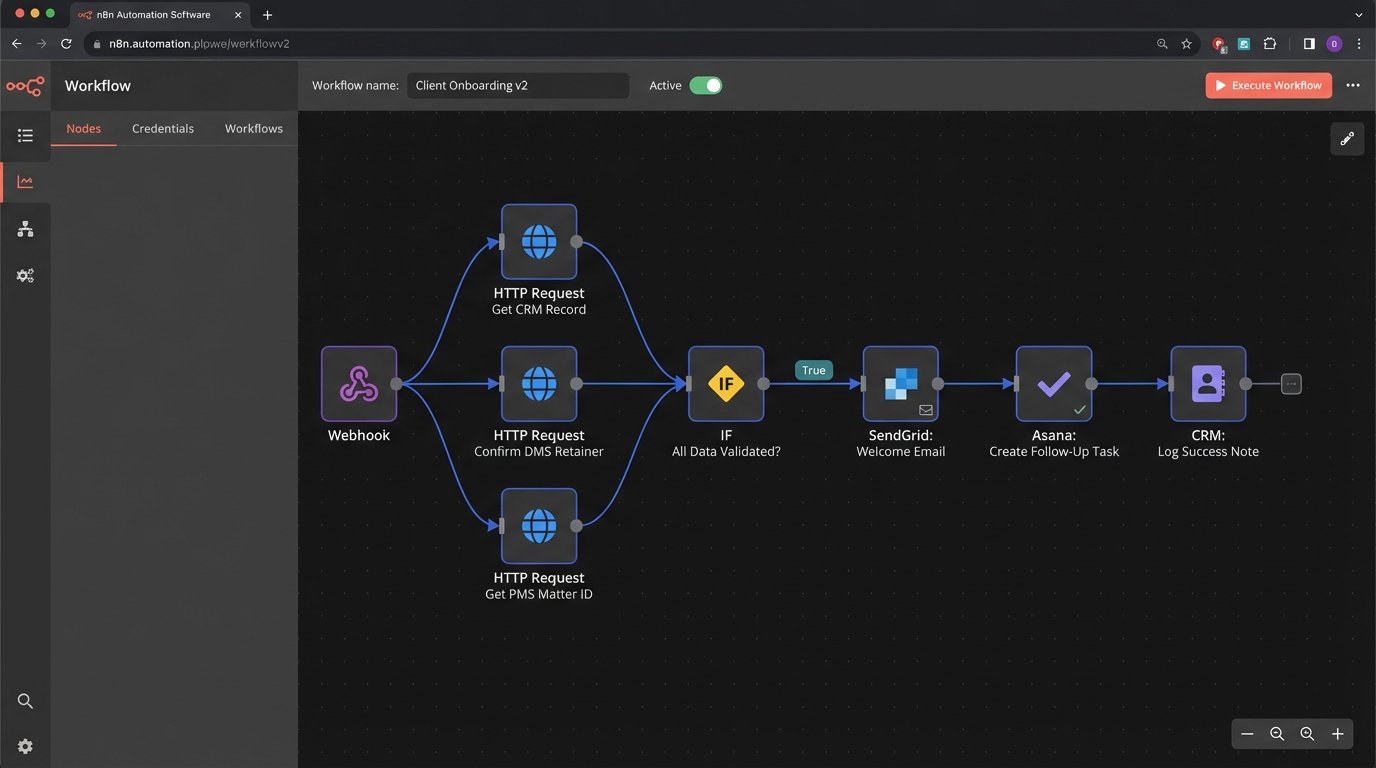
If any step in this chain fails, for instance, the DMS API is down, the entire transaction is rolled back. An alert is sent to the Legal Ops team with a payload of the data at the time of failure. The process is transparent, logged, and failure-tolerant. It’s professional-grade engineering, not wishful thinking configured in a web form.
The objective is not simply to “automate.” The objective is to build a system that is predictable and accountable. Off-the-shelf CRM tools sell the former while making the latter impossible. True progress requires taking control of the logic that governs client interaction, and that means moving it out of the vendor’s black box and into your own auditable environment.