
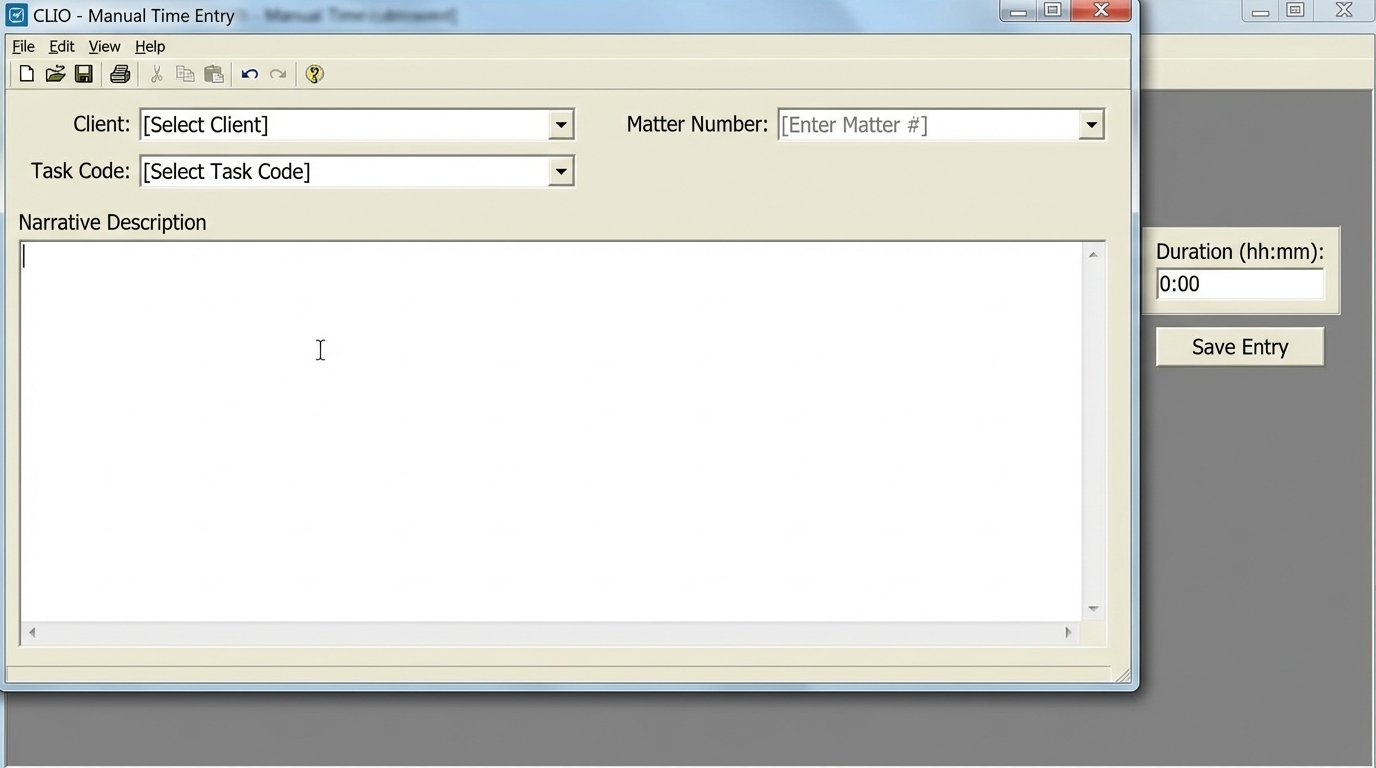
Manual time entry is a structural flaw in the legal business model. It relies on human memory, a notoriously lossy storage medium, to record the firm’s primary revenue-generating activity. The result is not a minor rounding error. It is a consistent, predictable, and significant revenue leak that compounds with every attorney, every single day. We are not talking about administrative overhead. We are talking about deliberately failing to invoice for completed work.
The Technical Failures of Manual Timekeeping
The core problem is twofold: data capture latency and cognitive friction. An attorney finishes a call, immediately gets pulled into a high-priority email, and then starts drafting a motion. The original ten-minute call is forgotten or, worse, reconstructed hours later with inaccuracies. This delay between action and documentation degrades the integrity of the billable unit. It forces attorneys to context-switch from legal work to data entry, a jarring transition that kills momentum and introduces errors.
This process guarantees under-billing. Studies consistently show that contemporaneous time tracking captures 10 to 25 percent more billable hours than delayed, block-based reconstruction. For a mid-sized firm, this isn’t a rounding error. It’s the seven-figure gap in annual revenue that leadership blames on market conditions instead of their own broken internal processes. The system actively punishes diligence and rewards hasty, inaccurate block billing at the end of the day or week.
From a data architecture perspective, manual entries are toxic. They lack structured metadata. One attorney might write “Call with client re: strategy,” while another writes “Teleconference: J. Doe (strategy session).” This inconsistency makes any attempt at meaningful analysis of work patterns or profitability per task code an exercise in futility. You cannot run analytics on a dataset built on human whim.
Breaking Down the Data Leak Points
We can isolate the failure points in the manual workflow to three specific areas. First is initiation friction. The act of opening the practice management software, finding the right matter, and clicking “new time entry” is enough of a barrier to cause procrastination. Second is description formulation. The attorney must translate an activity into a client-friendly, compliant narrative, which is a separate skill from performing the legal work itself. This translation step is where detail is lost.
Third, and most critically, is the reliance on active memory recall. The human brain is not a transaction log. Forcing it to act as one is an architectural mistake. Every interruption, every new task, overwrites the cache of recently completed activities. Expecting an attorney to perfectly recall a full day’s six-minute increments is absurd, yet it remains the foundation of most firms’ revenue operations.
An Architecture for Passive Time Capture
The only viable fix is to gut the manual-first approach and replace it with a system that passively captures activity data from the digital environment where work actually happens. The goal is not to spy on attorneys. The goal is to create a pre-populated, draft timesheet that transforms their job from data entry to data validation. This shifts the cognitive load from recall to recognition, a far less error-prone mental task.
This architecture has three main pillars: an ingestion layer to collect activity signals, a processing engine to classify and enrich that data, and an integration layer to push draft entries into the existing Practice Management System (PMS).
The Ingestion Layer: Tapping into the Data Streams
The first step is to establish listeners for key activity sources. This means hooking into the APIs of the firm’s core technology stack. We are talking about Microsoft 365 or Google Workspace for emails and calendar events, the firm’s document management system (NetDocuments, iManage) for file activity, and the VoIP phone system for call logs. Each of these systems generates a constant stream of timestamped events associated with a user.
The primary challenge here is the variability and quality of the APIs. Some modern systems provide clean REST APIs with webhooks that push data in real time. Others, particularly legacy on-premise systems, offer clunky SOAP endpoints or require scraping log files directly from a server. Bridging these disparate sources requires writing specific connectors for each one, normalizing the output into a standardized JSON format before feeding it to the processing engine.
A typical normalized activity object might look something like this:
{

  "timestamp": "2023-10-27T14:35:11Z",

  "user_email": "attorney.a@lawfirm.com",

  "activity_type": "EMAIL_SENT",

  "source_system": "MS_GRAPH_API",

  "metadata": {

    "subject": "RE: Updated Draft - MSA",

    "recipients": ["client.x@company.com", "opposing.counsel@otherfirm.com"],

    "duration_minutes": null,

    "doc_id": null

  }

}
This structure gives the next layer everything it needs to begin the real work. It’s a clean, predictable input that strips away the specific chaos of each source API.
The Processing Engine: From Raw Signal to Billable Narrative
Once we have a steady stream of activity data, the engine’s job is to map each event to a specific client matter. This is the most complex component of the system. A naive approach using simple keyword matching against matter names is brittle and will fail immediately. For example, an email subject of “Quick question” provides no useful information for direct mapping.
A more durable method uses a multi-factor scoring model. The engine first looks for an explicit matter number in the email subject or document name (e.g., “12345.001 – Draft Review”). If found, that’s a high-confidence match. If not, it moves to secondary factors. It analyzes the participants in the email or meeting against the known contacts associated with each of the attorney’s active matters in the PMS. An email to a known client contact is a strong signal.

This is where you can inject lightweight Natural Language Processing (NLP). The engine can be trained to recognize entities and concepts within the subject line and body text, comparing them against the descriptions of active matters. This is not about building a massive AI model. It’s about using focused techniques to extract signal from noise and produce a probable matter ID with a confidence score. Forcing the firehose of raw activity data through the needle of your firm’s archaic matter-naming convention is the central engineering problem here.
The output of this stage is an enriched activity log. The raw event is now bundled with a suggested matter, a draft narrative (“Email to John Smith regarding Updated Draft – MSA”), and a calculated duration. The system logic-checks for overlapping events, consolidating a flurry of document edits into a single “Document Drafting” block.
The Validation and Integration Layer
The system must never autonomously write entries to the firm’s financial records. That would be reckless. Instead, it presents the attorney with a daily “suggested timesheet” in a simple user interface. This UI shows the timeline of their day with the system’s generated entries laid out. The attorney’s job is reduced to a few clicks: confirm, edit, or delete.
This human-in-the-loop design is non-negotiable. It maintains the attorney’s professional responsibility and control over their billing narrative. It also provides a critical feedback loop. When an attorney corrects a suggested matter, that correction is fed back into the processing engine, improving the accuracy of its future suggestions for similar activity patterns. It is a self-tuning system.
Once confirmed, the final, approved time entries are pushed into the PMS via its API. This often involves transforming the clean JSON object into whatever rigid, unforgiving format the billing system’s decade-old API demands. This is grunt work, but it’s the final step that closes the loop and gets the entry onto a draft invoice.
Implementation Realities and Unavoidable Friction
Deploying a system like this is not a simple software installation. It is a direct challenge to ingrained workflows and requires confronting technical debt that has been accumulating for years. The first and most common point of failure is poor data hygiene.
Prerequisite: Data Hygiene
If your firm’s matter management discipline is weak, this project will fail. An automated system cannot guess which of the three duplicate matters for “Project Sparrow” is the correct one. Before writing a single line of code, you must enforce a strict, consistent protocol for naming matters and associating key contacts. The automation project becomes the lever to force this change, as the value proposition is directly tied to the quality of the underlying data.
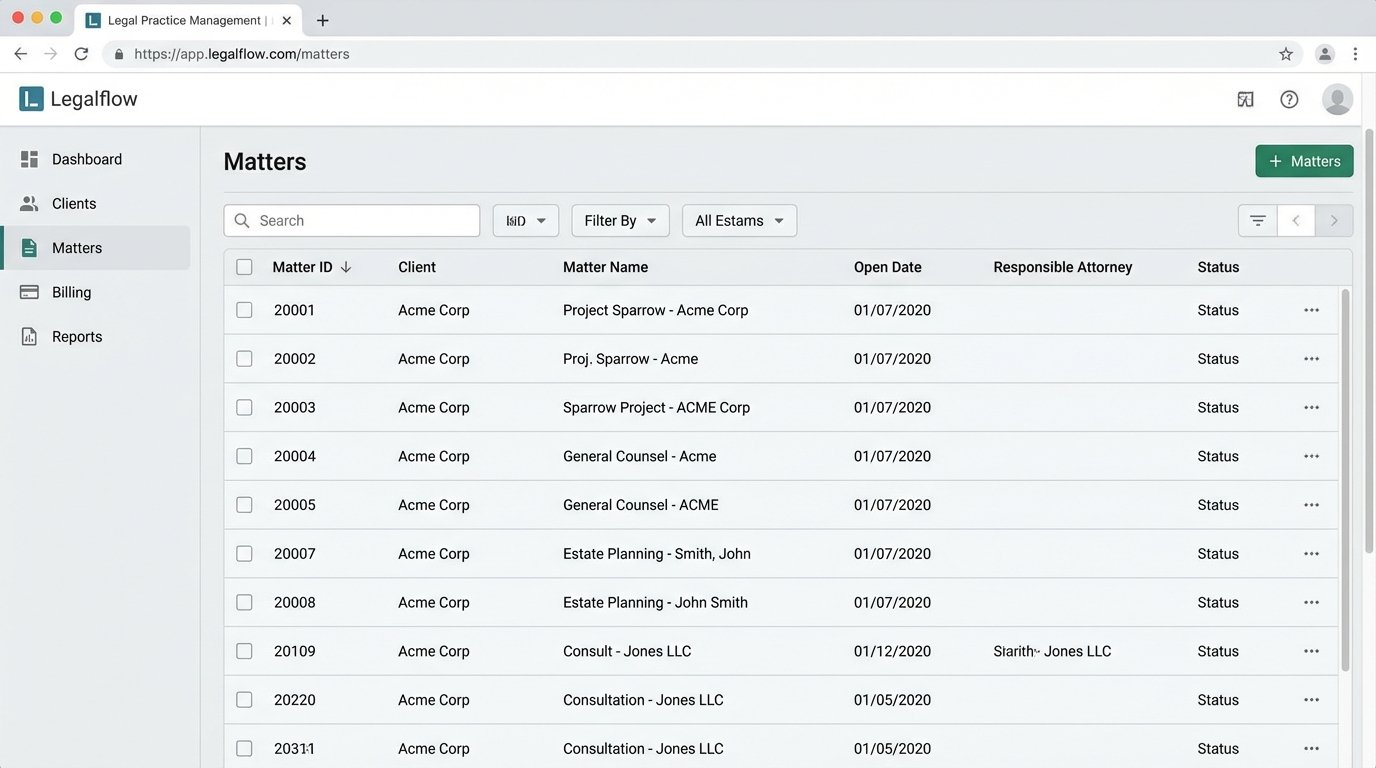
This often means a painful data cleanup project must precede the automation work. You have to de-duplicate contacts, establish clear matter closing procedures, and standardize the way matter names are constructed. It’s thankless work, but without it, the processing engine will be starved of the clean data it needs to function.
Attorney Adoption and Change Management
The second major hurdle is cultural. Attorneys may view this technology as a surveillance tool. The project’s framing is critical. It must be presented not as a method for management to check up on them, but as a high-powered administrative assistant that eliminates their most tedious non-billable task. The pitch is simple: stop wasting your evenings trying to remember what you did at 10:15 AM and just approve the draft we already made for you.
Running a pilot program with a small, tech-friendly practice group is essential. Their success and positive feedback become the internal case study you use to win over more skeptical partners. You have to prove that the system saves them time and increases their personal billable hours before expecting firm-wide adoption.
Build vs. Buy: The Wallet Question
Several vendors now offer products in this space. They are often expensive and may not integrate perfectly with a firm’s custom-built Frankenstein of an IT stack. The advantage is speed to deployment and offloading maintenance. The disadvantage is a recurring subscription fee and a potential lack of control over the data processing logic or where your firm’s sensitive activity data is being stored.
Building a custom solution offers total control and can be tailored precisely to the firm’s needs, but it requires a dedicated internal or external development team. It is a significant upfront investment in capital and time. The choice depends entirely on the firm’s in-house technical capabilities and tolerance for recurring operational expenses versus a one-time capital expense. Neither path is cheap, but the cost of inaction, measured in leaked revenue year after year, is almost certainly higher.