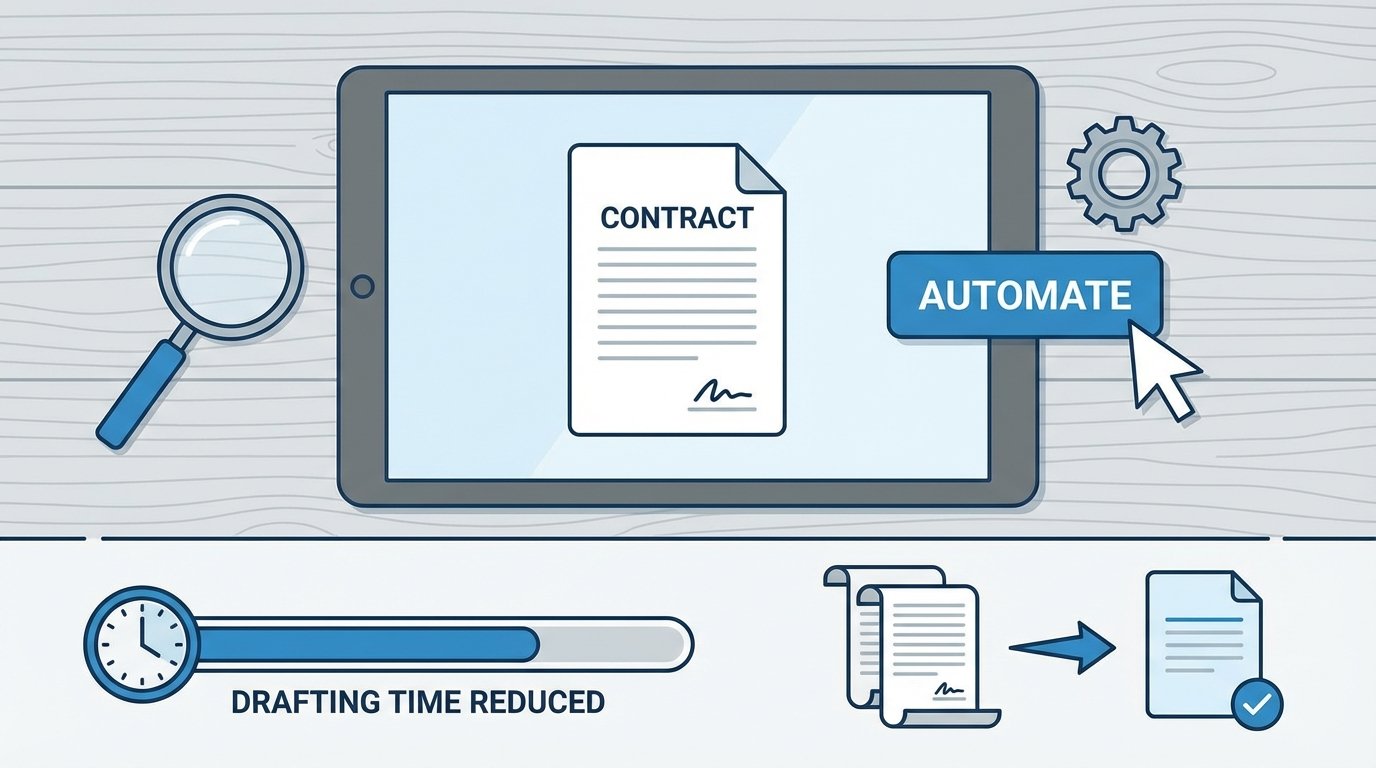
Most attempts to automate contract drafting fail before the first line of code is written. They fail because the project is framed as a software problem when it is fundamentally a data integrity and process discipline problem. Buying another subscription to a “contract AI” platform will not fix a broken intake process. This guide is about the actual engineering required to build a system that generates contracts without producing garbage outputs or requiring constant manual intervention.
The goal is not to eliminate attorneys. The goal is to offload the repetitive, low-value work of populating templates so legal teams can focus on negotiation and risk analysis. This requires a shift in thinking, from viewing a contract as a Word document to seeing it as a structured data object that gets rendered into a document format.
Prerequisite: Structured Data Is Not Optional
You cannot automate chaos. If your contract intake process begins with a forwarded email chain full of ambiguous requests and attached files with conflicting information, stop. Automation here is impossible. The first mechanical step is to force all incoming requests through a structured input mechanism. This is non-negotiable.
This intake layer, typically a web form or a dedicated portal, serves one primary function: it forces the business user to provide clean, validated data. Each field in the form must correspond to a specific variable in the contract template. A text field for “Counterparty Name” must be a required string. The “Effective Date” must be a date-picker field that outputs in ISO 8601 format (YYYY-MM-DD), not a free-text field where a user can type “next Tuesday”.
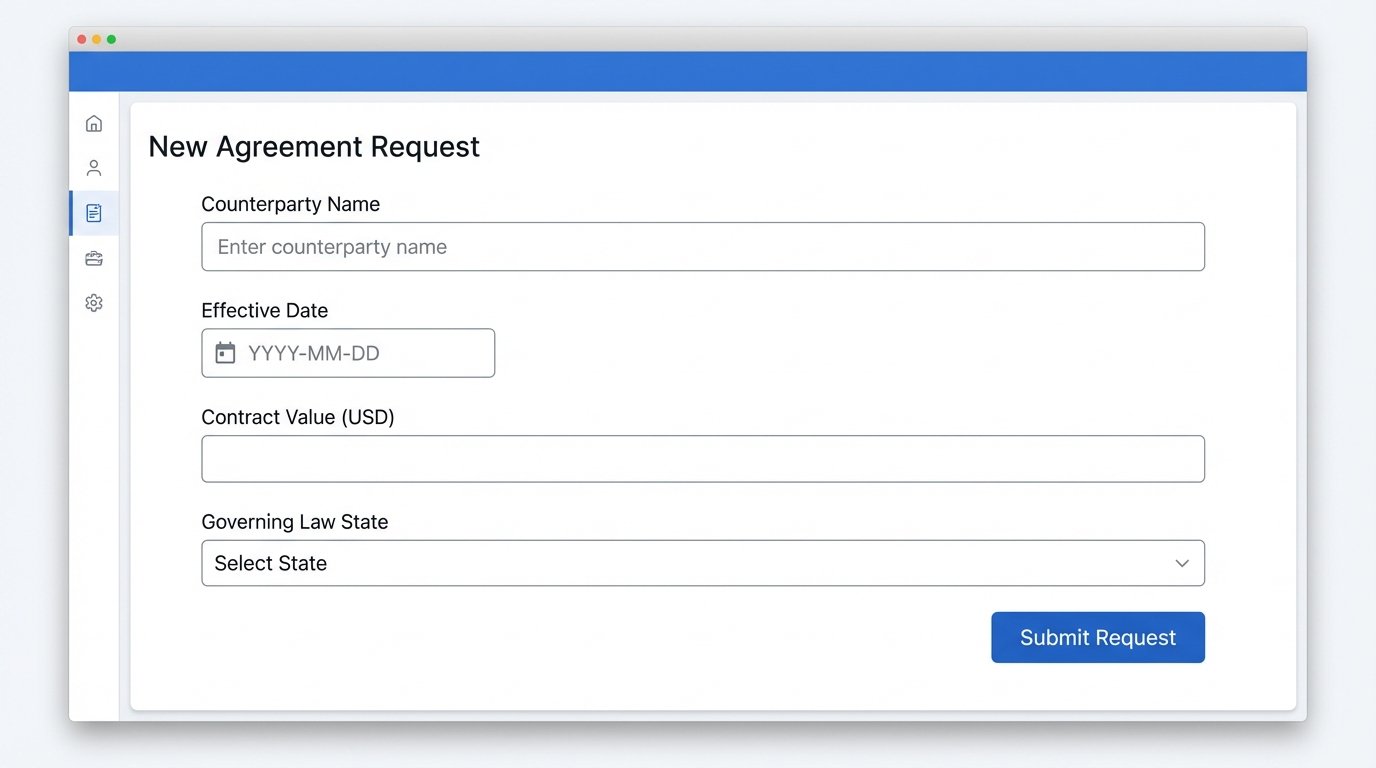
Building this intake form forces the legal team to deconstruct their own documents into a set of discrete data points. This exercise alone is more valuable than any software. It exposes the hidden variables and implicit assumptions baked into every template. Without this structured data foundation, any downstream automation is just building on sand.
Data Validation at the Gate
Validation must occur at the point of entry. It is far cheaper and more effective to reject bad data at the form submission stage than to try and clean it up later. Client-side validation using simple HTML5 attributes (`required`, `type=”email”`, `pattern=”[0-9]{5}”`) provides immediate feedback to the user. This is insufficient on its own.
Server-side validation is mandatory. A user can bypass client-side checks. Your backend logic must re-validate every single piece of submitted data before it ever touches your templating engine. Check for data types, string lengths, numerical ranges, and valid formats. If a field for “Governing Law State” expects a two-letter postal code, the backend must reject “California”. This rigid enforcement is the bedrock of a reliable system.
The Core Architecture of a Drafting Engine
A functional document automation system consists of three distinct parts: the intake layer (which we’ve covered), a logic layer, and a templating engine. Many off-the-shelf platforms try to bundle these together, often with significant compromises. Understanding them as separate components is key to diagnosing failures and building a system that can be maintained.
The Logic Layer: Where the Rules Live
The logic layer is the brain. It takes the clean, validated data from the intake form and applies a set of rules to determine the final structure of the contract. This is where conditional clauses, optional paragraphs, and calculations are handled. A simple “if-then” statement is the most common form of logic.
For example, if the “Total Contract Value” is greater than $100,000, the system must inject an additional approval requirement clause. If the “Jurisdiction” is “California,” it must append a specific privacy notice. This logic should not be buried inside the document template itself. Separating the logic from the presentation (the template) makes the system infinitely easier to update and debug. When a legal rule changes, you update the logic engine, not all 200 document templates that rely on that rule.
Representing this logic can be done in various ways. A decision table, a set of nested JSON rules, or a dedicated Business Rules Management System (BRMS) are common. For most applications, a simple JSON structure is sufficient and easy for both technical and legal teams to read.
{
"rule_id": "CA_PRIVACY_NOTICE_01",
"description": "Adds CCPA clause if counterparty is in California.",
"condition": {
"field": "jurisdiction_state",
"operator": "equals",
"value": "CA"
},
"action": {
"type": "insert_clause",
"clause_id": "CL-CCPA-04B"
}
}
This small block of code is explicit. It has a clear condition and a clear action. A library of these rules can be built and managed independently of the templates. This modularity is critical for maintenance.
The Templating Engine: Merging Data and Text
The final stage is the templating engine. This component takes the raw data and the instructions from the logic layer and merges them into a final document. The template itself is typically a .docx or .html file containing static text and placeholders for variable data. These placeholders, or tokens, use a specific syntax, such as `{{client_name}}` or `[[counterparty_address]]`.
The engine reads the template, iterates through the placeholders, and replaces each one with the corresponding data value. It also executes the instructions from the logic layer, such as inserting or removing entire blocks of text. The choice of engine matters. Some are sluggish with large documents. Others have arcane syntax or poor support for complex structures like nested tables.
The output is a fully formed contract, ready for review or signature. The key is that this final document is an artifact of a repeatable, auditable process. Given the same inputs, the system will produce the exact same output every time. This consistency is impossible to achieve with manual drafting.
Walkthrough: Assembling an NDA Generator
Theory is cheap. Let’s walk through the construction of a simple generator for a mutual Non-Disclosure Agreement. This exercise exposes the mechanical realities of connecting the components.
Step 1: Deconstruct and Tokenize the Template
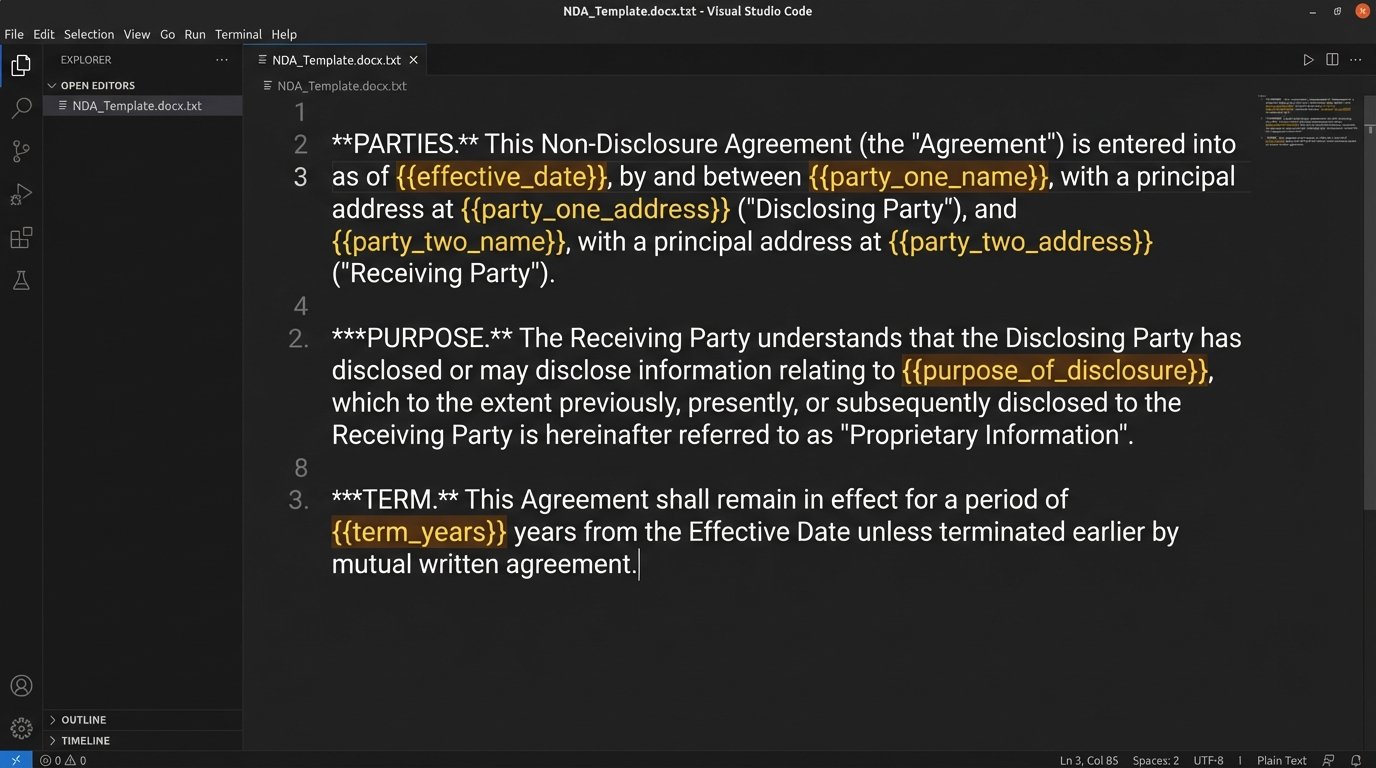
Start with your firm’s standard NDA template in Microsoft Word. Read through it line by line and identify every piece of information that changes from one NDA to the next. These are your variables. Replace them with clear, consistent tokens.
- The effective date becomes `{{effective_date}}`.
- Party One’s name becomes `{{party_one_name}}`.
- Party One’s address becomes `{{party_one_address}}`.
- Party Two’s name becomes `{{party_two_name}}`.
- The term of the agreement in years becomes `{{term_years}}`.
- Governing law becomes `{{governing_law}}`.
Save this new file as your master template. This document is now a dumb shell waiting for data. It contains no logic. This separation is vital.
Step 2: Map Intake Fields to Template Tokens
Now, build the intake form. Each field on your form must directly map to a token in your template. The `id` of the form field should match the token name for sanity’s sake. A text input with `id=”party_one_name”` will provide the data for the `{{party_one_name}}` token.
This mapping is the connective tissue of the entire system. It is nothing more than a simple key-value association. Building this mapping is like trying to connect two different plumbing systems with a custom-built adapter. You have to ensure the threads on one pipe match the gauge of the other, or the whole thing leaks. If the form field for a date is `eff_date` but your template token is `{{effective_date}}`, the system will fail. The mapping must be precise.
A Python script handling this might receive the form data as a JSON object and perform the mapping before calling the templating engine.
# Raw form data from a web request
form_data = {
"partyOneName": "ABC Corporation",
"partyOneAddr": "123 Main St, Anytown, USA",
"effectiveDate": "2023-10-27"
}
# Mapping to template token names
template_context = {
"party_one_name": form_data.get("partyOneName"),
"party_one_address": form_data.get("partyOneAddr"),
"effective_date": form_data.get("effectiveDate")
}
# Pass `template_context` to the rendering engine
This code explicitly bridges the gap between the form’s naming convention and the template’s token convention. This transformation logic is where many simple systems break down due to inconsistent naming.
Step 3: Implement and Test Conditional Logic
Let’s add a rule. The NDA will have a standard 2-year term, but if the information being shared is designated as “Highly Sensitive” on the intake form, the term extends to 5 years. In the intake form, this is a checkbox with the `id` of `is_highly_sensitive`.
Your logic layer will process this before the templating stage. It inspects the incoming data. If `is_highly_sensitive` is true, it overrides the default value for the `term_years` variable, setting it to 5. Otherwise, it remains 2. The templating engine is unaware of this decision. It just receives the final value for `{{term_years}}` and injects it.
Test this relentlessly. Submit the form with the box checked and unchecked. Verify the output document each time. Conditional logic is a primary source of bugs. A misplaced boolean flag can generate a contract with a 50-year term instead of 5, a mistake a human reviewer might miss.
The Problems Nobody Advertises
Building a single-document generator is straightforward. Scaling this to manage dozens of complex agreement types with hundreds of optional clauses introduces significant engineering challenges that vendors tend to gloss over.
Template Versioning and Clause Management
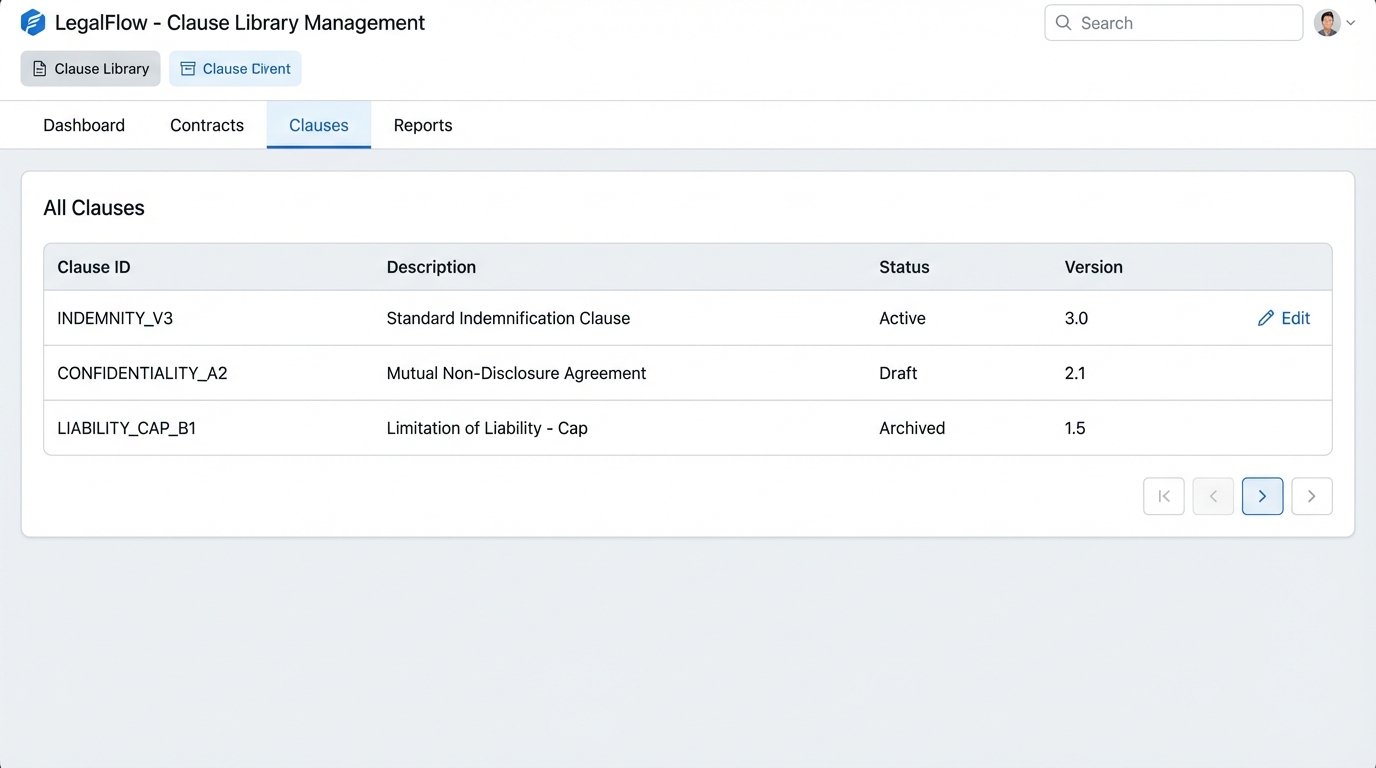
What happens when your litigation group updates the standard indemnity clause? With a naive setup, you now have to manually update that clause in every single template file that contains it. This is untenable. A mature system does not store clauses inside templates. It stores them in a separate, version-controlled library.
The master template contains a reference, like `[[INCLUDE_CLAUSE:INDEMNITY_V3]]`. The templating engine then fetches the text of that clause from a central database or a Git repository. When the clause is updated to version 4, you update it in one place. The next contract generated will automatically pull the new text. This approach treats legal language like software code, a concept that requires a significant cultural shift.
The Nightmare of Integration
The contract generator does not live in a vacuum. The business wants the intake form to pre-populate data from Salesforce. They want the final executed document to be saved automatically to their document management system and the key metadata written back to the Salesforce record. This requires bridging multiple systems, each with its own quirky, poorly documented API.
You will spend more time writing authentication handlers, parsing weirdly formatted API responses, and managing rate limits than you will on the core document logic. This integration work is the expensive, unglamorous plumbing that makes the system actually useful. A standalone NDA generator that emails a PDF to someone is a toy. A fully integrated system that updates the CRM and DMS is a tool.
Automating contract drafting is not about buying a slick UI. It’s about imposing structure on data, externalizing business logic from document text, and methodically building auditable, repeatable processes. Start with one document. Get the data intake perfect. Validate the output. Then, and only then, consider building a second one.